service CHEVROLET IMPALA 2003 8.G Owner's Manual
[x] Cancel search | Manufacturer: CHEVROLET, Model Year: 2003, Model line: IMPALA, Model: CHEVROLET IMPALA 2003 8.GPages: 408, PDF Size: 2.75 MB
Page 159 of 408
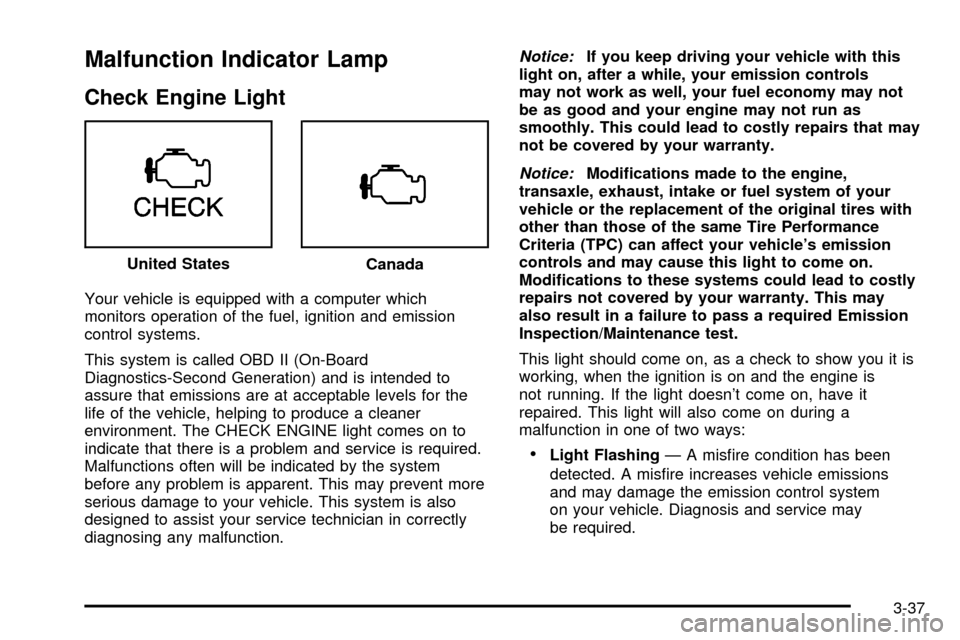
Malfunction Indicator Lamp
Check Engine Light
Your vehicle is equipped with a computer which
monitors operation of the fuel, ignition and emission
control systems.
This system is called OBD II (On-Board
Diagnostics-Second Generation) and is intended to
assure that emissions are at acceptable levels for the
life of the vehicle, helping to produce a cleaner
environment. The CHECK ENGINE light comes on to
indicate that there is a problem and service is required.
Malfunctions often will be indicated by the system
before any problem is apparent. This may prevent more
serious damage to your vehicle. This system is also
designed to assist your service technician in correctly
diagnosing any malfunction.
Notice:If you keep driving your vehicle with this
light on, after a while, your emission controls
may not work as well, your fuel economy may not
be as good and your engine may not run as
smoothly. This could lead to costly repairs that may
not be covered by your warranty.
Notice:Modi®cations made to the engine,
transaxle, exhaust, intake or fuel system of your
vehicle or the replacement of the original tires with
other than those of the same Tire Performance
Criteria (TPC) can affect your vehicle's emission
controls and may cause this light to come on.
Modi®cations to these systems could lead to costly
repairs not covered by your warranty. This may
also result in a failure to pass a required Emission
Inspection/Maintenance test.
This light should come on, as a check to show you it is
working, when the ignition is on and the engine is
not running. If the light doesn't come on, have it
repaired. This light will also come on during a
malfunction in one of two ways:
·Light FlashingÐ A mis®re condition has been
detected. A mis®re increases vehicle emissions
and may damage the emission control system
on your vehicle. Diagnosis and service may
be required. United States
Canada
3-37
Page 160 of 408

·Light On SteadyÐ An emission control system
malfunction has been detected on your vehicle.
Diagnosis and service may be required.
If the Light Is Flashing
The following may prevent more serious damage to
your vehicle:
·Reducing vehicle speed.
·Avoiding hard accelerations.
·Avoiding steep uphill grades.
·If you are towing a trailer, reduce the amount of
cargo being hauled as soon as it is possible.
If the light stops ¯ashing and remains on steady, see ªIf
the Light Is On Steadyº following.
If the light continues to ¯ash, when it is safe to do so,
stop the vehicle.
Find a safe place to park your vehicle. Turn the key off,
wait at least 10 seconds and restart the engine. If
the light remains on steady, see ªIf the Light Is On
Steadyº following. If the light is still ¯ashing, follow the
previous steps, and see your dealer for service as soon
as possible.
If the Light Is on Steady
You also may be able to correct the emission system
malfunction by considering the following:
Did you recently put fuel into your vehicle?
If so, reinstall the fuel cap, making sure to fully install
the cap. See
Filling Your Tank on page 5-7. The
diagnostic system can determine if the fuel cap has
been left off or improperly installed. A loose or missing
fuel cap will allow fuel to evaporate into the atmosphere.
A few driving trips with the cap properly installed
should turn the light off.
Did you just drive through a deep puddle of water?
If so, your electrical system may be wet. The condition
will usually be corrected when the electrical system
dries out. A few driving trips should turn the light off.
Have you recently changed brands of fuel?
If so, be sure to fuel your vehicle with quality fuel. See
Gasoline Octane on page 5-5. Poor fuel quality will
cause your engine not to run as efficiently as designed.
You may notice this as stalling after start-up, stalling
when you put the vehicle into gear, mis®ring, hesitation
on acceleration or stumbling on acceleration. (These
conditions may go away once the engine is warmed up.)
This will be detected by the system and cause the
light to turn on.
3-38
Page 163 of 408
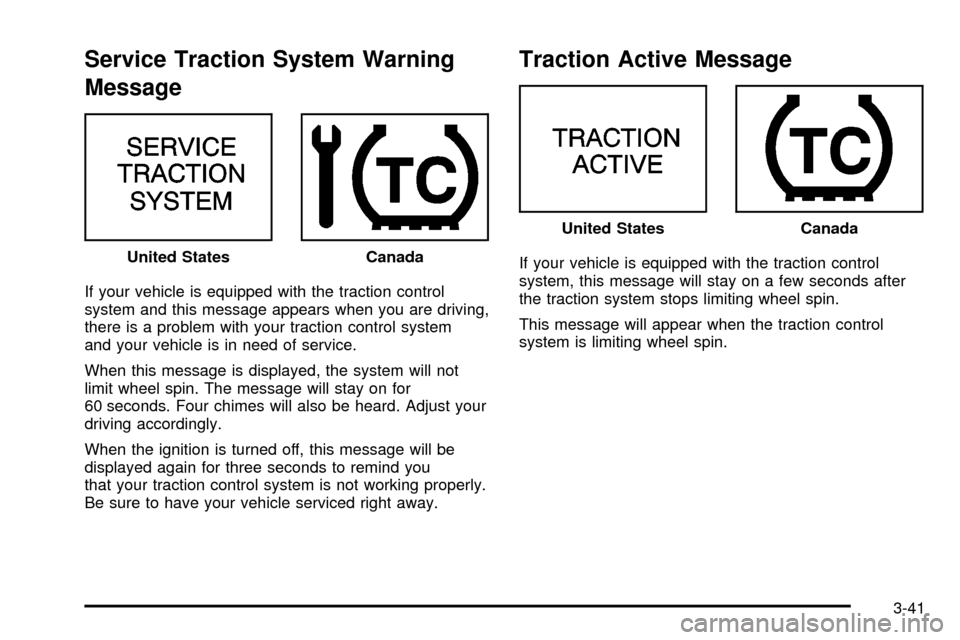
Service Traction System Warning
Message
If your vehicle is equipped with the traction control
system and this message appears when you are driving,
there is a problem with your traction control system
and your vehicle is in need of service.
When this message is displayed, the system will not
limit wheel spin. The message will stay on for
60 seconds. Four chimes will also be heard. Adjust your
driving accordingly.
When the ignition is turned off, this message will be
displayed again for three seconds to remind you
that your traction control system is not working properly.
Be sure to have your vehicle serviced right away.
Traction Active Message
If your vehicle is equipped with the traction control
system, this message will stay on a few seconds after
the traction system stops limiting wheel spin.
This message will appear when the traction control
system is limiting wheel spin. United StatesCanada
United StatesCanada
3-41
Page 165 of 408
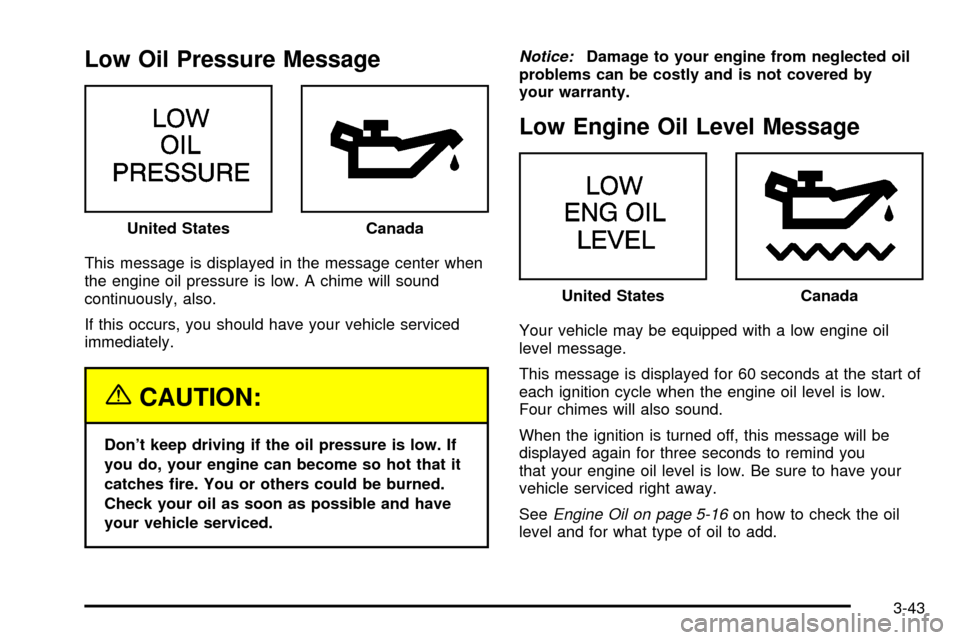
Low Oil Pressure Message
This message is displayed in the message center when
the engine oil pressure is low. A chime will sound
continuously, also.
If this occurs, you should have your vehicle serviced
immediately.
{CAUTION:
Don't keep driving if the oil pressure is low. If
you do, your engine can become so hot that it
catches ®re. You or others could be burned.
Check your oil as soon as possible and have
your vehicle serviced.
Notice:Damage to your engine from neglected oil
problems can be costly and is not covered by
your warranty.
Low Engine Oil Level Message
Your vehicle may be equipped with a low engine oil
level message.
This message is displayed for 60 seconds at the start of
each ignition cycle when the engine oil level is low.
Four chimes will also sound.
When the ignition is turned off, this message will be
displayed again for three seconds to remind you
that your engine oil level is low. Be sure to have your
vehicle serviced right away.
See
Engine Oil on page 5-16on how to check the oil
level and for what type of oil to add. United States
Canada
United StatesCanada
3-43
Page 168 of 408
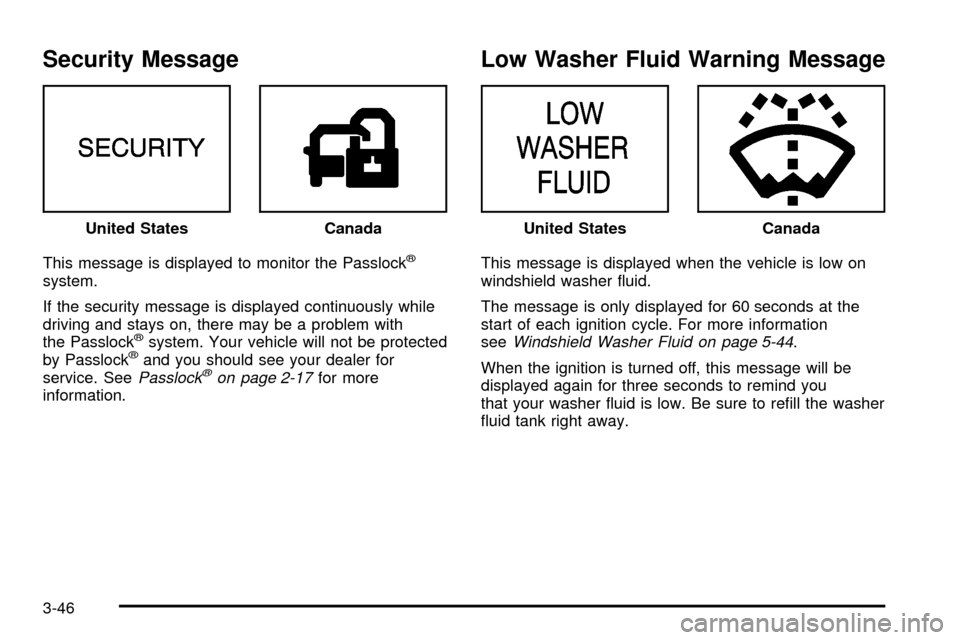
Security Message
This message is displayed to monitor the Passlockž
system.
If the security message is displayed continuously while
driving and stays on, there may be a problem with
the Passlock
žsystem. Your vehicle will not be protected
by Passlockžand you should see your dealer for
service. SeePasslockžon page 2-17for more
information.
Low Washer Fluid Warning Message
This message is displayed when the vehicle is low on
windshield washer ¯uid.
The message is only displayed for 60 seconds at the
start of each ignition cycle. For more information
see
Windshield Washer Fluid on page 5-44.
When the ignition is turned off, this message will be
displayed again for three seconds to remind you
that your washer ¯uid is low. Be sure to re®ll the washer
¯uid tank right away. United States
CanadaUnited StatesCanada
3-46
Page 169 of 408
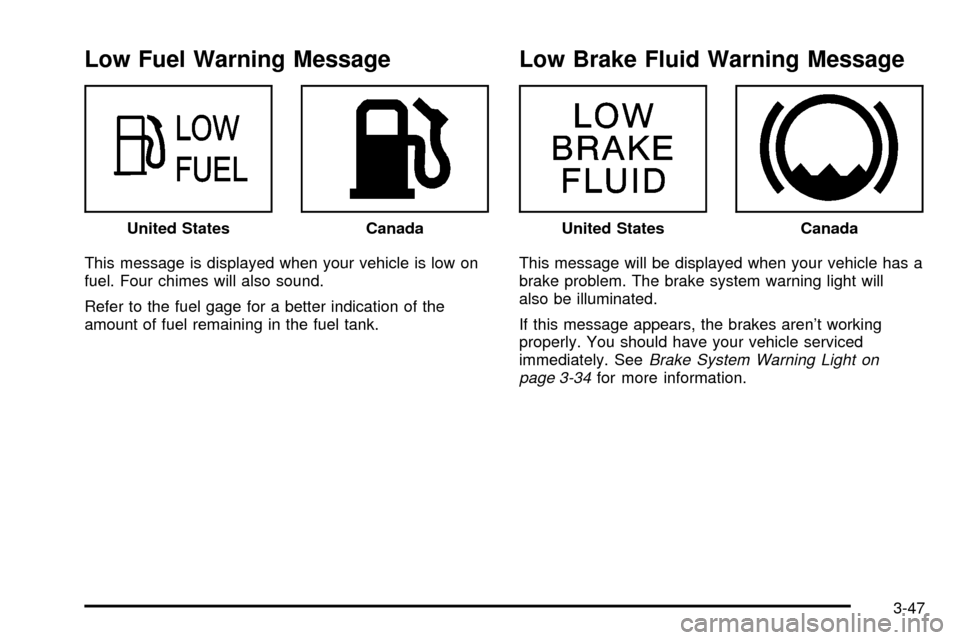
Low Fuel Warning Message
This message is displayed when your vehicle is low on
fuel. Four chimes will also sound.
Refer to the fuel gage for a better indication of the
amount of fuel remaining in the fuel tank.
Low Brake Fluid Warning Message
This message will be displayed when your vehicle has a
brake problem. The brake system warning light will
also be illuminated.
If this message appears, the brakes aren't working
properly. You should have your vehicle serviced
immediately. See
Brake System Warning Light on
page 3-34for more information. United States
CanadaUnited StatesCanada
3-47
Page 170 of 408
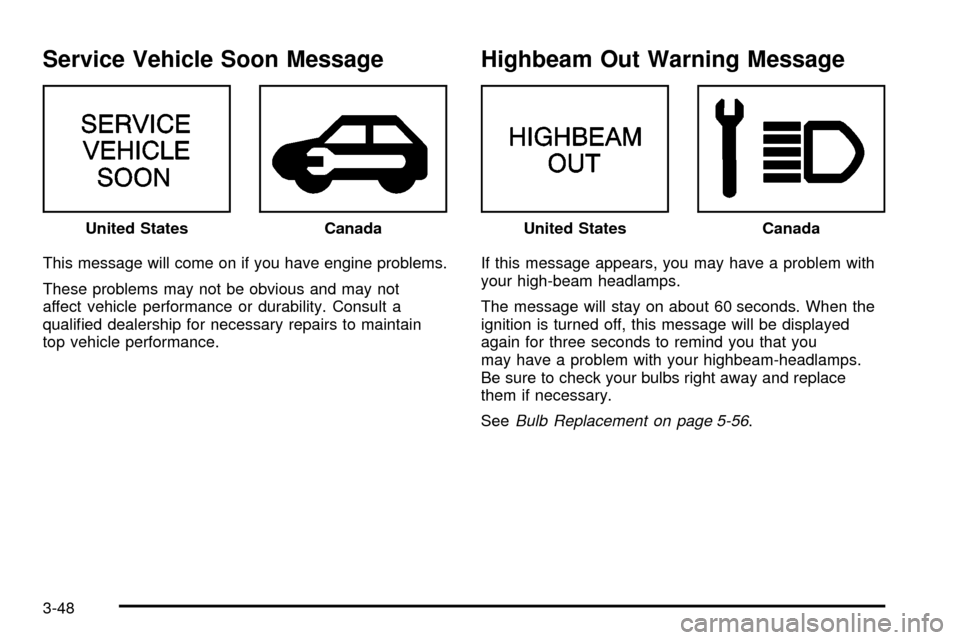
Service Vehicle Soon Message
This message will come on if you have engine problems.
These problems may not be obvious and may not
affect vehicle performance or durability. Consult a
quali®ed dealership for necessary repairs to maintain
top vehicle performance.
Highbeam Out Warning Message
If this message appears, you may have a problem with
your high-beam headlamps.
The message will stay on about 60 seconds. When the
ignition is turned off, this message will be displayed
again for three seconds to remind you that you
may have a problem with your highbeam-headlamps.
Be sure to check your bulbs right away and replace
them if necessary.
See
Bulb Replacement on page 5-56. United States
CanadaUnited StatesCanada
3-48
Page 176 of 408
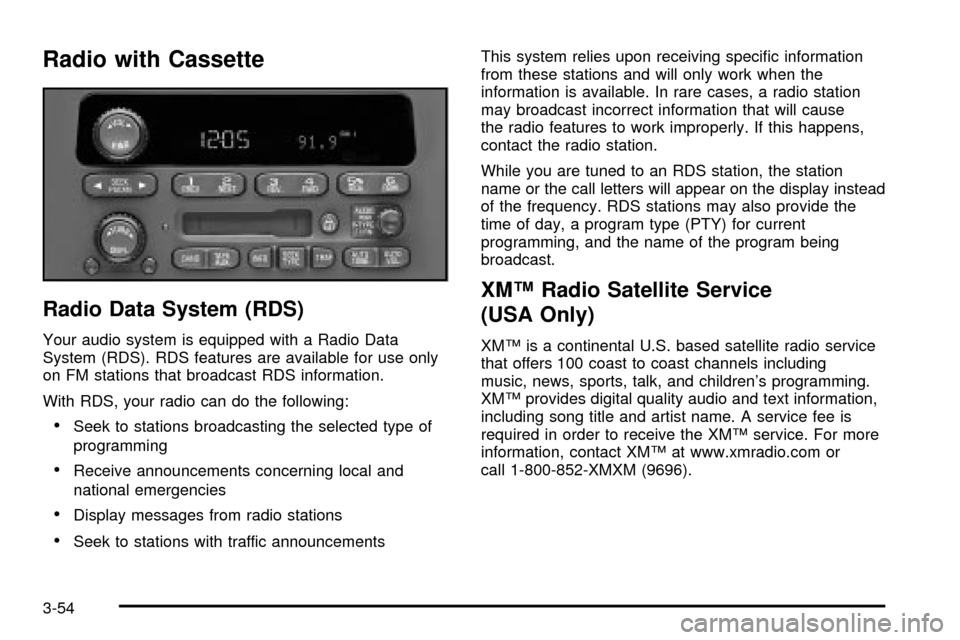
Radio with Cassette
Radio Data System (RDS)
Your audio system is equipped with a Radio Data
System (RDS). RDS features are available for use only
on FM stations that broadcast RDS information.
With RDS, your radio can do the following:
·Seek to stations broadcasting the selected type of
programming
·Receive announcements concerning local and
national emergencies
·Display messages from radio stations
·Seek to stations with traffic announcementsThis system relies upon receiving speci®c information
from these stations and will only work when the
information is available. In rare cases, a radio station
may broadcast incorrect information that will cause
the radio features to work improperly. If this happens,
contact the radio station.
While you are tuned to an RDS station, the station
name or the call letters will appear on the display instead
of the frequency. RDS stations may also provide the
time of day, a program type (PTY) for current
programming, and the name of the program being
broadcast.
XMŸ Radio Satellite Service
(USA Only)
XMŸ is a continental U.S. based satellite radio service
that offers 100 coast to coast channels including
music, news, sports, talk, and children's programming.
XMŸ provides digital quality audio and text information,
including song title and artist name. A service fee is
required in order to receive the XMŸ service. For more
information, contact XMŸ at www.xmradio.com or
call 1-800-852-XMXM (9696).
3-54
Page 180 of 408

Finding a PTY Station (RDS and XMŸ)
To select and ®nd a desired PTY perform the following:
1. Press the P-TYPE knob. TYPE and a PTY will
appear on the display.
2. Select a category by turning the P-TYPE knob.
3. Once the desired category is displayed, press the
SEEK TYPE button to take you to the category's
®rst station.
4. If you want to go to another station within that
category and the category is displayed, press
the SEEK TYPE button once. If the category is not
displayed, press the SEEK TYPE button twice
to display the category and then to go to
another station.
If the radio cannot ®nd the desired program type, NONE
will appear on the display and the radio will return to
the last station you were listening to.BAND (Alternate Frequency):Alternate frequency
allows the radio to switch to a stronger station with the
same program type. Press and hold BAND for two
seconds to turn alternate frequency on. AF ON
will appear on the display. The radio may switch to
stronger stations. Press and hold BAND again for two
seconds to turn alternate frequency off. AF OFF
will appear on the display. The radio will not switch to
other stations.
This function does not apply for XMŸ Satellite
Radio Service.
RDS Messages
ALERT!:Alert warns of local or national emergencies.
When an alert announcement comes on the current
radio station, ALERT! will appear on the display. You will
hear the announcement, even if the volume is muted
or a cassette tape is playing. If the cassette tape player
is playing, play will stop during the announcement.
You will not be able to turn off alert announcements.
ALERT! will not be affected by tests of the emergency
broadcast system. This feature is not supported by
all RDS stations.
3-58
Page 181 of 408

INFO (Information):If the current station has a
message, INFO will appear on the display. Press this
button to see the message. The message may display
the artist and song title, call in phone numbers, etc.
If the whole message is not displayed, parts of it
will appear every three seconds. To scroll through the
message at your own speed, press the INFO button
repeatedly. A new group of words will appear on
the display with each press. Once the complete
message has been displayed, INFO will disappear from
the display until another new message is received.
The old message can be displayed by pressing
the INFO button until a new message is received or a
different station is tuned to.
When a message is not available from a station, NO
INFO will be displayed.
TRAF (Traffic):If TRAF appears on the display, the
tuned station broadcasts traffic announcements
and when a traffic announcement comes on the tuned
radio station you will hear it.
If the current tuned station does not broadcast traffic
announcements, press this button and the radio will seek
to a station that does. When the radio ®nds a station that
broadcasts traffic announcements, it will stop and TRAFwill be displayed. When a traffic announcement come on
the tuned radio station you will hear it. If no station is
found, NO TRAF will appear on the display.
If TRAF is on the display you can press the TRAF button
to turn off the traffic announcements.
Your radio will play the traffic announcement even if the
volume is muted or interrupt the play of a cassette tape if
the last tuned station broadcasts traffic announcements.
This function does not apply to XMŸ Satellite
Radio Service.
Radio Messages
CAL ERR (Calibration Error):This message is
displayed when the radio has not been calibrated
properly for the vehicle. You must return to the
dealership for service.
LOCKED:This message is displayed when the
THEFTLOCK
žsystem has locked up. You must return
to the dealership for service.
If any error occurs repeatedly or if an error can not be
corrected, contact your dealer.
3-59