keyless CHEVROLET IMPALA 2004 8.G User Guide
[x] Cancel search | Manufacturer: CHEVROLET, Model Year: 2004, Model line: IMPALA, Model: CHEVROLET IMPALA 2004 8.GPages: 420, PDF Size: 2.73 MB
Page 84 of 420
Arming with the Remote Keyless Entry
Transmitter
Your alarm system will arm when you use your remote
keyless entry transmitter to lock the doors, if the key
is not in the ignition. The light on the radio will turn on to
let you know the system is arming. After all doors and
the trunk are closed and locked, the light on the
radio will begin ashing at a very slow rate to let you
know the system is armed.
Disarming with the Remote Keyless
Entry Transmitter
Your alarm system will disarm when you use your
remote keyless entry transmitter to unlock the doors.
The light on the radio will go off to let you know
the system is no longer armed.
The rst time a remote UNLOCK command is received,
three ashes will be seen and three horn chirps heard to
indicate an alarm condition has occurred since last
arming.
Disarming with Your Key
Your alarm system will disarm when you use your key
to unlock the doors. The light on the radio will go
off to let you know the system is no longer armed.
Passlock®
Your vehicle is equipped with the Passlock®
theft-deterrent system.
Passlock
®is a passive theft-deterrent system. Passlock®
enables fuel if the ignition lock cylinder is turned with
a valid key. If a correct key is not used or the ignition
lock cylinder is tampered with, fuel is disabled and
the engine will not start.
During normal operation, the SECURITY message will
be displayed after the key is turned to the ON ignition
position. SeeSecurity Message on page 3-49.
If the engine stalls and the SECURITY message
ashes, wait until the light stops ashing before trying to
restart the engine.
If the engine is running and the SECURITY message
comes on, you will be able to restart the engine if
you turn the engine off. However, your Passlock
®
system is not working properly and must be serviced by
your dealer. Your vehicle is not protected by Passlock®
at this time. You may also want to check the fuse.
SeeFuses and Circuit Breakers on page 5-103. See your
dealer for service.
In an emergency, contact Chevrolet Roadside
Assistance. SeeRoadside Assistance Program on
page 7-6for more information.
2-16
Page 112 of 420
Vehicle Personalization
Some of the convenience features can be reset or
customized to perform according to your preference.
Features you can program depend upon the options that
came with your vehicle. The following list shows features
that can be reset or customized along with the options.
Settings (Available for All)
GM Oil Life System Reset (Available for All)
Low Tire Pressure Reset (If Equipped)
Delayed Headlamp Illumination (Available for All)
Automatic Door Lock and Unlock (Available for All)
Remote Visual Verication (Available with Remote
Keyless Entry)
Remote Audible Verication (Available with Remote
Keyless Entry)
Content Theft Operation (Optional with Content Theft
System)
Trunk Jamb (Optional with Content Theft System)
Horn Chirp On Timer (Available with Remote
Keyless Entry)
Remote Keyless Entry Transmitter Programming
(Available with Remote Keyless Entry)
Return to Original Factory Settings (Available
for All)
Exit Vehicle Customization Mode
Programmable Modes
To reset or customize the features, rst enter the
vehicle customization main menu. To enter the main
menu, do the following:
1. Turn the ignition to ACC or ON. The radio must
be off.
2. Press and hold the TUNE or DISP knob on the
radio for at least ve seconds until SETTINGS is
displayed.
3. Press the SEEK or PSCAN up or down arrows to
scroll through each available feature on your
main menu.
4. Press the PREV or NEXT buttons to scroll through
the lower menu. An asterisk (*) will appear next to
the item that is the current setting.
The following information shows how to reset or
customize features after entering the main menu.
2-44
Page 115 of 420
Mode 3:DRVR UNL — Automatic door lock
on/automatic door unlock on (driver’s door only).
Automatic door lock on/automatic door unlock on
(driver’s door only).
Mode 4:ALL UNL — Automatic door lock on/automatic
door unlock on.
Your vehicle was originally programmed to Mode 4. The
mode may have been changed since then. To determine
the current mode, or to change the mode, do the
following:
1. Scroll, using the SEEK/PSCAN up or down arrows,
until AUTOLOCK appears on the display.
2. Press the PREV or NEXT button to enter the
submenu. The current selection will have an
asterisk (*) next to it. If you do not wish to change
the current mode, you can either exit the
programming mode by following the directions later
in this section or program the next feature
available on your vehicle.
3. Scroll, using the PREV or NEXT buttons, through
the modes to change the current mode.4. With your preference displayed, press the
TUNE/DISP button to select. A chime will be heard
to verify the new setting. The new selection will
be displayed with an asterisk (*) for one second.
The mode you selected is now set. You can either exit
the programming mode by following the instructions
later in this section or program the next feature available
on your vehicle.
FOB LIGHT (Remote Visual
Verication)
This feature allows the exterior lights to ash when the
remote keyless entry transmitter is used to lock or
unlock the vehicle or to program no verication.
Programmable Modes
Mode 1:OFF
Mode 2:ON — One ash for each remote lock/two
ashes for each remote unlock.
2-47
Page 116 of 420
Your vehicle was originally programmed to Mode 2. The
mode may have been changed since then. To determine
the current mode, or to change the mode, do the
following:
1. Scroll, using the SEEK/PSCAN up or down arrows,
until FOB LIGHT appears on the display.
2. Press the PREV or NEXT button to enter the
submenu. The current selection will have an
asterisk (*) next to it. If you do not wish to change
the current mode, you can either exit the
programming mode by following the directions later
in this section or program the next feature
available on your vehicle.
3. Scroll, using the PREV or NEXT buttons, through
the modes to change the current mode.
4. With your preference displayed, press the
TUNE/DISP button to select. A chime will be heard
to verify the new setting. A new selection will be
displayed with an asterisk (*) for one second.
If your vehicle has the optional content theft-deterrent
system, the rst time a remote UNLOCK command
is received, three ashes will be seen and three horn
chirps heard to indicate an alarm condition has occurred
since last arming. SeeTheft-Deterrent Systems on
page 2-15.The mode you selected is now set. You can either exit
the programming mode by following the instructions
later in this section or program the next feature available
on your vehicle.
FOB HORN (Remote Audible
Verication)
This feature allows the horn to chirp when the remote
keyless entry transmitter is used to lock or unlock
the vehicle or to program no verication.
Programmable Modes
Mode 1:OFF
Mode 2:PARTIAL — One chirp for each remote LOCK
command/no chirp for remote UNLOCK command.
Mode 3:FULL — One chirp for each remote LOCK
command/two chirps for the rst remote UNLOCK
command.
2-48
Page 119 of 420
CHIRP (Horn Chirp Timer)
This feature allows you to choose between short or long
horn chirp sounds when the remote keyless entry
transmitter is used.
Programmable Modes
Mode 1:SHORT
Mode 2:LONG
Your vehicle was originally programmed to Mode 1. The
mode may have been changed since then. To determine
the current mode, or to change the mode, do the
following:
1. Scroll, using the SEEK/PSCAN up or down arrows,
until CHIRP appears on the display.
2. Press the PREV or NEXT button to enter the
submenu. The current selection will have an
asterisk (*) next to it. If you do not wish to change
the current mode, you can either exit the
programming mode by following the directions later
in this section or program the next feature
available on your vehicle.
3. Scroll, using the PREV or NEXT buttons, through
the modes to change the current mode.4. With your preference displayed, press the
TUNE/DISP button to select. A chime will be heard
to verify the new setting. The new selection will
be displayed with an asterisk (*) for one second.
The mode you selected is now set. You can either exit
the programming mode by following the instructions
later in this section or program the next feature available
on your vehicle.
ORIG. SET (Return to the Original
Settings)
This feature allows you to return all feature
customization settings back to their original factory
settings. To reset do the following:
1. Scroll, using the SEEK/PSCAN up or down arrows,
until ORIG. SET appears on the display.
2. Press the PREV or NEXT button to enter the
submenu. SET ALL will appear.
3. With your preference displayed, press the
TUNE/DISP button to select. A chime will be heard
to verify the new setting. The new selection will
be displayed with an asterisk (*) for one second.
The original factory settings are now reset. You can
either exit the programming mode by following the
instructions later in this section or program the next
feature available on your vehicle.
2-51
Page 120 of 420
FOB PROG (Remote Keyless Entry
Transmitter Programming)
This feature allows you to match the remote keyless
entry transmitter to your vehicle. To match the
transmitter do the following:
1. Scroll, using the SEEK/PSCAN up or down arrows,
until FOB PROG appears on the display.
2. Press the PREV or NEXT button to enter the
submenu. BEGIN will be displayed.
3. Press the TUNE/DISP button to start programming.
When the message PUSH FOB ashes, press and
hold the LOCK and UNLOCK buttons on the rst
transmitter at the same time for 15 seconds. A chime
will be heard to verify the transmitter is learned.
4. Repeat Step 3 for each additional transmitter.
The transmitter is programmed now. You can either exit
the programming mode by following the instructions
later in this section or program the next feature available
on your vehicle.
EXIT (Exit Feature Customization Mode)
This feature allows you to exit the vehicle customization
programming. To exit do the following:
Scroll until EXIT appears on the display.
Press the TUNE/DISP button to exit programming.
A chime will be heard to verify the exit.
2-52
Page 137 of 420
Interior Lamps
Instrument Panel Brightness
The control for the instrument panel lights is located on
the exterior lamps control. Your parking lamps must
be on for this feature to work. Turn the control clockwise
to brighten the lights or counterclockwise to dim them.
Courtesy Lamps
When any door is opened, several lamps come on. These
lamps are courtesy lamps. They make it easy for you to
enter and leave your vehicle. You can also turn these
lamps on by turning the exterior lamps control all the way
clockwise.
Entry Lighting
Your vehicle may be equipped with courtesy lamps that
will come on and stay on for a set time whenever
you press UNLOCK on the remote keyless entry
transmitter (if equipped).
If you open a door, the lamps will stay on while it’s open
and then turn off automatically about 25 seconds after
you close it. If you press UNLOCK and don’t open
a door, the lamps will turn off after about 40 seconds.Entry lighting includes a feature called theater dimming.
With theater dimming, the lamps don’t just turn off at the
end of the delay time. Instead, they slowly dim after the
delay time until they go out. The delay time is canceled if
you turn the ignition key to ON or press the power door
lock switch. The lamps will dim right away.
When the ignition is on, illuminated entry is inactive,
which means the courtesy lamps won’t come on unless
a door is opened.
Delayed Entry Lighting
Delayed entry lighting illuminates the interior for a
period of time after all the doors have been closed.
The ignition must be off for delayed entry lighting
to work. Immediately after all the doors have been
closed, the delayed entry lighting feature will continue to
work until one of the following occurs:
The ignition is moved to ON,
the doors are locked, or
an illumination period of 25 seconds has elapsed.
If during the illumination period a door is opened,
the timed illumination period will be canceled and the
interior lamps will remain on because a door is open.
3-17
Page 368 of 420
Passenger’s Side Instrument Panel
Fuse Block
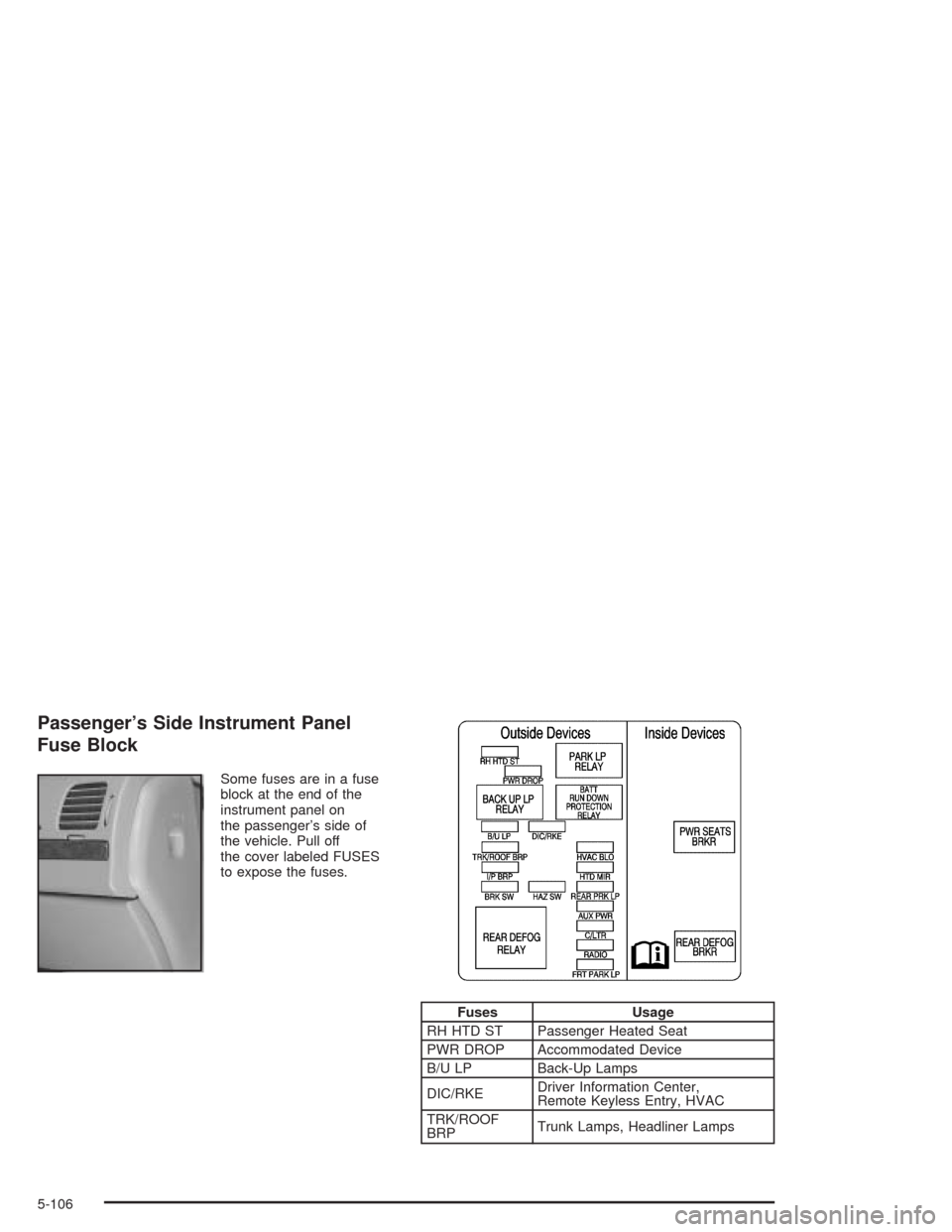
Some fuses are in a fuse
block at the end of the
instrument panel on
the passenger’s side of
the vehicle. Pull off
the cover labeled FUSES
to expose the fuses.
Fuses Usage
RH HTD ST Passenger Heated Seat
PWR DROP Accommodated Device
B/U LP Back-Up Lamps
DIC/RKEDriver Information Center,
Remote Keyless Entry, HVAC
TRK/ROOF
BRPTrunk Lamps, Headliner Lamps
5-106
Page 405 of 420
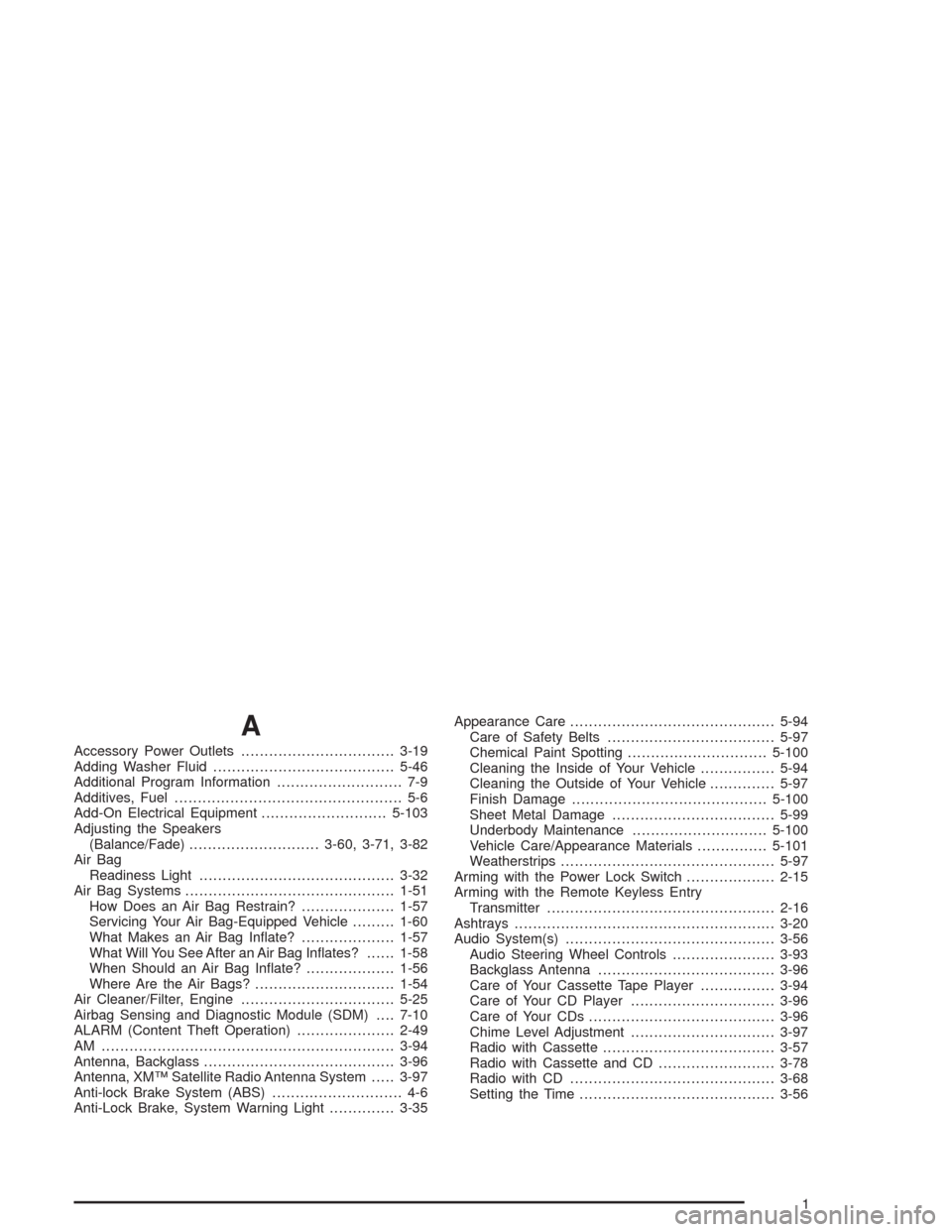
A
Accessory Power Outlets.................................3-19
Adding Washer Fluid.......................................5-46
Additional Program Information........................... 7-9
Additives, Fuel................................................. 5-6
Add-On Electrical Equipment...........................5-103
Adjusting the Speakers
(Balance/Fade)............................3-60, 3-71, 3-82
Air Bag
Readiness Light..........................................3-32
Air Bag Systems.............................................1-51
How Does an Air Bag Restrain?....................1-57
Servicing Your Air Bag-Equipped Vehicle.........1-60
What Makes an Air Bag Inate?....................1-57
What Will You See After an Air Bag Inates?......1-58
When Should an Air Bag Inate?...................1-56
Where Are the Air Bags?..............................1-54
Air Cleaner/Filter, Engine.................................5-25
Airbag Sensing and Diagnostic Module (SDM)....7-10
ALARM (Content Theft Operation).....................2-49
AM ...............................................................3-94
Antenna, Backglass.........................................3-96
Antenna, XM™ Satellite Radio Antenna System.....3-97
Anti-lock Brake System (ABS)............................ 4-6
Anti-Lock Brake, System Warning Light..............3-35Appearance Care............................................5-94
Care of Safety Belts....................................5-97
Chemical Paint Spotting..............................5-100
Cleaning the Inside of Your Vehicle................5-94
Cleaning the Outside of Your Vehicle..............5-97
Finish Damage..........................................5-100
Sheet Metal Damage...................................5-99
Underbody Maintenance.............................5-100
Vehicle Care/Appearance Materials...............5-101
Weatherstrips..............................................5-97
Arming with the Power Lock Switch...................2-15
Arming with the Remote Keyless Entry
Transmitter.................................................2-16
Ashtrays........................................................3-20
Audio System(s).............................................3-56
Audio Steering Wheel Controls......................3-93
Backglass Antenna......................................3-96
Care of Your Cassette Tape Player................3-94
Care of Your CD Player...............................3-96
Care of Your CDs........................................3-96
Chime Level Adjustment...............................3-97
Radio with Cassette.....................................3-57
Radio with Cassette and CD.........................3-78
Radio with CD............................................3-68
Setting the Time..........................................3-56
1
Page 408 of 420
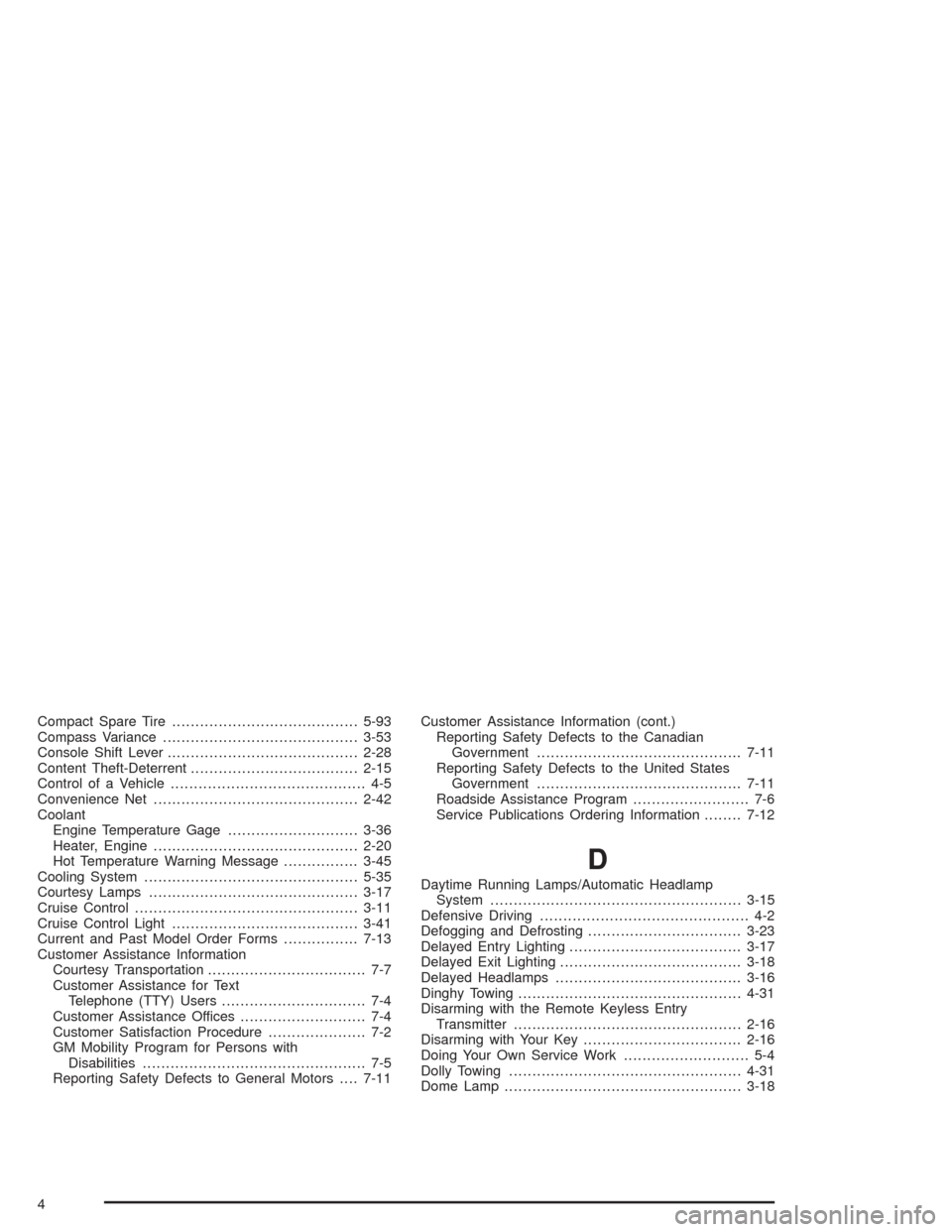
Compact Spare Tire........................................5-93
Compass Variance..........................................3-53
Console Shift Lever.........................................2-28
Content Theft-Deterrent....................................2-15
Control of a Vehicle.......................................... 4-5
Convenience Net............................................2-42
Coolant
Engine Temperature Gage............................3-36
Heater, Engine............................................2-20
Hot Temperature Warning Message................3-45
Cooling System..............................................5-35
Courtesy Lamps.............................................3-17
Cruise Control................................................3-11
Cruise Control Light........................................3-41
Current and Past Model Order Forms................7-13
Customer Assistance Information
Courtesy Transportation.................................. 7-7
Customer Assistance for Text
Telephone (TTY) Users............................... 7-4
Customer Assistance Offices........................... 7-4
Customer Satisfaction Procedure..................... 7-2
GM Mobility Program for Persons with
Disabilities................................................ 7-5
Reporting Safety Defects to General Motors....7-11Customer Assistance Information (cont.)
Reporting Safety Defects to the Canadian
Government............................................7-11
Reporting Safety Defects to the United States
Government............................................7-11
Roadside Assistance Program......................... 7-6
Service Publications Ordering Information........7-12
D
Daytime Running Lamps/Automatic Headlamp
System......................................................3-15
Defensive Driving............................................. 4-2
Defogging and Defrosting.................................3-23
Delayed Entry Lighting.....................................3-17
Delayed Exit Lighting.......................................3-18
Delayed Headlamps........................................3-16
Dinghy Towing................................................4-31
Disarming with the Remote Keyless Entry
Transmitter.................................................2-16
Disarming with Your Key..................................2-16
Doing Your Own Service Work........................... 5-4
Dolly Towing..................................................4-31
Dome Lamp...................................................3-18
4