lock CHEVROLET IMPALA 2006 9.G Owners Manual
[x] Cancel search | Manufacturer: CHEVROLET, Model Year: 2006, Model line: IMPALA, Model: CHEVROLET IMPALA 2006 9.GPages: 394, PDF Size: 2.42 MB
Page 297 of 394
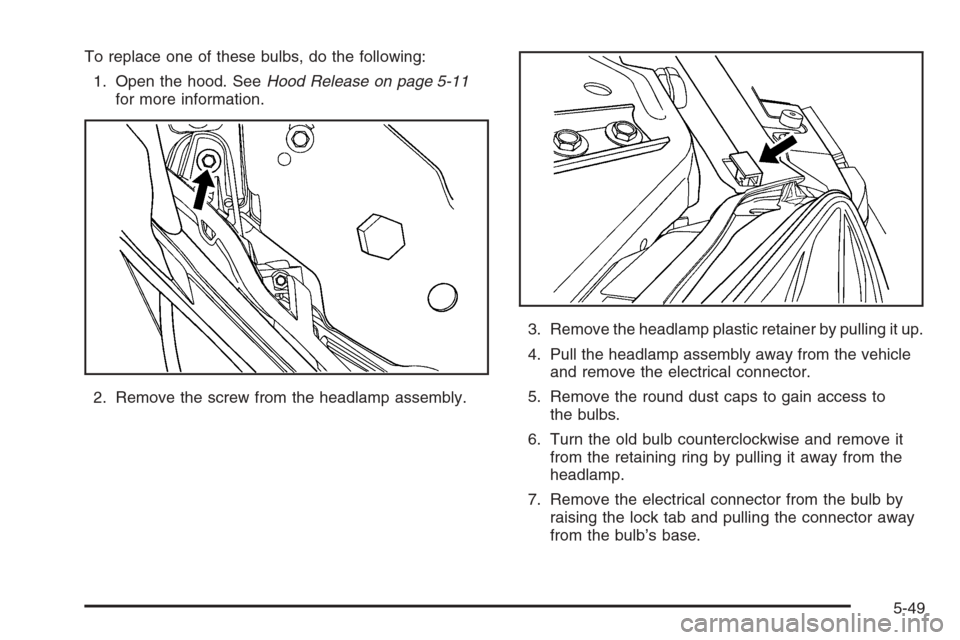
To replace one of these bulbs, do the following:
1. Open the hood. SeeHood Release on page 5-11
for more information.
2. Remove the screw from the headlamp assembly.3. Remove the headlamp plastic retainer by pulling it up.
4. Pull the headlamp assembly away from the vehicle
and remove the electrical connector.
5. Remove the round dust caps to gain access to
the bulbs.
6. Turn the old bulb counterclockwise and remove it
from the retaining ring by pulling it away from the
headlamp.
7. Remove the electrical connector from the bulb by
raising the lock tab and pulling the connector away
from the bulb’s base.
5-49
Page 298 of 394
8. Install the electrical connector to the bulb.
9. Install the new bulb by inserting the smallest tab on
the bulb base into the matching notch in the
retaining ring. Turn the bulb a quarter-turn clockwise
until it stops.
10. Reverse Steps 1 through 5 to reinstall the headlamp
assembly.
When you reinstall the headlamp assembly, make
sure to line up the pin in the headlamp assembly
with the slot in the vehicle.Taillamps, Turn Signal, Sidemarker,
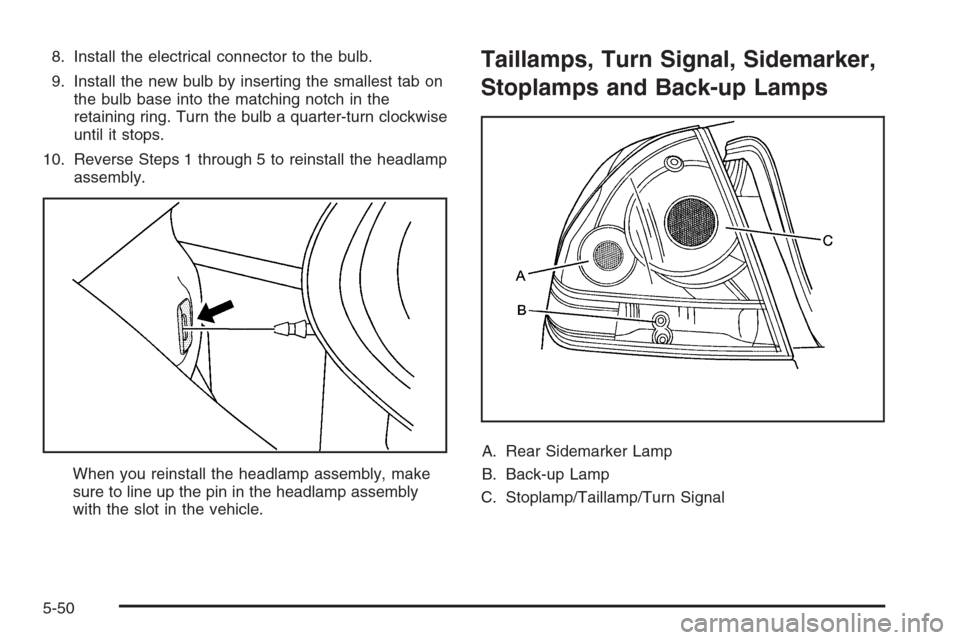
Stoplamps and Back-up Lamps
A. Rear Sidemarker Lamp
B. Back-up Lamp
C. Stoplamp/Taillamp/Turn Signal
5-50
Page 299 of 394
To replace one of these bulbs, do the following:
1. Open the trunk. SeeTrunk on page 2-13for more
information.
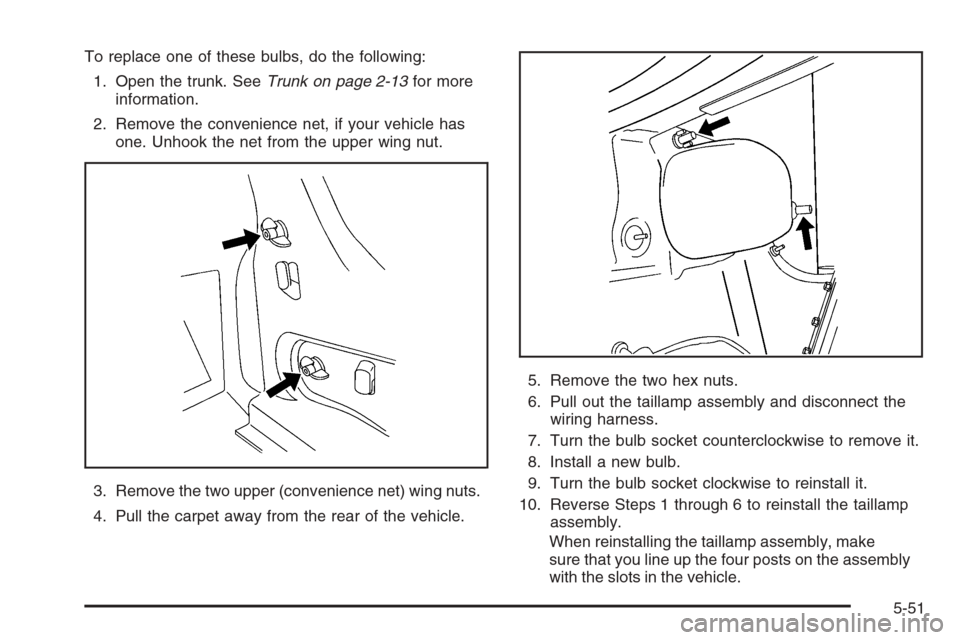
2. Remove the convenience net, if your vehicle has
one. Unhook the net from the upper wing nut.
3. Remove the two upper (convenience net) wing nuts.
4. Pull the carpet away from the rear of the vehicle.5. Remove the two hex nuts.
6. Pull out the taillamp assembly and disconnect the
wiring harness.
7. Turn the bulb socket counterclockwise to remove it.
8. Install a new bulb.
9. Turn the bulb socket clockwise to reinstall it.
10. Reverse Steps 1 through 6 to reinstall the taillamp
assembly.
When reinstalling the taillamp assembly, make
sure that you line up the four posts on the assembly
with the slots in the vehicle.
5-51
Page 315 of 394
If you must replace your vehicle’s tires with those that
do not have a TPC Spec number, make sure they
are the same size, load range, speed rating, and
construction type (radial and bias-belted tires) as your
vehicle’s original tires.
Vehicles that have a tire pressure monitoring system
may give an inaccurate low-pressure warning if non-TPC
Spec rated tires are installed on your vehicle. Non-TPC
Spec rated tires may give a low-pressure warning
that is higher or lower than the proper warning level
you would get with TPC Spec rated tires. SeeTire
Pressure Monitor System on page 5-61.
Your vehicle’s original equipment tires are listed on
the Tire and Loading Information Label. This label
is attached to the vehicle’s center pillar (B-pillar). See
Loading Your Vehicle on page 4-29, for more information
about the Tire and Loading Information Label and its
location on your vehicle.Different Size Tires and Wheels
If you add wheels or tires that are a different size than
your original equipment wheels and tires, this may
affect the way your vehicle performs, including its
braking, ride and handling characteristics, stability,
and resistance to rollover. Additionally, if your vehicle
has electronic systems such as, anti-lock brakes,
traction control, and electronic stability control, the
performance of these systems can be affected.
{CAUTION:
If you add different sized wheels, your
vehicle may not provide an acceptable level
of performance and safety if tires not
recommended for those wheels are selected.
You may increase the chance that you will
crash and suffer serious injury. Only use
GM specic wheel and tire systems developed
for your vehicle, and have them properly
installed by a GM certied technician.
SeeBuying New Tires on page 5-66andAccessories
and Modications on page 5-3for additional information.
5-67
Page 321 of 394
Changing a Flat Tire
If a tire goes at, avoid further tire and wheel damage
by driving slowly to a level place. Turn on your vehicle’s
hazard warning ashers. SeeHazard Warning Flashers
on page 3-6for more information.
{CAUTION:
Changing a tire can be dangerous. The vehicle
can slip off the jack and roll over or fall on you
or other people. You and they could be badly
injured or even killed. Find a level place to
change your tire. To help prevent the vehicle
from moving:
1. Set the parking brake rmly.
2. Put the shift lever in PARK (P).
3. Turn off the engine and do not restart
while the vehicle is raised.
4. Do not allow passengers to remain in
the vehicle.
To be even more certain the vehicle will not
move, you should put blocks at the front and
rear of the tire farthest away from the one
being changed. That would be the tire, on the
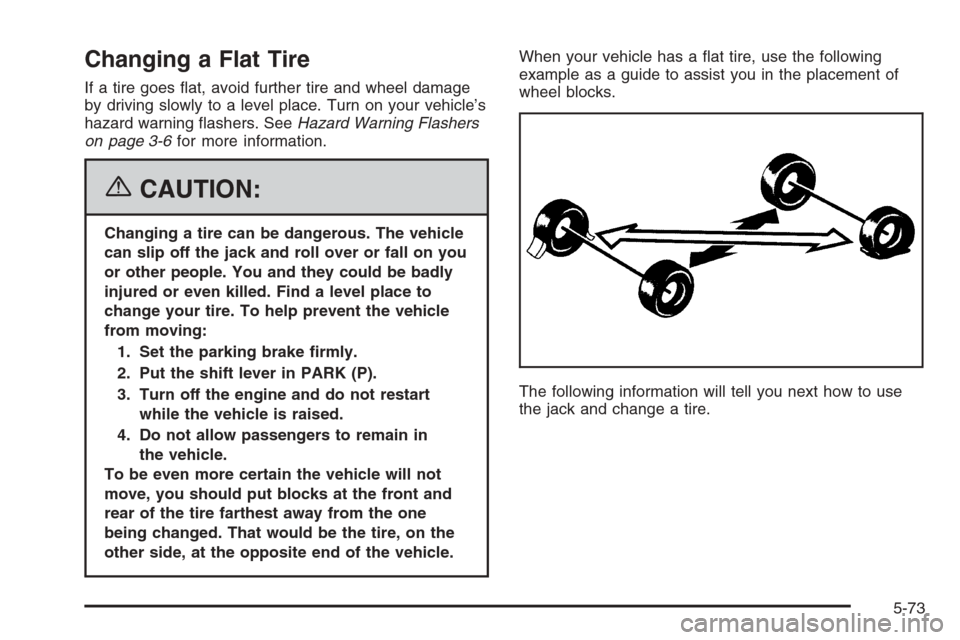
other side, at the opposite end of the vehicle.When your vehicle has a at tire, use the following
example as a guide to assist you in the placement of
wheel blocks.
The following information will tell you next how to use
the jack and change a tire.
5-73
Page 322 of 394
Removing the Spare Tire and Tools
The equipment you will need is located in the trunk.
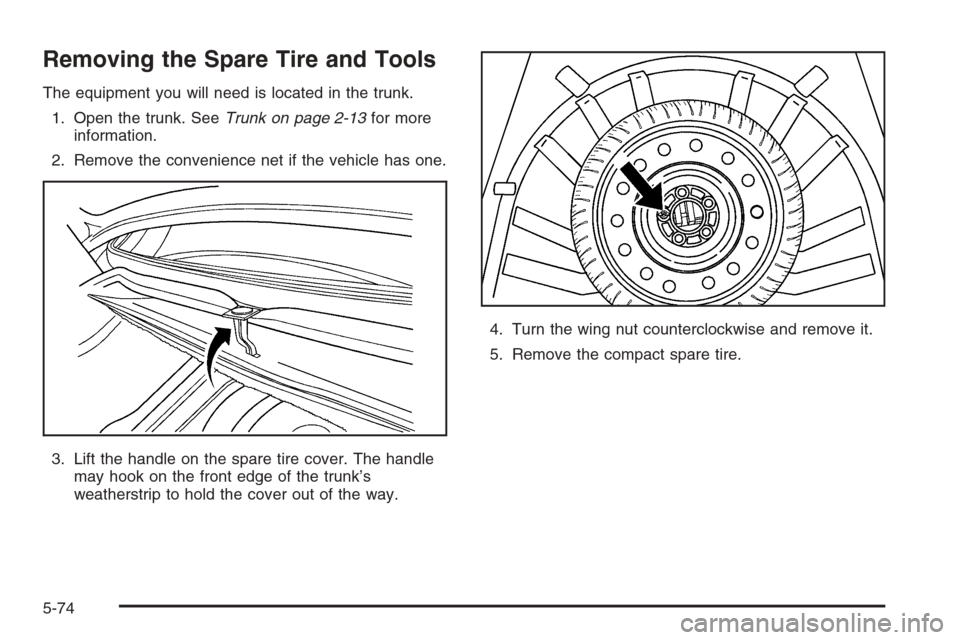
1. Open the trunk. SeeTrunk on page 2-13for more
information.
2. Remove the convenience net if the vehicle has one.
3. Lift the handle on the spare tire cover. The handle
may hook on the front edge of the trunk’s
weatherstrip to hold the cover out of the way.4. Turn the wing nut counterclockwise and remove it.
5. Remove the compact spare tire.
5-74
Page 323 of 394
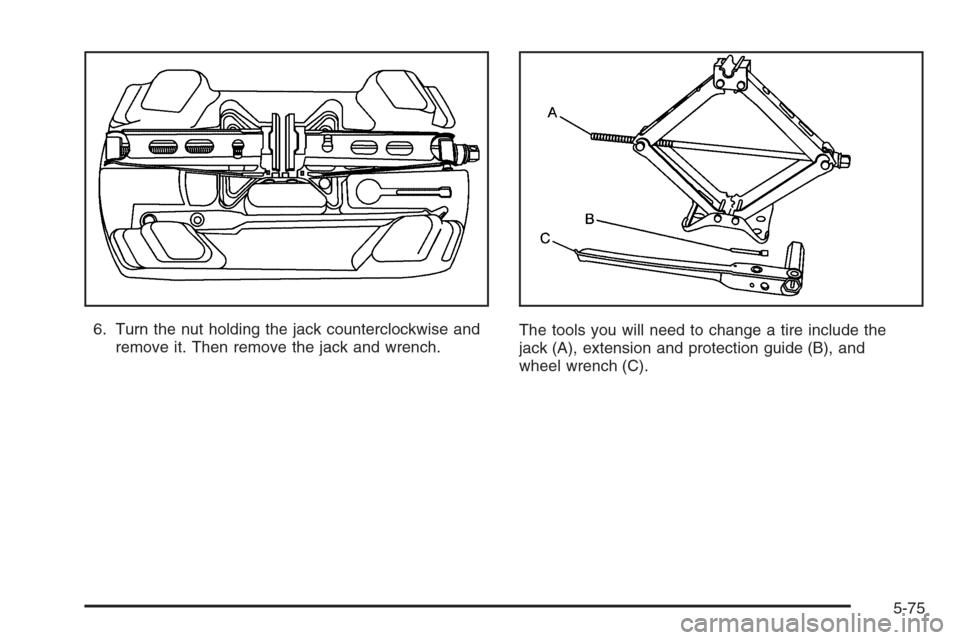
6. Turn the nut holding the jack counterclockwise and
remove it. Then remove the jack and wrench.The tools you will need to change a tire include the
jack (A), extension and protection guide (B), and
wheel wrench (C).
5-75
Page 324 of 394
Removing the Flat Tire and
Installing the Spare Tire
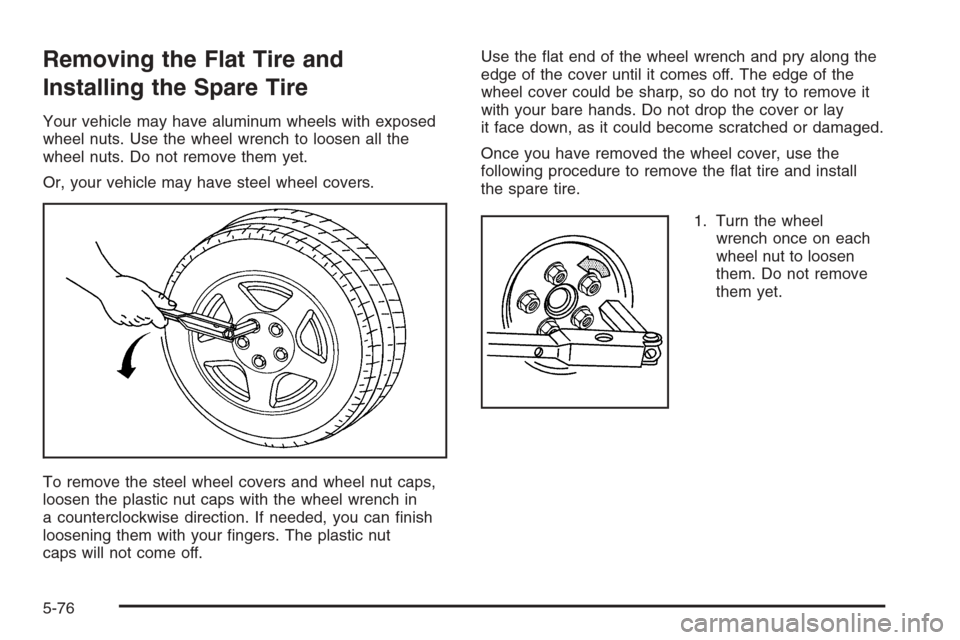
Your vehicle may have aluminum wheels with exposed
wheel nuts. Use the wheel wrench to loosen all the
wheel nuts. Do not remove them yet.
Or, your vehicle may have steel wheel covers.
To remove the steel wheel covers and wheel nut caps,
loosen the plastic nut caps with the wheel wrench in
a counterclockwise direction. If needed, you can nish
loosening them with your ngers. The plastic nut
caps will not come off.Use the at end of the wheel wrench and pry along the
edge of the cover until it comes off. The edge of the
wheel cover could be sharp, so do not try to remove it
with your bare hands. Do not drop the cover or lay
it face down, as it could become scratched or damaged.
Once you have removed the wheel cover, use the
following procedure to remove the at tire and install
the spare tire.
1. Turn the wheel
wrench once on each
wheel nut to loosen
them. Do not remove
them yet.
5-76
Page 326 of 394
{CAUTION:
Lifting a vehicle and getting under it to do
maintenance or repairs is dangerous without
the appropriate safety equipment and training.
The jack provided with your vehicle is
designed only for changing a at tire. If it is
used for anything else, you or others could be
badly injured or killed if the vehicle slips off
the jack. Use the jack provided with your
vehicle only for changing a at tire.
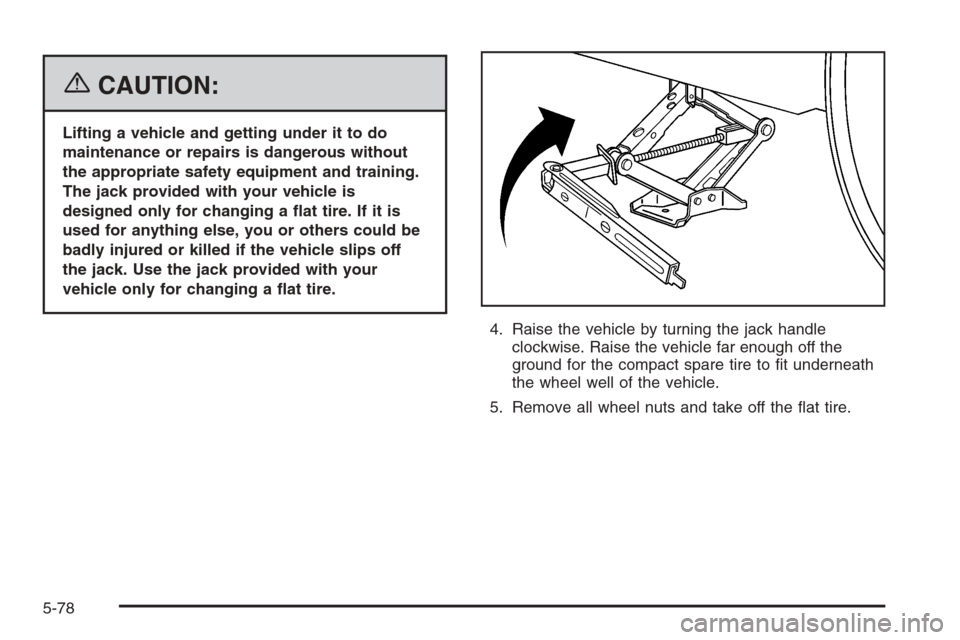
4. Raise the vehicle by turning the jack handle
clockwise. Raise the vehicle far enough off the
ground for the compact spare tire to t underneath
the wheel well of the vehicle.
5. Remove all wheel nuts and take off the at tire.
5-78
Page 328 of 394
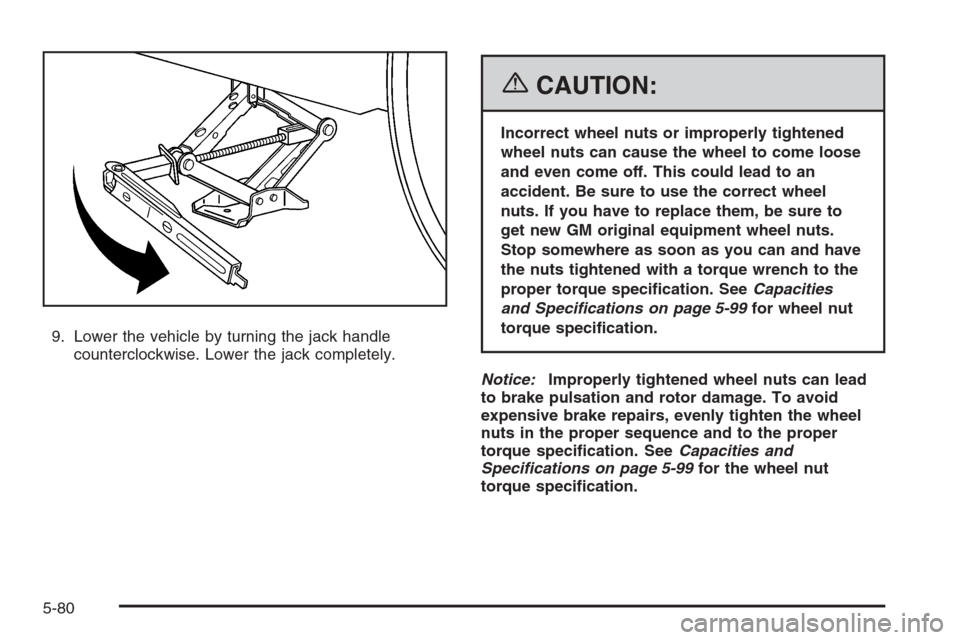
9. Lower the vehicle by turning the jack handle
counterclockwise. Lower the jack completely.
{CAUTION:
Incorrect wheel nuts or improperly tightened
wheel nuts can cause the wheel to come loose
and even come off. This could lead to an
accident. Be sure to use the correct wheel
nuts. If you have to replace them, be sure to
get new GM original equipment wheel nuts.
Stop somewhere as soon as you can and have
the nuts tightened with a torque wrench to the
proper torque specication. SeeCapacities
and Specifications on page 5-99for wheel nut
torque specication.
Notice:Improperly tightened wheel nuts can lead
to brake pulsation and rotor damage. To avoid
expensive brake repairs, evenly tighten the wheel
nuts in the proper sequence and to the proper
torque specication. SeeCapacities and
Specifications on page 5-99for the wheel nut
torque specication.
5-80