lights CHEVROLET IMPALA 2006 9.G User Guide
[x] Cancel search | Manufacturer: CHEVROLET, Model Year: 2006, Model line: IMPALA, Model: CHEVROLET IMPALA 2006 9.GPages: 394, PDF Size: 2.42 MB
Page 149 of 394
{CAUTION:
Even though the passenger sensing system is
designed to turn off the passenger’s frontal
airbag if the system detects a rear-facing child
restraint, no system is failsafe, and no one can
guarantee that an airbag will not deploy under
some unusual circumstance, even though it is
turned off. We recommend that rear-facing
child restraints be secured in the rear seat,
even if the airbag is off.
If the word OFF or the off symbol is lit on the airbag
status indicator, it means that the passenger sensing
system has turned off the right front passenger’s frontal
airbag. SeePassenger Sensing System on page 1-63
for more on this, including important safety information.If, after several seconds, all status indicator lights
remain on, or if there are no lights at all, there may be
a problem with the lights or the passenger sensing
system. See your dealer for service.
{CAUTION:
If the off indicator and the airbag readiness
light ever come on together, it means that
something may be wrong with the airbag
system. If this ever happens, have the vehicle
serviced promptly, because an adult-size
person sitting in the right front passenger
seat may not have the protection of the
frontal airbag. SeeAirbag Readiness Light
on page 3-27.
3-29
Page 174 of 394
AUTO DOOR UNLOCK
This feature allows you to select whether or not to turn
off the automatic door unlocking feature. It also
allows you to select which doors and when the doors
will automatically unlock. SeeProgrammable Automatic
Door Unlock on page 2-11for more information.
Press the customization button until AUTO DOOR
UNLOCK appears on the DIC display. Press the
set/reset button to access the settings for this feature.
Then press the customization button to scroll through
the following choices:
OFF:None of the doors will automatically unlock.
DRIVER AT KEY OUT:Only the driver’s door will
unlock when the key is taken out of the ignition.
DRIVER IN PARK:Only the driver’s door will unlock
when the vehicle is shifted into PARK (P).
ALL AT KEY OUT:All of the doors will unlock when
the key is taken out of the ignition.
ALL IN PARK (default):All of the doors will unlock
when the vehicle is shifted into PARK (P).NO CHANGE:No change will be made to this feature.
The current setting will remain.
Select one of the available choices and press the set/
reset button while it is displayed on the DIC to select it.
REMOTE DOOR LOCK
This feature allows you to select the type of feedback
you will receive when locking the vehicle with the
Remote Keyless Entry (RKE) transmitter. You will not
receive feedback when locking the vehicle with the RKE
transmitter if any of the doors are open. SeeRemote
Keyless Entry System Operation on page 2-4for
more information.
Press the customization button until REMOTE DOOR
LOCK appears on the DIC display. Press the set/reset
button to access the settings for this feature. Then
press the customization button to scroll through
the following choices:
HORN & LIGHTS OFF:There will be no feedback
when you press the lock button on the RKE transmitter.
3-54
Page 175 of 394
LIGHTS ONLY:The exterior lamps will ash when you
press the lock button on the RKE transmitter.
HORN ONLY:The horn will sound on the second press
of the lock button on the RKE transmitter.
HORN & LIGHTS ON (default):The exterior lamps will
ash when you press the lock button on the RKE
transmitter, and the horn will sound when the lock button
is pressed again within ve seconds of the previous
command.
NO CHANGE:No change will be made to this feature.
The current setting will remain.
Select one of the available choices and press the
set/reset button while it is displayed on the DIC to
select it.REMOTE DOOR UNLOCK
This feature allows you to select the type of feedback
you will receive when unlocking the vehicle with
the Remote Keyless Entry (RKE) transmitter. You will
not receive feedback when unlocking the vehicle
with the RKE transmitter if the doors are open. See
Remote Keyless Entry System Operation on page 2-4
for more information.
Press the customization button until REMOTE DOOR
UNLOCK appears on the DIC display. Press the
set/reset button to access the settings for this feature.
Then press the customization button to scroll through
the following choices:
LIGHTS OFF:The exterior lamps will not ash when
you press the unlock button on the RKE transmitter.
LIGHTS ON (default):The exterior lamps will
ash when you press the unlock button on the RKE
transmitter.
NO CHANGE:No change will be made to this feature.
The current setting will remain.
Select one of the available choices and press the
set/reset button while it is displayed on the DIC to
select it.
3-55
Page 176 of 394
EXIT LIGHTING
If it is dark enough outside, this feature allows you to
select the amount of time you want the exterior lamps to
remain on. This happens after the key is turned from
RUN to OFF.
Press the customization button until EXIT LIGHTING
appears on the DIC display. Press the set/reset button to
access the settings for this feature. Then press the
customization button to scroll through the following
choices:
OFF:The exterior lamps will not turn on.
30 SECONDS (default):The exterior lamps will stay on
for 30 seconds.
1 MINUTE:The exterior lamps will stay on for
one minute.
2 MINUTES:The exterior lamps will stay on for
two minutes.
NO CHANGE:No change will be made to this feature.
The current setting will remain.
Select one of the available choices and press the
set/reset button while it is displayed on the DIC to
select it.
APPROACH LIGHTING
This feature allows you to select whether or not to have
the exterior lights turn on briey during low light
periods after unlocking the vehicle using the Remote
Keyless Entry (RKE) transmitter.
Press the customization button until APPROACH
LIGHTING appears on the DIC display. Press the
set/reset button to access the settings for this feature.
Then press the customization button to scroll through
the following choices:
OFF:The exterior lights will not turn on when you
unlock the vehicle with the RKE transmitter.
ON (default):If it is dark enough outside, the exterior
lights will turn on briey when you unlock the vehicle
with the RKE transmitter.
The lights will remain on for 20 seconds or until the lock
button on the RKE transmitter is pressed, or the
vehicle is no longer off. SeeRemote Keyless Entry
System Operation on page 2-4for more information.
NO CHANGE:No change will be made to this feature.
The current setting will remain.
Select one of the available choices and press the
set/reset button while it is displayed on the DIC to
select it.
3-56
Page 222 of 394
Driving at Night
Night driving is more dangerous than day driving.
One reason is that some drivers are likely to be
impaired — by alcohol or drugs, with night vision
problems, or by fatigue.
Here are some tips on night driving.
Drive defensively.
Do not drink and drive.
Adjust the inside rearview mirror to reduce the
glare from headlamps behind you.
Since you cannot see as well, you may need to
slow down and keep more space between you
and other vehicles.
Slow down, especially on higher speed roads.
Your vehicle’s headlamps can light up only so
much road ahead.
In remote areas, watch for animals.
If you are tired, pull off the road in a safe place
and rest.
No one can see as well at night as in the daytime.
But as we get older these differences increase.
A 50-year-old driver may require at least twice as much
light to see the same thing at night as a 20-year-old.What you do in the daytime can also affect your night
vision. For example, if you spend the day in bright
sunshine you are wise to wear sunglasses. Your eyes
will have less trouble adjusting to night. But if you
are driving, do not wear sunglasses at night. They may
cut down on glare from headlamps, but they also
make a lot of things invisible.
You can be temporarily blinded by approaching
headlamps. It can take a second or two, or even
several seconds, for your eyes to re-adjust to the dark.
When you are faced with severe glare, as from a
driver who does not lower the high beams, or a vehicle
with misaimed headlamps, slow down a little. Avoid
staring directly into the approaching headlamps.
Keep the windshield and all the glass on your vehicle
clean — inside and out. Glare at night is made
much worse by dirt on the glass. Even the inside of the
glass can build up a lm caused by dust. Dirty glass
makes lights dazzle and ash more than clean
glass would, making the pupils of your eyes contract
repeatedly.
Remember that the headlamps light up far less of a
roadway when you are in a turn or curve. Keep
your eyes moving; that way, it is easier to pick out
dimly lighted objects. Just as the headlamps should be
checked regularly for proper aim, so should your
eyes be examined regularly. Some drivers suffer from
night blindness — the inability to see in dim light — and
are not even aware of it.
4-16
Page 274 of 394
Engine Coolant
The cooling system in your vehicle is lled with
DEX-COOL®engine coolant. This coolant is designed
to remain in your vehicle for ve years or 150,000 miles
(240 000 km), whichever occurs rst, if you add only
DEX-COOL
®extended life coolant.
The following explains your cooling system and how
to add coolant when it is low. If you have a problem
with engine overheating or if you need to add coolant
to the radiator, seeEngine Overheating on page 5-29.
A 50/50 mixture of clean, drinkable water and
DEX-COOL
®coolant will:
Give freezing protection down to−34°F (−37°C).
Give boiling protection up to 265°F (129°C).
Protect against rust and corrosion.
Help keep the proper engine temperature.
Let the warning lights and gages work as they
should.
Notice:Using coolant other than DEX-COOL
®
may cause premature engine, heater core, or
radiator corrosion. In addition, the engine coolant
may require changing sooner, at the rst
maintenance service after each 30,000 miles
(50 000 km) or 24 months, whichever occurs rst.Any repairs would not be covered by your warranty.
Always use DEX-COOL
®(silicate-free) coolant in
your vehicle.
What to Use
Use a mixture of one-half clean, drinkable water and
one-half DEX-COOL®coolant which will not damage
aluminum parts. If you use this coolant mixture, you do
not need to add anything else.
{CAUTION:
Adding only plain water to your cooling
system can be dangerous. Plain water, or
some other liquid such as alcohol, can boil
before the proper coolant mixture will. Your
vehicle’s coolant warning system is set for the
proper coolant mixture. With plain water or the
wrong mixture, your engine could get too hot
but you would not get the overheat warning.
Your engine could catch re and you or others
could be burned. Use a 50/50 mixture of clean,
drinkable water and DEX-COOL
®coolant.
5-26
Page 345 of 394
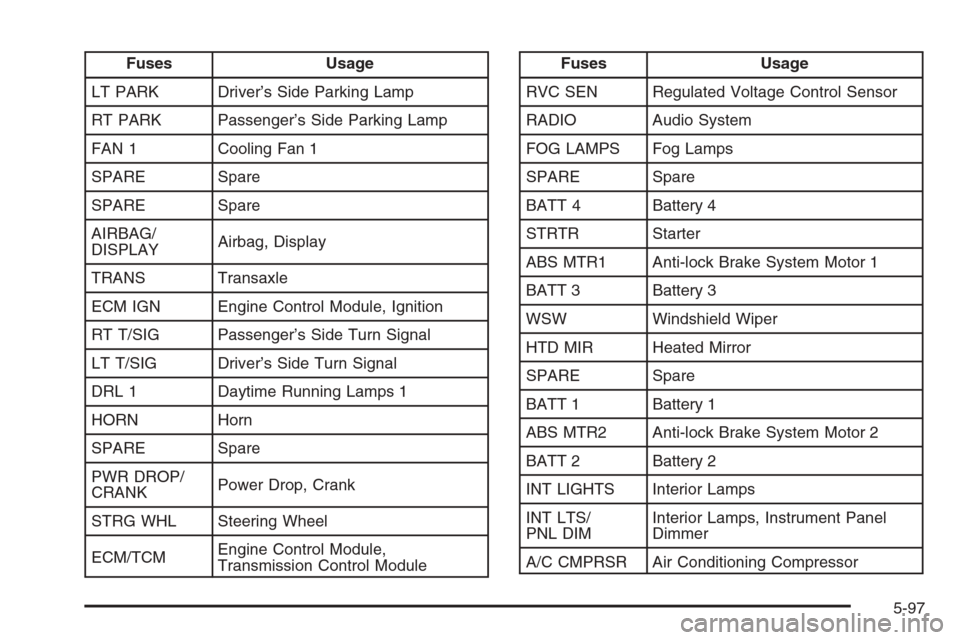
Fuses Usage
LT PARK Driver’s Side Parking Lamp
RT PARK Passenger’s Side Parking Lamp
FAN 1 Cooling Fan 1
SPARE Spare
SPARE Spare
AIRBAG/
DISPLAYAirbag, Display
TRANS Transaxle
ECM IGN Engine Control Module, Ignition
RT T/SIG Passenger’s Side Turn Signal
LT T/SIG Driver’s Side Turn Signal
DRL 1 Daytime Running Lamps 1
HORN Horn
SPARE Spare
PWR DROP/
CRANKPower Drop, Crank
STRG WHL Steering Wheel
ECM/TCMEngine Control Module,
Transmission Control ModuleFuses Usage
RVC SEN Regulated Voltage Control Sensor
RADIO Audio System
FOG LAMPS Fog Lamps
SPARE Spare
BATT 4 Battery 4
STRTR Starter
ABS MTR1 Anti-lock Brake System Motor 1
BATT 3 Battery 3
WSW Windshield Wiper
HTD MIR Heated Mirror
SPARE Spare
BATT 1 Battery 1
ABS MTR2 Anti-lock Brake System Motor 2
BATT 2 Battery 2
INT LIGHTS Interior Lamps
INT LTS/
PNL DIMInterior Lamps, Instrument Panel
Dimmer
A/C CMPRSR Air Conditioning Compressor
5-97
Page 393 of 394
Tires (cont.)
Wheel Replacement.....................................5-69
When It Is Time for New Tires......................5-65
Towing
Recreational Vehicle.....................................4-34
Towing a Trailer..........................................4-36
Your Vehicle...............................................4-34
Traction
Control System (TCS).................................... 4-9
Control System Warning Light.......................3-32
Transaxle
Fluid, Automatic...........................................5-23
Transaxle Operation, Automatic.........................2-25
Trunk............................................................2-13
Turn and Lane-Change Signals.......................... 3-7
Turn Signal/Multifunction Lever........................... 3-7
U
Understanding Radio Reception........................3-84
Uniform Tire Quality Grading............................5-68
Universal Home Remote System.......................2-38
Operation...................................................2-38
V
Vehicle
Control........................................................ 4-6
Damage Warnings........................................... iv
Loading......................................................4-29
Symbols......................................................... iv
Vehicle Customization, DIC..............................3-52
Vehicle Data Collection and Event Data
Recorders.................................................... 7-9
Vehicle Identication
Number (VIN).............................................5-92
Service Parts Identication Label...................5-92
Ventilation Adjustment......................................3-22
Visors...........................................................2-17
W
Warning Lights, Gages and Indicators................3-24
Warnings
DIC Warnings and Messages........................3-45
Hazard Warning Flashers............................... 3-6
Other Warning Devices.................................. 3-6
13