radio CHEVROLET IMPALA 2007 9.G User Guide
[x] Cancel search | Manufacturer: CHEVROLET, Model Year: 2007, Model line: IMPALA, Model: CHEVROLET IMPALA 2007 9.GPages: 460, PDF Size: 2.56 MB
Page 181 of 460
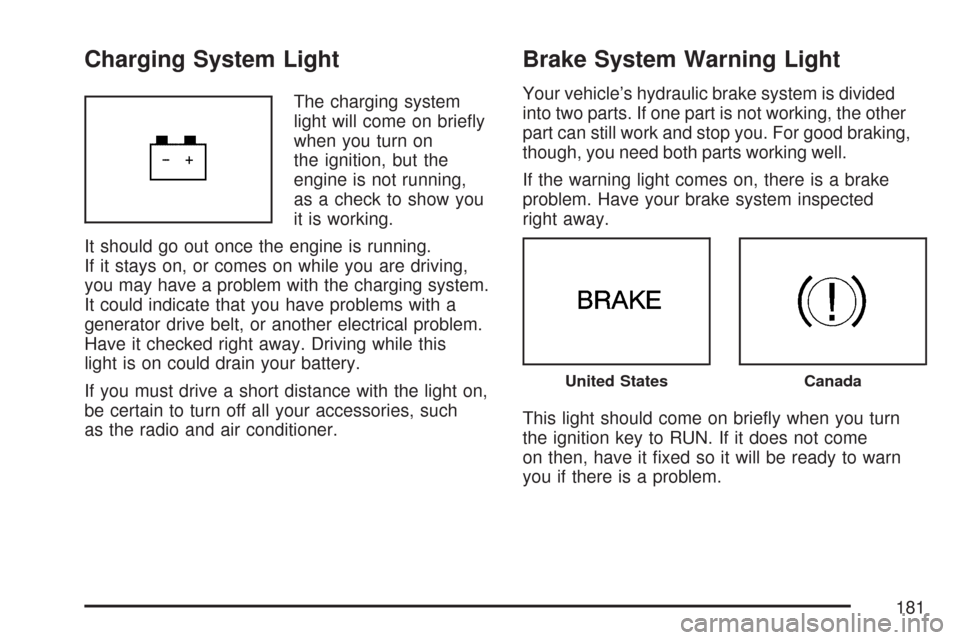
Charging System Light
The charging system
light will come on briey
when you turn on
the ignition, but the
engine is not running,
as a check to show you
it is working.
It should go out once the engine is running.
If it stays on, or comes on while you are driving,
you may have a problem with the charging system.
It could indicate that you have problems with a
generator drive belt, or another electrical problem.
Have it checked right away. Driving while this
light is on could drain your battery.
If you must drive a short distance with the light on,
be certain to turn off all your accessories, such
as the radio and air conditioner.
Brake System Warning Light
Your vehicle’s hydraulic brake system is divided
into two parts. If one part is not working, the other
part can still work and stop you. For good braking,
though, you need both parts working well.
If the warning light comes on, there is a brake
problem. Have your brake system inspected
right away.
This light should come on briey when you turn
the ignition key to RUN. If it does not come
on then, have it xed so it will be ready to warn
you if there is a problem.
United StatesCanada
181
Page 215 of 460
Audio System(s)
Determine which radio your vehicle has and then
read the pages following to familiarize yourself
with its features.
Driving without distraction is a necessity for a
safer driving experience. SeeDefensive Driving on
page 248. By taking a few moments to read this
manual and get familiar with your vehicle’s
audio system, you can use it with less effort, as
well as take advantage of its features. While your
vehicle is parked, set up your audio system by
presetting your favorite radio stations, setting the
tone and adjusting the speakers. Then, when
driving conditions permit, you can tune to
your favorite stations using the presets and
steering wheel controls if the vehicle has them.{CAUTION:
This system provides you with a far greater
access to audio stations and song listings.
Giving extended attention to entertainment
tasks while driving can cause a crash and
you or others can be injured or killed.
Always keep your eyes on the road and
your mind on the drive — avoid engaging
in extended searching while driving.
Keeping your mind on the drive is important for
safe driving. Here are some ways in which you can
help avoid distraction while driving.
While your vehicle is parked:
Familiarize yourself with all of its controls.
Familiarize yourself with its operation.
215
Page 216 of 460
Set up your audio system by presetting your
favorite radio stations, setting the tone, and
adjusting the speakers. Then, when driving
conditions permit, you can tune to your favorite
radio stations using the presets and steering
wheel controls if the vehicle has them.
Notice:Before adding any sound equipment to
your vehicle, such as an audio system, CD
player, CB radio, mobile telephone, or two-way
radio, make sure that it can be added by
checking with your dealer/retailer. Also, check
federal rules covering mobile radio and
telephone units. If sound equipment can be
added, it is very important to do it properly.
Added sound equipment may interfere with the
operation of your vehicle’s engine, radio, or
other systems, and even damage them. Your
vehicle’s systems may interfere with the
operation of sound equipment that has
been added.
Your vehicle has a feature called Retained
Accessory Power (RAP). With RAP, the audio
system can be played even after the ignition
is turned off. SeeRetained Accessory Power
(RAP) on page 113for more information.Setting the Time
Without Date Display
AM/FM Base Radio with a Single CD
Player
This type of radio has aH(clock) button for
setting the time. You can set the time by following
these steps:
1. Press the
Hbutton until the hour begins
ashing on display. Press this button a
second time and the minutes begin ashing
on display.
2. While either the hour or the minutes are
ashing, turn the
f(tune) knob, located
on the upper right side of the radio, clockwise
or counterclockwise to increase or decrease
the time. Instead of using the tune knob,
you can also press the SEEK arrows,
\FWD (forward), orsREV (reverse)
buttons to adjust the time.
216
Page 217 of 460
3. Press theHbutton again until the clock
display stops ashing to set the currently
displayed time; otherwise, the ashing stops
after ve seconds and the current time
displayed is automatically set.
To change the time default setting from 12 hour
to 24 hour, press the
Hbutton and then the
pushbutton located under the forward arrow label.
Once the times 12H and 24H are displayed, press
the pushbutton located under the desired option to
select the default. Press the
Hbutton again to
apply the selected default, or let the screen
time out.
With Date Display
Single CD (MP3) Player
This type of radio has aH(clock) button for
setting the time and date.
To set the time and date, follow these instructions:
1. Turn the radio on.
2. Press the
Hbutton and the HR, MIN, MM,
DD, YYYY (hour, minute, month, day, and
year) displays.3. Press the pushbutton located under any
one of the labels that you want to change.
Every time the pushbutton is pressed again,
the time or the date if selected, increases
by one.
Another way to increase the time or date, is
to press the right SEEK arrow or
\FWD
button.
To decrease, press the left SEEK arrow
or
sREV button. You can also turn
the
f(tune) knob, located on the upper
right side of the radio, to adjust the selected
setting.
The date does not automatically display. The only
way to see the date is by pressing the
Hbutton
when the radio is on. The date with display times
out after a few seconds and goes back to the
normal radio and time display.
217
Page 218 of 460
Six-Disc CD (MP3) Player
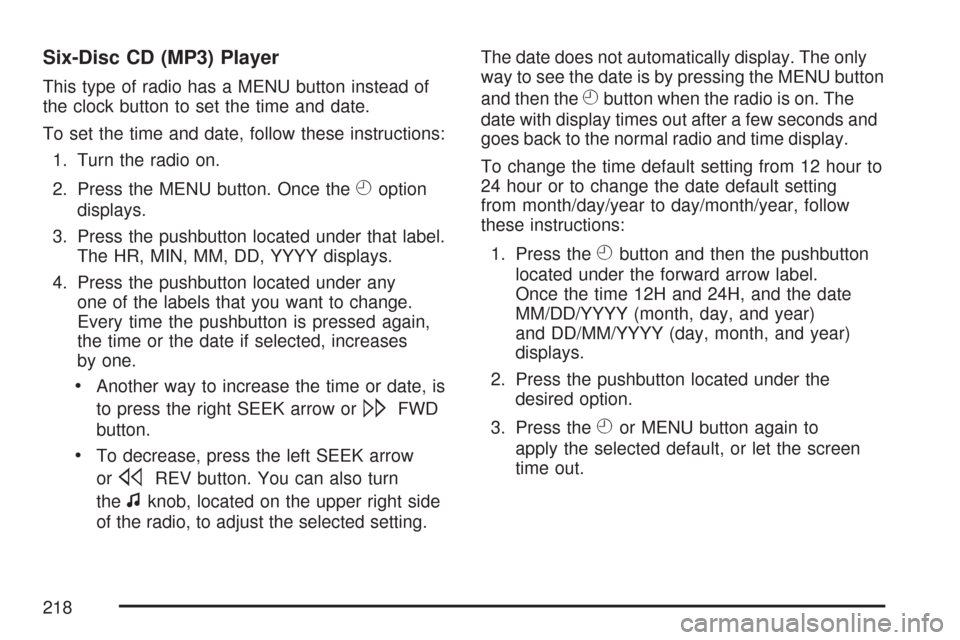
This type of radio has a MENU button instead of
the clock button to set the time and date.
To set the time and date, follow these instructions:
1. Turn the radio on.
2. Press the MENU button. Once the
Hoption
displays.
3. Press the pushbutton located under that label.
The HR, MIN, MM, DD, YYYY displays.
4. Press the pushbutton located under any
one of the labels that you want to change.
Every time the pushbutton is pressed again,
the time or the date if selected, increases
by one.
Another way to increase the time or date, is
to press the right SEEK arrow or
\FWD
button.
To decrease, press the left SEEK arrow
or
sREV button. You can also turn
the
fknob, located on the upper right side
of the radio, to adjust the selected setting.The date does not automatically display. The only
way to see the date is by pressing the MENU button
and then the
Hbutton when the radio is on. The
date with display times out after a few seconds and
goes back to the normal radio and time display.
To change the time default setting from 12 hour to
24 hour or to change the date default setting
from month/day/year to day/month/year, follow
these instructions:
1. Press the
Hbutton and then the pushbutton
located under the forward arrow label.
Once the time 12H and 24H, and the date
MM/DD/YYYY (month, day, and year)
and DD/MM/YYYY (day, month, and year)
displays.
2. Press the pushbutton located under the
desired option.
3. Press the
Hor MENU button again to
apply the selected default, or let the screen
time out.
218
Page 219 of 460
Radio with CD (Base)
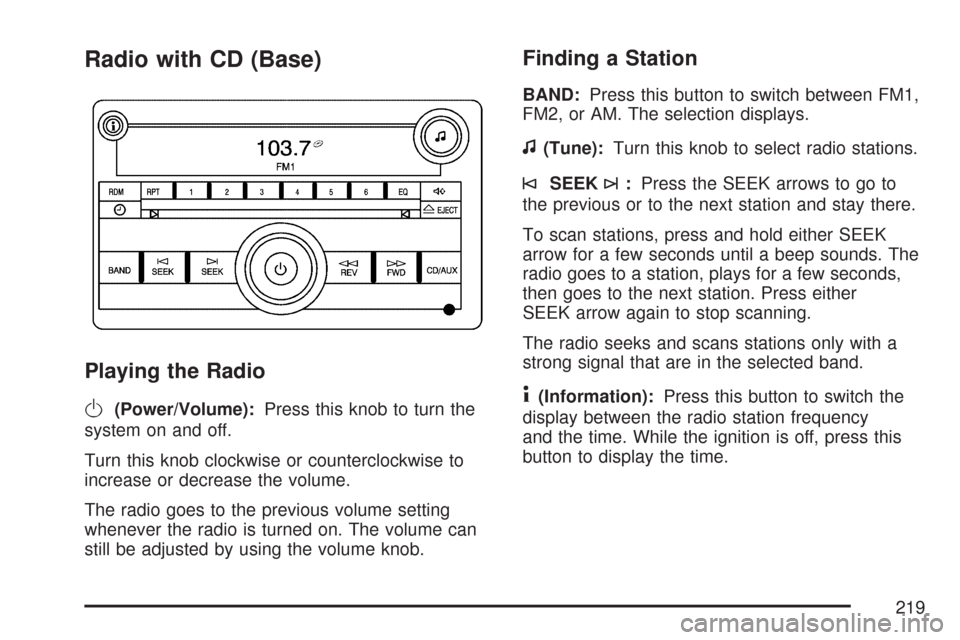
Playing the Radio
O
(Power/Volume):Press this knob to turn the
system on and off.
Turn this knob clockwise or counterclockwise to
increase or decrease the volume.
The radio goes to the previous volume setting
whenever the radio is turned on. The volume can
still be adjusted by using the volume knob.
Finding a Station
BAND:Press this button to switch between FM1,
FM2, or AM. The selection displays.
f(Tune):Turn this knob to select radio stations.
©SEEK¨:Press the SEEK arrows to go to
the previous or to the next station and stay there.
To scan stations, press and hold either SEEK
arrow for a few seconds until a beep sounds. The
radio goes to a station, plays for a few seconds,
then goes to the next station. Press either
SEEK arrow again to stop scanning.
The radio seeks and scans stations only with a
strong signal that are in the selected band.
4(Information):Press this button to switch the
display between the radio station frequency
and the time. While the ignition is off, press this
button to display the time.
219
Page 220 of 460
Setting Preset Stations
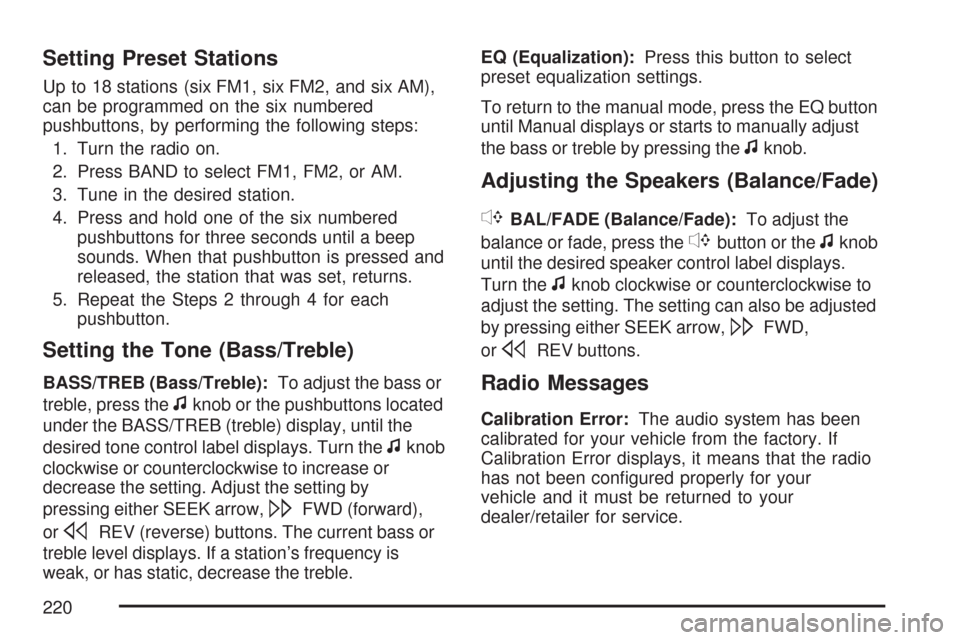
Up to 18 stations (six FM1, six FM2, and six AM),
can be programmed on the six numbered
pushbuttons, by performing the following steps:
1. Turn the radio on.
2. Press BAND to select FM1, FM2, or AM.
3. Tune in the desired station.
4. Press and hold one of the six numbered
pushbuttons for three seconds until a beep
sounds. When that pushbutton is pressed and
released, the station that was set, returns.
5. Repeat the Steps 2 through 4 for each
pushbutton.
Setting the Tone (Bass/Treble)
BASS/TREB (Bass/Treble):To adjust the bass or
treble, press the
fknob or the pushbuttons located
under the BASS/TREB (treble) display, until the
desired tone control label displays. Turn the
fknob
clockwise or counterclockwise to increase or
decrease the setting. Adjust the setting by
pressing either SEEK arrow,
\FWD (forward),
or
sREV (reverse) buttons. The current bass or
treble level displays. If a station’s frequency is
weak, or has static, decrease the treble.EQ (Equalization):Press this button to select
preset equalization settings.
To return to the manual mode, press the EQ button
until Manual displays or starts to manually adjust
the bass or treble by pressing the
fknob.
Adjusting the Speakers (Balance/Fade)
`
BAL/FADE (Balance/Fade):To adjust the
balance or fade, press the
`button or thefknob
until the desired speaker control label displays.
Turn the
fknob clockwise or counterclockwise to
adjust the setting. The setting can also be adjusted
by pressing either SEEK arrow,
\FWD,
or
sREV buttons.
Radio Messages
Calibration Error:The audio system has been
calibrated for your vehicle from the factory. If
Calibration Error displays, it means that the radio
has not been congured properly for your
vehicle and it must be returned to your
dealer/retailer for service.
220
Page 221 of 460
Loc (Locked):This message displays while the
THEFTLOCK®system has locked up the radio.
Take the vehicle to your dealer/retailer for service.
If any error occurs repeatedly or if an error
cannot be corrected, contact your dealer/retailer.
Playing a CD (Single CD Player)
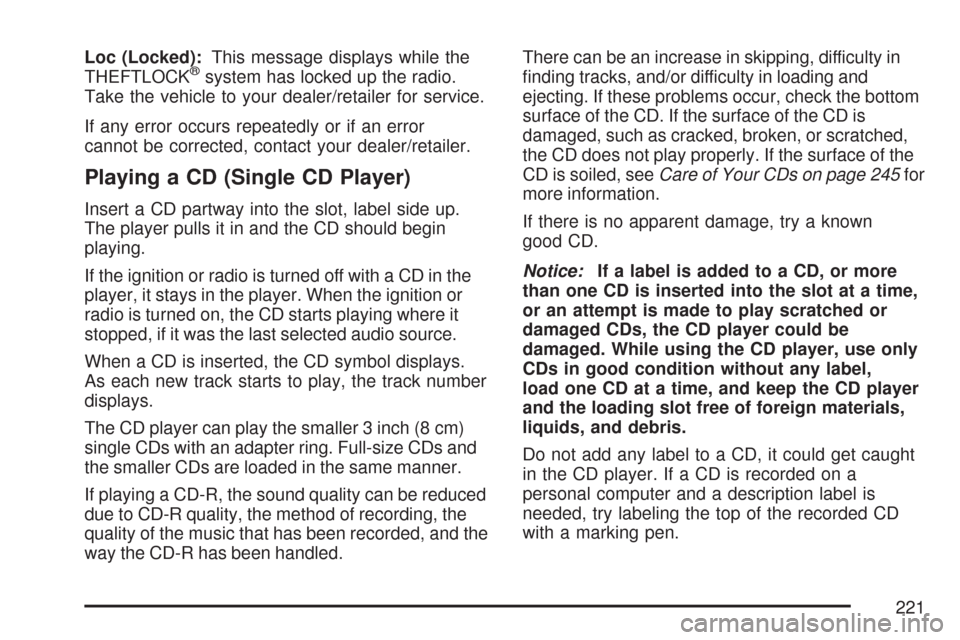
Insert a CD partway into the slot, label side up.
The player pulls it in and the CD should begin
playing.
If the ignition or radio is turned off with a CD in the
player, it stays in the player. When the ignition or
radio is turned on, the CD starts playing where it
stopped, if it was the last selected audio source.
When a CD is inserted, the CD symbol displays.
As each new track starts to play, the track number
displays.
The CD player can play the smaller 3 inch (8 cm)
single CDs with an adapter ring. Full-size CDs and
the smaller CDs are loaded in the same manner.
If playing a CD-R, the sound quality can be reduced
due to CD-R quality, the method of recording, the
quality of the music that has been recorded, and the
way the CD-R has been handled.There can be an increase in skipping, difficulty in
nding tracks, and/or difficulty in loading and
ejecting. If these problems occur, check the bottom
surface of the CD. If the surface of the CD is
damaged, such as cracked, broken, or scratched,
the CD does not play properly. If the surface of the
CD is soiled, seeCare of Your CDs on page 245for
more information.
If there is no apparent damage, try a known
good CD.
Notice:If a label is added to a CD, or more
than one CD is inserted into the slot at a time,
or an attempt is made to play scratched or
damaged CDs, the CD player could be
damaged. While using the CD player, use only
CDs in good condition without any label,
load one CD at a time, and keep the CD player
and the loading slot free of foreign materials,
liquids, and debris.
Do not add any label to a CD, it could get caught
in the CD player. If a CD is recorded on a
personal computer and a description label is
needed, try labeling the top of the recorded CD
with a marking pen.
221
Page 223 of 460
4(Information):Press this button to switch the
display between the track number, elapsed time of
the track, and the time. When the ignition is off,
press this button to display the time.
BAND:Press this button to listen to the radio
while a CD is playing. The CD remains inside the
radio for future listening.
CD/AUX (CD/Auxiliary):Press this button to play
a CD while listening to the radio. The CD icon
and track number displays while a CD is in
the player. Press this button again and the system
automatically searches for an auxiliary input
device such as a portable audio player.CD Messages
CHECK DISC:If an error message displays
and/or the CD ejects, it could be for one of the
following reasons:
It is very hot. When the temperature returns to
normal, the CD should play.
You are driving on a very rough road.
When the road becomes smoother, the CD
should play.
The CD is dirty, scratched, wet, or
upside down.
The air is very humid. If so, wait about an
hour and try again.
There could have been a problem while
burning the CD-R.
The label could be caught in the CD player.
If the CD is not playing correctly, for any
other reason, try a known good CD.
If any error occurs repeatedly or if an error cannot
be corrected, contact your dealer/retailer. If the
radio displays an error message, write it down and
provide it to your dealer/retailer while reporting
the problem.
223
Page 224 of 460
Using the Auxiliary Input Jack
Your radio system has an auxiliary input jack
located on the lower right side of the faceplate.
This is not an audio output; do not plug the
headphone set into the front auxiliary input jack.
You can however, connect an external audio
device such as an iPod, laptop computer, MP3
player, CD changer, or cassette tape player, etc. to
the auxiliary input jack for use as another source
for audio listening.
Drivers are encouraged to set up any auxiliary
device while the vehicle is in PARK (P). See
Defensive Driving on page 248for more
information on driver distraction.
To use a portable audio player, connect a 3.5 mm
(1/8 inch) cable to the radio’s front auxiliary
input jack. When a device is connected, press the
radio CD/AUX button to begin playing audio
from the device over the vehicle speakers.
O(Power/Volume):Turn this knob clockwise or
counterclockwise to increase or decrease the
volume of the portable player. You might need to
make additional volume adjustments from the
portable device.
BAND:Press this button to listen to the radio
while a portable audio device is playing. The
portable audio device continues playing, so you
might want to stop it or turn it off.
CD/AUX (CD/Auxiliary):Press this button to play
a CD while a portable audio device is playing.
Press this button again and the system begins
playing audio from the connected portable audio
player. If a portable audio player is not
connected, No Input Device Found displays.
224