instrument panel CHEVROLET IMPALA 2007 9.G Owner's Guide
[x] Cancel search | Manufacturer: CHEVROLET, Model Year: 2007, Model line: IMPALA, Model: CHEVROLET IMPALA 2007 9.GPages: 460, PDF Size: 2.56 MB
Page 165 of 460
Delayed Exit Lighting
This feature illuminates the interior for a period of
time after the key is removed from the ignition.
The ignition must be off for delayed exit lighting to
work. When the key is removed, interior illumination
will activate and remain on until one of the following
occurs:
The ignition is in ON.
The power door locks are activated.
An illumination period of 20 seconds has
elapsed.
If during the illumination period a door is opened,
the timed illumination period will be canceled
and the interior lamps will remain on because a
door is open.
Parade Dimming
The instrument panel has an added feature called
parade mode. It automatically prohibits the
dimming of the instrument panel displays during
the daylight while the headlamps are on so
that you will still be able to see the displays.
Reading Lamps
The vehicle has reading lamps that also act as the
dome lamp. Press the button to turn them on
and off.
Electric Power Management
The vehicle has Electric Power Management (EPM)
that estimates the battery’s temperature and state
of charge. It then adjusts the voltage for best
performance and extended life of the battery.
When the battery’s state of charge is low, the
voltage is raised slightly to quickly put the charge
back in. When the state of charge is high, the
voltage is lowered slightly to prevent overcharging.
If the vehicle has a voltmeter gage or voltage
display on the Driver Information Center (DIC), you
may see the voltage move up or down. This is
normal. If there is a problem, an alert will be
displayed.
165
Page 167 of 460
Accessory Power Outlet(s)
Your vehicle has three 12-volt outlets which can be
used to plug in electrical equipment such as a
cellular telephone, a compact disc player, etc.
On vehicles with a center console, one outlet is
located at the rear of the console in the bottom of
the bin and two outlets are located at the front
of the console bin under the instrument panel.
Lift the cover to access the outlet. Close the cover
when not using the outlet.
On vehicles without a center console, two are
located under the climate controls and another
outlet for the rear seat passengers is at the rear
of the center front seat. Remove the rubber
cover to access the outlets. When not using
the outlet, make sure the cover is on it.
Notice:Leaving electrical equipment plugged
in for an extended period of time while the
vehicle is off will drain the battery. Power is
always supplied to the outlets. Always unplug
electrical equipment when not in use and
do not plug in equipment that exceeds
the maximum 20 ampere rating.Certain accessory plugs may not be compatible to
the accessory power outlet and could result in
blown vehicle and adapter fuses. If you experience
a problem, see your dealer for additional
information on the power accessory plugs.
Notice:Adding any electrical equipment to
your vehicle may damage it or keep other
components from working as they should.
The repairs would not be covered by your
warranty. Do not use equipment exceeding
maximum amperage rating of 20 amperes.
Check with your dealer/retailer before adding
electrical equipment.
When adding electrical equipment, be sure to
follow the proper installation instructions included
with the equipment. Check with your dealer
before adding electrical equipment, and never use
anything that exceeds the maximum amperage
rating of 20 amps.
Notice:Improper use of the power outlet can
cause damage not covered by your warranty.
Do not hang any type of accessory or
accessory bracket from the plug because the
power outlets are designed for accessory
power plugs only.
167
Page 169 of 460
Manual Operation
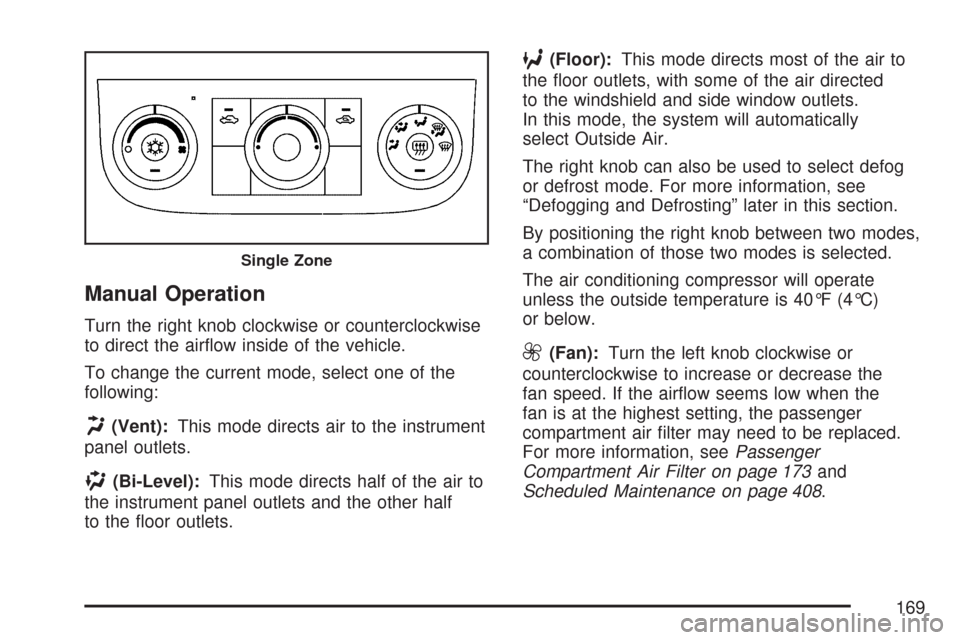
Turn the right knob clockwise or counterclockwise
to direct the airow inside of the vehicle.
To change the current mode, select one of the
following:
H(Vent):This mode directs air to the instrument
panel outlets.
)(Bi-Level):This mode directs half of the air to
the instrument panel outlets and the other half
to the oor outlets.
6(Floor):This mode directs most of the air to
the oor outlets, with some of the air directed
to the windshield and side window outlets.
In this mode, the system will automatically
select Outside Air.
The right knob can also be used to select defog
or defrost mode. For more information, see
“Defogging and Defrosting” later in this section.
By positioning the right knob between two modes,
a combination of those two modes is selected.
The air conditioning compressor will operate
unless the outside temperature is 40°F (4°C)
or below.
9(Fan):Turn the left knob clockwise or
counterclockwise to increase or decrease the
fan speed. If the airow seems low when the
fan is at the highest setting, the passenger
compartment air lter may need to be replaced.
For more information, seePassenger
Compartment Air Filter on page 173and
Scheduled Maintenance on page 408.
Single Zone
169
Page 175 of 460

Instrument Panel Cluster
Your instrument panel cluster is designed to let you know at a glance how your vehicle is running. You
will know how fast you are going, about how much fuel is in your tank and many other things you need to
drive safely and economically.
United States Uplevel shown, Base and Canada similar
175
Page 178 of 460
Airbag Readiness Light
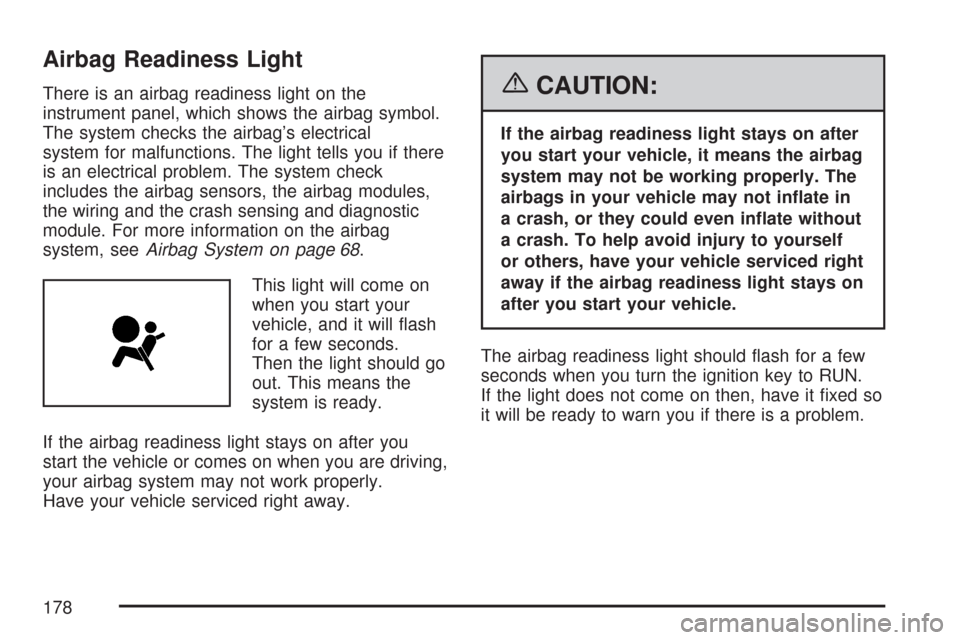
There is an airbag readiness light on the
instrument panel, which shows the airbag symbol.
The system checks the airbag’s electrical
system for malfunctions. The light tells you if there
is an electrical problem. The system check
includes the airbag sensors, the airbag modules,
the wiring and the crash sensing and diagnostic
module. For more information on the airbag
system, seeAirbag System on page 68.
This light will come on
when you start your
vehicle, and it will ash
for a few seconds.
Then the light should go
out. This means the
system is ready.
If the airbag readiness light stays on after you
start the vehicle or comes on when you are driving,
your airbag system may not work properly.
Have your vehicle serviced right away.{CAUTION:
If the airbag readiness light stays on after
you start your vehicle, it means the airbag
system may not be working properly. The
airbags in your vehicle may not inate in
a crash, or they could even inate without
a crash. To help avoid injury to yourself
or others, have your vehicle serviced right
away if the airbag readiness light stays on
after you start your vehicle.
The airbag readiness light should ash for a few
seconds when you turn the ignition key to RUN.
If the light does not come on then, have it xed so
it will be ready to warn you if there is a problem.
178
Page 179 of 460
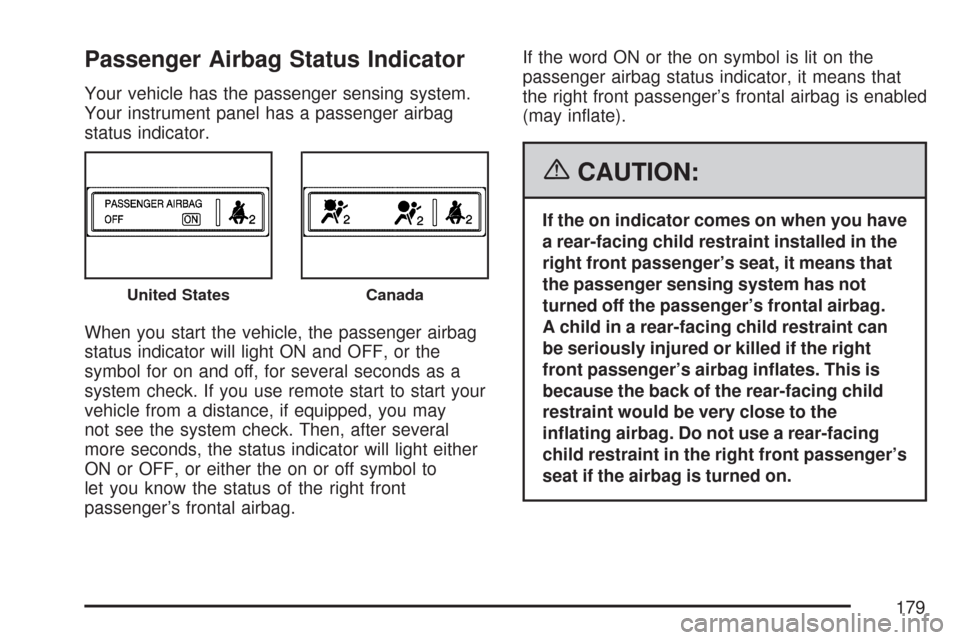
Passenger Airbag Status Indicator
Your vehicle has the passenger sensing system.
Your instrument panel has a passenger airbag
status indicator.
When you start the vehicle, the passenger airbag
status indicator will light ON and OFF, or the
symbol for on and off, for several seconds as a
system check. If you use remote start to start your
vehicle from a distance, if equipped, you may
not see the system check. Then, after several
more seconds, the status indicator will light either
ON or OFF, or either the on or off symbol to
let you know the status of the right front
passenger’s frontal airbag.If the word ON or the on symbol is lit on the
passenger airbag status indicator, it means that
the right front passenger’s frontal airbag is enabled
(may inate).
{CAUTION:
If the on indicator comes on when you have
a rear-facing child restraint installed in the
right front passenger’s seat, it means that
the passenger sensing system has not
turned off the passenger’s frontal airbag.
A child in a rear-facing child restraint can
be seriously injured or killed if the right
front passenger’s airbag inates. This is
because the back of the rear-facing child
restraint would be very close to the
inating airbag. Do not use a rear-facing
child restraint in the right front passenger’s
seat if the airbag is turned on.
United StatesCanada
179
Page 180 of 460
{CAUTION:
Even though the passenger sensing
system is designed to turn off the right
front passenger’s frontal airbag if the
system detects a rear-facing child restraint,
no system is fail-safe, and no one can
guarantee that an airbag will not deploy
under some unusual circumstance, even
though it is turned off. We recommend that
rear-facing child restraints be secured in
the rear seat, even if the airbag is off.
If the word OFF or the off symbol is lit on the
airbag status indicator, it means that the
passenger sensing system has turned off the right
front passenger’s frontal airbag. SeePassenger
Sensing System on page 77for more on this,
including important safety information.If, after several seconds, both status indicator
lights remain on, or if there are no lights at
all, there may be a problem with the lights
or the passenger sensing system. See your
dealer/retailer for service.
{CAUTION:
If the airbag readiness light in the
instrument panel cluster ever comes on
and stays on, it means that something may
be wrong with the airbag system. If this
ever happens, have the vehicle serviced
promptly, because an adult-size person
sitting in the right front passenger’s seat
may not have the protection of the
airbag(s). SeeAirbag Readiness Light on
page 178for more on this, including
important safety information.
180
Page 190 of 460
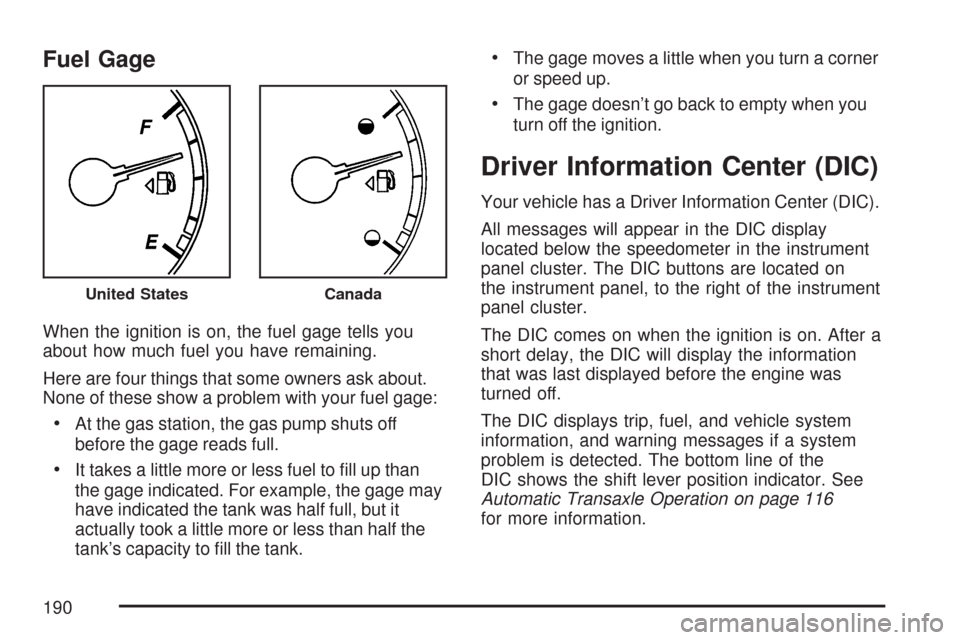
Fuel Gage
When the ignition is on, the fuel gage tells you
about how much fuel you have remaining.
Here are four things that some owners ask about.
None of these show a problem with your fuel gage:
At the gas station, the gas pump shuts off
before the gage reads full.
It takes a little more or less fuel to ll up than
the gage indicated. For example, the gage may
have indicated the tank was half full, but it
actually took a little more or less than half the
tank’s capacity to ll the tank.
The gage moves a little when you turn a corner
or speed up.
The gage doesn’t go back to empty when you
turn off the ignition.
Driver Information Center (DIC)
Your vehicle has a Driver Information Center (DIC).
All messages will appear in the DIC display
located below the speedometer in the instrument
panel cluster. The DIC buttons are located on
the instrument panel, to the right of the instrument
panel cluster.
The DIC comes on when the ignition is on. After a
short delay, the DIC will display the information
that was last displayed before the engine was
turned off.
The DIC displays trip, fuel, and vehicle system
information, and warning messages if a system
problem is detected. The bottom line of the
DIC shows the shift lever position indicator. See
Automatic Transaxle Operation on page 116
for more information.
United StatesCanada
190
Page 191 of 460
If your vehicle has these features, the DIC also
displays the compass direction and the outside
air temperature when viewing the trip and fuel
information. The compass direction appears on the
top right corner of the DIC display. The outside air
temperature automatically appears in the bottom
right corner of the DIC display. If there is a problem
with the system that controls the temperature
display, the numbers will be replaced with dashes.
If this occurs, have the vehicle serviced by your
dealer.
The DIC also allows some features to be
customized. SeeDIC Vehicle Customization on
page 208for more information.
DIC Operation and Displays
The DIC has different displays which can be
accessed by pressing the DIC buttons located
on the instrument panel, to the right of the
instrument panel cluster.
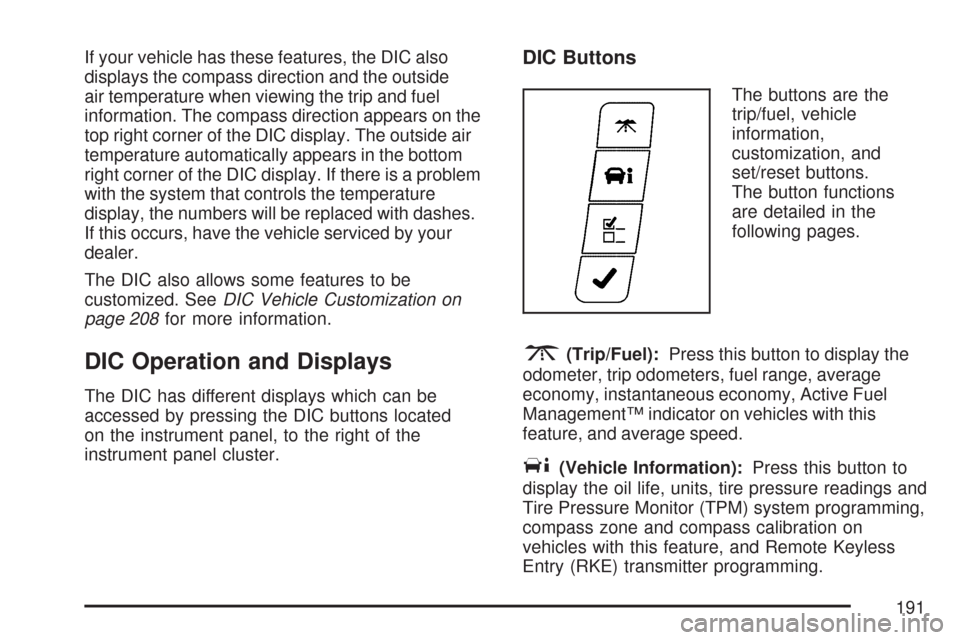
DIC Buttons
The buttons are the
trip/fuel, vehicle
information,
customization, and
set/reset buttons.
The button functions
are detailed in the
following pages.
3(Trip/Fuel):Press this button to display the
odometer, trip odometers, fuel range, average
economy, instantaneous economy, Active Fuel
Management™ indicator on vehicles with this
feature, and average speed.
T(Vehicle Information):Press this button to
display the oil life, units, tire pressure readings and
Tire Pressure Monitor (TPM) system programming,
compass zone and compass calibration on
vehicles with this feature, and Remote Keyless
Entry (RKE) transmitter programming.
191
Page 202 of 460
ENGINE OIL LOW ADD OIL
This message displays when the vehicle’s engine
oil is low. Fill the oil to the proper level as soon as
possible. SeeEngine Compartment Overview on
page 306for the engine oil ll location. Also, see
Engine Oil on page 310for information on the kind
of oil to use and the proper oil level.
ENGINE OVERHEATED IDLE ENGINE
Notice:If you drive your vehicle while the
engine is overheating, severe engine damage
may occur. If an overheat warning appears
on the instrument panel cluster and/or
DIC, stop the vehicle as soon as possible.
Do not increase the engine speed above
normal idling speed. SeeEngine Overheating
on page 323for more information.
This message displays when the engine coolant
temperature is too hot. Stop and allow the vehicle
to idle until it cools down.
ENGINE OVERHEATED STOP ENGINE
Notice:If you drive your vehicle while the
engine is overheating, severe engine damage
may occur. If an overheat warning appears on
the instrument panel cluster and/or DIC, stop
the vehicle as soon as possible. SeeEngine
Overheating on page 323for more information.
This message displays along with a continuous
chime when the engine has overheated. Stop and
turn the engine off immediately to avoid severe
engine damage. SeeEngine Overheating on
page 323.
ENGINE POWER IS REDUCED
This message displays when the vehicle’s engine
power is reduced. Reduced engine power can
affect the vehicle’s ability to accelerate. If this
message is on, but there is no reduction in
performance, proceed to your destination. The
performance may be reduced the next time the
vehicle is driven. The vehicle may be driven at a
reduced speed while this message is on, but
acceleration and speed may be reduced. Anytime
this message stays on, the vehicle should be taken
to your dealer for service as soon as possible.
202