display CHEVROLET IMPALA 2008 9.G Workshop Manual
[x] Cancel search | Manufacturer: CHEVROLET, Model Year: 2008, Model line: IMPALA, Model: CHEVROLET IMPALA 2008 9.GPages: 400, PDF Size: 5.37 MB
Page 211 of 400
Radio Reception
Frequency interference and static can occur during
normal radio reception if items such as cell phone
chargers, vehicle convenience accessories, and external
electronic devices are plugged into the accessory
power outlet. If there is interference or static, unplug the
item from the accessory power outlet.
AM
The range for most AM stations is greater than for FM,
especially at night. The longer range can cause
station frequencies to interfere with each other.
For better radio reception, most AM radio stations boost
the power levels during the day, and then reduce
these levels during the night. Static can also occur when
things like storms and power lines interfere with radio
reception. When this happens, try reducing the treble on
your radio.
FM Stereo
FM stereo gives the best sound, but FM signals only
reach about 10 to 40 miles (16 to 65 km). Tall buildings
or hills can interfere with FM signals, causing the
sound to fade in and out.
XM™ Satellite Radio Service
XM™ Satellite Radio Service gives digital radio
reception from coast-to-coast in the 48 contiguous
United States, and in Canada. Just as with FM,
tall buildings or hills can interfere with satellite radio
signals, causing the sound to fade in and out.
In addition, traveling or standing under heavy foliage,
bridges, garages, or through tunnels could cause loss of
the XM™ signal for a period of time. The radio may
display NO XM SIGNAL to indicate interference.
3-87
Page 219 of 400
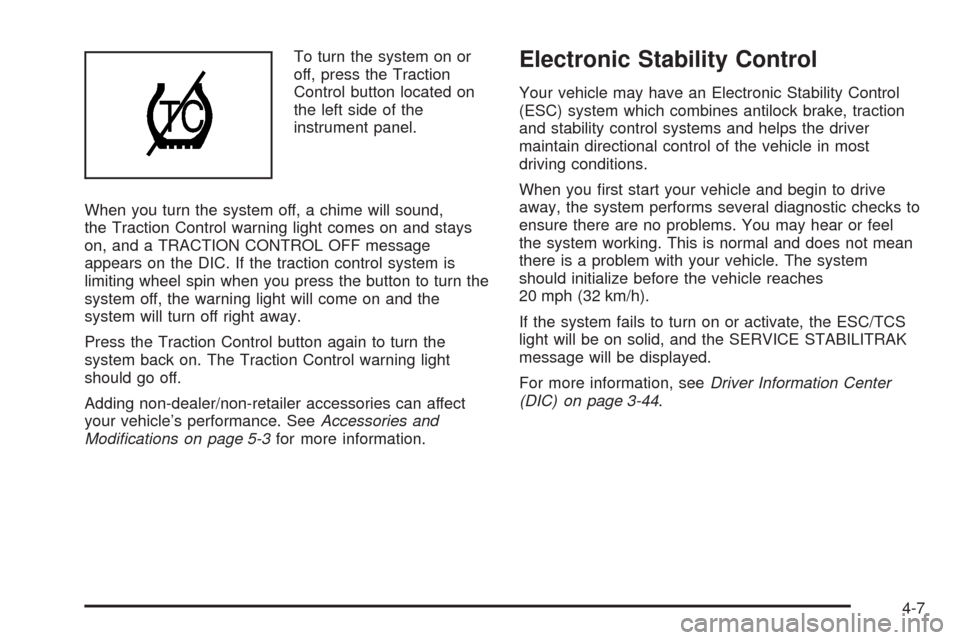
To turn the system on or
off, press the Traction
Control button located on
the left side of the
instrument panel.
When you turn the system off, a chime will sound,
the Traction Control warning light comes on and stays
on, and a TRACTION CONTROL OFF message
appears on the DIC. If the traction control system is
limiting wheel spin when you press the button to turn the
system off, the warning light will come on and the
system will turn off right away.
Press the Traction Control button again to turn the
system back on. The Traction Control warning light
should go off.
Adding non-dealer/non-retailer accessories can affect
your vehicle’s performance. SeeAccessories and
Modifications on page 5-3for more information.Electronic Stability Control
Your vehicle may have an Electronic Stability Control
(ESC) system which combines antilock brake, traction
and stability control systems and helps the driver
maintain directional control of the vehicle in most
driving conditions.
When you rst start your vehicle and begin to drive
away, the system performs several diagnostic checks to
ensure there are no problems. You may hear or feel
the system working. This is normal and does not mean
there is a problem with your vehicle. The system
should initialize before the vehicle reaches
20 mph (32 km/h).
If the system fails to turn on or activate, the ESC/TCS
light will be on solid, and the SERVICE STABILITRAK
message will be displayed.
For more information, seeDriver Information Center
(DIC) on page 3-44.
4-7
Page 220 of 400
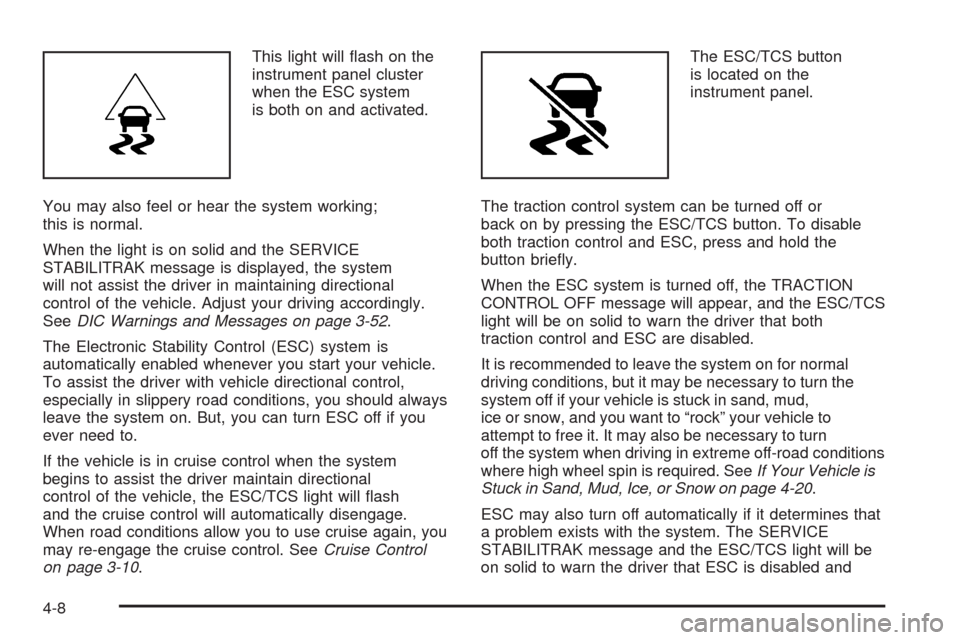
This light will ash on the
instrument panel cluster
when the ESC system
is both on and activated.
You may also feel or hear the system working;
this is normal.
When the light is on solid and the SERVICE
STABILITRAK message is displayed, the system
will not assist the driver in maintaining directional
control of the vehicle. Adjust your driving accordingly.
SeeDIC Warnings and Messages on page 3-52.
The Electronic Stability Control (ESC) system is
automatically enabled whenever you start your vehicle.
To assist the driver with vehicle directional control,
especially in slippery road conditions, you should always
leave the system on. But, you can turn ESC off if you
ever need to.
If the vehicle is in cruise control when the system
begins to assist the driver maintain directional
control of the vehicle, the ESC/TCS light will ash
and the cruise control will automatically disengage.
When road conditions allow you to use cruise again, you
may re-engage the cruise control. SeeCruise Control
on page 3-10.The ESC/TCS button
is located on the
instrument panel.
The traction control system can be turned off or
back on by pressing the ESC/TCS button. To disable
both traction control and ESC, press and hold the
button briey.
When the ESC system is turned off, the TRACTION
CONTROL OFF message will appear, and the ESC/TCS
light will be on solid to warn the driver that both
traction control and ESC are disabled.
It is recommended to leave the system on for normal
driving conditions, but it may be necessary to turn the
system off if your vehicle is stuck in sand, mud,
ice or snow, and you want to “rock” your vehicle to
attempt to free it. It may also be necessary to turn
off the system when driving in extreme off-road conditions
where high wheel spin is required. SeeIf Your Vehicle is
Stuck in Sand, Mud, Ice, or Snow on page 4-20.
ESC may also turn off automatically if it determines that
a problem exists with the system. The SERVICE
STABILITRAK message and the ESC/TCS light will be
on solid to warn the driver that ESC is disabled and
4-8
Page 257 of 400
{CAUTION:
Fuel can spray out on you if you open the fuel
cap too quickly. If you spill fuel and then
something ignites it, you could be badly burned.
This spray can happen if your tank is nearly full,
and is more likely in hot weather. Open the fuel
cap slowly and wait for any hiss noise to stop.
Then unscrew the cap all the way.
Be careful not to spill fuel. Do not top off or overll the
tank and wait a few seconds after you have nished
pumping before removing the nozzle. Clean fuel
from painted surfaces as soon as possible.
SeeWashing Your Vehicle on page 5-93.
When replacing the fuel cap, turn it clockwise
until it clicks. Make sure the cap is fully installed.
The diagnostic system can determine if the fuel cap has
been left off or improperly installed. This would allow
fuel to evaporate into the atmosphere. SeeMalfunction
Indicator Lamp on page 3-39.The TIGHTEN GAS CAP message will be displayed on
the Driver Information Center (DIC) if the fuel cap is
not properly installed. SeeDIC Warnings and Messages
on page 3-52for more information.
{CAUTION:
If a re starts while you are refueling, do not
remove the nozzle. Shut off the ow of fuel by
shutting off the pump or by notifying the
station attendant. Leave the area immediately.
Notice:If you need a new fuel cap, be sure to get
the right type. Your dealer/retailer can get one
for you. If you get the wrong type, it may not t
properly. This may cause your malfunction indicator
lamp to light and may damage your fuel tank and
emissions system. SeeMalfunction Indicator Lamp
on page 3-39.
5-11
Page 267 of 400
How to Reset the Engine Oil Life
System
The Engine Oil Life System calculates when to
change the engine oil and lter based on vehicle use.
Whenever the oil is changed, reset the system so it can
calculate when the next oil change is required. If a
situation occurs where you change the oil prior
to a CHANGE ENGINE OIL SOON message being
turned on, reset the system.
Always reset the engine oil life to 100% after every oil
change. It will not reset itself. To reset the Engine
Oil Life System:
1. Display the OIL LIFE REMAINING on the DIC.
2. Press and hold the SET/RESET button on the
DIC for more than ve seconds. The oil life will
change to 100%.
If the CHANGE ENGINE OIL SOON message comes
back on when you start your vehicle, the Engine Oil Life
System has not reset. Repeat the procedure.
What to Do with Used Oil
Used engine oil contains certain elements that can be
unhealthy for your skin and could even cause cancer.
Do not let used oil stay on your skin for very long.
Clean your skin and nails with soap and water, or a
good hand cleaner. Wash or properly dispose of
clothing or rags containing used engine oil. See the
manufacturer’s warnings about the use and disposal of
oil products.
Used oil can be a threat to the environment. If you
change your own oil, be sure to drain all the oil from the
lter before disposal. Never dispose of oil by putting it
in the trash, pouring it on the ground, into sewers, or into
streams or bodies of water. Instead, recycle it by
taking it to a place that collects used oil. If you have a
problem properly disposing of used oil, ask your
dealer/retailer, a service station, or a local recycling
center for help.
5-21
Page 275 of 400
{CAUTION:
You can be burned if you spill coolant on hot
engine parts. Coolant contains ethylene glycol,
and it will burn if the engine parts are hot
enough. Do not spill coolant on a hot engine.
Occasionally check the coolant level in the radiator.
For information on how to add coolant to the radiator,
seeCooling System on page 5-32.
Pressure Cap
Notice:If the pressure cap is not tightly installed,
coolant loss and possible engine damage may occur.
Be sure the cap is properly and tightly secured.
SeeEngine Compartment Overview on page 5-14for
more information on location.
Engine Overheating
There is a coolant temperature gage and a warning light
on the instrument panel that indicate an overheated
engine condition. SeeEngine Coolant Temperature
Gage on page 3-38andEngine Coolant Temperature
Warning Light on page 3-37.
In addition, you will nd an ENGINE OVERHEATED
IDLE ENGINE and an ENGINE OVERHEATED STOP
ENGINE message displayed on the vehicle’s Driver
Information Center (DIC). SeeDIC Warnings and
Messages on page 3-52for more information.
5-29
Page 284 of 400
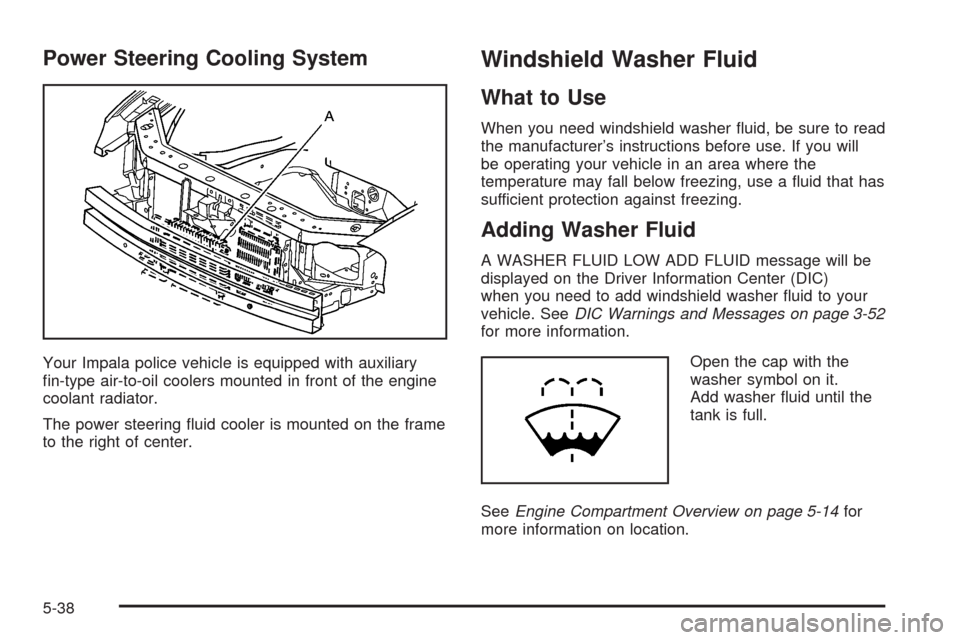
Power Steering Cooling System
Your Impala police vehicle is equipped with auxiliary
n-type air-to-oil coolers mounted in front of the engine
coolant radiator.
The power steering uid cooler is mounted on the frame
to the right of center.
Windshield Washer Fluid
What to Use
When you need windshield washer uid, be sure to read
the manufacturer’s instructions before use. If you will
be operating your vehicle in an area where the
temperature may fall below freezing, use a uid that has
sufficient protection against freezing.
Adding Washer Fluid
A WASHER FLUID LOW ADD FLUID message will be
displayed on the Driver Information Center (DIC)
when you need to add windshield washer uid to your
vehicle. SeeDIC Warnings and Messages on page 3-52
for more information.
Open the cap with the
washer symbol on it.
Add washer uid until the
tank is full.
SeeEngine Compartment Overview on page 5-14for
more information on location.
5-38
Page 311 of 400
At the same time a message to check the pressure in a
specic tire appears on the Driver Information Center
(DIC) display. The low tire pressure warning light
and the DIC warning message come on at each ignition
cycle until the tires are inated to the correct ination
pressure. Using the DIC, tire pressure levels can
be viewed by the driver. For additional information and
details about the DIC operation and displays see
DIC Operation and Displays on page 3-44andDIC
Warnings and Messages on page 3-52.
The low tire pressure warning light may come on in cool
weather when the vehicle is rst started, and then
turn off as you start to drive. This could be an early
indicator that the air pressure in the tire(s) are getting
low and need to be inated to the proper pressure.A Tire and Loading Information label, attached to your
vehicle, shows the size of your vehicle’s original
equipment tires and the correct ination pressure for
your vehicle’s tires when they are cold. SeeLoading
Your Vehicle on page 4-21, for an example of the
Tire and Loading Information label and its location
on your vehicle. Also seeInflation - Tire Pressure
on page 5-61.
Your vehicle’s TPMS can warn you about a low tire
pressure condition but it does not replace normal
tire maintenance. SeeTire Inspection and Rotation
on page 5-68andTires on page 5-54.
Notice:Liquid tire sealants could damage the
Tire Pressure Monitor System (TPMS) sensors.
Sensor damage caused by using a tire sealant is
not covered by your warranty. Do not use liquid
tire sealants.
5-65
Page 312 of 400
TPMS Malfunction Light and Message
The TPMS will not function properly if one or more of the
TPMS sensors are missing or inoperable. When the
system detects a malfunction, the low tire warning light
ashes for about one minute and then stays on for
the remainder of the ignition cycle. A DIC warning
message is also displayed. The low tire warning light
and DIC warning message come on at each ignition
cycle until the problem is corrected. Some of the
conditions that can cause the malfunction light and
DIC message to come on are:
One of the road tires has been replaced with the
spare tire. The spare tire does not have a TPMS
sensor. The TPMS malfunction light and DIC
message should go off once you re-install the road
tire containing the TPMS sensor.
The TPMS sensor matching process was started
but not completed or not completed successfully
after rotating the vehicle’s tires. The DIC message
and TPMS malfunction light should go off once
the TPMS sensor matching process is performed
successfully. See “TPMS Sensor Matching Process”
later in this section.
One or more TPMS sensors are missing or
damaged. The DIC message and the TPMS
malfunction light should go off when the TPMS
sensors are installed and the sensor matching
process is performed successfully. See your
dealer/retailer for service.
Replacement tires or wheels do not match your
vehicle’s original equipment tires or wheels.
Tires and wheels other than those recommended
for your vehicle could prevent the TPMS from
functioning properly. SeeBuying New Tires on
page 5-71.
Operating electronic devices or being near facilities
using radio wave frequencies similar to the TPMS
could cause the TPMS sensors to malfunction.
If the TPMS is not functioning it cannot detect or signal
a low tire condition. See your dealer/retailer for service
if the TPMS malfunction light and DIC message comes
on and stays on.
5-66
Page 313 of 400
TPMS Sensor Matching Process
Each TPMS sensor has a unique identication code.
Any time you rotate your vehicle’s tires or replace one or
more of the TPMS sensors, the identication codes
will need to be matched to the new tire/wheel position.
The sensors are matched to the tire/wheel positions
in the following order: driver side front tire, passenger
side front tire, passenger side rear tire, and driver
side rear tire using a TPMS diagnostic tool. See your
dealer/retailer for service.
The TPMS sensors can also be matched to each
tire/wheel position by increasing or decreasing the tire’s
air pressure. If increasing the tire’s air pressure, do
not exceed the maximum ination pressure indicated on
the tire’s sidewall.
To decrease air-pressure out of a tire you can use the
pointed end of the valve cap, a pencil-style air pressure
gage, or a key.
You have two minutes to match the rst tire/wheel
position, and ve minutes overall to match all
four tire/wheel positions. If it takes longer than
two minutes, to match the rst tire and wheel, or
more than ve minutes to match all four tire and wheel
positions the matching process stops and you need
to start over.The TPMS sensor matching process is outlined below:
1. Set the parking brake.
2. Turn the ignition switch to ON/RUN with the
engine off.
3. Press the Remote Keyless Entry (RKE) transmitter’s
LOCK and UNLOCK buttons at the same time for
approximately ve seconds. The horn sounds twice
to signal the receiver is in relearn mode and
TIRE LEARNING ACTIVE message displays on the
DIC screen.
4. Start with the driver side front tire.
5. Remove the valve cap from the valve cap stem.
Activate the TPMS sensor by increasing or
decreasing the tire’s air pressure for ve seconds,
or until a horn chirp sounds. The horn chirp,
which may take up to 30 seconds to sound,
conrms that the sensor identication code has
been matched to this tire and wheel position.
6. Proceed to the passenger side front tire, and
repeat the procedure in Step 5.
5-67