instrument panel CHEVROLET IMPALA 2009 9.G Owner's Manual
[x] Cancel search | Manufacturer: CHEVROLET, Model Year: 2009, Model line: IMPALA, Model: CHEVROLET IMPALA 2009 9.GPages: 406, PDF Size: 2.25 MB
Page 130 of 406
Turn Signal On Chime
If either one of the turn signals are left on and the
vehicle has been driven more than 3/4 mile (1.2 km),
a chime will sound.
Headlamp High/Low-Beam Changer
To change the headlamps from low beam to high beam,
push the turn signal/multifunction lever away from you.
This instrument panel cluster light
3comes on if the
high beam lamps are turned on while the ignition is in
ON/RUN.
To change the headlamps from high beam to low beam,
pull the turn signal lever toward you.
Flash-to-Pass
This feature is used to signal to the vehicle ahead that
you want to pass.
If the headlamps are off or in the low-beam position,
pull the turn signal lever toward you to momentarily
switch to high-beams.
Release the lever to turn the high-beam headlamps off.
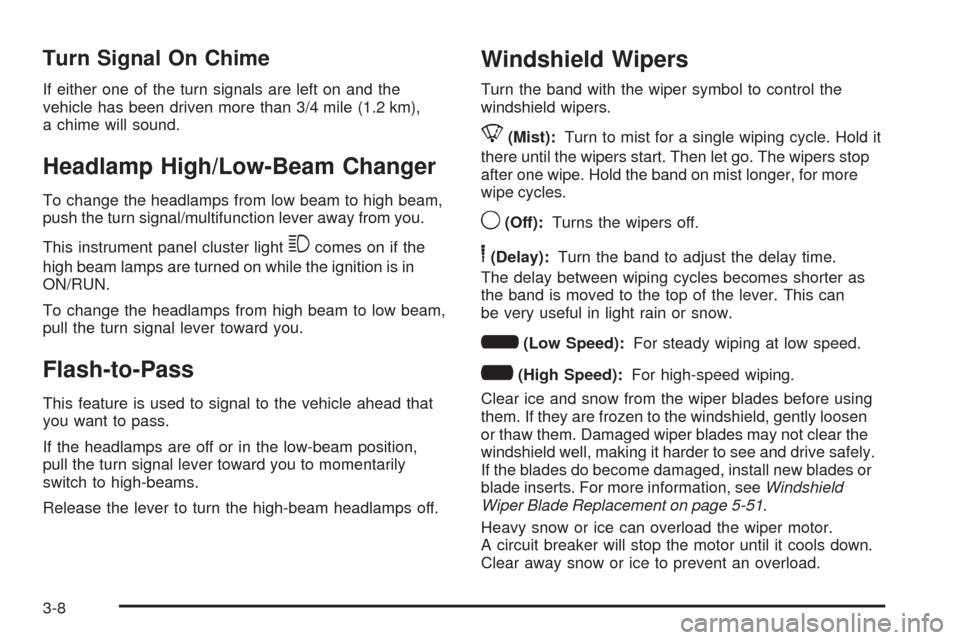
Windshield Wipers
Turn the band with the wiper symbol to control the
windshield wipers.
8(Mist):Turn to mist for a single wiping cycle. Hold it
there until the wipers start. Then let go. The wipers stop
after one wipe. Hold the band on mist longer, for more
wipe cycles.
9(Off):Turns the wipers off.
6(Delay):Turn the band to adjust the delay time.
The delay between wiping cycles becomes shorter as
the band is moved to the top of the lever. This can
be very useful in light rain or snow.
6(Low Speed):For steady wiping at low speed.
?(High Speed):For high-speed wiping.
Clear ice and snow from the wiper blades before using
them. If they are frozen to the windshield, gently loosen
or thaw them. Damaged wiper blades may not clear the
windshield well, making it harder to see and drive safely.
If the blades do become damaged, install new blades or
blade inserts. For more information, seeWindshield
Wiper Blade Replacement on page 5-51.
Heavy snow or ice can overload the wiper motor.
A circuit breaker will stop the motor until it cools down.
Clear away snow or ice to prevent an overload.
3-8
Page 132 of 406
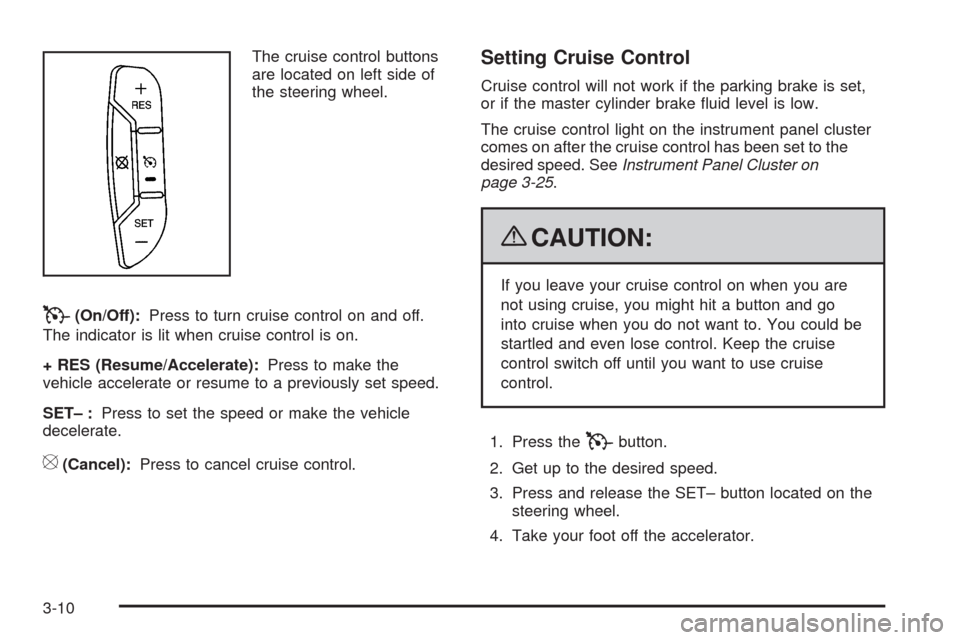
The cruise control buttons
are located on left side of
the steering wheel.
T(On/Off):Press to turn cruise control on and off.
The indicator is lit when cruise control is on.
+ RES (Resume/Accelerate):Press to make the
vehicle accelerate or resume to a previously set speed.
SET– :Press to set the speed or make the vehicle
decelerate.
[(Cancel):Press to cancel cruise control.
Setting Cruise Control
Cruise control will not work if the parking brake is set,
or if the master cylinder brake uid level is low.
The cruise control light on the instrument panel cluster
comes on after the cruise control has been set to the
desired speed. SeeInstrument Panel Cluster on
page 3-25.
{CAUTION:
If you leave your cruise control on when you are
not using cruise, you might hit a button and go
into cruise when you do not want to. You could be
startled and even lose control. Keep the cruise
control switch off until you want to use cruise
control.
1. Press the
Tbutton.
2. Get up to the desired speed.
3. Press and release the SET– button located on the
steering wheel.
4. Take your foot off the accelerator.
3-10
Page 134 of 406
Using Cruise Control on Hills
How well the cruise control will work on hills depends
upon the vehicle speed, load and the steepness of
the hills. When going up steep hills, you might have to
step on the accelerator pedal to maintain your speed.
When going downhill, you might have to brake or shift to
a lower gear to keep your speed down. If the brakes
are applied the cruise control will turn off.
Ending Cruise Control
There are three ways to end cruise control:
Step lightly on the brake pedal.
Press the[button on the steering wheel.
Press theTbutton on the steering wheel.
Erasing Speed Memory
The cruise control set speed memory is erased by
turning off the cruise control or the ignition.
Exterior Lamps
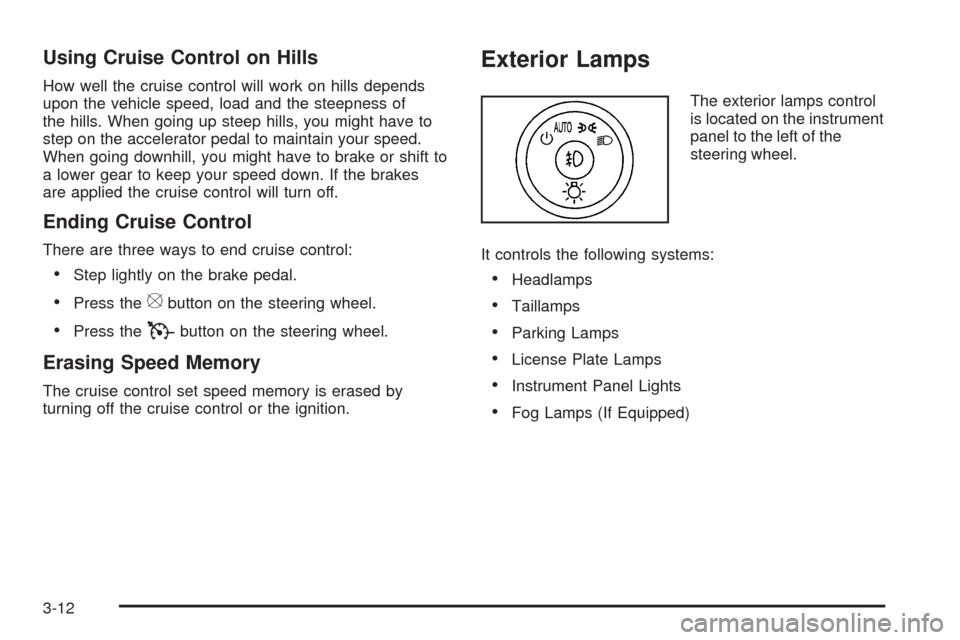
The exterior lamps control
is located on the instrument
panel to the left of the
steering wheel.
It controls the following systems:
Headlamps
Taillamps
Parking Lamps
License Plate Lamps
Instrument Panel Lights
Fog Lamps (If Equipped)
3-12
Page 135 of 406
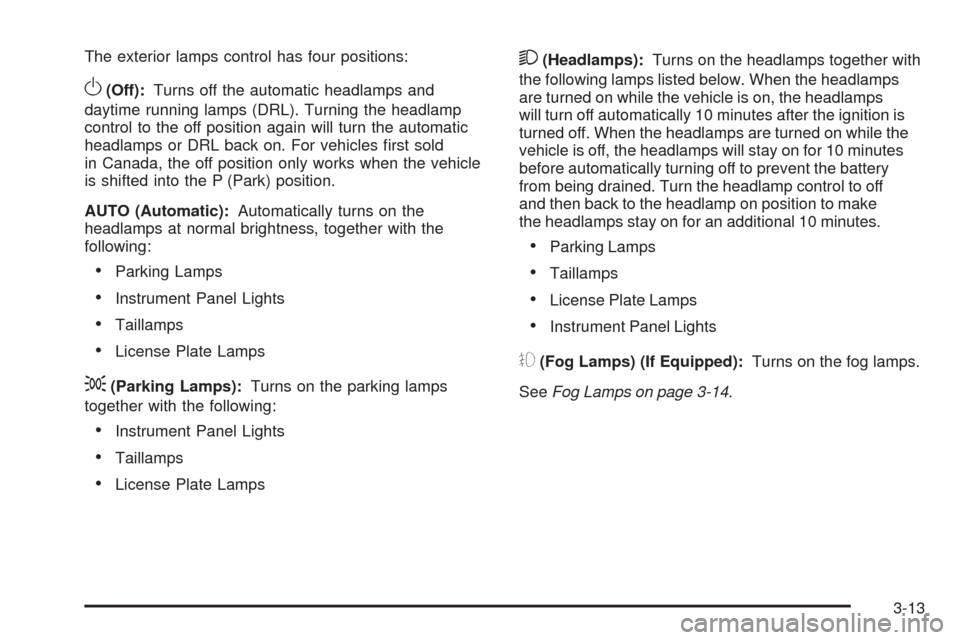
The exterior lamps control has four positions:
O(Off):Turns off the automatic headlamps and
daytime running lamps (DRL). Turning the headlamp
control to the off position again will turn the automatic
headlamps or DRL back on. For vehicles rst sold
in Canada, the off position only works when the vehicle
is shifted into the P (Park) position.
AUTO (Automatic):Automatically turns on the
headlamps at normal brightness, together with the
following:
Parking Lamps
Instrument Panel Lights
Taillamps
License Plate Lamps
;(Parking Lamps):Turns on the parking lamps
together with the following:
Instrument Panel Lights
Taillamps
License Plate Lamps
2(Headlamps):Turns on the headlamps together with
the following lamps listed below. When the headlamps
are turned on while the vehicle is on, the headlamps
will turn off automatically 10 minutes after the ignition is
turned off. When the headlamps are turned on while the
vehicle is off, the headlamps will stay on for 10 minutes
before automatically turning off to prevent the battery
from being drained. Turn the headlamp control to off
and then back to the headlamp on position to make
the headlamps stay on for an additional 10 minutes.
Parking Lamps
Taillamps
License Plate Lamps
Instrument Panel Lights
#(Fog Lamps) (If Equipped):Turns on the fog lamps.
SeeFog Lamps on page 3-14.
3-13
Page 136 of 406
Daytime Running Lamps (DRL)/
Automatic Headlamp System
Daytime Running Lamps (DRL) can make it easier
for others to see the front of your vehicle during the day.
Fully functional daytime running lamps are required
on all vehicles rst sold in Canada.
The DRL system makes the low-beam headlamps come
on at a reduced brightness when the following conditions
are met:
The ignition is in the ON/RUN position.
The exterior lamps control is in AUTO.
The engine is running.
When the DRL are on, the regular headlamps, taillamps,
sidemarker, and other lamps are not on. The instrument
panel and cluster are also not on.
The headlamps automatically change from DRL to
the regular headlamps depending on the darkness of
the surroundings. The other lamps that come on with
the headlamps will also come on.When it is bright enough outside, the headlamps go off
and the DRL come on.
The regular headlamp system should be turned on
when needed.
Do not cover the light sensor on top of the instrument
panel because it works with the DRL.
Fog Lamps
#(Fog Lamps):For vehicles with fog lamps,
the button is located on the exterior lamps control.
The exterior lamps control is located on the instrument
panel to the left of the steering column.
The ignition must be in the ON/RUN position for the fog
lamps to come on.
Press
#to turn the fog lamps on or off. A light will
come on in the instrument panel cluster.
When the headlamps are changed to high-beam, the
fog lamps also go off.
Some localities have laws that require the headlamps to
be on along with the fog lamps.
3-14
Page 137 of 406
Instrument Panel Brightness
D(Instrument Panel Brightness):The knob with
this symbol on it is located next to the exterior lamps
control to the left of the steering wheel. Push the knob
in all the way until it extends out and then turn the
knob clockwise or counterclockwise to brighten or
dim the lights. Push the knob back in when nished.
Courtesy Lamps
When a door is opened, the courtesy lamps
automatically come on. They make it easy for you
to enter and leave your vehicle. You can also manually
turn these lamps on by fully turning the instrument panel
brightness control clockwise.
The reading lamps, located on the rearview mirror,
can be turned on or off independent of the automatic
courtesy lamps, when the doors are closed.
Dome Lamp
The dome lamp comes on when a door is opened.
This lamp can also be turned on by turning the
instrument panel brightness control clockwise.
Entry Lighting
For vehicles with courtesy lamps, they come on and
stay on for a set time whenever the unlock symbol
is pressed on the Remote Keyless Entry (RKE)
transmitter, if the vehicle has one.
If a door is opened, the lamps stay on while it is open
and then turn off automatically about 20 seconds after
the door is closed. If the unlock symbol is pressed and
no door is opened, the lamps turn off after about
20 seconds.
Entry lighting includes a feature called theater dimming.
With theater dimming, the lamps do not turn off at
the end of the delay time. Instead, they slowly dim and
then go out. The delay time is canceled if the ignition
key is turned to ON/RUN or the power door lock switch
is pressed. The lamps will dim right away.
When the ignition is on, illuminated entry is inactive,
which means the courtesy lamps will not come on unless
a door is opened.
3-15
Page 138 of 406
Delayed Entry Lighting
Delayed entry lighting illuminates the interior for a
period of time after all the doors have been closed.
The ignition must be off for delayed entry lighting
to work. Immediately after all the doors have been
closed, the delayed entry lighting feature continues to
work until one of the following occurs:
The ignition is in ON/RUN.
The doors are locked.
An illumination period of about 25 seconds has
elapsed.
If during the illumination period a door is opened, the
timed illumination period is canceled and the interior
lamps remain on.
Delayed Exit Lighting
This feature illuminates the interior for a period of time
after the key is removed from the ignition.
The ignition must be off for delayed exit lighting to work.
When the key is removed, interior illumination activates
and remains on until one of the following occurs:
The ignition is in ON/RUN.
The power door locks are activated.
An illumination period of 20 seconds has elapsed.
If during the illumination period a door is opened,
the timed illumination period will be canceled and the
interior lamps will remain on because a door is open.
Parade Dimming
Parade mode automatically prohibits the dimming of
the instrument panel displays during the daylight while
the headlamps are on so that the displays are still
able to be seen.
3-16
Page 140 of 406
Battery Run-Down Protection
This feature helps prevent the battery from
being drained, if the interior courtesy lamps,
reading/map lamps, visor vanity lamps or trunk
lamp are accidentally left on. If any of these lamps
are left on, they automatically turn off after 10 minutes,
if the ignition is off. The lamps will not come back on
again until one of the following occurs:
The ignition is turned on.
The exterior lamps control is turned off, then on
again.
The headlamps will time-out after 10 minutes, if they are
manually turned on with the ignition on or off.
Accessory Power Outlet(s)
The vehicle has three 12-volt outlets which can be
used to plug in electrical equipment, such as a cellular
telephone.
On vehicles with a center console, one outlet is located
inside the center oor console and two outlets are located
at the front of the console bin under the instrument panel.
Lift the cover to access the outlet. Close the cover when
not using the outlet.
On vehicles without a center console, two are located
under the climate controls and another outlet for the rear
seat passengers is at the rear of the center front seat.
Remove the cover to access the outlets. When not using
the outlet, make sure the cover is closed.
Notice:Leaving electrical equipment plugged in
for an extended period of time while the vehicle is
off will drain the battery. Power is always supplied
to the outlets. Always unplug electrical equipment
when not in use and do not plug in equipment
that exceeds the maximum 20 ampere rating.
3-18
Page 142 of 406
Climate Controls
Climate Control System
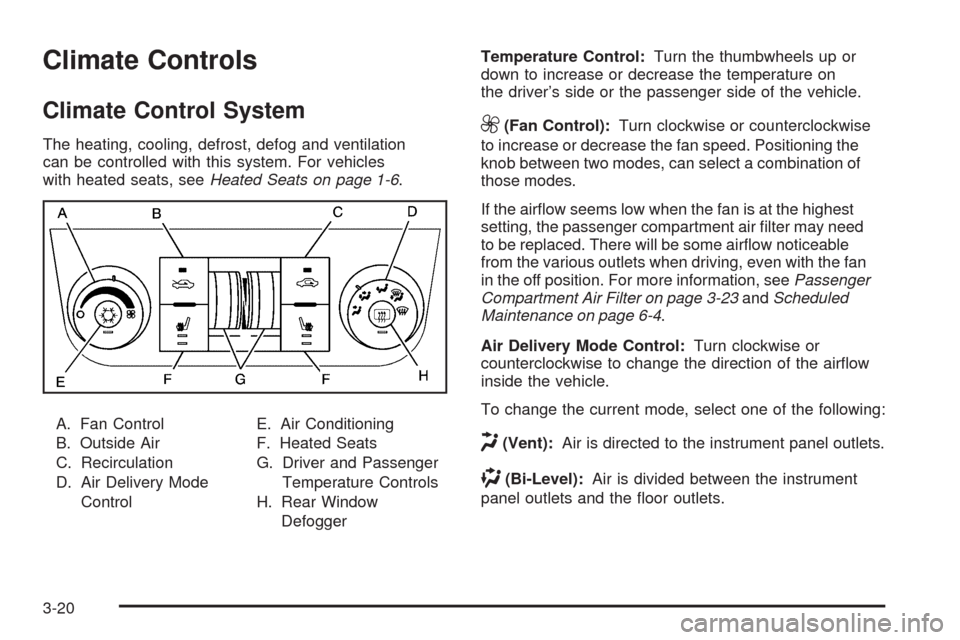
The heating, cooling, defrost, defog and ventilation
can be controlled with this system. For vehicles
with heated seats, seeHeated Seats on page 1-6.
A. Fan Control
B. Outside Air
C. Recirculation
D. Air Delivery Mode
ControlE. Air Conditioning
F. Heated Seats
G. Driver and Passenger
Temperature Controls
H. Rear Window
DefoggerTemperature Control:Turn the thumbwheels up or
down to increase or decrease the temperature on
the driver’s side or the passenger side of the vehicle.
9(Fan Control):Turn clockwise or counterclockwise
to increase or decrease the fan speed. Positioning the
knob between two modes, can select a combination of
those modes.
If the airow seems low when the fan is at the highest
setting, the passenger compartment air lter may need
to be replaced. There will be some airow noticeable
from the various outlets when driving, even with the fan
in the off position. For more information, seePassenger
Compartment Air Filter on page 3-23andScheduled
Maintenance on page 6-4.
Air Delivery Mode Control:Turn clockwise or
counterclockwise to change the direction of the airow
inside the vehicle.
To change the current mode, select one of the following:
H(Vent):Air is directed to the instrument panel outlets.
)(Bi-Level):Air is divided between the instrument
panel outlets and the oor outlets.
3-20
Page 147 of 406
Instrument Panel Cluster
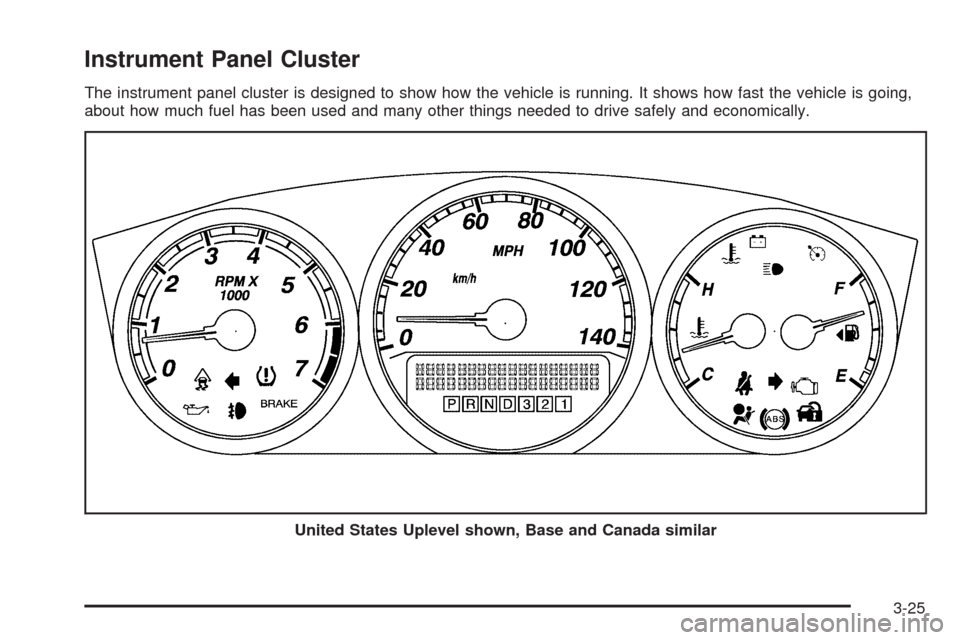
The instrument panel cluster is designed to show how the vehicle is running. It shows how fast the vehicle is going,
about how much fuel has been used and many other things needed to drive safely and economically.
United States Uplevel shown, Base and Canada similar
3-25