remote control CHEVROLET IMPALA 2009 9.G Owners Manual
[x] Cancel search | Manufacturer: CHEVROLET, Model Year: 2009, Model line: IMPALA, Model: CHEVROLET IMPALA 2009 9.GPages: 406, PDF Size: 2.25 MB
Page 1 of 406
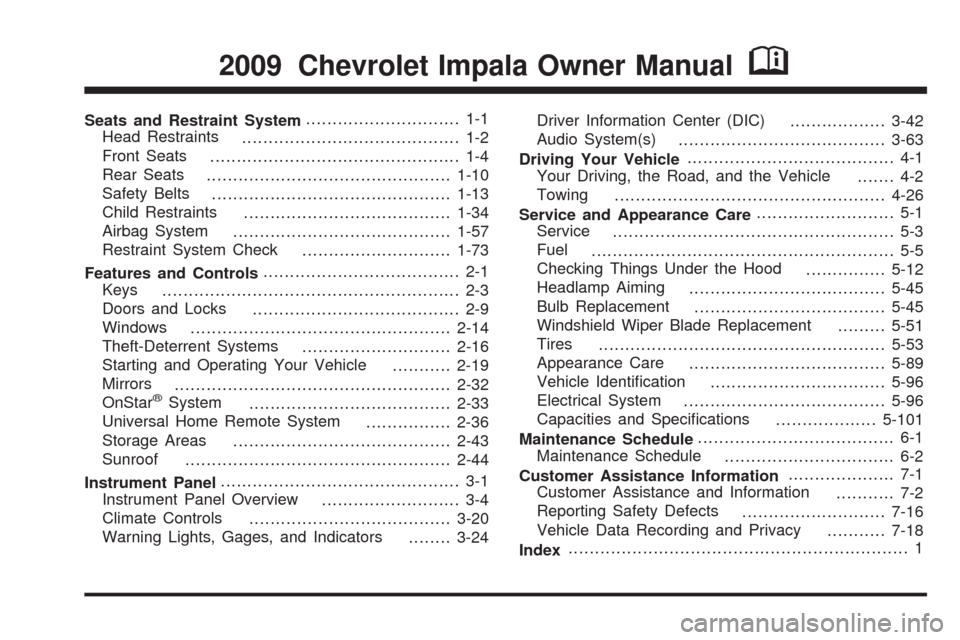
Seats and Restraint System............................. 1-1
Head Restraints
......................................... 1-2
Front Seats
............................................... 1-4
Rear Seats
..............................................1-10
Safety Belts
.............................................1-13
Child Restraints
.......................................1-34
Airbag System
.........................................1-57
Restraint System Check
............................1-73
Features and Controls..................................... 2-1
Keys
........................................................ 2-3
Doors and Locks
....................................... 2-9
Windows
.................................................2-14
Theft-Deterrent Systems
............................2-16
Starting and Operating Your Vehicle
...........2-19
Mirrors
....................................................2-32
OnStar
®System
......................................2-33
Universal Home Remote System
................2-36
Storage Areas
.........................................2-43
Sunroof
..................................................2-44
Instrument Panel............................................. 3-1
Instrument Panel Overview
.......................... 3-4
Climate Controls
......................................3-20
Warning Lights, Gages, and Indicators
........3-24Driver Information Center (DIC)
..................3-42
Audio System(s)
.......................................3-63
Driving Your Vehicle....................................... 4-1
Your Driving, the Road, and the Vehicle
....... 4-2
Towing
...................................................4-26
Service and Appearance Care.......................... 5-1
Service
..................................................... 5-3
Fuel
......................................................... 5-5
Checking Things Under the Hood
...............5-12
Headlamp Aiming
.....................................5-45
Bulb Replacement
....................................5-45
Windshield Wiper Blade Replacement
.........5-51
Tires
......................................................5-53
Appearance Care
.....................................5-89
Vehicle Identication
.................................5-96
Electrical System
......................................5-96
Capacities and Specications
...................5-101
Maintenance Schedule..................................... 6-1
Maintenance Schedule
................................ 6-2
Customer Assistance Information.................... 7-1
Customer Assistance and Information
........... 7-2
Reporting Safety Defects
...........................7-16
Vehicle Data Recording and Privacy
...........7-18
Index................................................................ 1
2009 Chevrolet Impala Owner ManualM
Page 4 of 406
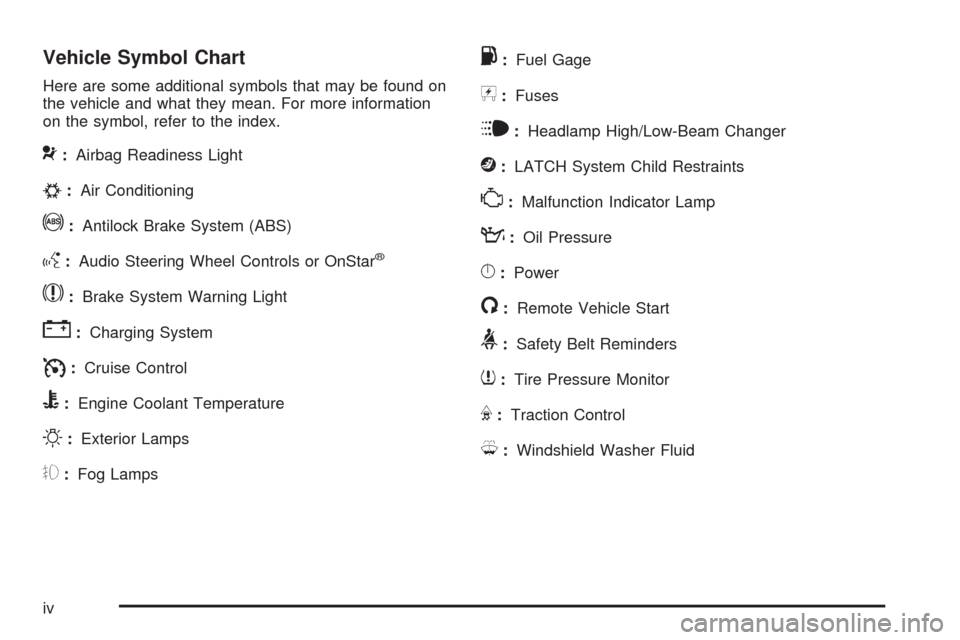
Vehicle Symbol Chart
Here are some additional symbols that may be found on
the vehicle and what they mean. For more information
on the symbol, refer to the index.
9:Airbag Readiness Light
#:Air Conditioning
!:Antilock Brake System (ABS)
g:Audio Steering Wheel Controls or OnStar®
$:Brake System Warning Light
":Charging System
I:Cruise Control
B:Engine Coolant Temperature
O:Exterior Lamps
#:Fog Lamps
.:Fuel Gage
+:Fuses
i:Headlamp High/Low-Beam Changer
j:LATCH System Child Restraints
*:Malfunction Indicator Lamp
::Oil Pressure
}:Power
/:Remote Vehicle Start
>:Safety Belt Reminders
7:Tire Pressure Monitor
F:Traction Control
M:Windshield Washer Fluid
iv
Page 79 of 406
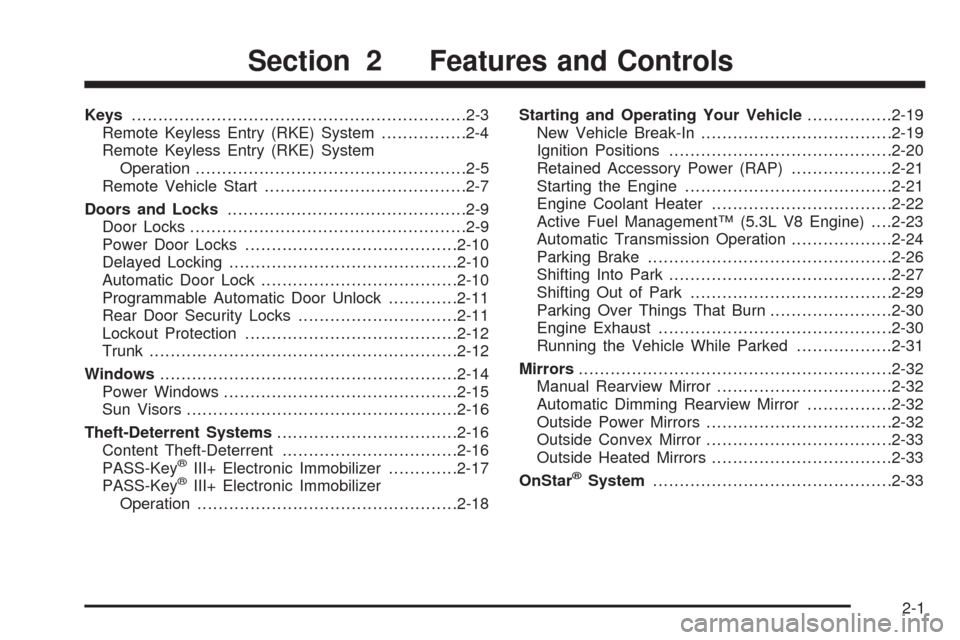
Keys...............................................................2-3
Remote Keyless Entry (RKE) System................2-4
Remote Keyless Entry (RKE) System
Operation...................................................2-5
Remote Vehicle Start......................................2-7
Doors and Locks.............................................2-9
Door Locks....................................................2-9
Power Door Locks........................................2-10
Delayed Locking...........................................2-10
Automatic Door Lock.....................................2-10
Programmable Automatic Door Unlock.............2-11
Rear Door Security Locks..............................2-11
Lockout Protection........................................2-12
Trunk..........................................................2-12
Windows........................................................2-14
Power Windows............................................2-15
Sun Visors...................................................2-16
Theft-Deterrent Systems..................................2-16
Content Theft-Deterrent.................................2-16
PASS-Key
®III+ Electronic Immobilizer.............2-17
PASS-Key®III+ Electronic Immobilizer
Operation.................................................2-18Starting and Operating Your Vehicle................2-19
New Vehicle Break-In....................................2-19
Ignition Positions..........................................2-20
Retained Accessory Power (RAP)...................2-21
Starting the Engine.......................................2-21
Engine Coolant Heater..................................2-22
Active Fuel Management™ (5.3L V8 Engine). . . .2-23
Automatic Transmission Operation...................2-24
Parking Brake..............................................2-26
Shifting Into Park..........................................2-27
Shifting Out of Park......................................2-29
Parking Over Things That Burn.......................2-30
Engine Exhaust............................................2-30
Running the Vehicle While Parked..................2-31
Mirrors...........................................................2-32
Manual Rearview Mirror.................................2-32
Automatic Dimming Rearview Mirror................2-32
Outside Power Mirrors...................................2-32
Outside Convex Mirror...................................2-33
Outside Heated Mirrors..................................2-33
OnStar®System.............................................2-33
Section 2 Features and Controls
2-1
Page 80 of 406
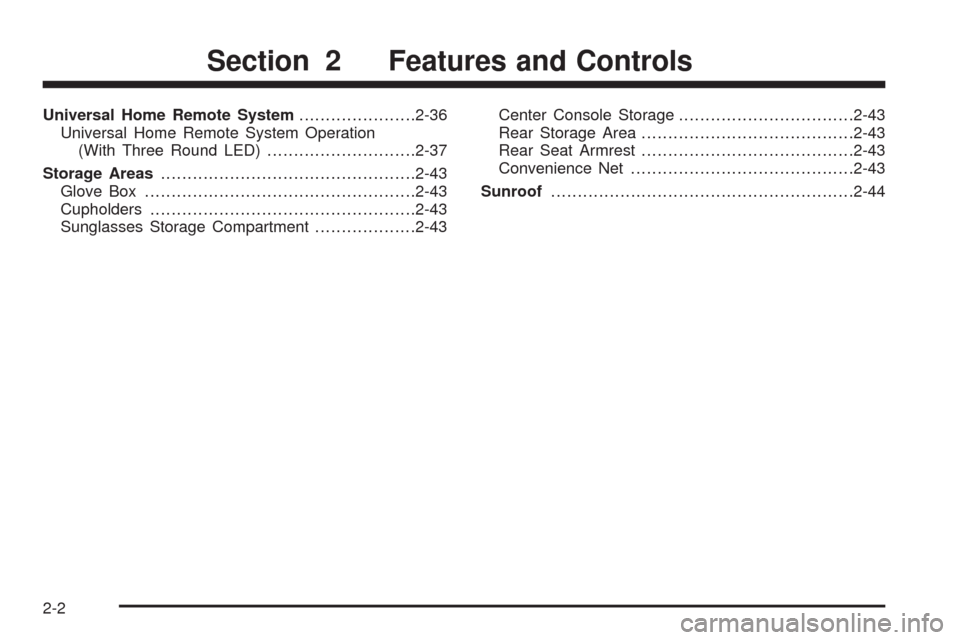
Universal Home Remote System......................2-36
Universal Home Remote System Operation
(With Three Round LED)............................2-37
Storage Areas................................................2-43
Glove Box...................................................2-43
Cupholders..................................................2-43
Sunglasses Storage Compartment...................2-43Center Console Storage.................................2-43
Rear Storage Area........................................2-43
Rear Seat Armrest........................................2-43
Convenience Net..........................................2-43
Sunroof.........................................................2-44
Section 2 Features and Controls
2-2
Page 85 of 406
Remote Vehicle Start
Your vehicle may have a remote starting feature that
allows you to start the engine from outside the vehicle. It
may also start the vehicle’s heating or air conditioning
systems and rear window defogger. When the
remote start system is active and the vehicle has an
automatic climate control system, it will automatically
regulate the inside temperature. Normal operation
of these systems will return after the ignition key is
turned to ON/RUN.
Laws in some communities may restrict the use of
remote starters. For example, some laws may require a
person using remote start to have the vehicle in view
when doing so. Check local regulations for any
requirements on remote starting of vehicles.
Do not use the remote start feature if your vehicle is low
on fuel. Your vehicle may run out of fuel.
If your vehicle has the remote start feature, the RKE
transmitter functions will have an increased range
of operation. However, the range may be less while the
vehicle is running.There are other conditions which can affect the
performance of the transmitter, seeRemote Keyless
Entry (RKE) System on page 2-4
/(Remote Start):This button will be on the RKE
transmitter if you have remote start.
To start the vehicle using the remote start feature:
1. Aim the transmitter at the vehicle.
2. Press and release the transmitter’s lock button,
then immediately press and hold the transmitter’s
remote start button for two to four seconds or
until the vehicle’s turn signal lamps ash. The doors
will lock.
When the vehicle starts, the parking lamps turn on
and remain on while the engine is running.
The remote start feature provides two separate starts
per ignition cycle, each with 10 minutes of engine
running time, or one start with a time extension. The
rst start must expire or be canceled to get two separate
10 minute starts.
2-7
Page 90 of 406
To open a rear door when the security lock is on, do the
following:
1. Unlock the door using the Remote Keyless Entry
(RKE) transmitter, if the vehicle has one, the
power door lock switch, or by lifting the rear door
manual lock.
2. Open the door from the outside.
To cancel the rear door security lock:
1. Unlock the door and open it from the outside.
2. Insert the key into the security lock slot and turn it
so the slot is in the vertical position.
3. Do the same for the other rear door.
Lockout Protection
This feature helps prevent you from locking the doors
while the key is in the ignition. Always remember to take
your key with you when exiting the vehicle.
If the lock switch is pressed on the door that is open
and the key is in the ignition, all of the doors will
lock and then the open door will unlock. A chime sounds
continuously until the driver door is closed.
Trunk
{CAUTION:
Exhaust gases can enter the vehicle if it is driven
with the liftgate, trunk/hatch open, or with any
objects that pass through the seal between the
body and the trunk/hatch or liftgate. Engine
exhaust contains Carbon Monoxide (CO) which
cannot be seen or smelled. It can cause
unconsciousness and even death.
If the vehicle must be driven with the liftgate, or
trunk/hatch open:
Close all of the windows.
Fully open the air outlets on or under the
instrument panel.
Adjust the Climate Control system to a setting
that brings in only outside air and set the fan
speed to the highest setting. See Climate
Control System in the Index.
If the vehicle is equipped with a power liftgate,
disable the power liftgate function.
For more information about carbon monoxide, see
Engine Exhaust on page 2-30.
2-12
Page 91 of 406
Trunk Release
To open the trunk from the outside, press the trunk
release button on the RKE transmitter, if equipped.
Remote Trunk Release
G
(Remote Trunk Release):Press the button
located next to the exterior lamps control on the left side
of the instrument panel to open the trunk. The shift
lever must be in P (Park).
The trunk can also be opened by lowering the rear seat
and pulling the emergency trunk release handle
located inside the trunk. SeeSplit Folding Rear Seat on
page 1-10and “Emergency Trunk Release Handle”
following.
Emergency Trunk Release Handle
Notice:Do not use the emergency trunk release
handle as a tie-down or anchor point when securing
items in the trunk as it could damage the handle.
The emergency trunk release handle is only
intended to aid a person trapped in a latched trunk,
enabling them to open the trunk from the inside.
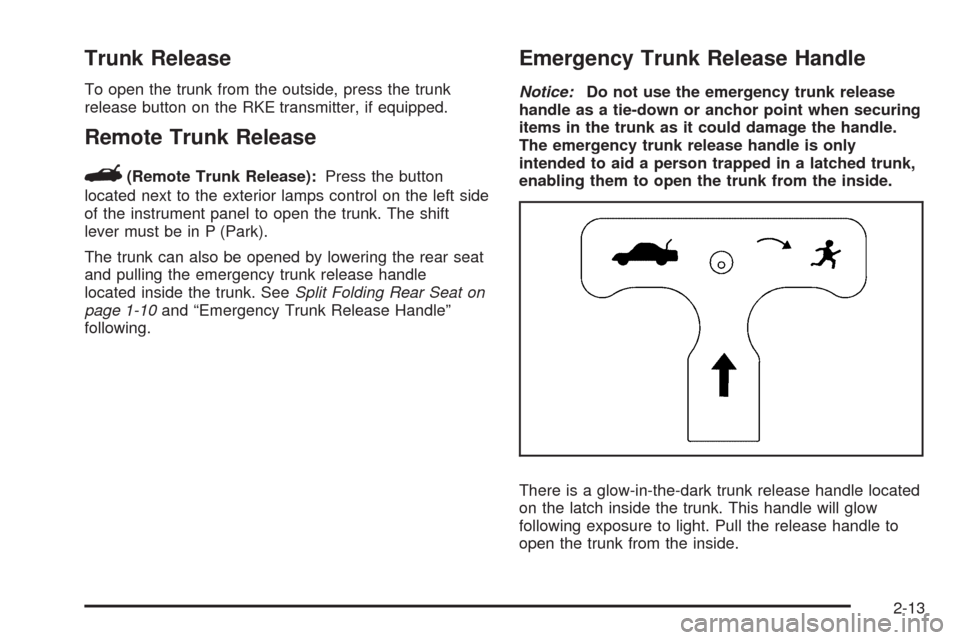
There is a glow-in-the-dark trunk release handle located
on the latch inside the trunk. This handle will glow
following exposure to light. Pull the release handle to
open the trunk from the inside.
2-13
Page 94 of 406
Express-Down Window
The driver window switch has an express-down feature
labeled AUTO. This lets you lower the window
completely without holding the switch. Press the front of
the switch to the second position and release.
To stop the window while it is lowering, briey pull up
on the switch.
Window Lockout
o
(Window Lockout):The driver window switches
also include a lockout switch. Press the right side of the
switch to prevent the rear passengers from using
their window switches. The driver can still control all the
windows and the front passenger can control their
own window with the lockout on. Press the left side of
the switch to return to normal window operation. A
red bar on the right side of the switch indicates that the
lockout is off.
Sun Visors
To block out glare, swing down the sun visors. They
can be detached from the center retainer and slid along
the rod to cover different areas of the front window
and turned to cover the side windows.
Visor Vanity Mirror
Swing down the sun visors and lift the cover to expose
the vanity mirror. Do not drive with the cover lifted
due to possible glare impeding other drivers behind or
to the side of the vehicle.
Theft-Deterrent Systems
Vehicle theft is big business, especially in some cities.
This vehicle has theft-deterrent features, however,
they do not make it impossible to steal.
Content Theft-Deterrent
Your vehicle may have the optional content
theft-deterrent alarm system.
To activate the theft-deterrent system:
1. Open the door.
2. Lock the door with the power door lock switch or
the Remote Keyless Entry (RKE) transmitter. If
you are using the RKE transmitter, the door does
not need to be open.
3. Close all doors.
2-16
Page 114 of 406
This information usually includes the vehicle’s GPS
location and, in the event of a crash, additional
information regarding the crash that the vehicle was
involved in (e.g. the direction from which the vehicle was
hit). When the Virtual Advisor feature of OnStar
Hands-Free Calling is used, the vehicle also sends
OnStar the vehicle’s GPS location so they can provide
services where it is located.
OnStar service cannot work unless the vehicle is in a
place where OnStar has an agreement with a wireless
service provider for service in that area. OnStar
service also cannot work unless the vehicle is in a place
where the wireless service provider OnStar has hired
for that area has coverage, network capacity and
reception when the service is needed, and technology
that is compatible with the OnStar service. Not all
services are available everywhere, particularly in remote
or enclosed areas, or at all times.
Location information about the vehicle is only available
if the GPS satellite signals are unobstructed and
available.
The vehicle must have a working electrical system,
including adequate battery power, for the OnStar
equipment to operate. There are other problems OnStar
cannot control that may prevent OnStar from providing
OnStar service at any particular time or place. Some
examples are damage to important parts of the vehicle
in a crash, hills, tall buildings, tunnels, weather or
wireless phone network congestion.Your Responsibility
Increase the volume of the radio if the OnStar advisor
cannot be heard. If the light next to the OnStar buttons
is red, the system may not be functioning properly.
Press the OnStar button and request a vehicle
diagnostic. If the light appears clear (no light is
appearing), your OnStar subscription has expired and
all services have been deactivated. Press the OnStar
button to conrm that the OnStar equipment is active.
Universal Home Remote
System
The Universal Home Remote System provides a way to
replace up to three hand-held Radio-Frequency (RF)
transmitters used to activate devices such as garage
door openers, security systems, and home lighting.
This device complies with Part 15 of the FCC Rules.
Operation is subject to the following two conditions:
1. This device may not cause harmful interference.
2. This device must accept any interference received,
including interference that may cause undesired
operation.
2-36
Page 115 of 406
This device complies with RSS-210 of Industry Canada.
Operation is subject to the following two conditions:
1. This device may not cause interference.
2. This device must accept any interference received,
including interference that may cause undesired
operation of the device.
Changes or modications to this system by other than
an authorized service facility could void authorization to
use this equipment.
Universal Home Remote System
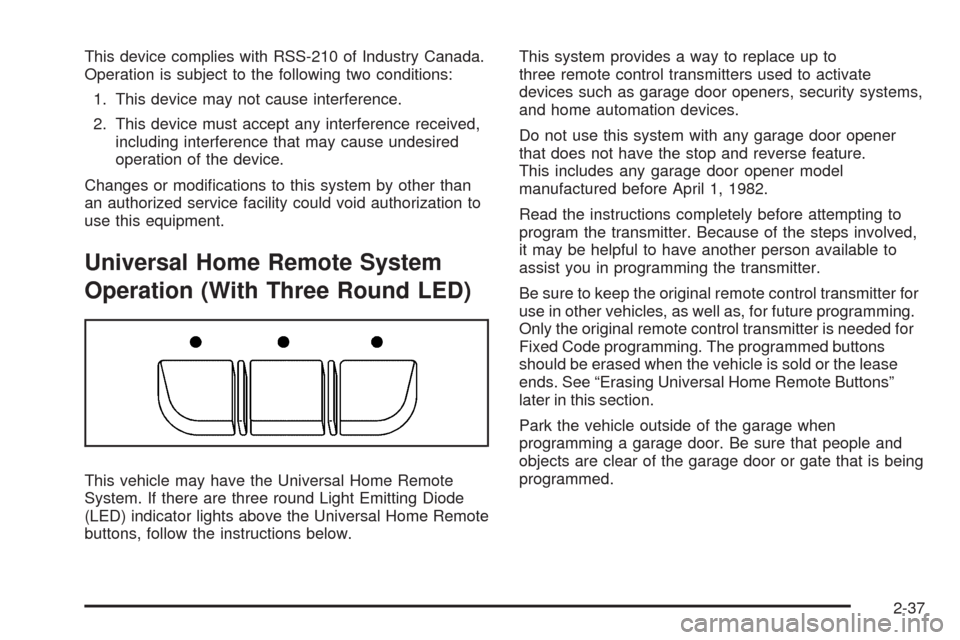
Operation (With Three Round LED)
This vehicle may have the Universal Home Remote
System. If there are three round Light Emitting Diode
(LED) indicator lights above the Universal Home Remote
buttons, follow the instructions below.This system provides a way to replace up to
three remote control transmitters used to activate
devices such as garage door openers, security systems,
and home automation devices.
Do not use this system with any garage door opener
that does not have the stop and reverse feature.
This includes any garage door opener model
manufactured before April 1, 1982.
Read the instructions completely before attempting to
program the transmitter. Because of the steps involved,
it may be helpful to have another person available to
assist you in programming the transmitter.
Be sure to keep the original remote control transmitter for
use in other vehicles, as well as, for future programming.
Only the original remote control transmitter is needed for
Fixed Code programming. The programmed buttons
should be erased when the vehicle is sold or the lease
ends. See “Erasing Universal Home Remote Buttons”
later in this section.
Park the vehicle outside of the garage when
programming a garage door. Be sure that people and
objects are clear of the garage door or gate that is being
programmed.
2-37