battery CHEVROLET IMPALA 2010 9.G User Guide
[x] Cancel search | Manufacturer: CHEVROLET, Model Year: 2010, Model line: IMPALA, Model: CHEVROLET IMPALA 2010 9.GPages: 432, PDF Size: 1.89 MB
Page 163 of 432
Delayed Exit LightingThis feature illuminates the interior for a period of time
after the key is removed from the ignition.
The ignition must be off for delayed exit lighting to work.
When the key is removed, interior illumination activates
and remains on until one of the following occurs:•
The ignition is in ON/RUN.
•
The power door locks are activated.
•
An illumination period of 20 seconds has elapsed.
If during the illumination period a door is opened,
the timed illumination period will be canceled and the
interior lamps will remain on because a door is open.
Parade DimmingParade mode automatically prohibits the dimming of
the instrument panel displays during the daylight while
the headlamps are on so that the displays are still
able to be seen.Reading LampsThe vehicle has reading lamps that also act as the
dome lamp. Press the button near each lamp to turn
them on and off.
Map LampsThe vehicle has map lamps on the rearview mirror.
Press the button near each lamp on the mirror to turn
the map lamps on and off.Electric Power ManagementThe vehicle has Electric Power Management (EPM) that
estimates the battery’s temperature and state of charge.
It then adjusts the voltage for best performance and
extended life of the battery.
When the battery’s state of charge is low, the voltage is
raised slightly to quickly bring the charge back up. When
the state of charge is high, the voltage is lowered slightly
to prevent overcharging. If the vehicle has a voltmeter
gage or a voltage display on the Driver Information
Center (DIC), you may see the voltage move up or down.
This is normal. If there is a problem, an alert will be
displayed.
The battery can be discharged at idle if the electrical
loads are very high. This is true for all vehicles. This is
because the generator (alternator) may not be spinning
fast enough at idle to produce all the power that is
needed for very high electrical loads.
4-13
Page 164 of 432
A high electrical load occurs when several of the
following are on, such as: headlamps, high beams,
fog lamps, rear window defogger, climate control fan at
high speed, heated seats, engine cooling fans, trailer
loads, and loads plugged into accessory power outlets.
EPM works to prevent excessive discharge of the battery.
It does this by balancing the generator’s output and the
vehicle’s electrical needs. It can increase engine idle
speed to generate more power, whenever needed.
It can temporarily reduce the power demands of some
accessories.
Normally, these actions occur in steps or levels, without
being noticeable. In rare cases at the highest levels of
corrective action, this action may be noticeable to the
driver. If so, a Driver Information Center (DIC) message
might be displayed, such as BATTERY SAVER ACTIVE,
BATTERY VOLTAGE LOW, or LOW BATTERY. If this
message is displayed, it is recommended that the driver
reduce the electrical loads as much as possible. SeeDIC
Warnings and Messages on page 4-44.
Battery Run-Down ProtectionThis feature helps prevent the battery from being drained,
if the interior courtesy lamps, reading/map lamps, visor
vanity lamps or trunk lamp are accidentally left on. If any
of these lamps are left on, they automatically turn off after
10 minutes, if the ignition is off. The lamps will not come
back on again until one of the following occurs:•
The ignition is turned on.
•
The exterior lamps control is turned off, then on
again.
The headlamps will timeout after 10 minutes, if they are
manually turned on with the ignition on or off.
4-14
Page 165 of 432
Accessory Power Outlet(s)The vehicle has three 12-volt outlets which can be
used to plug in electrical equipment, such as a cellular
telephone.
On vehicles with a center console, one outlet is located
inside the center floor console and two outlets are located
at the front of the console bin under the instrument panel.
Lift the cover to access the outlet. Close the cover when
not using the outlet.
On vehicles without a center console, two are located
under the climate controls and another outlet for the rear
seat passengers is at the rear of the center front seat.
Remove the cover to access the outlets. When not using
the outlet, make sure the cover is closed.
Notice:Leaving electrical equipment plugged in for
an extended period of time while the vehicle is off
will drain the battery. Power is always supplied
to the outlets. Always unplug electrical equipment
when not in use and do not plug in equipment
that exceeds the maximum 20 ampere rating.Certain accessory plugs may not be compatible to the
accessory power outlet and could result in blown vehicle
and adapter fuses. If you experience a problem, see
your dealer/retailer for additional information on
the power accessory plugs.
Notice:Adding any electrical equipment to the
vehicle can damage it or keep other components
from working as they should. The repairs would
not be covered by the vehicle warranty. Do not use
equipment exceeding maximum amperage rating
of 20 amperes. Check with your dealer/retailer before
adding electrical equipment.
When adding electrical equipment, be sure to follow
the proper installation instructions included with the
equipment. Check with your dealer/retailer before adding
electrical equipment, and never use anything that
exceeds the maximum amperage rating of 20 amps.
Notice:Improper use of the power outlet can
cause damage not covered by the vehicle warranty.
Do not hang any type of accessory or accessory
bracket from the plug because the power outlets
are designed for accessory power plugs only.
4-15
Page 184 of 432
Emissions Inspection and Maintenance
ProgramsSome state/provincial and local governments have or
might begin programs to inspect the emission control
equipment on the vehicle. Failure to pass this inspection
could prevent getting a vehicle registration.
Here are some things to know to help the vehicle pass
an inspection:•
The vehicle will not pass this inspection if the check
engine light is on with the engine running, or if the
key is in ON/RUN and the light is not on.
•
The vehicle will not pass this inspection if the OBD II
(on-board diagnostic) system determines that critical
emission control systems have not been completely
diagnosed by the system. The vehicle would be
considered not ready for inspection. This can happen
if the battery has recently been replaced or if the
battery has run down. The diagnostic system is
designed to evaluate critical emission control
systems during normal driving. This can take several
days of routine driving. If this has been done and the
vehicle still does not pass the inspection for lack of
OBD II system readiness, your dealer/retailer can
prepare the vehicle for inspection.
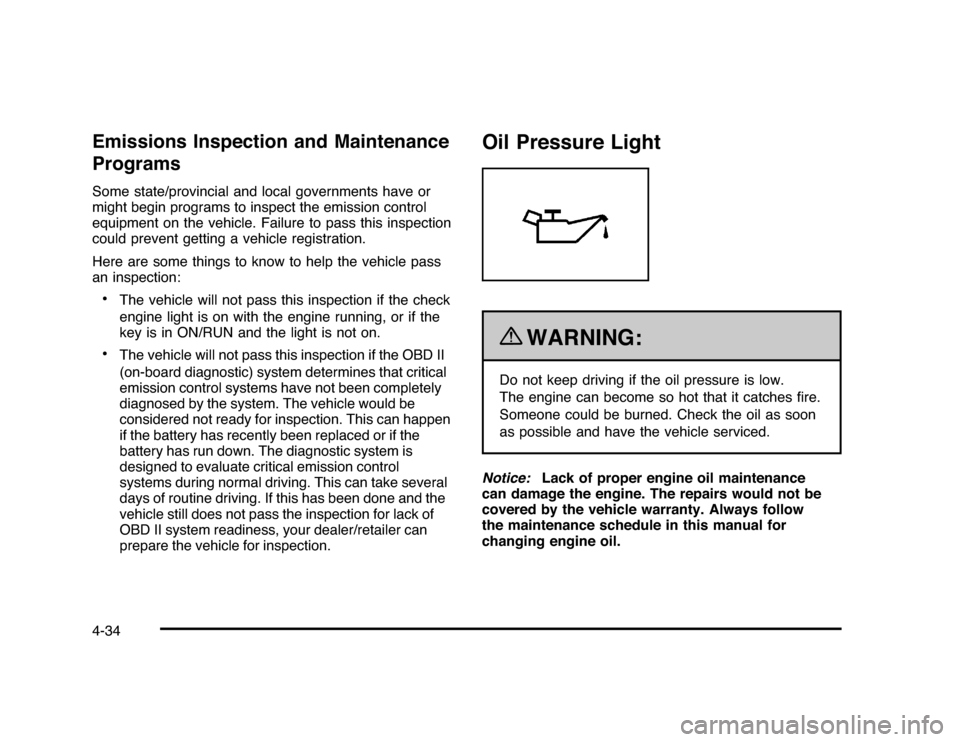
Oil Pressure Light
{
WARNING:
Do not keep driving if the oil pressure is low.
The engine can become so hot that it catches fire.
Someone could be burned. Check the oil as soon
as possible and have the vehicle serviced.
Notice:Lack of proper engine oil maintenance
can damage the engine. The repairs would not be
covered by the vehicle warranty. Always follow
the maintenance schedule in this manual for
changing engine oil.
4-34
Page 194 of 432
DIC Warnings and MessagesMessages are displayed on the DIC to notify the driver
that the status of the vehicle has changed and that some
action may be needed by the driver to correct the
condition. Multiple messages may appear one after
another. Some messages may not require immediate
action, but you can press the set/reset button to
acknowledge that you received the message and clear
it from the DIC display. Pressing any of the DIC buttons
also acknowledges and clears any messages. Some
messages cannot be cleared from the DIC display
because they are more urgent. These messages require
action before they can be cleared. You should take any
messages that appear on the display seriously and
remember that clearing the messages will only make
the messages disappear, not correct the problem.
The following are the possible messages that can be
displayed and some information about them.AUTOMATIC LIGHT CONTROL OFFThis message displays when the automatic headlamps
are turned off. SeeExterior Lamps on page 4-9for
more information.AUTOMATIC LIGHT CONTROL ONThis message displays when the automatic headlamps
are turned on. SeeExterior Lamps on page 4-9for
more information.
BATTERY SAVER ACTIVEThis message displays when the system detects that
the battery voltage is dropping beyond a reasonable
level. The battery saver system starts reducing certain
features of the vehicle that you may be able to notice.
At the point that the features are disabled, this message
is displayed. It means that the vehicle is trying to
save the charge in the battery.
Turn off all unnecessary accessories to allow the battery
to recharge.
The normal battery voltage range is 11.5 to 15.5 volts.CHANGE ENGINE OIL SOONThis message displays when service is required for the
vehicle. See your dealer/retailer. SeeEngine Oil on
page 6-15andScheduled Maintenance on page 7-3
for more information.
Acknowledging the CHANGE ENGINE OIL SOON
message will not reset the OIL LIFE REMAINING.
That must be done at the OIL LIFE screen under the
vehicle information menu. See “Oil Life” underDIC
Operation and Displays on page 4-37andEngine Oil
Life System on page 6-18.
4-44
Page 197 of 432
REMOTE KEY LEARNING ACTIVEThis message displays while you are matching a
Remote Keyless Entry (RKE) transmitter to your vehicle.
See “Matching Transmitter(s) to Your Vehicle” under
Remote Keyless Entry (RKE) System Operation
on page 3-4andDIC Operation and Displays on
page 4-37for more information.REPLACE BATTERY IN REMOTE KEYThis message displays when the battery in the Remote
Keyless Entry (RKE) transmitter needs to be replaced.
To replace the battery, see “Battery Replacement” under
Remote Keyless Entry (RKE) System Operation on
page 3-4.RIGHT REAR DOOR OPENThis message displays when the passenger side rear
door is not closed properly. Make sure that the door
is closed completely.SERVICE A/C (Air Conditioning)
SYSTEMThis message displays when the electronic sensors that
control the air conditioning and heating systems are
no longer working. Have the climate control system
serviced by your dealer/retailer if you notice a drop
in heating and air conditioning efficiency.
SERVICE AIR BAGThis message displays when there is a problem with
the airbag system. Have your vehicle serviced by your
dealer/retailer immediately. SeeAirbag Readiness
Light on page 4-24for more information.SERVICE BATTERY CHARGING
SYSTEMThis message displays when there is a problem with the
generator and battery charging systems. Driving with this
problem could drain the battery. Turn off all unnecessary
accessories. Stop and turn off the vehicle as soon as it is
safe to do so. Have the electrical system checked by your
dealer/retailer immediately.SERVICE BRAKE SYSTEMThis message displays when service is required on the
brake system. Have the brake system serviced by
your dealer/retailer as soon as possible. The brake
system warning light also appears on the instrument
panel cluster when this message appears on the DIC.
SeeBrake System Warning Light on page 4-27.
4-47
Page 200 of 432
TIRE LOW ADD AIR TO TIREOn vehicles with the Tire Pressure Monitor System
(TPMS), this message displays when the pressure in one
or more of the vehicle’s tires is low. This message also
displays LEFT FRT (left front), RIGHT FRT (right front),
LEFT RR (left rear), or RIGHT RR (right rear) to indicate
the location of the low tire. The low tire pressure warning
light will also come on. SeeTire Pressure Light on
page 4-31. You can receive more than one tire pressure
message at a time. To read the other messages that may
have been sent at the same time, press the set/reset
button. If a tire pressure message appears on the DIC,
stop as soon as you can. Have the tire pressures
checked and set to those shown on the Tire Loading
Information label. SeeTires on page 6-51,Loading the
Vehicle on page 5-20, andInflation - Tire Pressure on
page 6-59. The DIC also shows the tire pressure values.
SeeDIC Operation and Displays on page 4-37.TRACTION CONTROL OFFIf your vehicle has the Traction Control System (TCS),
this message displays when the TCS turns off.
SeeTraction Control System (TCS) on page 5-7
for more information.
This message only displays while the ignition is in
ON/RUN and disappears after 10 seconds, unless
it is acknowledged or an urgent warning appears.Any of the following conditions may cause the TCS to
turn off:
•
The TCS is turned off by pressing the traction
control button. SeeTraction Control System (TCS)
on page 5-7for more information.
•
The battery is low.
•
There is a TCS failure. See your dealer/retailer for
service.
TRACTION CONTROL ONIf your vehicle has the Traction Control System (TCS),
this message displays when the TCS is turned on.
SeeTraction Control System (TCS) on page 5-7
for more information.TRANSMISSION HOT IDLE ENGINEThis message displays when the transmission fluid in
your vehicle is too hot. Stop the vehicle and allow it to idle
until it cools down. If the warning message continues to
display, have the vehicle serviced by your dealer/retailer
as soon as possible.TRUNK OPENThis message displays when the trunk is not closed
completely. Make sure that the trunk is closed
completely. SeeTrunk on page 3-12.
4-50
Page 202 of 432
Entering the Feature Settings Menu1. Turn the ignition on and place the vehicle in
P (Park).
To avoid excessive drain on the battery, it is
recommended that the headlamps are turned off.
2. Press the customization button to enter the feature
settings menu.
If the menu is not available, FEATURE SETTINGS
AVAILABLE IN PARK will display. Before entering
the menu, make sure the vehicle is in P (Park).Feature Settings Menu ItemsThe following are customization features that allow you
to program settings to the vehicle:DISPLAY IN ENGLISHThis feature will only display if a language other than
English has been set. This feature allows you to change
the language in which the DIC messages appear to
English.
Press the customization button until the PRESS
V
TO
DISPLAY IN ENGLISH screen appears on the DIC
display. Press the set/reset button once to display all
DIC messages in English.
DISPLAY LANGUAGEThis feature allows you to select the language in which
the DIC messages will appear.
Press the customization button until the DISPLAY
LANGUAGE screen appears on the DIC display. Press
the set/reset button once to access the settings for
this feature. Then press the customization button
to scroll through the following settings:
ENGLISH (default):All messages will appear in
English.
FRANCAIS:All messages will appear in French.
ESPANOL:All messages will appear in Spanish.
NO CHANGE:No change will be made to this feature.
The current setting will remain.
To select a setting, press the set/reset button while the
desired setting is displayed on the DIC.
4-52
Page 236 of 432
Cellular Phone UsageCellular phone usage may cause interference with
the vehicle’s radio. This interference may occur when
making or receiving phone calls, charging the phone’s
battery, or simply having the phone on. This interference
causes an increased level of static while listening to
the radio. If static is received while listening to the radio,
unplug the cellular phone and turn it off.Backglass AntennaThe AM-FM antenna is integrated with the rear window
defogger, located in the rear window. Make sure that
the inside surface of the rear window is not scratched
and that the lines on the glass are not damaged. If the
inside surface is damaged, it could interfere with radio
reception. For proper radio reception, the antenna
connector needs to be properly attached to the post
on the glass.
If a cellular telephone antenna needs to be attached to
the glass, make sure that the grid lines for the AM-FM
antenna are not damaged. There is enough space
between the grid lines to attach a cellular telephone
antenna without interfering with radio reception.Notice:Using a razor blade or sharp object to clear
the inside rear window can damage the rear window
antenna and/or the rear window defogger. Repairs
would not be covered by the vehicle warranty. Do not
clear the inside rear window with sharp objects.
Notice:Do not apply aftermarket glass tinting with
metallic film. The metallic film in some tinting
materials will interfere with or distort the incoming
radio reception. Any damage caused to your
backglass antenna due to metallic tinting materials
will not be covered by the vehicle warranty.
XM™ Satellite Radio Antenna
SystemThe XM Satellite Radio antenna is located on the roof of
the vehicle. Keep the antenna clear of obstructions for
clear radio reception.
If the vehicle has a sunroof, the performance of the
XM system may be affected if the sunroof is open.
4-86
Page 255 of 432
Repeat this until help arrives but only when you feel
really uncomfortable from the cold. Moving about
to keep warm also helps.
If it takes some time for help to arrive, now and then
when you run the engine, push the accelerator
pedal slightly so the engine runs faster than the idle
speed. This keeps the battery charged to restart
the vehicle and to signal for help with the headlamps.
Do this as little as possible to save fuel.If Your Vehicle is Stuck in Sand,
Mud, Ice, or SnowSlowly and cautiously spin the wheels to free the
vehicle when stuck in sand, mud, ice, or snow. See
Rocking Your Vehicle to Get It Out on page 5-20.
If the vehicle has a traction system, it can often help to
free a stuck vehicle. Refer to the vehicle’s traction
system in the Index. If stuck too severely for the traction
system to free the vehicle, turn the traction system off
and use the rocking method.
{
WARNING:
If the vehicle’s tires spin at high speed, they can
explode, and you or others could be injured. The
vehicle can overheat, causing an engine
compartment fire or other damage. Spin the
wheels as little as possible and avoid going above
55 km/h (35 mph) as shown on the speedometer.
For information about using tire chains on the vehicle,
seeTire Chains on page 6-73.
5-19