wheel CHEVROLET IMPALA 2011 9.G Owner's Manual
[x] Cancel search | Manufacturer: CHEVROLET, Model Year: 2011, Model line: IMPALA, Model: CHEVROLET IMPALA 2011 9.GPages: 376, PDF Size: 5.71 MB
Page 132 of 376
Black plate (22,1)Chevrolet Impala Owner Manual - 2011
5-22 Instruments and Controls
This indicates that there could be a
problem with the traction control
system and the vehicle may need
service. When this warning light is
on and the SERVICE TRACTION
CONTROL message appears on
the DIC, the system does not limit
wheel spin.
If the traction control system is
manually turned off, this light comes
on and the TRACTION CONTROL
OFF message appears on the DIC.
SeeTraction Control System (TCS)
on page 9‑29 andRide Control
System Messages on page 5‑32 for
more information.Engine Coolant
Temperature
Warning Light
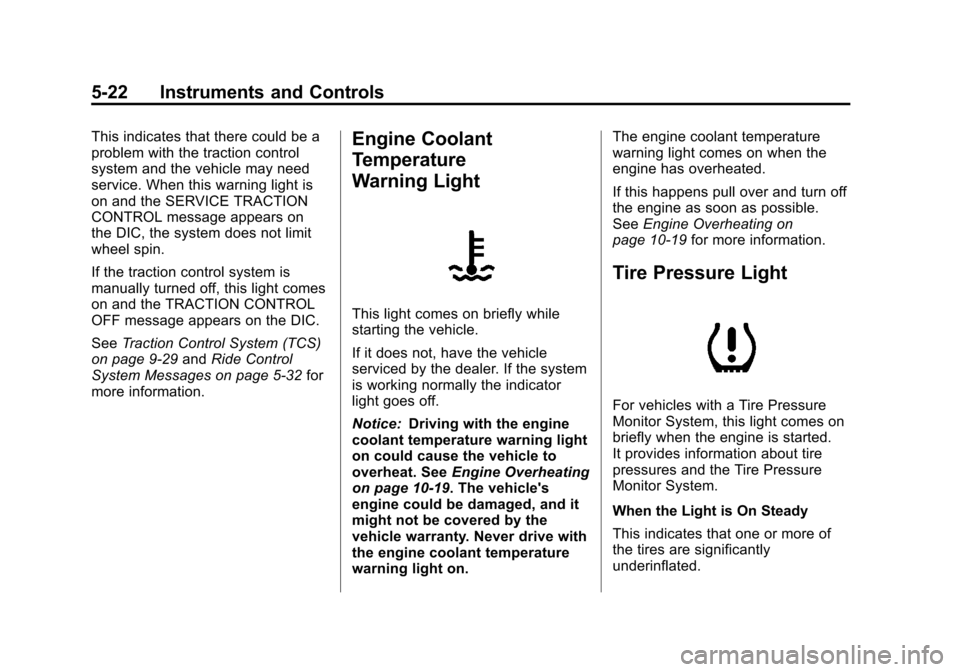
This light comes on briefly while
starting the vehicle.
If it does not, have the vehicle
serviced by the dealer. If the system
is working normally the indicator
light goes off.
Notice: Driving with the engine
coolant temperature warning light
on could cause the vehicle to
overheat. See Engine Overheating
on page 10‑19. The vehicle's
engine could be damaged, and it
might not be covered by the
vehicle warranty. Never drive with
the engine coolant temperature
warning light on. The engine coolant temperature
warning light comes on when the
engine has overheated.
If this happens pull over and turn off
the engine as soon as possible.
See
Engine Overheating on
page 10‑19 for more information.
Tire Pressure Light
For vehicles with a Tire Pressure
Monitor System, this light comes on
briefly when the engine is started.
It provides information about tire
pressures and the Tire Pressure
Monitor System.
When the Light is On Steady
This indicates that one or more of
the tires are significantly
underinflated.
Page 160 of 376
Black plate (2,1)Chevrolet Impala Owner Manual - 2011
6-2 Lighting
Exterior Lighting
Exterior Lamp Controls
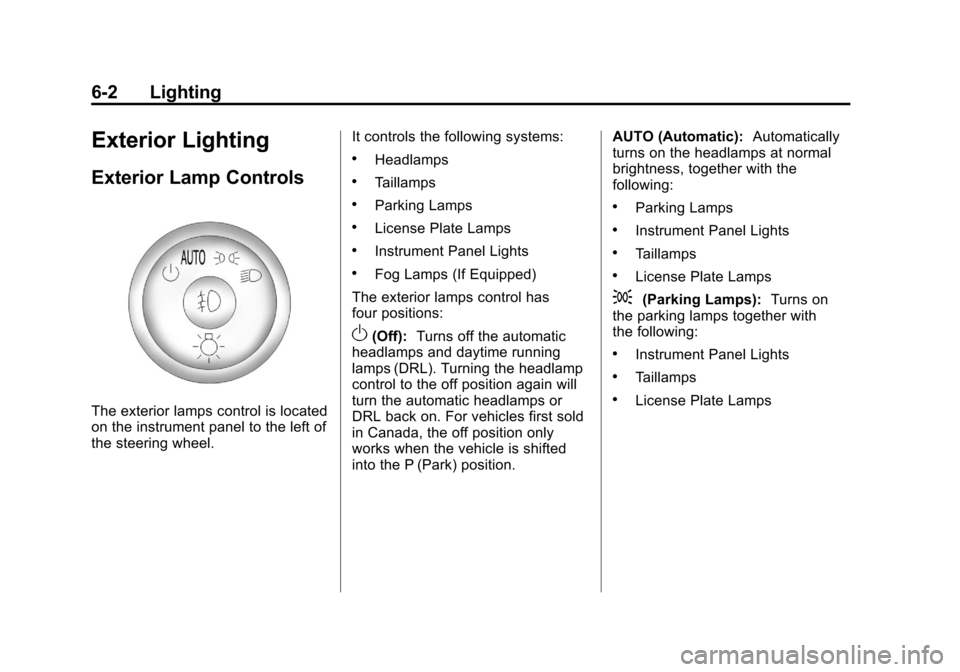
The exterior lamps control is located
on the instrument panel to the left of
the steering wheel.It controls the following systems:
.Headlamps
.Taillamps
.Parking Lamps
.License Plate Lamps
.Instrument Panel Lights
.Fog Lamps (If Equipped)
The exterior lamps control has
four positions:
O(Off): Turns off the automatic
headlamps and daytime running
lamps (DRL). Turning the headlamp
control to the off position again will
turn the automatic headlamps or
DRL back on. For vehicles first sold
in Canada, the off position only
works when the vehicle is shifted
into the P (Park) position. AUTO (Automatic):
Automatically
turns on the headlamps at normal
brightness, together with the
following:
.Parking Lamps
.Instrument Panel Lights
.Taillamps
.License Plate Lamps
;(Parking Lamps): Turns on
the parking lamps together with
the following:
.Instrument Panel Lights
.Taillamps
.License Plate Lamps
Page 164 of 376
Black plate (6,1)Chevrolet Impala Owner Manual - 2011
6-6 Lighting
Interior Lighting
Instrument Panel
Illumination Control
D
(Instrument Panel
Brightness): The knob with this
symbol on it is located next to the
exterior lamps control to the left of
the steering wheel. Push the knob in
all the way until it extends out and
then turn the knob clockwise or
counterclockwise to brighten or dim
the lights. Push the knob back in
when finished.
Courtesy Lamps
When a door is opened, the
courtesy lamps automatically come
on. They make it easy for you to
enter and leave your vehicle. You
can also manually turn these lamps
on by fully turning the instrument
panel brightness control clockwise. The reading lamps, located on the
rearview mirror, can be turned on or
off independent of the automatic
courtesy lamps, when the doors
are closed.
Dome Lamps
The center mounted dome lamp
overhead comes on when a door is
opened. This lamp can also be
turned on by turning the instrument
panel brightness control clockwise.
Reading Lamps
The vehicle has reading lamps that
also act as the dome lamp. Press
the button near each lamp to turn
them on and off.
Map Lamps
The vehicle has map lamps on the
rearview mirror. Press the button
near each lamp on the mirror to turn
the map lamps on and off.
Lighting Features
Entry Lighting
For vehicles with courtesy lamps,
they come on and stay on for a set
time whenever the unlock symbol is
pressed on the Remote Keyless
Entry (RKE) transmitter.
If a door is opened, the lamps stay
on while it is open and then turn off
automatically about 20 seconds
after the door is closed. If the unlock
symbol is pressed and no door is
opened, the lamps turn off after
about 20 seconds.
Entry lighting includes a feature
called theater dimming. With theater
dimming, the lamps do not turn off
at the end of the delay time.
Instead, they slowly dim and then
go out. The delay time is canceled if
the ignition key is turned to ON/RUN
or the power door lock switch is
pressed. The lamps will dim
right away.
Page 173 of 376
Black plate (7,1)Chevrolet Impala Owner Manual - 2011
Infotainment System 7-7
.To scan preset stations in the
selected band, press and hold
©SEEK for four seconds until a
double beep sounds. The radio
goes to a stored preset, plays
for a few seconds, then goes
to the next stored preset. Press
©SEEK again to stop scanning
preset stations.
¨SEEK: Press to seek or scan
stations with a strong signal in the
selected band.
.To seek stations, press and
release
¨SEEK to go to the
next station and stay there.
.To scan stations, press and hold¨SEEK for a few seconds until
the radio beeps once. The radio
goes to a station, plays for a
few seconds, then goes to the
next station. Press
¨SEEK
again to stop scanning.
.To scan preset stations in the
selected band, press and
hold
¨SEEK for four seconds
until a double beep sounds. The radio goes to a stored
preset, plays for a few seconds,
then goes to the next stored
preset. Press
¨SEEK again to
stop scanning preset stations.
Storing Radio Stations
Drivers are encouraged to store
radio station while the vehicle is
parked, See Defensive Driving on
page 9‑2. Tune to stored radio
stations using the presets, favorites
button, and steering wheel controls,
if the vehicle has this feature.
Radios that have a FAV button store
radio stations as favorites, up to
36 stations can be programmed as
favorites using the 6 softkeys below
the radio station frequency tabs and
by using the FAV button. Press the
FAV button to go through up to
6 pages of favorites, each having
6 favorite stations available per
page. Each page of favorites can
contain any combination of AM, FM,
or XM, if equipped, stations. Radios that do not have a
FAV button store radio stations
as presets, up to 18 stations
(6 FM1, 6 FM2, and 6 AM), can be
programmed on the 6 numbered
pushbuttons.
Storing a Radio Station as a
Preset, Radio with CD (Base)
Radios that have numbered
pushbuttons store radio stations
as presets.
Up to 18 stations (6 FM1, 6 FM2,
and 6 AM), can be programmed on
the six numbered buttons.
To store preset stations:
1. Tune to a radio station.
2. Press and hold one of the
6 numbered pushbuttons for
3 seconds until a beep sounds.
3. Repeat Steps 1 and 2 to store additional radio stations.
Page 176 of 376
Black plate (10,1)Chevrolet Impala Owner Manual - 2011
7-10 Infotainment System
Adding and Removing Categories
Categories cannot be added or
removed while the vehicle is moving
faster than 8 km/h (5 mph).
To add or remove a category:
1. Press the MENU button.
2. Press the softkey located belowthe XM CAT tab.
3. Turn the
fknob to display the
category you want to add or
remove.
4. Press the softkey located under the Add or Remove tab.
To restore all removed
categories, press the softkey
under the Restore All tab.
5. Repeat the steps to remove more categories.
Storing XM Channels
Drivers are encouraged to store
radio station while the vehicle is
parked. See Defensive Driving on
page 9‑2. Tune to stored radio
stations using the presets, favorites
button, and steering wheel controls,
if the vehicle has this feature.
Up to 36 stations can be
programmed as favorites using the
6 softkeys below the radio station
frequency tabs and by using the
FAV button. Press the FAV button to
go through up to 6 pages of
favorites, each having 6 favorite
stations available per page. Each
page of favorites can contain any
combination of AM, FM, or XM,
if equipped, stations.
Storing an XM Channel as a
Favorite
To store a station as a favorite:
1. Tune to an XM channel.
2. Press the FAV button to display the page where the station will
be stored. 3. Press and hold one of the
6 softkeys until a beep sounds.
4. Repeat Steps 1 through 3 to store additional radio stations.
The number of favorites pages can
be set up using the MENU button.
To setup the number of favorites
pages:
1. Press the MENU button.
2. Press the softkey located below the FAV 1-6 tab.
3. Select the number of favorites pages by pressing the softkey
located below the displayed
page numbers.
4. Press the FAV button, or let the menu time out, to return to the
original main radio screen
showing the radio station
frequency tabs and to begin the
process of programming
favorites.
Page 186 of 376
Black plate (20,1)Chevrolet Impala Owner Manual - 2011
7-20 Infotainment System
Phone
Bluetooth
Vehicles with a Bluetooth system
can use a Bluetooth‐capable cell
phone with a Hands‐Free Profile to
make and receive phone calls.
The system can be used while the
key is in the ON/RUN or ACC/
ACCESSORY position. The range of
the Bluetooth system can be up to
9.1 m (30 ft). Not all phones support
all functions, and not all phones are
guaranteed to work with the
in-vehicle Bluetooth system. See
www.gm.com/bluetooth for more
information on compatible phones.
Voice Recognition
The Bluetooth system uses voice
recognition to interpret voice
commands to dial phone numbers
and name tags.
For additional information, say
“Help”while you are in a voice
recognition menu. Noise:
Keep interior noise levels to
a minimum. The system may not
recognize voice commands if there
is too much background noise.
When to Speak: A short tone
sounds after the system responds
indicating when it is waiting for a
voice command. Wait until the tone
and then speak.
How to Speak: Speak clearly in a
calm and natural voice.
Audio System
When using the in‐vehicle Bluetooth
system, sound comes through the
vehicle's front audio system
speakers and overrides the audio
system. Use the audio system
volume knob, during a call, to
change the volume level. The
adjusted volume level remains in
memory for later calls. To prevent
missed calls, a minimum volume
level is used if the volume is turned
down too low.
Bluetooth Controls
Use the buttons located on the
steering wheel to operate the
in‐vehicle Bluetooth system.
See Steering Wheel Controls on
page 5‑3 for more information.
bg(Push To Talk): Press to
answer incoming calls, confirm
system information, and start
speech recognition.
c x(Phone On Hook): Press to
end a call, reject a call, or cancel an
operation.
Pairing
A Bluetooth cell phone must be
paired to the Bluetooth system and
then connected to the vehicle before
it can be used. See your cell phone
manufacturer's user guide for
Bluetooth functions before pairing
the cell phone. If a Bluetooth phone
is not connected, calls will be made
using OnStar Hands‐Free Calling,
if available. Refer to the OnStar
Owner's Guide for more information.
Page 194 of 376
Black plate (2,1)Chevrolet Impala Owner Manual - 2011
8-2 Climate Controls
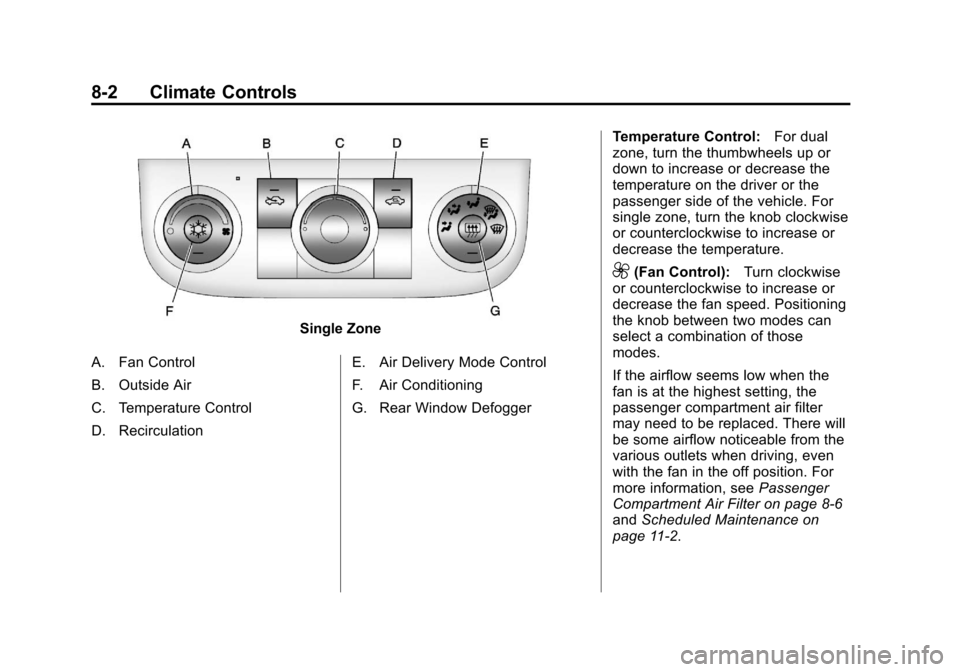
Single Zone
A. Fan Control
B. Outside Air
C. Temperature Control
D. Recirculation E. Air Delivery Mode Control
F. Air Conditioning
G. Rear Window DefoggerTemperature Control:
For dual
zone, turn the thumbwheels up or
down to increase or decrease the
temperature on the driver or the
passenger side of the vehicle. For
single zone, turn the knob clockwise
or counterclockwise to increase or
decrease the temperature.
9(Fan Control): Turn clockwise
or counterclockwise to increase or
decrease the fan speed. Positioning
the knob between two modes can
select a combination of those
modes.
If the airflow seems low when the
fan is at the highest setting, the
passenger compartment air filter
may need to be replaced. There will
be some airflow noticeable from the
various outlets when driving, even
with the fan in the off position. For
more information, see Passenger
Compartment Air Filter on page 8‑6
and Scheduled Maintenance on
page 11‑2.
Page 197 of 376
Black plate (5,1)Chevrolet Impala Owner Manual - 2011
Climate Controls 8-5
For vehicles with heated outside
rearview mirrors, the mirrors heat to
help clear fog or frost from the
surface of the mirror when the rear
window defog button is pressed.
SeePower Mirrors on page 2‑15.
Do not drive the vehicle until all the
windows are clear.
Notice: Do not use anything
sharp on the inside of the rear
window. If you do, you could cut
or damage the warming grid, and
the repairs would not be covered
by the vehicle warranty. Do not
attach a temporary vehicle
license, tape, a decal or anything
similar to the defogger grid.Air Vents
Use the thumbwheel located below
or to the side of the outlet, to
change the direction of the air flow.
Operation Tips
.Clear away any ice, snow,
or leaves from the air inlets at
the base of the windshield that
may block the flow of air into
the vehicle.
.Use of non-GM approved hood
deflectors may adversely affect
the performance of the system.
.Keep the path under the front
seats clear of objects to help
circulate the air inside the
vehicle more effectively.
.If the airflow seems low when
the fan is at the highest setting,
the passenger compartment air
filter, if equipped, may need to
replaced. For more information,
see Passenger Compartment Air
Filter on page 8‑6 and
Scheduled Maintenance on
page 11‑2.
.If fogging reoccurs while in vent
or bi-level modes with mild
temperature throughout the
vehicle, turn on the air
conditioner to reduce
windshield fogging.
Page 202 of 376
Black plate (4,1)Chevrolet Impala Owner Manual - 2011
9-4 Driving and Operating
If the engine ever stops while the
vehicle is being driven, brake
normally but do not pump the
brakes. If the brakes are pumped,
the pedal could get harder to push
down. If the engine stops, there will
still be some power brake assist but
it will be used when the brake is
applied. Once the power assist is
used up, it can take longer to stop
and the brake pedal will be harder
to push.
Adding non‐dealer accessories can
affect vehicle performance. See
Accessories and Modifications on
page 10‑3.Steering
Power Steering
If power steering assist is lost
because the engine stops or the
system is not functioning, the
vehicle can be steered but it will
take more effort.
Steering Tips
It is important to take curves at a
reasonable speed.
Traction in a curve depends on the
condition of the tires and the road
surface, the angle at which the
curve is banked, and vehicle speed.
While in a curve, speed is the one
factor that can be controlled.
If there is a need to reduce speed,
do it before entering the curve, while
the front wheels are straight.
Try to adjust the speed so you can
drive through the curve. Maintain a
reasonable, steady speed. Wait to
accelerate until out of the curve, and
then accelerate gently into the
straightaway.
Steering in Emergencies
There are times when steering can
be more effective than braking. For
example, you come over a hill and
find a truck stopped in your lane,
or a car suddenly pulls out from
nowhere, or a child darts out from
between parked cars and stops right
in front of you. These problems can
be avoided by braking—if you can
stop in time. But sometimes you
cannot stop in time because there is
no room. That is the time for
evasive action —steering around
the problem.
The vehicle can perform very well in
emergencies like these. First apply
the brakes —but, unless the vehicle
has antilock brakes, not enough to
lock the wheels. See Braking on
page 9‑3. It is better to remove as
much speed as possible from a
Page 203 of 376
Black plate (5,1)Chevrolet Impala Owner Manual - 2011
Driving and Operating 9-5
collision. Then steer around the
problem, to the left or right
depending on the space available.
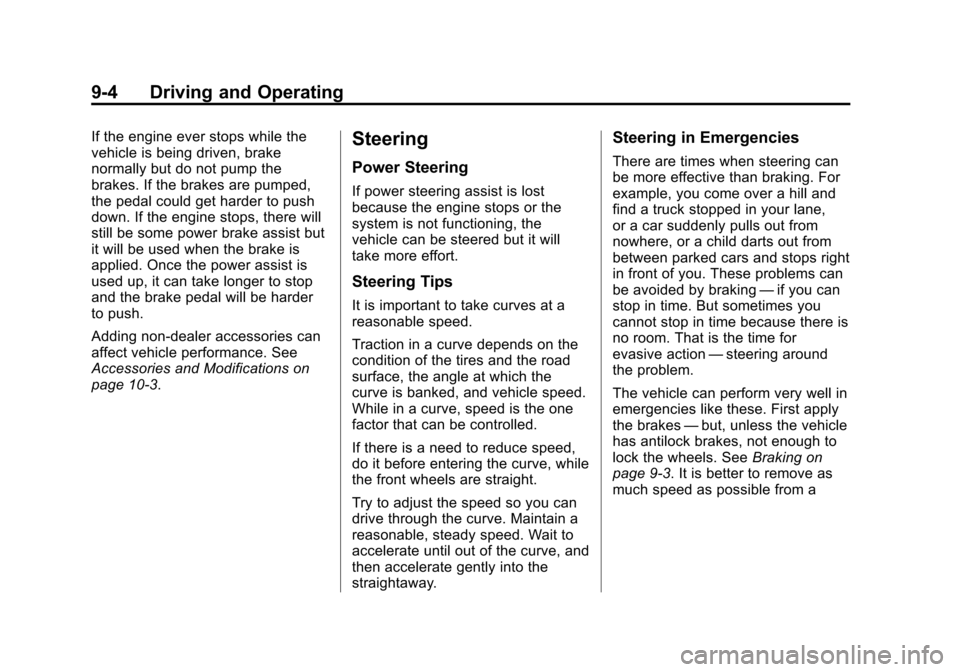
An emergency like this requires
close attention and a quick decision.
If holding the steering wheel at the
recommended 9 and 3 o'clock
positions, it can be turned a full
180 degrees very quickly without
removing either hand. But you have
to act fast, steer quickly, and just as
quickly straighten the wheel once
you have avoided the object.The fact that such emergency
situations are always possible is a
good reason to practice defensive
driving at all times and wear safety
belts properly.
Off-Road Recovery
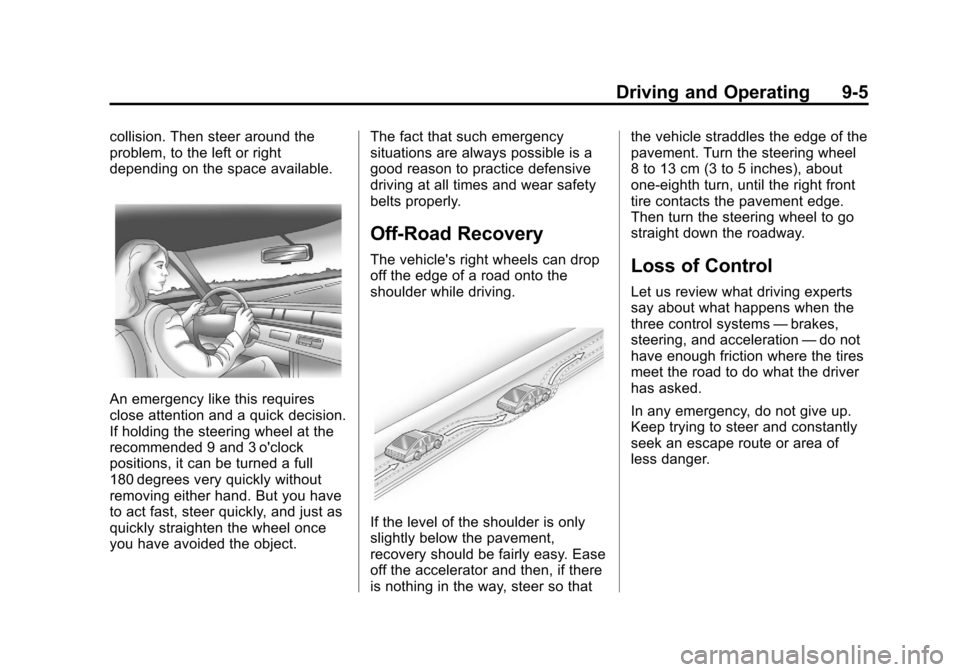
The vehicle's right wheels can drop
off the edge of a road onto the
shoulder while driving.
If the level of the shoulder is only
slightly below the pavement,
recovery should be fairly easy. Ease
off the accelerator and then, if there
is nothing in the way, steer so thatthe vehicle straddles the edge of the
pavement. Turn the steering wheel
8 to 13 cm (3 to 5 inches), about
one-eighth turn, until the right front
tire contacts the pavement edge.
Then turn the steering wheel to go
straight down the roadway.
Loss of Control
Let us review what driving experts
say about what happens when the
three control systems
—brakes,
steering, and acceleration —do not
have enough friction where the tires
meet the road to do what the driver
has asked.
In any emergency, do not give up.
Keep trying to steer and constantly
seek an escape route or area of
less danger.