traction control CHEVROLET IMPALA 2012 9.G User Guide
[x] Cancel search | Manufacturer: CHEVROLET, Model Year: 2012, Model line: IMPALA, Model: CHEVROLET IMPALA 2012 9.GPages: 374, PDF Size: 5.73 MB
Page 193 of 374
Black plate (1,1)Chevrolet Impala Owner Manual - 2012
Driving and Operating 9-1
Driving and
Operating
Driving Information
Distracted Driving . . . . . . . . . . . . . 9-2
Defensive Driving . . . . . . . . . . . . . 9-3
Drunk Driving . . . . . . . . . . . . . . . . . 9-3
Control of a Vehicle . . . . . . . . . . . 9-3
Braking . . . . . . . . . . . . . . . . . . . . . . . 9-3
Steering . . . . . . . . . . . . . . . . . . . . . . . 9-4
Off-Road Recovery . . . . . . . . . . . . 9-4
Loss of Control . . . . . . . . . . . . . . . . 9-5
Driving on Wet Roads . . . . . . . . . 9-6
Highway Hypnosis . . . . . . . . . . . . 9-7
Hill and Mountain Roads . . . . . . 9-7
Winter Driving . . . . . . . . . . . . . . . . . 9-8
If the Vehicle Is Stuck . . . . . . . . 9-10
Vehicle Load Limits . . . . . . . . . . 9-11
Starting and Operating
New Vehicle Break-In . . . . . . . . 9-16
Ignition Positions . . . . . . . . . . . . 9-16
Starting the Engine . . . . . . . . . . 9-18
Engine Heater . . . . . . . . . . . . . . . 9-20
Retained AccessoryPower (RAP) . . . . . . . . . . . . . . . 9-20 Shifting Into Park . . . . . . . . . . . . 9-21
Shifting out of Park . . . . . . . . . . 9-22
Parking over Things
That Burn . . . . . . . . . . . . . . . . . . 9-23
Engine Exhaust
Engine Exhaust . . . . . . . . . . . . . . 9-24
Running the Vehicle WhileParked . . . . . . . . . . . . . . . . . . . . . 9-25
Automatic Transmission
Automatic Transmission . . . . . 9-26
Manual Mode . . . . . . . . . . . . . . . . 9-28
Brakes
Antilock BrakeSystem (ABS) . . . . . . . . . . . . . . 9-29
Parking Brake . . . . . . . . . . . . . . . 9-30
Ride Control Systems
Traction Control System (TCS) . . . . . . . . . . . . . . 9-30
Electronic Stability Control (ESC) . . . . . . . . . . . . . . 9-32
Cruise Control
Cruise Control . . . . . . . . . . . . . . . 9-34
Fuel
Fuel . . . . . . . . . . . . . . . . . . . . . . . . . 9-36
Recommended Fuel . . . . . . . . . 9-37
Gasoline Specifications (U.S.and Canada Only) . . . . . . . . . . 9-37
California Fuel
Requirements . . . . . . . . . . . . . . 9-37
Fuels in Foreign Countries . . . 9-37
Fuel Additives . . . . . . . . . . . . . . . 9-38
Fuel E85 (85% Ethanol) . . . . . 9-39
Filling the Tank . . . . . . . . . . . . . . 9-40
Filling a Portable Fuel Container . . . . . . . . . . . . . . . . . . . 9-42
Towing
General TowingInformation . . . . . . . . . . . . . . . . . 9-42
Driving Characteristics and
Towing Tips . . . . . . . . . . . . . . . . 9-43
Trailer Towing . . . . . . . . . . . . . . . . 9-46
Towing Equipment . . . . . . . . . . . 9-48
Conversions and Add-Ons
Add-On Electrical Equipment . . . . . . . . . . . . . . . . . 9-49
Page 194 of 374
Black plate (2,1)Chevrolet Impala Owner Manual - 2012
9-2 Driving and Operating
Driving Information
Distracted Driving
Distraction comes in many forms
and can take your focus from the
task of driving. Exercise good
judgment and do not let other
activities divert your attention away
from the road. Many local
governments have enacted laws
regarding driver distraction. Become
familiar with the local laws in
your area.
To avoid distracted driving, always
keep your eyes on the road, hands
on the wheel, and mind on the drive.
.Do not use a phone in
demanding driving situations.
Use a hands-free method to
place or receive necessary
phone calls.
.Watch the road. Do not read,
take notes, or look up
information on phones or other
electronic devices.
.Designate a front seat
passenger to handle potential
distractions.
.Become familiar with vehicle
features before driving, such as
programming favorite radio
stations and adjusting climate
control and seat settings.
Program all trip information into
any navigation device prior to
driving.
.Wait until the vehicle is parked
to retrieve items that have fallen
to the floor.
.Stop or park the vehicle to tend
to children.
.Keep pets in an appropriate
carrier or restraint.
.Avoid stressful conversations
while driving, whether with a
passenger or on a cell phone.
{WARNING
Taking your eyes off the road too
long or too often could cause a
crash resulting in injury or death.
Focus your attention on driving.
Refer to the Infotainment section for
more information on using that
system, including pairing and using
a cell phone.
If equipped, refer to the navigation
manual for information on that
system, including pairing and using
a cell phone.
Page 197 of 374
Black plate (5,1)Chevrolet Impala Owner Manual - 2012
Driving and Operating 9-5
2. Turn the steering wheel aboutone-eighth of a turn, until the
right front tire contacts the
pavement edge.
3. Then turn the steering wheel to go straight down the roadway.
Loss of Control
Skidding
There are three types of skids that
correspond to the vehicle's three
control systems:
.Braking Skid —wheels are not
rolling.
.Steering or Cornering
Skid —too much speed or
steering in a curve causes tires
to slip and lose cornering force.
.Acceleration Skid —too much
throttle causes the driving
wheels to spin.
Defensive drivers avoid most skids
by taking reasonable care suited to
existing conditions, and by not
overdriving those conditions. But
skids are always possible.
If the vehicle starts to slide, follow
these suggestions:
.Ease your foot off the
accelerator pedal and quickly
steer the way you want the
vehicle to go. The vehicle may
straighten out. Be ready for a
second skid if it occurs.
.Slow down and adjust your
driving according to weather
conditions. Stopping distance
can be longer and vehicle
control can be affected when
traction is reduced by water,
snow, ice, gravel, or other
material on the road. Learn to
recognize warning clues —such
as enough water, ice, or packed
snow on the road to make a
mirrored surface —and slow
down when you have any doubt.
.Try to avoid sudden steering,
acceleration, or braking,
including reducing vehicle speed
by shifting to a lower gear. Any
sudden changes could cause
the tires to slide.
Remember: Antilock brakes help
avoid only the braking skid.
Page 198 of 374
Black plate (6,1)Chevrolet Impala Owner Manual - 2012
9-6 Driving and Operating
Driving on Wet Roads
Rain and wet roads can reduce
vehicle traction and affect your
ability to stop and accelerate.
Always drive slower in these types
of driving conditions and avoid
driving through large puddles and
deep‐standing or flowing water.
{WARNING
Wet brakes can cause crashes.
They might not work as well in a
quick stop and could cause
pulling to one side. You could
lose control of the vehicle.
After driving through a large
puddle of water or a car/vehicle
wash, lightly apply the brake
pedal until the brakes work
normally.(Continued)
WARNING (Continued)
Flowing or rushing water creates
strong forces. Driving through
flowing water could cause the
vehicle to be carried away. If this
happens, you and other vehicle
occupants could drown. Do not
ignore police warnings and be
very cautious about trying to drive
through flowing water.
Hydroplaning
Hydroplaning is dangerous. Water
can build up under the vehicle's
tires so they actually ride on the
water. This can happen if the road is
wet enough and you are going fast
enough. When the vehicle is
hydroplaning, it has little or no
contact with the road.
There is no hard and fast rule about
hydroplaning. The best advice is to
slow down when the road is wet.
Other Rainy Weather Tips
Besides slowing down, other wet
weather driving tips include:
.Allow extra following distance.
.Pass with caution.
.Keep windshield wiping
equipment in good shape.
.Keep the windshield washer fluid
reservoir filled.
.Have good tires with proper
tread depth. SeeTires on
page 10‑35.
.Turn off cruise control.
Page 200 of 374
Black plate (8,1)Chevrolet Impala Owner Manual - 2012
9-8 Driving and Operating
.Pay attention to special road
signs (falling rocks area, winding
roads, long grades, passing or
no-passing zones) and take
appropriate action.
Winter Driving
Driving on Snow or Ice
Drive carefully when there is snow
or ice between the tires and the
road, creating less traction or grip.
Wet ice can occur at about 0°C
(32°F) when freezing rain begins to
fall, resulting in even less traction.
Avoid driving on wet ice or in
freezing rain until roads can be
treated with salt or sand.
Drive with caution, whatever the
condition. Accelerate gently so
traction is not lost. Accelerating too
quickly causes the wheels to spin
and makes the surface under the
tires slick, so there is even less
traction.Try not to break the fragile traction.
If you accelerate too fast, the drive
wheels will spin and polish the
surface under the tires even more.
The
Antilock Brake System (ABS)
on page 9‑29 improves vehicle
stability during hard stops on
slippery roads, but apply the brakes
sooner than when on dry pavement.
Allow greater following distance on
any slippery road and watch for
slippery spots. Icy patches can
occur on otherwise clear roads in
shaded areas. The surface of a
curve or an overpass can remain icy
when the surrounding roads are
clear. Avoid sudden steering
maneuvers and braking while
on ice.
Turn off cruise control on slippery
surfaces.
Blizzard Conditions
Being stuck in snow can be a
serious situation. Stay with the
vehicle unless there is help nearby.
If possible, use the Roadside
Assistance Program on page 13‑6.
To get help and keep everyone in
the vehicle safe:
.Turn on the hazard warning
flashers.
.Tie a red cloth to an outside
mirror.
{WARNING
Snow can trap engine exhaust
under the vehicle. This may
cause exhaust gases to get
inside. Engine exhaust contains
Carbon Monoxide (CO) which
cannot be seen or smelled. It can
cause unconsciousness and even
death.
(Continued)
Page 222 of 374
Black plate (30,1)Chevrolet Impala Owner Manual - 2012
9-30 Driving and Operating
Parking Brake
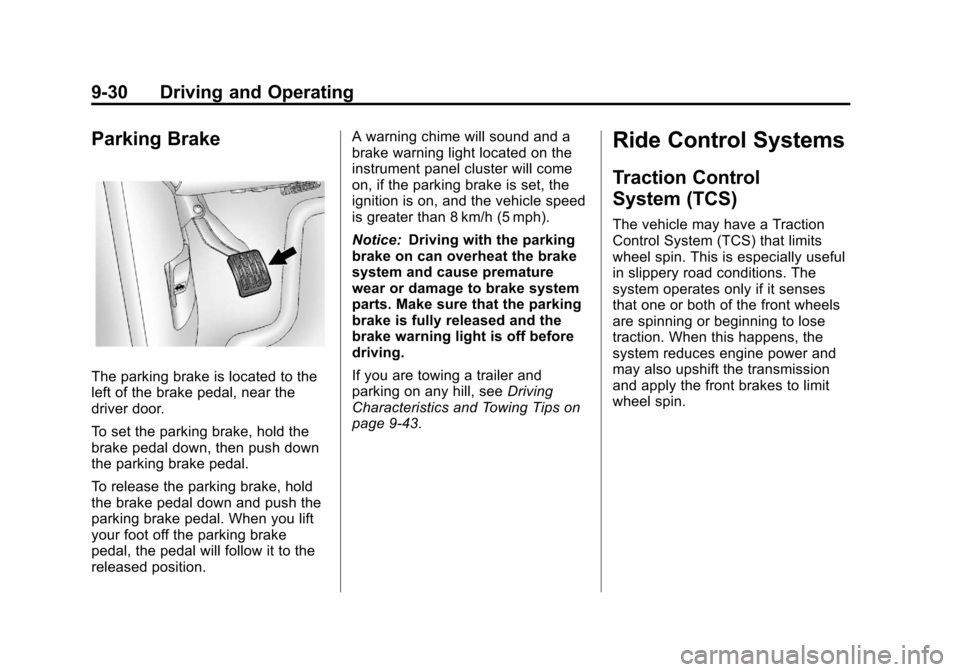
The parking brake is located to the
left of the brake pedal, near the
driver door.
To set the parking brake, hold the
brake pedal down, then push down
the parking brake pedal.
To release the parking brake, hold
the brake pedal down and push the
parking brake pedal. When you lift
your foot off the parking brake
pedal, the pedal will follow it to the
released position.A warning chime will sound and a
brake warning light located on the
instrument panel cluster will come
on, if the parking brake is set, the
ignition is on, and the vehicle speed
is greater than 8 km/h (5 mph).
Notice:
Driving with the parking
brake on can overheat the brake
system and cause premature
wear or damage to brake system
parts. Make sure that the parking
brake is fully released and the
brake warning light is off before
driving.
If you are towing a trailer and
parking on any hill, see Driving
Characteristics and Towing Tips on
page 9‑43.
Ride Control Systems
Traction Control
System (TCS)
The vehicle may have a Traction
Control System (TCS) that limits
wheel spin. This is especially useful
in slippery road conditions. The
system operates only if it senses
that one or both of the front wheels
are spinning or beginning to lose
traction. When this happens, the
system reduces engine power and
may also upshift the transmission
and apply the front brakes to limit
wheel spin.
Page 223 of 374
Black plate (31,1)Chevrolet Impala Owner Manual - 2012
Driving and Operating 9-31
This light will flash when the TCS is
limiting wheel spin.
The system may be heard or felt
while it is working, but this is
normal.
If cruise control is being used when
TCS begins to limit wheel spin, the
cruise control will automatically
disengage. Cruise control may be
reengaged when road conditions
allow. SeeCruise Control on
page 9‑34.
The TCS operates in all
transmission shift lever positions.
But the system can upshift the
transmission only as high as the
shift lever position chosen, so use
the lower gears only when
necessary. See Automatic
Transmission on page 9‑26.When the system is on, this warning
light comes on and stays on if there
is a problem.
A SERVICE TRACTION CONTROL
message also appears on the DIC.
When this warning light is on, the
system will not limit wheel spin.
Adjust your driving accordingly. See
Ride Control System Messages on
page 5‑33 for more information.
To limit wheel spin, especially in
slippery road conditions, TCS
should always be left on. But the
system can be turned off if needed.
Turn the system off if the vehicle
gets stuck in sand, mud, or snow
and rocking the vehicle is required.
See If the Vehicle Is Stuck on
page 9‑10 for more information.To turn the system on or off, press
the ESC OFF button located on the
instrument panel.
When the system is turned off, the
TRACTION CONTROL OFF
message appears on the DIC. If the
traction control system is limiting
wheel spin when the button is
pressed to turn the system off, the
TRACTION CONTROL OFF
message will appear on the DIC and
the system will turn off right away.
Press the ESC OFF button again to
turn the system back on. The
TRACTION CONTROL ON
message will appear in the DIC.
Adding non‐dealer accessories can
affect the vehicle performance. See
Accessories and Modifications on
page 10‑3for more information.
Page 224 of 374
Black plate (32,1)Chevrolet Impala Owner Manual - 2012
9-32 Driving and Operating
Electronic Stability
Control (ESC)
Your vehicle may have an Electronic
Stability Control (ESC) system
which combines antilock brake,
traction, and stability control
systems and helps the driver
maintain directional control of the
vehicle in most driving conditions.
When you first start your vehicle
and begin to drive away, the system
performs several diagnostic checks
to ensure there are no problems.
You may hear or feel the system
working. This is normal and does
not mean there is a problem with
your vehicle. The system should
initialize before the vehicle reaches
32 km/h (20 mph).If the system fails to turn on or
activate due to a fault, the ESC/TCS
light will be on solid, and the
SERVICE STABILITRAK message
will be displayed. If the system fails
to turn on or activate due to it not
initializing, the DIC will display
STABILITRAK INITIALIZING.
For more information, see
Ride
Control System Messages on
page 5‑33.
This light will flash on the instrument
panel cluster when the ESC system
is both on and activated. You may also feel or hear the
system working; this is normal.
When the light is on solid and the
SERVICE STABILITRAK message
is displayed, the system will not
assist the driver in maintaining
directional control of the vehicle.
Adjust your driving accordingly. See
Ride Control System Messages on
page 5‑33.
The Electronic Stability
Control (ESC) system is
automatically enabled whenever
you start your vehicle. To assist the
driver with vehicle directional
control, especially in slippery road
conditions, you should always leave
the system on. But, you can turn
ESC off if you ever need to.
Page 225 of 374
Black plate (33,1)Chevrolet Impala Owner Manual - 2012
Driving and Operating 9-33
If the vehicle is in cruise control
when the system begins to assist
the driver maintain directional
control of the vehicle, the ESC/TCS
light will flash and the cruise control
will automatically disengage. When
road conditions allow you to use
cruise again, you may re-engage
the cruise control. SeeCruise
Control on page 9‑34.
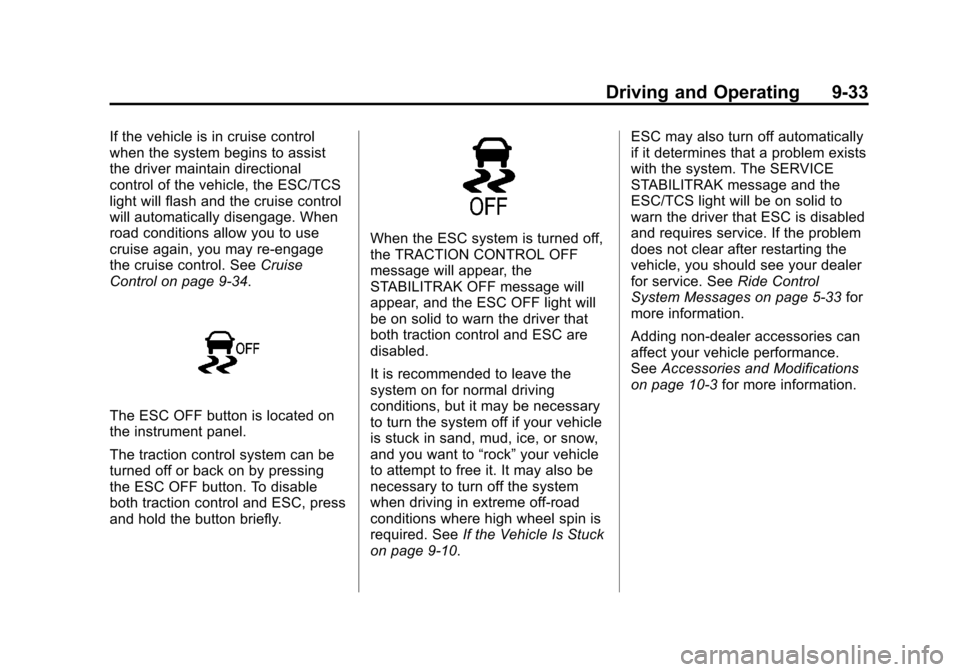
The ESC OFF button is located on
the instrument panel.
The traction control system can be
turned off or back on by pressing
the ESC OFF button. To disable
both traction control and ESC, press
and hold the button briefly.
When the ESC system is turned off,
the TRACTION CONTROL OFF
message will appear, the
STABILITRAK OFF message will
appear, and the ESC OFF light will
be on solid to warn the driver that
both traction control and ESC are
disabled.
It is recommended to leave the
system on for normal driving
conditions, but it may be necessary
to turn the system off if your vehicle
is stuck in sand, mud, ice, or snow,
and you want to “rock”your vehicle
to attempt to free it. It may also be
necessary to turn off the system
when driving in extreme off-road
conditions where high wheel spin is
required. See If the Vehicle Is Stuck
on page 9‑10. ESC may also turn off automatically
if it determines that a problem exists
with the system. The SERVICE
STABILITRAK message and the
ESC/TCS light will be on solid to
warn the driver that ESC is disabled
and requires service. If the problem
does not clear after restarting the
vehicle, you should see your dealer
for service. See
Ride Control
System Messages on page 5‑33 for
more information.
Adding non‐dealer accessories can
affect your vehicle performance.
See Accessories and Modifications
on page 10‑3 for more information.
Page 226 of 374
Black plate (34,1)Chevrolet Impala Owner Manual - 2012
9-34 Driving and Operating
Cruise Control
With cruise control, you can
maintain a speed of about 40 km/h
(25 mph) or more without keeping
your foot on the accelerator. Cruise
control does not work at speeds
below about 40 km/h (25 mph).
{WARNING
Cruise control can be dangerous
where you cannot drive safely at
a steady speed. So, do not use
the cruise control on winding
roads or in heavy traffic.
Cruise control can be dangerous
on slippery roads. On such roads,
fast changes in tire traction can
cause excessive wheel slip, and
you could lose control. Do not use
cruise control on slippery roads.If your vehicle has the Traction
Control System (TCS) and the
cruise control is on, TCS will begin
to limit wheel spin and the cruise
control automatically turns off . See
Traction Control System (TCS) on
page 9‑30. When road conditions
allow you to safely use it again, the
cruise control can be turned
back on.
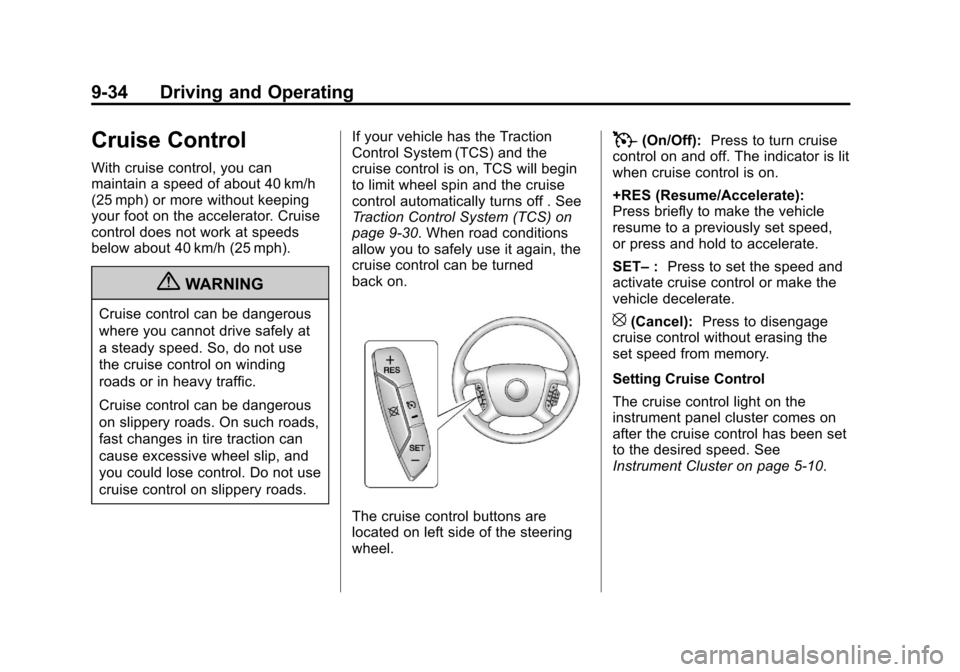
The cruise control buttons are
located on left side of the steering
wheel.
T(On/Off):
Press to turn cruise
control on and off. The indicator is lit
when cruise control is on.
+RES (Resume/Accelerate):
Press briefly to make the vehicle
resume to a previously set speed,
or press and hold to accelerate.
SET– :Press to set the speed and
activate cruise control or make the
vehicle decelerate.
[(Cancel): Press to disengage
cruise control without erasing the
set speed from memory.
Setting Cruise Control
The cruise control light on the
instrument panel cluster comes on
after the cruise control has been set
to the desired speed. See
Instrument Cluster on page 5‑10.