warning CHEVROLET IMPALA 2013 9.G Workshop Manual
[x] Cancel search | Manufacturer: CHEVROLET, Model Year: 2013, Model line: IMPALA, Model: CHEVROLET IMPALA 2013 9.GPages: 350, PDF Size: 5.66 MB
Page 110 of 350
Black plate (14,1)Chevrolet Impala Owner Manual - 2013 - crc - 8/27/12
5-14 Instruments and Controls
If the word OFF or the off symbol is
lit on the airbag status indicator, it
means that the passenger sensing
system has turned off the right front
passenger frontal airbag.
If, after several seconds, both status
indicator lights remain on, or if there
are no lights at all, there may be a
problem with the lights or the
passenger sensing system. See
your dealer for service.
{WARNING
If the airbag readiness light ever
comes on and stays on, it means
that something may be wrong
with the airbag system. To help
avoid injury to yourself or others,
have the vehicle serviced right
away. SeeAirbag Readiness
Light on page 5‑12 for more
information, including important
safety information.
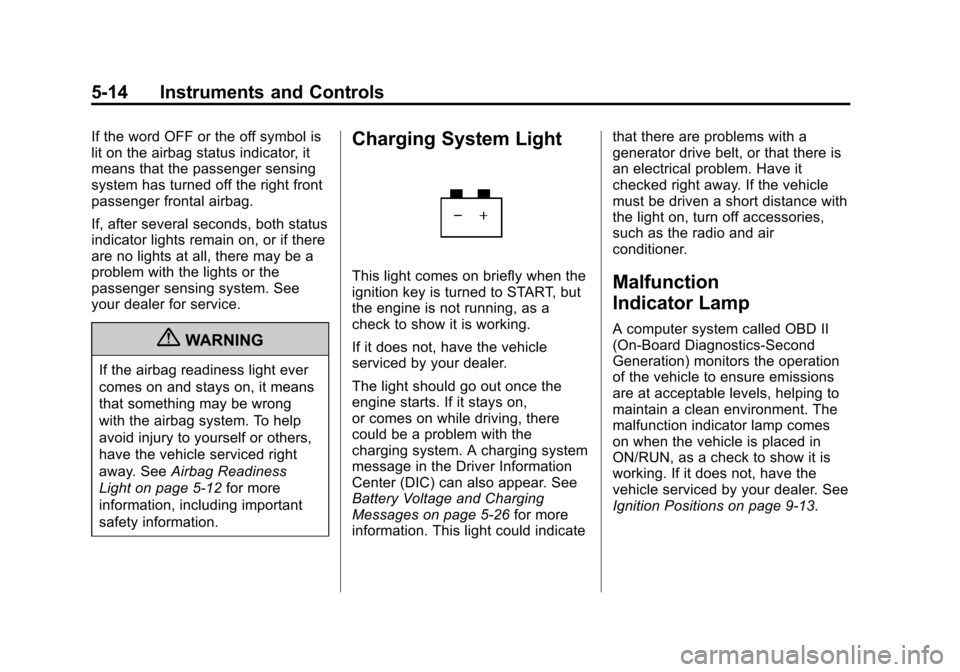
Charging System Light
This light comes on briefly when the
ignition key is turned to START, but
the engine is not running, as a
check to show it is working.
If it does not, have the vehicle
serviced by your dealer.
The light should go out once the
engine starts. If it stays on,
or comes on while driving, there
could be a problem with the
charging system. A charging system
message in the Driver Information
Center (DIC) can also appear. See
Battery Voltage and Charging
Messages on page 5‑26 for more
information. This light could indicate that there are problems with a
generator drive belt, or that there is
an electrical problem. Have it
checked right away. If the vehicle
must be driven a short distance with
the light on, turn off accessories,
such as the radio and air
conditioner.Malfunction
Indicator Lamp
A computer system called OBD II
(On-Board Diagnostics-Second
Generation) monitors the operation
of the vehicle to ensure emissions
are at acceptable levels, helping to
maintain a clean environment. The
malfunction indicator lamp comes
on when the vehicle is placed in
ON/RUN, as a check to show it is
working. If it does not, have the
vehicle serviced by your dealer. See
Ignition Positions on page 9‑13.
Page 113 of 350
Black plate (17,1)Chevrolet Impala Owner Manual - 2013 - crc - 8/27/12
Instruments and Controls 5-17
.The OBD II (On-Board
Diagnostics) system determines
that critical emission control
systems have not been
completely diagnosed. The
vehicle would be considered not
ready for inspection. This can
happen if the 12-volt battery has
recently been replaced or run
down. The diagnostic system is
designed to evaluate critical
emission control systems during
normal driving. This can take
several days of routine driving.
If this has been done and the
vehicle still does not pass the
inspection for lack of OBD II
system readiness, your dealer
can prepare the vehicle for
inspection.
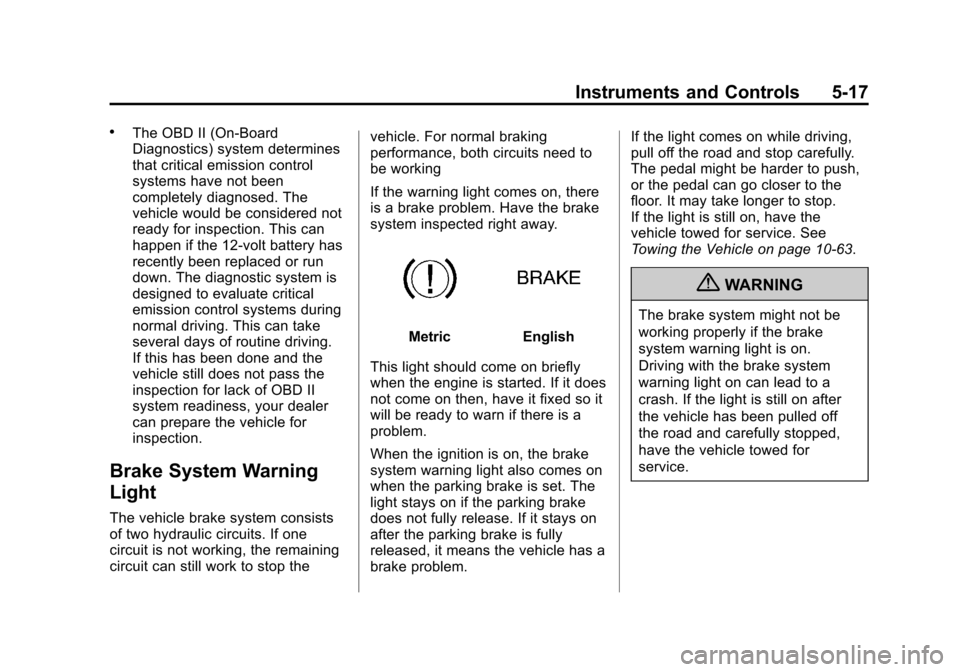
Brake System Warning
Light
The vehicle brake system consists
of two hydraulic circuits. If one
circuit is not working, the remaining
circuit can still work to stop thevehicle. For normal braking
performance, both circuits need to
be working
If the warning light comes on, there
is a brake problem. Have the brake
system inspected right away.
MetricEnglish
This light should come on briefly
when the engine is started. If it does
not come on then, have it fixed so it
will be ready to warn if there is a
problem.
When the ignition is on, the brake
system warning light also comes on
when the parking brake is set. The
light stays on if the parking brake
does not fully release. If it stays on
after the parking brake is fully
released, it means the vehicle has a
brake problem. If the light comes on while driving,
pull off the road and stop carefully.
The pedal might be harder to push,
or the pedal can go closer to the
floor. It may take longer to stop.
If the light is still on, have the
vehicle towed for service. See
Towing the Vehicle on page 10‑63.
{WARNING
The brake system might not be
working properly if the brake
system warning light is on.
Driving with the brake system
warning light on can lead to a
crash. If the light is still on after
the vehicle has been pulled off
the road and carefully stopped,
have the vehicle towed for
service.
Page 114 of 350
Black plate (18,1)Chevrolet Impala Owner Manual - 2013 - crc - 8/27/12
5-18 Instruments and Controls
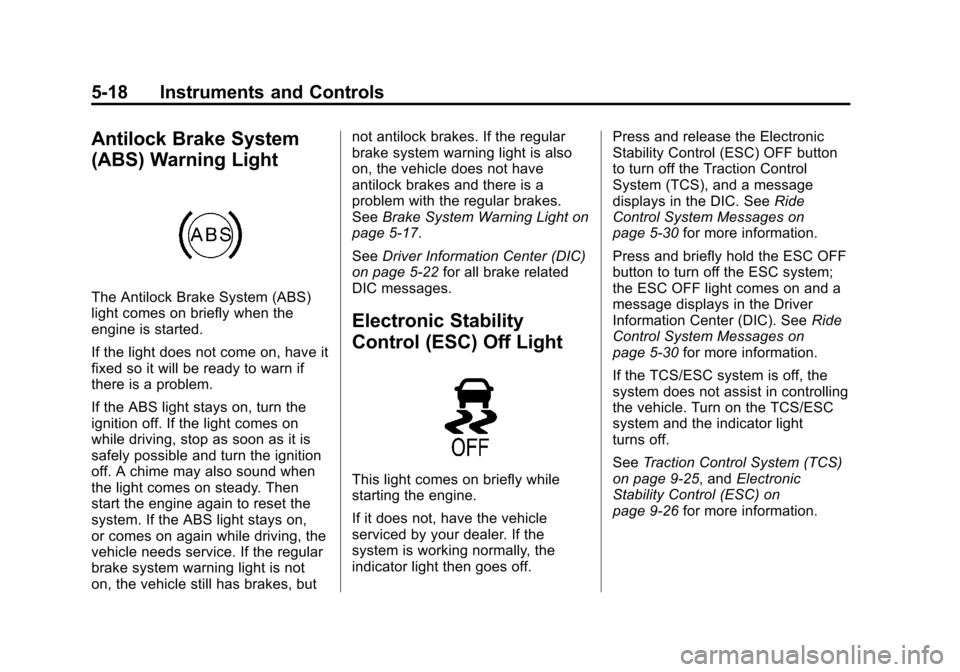
Antilock Brake System
(ABS) Warning Light
The Antilock Brake System (ABS)
light comes on briefly when the
engine is started.
If the light does not come on, have it
fixed so it will be ready to warn if
there is a problem.
If the ABS light stays on, turn the
ignition off. If the light comes on
while driving, stop as soon as it is
safely possible and turn the ignition
off. A chime may also sound when
the light comes on steady. Then
start the engine again to reset the
system. If the ABS light stays on,
or comes on again while driving, the
vehicle needs service. If the regular
brake system warning light is not
on, the vehicle still has brakes, butnot antilock brakes. If the regular
brake system warning light is also
on, the vehicle does not have
antilock brakes and there is a
problem with the regular brakes.
See
Brake System Warning Light on
page 5‑17.
See Driver Information Center (DIC)
on page 5‑22 for all brake related
DIC messages.
Electronic Stability
Control (ESC) Off Light
This light comes on briefly while
starting the engine.
If it does not, have the vehicle
serviced by your dealer. If the
system is working normally, the
indicator light then goes off. Press and release the Electronic
Stability Control (ESC) OFF button
to turn off the Traction Control
System (TCS), and a message
displays in the DIC. See
Ride
Control System Messages on
page 5‑30 for more information.
Press and briefly hold the ESC OFF
button to turn off the ESC system;
the ESC OFF light comes on and a
message displays in the Driver
Information Center (DIC). See Ride
Control System Messages on
page 5‑30 for more information.
If the TCS/ESC system is off, the
system does not assist in controlling
the vehicle. Turn on the TCS/ESC
system and the indicator light
turns off.
See Traction Control System (TCS)
on page 9‑25, and Electronic
Stability Control (ESC) on
page 9‑26 for more information.
Page 115 of 350
Black plate (19,1)Chevrolet Impala Owner Manual - 2013 - crc - 8/27/12
Instruments and Controls 5-19
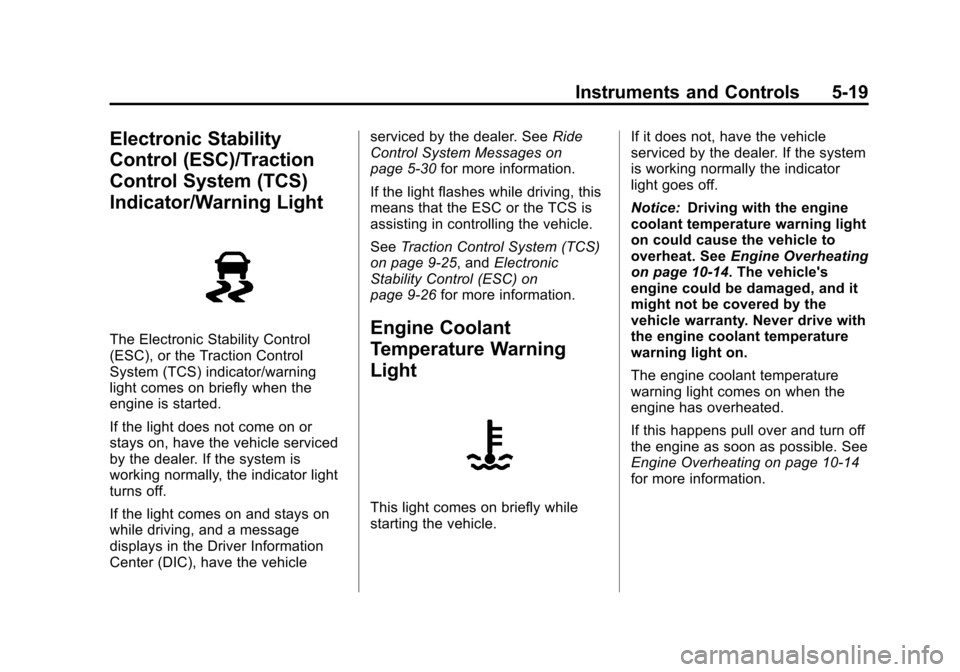
Electronic Stability
Control (ESC)/Traction
Control System (TCS)
Indicator/Warning Light
The Electronic Stability Control
(ESC), or the Traction Control
System (TCS) indicator/warning
light comes on briefly when the
engine is started.
If the light does not come on or
stays on, have the vehicle serviced
by the dealer. If the system is
working normally, the indicator light
turns off.
If the light comes on and stays on
while driving, and a message
displays in the Driver Information
Center (DIC), have the vehicleserviced by the dealer. See
Ride
Control System Messages on
page 5‑30 for more information.
If the light flashes while driving, this
means that the ESC or the TCS is
assisting in controlling the vehicle.
See Traction Control System (TCS)
on page 9‑25, and Electronic
Stability Control (ESC) on
page 9‑26 for more information.Engine Coolant
Temperature Warning
Light
This light comes on briefly while
starting the vehicle. If it does not, have the vehicle
serviced by the dealer. If the system
is working normally the indicator
light goes off.
Notice:
Driving with the engine
coolant temperature warning light
on could cause the vehicle to
overheat. See Engine Overheating
on page 10‑14. The vehicle's
engine could be damaged, and it
might not be covered by the
vehicle warranty. Never drive with
the engine coolant temperature
warning light on.
The engine coolant temperature
warning light comes on when the
engine has overheated.
If this happens pull over and turn off
the engine as soon as possible. See
Engine Overheating on page 10‑14
for more information.
Page 118 of 350
Black plate (22,1)Chevrolet Impala Owner Manual - 2013 - crc - 8/27/12
5-22 Instruments and Controls
Information Displays
Driver Information
Center (DIC)
Your vehicle has a Driver
Information Center (DIC).
All messages will appear in the DIC
display located below the
speedometer in the instrument
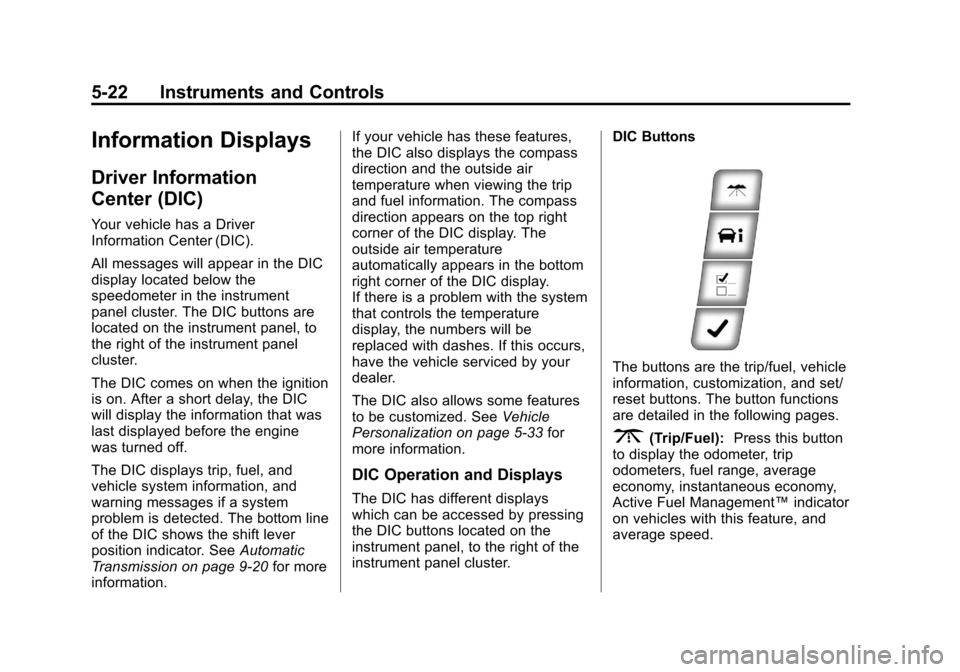
panel cluster. The DIC buttons are
located on the instrument panel, to
the right of the instrument panel
cluster.
The DIC comes on when the ignition
is on. After a short delay, the DIC
will display the information that was
last displayed before the engine
was turned off.
The DIC displays trip, fuel, and
vehicle system information, and
warning messages if a system
problem is detected. The bottom line
of the DIC shows the shift lever
position indicator. SeeAutomatic
Transmission on page 9‑20 for more
information. If your vehicle has these features,
the DIC also displays the compass
direction and the outside air
temperature when viewing the trip
and fuel information. The compass
direction appears on the top right
corner of the DIC display. The
outside air temperature
automatically appears in the bottom
right corner of the DIC display.
If there is a problem with the system
that controls the temperature
display, the numbers will be
replaced with dashes. If this occurs,
have the vehicle serviced by your
dealer.
The DIC also allows some features
to be customized. See
Vehicle
Personalization on page 5‑33 for
more information.
DIC Operation and Displays
The DIC has different displays
which can be accessed by pressing
the DIC buttons located on the
instrument panel, to the right of the
instrument panel cluster. DIC Buttons
The buttons are the trip/fuel, vehicle
information, customization, and set/
reset buttons. The button functions
are detailed in the following pages.
3(Trip/Fuel):
Press this button
to display the odometer, trip
odometers, fuel range, average
economy, instantaneous economy,
Active Fuel Management™ indicator
on vehicles with this feature, and
average speed.
Page 122 of 350
Black plate (26,1)Chevrolet Impala Owner Manual - 2013 - crc - 8/27/12
5-26 Instruments and Controls
Vehicle Messages
Messages are displayed on the DIC
to notify the driver that the status of
the vehicle has changed and that
some action may be needed by the
driver to correct the condition.
Multiple messages may appear one
after another. Some messages may
not require immediate action, but
you can press the set/reset button
to acknowledge that you received
the message and clear it from the
DIC display. Pressing any of the
DIC buttons also acknowledges and
clears any messages. Some
messages cannot be cleared from
the DIC display because they are
more urgent. These messages
require action before they can be
cleared. You should take any
messages that appear on the
display seriously and remember that
clearing the messages will only
make the messages disappear, not
correct the problem. The following
are the possible messages that can
be displayed and some information
about them.
Battery Voltage and
Charging Messages
BATTERY SAVER ACTIVE
This message displays when the
system detects that the battery
voltage is dropping beyond a
reasonable level. The battery saver
system starts reducing certain
features of the vehicle that you may
be able to notice. At the point that
the features are disabled, this
message is displayed. It means that
the vehicle is trying to save the
charge in the battery.
Turn off all unnecessary
accessories to allow the battery to
recharge.
The normal battery voltage range is
11.5 to 15.5 volts.
SERVICE BATTERY
CHARGING SYSTEM
This message displays when there
is a problem with the generator and
battery charging systems. Driving
with this problem could drain thebattery. Turn off all unnecessary
accessories. Stop and turn off the
vehicle as soon as it is safe to do
so. Have the electrical system
checked by your dealer immediately.
Brake System Messages
SERVICE BRAKE SYSTEM
This message displays when
service is required on the brake
system. Have the brake system
serviced by your dealer as soon as
possible. The brake system warning
light also appears on the instrument
panel cluster when this message
appears on the DIC. See
Brake
System Warning Light on
page 5‑17.
Door Ajar Messages
DRIVER DOOR OPEN
This message displays when the
driver door is not closed properly.
Make sure that the door is closed
completely.
Page 123 of 350
Black plate (27,1)Chevrolet Impala Owner Manual - 2013 - crc - 8/27/12
Instruments and Controls 5-27
HOOD OPEN
If your vehicle has the remote start
feature, this message displays when
the hood is not closed properly.
Make sure that the hood is closed
completely. SeeHood on page 10‑4.
LEFT REAR DOOR OPEN
This message displays when the
driver side rear door is not closed
properly. Make sure that the door is
closed completely.
PASSENGER DOOR OPEN
This message displays when the
front passenger door is not closed
properly. Make sure that the door is
closed completely.
RIGHT REAR DOOR OPEN
This message displays when the
passenger side rear door is not
closed properly. Make sure that the
door is closed completely.
TRUNK OPEN
This message displays when the
trunk is not closed completely. Make
sure that the trunk is closed
completely. SeeTrunk on page 2‑9.
Engine Cooling System
Messages
ENGINE HOT A/C (Air
Conditioning) OFF
This message displays when the
engine coolant becomes hotter than
the normal operating temperature.
To avoid added strain on a hot
engine, the air conditioning
compressor is automatically turned
off. When the coolant temperature
returns to normal, the A/C operation
automatically resumes. You can
continue to drive your vehicle. If this
message continues to appear, have
the system repaired by your dealer
as soon as possible to avoid
compressor damage.
ENGINE OVERHEATED IDLE
ENGINE
Notice:If you drive your vehicle
while the engine is overheating,
severe engine damage may
occur. If an overheat warning
appears on the instrument panel
cluster and/or DIC, stop the
vehicle as soon as possible. Do
not increase the engine speed
above normal idling speed. See
Engine Overheating on
page 10‑14 for more information.
This message displays when the
engine coolant temperature is too
hot. Stop and allow the vehicle to
idle until it cools down.
ENGINE OVERHEATED STOP
ENGINE
Notice: If you drive the vehicle
while the engine is overheating,
severe engine damage may
occur. If an overheat warning
Page 124 of 350
Black plate (28,1)Chevrolet Impala Owner Manual - 2013 - crc - 8/27/12
5-28 Instruments and Controls
appears on the instrument cluster
and/or DIC, stop the vehicle as
soon as possible. SeeEngine
Overheating on page 10‑14.
This message displays along with a
continuous chime when the engine
has overheated. Stop and turn the
engine off immediately to avoid
severe engine damage. See Engine
Overheating on page 10‑14.
SERVICE A/C (Air
Conditioning) SYSTEM
This message displays when the
electronic sensors that control the
air conditioning and heating
systems are no longer working.
Have the climate control system
serviced by your dealer if you notice
a drop in heating and air
conditioning efficiency.
Engine Oil Messages
CHANGE ENGINE OIL SOON
This message displays when
service is required for the vehicle.
See your dealer. See Engine Oil on
page 10‑6 andMaintenance
Schedule on page 11‑3 for more
information.
Acknowledging the CHANGE
ENGINE OIL SOON message will
not reset the OIL LIFE REMAINING.
See “Oil Life” underDriver
Information Center (DIC) on
page 5‑22 andEngine Oil Life
System on page 10‑8.
ENGINE OIL LOW —ADD OIL
On some vehicles, this message
displays when the engine oil level
may be too low. Check the oil level
before filling to the recommended
level. If the oil is not low and this
message remains on, take the
vehicle to your dealer for service.
See Engine Oil on page 10‑6.
OIL PRESSURE LOW STOP
ENGINE
Notice: If you drive the vehicle
while the engine oil pressure is
low, severe engine damage may
occur. If a low oil pressure
warning appears on the Driver
Information Center (DIC), stop the
vehicle as soon as possible. Do
not drive the vehicle until the
cause of the low oil pressure is
corrected. See Engine Oil on
page 10‑6 for more information.
This message displays when the
vehicle's engine oil pressure is low.
The oil pressure light also appears
on the instrument cluster. See
Engine Oil Pressure Light on
page 5‑20.
Stop the vehicle immediately, as
engine damage can result from
driving a vehicle with low oil
pressure. Have the vehicle serviced
by your dealer as soon as possible
when this message is displayed.
Page 126 of 350
Black plate (30,1)Chevrolet Impala Owner Manual - 2013 - crc - 8/27/12
5-30 Instruments and Controls
This message displays and a chime
sounds only when the ignition is in
ON/RUN. The message will not
disappear until the turn signal is
manually turned off, or a turn is
completed.
Ride Control System
Messages
SERVICE STABILITRAK
If your vehicle has Electronic
Stability Control (ESC), this
message displays if there has been
a problem detected with ESC. The
ESC/TCS light also appears on the
instrument panel cluster. See
Electronic Stability Control (ESC) on
page 9‑26andElectronic Stability
Control (ESC)/Traction Control
System (TCS) Indicator/Warning
Light on page 5‑19 for more
information.
If this message turns on while you
are driving, pull off the road as soon
as possible and stop carefully. Try
resetting the system by turning the
ignition off and then back on. If this message still stays on or turns back
on again while you are driving, your
vehicle needs service. Have the
system inspected by your dealer as
soon as possible.
SERVICE TRACTION
CONTROL
If your vehicle has the Traction
Control System (TCS), this message
displays when the system is not
functioning properly. The ESC/TCS
light also appears on the instrument
panel cluster. See
Electronic
Stability Control (ESC)/Traction
Control System (TCS) Indicator/
Warning Light on page 5‑19. See
Traction Control System (TCS) on
page 9‑25 for more information.
Have the TCS serviced by your
dealer as soon as possible.
STABILITRAK INITIALIZING
If your vehicle has Electronic
Stability Control (ESC), this
message may display and the ESC/
TCS light on the instrument panel
cluster may be on after first driving the vehicle and exceeding 30 km/h
(19 mph) for 30 seconds. The ESC
system is not functional until the
light has turned off. See
Electronic
Stability Control (ESC) on
page 9‑26 for more information.
STABILITRAK OFF
If your vehicle has Electronic
Stability Control (ESC), this
message displays when the ESC is
turned off manually. See Electronic
Stability Control (ESC) on
page 9‑26 for more information.
TRACTION CONTROL OFF
If your vehicle has the Traction
Control System (TCS), this
message displays when the TCS
turns off. See Traction Control
System (TCS) on page 9‑25 for
more information.
This message may display when the
ignition is in ON/RUN and
disappears after 10 seconds, unless
it is acknowledged or an urgent
warning appears.
Page 128 of 350
Black plate (32,1)Chevrolet Impala Owner Manual - 2013 - crc - 8/27/12
5-32 Instruments and Controls
STARTING DISABLED
SERVICE THROTTLE
This message displays if the starting
of the engine is disabled due to the
electronic throttle control system.
Have your vehicle serviced by your
dealer immediately.
This message only appears while
the ignition is in ON/RUN, and will
not disappear until the problem is
resolved.
This message cannot be
acknowledged.
Tire Messages
SERVICE TIRE MONITOR
SYSTEM
On vehicles with the Tire Pressure
Monitor System (TPMS), this
message displays if a part on the
TPMS is not working properly. The
tire pressure light also flashes andthen remains on during the same
ignition cycle. See
Tire Pressure
Light on page 5‑20. Several
conditions may cause this message
to appear. See Tire Pressure
Monitor Operation on page 10‑41 for
more information. If the warning
comes on and stays on, there may
be a problem with the TPMS. See
your dealer.
TIRE LEARNING ACTIVE
On vehicles with the Tire Pressure
Monitor System (TPMS), this
message displays when the TPMS
is re-learning the tire positions on
your vehicle. The tire positions must
be re-learned after rotating the tires
or after replacing a tire or sensor.
See Tire Inspection on page 10‑44,
Tire Rotation on page 10‑44, Tire
Pressure Monitor System on
page 10‑40, and Tire Pressure on
page 10‑38 for more information.
TIRE LOW ADD AIR TO TIRE
On vehicles with the Tire Pressure
Monitor System (TPMS), this
message displays when the
pressure in one or more of the
vehicle's tires is low. This message
also displays LEFT FRT (left front),
RIGHT FRT (right front), LEFT RR
(left rear), or RIGHT RR (right rear)
to indicate the location of the low
tire. The low tire pressure warning
light will also come on. See Tire
Pressure Light on page 5‑20. You
can receive more than one tire
pressure message at a time. To
read the other messages that may
have been sent at the same time,
press the set/reset button. If a tire
pressure message appears on the
DIC, stop as soon as you can. Have
the tire pressures checked and set
to those shown on the Tire and