battery CHEVROLET IMPALA 2014 10.G User Guide
[x] Cancel search | Manufacturer: CHEVROLET, Model Year: 2014, Model line: IMPALA, Model: CHEVROLET IMPALA 2014 10.GPages: 422, PDF Size: 5.62 MB
Page 115 of 422
Black plate (1,1)Chevrolet Impala Owner Manual (GMNA-Localizing-U.S./Canada-5772216) -
2014 - 2nd crc - 5/14/13
Instruments and Controls 5-1
Instruments and
Controls
Controls
Steering Wheel Adjustment . . . 5-2
Steering Wheel Controls . . . . . . 5-3
Heated Steering Wheel . . . . . . . 5-3
Horn . . . . . . . . . . . . . . . . . . . . . . . . . . 5-3
Windshield Wiper/Washer . . . . . 5-4
Compass . . . . . . . . . . . . . . . . . . . . . 5-5
Clock (Base Radio) . . . . . . . . . . . 5-5
Clock (Uplevel Radio) . . . . . . . . . 5-5
Power Outlets . . . . . . . . . . . . . . . . . 5-6
Warning Lights, Gauges, and
Indicators
Warning Lights, Gauges, andIndicators . . . . . . . . . . . . . . . . . . . . 5-8
Instrument Cluster . . . . . . . . . . . . 5-9
Speedometer . . . . . . . . . . . . . . . . 5-12
Odometer . . . . . . . . . . . . . . . . . . . . 5-12
Trip Odometer . . . . . . . . . . . . . . . 5-12
Tachometer . . . . . . . . . . . . . . . . . . 5-13
Fuel Gauge . . . . . . . . . . . . . . . . . . 5-13
Engine Coolant Temperature Gauge . . . . . . . . . . . . . . . . . . . . . . 5-14
Safety Belt Reminders . . . . . . . 5-15 Airbag Readiness Light . . . . . . 5-15
Passenger Airbag Status
Indicator . . . . . . . . . . . . . . . . . . . . 5-16
Charging System Light . . . . . . 5-17
Malfunction Indicator Lamp . . . . . . . . . . . . . 5-17
Brake System Warning Light . . . . . . . . . . . . . . . . . . . . . . . 5-20
Electric Parking Brake Light . . . . . . . . . . . . . . . . . . . . . . . 5-21
Service Electric Parking Brake Light . . . . . . . . . . . . . . . . . . . . . . . 5-21
Antilock Brake System (ABS) Warning Light . . . . . . . . . . . . . . 5-21
Lane Departure Warning (LDW) Light . . . . . . . . . . . . . . . . 5-22
Vehicle Ahead Indicator . . . . . . 5-22
Traction Off Light . . . . . . . . . . . . 5-22
StabiliTrak®OFF Light . . . . . . . 5-23
Traction Control System (TCS)/StabiliTrak
®Light . . . . 5-23
Tire Pressure Light . . . . . . . . . . 5-23
Engine Oil Pressure Light . . . . 5-24
Low Fuel Warning Light . . . . . . 5-24
Security Light . . . . . . . . . . . . . . . . 5-25
High-Beam On Light . . . . . . . . . 5-25
Lamps On Reminder . . . . . . . . . 5-25
Cruise Control Light . . . . . . . . . 5-25
Door Ajar Light . . . . . . . . . . . . . . 5-26
Information Displays
Power Flows (eAssist Only) . . . . . . . . . . . . . . 5-26
Energy Information (eAssist Only) . . . . . . . . . . . . . . 5-27
Driver Information
Center (DIC) . . . . . . . . . . . . . . . 5-27
Vehicle Messages
Vehicle Messages . . . . . . . . . . . 5-30
Battery Voltage and ChargingMessages . . . . . . . . . . . . . . . . . . 5-30
Brake System Messages . . . . 5-31
Compass Messages . . . . . . . . . 5-31
Cruise Control Messages . . . . 5-31
Door Ajar Messages . . . . . . . . . 5-32
Engine Cooling System Messages . . . . . . . . . . . . . . . . . . 5-33
Engine Oil Messages . . . . . . . . 5-33
Engine Power Messages . . . . 5-34
Fuel System Messages . . . . . . 5-34
Key and Lock Messages . . . . . 5-34
Lamp Messages . . . . . . . . . . . . . 5-35
Object Detection System Messages . . . . . . . . . . . . . . . . . . 5-35
Ride Control System Messages . . . . . . . . . . . . . . . . . . 5-37
Airbag System Messages . . . . 5-37
Security Messages . . . . . . . . . . 5-37
Page 131 of 422
Black plate (17,1)Chevrolet Impala Owner Manual (GMNA-Localizing-U.S./Canada-5772216) -
2014 - 2nd crc - 5/14/13
Instruments and Controls 5-17
If the word ON or the on symbol is
lit on the passenger airbag status
indicator, it means that the front
outboard passenger frontal airbag
and knee airbag are allowed to
inflate.
If the word OFF or the off symbol is
lit on the airbag status indicator, it
means that the passenger sensing
system has turned off the front
outboard passenger frontal airbag
and knee airbag.
If, after several seconds, both status
indicator lights remain on, or if there
are no lights at all, there may be a
problem with the lights or the
passenger sensing system. See
your dealer for service.
{Warning
If the airbag readiness light ever
comes on and stays on, it means
that something may be wrong
with the airbag system. To help
avoid injury to yourself or others,(Continued)
Warning (Continued)
have the vehicle serviced right
away. SeeAirbag Readiness
Light on page 5-15 for more
information, including important
safety information.
Charging System Light
The charging system light comes on
briefly when the ignition is turned
on, but the engine is not running, as
a check to show the light is working.
It should go out when the engine is
started.
If the light stays on, or comes on
while driving, there may be a
problem with the electrical charging system. Have it checked by your
dealer. Driving while this light is on
could drain the battery.
When this light comes on, the Driver
Information Center (DIC) also
displays a message.
See
Battery Voltage and Charging
Messages on page 5-30.
If a short distance must be driven
with the light on, be sure to turn off
all accessories, such as the radio
and air conditioner.
Malfunction
Indicator Lamp
A computer system called OBD II
(On-Board Diagnostics-Second
Generation) monitors the operation
of the vehicle to ensure emissions
are at acceptable levels, helping to
maintain a clean environment. The
malfunction indicator lamp comes
on when the vehicle is placed in
ON/RUN for Key Access or Service
Only Mode for Keyless Access, as a
check to show it is working. If it
Page 134 of 422
Black plate (20,1)Chevrolet Impala Owner Manual (GMNA-Localizing-U.S./Canada-5772216) -
2014 - 2nd crc - 5/14/13
5-20 Instruments and Controls
The vehicle may not pass
inspection if:
.The malfunction indicator lamp is
on while the engine is running,
or the malfunction indicator lamp
is not on while the vehicle is in
ON/RUN or Service Only Mode.
See your dealer for assistance in
verifying proper operation of the
malfunction indicator lamp.
.The OBD II (On-Board
Diagnostics) system determines
that critical emission control
systems have not been
completely diagnosed by the
system. If this were to occur, the
vehicle would be considered not
ready for inspection. This can
happen if the 12-volt battery has
recently been replaced or
run down.
The diagnostic system is
designed to evaluate critical
emission control systems during
normal driving. This can take
several days of driving. If this
has been done and the vehiclestill does not pass the inspection
for lack of OBD II system
readiness, your dealer can
prepare the vehicle for
inspection.
Brake System Warning
Light
The vehicle brake system consists
of two hydraulic circuits. If one
circuit is not working, the remaining
circuit can still work to stop the
vehicle. For normal braking
performance, both circuits need to
be working.
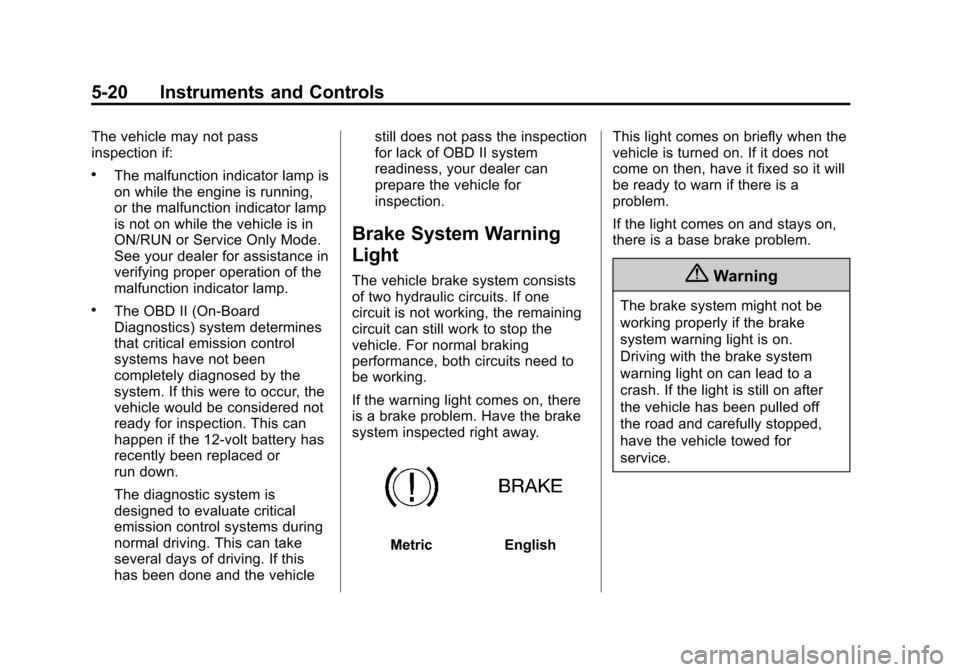
If the warning light comes on, there
is a brake problem. Have the brake
system inspected right away.
MetricEnglish
This light comes on briefly when the
vehicle is turned on. If it does not
come on then, have it fixed so it will
be ready to warn if there is a
problem.
If the light comes on and stays on,
there is a base brake problem.
{Warning
The brake system might not be
working properly if the brake
system warning light is on.
Driving with the brake system
warning light on can lead to a
crash. If the light is still on after
the vehicle has been pulled off
the road and carefully stopped,
have the vehicle towed for
service.
Page 140 of 422
Black plate (26,1)Chevrolet Impala Owner Manual (GMNA-Localizing-U.S./Canada-5772216) -
2014 - 2nd crc - 5/14/13
5-26 Instruments and Controls
turns green when the ACC is set
and active. SeeAdaptive Cruise
Control on page 9-37.
Door Ajar Light
This light comes on in the Driver
Information Center (DIC) when a
door is open or not securely latched.
Before driving, check that all doors
are properly closed.
Information Displays
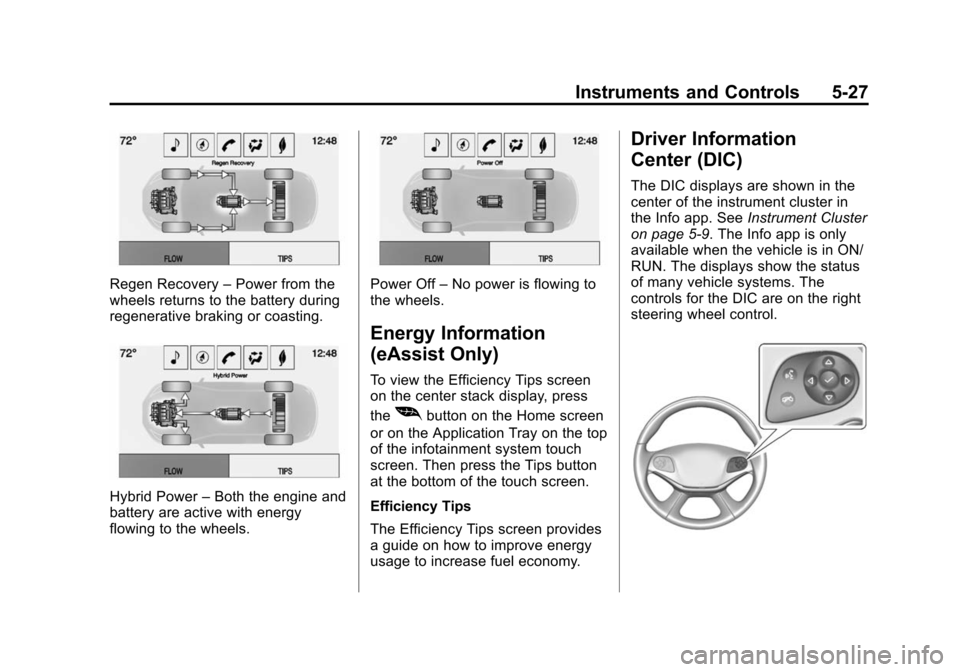
Power Flows
(eAssist Only)
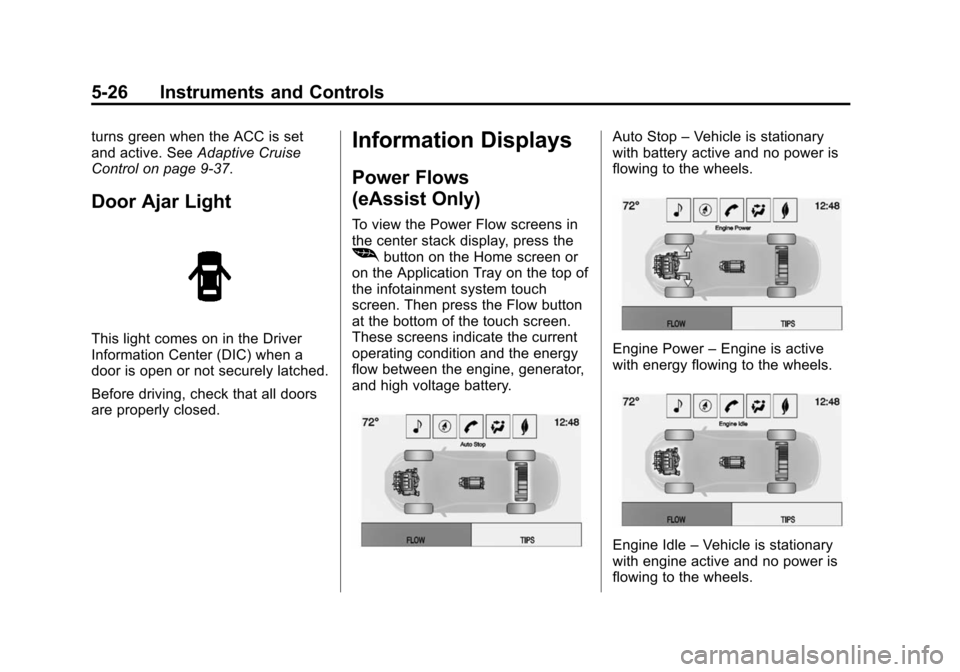
To view the Power Flow screens in
the center stack display, press the
[button on the Home screen or
on the Application Tray on the top of
the infotainment system touch
screen. Then press the Flow button
at the bottom of the touch screen.
These screens indicate the current
operating condition and the energy
flow between the engine, generator,
and high voltage battery.
Auto Stop –Vehicle is stationary
with battery active and no power is
flowing to the wheels.
Engine Power –Engine is active
with energy flowing to the wheels.
Engine Idle –Vehicle is stationary
with engine active and no power is
flowing to the wheels.
Page 141 of 422
Black plate (27,1)Chevrolet Impala Owner Manual (GMNA-Localizing-U.S./Canada-5772216) -
2014 - 2nd crc - 5/14/13
Instruments and Controls 5-27
Regen Recovery–Power from the
wheels returns to the battery during
regenerative braking or coasting.
Hybrid Power –Both the engine and
battery are active with energy
flowing to the wheels.
Power Off –No power is flowing to
the wheels.
Energy Information
(eAssist Only)
To view the Efficiency Tips screen
on the center stack display, press
the
[button on the Home screen
or on the Application Tray on the top
of the infotainment system touch
screen. Then press the Tips button
at the bottom of the touch screen.
Efficiency Tips
The Efficiency Tips screen provides
a guide on how to improve energy
usage to increase fuel economy.
Driver Information
Center (DIC)
The DIC displays are shown in the
center of the instrument cluster in
the Info app. See Instrument Cluster
on page 5-9. The Info app is only
available when the vehicle is in ON/
RUN. The displays show the status
of many vehicle systems. The
controls for the DIC are on the right
steering wheel control.
Page 143 of 422

Black plate (29,1)Chevrolet Impala Owner Manual (GMNA-Localizing-U.S./Canada-5772216) -
2014 - 2nd crc - 5/14/13
Instruments and Controls 5-29
economy over recent driving history
and the amount of fuel remaining in
the fuel tank.
Instantaneous Fuel Economy:
Displays the current fuel economy in
either liters per 100 kilometers (L/
100 km) or miles per gallon (mpg).
This number reflects only the fuel
economy that the vehicle has right
now and changes frequently as
driving conditions change.
Average Speed:Displays the
average speed of the vehicle in
kilometers per hour (km/h) or miles
per hour (mph). This average is
calculated based on the various
vehicle speeds recorded since the
last reset of this value. The average
speed can be reset by pressing and
holding
Vwhile this display is
active.
Timer: To start the timer, press
V
while this display is active. The
display will show the amount of time
that has passed since the timer was
last reset. To stop the timer, press
V
briefly while this display is active
and the timer is running. To reset
the timer to zero, press and hold
V
while this display is active.
Oil Life: Displays an estimate of
the oil's remaining useful life.
If REMAINING OIL LIFE 99% is
displayed, that means 99% of the
current oil life remains.
When the remaining oil life is low,
the CHANGE ENGINE OIL SOON
message will appear on the display.
See Engine Oil Messages on
page 5-33. The oil should be
changed as soon as possible. See
Engine Oil on page 10-11. In
addition to the engine oil life system
monitoring the oil life, additional
maintenance is recommended in the
Maintenance Schedule. See
Maintenance Schedule on
page 11-2.
The Oil Life display must be reset
after each oil change. It will not
reset itself. Do not reset the Oil Life
display accidentally at any time
other than when the oil has just been changed. It cannot be reset
accurately until the next oil change.
To reset the engine oil life system,
press and holdVfor several
seconds while the Oil Life display is
active. See Engine Oil Life System
on page 10-14.
Coolant Temperature: Displays
the coolant temperature in either
degrees Celsius (°C) or degrees
Fahrenheit (°F).
Tire Pressure: Displays the
approximate pressures of all four
tires. Tire pressure is displayed in
either kilopascal (kPa) or in pounds
per square inch (psi). If the pressure
is low, the value for that tire is
shown in amber. See Tire Pressure
Monitor System on page 10-51 and
Tire Pressure Monitor Operation on
page 10-52.
Battery Voltage: Displays the
current battery voltage. The battery
voltage can fluctuate while viewing
this information on the DIC. This is
normal.
Page 144 of 422
Black plate (30,1)Chevrolet Impala Owner Manual (GMNA-Localizing-U.S./Canada-5772216) -
2014 - 2nd crc - 5/14/13
5-30 Instruments and Controls
Speed Signs:Displays sign
information, which comes from a
roadway database in the onboard
navigation.
Driver Efficiency Gauge (eAssist
Only): Assists in driving efficiently
and will vary based on driver input.
To maximize efficiency, keep the
leaf in the solid green zone in the
center of the gauge. The gauge
moves to the left when braking and
to the right when accelerating.
When either is done aggressively,
the vehicle is being driven less
efficiently and the gauge will move
further from the center.Vehicle Messages
Messages displayed on the DIC
indicate the status of the vehicle or
some action that may be needed to
correct a condition. Multiple
messages may appear one after
another.
The messages that do not require
immediate action can be
acknowledged and cleared by
pressing
V(Set/Reset).
The messages that require
immediate action cannot be cleared
until that action is performed.
All messages should be taken
seriously; clearing the message
does not correct the problem.
The following are the possible
messages and some information
about them.
Battery Voltage and
Charging Messages
BATTERY SAVER ACTIVE
This message displays when the
vehicle has detected that the battery
voltage is dropping beyond a
reasonable point. The battery saver
system starts reducing features of
the vehicle that may be noticed. At
the point that features are disabled,
this message displays. Turn off
unnecessary accessories to allow
the battery to recharge.
LOW BATTERY
This message is displayed when the
battery voltage is low. See Battery
on page 10-27.
SERVICE BATTERY
CHARGING SYSTEM
This message is displayed when
there is a fault in the battery
charging system. Take the vehicle to
your dealer for service.
Page 148 of 422
Black plate (34,1)Chevrolet Impala Owner Manual (GMNA-Localizing-U.S./Canada-5772216) -
2014 - 2nd crc - 5/14/13
5-34 Instruments and Controls
Engine Power Messages
ENGINE POWER IS REDUCED
This message displays when the
vehicle's engine power is reduced.
Reduced engine power can affect
the vehicle's ability to accelerate.
If this message is on, but there is no
reduction in performance, proceed
to your destination. The
performance may be reduced the
next time the vehicle is driven. The
vehicle may be driven at a reduced
speed while this message is on, but
maximum acceleration and speed
may be reduced. Anytime this
message stays on, the vehicle
should be taken to your dealer for
service as soon as possible.
Fuel System Messages
FUEL LEVEL LOW
This message displays when the
vehicle is low on fuel. Refuel as
soon as possible
TIGHTEN GAS CAP
This message displays when the
fuel cap is not on tight. Tighten the
fuel cap.
Key and Lock Messages
NO REMOTE DETECTED
This message displays when trying
to start the vehicle if an RKE
transmitter is not detected. The
transmitter battery may be weak.
See“Starting the Vehicle with a Low
Transmitter Battery or Wireless
Interference” underRemote Keyless
Entry (RKE) System Operation on
page 2-3.
NO REMOTE PRESS BRAKE
TO RESTART
This message is displayed if the
remote is no longer detected in the
vehicle. Press the brake pedal to
restart the vehicle.
NUMBER OF KEYS
PROGRAMMED
This message displays when
programming new keys to the
vehicle.
REMOTE LEFT IN VEHICLE
This message displays when
leaving the vehicle with the RKE
transmitter still inside.
REPLACE BATTERY IN
REMOTE KEY
This message displays when the
battery in the RKE transmitter needs
to be replaced.
USE TRANSMITTER POCKET
TO START
This message displays when the
transmitter needs to be placed in
the transmitter pocket to start the
vehicle. See “Starting the Vehicle
with a Low Transmitter Battery or
Wireless Interference” under
Remote Keyless Entry (RKE)
System Operation on page 2-3.
Page 152 of 422
Black plate (38,1)Chevrolet Impala Owner Manual (GMNA-Localizing-U.S./Canada-5772216) -
2014 - 2nd crc - 5/14/13
5-38 Instruments and Controls
Starting the Vehicle
Messages
JUMP START ACTIVE WAIT TO
START
This message displays while
performing an on-board jump start
of the vehicle. See“Jump Starting
(On-board with eAssist Only).”
JUMP START COMPLETE
ATTEMPT START
This message displays while
performing an on-board jump start
of the vehicle. See “Jump Starting
(On-board with eAssist Only).”
JUMP START DISABLED SEE
OWNERS MANUAL
This message displays if there is a
problem with the on-board jump
start system, or the 12 volt battery is
too low to perform an on-board jump
start. Try using jumper cables and
performing a normal jump start. See
“Jump Starting (On-board with eAssist Only).”
Take the vehicle to
your dealer for service if this
message continues to be displayed.
PRESS BRAKE TO START
VEHICLE
This message is displayed when
attempting to start the vehicle
without first pressing the brake
pedal.
SERVICE KEYLESS START
SYSTEM
This message is displayed if there is
a problem with the pushbutton start
system. Take the vehicle to your
dealer for service.
Tire Messages
SERVICE TIRE MONITOR
SYSTEM
This message displays if there is a
problem with the Tire Pressure
Monitor System (TPMS). See Tire
Pressure Monitor Operation on
page 10-52.
TIRE LEARNING ACTIVE
This message displays when the
system is learning new tires. See
Tire Pressure Monitor Operation on
page 10-52.
TIRE PRESSURE LOW ADD
AIR TO TIRE
On vehicles with the Tire Pressure
Monitor System (TPMS), this
message displays when the
pressure in one or more of the
vehicle's tires is low.
The low tire pressure warning light
will also come on. See Tire
Pressure Light on page 5-23.
If a tire pressure message displays,
inflate the tires until the tire pressure
is equal to the values shown on the
Tire and Loading Information label.
See Tires on page 10-42, Vehicle
Load Limits on page 9-10, and Tire
Pressure on page 10-50.
Page 154 of 422
Black plate (40,1)Chevrolet Impala Owner Manual (GMNA-Localizing-U.S./Canada-5772216) -
2014 - 2nd crc - 5/14/13
5-40 Instruments and Controls
Washer Fluid Messages
WASHER FLUID LOW ADD
FLUID
This message may display when the
washer fluid level is low. See
Washer Fluid on page 10-24.
Window Messages
OPEN, THEN CLOSE DRIVER/
PASSENGER WINDOW
This message is displayed when the
window needs to be reprogrammed.
If the vehicle's battery has been
recharged or disconnected, you will
need to index each front window for
the express-up feature to work. See
Power Windows on page 2-21.
Vehicle
Personalization
The audio system controls are used
to access the personalization
menus for customizing vehicle
features.
Base Radio Audio System
Controls
To access the personalization
menus:
1. On the Home page, turn theMENU knob to highlight Settings
and press the MENU knob.
2. Turn the MENU knob to highlight the desired feature and press
the MENU knob to display a list
of available options.
3. Turn the MENU knob to scroll through and highlight the desired
option, then press the
MENU knob.
4. Turn the MENU knob to highlight the desired option setting and
press the MENU knob. 5. Press
qBACK to return to the
previous menu.
Uplevel Radio Audio System
Controls
To access the personalization
menus:
1. Press SETTINGS on the Home page on the infotainment system
display.
2. Press the desired feature to display a list of available
options.
3. Press the desired option.
4. Press to select the desired option setting.
5. Press
qBACK to return to the
previous menu.
Personalization Menus
The following list of features may be
available:
.Time and Date
.Language [Language]