remote control CHEVROLET IMPALA 2014 10.G User Guide
[x] Cancel search | Manufacturer: CHEVROLET, Model Year: 2014, Model line: IMPALA, Model: CHEVROLET IMPALA 2014 10.GPages: 422, PDF Size: 5.62 MB
Page 55 of 422
Black plate (21,1)Chevrolet Impala Owner Manual (GMNA-Localizing-U.S./Canada-5772216) -
2014 - 2nd crc - 5/14/13
Keys, Doors, and Windows 2-21
Windows
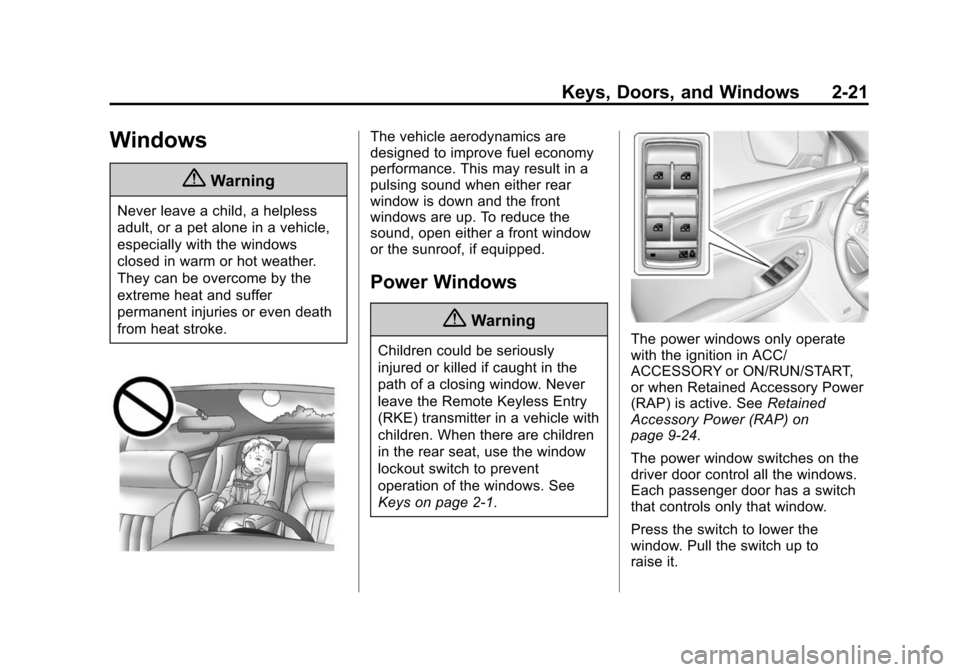
{Warning
Never leave a child, a helpless
adult, or a pet alone in a vehicle,
especially with the windows
closed in warm or hot weather.
They can be overcome by the
extreme heat and suffer
permanent injuries or even death
from heat stroke.
The vehicle aerodynamics are
designed to improve fuel economy
performance. This may result in a
pulsing sound when either rear
window is down and the front
windows are up. To reduce the
sound, open either a front window
or the sunroof, if equipped.
Power Windows
{Warning
Children could be seriously
injured or killed if caught in the
path of a closing window. Never
leave the Remote Keyless Entry
(RKE) transmitter in a vehicle with
children. When there are children
in the rear seat, use the window
lockout switch to prevent
operation of the windows. See
Keys on page 2-1.The power windows only operate
with the ignition in ACC/
ACCESSORY or ON/RUN/START,
or when Retained Accessory Power
(RAP) is active. SeeRetained
Accessory Power (RAP) on
page 9-24.
The power window switches on the
driver door control all the windows.
Each passenger door has a switch
that controls only that window.
Press the switch to lower the
window. Pull the switch up to
raise it.
Page 116 of 422
Black plate (2,1)Chevrolet Impala Owner Manual (GMNA-Localizing-U.S./Canada-5772216) -
2014 - 2nd crc - 5/14/13
5-2 Instruments and Controls
Service Vehicle Messages . . . 5-37
Starting the VehicleMessages . . . . . . . . . . . . . . . . . . 5-38
Tire Messages . . . . . . . . . . . . . . . 5-38
Transmission Messages . . . . . 5-39
Vehicle Reminder Messages . . . . . . . . . . . . . . . . . . 5-39
Vehicle Speed Messages . . . . 5-39
Washer Fluid Messages . . . . . 5-40
Window Messages . . . . . . . . . . . 5-40
Vehicle Personalization
Vehicle Personalization . . . . . . 5-40
Universal Remote System
Universal Remote System . . . 5-46
Universal Remote System Programming . . . . . . . . . . . . . . . 5-46
Universal Remote System Operation . . . . . . . . . . . . . . . . . . 5-49
Controls
Steering Wheel
Adjustment
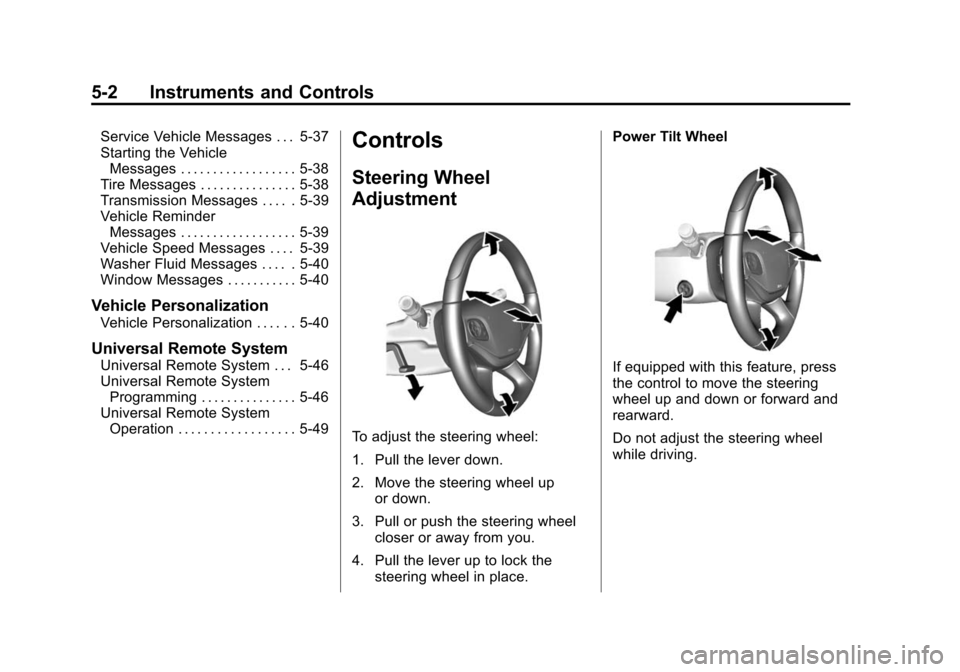
To adjust the steering wheel:
1. Pull the lever down.
2. Move the steering wheel up
or down.
3. Pull or push the steering wheel closer or away from you.
4. Pull the lever up to lock the steering wheel in place. Power Tilt Wheel
If equipped with this feature, press
the control to move the steering
wheel up and down or forward and
rearward.
Do not adjust the steering wheel
while driving.
Page 126 of 422
Black plate (12,1)Chevrolet Impala Owner Manual (GMNA-Localizing-U.S./Canada-5772216) -
2014 - 2nd crc - 5/14/13
5-12 Instruments and Controls
Units:Presspwhile Units is
displayed to enter the Units menu.
Choose English or metric units by
pressing
Vwhile the desired item is
highlighted.
Info Pages: Press
pwhile Info
Pages is displayed to enter the Info
Pages menu and select the items to
be displayed in the Info App. See
Driver Information Center (DIC) on
page 5-27.
Speed Warning: The Speed
Warning display allows the driver to
set a speed that they do not want to
exceed. To set the Speed Warning,
press
pwhen Speed Warning is
displayed. Press
worxto adjust
the value. Press
Vto set the speed.
Once the speed is set, this feature
can be turned off by pressing
V
while viewing this page. If the
selected speed limit is exceeded, a
pop-up warning is displayed with a
chime. Compass:
In certain vehicles the
compass setting will allow for
manually setting the compass. The
user can set the zone and calibrate
the compass. This setting page is
only available on vehicles that are
equipped with Remote Compass
Module.
Jump Start: The Jump Start
display is used to perform an
on-board jump start for eAssist
vehicles. See “Jump Starting
(On-board with eAssist Only)” in the
Index.
Speedometer
The speedometer shows the
vehicle's speed in either kilometers
per hour (km/h) or miles per
hour (mph).
Odometer
The odometer shows how far the
vehicle has been driven, in either
kilometers or miles.
This vehicle has a tamper-resistant
odometer. If the vehicle needs a
new cluster installed, the new
odometer is set to the mileage of
the old odometer. If this is not
possible, it is set at zero and a label
is put on the driver door to show the
old mileage reading.
Trip Odometer
The trip odometer can show how far
the vehicle has been driven since
the trip odometer was last reset.
The trip odometer is accessed and
reset through the Driver Information
Center (DIC). See Driver
Information Center (DIC) on
page 5-27.
Page 148 of 422
Black plate (34,1)Chevrolet Impala Owner Manual (GMNA-Localizing-U.S./Canada-5772216) -
2014 - 2nd crc - 5/14/13
5-34 Instruments and Controls
Engine Power Messages
ENGINE POWER IS REDUCED
This message displays when the
vehicle's engine power is reduced.
Reduced engine power can affect
the vehicle's ability to accelerate.
If this message is on, but there is no
reduction in performance, proceed
to your destination. The
performance may be reduced the
next time the vehicle is driven. The
vehicle may be driven at a reduced
speed while this message is on, but
maximum acceleration and speed
may be reduced. Anytime this
message stays on, the vehicle
should be taken to your dealer for
service as soon as possible.
Fuel System Messages
FUEL LEVEL LOW
This message displays when the
vehicle is low on fuel. Refuel as
soon as possible
TIGHTEN GAS CAP
This message displays when the
fuel cap is not on tight. Tighten the
fuel cap.
Key and Lock Messages
NO REMOTE DETECTED
This message displays when trying
to start the vehicle if an RKE
transmitter is not detected. The
transmitter battery may be weak.
See“Starting the Vehicle with a Low
Transmitter Battery or Wireless
Interference” underRemote Keyless
Entry (RKE) System Operation on
page 2-3.
NO REMOTE PRESS BRAKE
TO RESTART
This message is displayed if the
remote is no longer detected in the
vehicle. Press the brake pedal to
restart the vehicle.
NUMBER OF KEYS
PROGRAMMED
This message displays when
programming new keys to the
vehicle.
REMOTE LEFT IN VEHICLE
This message displays when
leaving the vehicle with the RKE
transmitter still inside.
REPLACE BATTERY IN
REMOTE KEY
This message displays when the
battery in the RKE transmitter needs
to be replaced.
USE TRANSMITTER POCKET
TO START
This message displays when the
transmitter needs to be placed in
the transmitter pocket to start the
vehicle. See “Starting the Vehicle
with a Low Transmitter Battery or
Wireless Interference” under
Remote Keyless Entry (RKE)
System Operation on page 2-3.
Page 155 of 422
Black plate (41,1)Chevrolet Impala Owner Manual (GMNA-Localizing-U.S./Canada-5772216) -
2014 - 2nd crc - 5/14/13
Instruments and Controls 5-41
.Valet Mode
.Radio
.Vehicle
.Bluetooth
.Voice
.Display
.Rear Camera
.Return to Factory Settings
.Software Information
Each menu is detailed in the
following information.
Time and Date
Manually set the time and date. See
Clock (Base Radio) on page 5-5 or
Clock (Uplevel Radio) on page 5-5.
Language [Language]
Select and the following may be
displayed:
.English US
.Francais Canadian
.Espanol Latino Select the language.
Valet Mode
To turn valet mode on and off, see
“Valet Mode”
under“Setting Radio
Preferences” inHome Page on
page 7-4.
Radio
To manage the radio features, see
“Radio Setup” under“Setting Radio
Preferences” inHome Page on
page 7-4.
Vehicle
Select and the following may be
displayed:
.Climate and Air Quality
.Collision/Detection Systems
.Comfort and Convenience
.Lighting
.Power Door Locks
.Remote Lock, Unlock, Start Climate and Air Quality
Select and the following may be
displayed:
.Auto Fan Max Speed
.Auto Defog
.Auto Rear Defog
Auto Fan Max Speed
This feature will set the maximum
auto fan speed.
Select Low, Medium, or High.
Auto Defog
When set to On, the front defog will
automatically react to temperature
and humidity conditions that may
cause fogging. Only vehicles with
the dual automatic climate control
will have this option.
Select Off or On.
Page 157 of 422
Black plate (43,1)Chevrolet Impala Owner Manual (GMNA-Localizing-U.S./Canada-5772216) -
2014 - 2nd crc - 5/14/13
Instruments and Controls 5-43
Auto Memory Recall
This allows the feature to be turned
on or off.
Select Off, On - Driver Door, or On -
At Ignition On. SeeMemory Seats
on page 3-7.
Easy Exit Options
This allows the feature to be turned
on or off.
Select Off or On.
Chime Volume
This allows the selection of the
chime volume level.
Press + or −to adjust the volume.
Lighting
Select and the following may be
displayed:
.Vehicle Locator Lights
.Exit Lighting
.Daytime Tail Lights Vehicle Locator Lights
This feature will flash the exterior
lamps when
Kon the Remote
Keyless Entry (RKE) transmitter is
pressed to locate the vehicle.
Select Off or On.
Exit Lighting
This allows the selection of how
long the exterior lamps stay on
when leaving the vehicle when it is
dark outside.
Select Off, 30 Seconds, 60
Seconds, or 120 Seconds.
Daytime Tail Lights
This feature allows the taillamps to
be on during the day.
Select Off or On.
Power Door Locks
Select and the following may be
displayed:
.Unlocked Door Anti Lock Out
.Auto Door Unlock
.Delayed Door Lock
Unlocked Door Anti Lock Out
When on, this feature will keep the
driver door from locking when the
door is open. If Off is selected, the
Delayed Door Lock menu will be
available.
Select Off or On.
Auto Door Unlock
This allows selection of which of the
doors will automatically unlock when
the vehicle is shifted into P (Park).
Select Off, All Doors, or Driver Door.
Delayed Door Lock
When on, this feature will delay the
locking of the doors. To override the
delay, press the power door lock
switch on the door.
Select Off or On.
Page 158 of 422
Black plate (44,1)Chevrolet Impala Owner Manual (GMNA-Localizing-U.S./Canada-5772216) -
2014 - 2nd crc - 5/14/13
5-44 Instruments and Controls
Remote Lock, Unlock, Start
Select and the following may be
displayed:
.Remote Unlock Light Feedback
.Remote Lock Feedback
.Remote Door Unlock
.Remote Start Auto Cool Seats
.Remote Start Auto Heat Seats
.Passive Door Unlock
.Passive Door Lock
.Remote Left in Vehicle Reminder
Remote Unlock Light Feedback
When on, the exterior lamps will
flash when unlocking the vehicle
with the RKE transmitter.
Select Off or Flash Lights.
Remote Lock Feedback
This allows selection of what type of
feedback is given when locking the
vehicle with the RKE transmitter.
Select Off, Lights and Horn, Lights
Only, or Horn Only. Remote Door Unlock
This allows selection of which doors
will unlock when pressing
Kon the
RKE transmitter.
Select All Doors or Driver
Door Only.
Remote Start Auto Cool Seats
If equipped and turned on, this
feature will turn the vented seats on
when using remote start on
warm days.
Select Off or On.
Remote Start Auto Heat Seats
If equipped and turned on, this
feature will turn the heated seats on
when using remote start on
cold days.
Select Off or On.
Passive Door Unlock
This allows the selection of what
doors will unlock when using the
button on the driver door to unlock
the vehicle. Select All Doors or Driver
Door Only.
Passive Door Lock
This feature can be turned on or off,
or can be used to select feedback
when using the button on the driver
door to lock the vehicle. See
Remote Keyless Entry (RKE)
System Operation on page 2-3.
Select On, On with Horn Chirp,
or Off.
Remote Left in Vehicle Reminder
This feature sounds an alert when
the RKE transmitter is left in the
vehicle.
Select Off or On.
Bluetooth
Select and the following may be
displayed:
.Pair New Device
.Device Management
.Ringtones
.Voice Mail Numbers
Page 160 of 422
Black plate (46,1)Chevrolet Impala Owner Manual (GMNA-Localizing-U.S./Canada-5772216) -
2014 - 2nd crc - 5/14/13
5-46 Instruments and Controls
Guidance Lines
Select to turn Off or On. See
Assistance Systems for Parking or
Backing on page 9-46.
Rear Cross Traffic Alert
Select to turn Off or On. See
Assistance Systems for Parking or
Backing on page 9-46.
Rear Park Assist Symbols
Select to turn Off or On. See
Assistance Systems for Parking or
Backing on page 9-46.
Return to Factory Settings
Select and the following may be
displayed:
.Restore Vehicle Settings
.Clear All Private Data
.Restore Radio SettingsRestore Vehicle Settings
This allows selection of restoring
vehicle settings.
Select Cancel or Continue.
Clear All Private Data
This allows selection to clear all
private information from the vehicle.
Select Cancel or Continue.
Restore Radio Settings
This allows selection to restore
radio settings.
Select Cancel or Continue.
Software Information
Select to view the infotainment
system current software information.
Universal Remote
System
See
Radio Frequency Statement on
page 13-15.
Universal Remote System
Programming
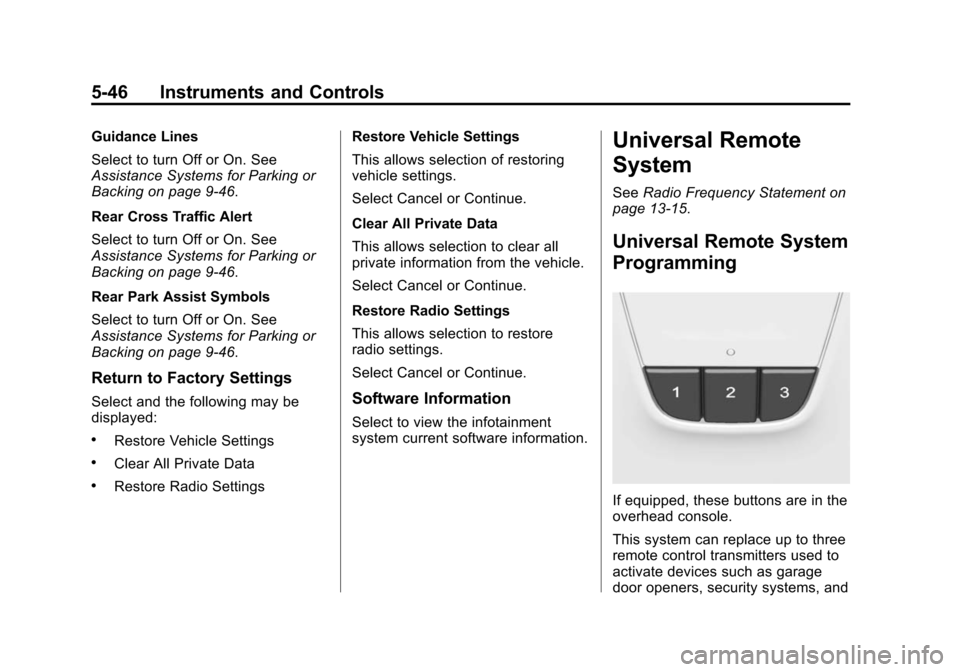
If equipped, these buttons are in the
overhead console.
This system can replace up to three
remote control transmitters used to
activate devices such as garage
door openers, security systems, and
Page 161 of 422
Black plate (47,1)Chevrolet Impala Owner Manual (GMNA-Localizing-U.S./Canada-5772216) -
2014 - 2nd crc - 5/14/13
Instruments and Controls 5-47
home automation devices. These
instructions refer to a garage door
opener, but can be used for other
devices.
Do not use the Universal Remote
system with any garage door opener
that does not have the stop and
reverse feature. This includes any
garage door opener model
manufactured before April 1, 1982.
Read these instructions completely
before programming the Universal
Remote system. It may help to have
another person assist with the
programming process.
Keep the original hand-held
transmitter for use in other vehicles
as well as for future programming.
Erase the programming when
vehicle ownership is terminated.
See“Erasing Universal Remote
System Buttons” later in this
section. To program a garage door opener,
park outside directly in line with and
facing the garage door opener
receiver. Clear all people and
objects near the garage door.
Make sure the hand-held transmitter
has a new battery for quick and
accurate transmission of the
radio-frequency signal.
Programming the Universal
Remote System
For questions or help programming
the Universal Remote system, call
1-800-355-3515 or see
www.homelink.com.
Programming involves
time-sensitive actions, and may time
out causing the procedure to be
repeated.
To program up to three devices:
1. Hold the end of the hand-held
transmitter about 3 to 8 cm (1 to
3 in) away from the Universal
Remote system buttons with the
indicator light in view. The
hand-held transmitter was
supplied by the manufacturer of
the garage door opener receiver.
2. At the same time, press and hold both the hand-held
transmitter button and one of the
three Universal Remote system
buttons to be used to operate
the garage door. Do not release
either button until the indicator
light changes from a slow to a
rapid flash. Then release both
buttons.
Some garage door openers may
require substitution of Step 2
with the procedure under in
“Radio Signals for Canada and
Some Gate Operators” later in
this section.
Page 162 of 422
Black plate (48,1)Chevrolet Impala Owner Manual (GMNA-Localizing-U.S./Canada-5772216) -
2014 - 2nd crc - 5/14/13
5-48 Instruments and Controls
3. Press and hold the newlyprogrammed Universal Remote
system button for five seconds
while watching the indicator light
and garage door activation.
.If the indicator light stays on
continuously or the garage
door moves when the
button is pressed, then
programming is complete.
There is no need to
complete Steps 4–6.
.If the indicator light does
not come on or the garage
door does not move, a
second button press may
be required. For a second
time, press and hold the
newly programmed button
for five seconds. If the light
stays on or the garage door
moves, programming is
complete.
.If the indicator light blinks
rapidly for two seconds,
then changes to a solid light and the garage door does
not move, continue with
programming Steps 4–6.
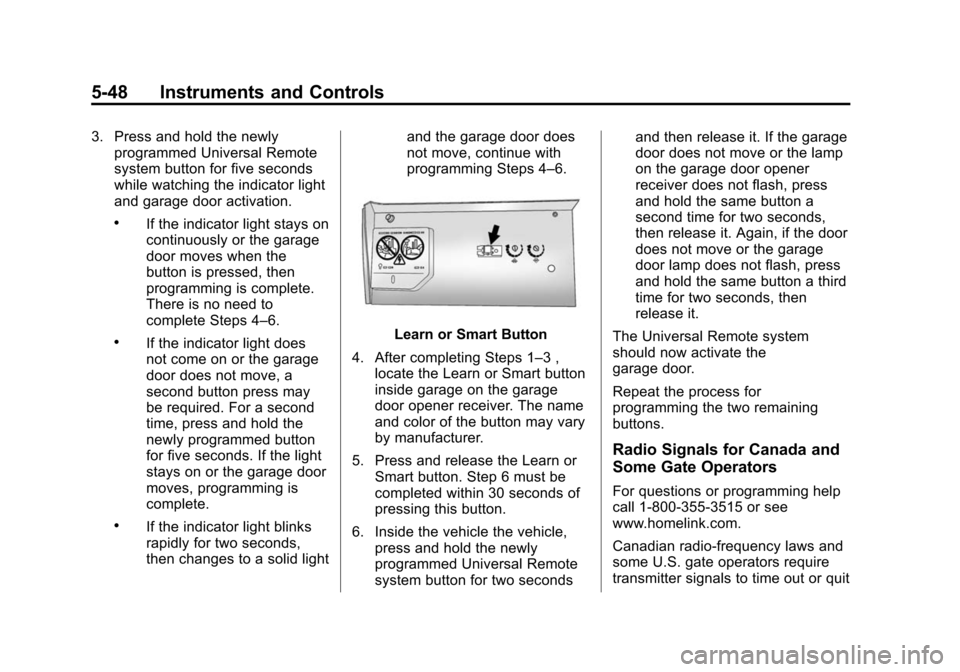
Learn or Smart Button
4. After completing Steps 1–3 , locate the Learn or Smart button
inside garage on the garage
door opener receiver. The name
and color of the button may vary
by manufacturer.
5. Press and release the Learn or Smart button. Step 6 must be
completed within 30 seconds of
pressing this button.
6. Inside the vehicle the vehicle, press and hold the newly
programmed Universal Remote
system button for two seconds and then release it. If the garage
door does not move or the lamp
on the garage door opener
receiver does not flash, press
and hold the same button a
second time for two seconds,
then release it. Again, if the door
does not move or the garage
door lamp does not flash, press
and hold the same button a third
time for two seconds, then
release it.
The Universal Remote system
should now activate the
garage door.
Repeat the process for
programming the two remaining
buttons.
Radio Signals for Canada and
Some Gate Operators
For questions or programming help
call 1-800-355-3515 or see
www.homelink.com.
Canadian radio-frequency laws and
some U.S. gate operators require
transmitter signals to time out or quit