instrument cluster CHEVROLET IMPALA 2018 User Guide
[x] Cancel search | Manufacturer: CHEVROLET, Model Year: 2018, Model line: IMPALA, Model: CHEVROLET IMPALA 2018Pages: 345, PDF Size: 5.81 MB
Page 126 of 345
Chevrolet Impala Owner Manual (GMNA-Localizing-U.S./Canada-11348316) -
2018 - CRC - 8/22/17
Instruments and Controls 125
Door Ajar Light
This light comes on in the Driver
Information Center (DIC) when a
door is open or not securely latched.
Before driving, check that all doors
are properly closed.
Information Displays
Driver Information
Center (DIC)
The DIC displays are shown in the
center of the instrument cluster in
the Info app. SeeInstrument Cluster
0 110. The Info app is only available
when the ignition is on. The displays
show the status of many vehicle
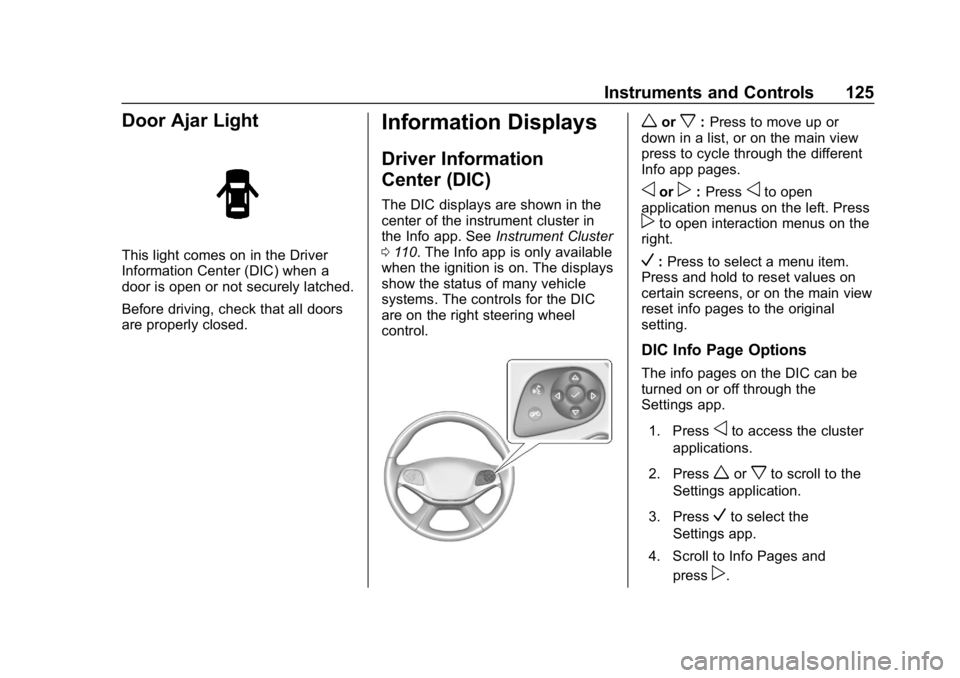
systems. The controls for the DIC
are on the right steering wheel
control.
worx: Press to move up or
down in a list, or on the main view
press to cycle through the different
Info app pages.
oorp: Pressoto open
application menus on the left. Press
pto open interaction menus on the
right.
V: Press to select a menu item.
Press and hold to reset values on
certain screens, or on the main view
reset info pages to the original
setting.
DIC Info Page Options
The info pages on the DIC can be
turned on or off through the
Settings app.
1. Press
oto access the cluster
applications.
2. Press
worxto scroll to the
Settings application.
3. Press
Vto select the
Settings app.
4. Scroll to Info Pages and press
p.
Page 141 of 345
Chevrolet Impala Owner Manual (GMNA-Localizing-U.S./Canada-11348316) -
2018 - CRC - 8/22/17
140 Lighting
AUTO :Automatically turns the
exterior lamps on and off,
depending on outside lighting.
;: Turns on the parking lamps
including all lamps, except the
headlamps.
2: Turns on the headlamps
together with the parking lamps and
instrument panel lights.
Exterior Lamps Off
Reminder
A warning chime sounds if the driver
door is opened while the ignition is
off and the exterior lamps are on.
Headlamp High/
Low-Beam Changer
Push the turn signal lever away
from you and release to turn the
high beams on. To return to low
beams, push the lever again or pull
it toward you and release.
This indicator light turns on in the
instrument cluster when the
high-beam headlamps are on.
Flash-to-Pass
To flash the high beams, pull the
turn signal lever toward you, and
release.
Daytime Running
Lamps (DRL)
DRL can make it easier for others to
see the front of your vehicle during
the day. Fully functional DRL are
required on all vehicles first sold in
Canada.
The DRL system turns on the
low-beam headlamps at a reduced
brightness. For vehicles with High
Intensity Discharge (HID)
headlamps, there is a dedicated DRL. The DRL will come on when
all of the following conditions
are met:
.
The ignition is on.
. The exterior lamp control is
in AUTO.
. The light sensor determines it is
daytime.
. The vehicle is not in P (Park).
When the DRL are on, the taillamps,
sidemarker lamps, instrument panel
lights, and other lamps will not
be on.
The DRL turn off when the
headlamps are turned to
Oor the
ignition is off. For vehicles first sold
in Canada, the DRL can only be
turned off when the transmission is
in P (Park).
This vehicle may have a DRL
disabling function. When the DRL
are on and a turn signal is activated,
the DRL on that side will be off until
the turn signal goes off.
Page 142 of 345
Chevrolet Impala Owner Manual (GMNA-Localizing-U.S./Canada-11348316) -
2018 - CRC - 8/22/17
Lighting 141
Automatic Headlamp
System
When the exterior lamp control is
set to AUTO and it is dark enough
outside, the headlamps come on
automatically.
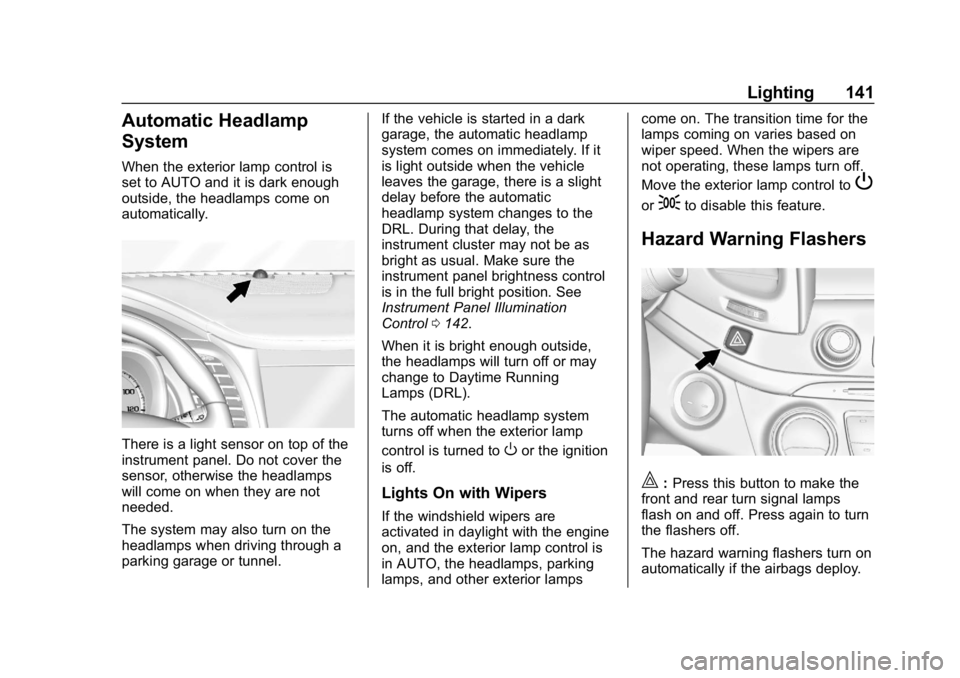
There is a light sensor on top of the
instrument panel. Do not cover the
sensor, otherwise the headlamps
will come on when they are not
needed.
The system may also turn on the
headlamps when driving through a
parking garage or tunnel.If the vehicle is started in a dark
garage, the automatic headlamp
system comes on immediately. If it
is light outside when the vehicle
leaves the garage, there is a slight
delay before the automatic
headlamp system changes to the
DRL. During that delay, the
instrument cluster may not be as
bright as usual. Make sure the
instrument panel brightness control
is in the full bright position. See
Instrument Panel Illumination
Control
0142.
When it is bright enough outside,
the headlamps will turn off or may
change to Daytime Running
Lamps (DRL).
The automatic headlamp system
turns off when the exterior lamp
control is turned toOor the ignition
is off.
Lights On with Wipers
If the windshield wipers are
activated in daylight with the engine
on, and the exterior lamp control is
in AUTO, the headlamps, parking
lamps, and other exterior lamps come on. The transition time for the
lamps coming on varies based on
wiper speed. When the wipers are
not operating, these lamps turn off.
Move the exterior lamp control to
P
or;to disable this feature.
Hazard Warning Flashers
|:
Press this button to make the
front and rear turn signal lamps
flash on and off. Press again to turn
the flashers off.
The hazard warning flashers turn on
automatically if the airbags deploy.
Page 143 of 345
Chevrolet Impala Owner Manual (GMNA-Localizing-U.S./Canada-11348316) -
2018 - CRC - 8/22/17
142 Lighting
Turn and Lane-Change
Signals
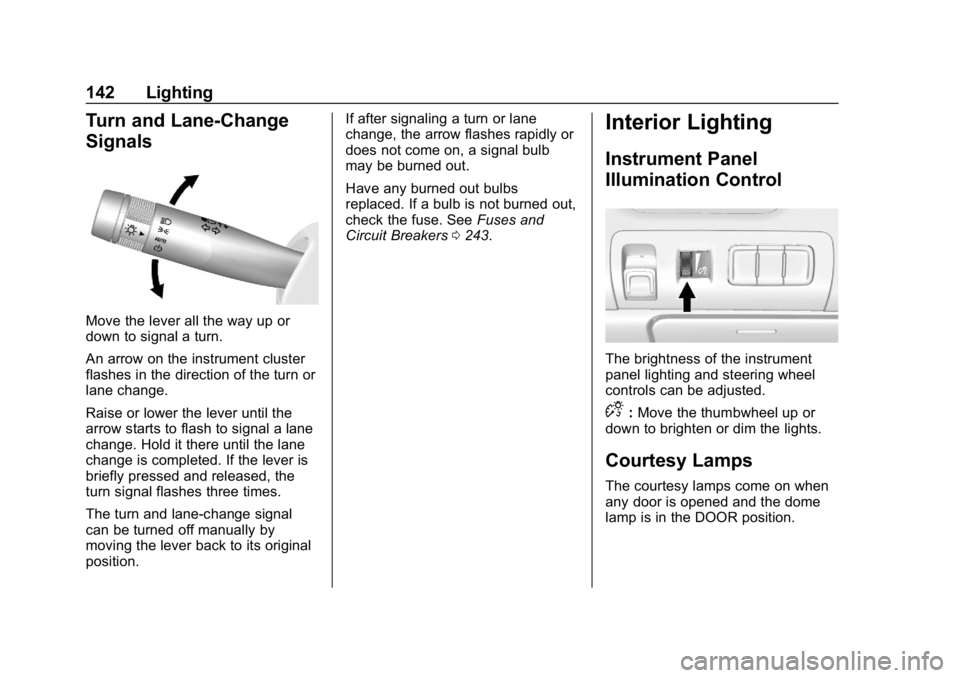
Move the lever all the way up or
down to signal a turn.
An arrow on the instrument cluster
flashes in the direction of the turn or
lane change.
Raise or lower the lever until the
arrow starts to flash to signal a lane
change. Hold it there until the lane
change is completed. If the lever is
briefly pressed and released, the
turn signal flashes three times.
The turn and lane-change signal
can be turned off manually by
moving the lever back to its original
position.If after signaling a turn or lane
change, the arrow flashes rapidly or
does not come on, a signal bulb
may be burned out.
Have any burned out bulbs
replaced. If a bulb is not burned out,
check the fuse. See
Fuses and
Circuit Breakers 0243.
Interior Lighting
Instrument Panel
Illumination Control
The brightness of the instrument
panel lighting and steering wheel
controls can be adjusted.
D:Move the thumbwheel up or
down to brighten or dim the lights.
Courtesy Lamps
The courtesy lamps come on when
any door is opened and the dome
lamp is in the DOOR position.
Page 178 of 345
Chevrolet Impala Owner Manual (GMNA-Localizing-U.S./Canada-11348316) -
2018 - CRC - 8/22/17
Driving and Operating 177
Manual Mode
Driver Shift Control (DSC)
To use this feature, if equipped:1. Move the shift lever from D (Drive) rearward to
M (Manual Mode).
While driving in Manual Mode,
the transmission will remain in
the driver selected gear. When
coming to a stop in the manual
position, the vehicle will
automatically shift into
1 (First) gear.
2. Using the button on the shift lever, press the + (plus) end of
the button to upshift, or press
the−(minus) end of the button
to downshift.
The Driver Information Center (DIC)
in the instrument cluster will change
from the currently displayed
message to the letter “M,”for
Manual position, and a number
indicating the requested gear. While using the DSC feature the
transmission will have firmer shifting
and sportier performance. You can
use this for sport driving or when
climbing hills to stay in gear longer
or to downshift for more power or
engine braking.
The transmission will only allow you
to shift into gears appropriate for the
vehicle speed and engine
revolutions per minute (rpm):
.
The transmission will not allow
shifting to the next higher gear if
the vehicle speed or engine rpm
is too low.
. The transmission will not allow
shifting to the next lower gear if
the vehicle speed or engine rpm
is too high.
Second Gear Start Feature
When accelerating the vehicle from
a stop in snowy and icy conditions,
you may want to shift into
2 (Second) gear. A higher gear
allows you to gain more traction on
slippery surfaces. With the DSC feature, the vehicle
can be set to pull away in
2 (Second) gear.
1. Move the shift lever from D (Drive) to M (Manual Mode).
2. With the vehicle stopped, press the + (plus) end of the button to
select 2 (Second) gear. The
vehicle will start from a stop
position in 2 (Second) gear.
3. Once moving, select the desired drive gear.
Page 182 of 345
Chevrolet Impala Owner Manual (GMNA-Localizing-U.S./Canada-11348316) -
2018 - CRC - 8/22/17
Driving and Operating 181
Ride Control Systems
Traction Control/
Electronic Stability
Control
System Operation
The vehicle has a Traction Control
System (TCS) and StabiliTrak, an
electronic stability control system.
These systems help limit wheel slip
and assist the driver in maintaining
control, especially on slippery road
conditions.
TCS activates if it senses that any
of the drive wheels are spinning or
beginning to lose traction. When this
happens, TCS applies the brakes to
the spinning wheels and reduces
engine power to limit wheel spin.
StabiliTrak activates when the
vehicle senses a difference between
the intended path and the direction
the vehicle is actually traveling.
StabiliTrak selectively applies
braking pressure to any one of thevehicle wheel brakes to assist the
driver in keeping the vehicle on the
intended path.
If cruise control is being used and
TCS or StabiliTrak begins to limit
wheel spin, cruise control will
disengage. Cruise control may be
turned back on when road
conditions allow.
Both systems come on
automatically when the vehicle is
started and begins to move. The
systems may be heard or felt while
they are operating or while
performing diagnostic checks. This
is normal and does not mean there
is a problem with the vehicle.
It is recommended to leave both
systems on for normal driving
conditions, but it may be necessary
to turn TCS off if the vehicle gets
stuck in sand, mud, ice, or snow.
See
If the Vehicle Is Stuck 0163
and “Turning the Systems Off and
On” later in this section.
The indicator light for both systems
is in the instrument cluster. This
light will:
.
Flash when TCS is limiting
wheel spin.
. Flash when StabiliTrak is
activated.
. Turn on and stay on when either
system is not working.
If either system fails to turn on or to
activate, a message displays in the
Driver Information Center (DIC), and
dcomes on and stays on to
indicate that the system is inactive
and is not assisting the driver in
maintaining control. The vehicle is
safe to drive, but driving should be
adjusted accordingly.
If
dcomes on and stays on:
1. Stop the vehicle.
Page 183 of 345
Chevrolet Impala Owner Manual (GMNA-Localizing-U.S./Canada-11348316) -
2018 - CRC - 8/22/17
182 Driving and Operating
2. Turn the engine off and wait15 seconds.
3. Start the engine.
Drive the vehicle. If
dcomes on
and stays on, the vehicle may need
more time to diagnose the problem.
If the condition persists, see your
dealer.
Turning the Systems Off
and On
The button for TCS and StabiliTrak
is on the center console, behind the
shift lever.
Caution
Do not repeatedly brake or
accelerate heavily when TCS is
off. The vehicle driveline could be
damaged. To turn off only TCS, press and
release
g. The Traction Off lighti
displays in the instrument cluster. To
turn TCS on again, press and
release
g. The Traction Off lighti
displayed in the instrument cluster
will turn off.
If TCS is limiting wheel spin when
g
is pressed, the system will not turn
off until the wheels stop spinning.
To turn off both TCS and StabiliTrak,
press and hold
guntil the Traction
Off light
iand StabiliTrak Off light
gcome on and stay on in the
instrument cluster. To turn TCS and
StabiliTrak on again, press and
release
g. The Traction Off lighti
and StabiliTrak Off lightgin the
instrument cluster turn off.
Adding accessories can affect the
vehicle performance. See
Accessories and Modifications
0 215.
Cruise Control
With cruise control, you can
maintain a speed of about 40 km/h
(25 mph) or more without keeping
your foot on the accelerator. Cruise
control does not work at speeds
below about 40 km/h (25 mph).
{Warning
Cruise control can be dangerous
where you cannot drive safely at
a steady speed. Do not use
cruise control on winding roads or
in heavy traffic.
Cruise control can be dangerous
on slippery roads. On such roads,
fast changes in tire traction can
cause excessive wheel slip, and
you could lose control. Do not use
cruise control on slippery roads.
If equipped with the Traction Control
System (TCS), the system may
begin to limit wheel spin while you
are using cruise control. If this
happens, the cruise control will
Page 184 of 345
Chevrolet Impala Owner Manual (GMNA-Localizing-U.S./Canada-11348316) -
2018 - CRC - 8/22/17
Driving and Operating 183
automatically disengage. See
Traction Control/Electronic Stability
Control0181. If a collision alert
occurs when cruise control is
activated, cruise control is
disengaged. See Forward Collision
Alert (FCA) System 0195. When
road conditions allow you to safely
use it again, the cruise control can
be turned back on.
If the brakes are applied, the cruise
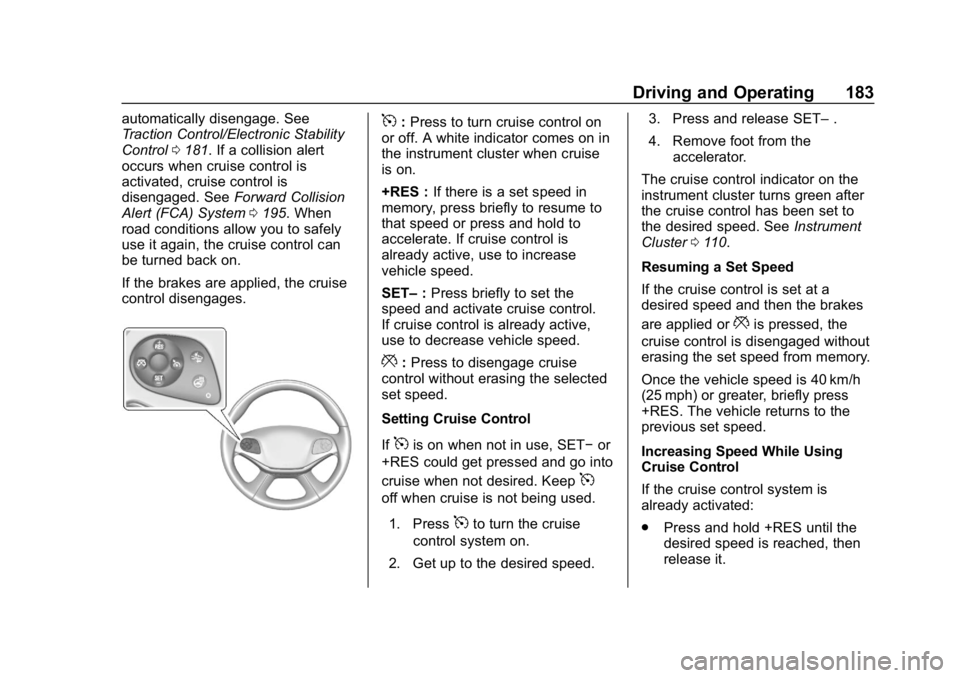
control disengages.5: Press to turn cruise control on
or off. A white indicator comes on in
the instrument cluster when cruise
is on.
+RES : If there is a set speed in
memory, press briefly to resume to
that speed or press and hold to
accelerate. If cruise control is
already active, use to increase
vehicle speed.
SET– :Press briefly to set the
speed and activate cruise control.
If cruise control is already active,
use to decrease vehicle speed.
*: Press to disengage cruise
control without erasing the selected
set speed.
Setting Cruise Control
If
5is on when not in use, SET− or
+RES could get pressed and go into
cruise when not desired. Keep
5
off when cruise is not being used.
1. Press
5to turn the cruise
control system on.
2. Get up to the desired speed. 3. Press and release SET–
.
4. Remove foot from the accelerator.
The cruise control indicator on the
instrument cluster turns green after
the cruise control has been set to
the desired speed. See Instrument
Cluster 0110.
Resuming a Set Speed
If the cruise control is set at a
desired speed and then the brakes
are applied or
*is pressed, the
cruise control is disengaged without
erasing the set speed from memory.
Once the vehicle speed is 40 km/h
(25 mph) or greater, briefly press
+RES. The vehicle returns to the
previous set speed.
Increasing Speed While Using
Cruise Control
If the cruise control system is
already activated:
. Press and hold +RES until the
desired speed is reached, then
release it.
Page 185 of 345

Chevrolet Impala Owner Manual (GMNA-Localizing-U.S./Canada-11348316) -
2018 - CRC - 8/22/17
184 Driving and Operating
.To increase vehicle speed in
small increments, briefly press
+RES. For each press, the
vehicle goes about 1.6 km/h
(1 mph) faster.
The speedometer reading can be
displayed in either English or metric
units. See Instrument Cluster 0110.
The increment value used depends
on the units displayed.
Reducing Speed While Using
Cruise Control
If the cruise control system is
already activated:
. Press and hold SET– until the
desired lower speed is reached,
then release it.
. To decrease the vehicle speed in
smaller increments, briefly press
SET−. For each press, the
vehicle goes about 1.6 km/h
(1 mph) slower.
The speedometer reading can be
displayed in either English or metric
units. See Instrument Cluster 0110.
The increment value used depends
on the units displayed. Passing Another Vehicle While
Using Cruise Control
Use the accelerator pedal to
increase vehicle speed. When you
take your foot off the pedal, the
vehicle will slow down to the
previous set cruise speed. While
pressing the accelerator pedal or
shortly following the release to
override cruise control, briefly
pressing SET−
will result in cruise
control set to the current vehicle
speed.
Using Cruise Control on Hills
How well the cruise control works
on hills depends upon the vehicle
speed, the load, and the steepness
of the hills. When going up steep
hills, you might have to step on the
accelerator pedal to maintain your
speed. When going downhill, you
might have to brake or shift to a
lower gear to keep your speed
down. If the brake pedal is applied,
the cruise control will disengage. Ending Cruise Control
There are four ways to end cruise
control:
.
To disengage cruise control,
step lightly on the brake pedal.
. Press
*.
. Shift the transmission to
N (Neutral).
. To turn off the cruise control,
press
5.
Erasing Speed Memory
The cruise control set speed is
erased from memory if
5is pressed
or the ignition is turned off.
Adaptive Cruise Control
If equipped, Adaptive Cruise Control
(ACC) allows the driver to select the
cruise control set speed and
following gap. Read this entire
section before using this system.
The following gap is the following
time between your vehicle and a
vehicle detected directly ahead in
your path moving in the same
Page 187 of 345
Chevrolet Impala Owner Manual (GMNA-Localizing-U.S./Canada-11348316) -
2018 - CRC - 8/22/17
186 Driving and Operating
+RES :Press briefly to resume the
previous set speed or hold to
accelerate. If ACC is already active,
use to increase vehicle speed.
SET– :Press briefly to set the
speed and activate ACC. If ACC is
already active, use to decrease
vehicle speed.
*: Press to disengage ACC
without erasing the selected set
speed.
GAP : Press to select a following
gap time (or distance) setting for
ACC of Far, Medium, or Near.
Setting Adaptive Cruise Control
If the cruise system is on but not in
use, it could get set and go into
cruise when not desired. Keep the
cruise control button off when cruise
is not being used.
Select the set speed desired for
cruise. This is the vehicle speed
when no vehicle is detected in
its path.
ACC will not set or resume at a
speed less than 25 km/h (16 mph). To set ACC:
1. Press
].
2. Get up to the desired speed.
3. Press and release SET–.
4. Remove foot from the accelerator.
After ACC is set, it may immediately
apply the brakes if a vehicle ahead
is closer than the selected
following gap.
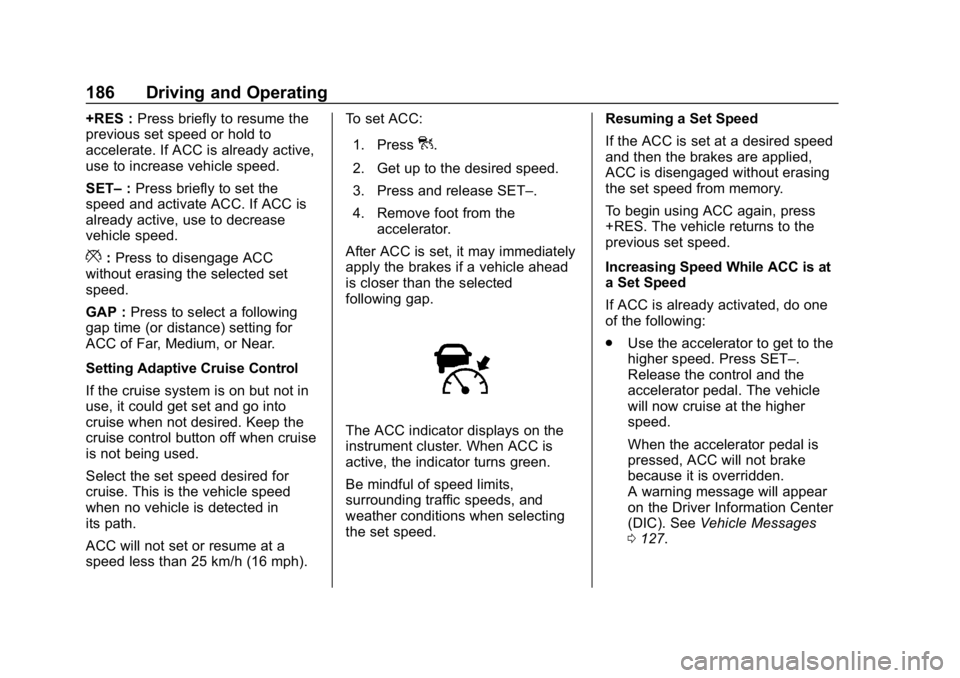
The ACC indicator displays on the
instrument cluster. When ACC is
active, the indicator turns green.
Be mindful of speed limits,
surrounding traffic speeds, and
weather conditions when selecting
the set speed. Resuming a Set Speed
If the ACC is set at a desired speed
and then the brakes are applied,
ACC is disengaged without erasing
the set speed from memory.
To begin using ACC again, press
+RES. The vehicle returns to the
previous set speed.
Increasing Speed While ACC is at
a Set Speed
If ACC is already activated, do one
of the following:
.
Use the accelerator to get to the
higher speed. Press SET–.
Release the control and the
accelerator pedal. The vehicle
will now cruise at the higher
speed.
When the accelerator pedal is
pressed, ACC will not brake
because it is overridden.
A warning message will appear
on the Driver Information Center
(DIC). See Vehicle Messages
0 127.