automatic transmission CHEVROLET IMPALA 2020 Owner's Manual
[x] Cancel search | Manufacturer: CHEVROLET, Model Year: 2020, Model line: IMPALA, Model: CHEVROLET IMPALA 2020Pages: 328, PDF Size: 5.07 MB
Page 7 of 328
Chevrolet Impala Owner Manual (GMNA-Localizing-U.S./Canada-13688912) -
2020 - CRC - 6/5/19
6 Introduction
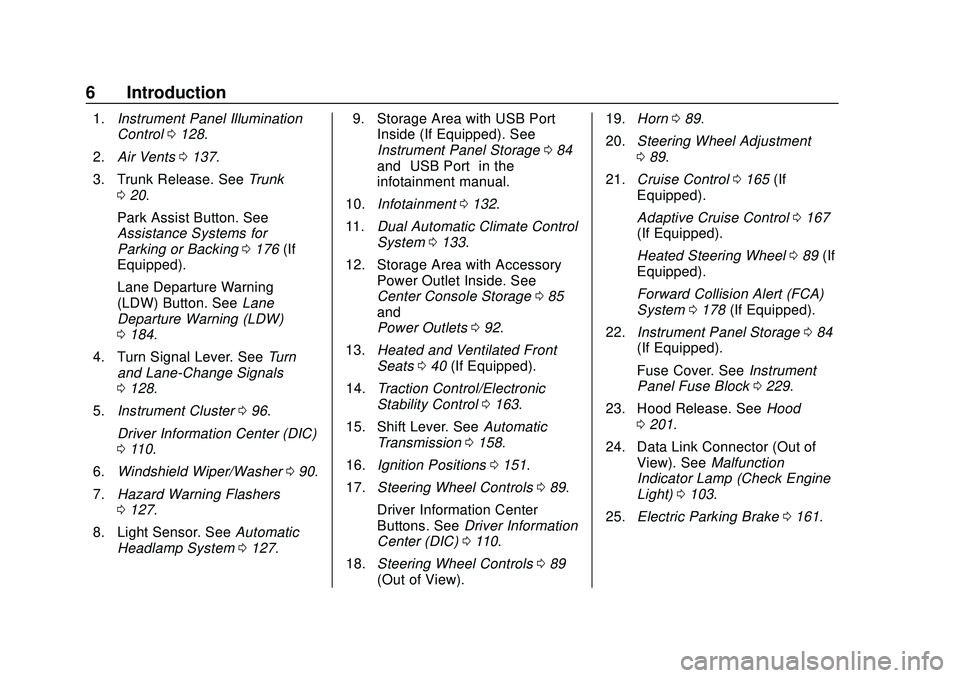
1.Instrument Panel Illumination
Control 0128.
2. Air Vents 0137.
3. Trunk Release. See Trunk
0 20.
Park Assist Button. See
Assistance Systems for
Parking or Backing 0176 (If
Equipped).
Lane Departure Warning
(LDW) Button. See Lane
Departure Warning (LDW)
0 184.
4. Turn Signal Lever. See Turn
and Lane-Change Signals
0 128.
5. Instrument Cluster 096.
Driver Information Center (DIC)
0 110.
6. Windshield Wiper/Washer 090.
7. Hazard Warning Flashers
0127.
8. Light Sensor. See Automatic
Headlamp System 0127. 9. Storage Area with USB Port
Inside (If Equipped). See
Instrument Panel Storage 084
and “USB Port” in the
infotainment manual.
10. Infotainment 0132.
11. Dual Automatic Climate Control
System 0133.
12. Storage Area with Accessory Power Outlet Inside. See
Center Console Storage 085
and
Power Outlets 092.
13. Heated and Ventilated Front
Seats 040 (If Equipped).
14. Traction Control/Electronic
Stability Control 0163.
15. Shift Lever. See Automatic
Transmission 0158.
16. Ignition Positions 0151.
17. Steering Wheel Controls 089.
Driver Information Center
Buttons. See Driver Information
Center (DIC) 0110.
18. Steering Wheel Controls 089
(Out of View). 19.
Horn 089.
20. Steering Wheel Adjustment
089.
21. Cruise Control 0165 (If
Equipped).
Adaptive Cruise Control 0167
(If Equipped).
Heated Steering Wheel 089 (If
Equipped).
Forward Collision Alert (FCA)
System 0178 (If Equipped).
22. Instrument Panel Storage 084
(If Equipped).
Fuse Cover. See Instrument
Panel Fuse Block 0229.
23. Hood Release. See Hood
0 201.
24. Data Link Connector (Out of View). See Malfunction
Indicator Lamp (Check Engine
Light) 0103.
25. Electric Parking Brake 0161.
Page 20 of 328
Chevrolet Impala Owner Manual (GMNA-Localizing-U.S./Canada-13688912) -
2020 - CRC - 6/5/19
Keys, Doors, and Windows 19
removed from the brake or the
vehicle speed becomes faster than
13 km/h (8 mph).
To unlock the doors:
.Press
Kon the power door lock
switch.
. Shift the transmission into
P (Park).
Automatic door locking cannot be
disabled. Automatic door unlocking
can be programmed. See Vehicle
Personalization 0113.
Lockout Protection
When the vehicle is on or in ACC/
ACCESSORY and the power door
lock switch is pressed with the
driver door open, all doors will lock
and only the driver door will unlock.
If the vehicle is off and locking is
requested while a door is open,
when all doors are closed the
vehicle will check for RKE
transmitters inside. If an RKE
transmitter is detected and the
number of RKE transmitters has not
reduced, the driver door will unlock. Lockout Protection Override
Lockout protection can be manually
overridden with the driver door open
by pressing and holding
Qon the
power door lock switch.
Unlocked Door Anti-Lockout
If Unlocked Door Anti-Lockout is
turned on and the vehicle is off, the
driver door is open, and locking is
requested, all the doors will lock and
the driver door will remain open.
Press the button again to lock the
driver door. The Unlocked Door
Anti-Lockout feature can be turned
on or off. See Vehicle
Personalization 0113.
Safety Locks
The rear door safety locks prevent
passengers from opening the rear
doors from inside the vehicle.
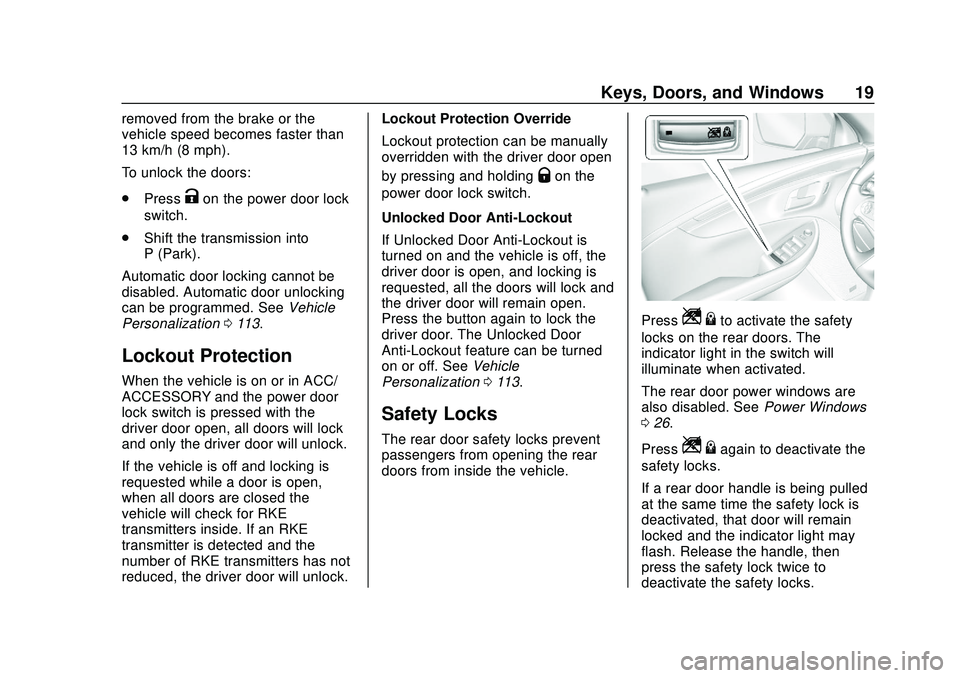
PressZ {to activate the safety
locks on the rear doors. The
indicator light in the switch will
illuminate when activated.
The rear door power windows are
also disabled. See Power Windows
0 26.
Press
Z {again to deactivate the
safety locks.
If a rear door handle is being pulled
at the same time the safety lock is
deactivated, that door will remain
locked and the indicator light may
flash. Release the handle, then
press the safety lock twice to
deactivate the safety locks.
Page 127 of 328

Chevrolet Impala Owner Manual (GMNA-Localizing-U.S./Canada-13688912) -
2020 - CRC - 6/5/19
126 Lighting
AUTO :Automatically turns the
exterior lamps on and off,
depending on outside lighting.
;: Turns on the parking lamps
including all lamps, except the
headlamps.
2: Turns on the headlamps
together with the parking lamps and
instrument panel lights.
Exterior Lamps Off
Reminder
A warning chime sounds if the driver
door is opened while the ignition is
off and the exterior lamps are on.
Headlamp High/
Low-Beam Changer
Push the turn signal lever away
from you and release to turn the
high beams on. To return to low
beams, push the lever again or pull
it toward you and release.
This indicator light turns on in the
instrument cluster when the
high-beam headlamps are on.
Flash-to-Pass
To flash the high beams, pull the
turn signal lever toward you, and
release.
Daytime Running
Lamps (DRL)
DRL can make it easier for others to
see the front of your vehicle during
the day. Fully functional DRL are
required on all vehicles first sold in
Canada.
The DRL system turns on the
low-beam headlamps at a reduced
brightness. For vehicles with High
Intensity Discharge (HID)
headlamps, there is a dedicated DRL. The DRL will come on when
all of the following conditions
are met:
.
The ignition is on.
. The exterior lamp control is
in AUTO.
. The light sensor determines it is
daytime.
. The vehicle is not in P (Park).
When the DRL are on, the taillamps,
sidemarker lamps, instrument panel
lights, and other lamps will not
be on.
The DRL turn off when the
headlamps are turned to
Oor the
ignition is off. For vehicles first sold
in Canada, the DRL can only be
turned off when the transmission is
in P (Park).
This vehicle may have a DRL
disabling function. When the DRL
are on and a turn signal is activated,
the DRL on that side will be off until
the turn signal goes off.
Page 140 of 328
Chevrolet Impala Owner Manual (GMNA-Localizing-U.S./Canada-13688912) -
2020 - CRC - 6/11/19
Driving and Operating 139
Driving and
Operating
Driving Information
Driving for Better FuelEconomy . . . . . . . . . . . . . . . . . . . . 140
Distracted Driving . . . . . . . . . . . . 140
Defensive Driving . . . . . . . . . . . . . 141
Drunk Driving . . . . . . . . . . . . . . . . . 141
Control of a Vehicle . . . . . . . . . . . 142
Braking . . . . . . . . . . . . . . . . . . . . . . . 142
Steering . . . . . . . . . . . . . . . . . . . . . . 142
Off-Road Recovery . . . . . . . . . . . 143
Loss of Control . . . . . . . . . . . . . . . 143
Driving on Wet Roads . . . . . . . . 144
Hill and Mountain Roads . . . . . 145
Winter Driving . . . . . . . . . . . . . . . . 145
If the Vehicle Is Stuck . . . . . . . . 147
Vehicle Load Limits . . . . . . . . . . . 147
Starting and Operating
New Vehicle Break-In . . . . . . . . . 151
Ignition Positions . . . . . . . . . . . . . 151
Starting the Engine . . . . . . . . . . . 153
Engine Heater . . . . . . . . . . . . . . . . 154
Retained Accessory Power (RAP) . . . . . . . . . . . . . . . . 155
Shifting Into Park . . . . . . . . . . . . . 155 Shifting out of Park . . . . . . . . . . . 156
Parking over Things
That Burn . . . . . . . . . . . . . . . . . . . 156
Extended Parking . . . . . . . . . . . . 157
Engine Exhaust
Engine Exhaust . . . . . . . . . . . . . . 157
Running the Vehicle While Parked . . . . . . . . . . . . . . . . . . . . . . 157
Automatic Transmission
Automatic Transmission . . . . . . 158
Manual Mode . . . . . . . . . . . . . . . . . 160
Brakes
Antilock BrakeSystem (ABS) . . . . . . . . . . . . . . . 161
Electric Parking Brake . . . . . . . . 161
Brake Assist . . . . . . . . . . . . . . . . . . 163
Hill Start Assist (HSA) . . . . . . . . 163
Ride Control Systems
Traction Control/Electronic Stability Control . . . . . . . . . . . . . 163
Cruise Control
Cruise Control . . . . . . . . . . . . . . . . 165
Adaptive Cruise Control . . . . . . 167
Driver Assistance Systems
Driver Assistance Systems . . . 174 Assistance Systems for
Parking or Backing . . . . . . . . . . 176
Assistance Systems for Driving . . . . . . . . . . . . . . . . . . . . . . 178
Forward Collision Alert (FCA)
System . . . . . . . . . . . . . . . . . . . . . . 178
Automatic Emergency Braking (AEB) . . . . . . . . . . . . . . . 180
Side Blind Zone Alert (SBZA) . . . . . . . . . . . . . . . . 181
Lane Change Alert (LCA) . . . . . 182
Lane Departure Warning (LDW) . . . . . . . . . . . . . 184
Fuel
Top Tier Fuel . . . . . . . . . . . . . . . . . 185
Recommended Fuel . . . . . . . . . . 185
Prohibited Fuels . . . . . . . . . . . . . . 186
Fuels in Foreign Countries . . . 186
Fuel Additives . . . . . . . . . . . . . . . . 186
E85 or FlexFuel . . . . . . . . . . . . . . 186
Filling the Tank . . . . . . . . . . . . . . . 187
Filling a Portable FuelContainer . . . . . . . . . . . . . . . . . . . 189
Trailer Towing
General TowingInformation . . . . . . . . . . . . . . . . . . 189
Driving Characteristics and
Towing Tips . . . . . . . . . . . . . . . . . 189
Trailer Towing . . . . . . . . . . . . . . . . 193
Page 159 of 328
Chevrolet Impala Owner Manual (GMNA-Localizing-U.S./Canada-13688912) -
2020 - CRC - 6/11/19
158 Driving and Operating
If the vehicle is left with the engine
running, follow the proper steps to
be sure the vehicle will not move.
SeeShifting Into Park 0155 and
Engine Exhaust 0157.
If parking on a hill and pulling a
trailer, see Driving Characteristics
and Towing Tips 0189.Automatic
Transmission
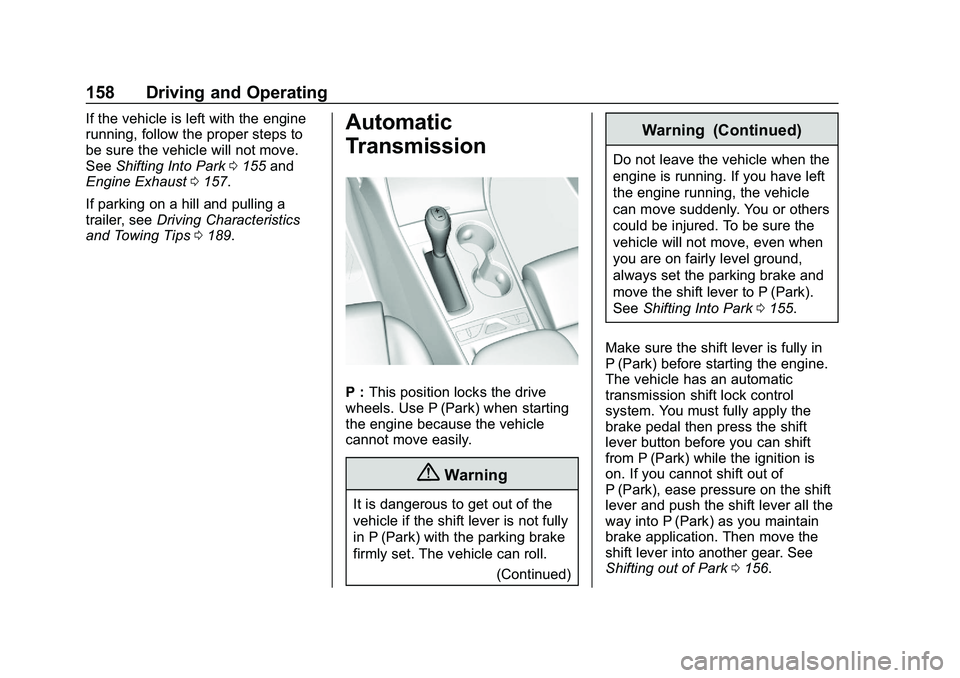
P : This position locks the drive
wheels. Use P (Park) when starting
the engine because the vehicle
cannot move easily.
{Warning
It is dangerous to get out of the
vehicle if the shift lever is not fully
in P (Park) with the parking brake
firmly set. The vehicle can roll.
(Continued)
Warning (Continued)
Do not leave the vehicle when the
engine is running. If you have left
the engine running, the vehicle
can move suddenly. You or others
could be injured. To be sure the
vehicle will not move, even when
you are on fairly level ground,
always set the parking brake and
move the shift lever to P (Park).
SeeShifting Into Park 0155.
Make sure the shift lever is fully in
P (Park) before starting the engine.
The vehicle has an automatic
transmission shift lock control
system. You must fully apply the
brake pedal then press the shift
lever button before you can shift
from P (Park) while the ignition is
on. If you cannot shift out of
P (Park), ease pressure on the shift
lever and push the shift lever all the
way into P (Park) as you maintain
brake application. Then move the
shift lever into another gear. See
Shifting out of Park 0156.
Page 160 of 328
Chevrolet Impala Owner Manual (GMNA-Localizing-U.S./Canada-13688912) -
2020 - CRC - 6/11/19
Driving and Operating 159
R :Use this gear to back up.
Caution
Shifting to R (Reverse) while the
vehicle is moving forward could
damage the transmission. The
repairs would not be covered by
the vehicle warranty. Shift to
R (Reverse) only after the vehicle
is stopped.
To rock the vehicle back and forth to
get out of snow, ice, or sand without
damaging the transmission, see If
the Vehicle Is Stuck 0147.
N : In this position, the engine does
not connect with the wheels. To
restart the engine when the vehicle
is already moving, use
N (Neutral) only.
{Warning
Shifting into a drive gear while the
engine is running at high speed is
dangerous. Unless your foot is
(Continued)
Warning (Continued)
firmly on the brake pedal, the
vehicle could move very rapidly.
You could lose control and hit
people or objects. Do not shift
into a drive gear while the engine
is running at high speed.
Caution
Shifting out of P (Park) or
N (Neutral) with the engine
running at high speed may
damage the transmission. The
repairs would not be covered by
the vehicle warranty. Be sure the
engine is not running at high
speed when shifting the vehicle.
Caution
A transmission hot message may
display if the automatic
transmission fluid is too hot.
Driving under this condition can
damage the vehicle. Stop and idle
the engine to cool the automatic
transmission fluid. This message
clears when the transmission fluid
has cooled sufficiently.
D : This position is for normal
driving. If more power is needed for
passing, press the accelerator
pedal down.
M : This position allows you to
change gears similar to a manual
transmission. If the vehicle has this
feature, see Manual Mode 0160.
Page 161 of 328
Chevrolet Impala Owner Manual (GMNA-Localizing-U.S./Canada-13688912) -
2020 - CRC - 6/11/19
160 Driving and Operating
Manual Mode
Driver Shift Control (DSC)
To use this feature, if equipped:1. Move the shift lever from D (Drive) rearward to
M (Manual Mode).
While driving in Manual Mode,
the transmission will remain in
the driver selected gear. When
coming to a stop in the manual
position, the vehicle will
automatically shift into
1 (First) gear.
2. Using the button on the shift lever, press the + (plus) end of
the button to upshift, or press
the−(minus) end of the button
to downshift.
The Driver Information Center (DIC)
in the instrument cluster will change
from the currently displayed
message to the letter “M,”for
Manual position, and a number
indicating the requested gear. While using the DSC feature the
transmission will have firmer shifting
and sportier performance. You can
use this for sport driving or when
climbing hills to stay in gear longer
or to downshift for more power or
engine braking.
The transmission will only allow you
to shift into gears appropriate for the
vehicle speed and engine
revolutions per minute (rpm):
.
The transmission will not allow
shifting to the next higher gear if
the vehicle speed or engine rpm
is too low.
. The transmission will not allow
shifting to the next lower gear if
the vehicle speed or engine rpm
is too high.
Second Gear Start Feature
When accelerating the vehicle from
a stop in snowy and icy conditions,
you may want to shift into
2 (Second) gear. A higher gear
allows you to gain more traction on
slippery surfaces. With the DSC feature, the vehicle
can be set to pull away in
2 (Second) gear.
1. Move the shift lever from D (Drive) to M (Manual Mode).
2. With the vehicle stopped, press the + (plus) end of the button to
select 2 (Second) gear. The
vehicle will start from a stop
position in 2 (Second) gear.
3. Once moving, select the desired drive gear.
Page 168 of 328
Chevrolet Impala Owner Manual (GMNA-Localizing-U.S./Canada-13688912) -
2020 - CRC - 6/11/19
Driving and Operating 167
Passing Another Vehicle While
Using Cruise Control
Use the accelerator pedal to
increase vehicle speed. When you
take your foot off the pedal, the
vehicle will slow down to the
previous set cruise speed. While
pressing the accelerator pedal or
shortly following the release to
override cruise control, briefly
pressing SET−will result in cruise
control set to the current vehicle
speed.
Using Cruise Control on Hills
How well the cruise control works
on hills depends upon the vehicle
speed, the load, and the steepness
of the hills. When going up steep
hills, you might have to step on the
accelerator pedal to maintain your
speed. When going downhill, you
might have to brake or shift to a
lower gear to keep your speed
down. If the brake pedal is applied,
the cruise control will disengage.
Ending Cruise Control
There are four ways to end cruise
control: .
To disengage cruise control,
step lightly on the brake pedal.
. Press
*.
. Shift the transmission to
N (Neutral).
. To turn off the cruise control,
press
5.
Erasing Speed Memory
The cruise control set speed is
erased from memory if
5is pressed
or the ignition is turned off.
Adaptive Cruise Control
If equipped, Adaptive Cruise Control
(ACC) allows the driver to select the
cruise control set speed and
following gap. Read this entire
section before using this system.
The following gap is the following
time between your vehicle and a
vehicle detected directly ahead in
your path moving in the same
direction. If no vehicle is detected in
your path, ACC works like regular cruise control. ACC uses a radar
sensor. See
Radio Frequency
Statement 0300.
If a vehicle is detected in your path,
ACC can apply acceleration or
limited, moderate braking to
maintain the selected following gap.
To disengage ACC, apply the brake.
If ACC is controlling your vehicle
speed when the Traction Control
System (TCS) or StabiliTrak/
Electronic Stability Control (ESC)
activates, the ACC may
automatically disengage. When road
conditions allow ACC to be safely
used, the ACC can be turned back
on. If TCS or StabiliTrak/ESC have
been disabled, the ACC will not
engage. See Traction Control/
Electronic Stability Control 0163.
{Warning
ACC has limited braking ability
and may not have time to slow
the vehicle down enough to avoid
a collision with another vehicle
you are following. This can occur
(Continued)
Page 191 of 328
Chevrolet Impala Owner Manual (GMNA-Localizing-U.S./Canada-13688912) -
2020 - CRC - 6/11/19
190 Driving and Operating
Warning (Continued)
trailer brakes are inadequate for
the load, the vehicle may not stop
as expected. You and others
could be seriously injured. The
vehicle may also be damaged,
and the repairs would not be
covered by the vehicle warranty.
Pull a trailer only if all the steps in
this section have been followed.
Ask your dealer for advice and
information about towing a trailer
with the vehicle.
Driving with a Trailer
Trailering is different than just
driving the vehicle by itself.
Trailering means changes in
handling, acceleration, braking,
durability, and fuel economy.
Successful, safe trailering takes
correct equipment, and it has to be
used properly.
The following information has many
time-tested, important trailering tips
and safety rules. Many of these areimportant for your safety and that of
your passengers. Read this section
carefully before pulling a trailer.
When towing a trailer:
.
Become familiar with and follow
all state and local laws that
apply to trailer towing. These
requirements vary from state to
state.
. State laws may require the use
of extended side view mirrors.
Even if not required, you should
install extended side view
mirrors if your visibility is limited
or restricted while towing.
. Do not tow a trailer during the
first 800 km (500 mi) of vehicle
use to prevent damage to the
engine, axle, or other parts.
. It is recommended to perform
the first oil change before heavy
towing.
. During the first 800 km (500 mi)
of trailer towing, do not drive
over 80 km/h (50 mph) and do
not make starts at full throttle. .
Vehicles can tow in D (Drive).
If the transmission downshifts
too often, a lower gear may be
selected using Manual Mode
See Manual Mode 0160.
If equipped, the following driver
assistance features should be
turned off when towing a trailer:
. Adaptive Cruise Control (ACC)
. Super Cruise Control
. Lane Keep Assist (LKA)
. Park Assist
. Automatic Parking Assist (APA)
. Reverse Automatic
Braking (RAB)
If equipped, the following driver
assistance features should be
turned to alert or off when towing a
trailer:
. Automatic Emergency
Braking (AEB)
. Intelligent Brake Assist (IBA)
. Front Pedestrian Braking (FPB)
Page 194 of 328
Chevrolet Impala Owner Manual (GMNA-Localizing-U.S./Canada-13688912) -
2020 - CRC - 6/11/19
Driving and Operating 193
When parking your vehicle and your
trailer on a hill:1. Press the brake pedal, but do not shift into P (Park) yet. Turn
the wheels into the curb if
facing downhill or into traffic if
facing uphill.
2. Have someone place chocks under the trailer wheels.
3. When the wheel chocks are in place, gradually release the
brake pedal to allow the chocks
to absorb the load of the trailer.
4. Reapply the brake pedal. Then apply the parking brake and
shift into P (Park).
5. Release the brake pedal.
Leaving After Parking on a Hill
1. Apply and hold the brake pedal.
.Start the engine.
. Shift into a gear.
. Release the parking brake.
2. Let up on the brake pedal. 3. Drive slowly until the trailer is
clear of the chocks.
4. Stop and have someone pick up and store the chocks.
Maintenance when Trailer
Towing
The vehicle needs service more
often when used to tow trailers. See
Maintenance Schedule 0276. It is
especially important to check the
automatic transmission fluid, engine
oil, axle lubricant, belts, cooling
system, and brake system before
and during each trip.
Check periodically that all nuts and
bolts on the trailer hitch are tight.
Engine Cooling when Trailer
Towing
The cooling system may temporarily
overheat during severe operating
conditions. See Engine Overheating
0 212.
Trailer Towing
Caution
Towing a trailer improperly can
damage the vehicle and result in
costly repairs not covered by the
vehicle warranty. To tow a trailer
correctly, follow the directions in
this section and see your dealer
for important information about
towing a trailer with the vehicle.
Trailer Weight
{Warning
Never exceed the towing capacity
for your vehicle.
Safe trailering requires monitoring
the weight, speed, altitude, road
grades, outside temperature,
dimensions of the front of the trailer,
and how frequently the vehicle is
used to tow a trailer.
Before towing a trailer, always
separately weigh: