change wheel CHEVROLET KODIAK 2006 Owners Manual
[x] Cancel search | Manufacturer: CHEVROLET, Model Year: 2006, Model line: KODIAK, Model: CHEVROLET KODIAK 2006Pages: 398, PDF Size: 5.72 MB
Page 121 of 398
Instrument Panel Overview...............................3-4
Hazard Warning Flashers................................3-6
Other Warning Devices...................................3-6
Horn .............................................................3-6
Tilt Wheel.....................................................3-7
Turn Signal/Multifunction Lever.........................3-7
Turn and Lane-Change Signals........................3-8
Headlamp High/Low-Beam Changer..................3-8
Windshield Wipers..........................................3-9
Windshield Washer.......................................3-10
Cruise Control..............................................3-10
Exterior Lamps.............................................3-14
Headlamps on Reminder................................3-15
Daytime Running Lamps (DRL).......................3-15
Marker Lamps..............................................3-16
Instrument Panel Brightness...........................3-16
Dome Lamps ...............................................3-16
Entry Lighting...............................................3-17
Reading Lamps............................................3-17
Instrument Panel Switchbank..........................3-18
Accessory Power Outlet(s).............................3-19
Ashtray(s) and Cigarette Lighter......................3-20Climate Controls............................................3-20
Climate Control System.................................3-20
Outlet Adjustment.........................................3-24
Rear Heating System....................................3-24
Warning Lights, Gages, and Indicators............3-25
Instrument Panel Cluster................................3-26
Speedometer and Odometer...........................3-27
Trip Odometer..............................................3-27
Tachometer.................................................3-27
Engine Speed Limiter....................................3-28
Safety Belt Reminder Light.............................3-28
Safety Belt Reminder Tone............................3-28
Airbag Readiness Light..................................3-29
Airbag Off Light............................................3-30
Charging System Light..................................3-31
Voltmeter Gage............................................3-32
Service Transmission Warning Light................3-32
Range Inhibit Warning Indicator......................3-33
Brake System Warning Light..........................3-33
Anti-Lock Brake System Warning Light.............3-35
Trailer Anti-Lock Brake System Warning Light . . .3-36
Engine Coolant Temperature Gage..................3-36
Section 3 Instrument Panel
3-1
Page 127 of 398
Tilt Wheel
A tilt wheel allows you to adjust the steering wheel
before you drive. You can raise it to the highest level to
give your legs more room when you exit and enter
the vehicle.
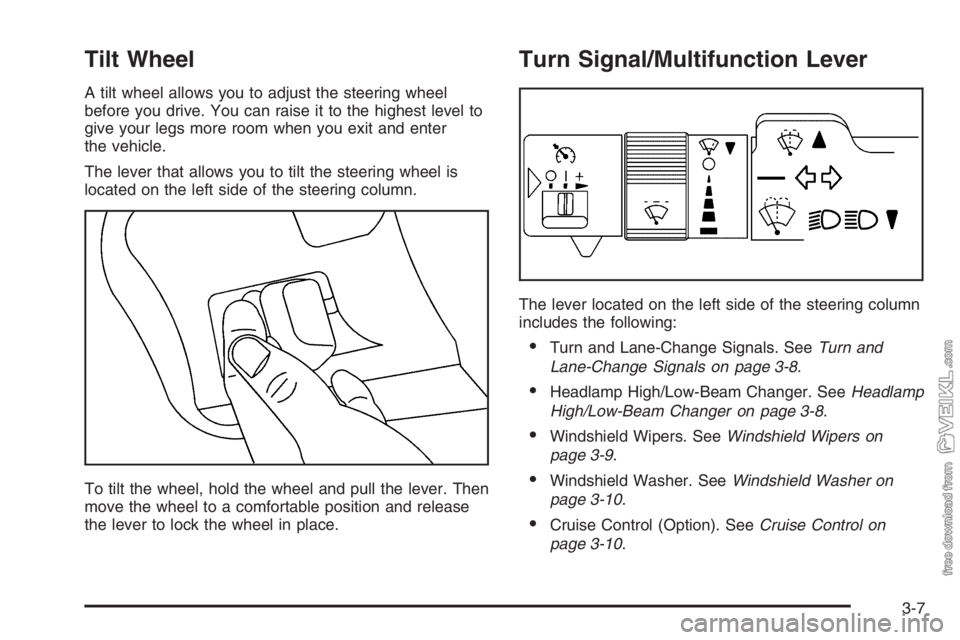
The lever that allows you to tilt the steering wheel is
located on the left side of the steering column.
To tilt the wheel, hold the wheel and pull the lever. Then
move the wheel to a comfortable position and release
the lever to lock the wheel in place.
Turn Signal/Multifunction Lever
The lever located on the left side of the steering column
includes the following:
•Turn and Lane-Change Signals. SeeTurn and
Lane-Change Signals on page 3-8.
•Headlamp High/Low-Beam Changer. SeeHeadlamp
High/Low-Beam Changer on page 3-8.
•Windshield Wipers. SeeWindshield Wipers on
page 3-9.
•Windshield Washer. SeeWindshield Washer on
page 3-10.
•Cruise Control (Option). SeeCruise Control on
page 3-10.
3-7
Page 131 of 398
With cruise control, you can maintain a speed of about
30 mph (48 km/h) or more without keeping your foot
on the accelerator. Cruise control does not work
at speeds below about 30 mph (48 km/h).
If you have an automatic transmission and you apply
your brakes, the cruise control will shut off.
If you have a manual transmission and you apply your
brakes or push the clutch pedal, the cruise control
will shut off.
{CAUTION:
Cruise control can be dangerous where you
cannot drive safely at a steady speed. So, do
not use your cruise control on winding roads
or in heavy traffic.
Cruise control can be dangerous on slippery
roads. On such roads, fast changes in tire
traction can cause excessive wheel slip, and
you could lose control. Do not use cruise
control on slippery roads.
Setting Cruise Control
{CAUTION:
If you leave your cruise control on when you
are not using cruise, you might hit a button
and go into cruise when you do not want to.
You could be startled and even lose control.
Keep the cruise control switch off until you
want to use cruise control.
1. Move the cruise control switch to on.
2. Get up to the speed you want.
3. Press in the set button at the end of the lever and
release it.
4. Take your foot off the accelerator pedal. The
accelerator pedal will not go down.
3-11
Page 197 of 398
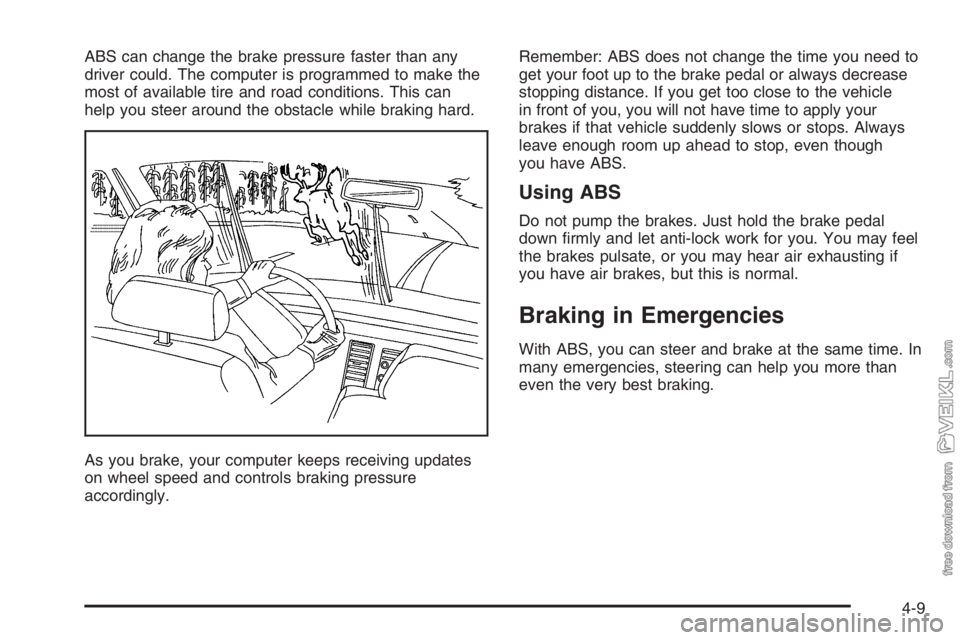
ABS can change the brake pressure faster than any
driver could. The computer is programmed to make the
most of available tire and road conditions. This can
help you steer around the obstacle while braking hard.
As you brake, your computer keeps receiving updates
on wheel speed and controls braking pressure
accordingly.Remember: ABS does not change the time you need to
get your foot up to the brake pedal or always decrease
stopping distance. If you get too close to the vehicle
in front of you, you will not have time to apply your
brakes if that vehicle suddenly slows or stops. Always
leave enough room up ahead to stop, even though
you have ABS.
Using ABS
Do not pump the brakes. Just hold the brake pedal
down firmly and let anti-lock work for you. You may feel
the brakes pulsate, or you may hear air exhausting if
you have air brakes, but this is normal.
Braking in Emergencies
With ABS, you can steer and brake at the same time. In
many emergencies, steering can help you more than
even the very best braking.
4-9
Page 201 of 398
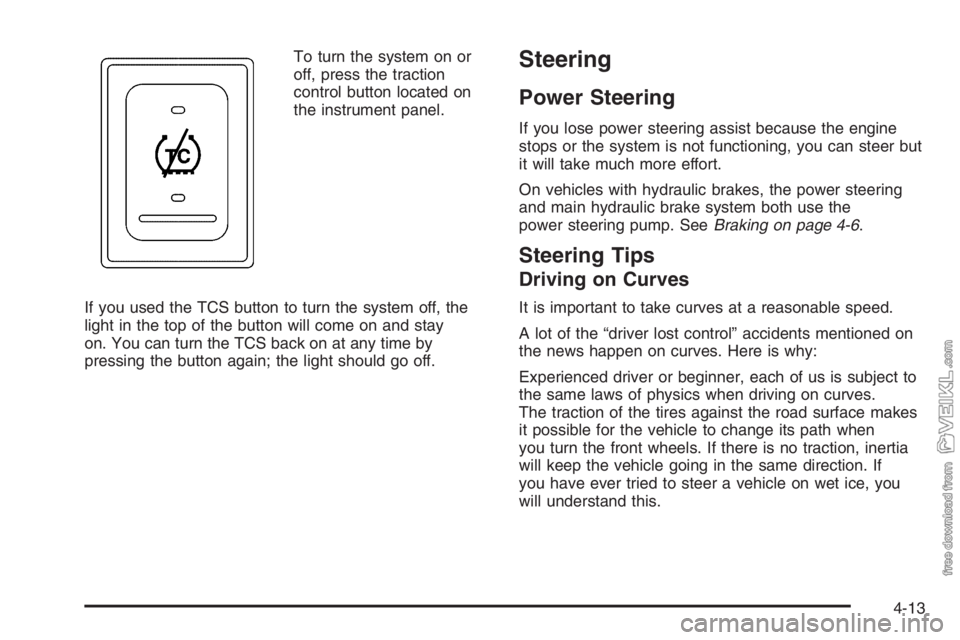
To turn the system on or
off, press the traction
control button located on
the instrument panel.
If you used the TCS button to turn the system off, the
light in the top of the button will come on and stay
on. You can turn the TCS back on at any time by
pressing the button again; the light should go off.Steering
Power Steering
If you lose power steering assist because the engine
stops or the system is not functioning, you can steer but
it will take much more effort.
On vehicles with hydraulic brakes, the power steering
and main hydraulic brake system both use the
power steering pump. SeeBraking on page 4-6.
Steering Tips
Driving on Curves
It is important to take curves at a reasonable speed.
A lot of the “driver lost control” accidents mentioned on
the news happen on curves. Here is why:
Experienced driver or beginner, each of us is subject to
the same laws of physics when driving on curves.
The traction of the tires against the road surface makes
it possible for the vehicle to change its path when
you turn the front wheels. If there is no traction, inertia
will keep the vehicle going in the same direction. If
you have ever tried to steer a vehicle on wet ice, you
will understand this.
4-13
Page 205 of 398
•If other cars are lined up to pass a slow vehicle,
wait your turn. But take care that someone is
not trying to pass you as you pull out to pass the
slow vehicle.
•Check your mirrors and start your left lane change
signal before moving out of the right lane to pass.
When you are far enough ahead of the passed
vehicle to see its front in your passenger side
outside mirror, activate your right lane change and
move back into the right lane. Remember that if
your right outside mirror is convex, the vehicle you
just passed may seem to be further away from
you than it really is.
•Try not to pass more than one vehicle at a time on
two-lane roads. Reconsider before passing the
next vehicle.
•Do not overtake a slowly moving vehicle too rapidly.
Even though the brake lamps are not flashing, it
may be slowing down or starting to turn.
•If you are being passed, make it easy for the
following driver to get ahead of you. Perhaps
you can ease a little to the right.
Loss of Control
Let us review what driving experts say about what
happens when the three control systems — brakes,
steering, and acceleration — do not have enough friction
where the tires meet the road to do what the driver
has asked.
In any emergency, do not give up. Keep trying to steer
and constantly seek an escape route or area of less
danger.
Skidding
In a skid, a driver can lose control of the vehicle.
Defensive drivers avoid most skids by taking reasonable
care suited to existing conditions, and by not overdriving
those conditions. But skids are always possible.
The three types of skids correspond to your vehicle’s
three control systems. In the braking skid, your wheels
are not rolling. In the steering or cornering skid, too
much speed or steering in a curve causes tires to slip
and lose cornering force. And in the acceleration
skid, too much throttle causes the driving wheels
to spin.
4-17
Page 206 of 398
A cornering skid is best handled by easing your foot off
the accelerator pedal.
If you have the Traction Control System (TCS),
remember: It helps avoid only the acceleration skid. See
Traction Control System (TCS) on page 4-12.Ifyou
do not have this system, or if the system is off, then an
acceleration skid is also best handled by easing
your foot off the accelerator pedal.
Of course, traction is reduced when water, snow, ice,
gravel, or other material is on the road. For safety, you
will want to slow down and adjust your driving to
these conditions. It is important to slow down on slippery
surfaces because stopping distance will be longer and
vehicle control more limited.
While driving on a surface with reduced traction, try your
best to avoid sudden steering, acceleration, or braking,
including reducing vehicle speed by shifting to a lower
gear. Any sudden changes could cause the tires to slide.
You may not realize the surface is slippery until your
vehicle is skidding. Learn to recognize warning
clues — such as enough water, ice, or packed snow on
the road to make a mirrored surface — and slow down
when you have any doubt.If you have the Anti-Lock Brake System (ABS),
remember: It helps avoid only the braking skid. If you do
not have ABS, then in a braking skid, where the
wheels are no longer rolling, release enough pressure
on the brakes to get the wheels rolling again. This
restores steering control. Push the brake pedal down
steadily when you have to stop suddenly. As long as the
wheels are rolling, you will have steering control.
Driving at Night
Night driving is more dangerous than day driving.
One reason is that some drivers are likely to be
impaired — by alcohol or drugs, with night vision
problems, or by fatigue.
Here are some tips on night driving.
•Drive defensively.
•Do not drink and drive.
•Adjust the inside rearview mirror to reduce the glare
from headlamps behind you.
•Since you cannot see as well, you may need to
slow down and keep more space between you
and other vehicles.
4-18
Page 279 of 398
Four-Wheel Disc Brakes
(Hydraulic Only)
Your vehicle has four-wheel disc brakes.
Some driving conditions or climates may cause a brake
squeal when the brakes are first applied or lightly
applied. This does not mean something is wrong with
your brakes.
Brake linings should always be replaced as complete
axle sets.
Four-Wheel and Six-Wheel Drum
Brakes (Air Only)
The brake drums should be removed and inspected
each time the tires are removed for rotation or changing.
When you have the front brakes replaced, have the
rear brakes inspected, too.
Brake linings should always be replaced as complete
axle sets.
Brake Pedal Travel
See your dealer if the brake pedal does not return to
normal height, or if there is a rapid increase in
pedal travel. This could be a sign of brake trouble.
Brake Adjustment
Every time you make a brake stop, your brakes adjust
for wear.
Replacing Brake System Parts
The braking system on a vehicle is complex. Its many
parts have to be of top quality and work well together
if the vehicle is to have really good braking. Your
vehicle was designed and tested with top-quality
GM brake parts. When you replace parts of your braking
system — for example, when your brake linings wear
down and you need new ones put in — be sure you get
new approved GM replacement parts. If you do not,
your brakes may no longer work properly. For example,
if someone puts in brake linings that are wrong for
your vehicle, the balance between your front and rear
brakes can change — for the worse. The braking
performance you have come to expect can change in
many other ways if someone puts in the wrong
replacement brake parts.
5-51
Page 293 of 398
Rear Axle Shift Motor
When to Check and Change Fluid
If you have an optional air-shift two-speed, controlled
traction, or locking differential type rear axle, a good time
to check the fluid level in the axle shift motor is when
the rear axle lubricant is checked. Use refrigerant
oil (shift motor only).
How to Check Fluid
Remove the plug on the front plate of the axle shift
motor, add enough fluid to raise the level to the bottom
of the filler plug hole, then replace the plug.
What to Use
Refer to your Maintenance Schedule to determine what
kind of lubricant to use. SeePart C: Recommended
Fluids and Lubricants on page 6-33.
Four-Wheel Drive
Transfer Case
When to Check Lubricant
It is not necessary to regularly check transfer case fluid
unless you suspect there is a leak or you hear an
unusual noise. A fluid loss could indicate a problem.
Have it inspected and repaired.
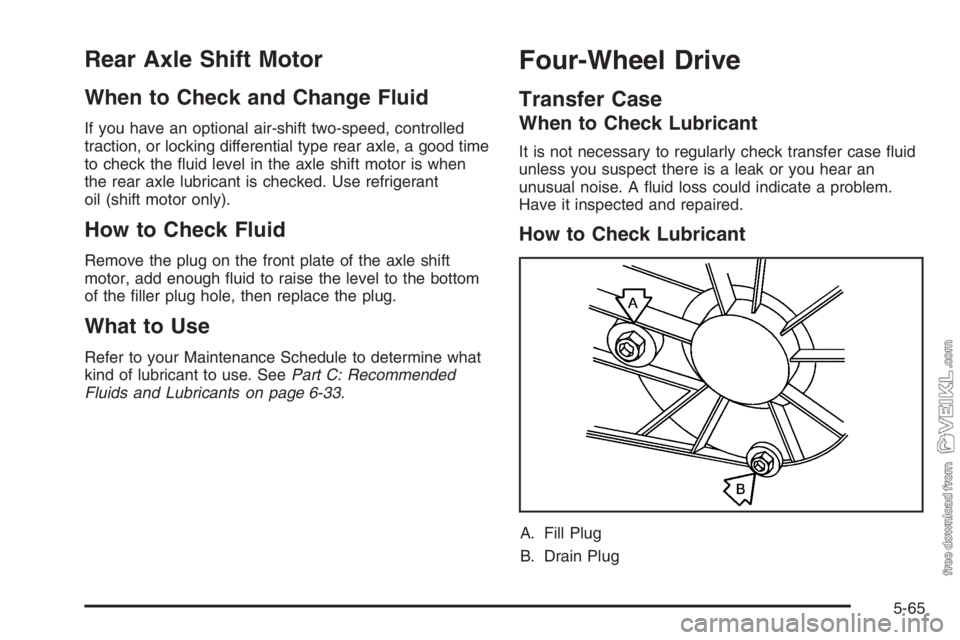
How to Check Lubricant
A. Fill Plug
B. Drain Plug
5-65
Page 308 of 398
{CAUTION:
If wheel studs are damaged, they can break. If
all the studs on a wheel broke, the wheel could
come off and cause a crash. If any stud is
damaged because of a loose-running wheel, it
could be that all of the studs are damaged. To
be sure, replace all studs on the wheel. If the
stud holes in a wheel have become larger, the
wheel could collapse in operation. Replace any
wheel if its stud holes have become larger or
distorted in any way. Inspect hubs and
hub-piloted wheels for damage. Because of
loose running wheels, piloting pad damage
may occur and require replacement of the
entire hub, for proper centering of the wheels.
When replacing studs, hubs, wheel nuts or
wheels, be sure to use GM original equipment
parts.
{CAUTION:
Rust or dirt on a wheel, or on the parts to
which it is fastened, can make wheel nuts
become loose after a time. The wheel could
come off and cause a crash. When you change
a wheel, remove any rust or dirt from places
where the wheel attaches to the vehicle. In an
emergency, you can use a cloth or a paper
towel to do this; but be sure to use a scraper
or wire brush later, if you need to, to get all the
rust or dirt off.
How Often to Check
Wheel tightness is so important you should have a
technician check nut tightness on all wheels with
a torque wrench after your first 100 miles (160 km), and
then 1,000 miles (1 600 km) after that. Be sure to
repeat this service whenever you have a tire removed
or serviced. SeeScheduled Maintenance on page 6-5
for further information.
5-80