turn signal CHEVROLET KODIAK 2009 Owners Manual
[x] Cancel search | Manufacturer: CHEVROLET, Model Year: 2009, Model line: KODIAK, Model: CHEVROLET KODIAK 2009Pages: 376, PDF Size: 5.39 MB
Page 119 of 376
Instrument Panel Overview...............................3-4
Hazard Warning Flashers................................3-6
Horn .............................................................3-6
Tilt Wheel.....................................................3-6
Turn Signal/Multifunction Lever.........................3-7
Turn and Lane-Change Signals........................3-7
Headlamp High/Low-Beam Changer..................3-8
Windshield Wipers..........................................3-8
Windshield Washer.........................................3-9
Cruise Control..............................................3-10
Exterior Lamps.............................................3-14
Headlamps on Reminder................................3-14
Daytime Running Lamps (DRL).......................3-15
Marker Lamps..............................................3-16
Instrument Panel Brightness...........................3-16
Dome Lamps ...............................................3-16
Entry Lighting...............................................3-17
Reading Lamps............................................3-17
Instrument Panel Switchbank..........................3-18
Accessory Power Outlet(s).............................3-19
Ashtray(s) and Cigarette Lighter......................3-19Climate Controls............................................3-20
Climate Control System.................................3-20
Outlet Adjustment.........................................3-22
Rear Heating System....................................3-23
Warning Lights, Gages, and Indicators............3-23
Instrument Panel Cluster................................3-24
Speedometer and Odometer...........................3-25
Trip Odometer..............................................3-25
Tachometer.................................................3-25
Engine Speed Limiter....................................3-25
Safety Belt Reminders...................................3-26
Airbag Readiness Light..................................3-27
Airbag Off Light............................................3-28
Charging System Light
..................................3-29
Voltmeter Gage............................................3-30
Service Transmission Warning Light................3-30
Range Inhibit Warning Indicator......................3-31
Brake System Warning Light..........................3-31
Antilock Brake System (ABS) Warning Light........3-33
Trailer Antilock Brake System Warning Light.......3-34
Engine Coolant Temperature Gage..................3-34
Section 3 Instrument Panel
3-1
Page 123 of 376
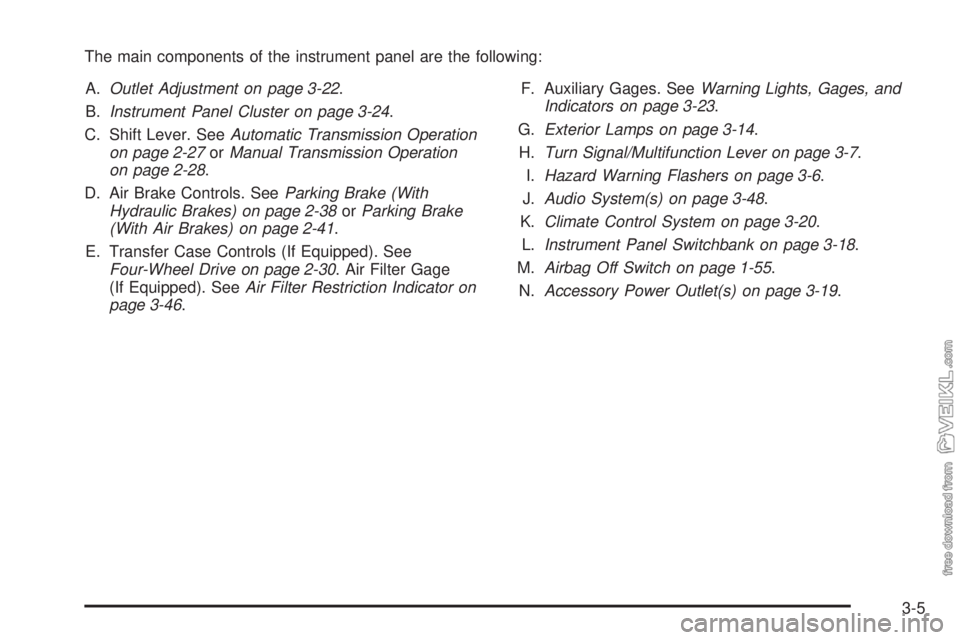
The main components of the instrument panel are the following:
A.Outlet Adjustment on page 3-22.
B.Instrument Panel Cluster on page 3-24.
C. Shift Lever. SeeAutomatic Transmission Operation
on page 2-27orManual Transmission Operation
on page 2-28.
D. Air Brake Controls. SeeParking Brake (With
Hydraulic Brakes) on page 2-38orParking Brake
(With Air Brakes) on page 2-41.
E. Transfer Case Controls (If Equipped). See
Four-Wheel Drive on page 2-30. Air Filter Gage
(If Equipped). SeeAir Filter Restriction Indicator on
page 3-46.F. Auxiliary Gages. SeeWarning Lights, Gages, and
Indicators on page 3-23.
G.Exterior Lamps on page 3-14.
H.Turn Signal/Multifunction Lever on page 3-7.
I.Hazard Warning Flashers on page 3-6.
J.Audio System(s) on page 3-48.
K.Climate Control System on page 3-20.
L.Instrument Panel Switchbank on page 3-18.
M.Airbag Off Switch on page 1-55.
N.Accessory Power Outlet(s) on page 3-19.
3-5
Page 124 of 376
Hazard Warning Flashers
|(Hazard Warning Flasher):Press this button
located on top of the steering column, to make the front
and rear turn signal lamps flash on and off. This warns
others that you are having trouble. Press again to turn the
flashers off.
When the hazard warning flashers are on, the vehicle’s
turn signals will not work.
Horn
Sound the horn by pushing the center of the steering
wheel. If you have the optional air horn, it is controlled
by a cord that you will find up above and to the left
of the driver. The harder the cord is pulled, the louder
the air horn will sound. The air horn works only after the
air brake system pressure gets up to about 115 psi
(790 kPa). The air horn will work properly unless the air
brake system pressure drops below 60 psi (415 kPa).
Tilt Wheel
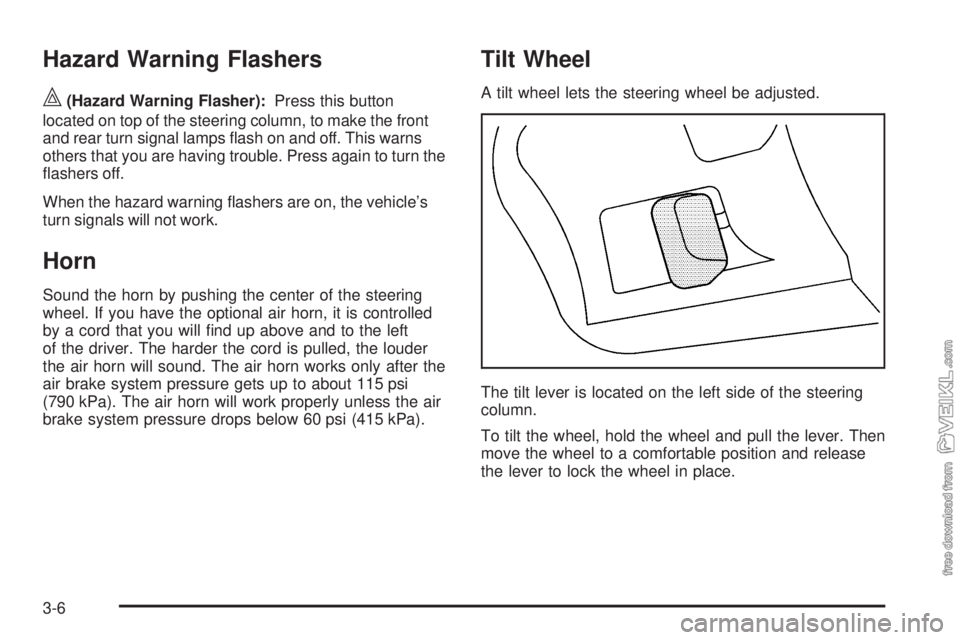
A tilt wheel lets the steering wheel be adjusted.
The tilt lever is located on the left side of the steering
column.
To tilt the wheel, hold the wheel and pull the lever. Then
move the wheel to a comfortable position and release
the lever to lock the wheel in place.
3-6
Page 125 of 376
Turn Signal/Multifunction Lever
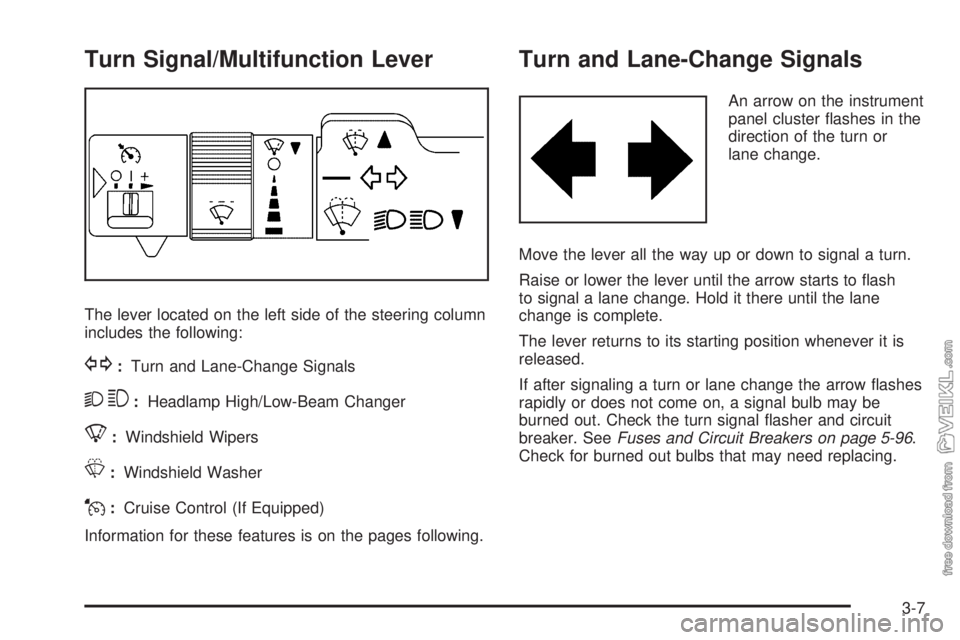
The lever located on the left side of the steering column
includes the following:
G:Turn and Lane-Change Signals
23:Headlamp High/Low-Beam Changer
8:Windshield Wipers
L:Windshield Washer
J:Cruise Control (If Equipped)
Information for these features is on the pages following.
Turn and Lane-Change Signals
An arrow on the instrument
panel cluster flashes in the
direction of the turn or
lane change.
Move the lever all the way up or down to signal a turn.
Raise or lower the lever until the arrow starts to flash
to signal a lane change. Hold it there until the lane
change is complete.
The lever returns to its starting position whenever it is
released.
If after signaling a turn or lane change the arrow flashes
rapidly or does not come on, a signal bulb may be
burned out. Check the turn signal flasher and circuit
breaker. SeeFuses and Circuit Breakers on page 5-96.
Check for burned out bulbs that may need replacing.
3-7
Page 132 of 376
Exterior Lamps
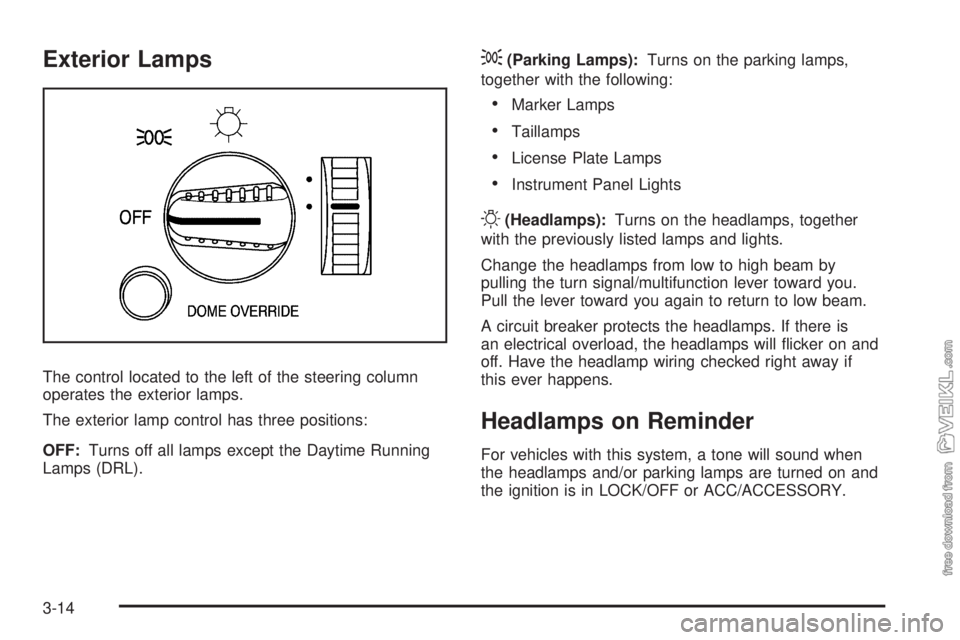
The control located to the left of the steering column
operates the exterior lamps.
The exterior lamp control has three positions:
OFF:Turns off all lamps except the Daytime Running
Lamps (DRL).
;(Parking Lamps):Turns on the parking lamps,
together with the following:
•Marker Lamps
•Taillamps
•License Plate Lamps
•Instrument Panel Lights
O(Headlamps):Turns on the headlamps, together
with the previously listed lamps and lights.
Change the headlamps from low to high beam by
pulling the turn signal/multifunction lever toward you.
Pull the lever toward you again to return to low beam.
A circuit breaker protects the headlamps. If there is
an electrical overload, the headlamps will flicker on and
off. Have the headlamp wiring checked right away if
this ever happens.
Headlamps on Reminder
For vehicles with this system, a tone will sound when
the headlamps and/or parking lamps are turned on and
the ignition is in LOCK/OFF or ACC/ACCESSORY.
3-14
Page 141 of 376

Rear Heating System
If the vehicle has a crew
cab and has a rear heater,
the thumbwheel for this
feature is located on
the headliner.
To increase and decrease the flow of heated air to the
rear floor vents, turn the thumbwheel to the desired
fan speed. To turn the fan off, turn the thumbwheel all
the way down.
Warning Lights, Gages, and
Indicators
Warning lights and gages can signal that something is
wrong before it becomes serious enough to cause
an expensive repair or replacement. Paying attention to
the warning lights and gages could prevent injury.
Warning lights come on when there may be or is a
problem with one of the vehicle’s functions. Some
warning lights come on briefly when the engine is started
to indicate they are working.
Gages can indicate when there may be or is a problem
with one of the vehicle’s functions. Often gages and
warning lights work together to indicate a problem with
the vehicle.
When one of the warning lights comes on and stays on
while driving, or when one of the gages shows there
may be a problem, check the section that explains what
to do. Follow this manual’s advice. Waiting to do
repairs can be costly and even dangerous.
3-23
Page 167 of 376
Radio(s)
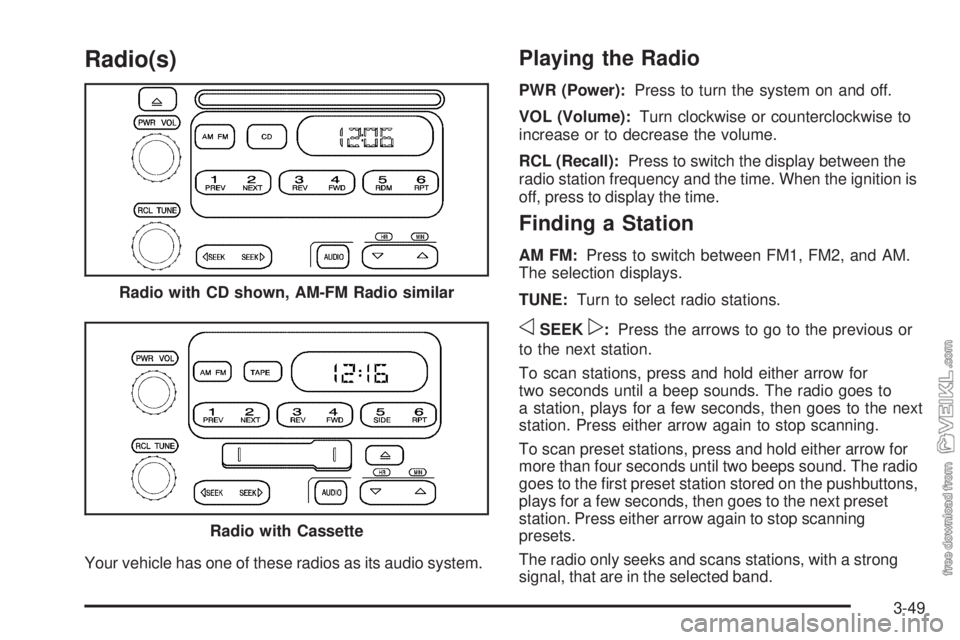
Your vehicle has one of these radios as its audio system.
Playing the Radio
PWR (Power):Press to turn the system on and off.
VOL (Volume):Turn clockwise or counterclockwise to
increase or to decrease the volume.
RCL (Recall):Press to switch the display between the
radio station frequency and the time. When the ignition is
off, press to display the time.
Finding a Station
AM FM:Press to switch between FM1, FM2, and AM.
The selection displays.
TUNE:Turn to select radio stations.
oSEEKp:Press the arrows to go to the previous or
to the next station.
To scan stations, press and hold either arrow for
two seconds until a beep sounds. The radio goes to
a station, plays for a few seconds, then goes to the next
station. Press either arrow again to stop scanning.
To scan preset stations, press and hold either arrow for
more than four seconds until two beeps sound. The radio
goes to the first preset station stored on the pushbuttons,
plays for a few seconds, then goes to the next preset
station. Press either arrow again to stop scanning
presets.
The radio only seeks and scans stations, with a strong
signal, that are in the selected band. Radio with CD shown, AM-FM Radio similar
Radio with Cassette
3-49
Page 176 of 376
Radio Reception
Frequency interference and static can occur during
normal radio reception if items such as cell phone
chargers, vehicle convenience accessories, and external
electronic devices are plugged into the accessory
power outlet. If there is interference or static, unplug the
item from the accessory power outlet.
AM
The range for most AM stations is greater than for FM,
especially at night. The longer range can cause station
frequencies to interfere with each other. For better radio
reception, most AM radio stations boost the power levels
during the day, and then reduce these levels during the
night. Static can also occur when things like storms and
power lines interfere with radio reception. When this
happens, try reducing the treble on your radio.
FM Stereo
FM stereo gives the best sound, but FM signals reach
only about 10 to 40 miles (16 to 65 km). Tall buildings or
hills can interfere with FM signals, causing the sound
to fade in and out.
Fixed Mast Antenna
The fixed mast antenna can withstand most car washes
without being damaged as long as it is securely attached
to the base. If the mast becomes slightly bent, straighten
it out by hand. If the mast is badly bent, replace it.
Occasionally check to make sure the antenna is
tightened to its base. If tightening is required, tighten by
hand until fully seated plus one quarter turn.
Chime Level Adjustment
The radio is used to adjust the vehicle’s chime level.
To change the volume level of the chime, press and hold
pushbutton 6 with the ignition on and the radio power
off. The volume level will change from the normal
level to loud, and HI will appear on the radio display.
To change back to the default or normal setting, press
and hold pushbutton 6 again. The volume level will
change from the loud level to normal, and LO will appear
on the radio display. Each time the chime volume is
changed, three chimes will sound as an example of the
new volume selected. Removing the radio and not
replacing it with a factory radio or chime module will
disable vehicle chimes.
3-58
Page 195 of 376
Repeat this until help arrives but only when you feel
really uncomfortable from the cold. Moving about
to keep warm also helps.
If it takes some time for help to arrive, now and then
when you run the engine, push the accelerator
pedal slightly so the engine runs faster than the idle
speed. This keeps the battery charged to restart
the vehicle and to signal for help with the headlamps.
Do this as little as possible to save fuel.
If Your Vehicle is Stuck in Sand,
Mud, Ice, or Snow
Slowly and cautiously spin the wheels to free the
vehicle when stuck in sand, mud, ice, or snow. See
Rocking Your Vehicle to Get It Out on page 4-19.
If the vehicle has a traction system, it can often help to
free a stuck vehicle. Refer to the vehicle’s traction
system in the Index. If stuck too severely for the traction
system to free the vehicle, turn the traction system off
and use the rocking method.
{CAUTION:
If you let your vehicle’s tires spin at high speed,
they can explode, and you or others could be
injured. The vehicle can overheat, causing an
engine compartment fire or other damage. Spin the
wheels as little as possible and avoid going above
35 mph (55 km/h) as shown on the speedometer.
Rocking Your Vehicle to Get It Out
Turn the steering wheel left and right to clear the area
around the front wheels. For four-wheel-drive vehicles,
shift into 4HI. Turn off any traction system. Shift back and
forth between R (Reverse) and a forward gear, or with a
manual transmission, between 1 (First) or 2 (Second) and
R (Reverse), spinning the wheels as little as possible.
To prevent transmission wear, wait until the wheels stop
spinning before shifting gears. Release the accelerator
pedal while shifting, and press lightly on the accelerator
pedal when the transmission is in gear. Slowly spinning
the wheels in the forward and reverse directions causes a
rocking motion that could free the vehicle. If that does not
get the vehicle out after a few tries, it might need to be
towed out. If the vehicle does need to be towed out, see
Towing Your Vehicle on page 4-23.
4-19
Page 201 of 376
Trailer Connections
Heavy-Duty Trailer Wiring Package
The vehicle may be equipped with an eight-wire trailer
towing harness. This harness, with a seven-pin universal
heavy-duty trailer connector, is attached to a bracket
on the platform hitch.
The Center High-Mounted Stoplamp (CHMSL) wire is
tied next to the trailer wiring harness for use with a
trailer.
The eight-wire harness contains the following trailer
circuits:
•Yellow: Left Stop/Turn Signal
•Dark Green: Right Stop/Turn Signal
•Brown: Taillamps
•White: Ground
•Light Green: Back-up Lamps
•Light Blue: CHMSL
•Red: Battery Feed
•Dark Blue: Trailer Brake
Trailer Connections
(C7/C8 Models Only)
If the vehicle has these trailer connections, they are
located at the rear of the cab for a tractor and at the rear
of the chassis when towing a trailer. There will be an
air connection and an electrical connection.
Be sure that the couplings to the trailer are made
correctly.
Air Connections
If the trailer air line connections will not be connected to
another piece of equipment, be sure to replace their
protective caps.
Electrical Connections
This system is a seven-wire cable that will connect to
the trailer, supplying power to the trailer’s lighting
system. When not in use, it is stored in the trailer
air-hose storage bracket.
4-25