stop start CHEVROLET LUMINA 1993 1.G Owners Manual
[x] Cancel search | Manufacturer: CHEVROLET, Model Year: 1993, Model line: LUMINA, Model: CHEVROLET LUMINA 1993 1.GPages: 324, PDF Size: 17.44 MB
Page 52 of 324
Downloaded from www.Manualslib.com manuals search engine Features & Controls
I 50
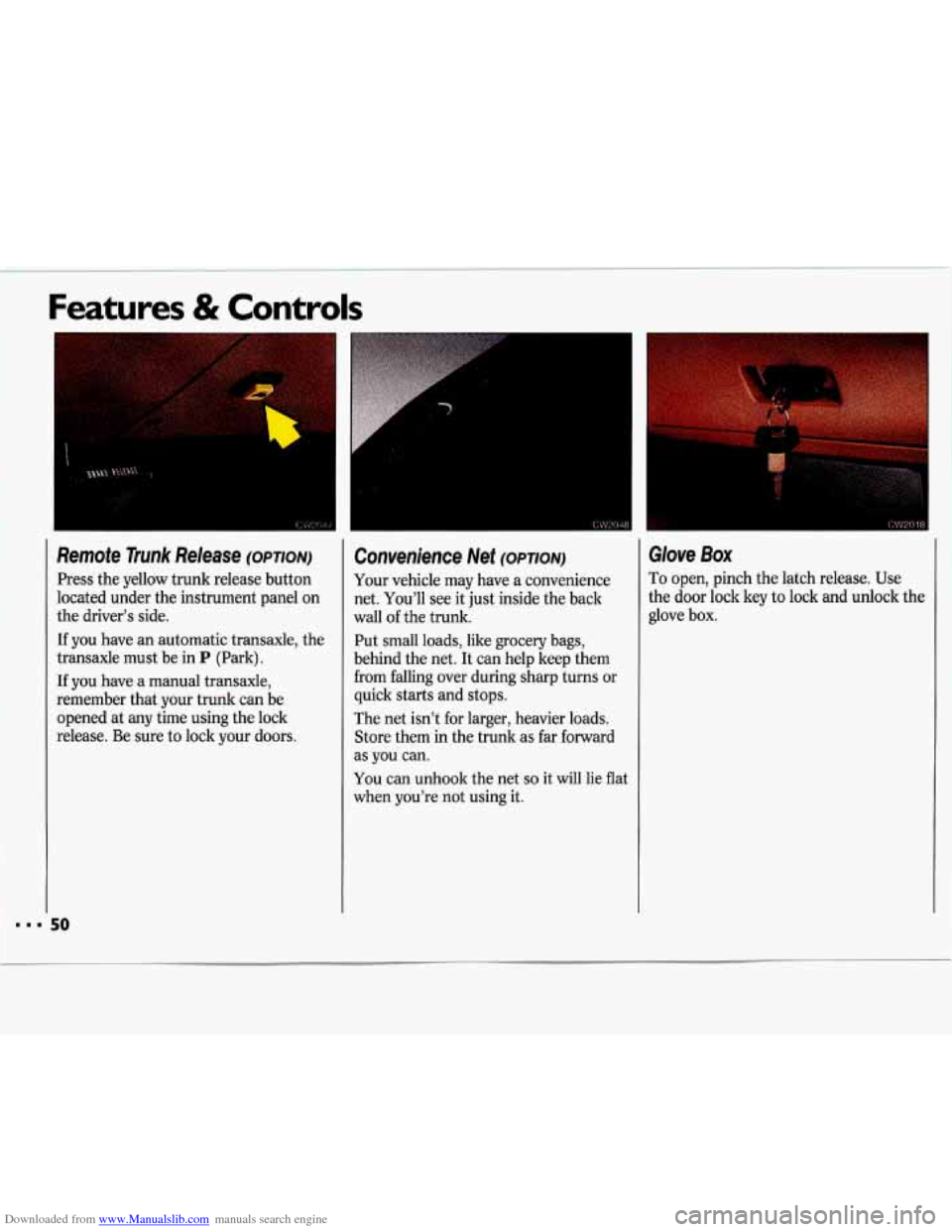
Remote Trunk Release (OPTION)
Press the yellow trunk release button
located under the instrument panel on
the driver’s side.
If you have an automatic transaxle, the
transaxle must be in
P (Park).
If you have a manual transaxle,
remember that your trunk can be
opened at any time using the lock
release. Be sure to lock your doors.
Convenience Net (OPTION)
Your vehicle may have a convenience
net. You’ll see it just inside the back
wall of the trunk.
Put small loads, like grocery bags,
behind the net. It can help keep them
from falling over during sharp turns or
quick starts and stops.
The net isn’t for larger, heavier loads. Store them in the trunk as far forward
as you can.
You can unhook the net
so it will lie flat
when you’re not using it.
Glove Box
I
To open, pinch the latch release. Use
the door lock key to lock and unlock the
glove box.
Page 56 of 324
Downloaded from www.Manualslib.com manuals search engine Features & Controls
Both Transaxles
2. Don’t push the accelerator pedal
before starting your engine. In some
other vehicles you might need to do
this, but because of your vehicle’s
computer systems, you don’t.
3. Turn your ignition key to Start.
When the engine starts, let go of the
key. The idle speed will go down as
your engine gets warm.
%olding your key in
Start for
longer than
15 seconds at a time
will cause your battery
to be
drained much sooner. And the
excessive heat can damage your
starter motor.
54
4. If your engine still won’t start (or
starts. but then stops), it could be
flooded with too much gasoline.
Try
pushing your accelerator pedal all the
way to the floor and holding it there
as you hold the key in
Start for about
three seconds. If the vehicle starts
briefly but then stops again, do the
same thing, but this time keep the
pedal down for five or
six seconds.
This clears the extra gasoline from
the engine.
I
Your engine is designed to work
with the electronics in your
I
vehicle. If you add electrical parts
or accessories, you could change
the way the fuel injection system
operates. Before adding electrical
equipment, check with your dealer.
If you don’t, your engine might not
perform properly.
If you ever have to have your
vehicle towed, see the part of this
manual that tells how to do it
without damaging your vehicle.
See the
Index under Towing Your
Chevrolet.
Page 63 of 324
Downloaded from www.Manualslib.com manuals search engine Shijting the Five-Speed
Manzsal Tramaxle
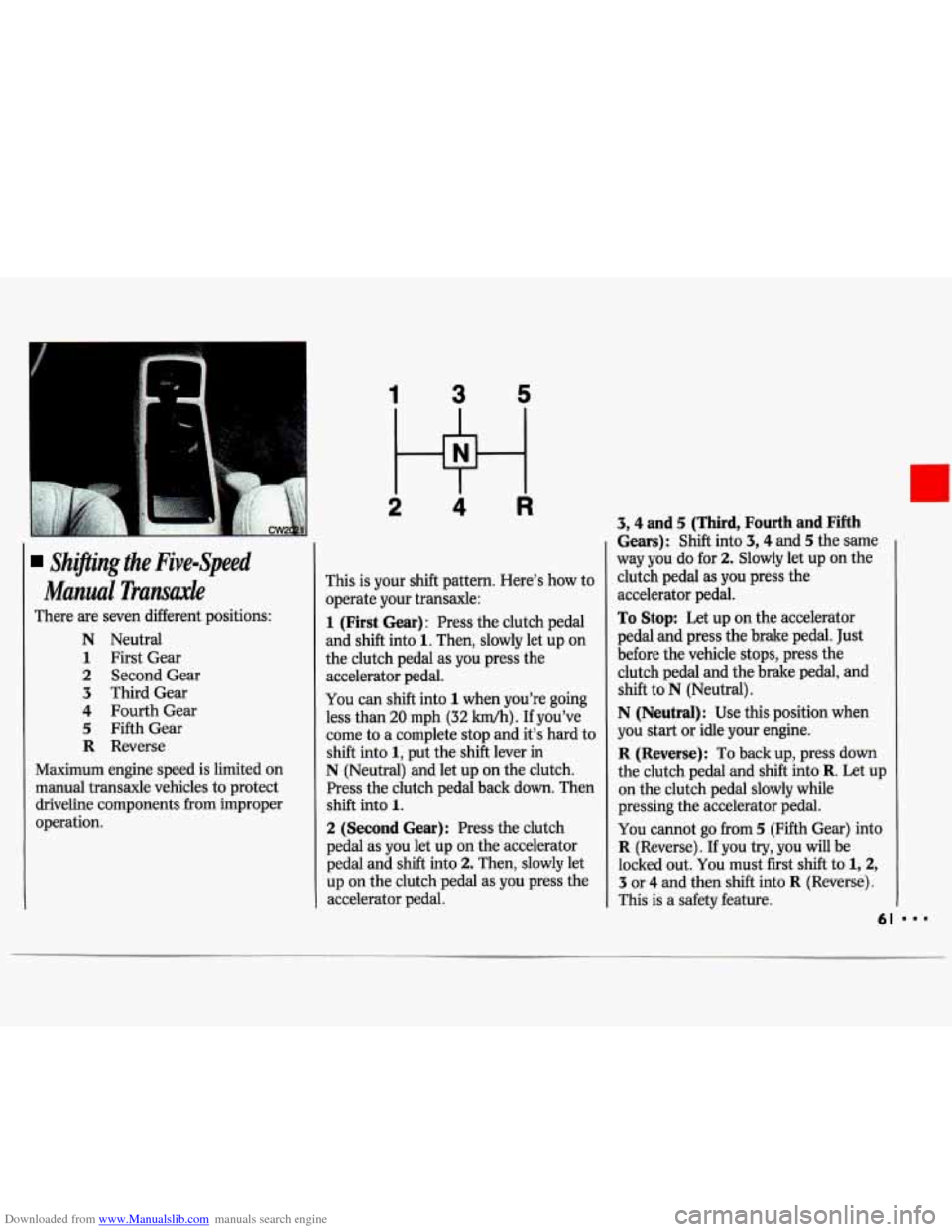
There are seven different positions:
N Neutral
1 First Gear
2 Second Gear
3 Third Gear
4 Fourth Gear
5 Fifth Gear
R Reverse
Maximum engine speed is limited on
manual transaxle vehicles to protect
driveline components from improper
operation.
1 3 5
2 4 R
This is your shift pattern. Here’s how to
operate your transaxle:
1 (First Gear): Press the clutch pedal
and
shift into 1. Then, slowly let up on
the clutch pedal as you press the
accelerator pedal.
You can shift into 1 when you’re going
less than
20 mph (32 km/h). If you’ve
come
to a complete stop and it’s hard to
shift into
1, put the shift lever in
N (Neutral) and let up on the clutch.
Press the clutch pedal back down. Then
shift into
1.
2 (Second Gear): Press the clutch
pedal as you let up on the accelerator
pedal and shift into
2. Then, slowly let
up on the clutch pedal as
you press the
accelerator pedal.
3,4 and 5 (Third, Fourth and Fifth
Gears): Shift into 3,4 and 5 the same
way you do for
2. Slowly let up on the
clutch pedal as you press the
accelerator pedal.
To Stop: Let up on the accelerator
pedal and press the brake pedal. Just
before the vehicle stops, press the
clutch pedal and the brake pedal, and
shift to
N (Neutral).
N (Neutral): Use this position when
you start or idle your engine.
R (Reverse): To back up, press down
the clutch pedal and
shift into R. Let up
on the clutch pedal slowly while
pressing the accelerator pedal.
You cannot go from 5 (Fifth Gear) into
R (Reverse). If you try, you will be
locked out.
You must first shift to 1,2,
3 or 4 and then shift into R (Reverse).
This is a safety feature.
61
Page 77 of 324
Downloaded from www.Manualslib.com manuals search engine Windshield Wipers
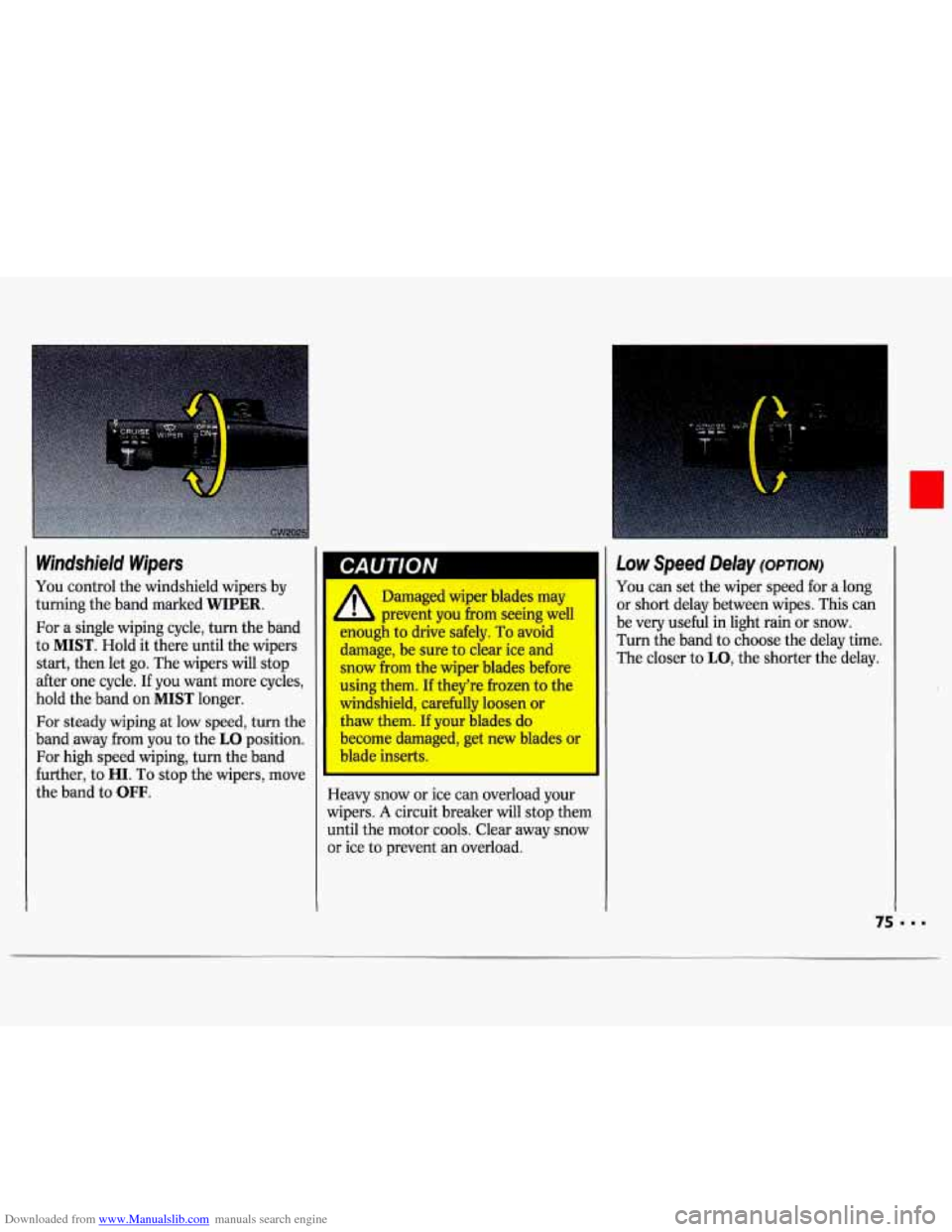
You control the windshield wipers by
turning the band marked
WIPER.
For a single wiping cycle, turn the band
to
MIST. Hold it there until the wipers
start, then let
go. The wipers will stop
after one cycle. If you want more cycles,
hold the band on
MIST longer.
For steady wiping at low speed, turn the
band away from you to the
LO position.
For high speed wiping, turn the band
further, to
HI. To stop the wipers, move
the band to
OFF.
CAUTION
E
A Damaged wiper blades may
L prevent you from seeing well
WUU& to drive safely. To avoid
damage, be sure to clear ice and
snow from the wiper blades before
using them. If they’re frozen to the
windshield, carefully loosen or
thaw them. If your blades do
become damaged, get new blades or
blade inserts.
-
leavy snow or ice can overload your
wipers.
A circuit breaker will stop them
until the motor cools. Clear away snow
or ice to prevent an overload.
Low Speed Delay (OPTION)
You can set the wiper speed for a long
or short delay between wipes. This can
be very useful in light rain or snow.
Turn the band to choose the delay time.
The closer to
LO, the shorter the delay.
Page 94 of 324
Downloaded from www.Manualslib.com manuals search engine Features & Controls
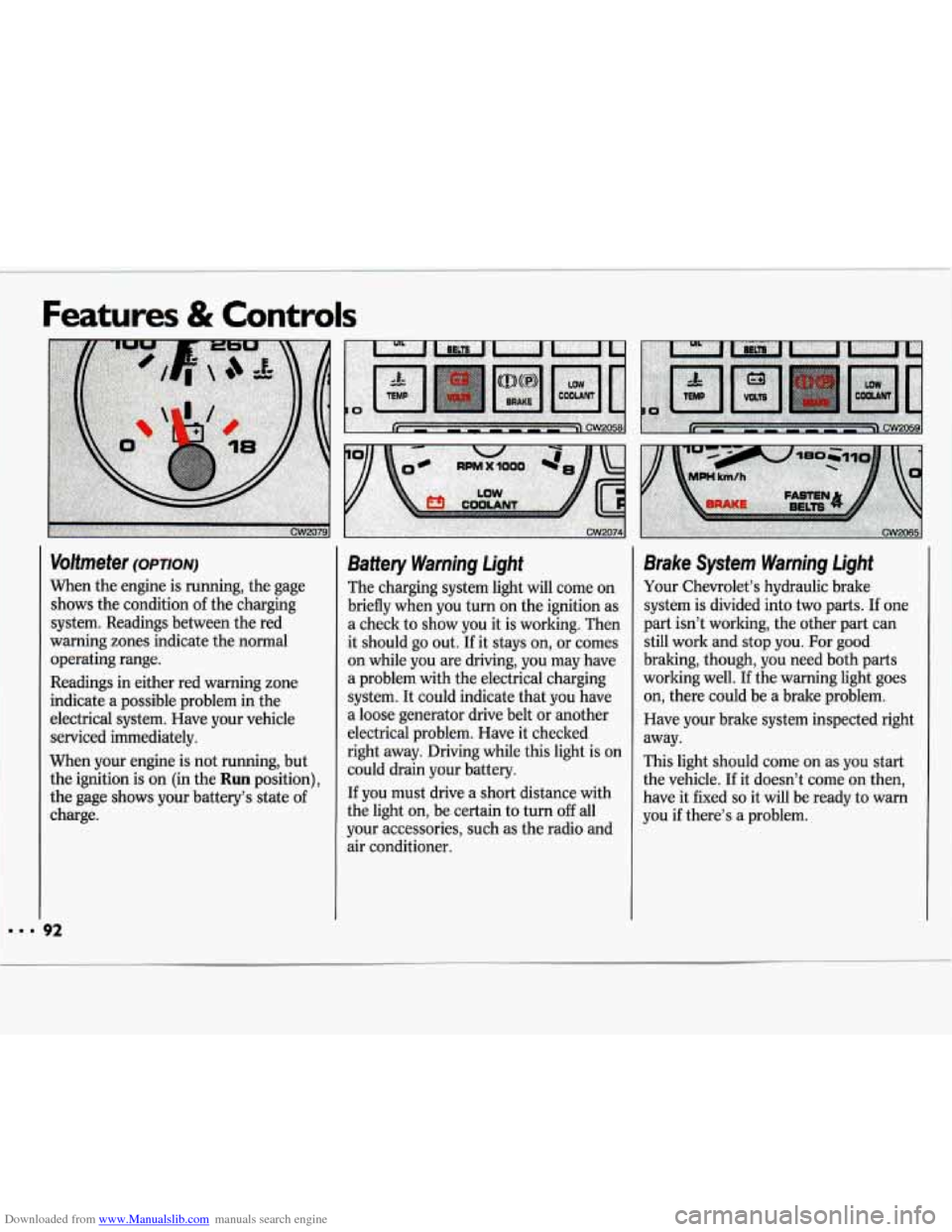
Voltmeter (OPTION)
When the engine is running, the gage
shows the condition of the charging
system. Readings between the red
warning zones indicate the normal
operating range.
Readings in either red warning zone
indicate
a possible problem in the
electrical system. Have your vehicle
serviced immediately.
When your engine is not running, but
the ignition is on (in
the Run position),
the gage shows your battery’s state of
charge.
Battery Warning Light
The charging system light will come on
briefly when you turn on the ignition as
a check to show you it is working. Then
it should
go out. If it stays on, or comes
on while you are driving, you may have
a problem with the electrical charging
system. It could indicate that you have
a loose generator drive belt or another
electrical problem. Have it checked
right away. Driving while this light is on could drain your battery.
If you must drive a short distance with
the light
on, be certain to turn off all
your accessories, such as the radio and
air conditioner.
Brake System Warning Light
Your Chevrolet’s hydraulic brake
system
is divided into two parts. If one
part isn’t working, the other part can
still work and stop you.
For good
braking, though, you need both parts
working well.
If the warning light goes
on, there could be a brake problem.
Have your brake system inspected right
away.
This light should come on as you start
the vehicle. If it doesn’t come on then,
have it fixed
so it will be ready to warn
you
if there’s a problem.
Page 95 of 324
Downloaded from www.Manualslib.com manuals search engine This light will also come on when you
set your parking brake, and
will stay on
if your parking brake doesn’t release
fully. If it stays on after your parking
brake is fully released, it means you
have a brake problem.
If the light comes on while driving, pull
off the road and stop carefully. You may
notice that the pedal is harder to push.
Or, the pedal may go closer to the floor.
It may take longer to stop.
If the light is
still on, have the vehicle towed for
service. (See the
Index under Towing
Your Chevrolet.)
-
gu1/QIv ,1
A Your brake system may not ’ ‘ be working properly if the
LJlimt; warning light is on. Driving
with the brake warning light on can
lead to an accident. If the light is
still on after you’ve pulled off the
road and stopped carefully, have
the vehicle towed for service.
I I
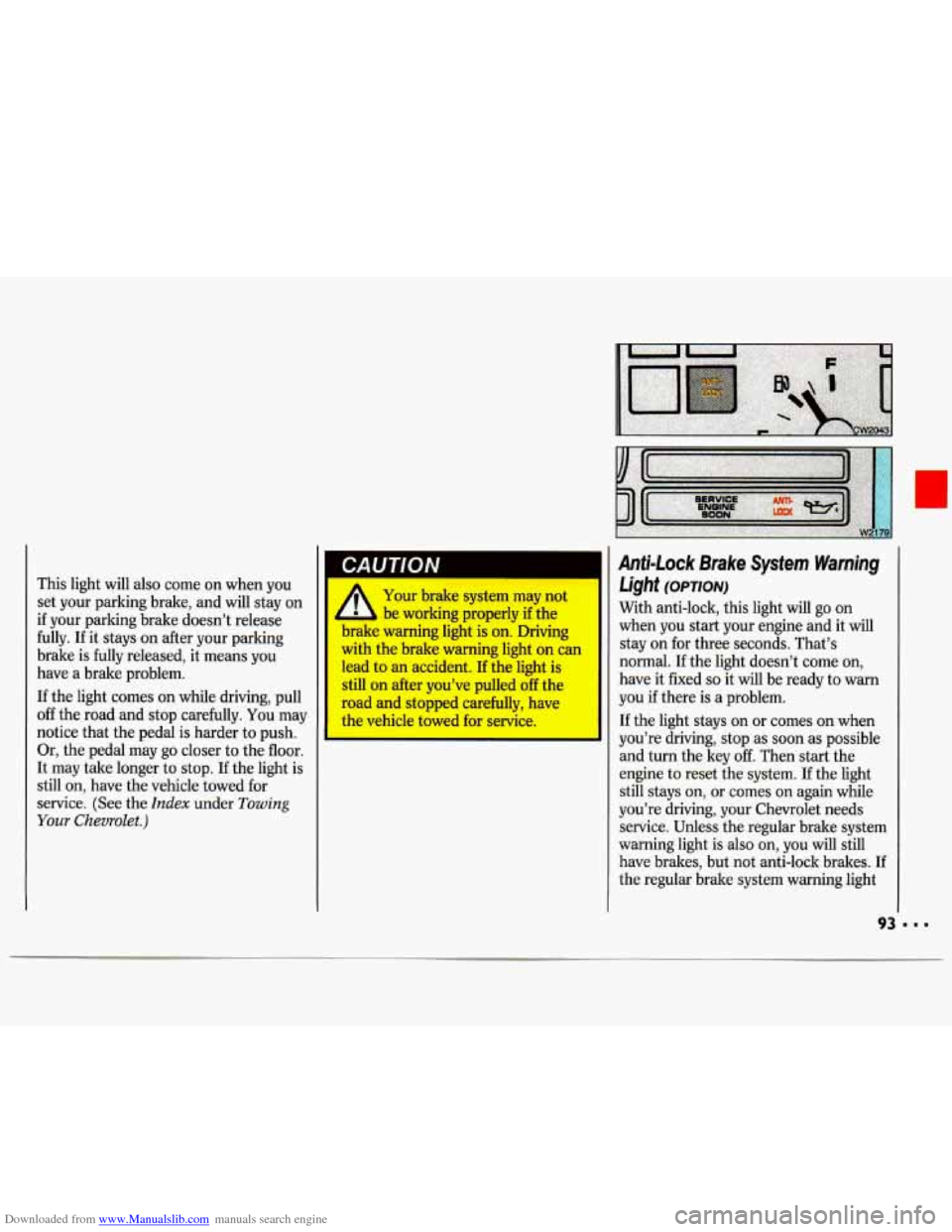
Anti-Lock Brake System Warning
Light
(OPTION)
With anti-lock, this light will go on
when you start your engine and it will
stay on for three seconds. That’s
normal.
If the light doesn’t come on,
have it fixed
so it will be ready to warn
you
if there is a problem.
If the light stays on or comes on when
you’re driving, stop as soon
as possible
and turn the key
off. Then start the
engine to reset the system. If the light
still stays on, or comes
on again while
you’re driving, your Chevrolet needs service. Unless the regular brake system
warning light is also on, you will still
have brakes, but not anti-lock brakes. If
the regular brake system warning light
Page 114 of 324
Downloaded from www.Manualslib.com manuals search engine Comfort Controls & Audio Systems
'I
AMIFM Stereo with Compact Disc
Player (CONT.)
RCL (Recall): Press once to see which
track is playing. Press again within five
seconds to see how long your selection
has been playing. The track number
also will be displayed when the volume
is changed or a new track starts to play.
PRFN (Previous): Press to play a
track again.
If you keep pressing PREV,
the disc will keep backing up to
previous tracks.
NEXT: Press when you want to hear
the next track. If you keep pressing
NEXT, the disc will keep advancing to
other tracks.
I I2
REV (Reverse) : Press and hold to
rapidly back up to a favorite passage.
Release to resume playing.
FWD (Fast Forward): Press and hold
to rapidly advance the disc. Release
to
resume playing.
SCAN: Press to sample each track for
about ten seconds. Scanning
will
continue until you press SCAN again.
RDM (Random): Press to allow the
CD player to play the tracks in a
random order.
COMP (Compression): Depressing
this button makes
soft and loud
passages more equal in volume. Press
again to resume normal play.
When Finished with the Compact I
Disc Player:
If you turn off the power or turn off the
ignition, the disc will stay in the player
and start again when you turn on the
ignition or power switch. The disc will
begin playing at the point where it had
been stopped.
ST-PL (Stop-Play): Press to stop the I
disc player; the radio will play. Press
again to play the disc (the player will
start playing the disc where it was
stopped earlier).
EJCT (Eject): Press to eject the disc;
the radio will play.
Page 124 of 324
Downloaded from www.Manualslib.com manuals search engine Your Driving and the Road
i
Defensive Driving
The best advice anyone can give about
driving is: Drive defensively.
Please start with a very important safety
device
in your Chevrolet: Buckle up.
(See the
Index under Safety Belts.)
Defensive driving really means “be
ready for anything.” On city streets,
rural roads, or freeways, it means
“always expect the unexpected.”
Assume that pedestrians or other
drivers are going to be careless and
make mistakes. Anticipate what they
might do. Be ready for their mistakes.
Expect children to dash out from
behind parked cars, often followed by
other children. Expect occupants in
parked cars to open doors into traffic.
Watch for movement in parked cars-
someone may be about to open a door.
I22
Expect other drivers to run stop signs
when you are on a through street. Be
ready to bralte
if necessary as you go
through intersections.
You may not
have to use the brake, but
if you do, you
will be ready.
If you’re driving through a shopping
center parking lot where there are well-
marked lanes, directional arrows, and
designated parking areas, expect some
drivers to ignore all these markings and
dash straight toward one part of the lot.
Pedestrians can be careless. Watch for
them. In general, you must give way
to
pedestrians even if you know you have
the right of way.
Rear-end collisions are about the most
preventable of accidents. Yet they are
common. Allow enough following
distance. It’s the best defensive driving maneuver,
in both city and rural
driving.
You never know when the
vehicle in front of you is going to brake
or turn suddenly.
Here’s a final bit of information about
defensive driving. The most dangerous
time for driving in the
U.S. is very early
on Sunday morning. In fact,
GM
Research studies show that the most
and the least dangerous times for
driving, every week, fall on the same
day. That day is Sunday. The most
dangerous time is Sunday from
3 a.m.
to
4 a.m. The safest time is Sunday from
10 a.m. to 11 a.m. Driving the same
distance on a Sunday at
3 a.m. isn’t just
a little more dangerous than it is at
10 a.m. It’s about 134 times more
dangerous!
That leads to the next section.
Page 130 of 324
Downloaded from www.Manualslib.com manuals search engine I
Your Driving and the Road
Anti-Lock Brakes (corvr.)
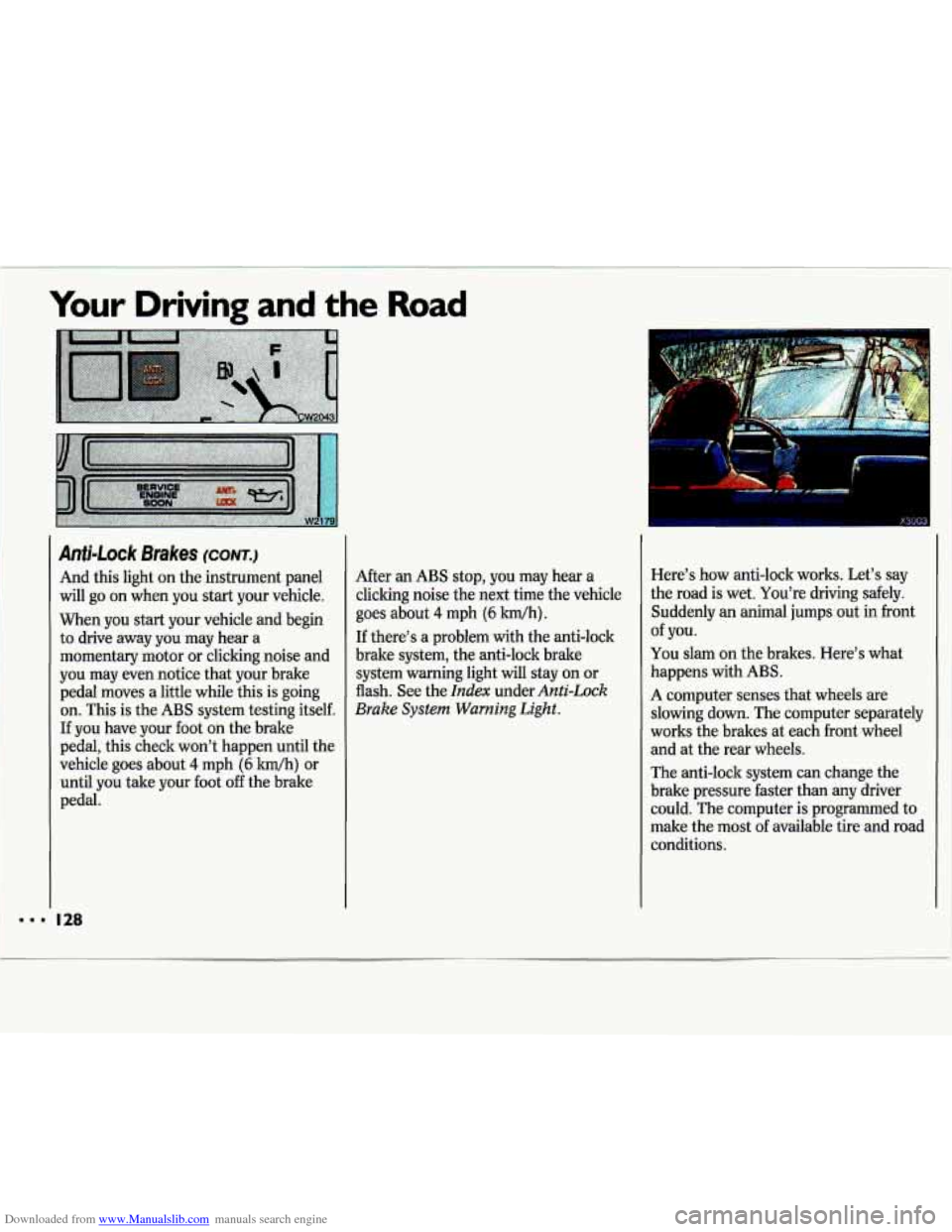
And this light on the instrument panel
will go on when you start your vehicle.
When you start your vehicle and begin
to drive away you may hear a
momentary motor or clicking noise and
you may even notice that your brake
pedal moves a little while this is going
on. This
is the ABS system testing itself.
If you have your foot on the brake
pedal, this check won’t happen until the
vehicle goes about
4 mph (6 km/h) or
until you take your foot off the brake
pedal. After
an
ABS stop, you may hear a
clicking noise the next time the vehicle
goes about
4 mph (6 Wh).
If there’s a problem with the anti-lock
brake system, the anti-lock brake
system warning light will stay on or
flash. See the
Index under Anti-Lock
Brake System Warning
Light.
.. .
Here’s how anti-lock works. Let’s say
the road is wet. You’re driving safely.
Suddenly an animal jumps out in front
You slam on the brakes. Here’s what
happens with
ABS.
of you.
A computer senses that wheels are
slowing down. The computer separately
works the brakes at each front wheel
and at the rear wheels.
The anti-lock system can change the
brake pressure faster than any driver
could. The computer is programmed to
make the most of available tire and road
conditions.
Page 137 of 324
Downloaded from www.Manualslib.com manuals search engine Watch for traffic signs, pavement markings, and lines. If you can see a
sign up ahead that might indicate a
turn or an intersection, delay your
pass.
A broken center line usually
indicates it’s all right to pass
(providing the road ahead is clear).
Never cross a solid line on your side
of the lane or
a double solid line, even
if the road seems empty of
approaching traffic.
If you suspect that the driver of the
vehicle you want to pass isn’t aware
of your presence, tap the horn
a
couple of times before passing.
Do not get too close to the vehicle
you want to pass while you’re
awaiting an opportunity. For one
thing, following too closely reduces
your area of vision, especially if you’re
following a larger vehicle.
Also, you
won’t have adequate space
if the
vehicle ahead suddenly slows or stops. Keep back a reasonable
distance.
When it looks like a chance to pass is
coming up, start to accelerate but stay
in the right lane and don’t get too
close. Time your move
so you will be
increasing speed as the time comes to
move into the other lane. If the way is
clear to pass, you will have a “running
start” that more than makes up for
the distance you would lose by
dropping back. And
if something
happens to cause you to cancel your
pass, you need
only slow down and
drop back again and wait for another
opportunity.
slow vehicle, wait your turn.
But tale
care that someone isn’t trying to pass
you as you pull out to pass the slow
vehicle. Remember to glance over
your shoulder and check the blind
spot.
If other cars are lined up to pass a
Check your mirrors, glance over your
shoulder, and start your left lane
change signal before moving out of
the right lane to pass. When you are
far enough ahead of the passed
vehicle to see its front in your inside
mirror, activate your right lane change signal and move back into the right
lane. (Remember that your right
outside mirror is convex. The vehicle
you just passed may seem to be
farther away from you than it really is.)
Try not to pass more than one vehicle
at a time on two-lane roads.
Reconsider before passing the next
vehicle.
vehicle too rapidly. Even though the
brake lights are not flashing, it may be
slowing down or starting to turn.
If you’re being passed, make it easy
for the following driver to get ahead of
you. Perhaps you can ease a little to
the right.
Don’t overtake a slowly moving