radio CHEVROLET MALIBU 1998 Owners Manual
[x] Cancel search | Manufacturer: CHEVROLET, Model Year: 1998, Model line: MALIBU, Model: CHEVROLET MALIBU 1998Pages: 362, PDF Size: 19.35 MB
Page 71 of 362
Downloaded from www.Manualslib.com manuals search engine The rear doors of your vehicle cannot be opened from
the inside when this feature is in use. If you want to
open
a rear door when the security lock is on:
1. Unlock the door from the inside.
2. Then open the door from the outside.
If you don’t cancel the security lock feature, adults or
older children who ride in the rear won’t be able to open \
the rear door from the inside. You should let adults and
older children know how these security locks work, and
how to cancel the locks.
To cancel the rear door lock:
1. Unlock the door from the inside and open it from
the outside.
2. Move the switch down.
3. Do the same for the other rear door.
The rear doors will now work normally.
Leaving Your Vehicle
If you are leaving your vehicle, open your door and
set the locks from the inside, then get out and close
the door.
Keyless Entry System (If Equipped)
If your vehicle has this option, you can lock and unlock
your doors or unlock your trunk from about
3 feet (1 m)
up to
30 feet (9 m) away using the remote keyless entry
transmitter supplied with your vehicle.
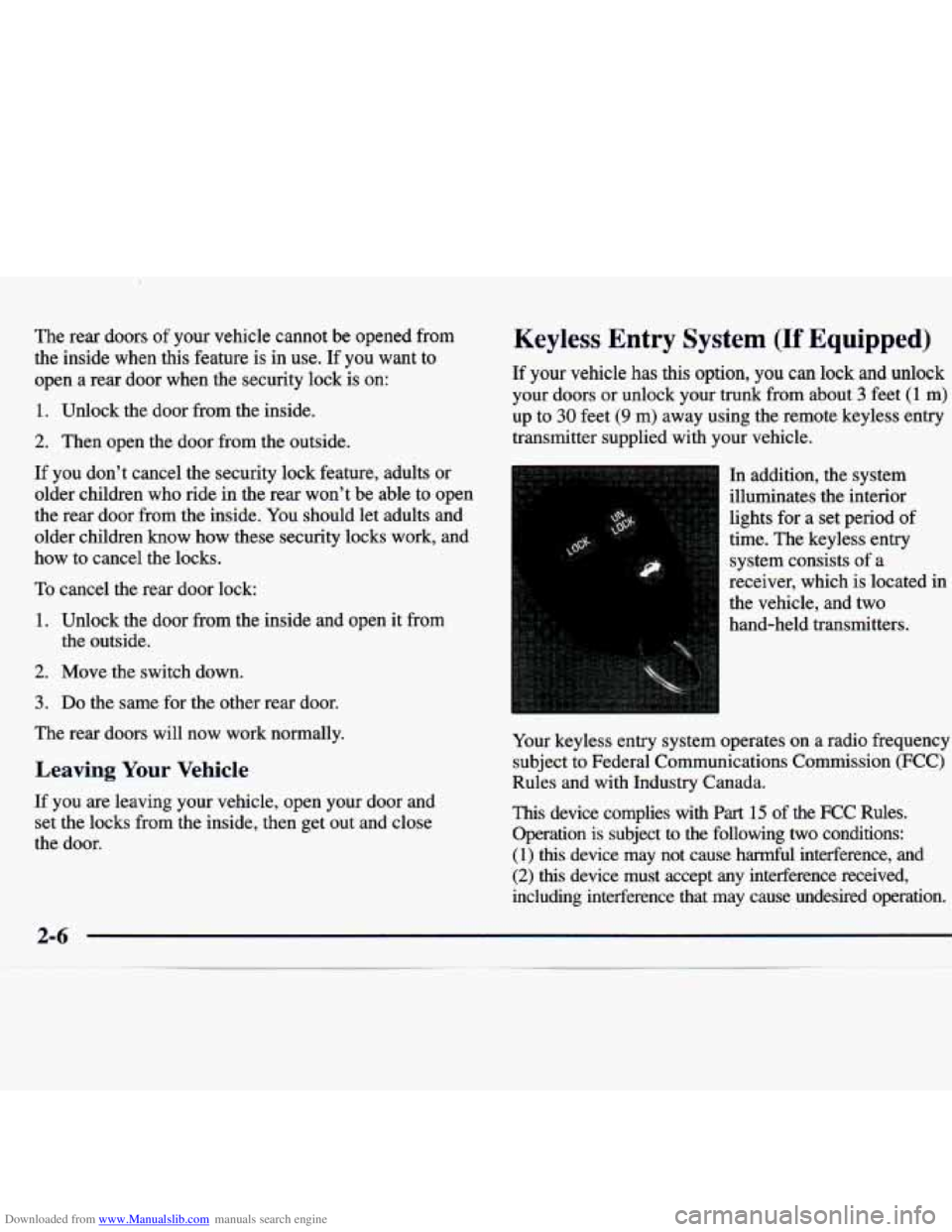
In addition, the system
illuminates the interior
lights for a set period of
time. The keyless entry
system consists of a
receiver, which is located in
the vehicle, and two
hand-held transmitters.
Your keyless entry system operates on a radio frequency
subject to Federal Communications Commission
(FCC)
Rules and with Industry Canada.
This device complies with Part 15 of the FCC Rules.
Operation is subject to the following
two conditions:
(1)
this device may not cause harmful interference, and
(2) this device must accept any interference received,
including interference that may cause undesired operation.
Page 79 of 362
Downloaded from www.Manualslib.com manuals search engine ACC (Accessory) (B): This position unlocks the
transaxle. It also
lets you use things like the radio and
windshield wipers when the engine is not running.
To
use ACC, push in the key and turn it to the right. Use
this position if your vehicle must be pushed or towed,
but never try to push-start your vehicle.
ON (C): This position unlocks the ignition and
transaxle. This position is also where the key returns
after you start your engine and release the switch. The
switch stays in
ON when the engine is running. But even
when the engine is not running, you can use
ON to
operate your electrical power accessories, and to display
some instrument panel warning lights.
START (D): This position starts the engine. When the
engine starts, release the
key. The ignition switch will
return to
ON for normal driving.
Starting Your Engine
Move your shift lever to PARK (P) or NEUTRAL (N).
Your engine won’t start in any other position -- that’s a
safety feature. To restart when you’re already moving,
use
NEUTRAL (N) only.
I 1
I NOTICE:
Don’t try to shift to PARK (P) if your vehicle
is moving. If you do, you could damage the
transaxle. Shift to PARK
(P) only when your
vehicle is stopped.
2-14
Page 102 of 362
Downloaded from www.Manualslib.com manuals search engine Daytime Running Lamps
Daytime Running Lamps (DRL) can make it easier for
others to see the front of your vehicle during the day.
DRL can be helpful in many different driving
conditions, but they can be especially helpful in the
short periods after dawn and before sunset.
Automatic Light Control (A I )
When it is dark enough outside, your Automatic Light
Control
(LC) will turn on your headlamps at the
normal brightness along with other lamps such as the
taillamps, sidemarker, park lamps and the instrument
panel lights. The radio lights will also be dim.
The
DJXL system will make your low-beam headlamps
come on at a reduced brightness when:
The ignition is on,
The headlamp switch is in the OFF position or you
have turned
on your parking lamps
The light sensor detects daytime light,
The parking brake is released and
The shift lever is not in PARK (P).
When the DRL system is on, the taillamps, sidemarker,
park lamps and instrument panel lights will not
be illuminated.
The DRL system will remain off any time your vehicle
is in PARK (P) or the parking brake is engaged.
As with any vehicle, you should turn on the regular
headlamp system when you need it. Your
vehicle is equipped with a light sensor on the top
of the instrument panel under the defroster grill,
so be
sure it is not covered which will cause the ALC system
to be on whenever the ignition is on.
The ALC system may also be on when driving through a
parking garage, heavy overcast weather,
a tunnel or
fueling your vehicle in a low light area. This is normal.
There is a delay in the transition between the daytime
and nighttime operation of the DRL and the
ALC
systems so that driving under bridges or bright overhead
street lights does not affect
the system. The DRL and
ALC systems will only be affected when the light sensor
sees a change in lighting lasting longer than this delay.
To idle your vehicle with the ALC system
off, set the
park brake while the ignition is
off. Then start the
vehicle. The ALC system will stay off until you release
the park brake.
As with any vehicle, you should turn on the regular
headlamp system when
you need it.
2-37
Page 117 of 362
Downloaded from www.Manualslib.com manuals search engine Charging System Indicator Light
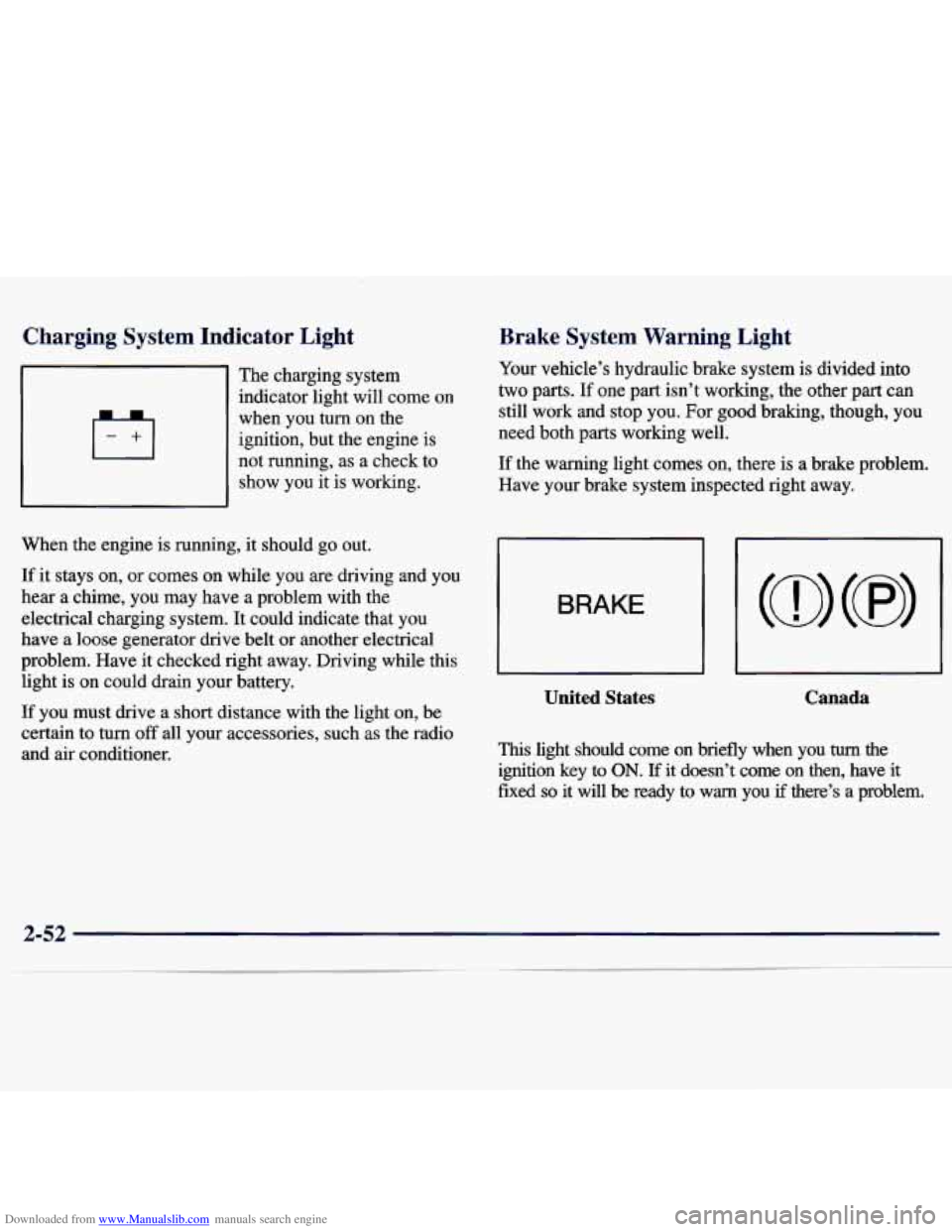
The charging system
~ indicator light will come on
when you turn on the
ignition, but the engine is
not running, as
a check to
show you
it is working.
When the engine is running, it should
go out.
If it stays on, or comes on while you are driving and you
hear a chime, you may have a problem with the
electrical charging system. It could indicate that you
have a loose generator drive belt
or another electrical
problem. Have it checked right away. Driving while this
light is on could drain your battery.
If you must drive a short distance with the light on, be
certain to turn
off all your accessories, such as the radio
and air conditioner.
Brake System Warning Light
Your vehcle’s hydraulic brake system is divided into
two parts. If one part isn’t working, the other part can
still work and stop you. For good braking, though, you
need both parts working well.
If the warning light comes on, there is a brake problem.
Have your brake system inspected right away.
BRAKE
~
United States Canada
This light should come on briefly when you turn the
ignition key to ON. If it doesn’t come on then, have it
fixed so it will be ready to warn you if there’s a problem.
Page 128 of 362
Downloaded from www.Manualslib.com manuals search engine Section 3 Cornfort Controls and Audio Systems
In this section, you’ll find out how to operate the comfort control and audio systems offered with your vehicle. Be
sure to read about the particular systems supplied with your vehicle.
3-2 3-2
3-3
3-4
3-4
3-5
3-5
3-6
3-6
3-6 Cornfort Controls
Climate Control System with
Air Conditioning
Air Conditioning
Heating
Defogging and Defrosting Windows
Rear Window Defogger
(If Equipped)
Ventilation System
Audio Systems Setting the Clock for Systems without
Automatic
Tone Control
Setting the Clock for Systems with Automatic
Tone Control 3
-7
3-9
3-14
3-18
3-19
3-21
3-2
1
3-22
3-23
3-23
3-23 AM-FM Stereo
AM-FM Stereo with Cassette Tape Player and
Automatic Tone
Control (If Equipped)
AM-FM Stereo with Compact Disc Player and
Automatic Tone Control
(If Equipped)
Remote Cassette Tape Player
(If Equipped)
Theft-Deterrent Feature
Understanding Radio Reception
Tips About
Your Audio System
Care of
Your Cassette Tape Player
Care of Your Compact Discs
Care of Your Compact Disc Player
Fixed Mast Antenna
3-1
Page 134 of 362
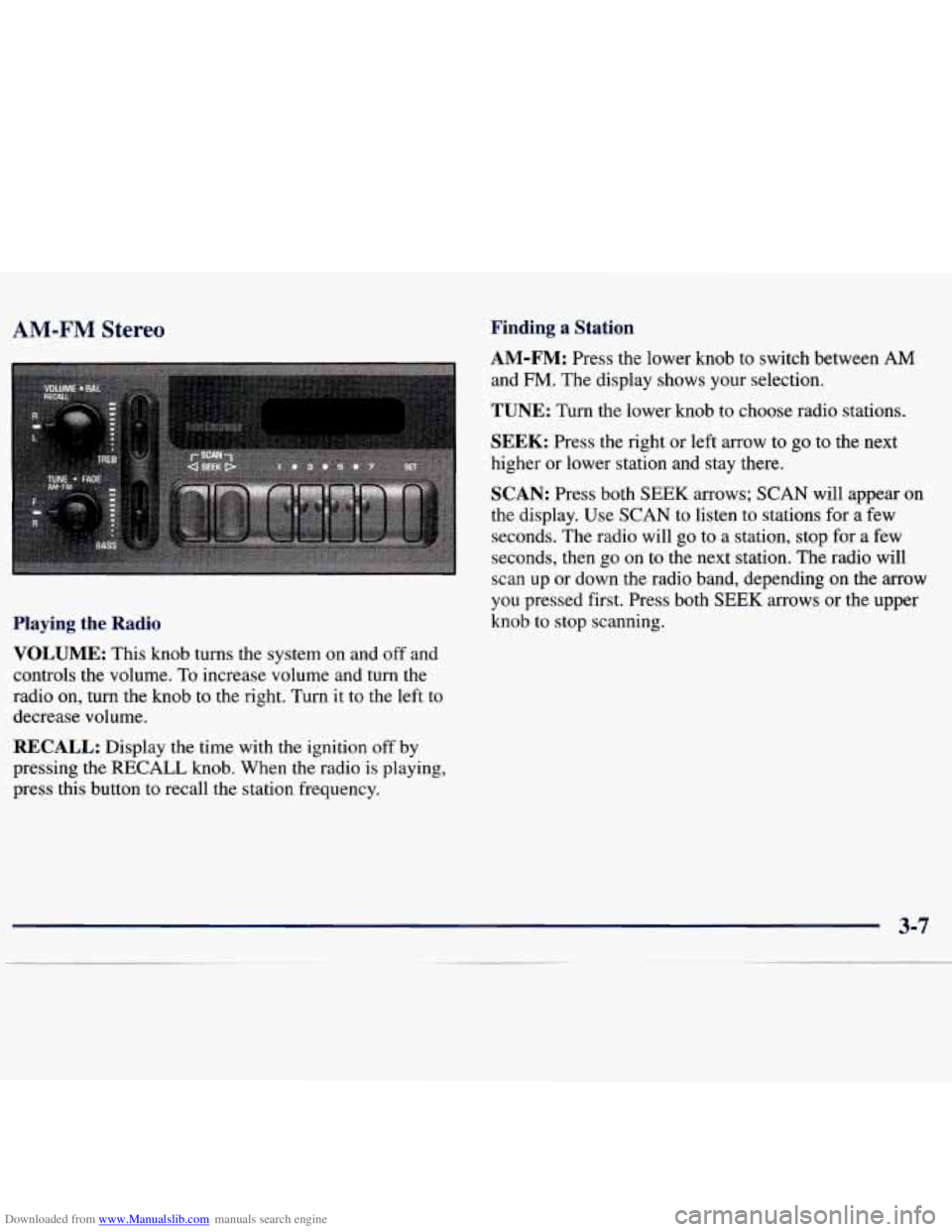
Downloaded from www.Manualslib.com manuals search engine AM-FM Stereo Finding a Station
AM-FM: Press the lower knob to switch between AM
and
FM. The display shows your selection.
TUNE: Turn the lower knob to choose radio stations.
SEEK: Press the right or left arrow to go to the next
higher or lower station and stay there.
SCAN: Press both SEEK arrows; SCAN will appear on
the display. Use SCAN to listen to stations for a few
seconds. The radio will
go to a station, stop for a few
seconds, then
go on to the next station. The radio will
scan up or down the radio band, depending on the
arrow
you pressed first. Press both SEEK arrows or the upper
knob to stop scanning.
Playing the Radio
VOLUME: This knob turns the system on and off and
controls the volume. To increase volume and
turn the
radio on, turn the knob
to the right. Turn it to the left to
decrease volume.
RECALL: Display the time with the ignition off by
pressing the RECALL knob. When the radio is playing,
press this button to recall the station frequency.
3-7
Page 135 of 362
Downloaded from www.Manualslib.com manuals search engine PUSHBUTTONS: The four numbered pushbuttons let
you return to your favorite stations. You can set up to
14 stations (seven AM and seven FM). Just:
1. Turn the radio on.
2. Press AM-FM to select the band.
3. Tune in the desired station.
4. Press SET. (SET will appear on the display.)
5. Press and hold one of the four numbered buttons,
within five seconds. The sound will mute. When it
returns, release the button. Whenever you press that
numbered button, the station you set will return.
6. Repeat the steps for each pushbutton.
In addition to the four stations already set, up to three
more stations may be preset
on each band by pressing
two adjoining buttons at the same time. Just:
1. Tune in the desired station.
2. Press SET. (SET will appear on the display.)
3. Press any two adjoining pushbuttons at the same
time, within five seconds. The sound will mute.
When it returns, release the buttons. Whenever
you press the same buttons, the station you set
will return.
4. Repeat the steps for each pair of pushbuttons.
Setting the Tone
BASS: Slide the lever up or down to increase or
decrease bass.
TREB: Slide the lever up or down to increase or
decrease treble.
If a station is weak or noisy, you may
want to decrease the treble.
Adjusting the Speakers
BAL: Turn the control behind the upper knob to move
the sound to the left or right speakers. The middle
position balances the sound between the speakers.
FADE: Turn the control behind the lower knob to move
the sound to the front or rear speakers. The middle
position balances the sound between the speakers.
Page 136 of 362
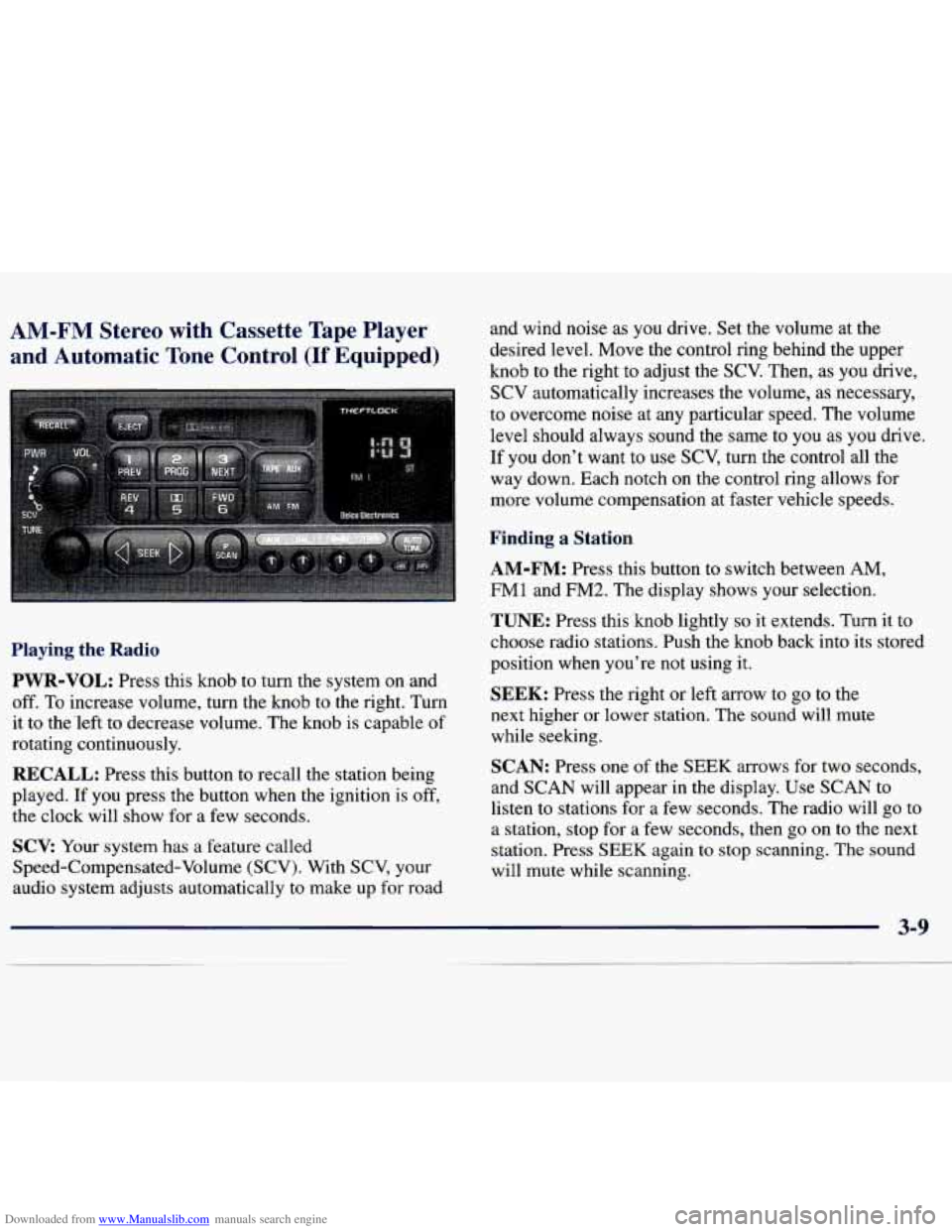
Downloaded from www.Manualslib.com manuals search engine AM-FM Stereo with Cassette Tape Player
and Automatic Tone Control
(If Equipped)
and wind noise as you drive. Set the volume at the
desired level. Move the control ring behind the upper
knob to the right to adjust the SCV. Then, as you drive,
SCV automatically increases the volume, as necessary,
to overcome noise at any particular speed. The volume
level should always sound the sme
to you as you drive.
If you don't want to
use SCV, turn the control all the
way down. Each notch on the control ring allows for
more volume compensation at faster vehicle speeds.
Finding a Station
AM-FM:
Press this button to switch between AM,
FM1 and
FM2. The display shows your selection.
Playing the Radio
PWR-VOL:
Press this knob to turn the system on and
off. To increase volume, turn the knob to the right. Turn
it to the'left to decrease volume. The knob is capable of
rotating continuously.
RECALL: Press this button to recall the station being
played.
If you press the button when the ignition is off,
the clock will show for a few seconds.
SCV: Your system has a feature called
Speed-Compensated-Volume (SCV). With SCV, your
audio system adjusts automatically to make up
for road
TUNE: Press this knob lightly so it extends. Turn it to
choose radio stations. Push the knob back into its stored
position when you're not using it.
SEEK: Press the right or left arrow to go to the
next higher or lower station. The sound will mute
while seeking.
SCAN: Press one of the SEEK arrows for two seconds,
and SCAN will appear in the display. Use SCAN to
listen to stations for a few seconds. The radio will go to
a station, stop for a few seconds, then
go on to the next
station. Press
SEEK again to stop scanning. The sound
will mute while scanning.
Page 137 of 362
Downloaded from www.Manualslib.com manuals search engine PUSHBUTTONS: The six numbered pushbuttons let
you return to your favorite stations. You can set up to
18 stations (six
AM, six FM1 and six FM2). Just:
1. Turn the radio on.
2. Press AM-FM to select the band.
3. Tune in the desired station.
4. Press AUTO TONE to select the equalization that
best suits the type
of station selected.
5. Press and hold one of the six numbered buttons. The
sound will mute. When
it returns, release the button.
Whenever you press that numbered button, the
station you set will return and the AUTO TONE
equalization that you selected will also be
automatically selected for that button.
6. Repeat the steps for each pushbutton.
P.SCAN: Press this button to listen to each of your
favorite stations stored on your pushbuttons for a few
seconds. The radio will scan through each of the stations
stored on your pushbuttons, except those stations with
weak reception. The AUTO TONE setting stored for
that pushbutton will be automatically chosen. Press P.SCAN
or one of the pushbuttons again to stop
scanning. P.SCAN will be displayed whenever the tuner
is in the P.SCAN mode. The channel number (Pl-P6)
will appear momentarily just before the frequency is
displayed. In FM mode, this function will scan through
both FMl and FM2 preset stations and FMl or FM2
will appear on the display.
Setting the Tone
BASS: Press this knob lightly so it extends. Turn the
knob to the right to increase bass and to the left to
decrease bass. When you use this control, the radio’s
AUTO TONE setting will switch to manual and the
AUTO TONE display will go blank.
TREB: Press this knob lightly so it extends. Turn the
knob to the right to increase treble and to the left to
decrease treble. When you use this control, the radio’s
AUTO TONE setting will switch to manual and the
AUTO TONE display
will go blank. If a station is
weak or noisy, you may want to decrease the treble.
Push these knobs back into their stored positions when
you’re not using them.
Page 138 of 362
Downloaded from www.Manualslib.com manuals search engine AUTO TONE: This feature allows you to choose
preset bass and treble equalization settings designed for
country/western, classical, news, rock, pop and jazz
stations. C/W will appear on the display when you first
press AUTO TONE. Each time you press it, another setting will appear on the display. Press it again after
JAZZ appears and the AUTO TONE display will
go
blank. Tone control will return to the BASS and TREB
knobs. Also, if you use the BASS and TREB knobs,
control will return to them and the AUTO TONE
display will go blank. Use PUSHBUTTONS to program
AUTO TONE.
Adjusting the Speakers
BAL:
Press this knob lightly so 11 extends. Turn the
knob to the right for the right speakers and to the left
for the left speakers. The middle position balances the
sound between the speakers.
FADE: Press this knob lightly so it extends. Turn
the knob to the right to adjust the sound to the front
speakers and to the left for the rear speakers. The middle
position balances the sound between the speakers.
Push these knobs back into their stored positions when
you’re not using them.
Playing a Cassette Tape
Your tape player is built to work best with tapes that are
30 to 45 minutes long on each side. Tapes longer than
that are
so thin they may not work well in this player. If
a tape is inserted when the ignition is on but the radio is
off, the tape will begin playing. A tape symbol is shown
in the center of the graphic display whenever
a tape is
inserted. When a tape is active, the tape symbol will be
accompanied by a direction arrow.
While the tape is playing, use the VOL, AUTO TONE,
BAL, FADE, BASS and TREB controls just as you do
for the radio. Other controls may have different
functions when a tape is inserted. The display will show
the tape symbol and an arrow to show which side of the
tape is playing.
If you hear nothing or hear just a garbled sound, it may
not be in squarely. Press EJECT to remove the tape and
start over.
The player is able to detect a tight or broken tape, and
will eject the tape. The radio will go back
to playing the
last station selected.
The player automatically senses the cassette for metal
or Cr02 and sets the pre-emphasis. Anytime a tape is
inserted, the top side is selected to play first.