stop start CHEVROLET MALIBU 1998 Owners Manual
[x] Cancel search | Manufacturer: CHEVROLET, Model Year: 1998, Model line: MALIBU, Model: CHEVROLET MALIBU 1998Pages: 362, PDF Size: 19.35 MB
Page 77 of 362
Downloaded from www.Manualslib.com manuals search engine Parking Lots Passlock@
If you park in a lot where someone will be watching
your vehicle, it’s best to lock it up and take your keys.
But what
if you have to leave your key?
0
0
0
0
0
0
If possible, park in a busy, well lit area.
Put your valuables in a storage area, like your
trunk or glove box. Be sure to close and lock
the
storage area.
Close all windows. Slide the remote trunk release lockout switch all the
way to the
OFF.
Lock the glove box.
Lock all the doors except the driver’s. Your
vehicle
is equipped with the Passlock
theft-deterrent system.
Passlock is a passive theft-deterrent system. The system
is armed once the key is removed from the ignition.
Passlock enables fuel if the ignition lock cylinder is
turned with
a valid key. If a correct key is not used, fuel
is disabled.
During normal operation, the THEFT SYSTEM light will go
off after the engine is started.
If the THEFT SYSTEM light flashes, wait until the light
stops flashing before starting the engine.
If the THEFT
SYSTEM light comes on while the engine
is running, a problem has been detected and the system
may need service. See your dealer for service.
In an emergency, call the Chevrolet Roadside Assistance
Center at 1-800-CHEV-USA
(1-800-243-8872). (In
Canada, call
1-800-268-6800.)
Page 78 of 362
Downloaded from www.Manualslib.com manuals search engine New Vehicle “Break-In”
NOTICE:
Your vehicle doesn’t need an elaborate
“break-in.” But
it will perform better in the long
run if you follow these guidelines:
0
0
0
Don’t drive at any one speed -- fast or
slow
-- for the first 500 miles (805 km).
Don’t make full-throttle starts.
Avoid making hard stops for the first
200 miles (322 km) or so. During this time
your new brake linings aren’t yet broken
in. Hard stops with new linings can mean
premature wear and earlier replacement.
Follow this breaking-in guideline every
time you get new brake linings.
Don’t tow
a trailer during break-in.
See “Towing a Trailer’’ in the Index for
more information.
Ignition Positions
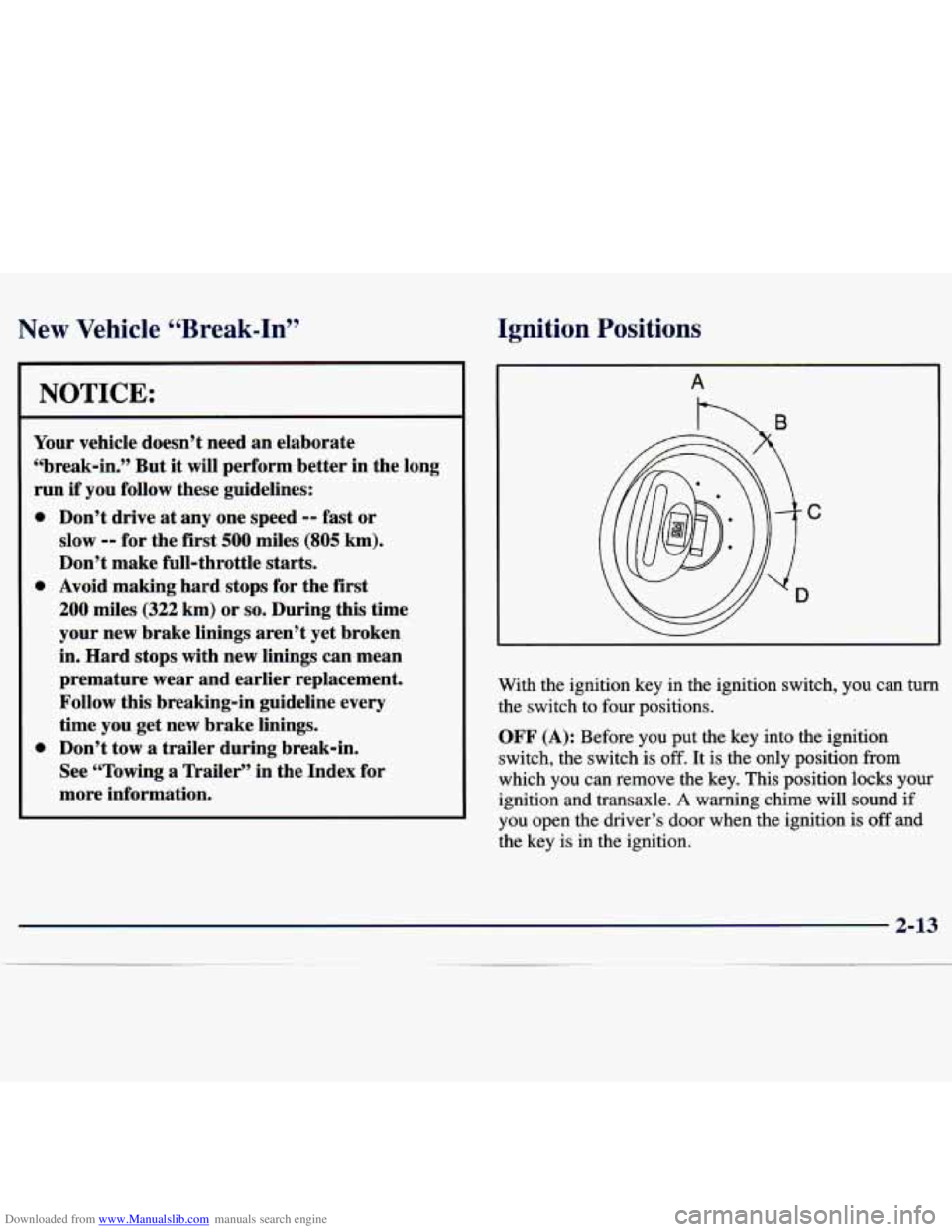
With the ignition key in the ignition switch, you can turn
the switch to four positions.
OFF (A): Before you put the key into the ignition
switch, the switch is
off. It is the only position from
which you can remove the key. This position locks your
ignition and transaxle.
A warning chime will sound if
you open the driver’s door when the ignition
is off and
the key is in the ignition.
2-13
Page 79 of 362
Downloaded from www.Manualslib.com manuals search engine ACC (Accessory) (B): This position unlocks the
transaxle. It also
lets you use things like the radio and
windshield wipers when the engine is not running.
To
use ACC, push in the key and turn it to the right. Use
this position if your vehicle must be pushed or towed,
but never try to push-start your vehicle.
ON (C): This position unlocks the ignition and
transaxle. This position is also where the key returns
after you start your engine and release the switch. The
switch stays in
ON when the engine is running. But even
when the engine is not running, you can use
ON to
operate your electrical power accessories, and to display
some instrument panel warning lights.
START (D): This position starts the engine. When the
engine starts, release the
key. The ignition switch will
return to
ON for normal driving.
Starting Your Engine
Move your shift lever to PARK (P) or NEUTRAL (N).
Your engine won’t start in any other position -- that’s a
safety feature. To restart when you’re already moving,
use
NEUTRAL (N) only.
I 1
I NOTICE:
Don’t try to shift to PARK (P) if your vehicle
is moving. If you do, you could damage the
transaxle. Shift to PARK
(P) only when your
vehicle is stopped.
2-14
Page 80 of 362
Downloaded from www.Manualslib.com manuals search engine Starting Your 2.4 Liter Engine
1. With your foot off the accelerator pedal, turn your
ignition key to
START. When the engine starts, let
go
of the key. The idle speed will go down as your
engine warms up.
NOTICE:
Holding your key in START for longer than
15 seconds at a time will cause your battery to be
drained much sooner. And the excessive heat can
damage your starter motor.
2. If the engine doesn’t start right away, and if the
weather
is very cold (below -20” F or -29” C), push
the accelerator pedal about one-quarter
of the way
down while you turn the key to
START. Do this
until the engine starts.
As soon as it does, let go of
the key.
3. If your engine still won’t start (or starts but then stops),
it could
be flooded with too much gasoline. Try
pushing your accelerator pedal all the way to the floor
and holding it there as you hold the key in
START for
a maximum of
15 seconds. This clears the extra
gasoline
from the engine. If the engine still won’t start
or starts briefly but then stops again, repeat step 1 or 2
depending on temperature. When the engine starts,
release the key and the accelerator pedal.
NOTICE:
Your engine is designed to work with the
electronics in your vehicle.
If you add electrical
parts
or accessories, you could change the way
the engine operates. Before adding electrical
equipment, check with your dealer. If you don’t,
your engine might not perform properly.
If you ever have to have your vehicle towed, see
the part of this manual that tells how to do
it
without damaging your vehicle. See “Towing
Your Vehicle” in the Index.
Page 81 of 362
Downloaded from www.Manualslib.com manuals search engine Starting Your 3100 Engine
1. Without pushing the accelerator pedal, turn your ignition key to START. When the engine starts, let
go
of the key. The idle speed will go down as your
engine gets warm.
NOTICE:
Holding your key in START for longer than
15 seconds at a time will cause your battery to be
drained much sooner. And the excessive heat can
damage your starter motor.
2. If your engine won’t start (or starts but then stops),
it could be flooded with too much gasoline.
Try
pushing your accelerator pedal all the way to the
floor and holding
it there as you hold the key in
START for up to 15 seconds. This clears the extra
gasoline from the engine.
NOTICE:
Your engine is designed to work with the
electronics in your vehicle.
If you add electrical
parts or accessories, you could change the
way
the engine operates. Before adding electrical
equipment, check with your dealer.
If you don’t,
your engine might not perform properly.
If you ever have to have your vehicle towed, see
the part of this manual that tells how
to do it
without damaging your vehicle. See “Towing
Your Vehicle’’ in the Index.
Page 84 of 362
Downloaded from www.Manualslib.com manuals search engine PARK (P): This locks your front wheels. It’s the best
position to use when you start your engine because your
vehicle can’t move easily.
A CAUTION:
It is dangerous to get out of your vehicle if the
shift lever
is not fully in PARK (P) with the
parking brake firmly set. Your vehicle can roll.
Don’t leave your vehicle when the engine
is
running unless you have to. If you have left the
engine running, the vehicle can move suddenly.
You or others could be injured. To be sure your
vehicle won’t move, even when you’re on fairly
level ground, always set your parking brake and
move the shift lever to
PARK (P).
you’re pulling a trailer, see “Towing a Trailer” in
the Index.
, See “Shifting Into PARK (P)” in the Index. If
~
Ensure the shift lever is fully in PARK (P) range
before starting the engine. Your vehicle has a
Brake-Transaxle Shift Interlock. You have to apply
your regular brake before you can shift from PARK
(P)
when the ignition key is in ON. If you cannot shift out
of PARK
(P), ease pressure on the shift lever -- push the
shift lever all the way into PARK (P)
-- as you maintain
brake application. Then move the shift lever into the
gear you wish. (Press the shift lever button before
moving the shift lever.) See “Shifting Out of
PARK (P)”
later in this section.
REVERSE (R): Use this gear to back up.
I NOTICE: 1
Shifting to REVERSE (R) while your vehicle is
moving forward could damage your transaxle.
Shift to
REVERSE (R) only after your vehicle
is stopped. 1
To rock your vehicle back and forth to get out of snow,
ice or sand without damaging your transaxle, see
“Stuck: In Sand, Mud,
Ice or Snow’’ : Index.
2-19
Page 108 of 362
Downloaded from www.Manualslib.com manuals search engine Rear Seat Cupholder
Pull down the door on the rear of the center console to
use the rear seat cupholder.
You can use it to a hold cup.
Convenience Net (If Equipped)
Your vehicle may have a convenience net. You’ll see it
just inside the back wall of the trunk.
Put small loads, like grocery bags, in the net. It can help
keep them from falling over during sharp turns or quick
starts and stops.
The net isn’t for larger, heavier loads. Store them in the
trunk as far forward
as you can.
You can
unhook the net so that it will lie flat when
you’re not using
it.
Ashtray and Lighter
The ashtray is located at the lower part of the center of
the instrument panel. To remove the ashtray for
cleaning, pull up on the metal tab and pull the bin out.
NOTICE:
Don’t put papers and other things that burn into
your ashtrays.
If you do, cigarettes or other
smoking materials could set them on fire,
causing damage.
The lighter is located above the ashtray. To use it, just
push it in
all the way and let go. When it’s ready, it will
pop back by itself.
NOTICE:
Don’t hold a cigarette lighter in with your hand
while it is heating.
If you do, it won’t be able to
back away from the heating element when it’s
ready. That can make it overheat, damaging the
lighter and the heating element.
..
Page 118 of 362
Downloaded from www.Manualslib.com manuals search engine If the light and chime come on while you are driving,
pull off the road and stop carefully. You may notice that
the pedal is harder to push.
Or, the pedal may go closer
to the floor.
It may take longer to stop. If the light is still
on, have the vehicle towed for service. (See “Towing
Your Vehicle” in the Index.)
Your brake system may not be working properly
if the brake system warning light
is on. Driving
with the brake system warning light on can lead
to an accident.
If the light is still on after you’ve
pulled
off the road and stopped carefully, have
the vehicle towed for service.
When the ignition is on, the brake system warning light
will also come on when you set your parking brake. The
light will stay on if your parking brake doesn’t release
fully. If it stays on after your parking brake is fully
released, it means you have a brake problem.
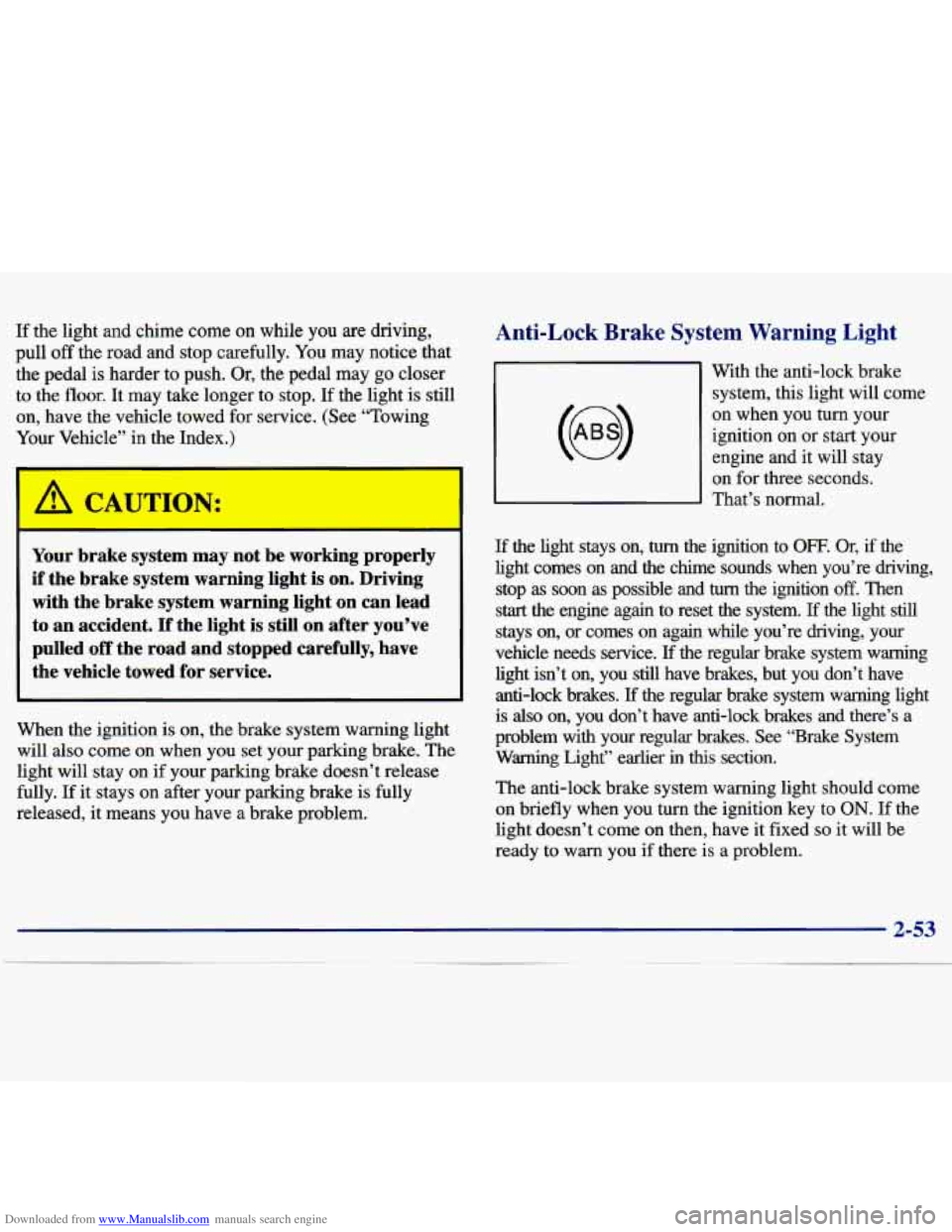
Anti-Lock Brake System Warning Light
With the anti-lock brake
system, this light will come
on when you turn your
ignition on
or start your
engine and it will stay
on for three seconds.
That’s normal.
If the light stays on, turn the ignition to OFF. Or, if the
light comes on and the chime sounds when you’re driving,
stop
as soon as possible and turn the ignition off. Then
start the engine again to reset the system. If the light still
stays on, or comes on again while you’re driving, your
vehicle needs service.
If the regular brake system warning
light isn’t
on, you still have brakes, but you don’t have
anti-lock brakes.
If the regular brake system warning light
is
also on, you don’t have anti-lock brakes and there’s a
problem with
your regular brakes. See “Brake System
Warning Light” earlier in this section.
The anti-lock brake system warning light should come
on briefly when you turn the ignition key
to ON. If the
light doesn’t come on then, have it fixed
so it will be
ready to warn you
if there is a problem.
Page 121 of 362
Downloaded from www.Manualslib.com manuals search engine This light should come on, as a check to show you it is
working, when the ignition is on and the engine is not
running. If the light doesn’t come on, have it repaired.
This light will also come on during a malfunction in one
of two ways:
0
0 Light Flashing -- A misfire condition has been
detected.
A misfire increases vehicle emissions and
may damage the emission control system
on your
vehicle. Dealer or qualified service center diagnosis
and service may be required.
Light On Steady -- An emission control system
malfunction has been detected on your vehicle.
Dealer or qualified service center diagnosis and service may be required.
If the Light Is Flashing
The following may prevent more serious damage to
your vehicle:
0 Reducing vehicle speed.
Avoiding hard accelerations.
0 Avoiding steep uphill grades.
0 If you are towing a trailer, reduce the amount of
cargo being hauled as soon as
it is possible. If
the light stops flashing and
remains on steady, see “If
the Light Is On Steady” following.
If the light continues to flash, when it is safe to do so,
stop the vehicle. Find a safe place to park your vehicle.
Turn the key
off, wait at least 10 seconds and restart the
engine. If the light remains on steady, see “If the Light
Is On Steady” following. If the light is still flashing,
follow the previous steps, and drive the vehicle to your
dealer or qualified service center for service.
If the Light Is On Steady
You may be able to correct the emission system
malfunction by considering the following:
Did you recently put fuel into your vehicle?
If
so, reinstall the fuel cap, making sure to fully install
the cap. The diagnostic system can determine if the fuel
cap has been left
off or improperly installed. A loose or
missing fuel cap will allow fuel to evaporate into the
atmosphere. A few driving trips with the cap properly
installed should turn the light off.
Did you just drive through a deep puddle of water?
If so, your electrical system may be wet. The condition
will usually be corrected when the electrical system
dries out.
A few driving trips should turn the light off.
Page 144 of 362
Downloaded from www.Manualslib.com manuals search engine RDM (2): Press this button to hear the tracks in random,
rather than sequential, order. RANDOM will show on
the display. Press
RDM again to turn off random play.
RDM
is reset to off when the disc is ejected.
NEXT (3): Press this button or the right SEEK arrow
to go to the next track.
If you hold the button or
press it more than once, the player will continue
moving forward through the disc. The sound will
mute while seeking.
REV (4): Press and hold this button to quickly reverse
within a track. Release it to play the passage. You can
use the counter reading on the display to locate a
passage more easily.
FWD (6): Press and hold this button to advance
quickly within a track. Release it to resume playing.
You can use the counter reading on the display to
locate a passage easily.
RECALL: Press this button to see which track is
playing. Press it again within five seconds to see how
long it has been playing (elapsed time). The track
number also appears when you change the volume or
when a new track starts to play.
AM-FM: Press this button to play the radio when a disc
is in the player. The letters CD will go off the display.
CD AUX: Press this button to change to the disc
function when the radio is on.
A CD icon will appear
on the display when the disc
is in the player, whether
it is active or not. If your system is equipped with a
remote playback device, pressing this button
a second
time will allow the remote device to play.
EJECT Press this button to remove the disc. The radio
will play. The disc will start at the first track when you
reinsert it.
If you turn off the ignition or radio with a disc in
the player, it will stay in the player. When you turn on the ignition or system, the disc will start playing
where it was stopped. If you press EJECT but don’t
remove the disc, the player will pull the disc back in
to protect it after about one minute. If you leave a
compact disc in the player while listening to the radio,
it may become warm.