engine CHEVROLET MALIBU 2003 5.G Owners Manual
[x] Cancel search | Manufacturer: CHEVROLET, Model Year: 2003, Model line: MALIBU, Model: CHEVROLET MALIBU 2003 5.GPages: 326, PDF Size: 2.41 MB
Page 4 of 326

Vehicle Damage Warnings
Also, in this book you will ®nd these notices:
Notice:These mean there is something that could
damage your vehicle.
A notice will tell you about something that can damage
your vehicle. Many times, this damage would not be
covered by your warranty, and it could be costly. But the
notice will tell you what to do to help avoid the
damage.
When you read other manuals, you might see CAUTION
and NOTICE warnings in different colors or in different
words.
You'll also see warning labels on your vehicle. They use
the same words, CAUTION or NOTICE.
Vehicle Symbols
Your vehicle has components and labels that use
symbols instead of text. Symbols, used on your vehicle,
are shown along with the text describing the operation
or information relating to a speci®c component, control,
message, gage or indicator.
If you need help ®guring out a speci®c name of a
component, gage or indicator, reference the following
topics:
·Seats and Restraint Systems in Section 1
·Features and Controls in Section 2
·Instrument Panel Overview in Section 3
·Climate Controls in Section 3
·Warning Lights, Gages and Indicators in Section 3
·Audio System(s) in Section 3
·Engine Compartment Overview in Section 5
iv
Page 63 of 326

Keys...............................................................2-2
Remote Keyless Entry System.........................2-3
Remote Keyless Entry System Operation...........2-4
Doors and Locks.............................................2-7
Door Locks....................................................2-7
Power Door Locks..........................................2-8
Door Ajar Reminder........................................2-8
Delayed Locking.............................................2-8
Programmable Automatic Door Locks................2-9
Rear Door Security Locks..............................2-10
Lockout Protection........................................2-11
Leaving Your Vehicle....................................2-11
Trunk..........................................................2-11
Windows........................................................2-14
Manual Windows..........................................2-14
Power Windows............................................2-15
Sun Visors...................................................2-15
Theft-Deterrent Systems..................................2-15
Passlock
ž....................................................2-16
Starting and Operating Your Vehicle................2-16
New Vehicle Break-In....................................2-16Ignition Positions..........................................2-17
Starting Your Engine.....................................2-18
Engine Coolant Heater..................................2-19
Automatic Transaxle Operation.......................2-20
Parking Brake..............................................2-23
Shifting Into Park (P).....................................2-23
Shifting Out of Park (P).................................2-25
Parking Over Things That Burn.......................2-26
Engine Exhaust............................................2-26
Running Your Engine While You Are Parked.......2-27
Mirrors...........................................................2-28
Manual Rearview Mirror.................................2-28
Outside Remote Control Mirrors......................2-28
Outside Power Mirrors...................................2-29
Outside Convex Mirror...................................2-29
Storage Areas................................................2-30
Glove Box...................................................2-30
Cupholder(s)................................................2-30
Center Console Storage Area.........................2-30
Garment Hooks............................................2-30
Sunroof.........................................................2-31
Section 2 Features and Controls
2-1
Page 73 of 326

Lockout Protection
Lockout protection is intended to provide enhanced
security and convenience. This feature prevents a driver
who has left the key in the ignition from locking the
doors, using the power door locks while any door
is open.
To override this feature, when the key is in the ignition
and any door is open, press and hold down the
power door lock switch for three seconds.
This feature cannot guarantee that you will never be
locked out of your vehicle. If you don't leave the key in
the ignition, or if you use the manual door lock or
the remote keyless entry transmitter, you could still lock
your key inside your vehicle. Always remember to
take your key with you.
Leaving Your Vehicle
If you are leaving your vehicle, open your door and set
the locks from the inside, then get out and close the door.
Trunk
To unlock the trunk from the outside, insert the key and
turn the trunk lock cylinder. When closing the trunk
lid, close from the center to ensure it fully latches.
{CAUTION:
It can be dangerous to drive with the trunk lid
open because carbon monoxide (CO) gas can
come into your vehicle. You can't see or smell
CO. It can cause unconsciousness and even
death. If you must drive with the trunk lid open
or if electrical wiring or other cable
connections must pass through the seal
between the body and the trunk lid:
·Make sure all other windows are shut.
·Turn the fan on your heating or cooling
system to its highest speed and select the
control setting that will force outside air
into your vehicle. See ªClimate Control
Systemº in the Index.
·If you have air outlets on or under the
instrument panel, open them all the way.
See ªEngine Exhaustº in the Index.
2-11
Page 78 of 326

Passlockž
Your vehicle has the Passlockžtheft-deterrent system.
Passlock
žis a passive theft-deterrent system.
Passlockženables fuel if the ignition lock cylinder is
turned with a valid key. If a correct key is not used or the
ignition lock cylinder is tampered with, the fuel system
is disabled and the vehicle will not start.
During normal operation, the THEFT SYSTEM light will
turn off approximately ®ve seconds after the ignition
key is turned to ON and the engine is started.
After attempting to start the engine, if the THEFT
SYSTEM light ¯ashes or stays on, wait ten minutes with
the key in ON until the light goes off. Then turn the
ignition to OFF before attempting to start the engine
again.
Starting and Operating Your
Vehicle
New Vehicle Break-In
Notice:Your vehicle doesn't need an elaborate
ªbreak-in.º But it will perform better in the long run
if you follow these guidelines:
·Don't drive at any one speed Ð fast or
slow Ð for the ®rst 500 miles (805 km).
Don't make full-throttle starts.
·Avoid making hard stops for the ®rst 200 miles
(322 km) or so. During this time your new
brake linings aren't yet broken in. Hard stops
with new linings can mean premature wear and
earlier replacement. Follow this breaking-in
guideline every time you get new brake linings.
·Don't tow a trailer during break-in. See ªTowing
a Trailerº in the Index for more information.
2-16
Page 79 of 326

Ignition Positions
With the key in the ignition switch, you can turn it to four
different positions.
Notice:If your key seems stuck in OFF and you
can't turn it, be sure you are using the correct key;
if so, is it all the way in? Turn the key only with
your hand. Using a tool to force it could break the
key or the ignition switch. If none of this works, then
your vehicle needs service.A (OFF):This is the only position from which you can
remove the key. It also locks your ignition and transaxle.
A warning chime will sound if you open the driver's
door when the ignition is off and the key is in the ignition.
B (ACCESSORY):This position lets you use things
like the radio and windshield wipers when the engine is
not running. To use ACCESSORY, turn the key
clockwise to the ®rst position.
Use this position if your vehicle must be pushed or
towed, but never try to push-start your vehicle.
See
Recreational Vehicle Towing on page 4-28.
C (ON):This position unlocks the ignition. It is also the
position to where the key returns after you start the
engine and release the switch. The switch will stay in
this position when the engine is running. But even when
the engine is not running, you can use ON to operate
your electrical accessories, and to display some
instrument panel warning lights.
D (START):This position starts the engine. When the
engine starts, release the key. The ignition switch
will return to ON for normal driving.
2-17
Page 80 of 326

Retained Accessory Power (RAP)
Your vehicle is equipped with a Retained Accessory
Power (RAP) feature which will allow the radio to
continue to work up to 10 minutes after the ignition is
turned to OFF.
Your radio will work when the ignition key is in ON or
ACCESSORY. Once the key is turned from ON to OFF,
the radio will continue to work for up to 10 minutes or
until the driver's door is opened.
Starting Your Engine
Move your shift lever to PARK (P) or NEUTRAL (N).
Your engine won't start in any other position ± that's a
safety feature. To restart when you're already moving,
use NEUTRAL (N) only.
Notice:Don't try to shift to PARK (P) if your
vehicle is moving. If you do, you could damage the
transaxle. Shift to PARK (P) only when your
vehicle is stopped.
1. With your foot off the accelerator pedal, turn your
ignition key to START. When the engine starts, let
go of the key. The idle speed will go down as
your engine gets warm.
Notice:Holding your key in START for longer than
15 seconds at a time will cause your battery to be
drained much sooner. And the excessive heat can
damage your starter motor. Wait about 15 seconds
between each try to help avoid draining your battery
or damaging your starter.
2. If your engine won't start (or starts but then stops),
it could be ¯ooded with too much gasoline. Try
pushing your accelerator pedal all the way to the
¯oor and holding it there as you hold the key
in START for not more than 15 seconds at a time.
This clears the extra gasoline from the engine.
Notice:Your engine is designed to work with the
electronics in your vehicle. If you add electrical
parts or accessories, you could change the way the
engine operates. Before adding electrical equipment,
check with your dealer. If you don't, your engine
might not perform properly.
2-18
Page 81 of 326
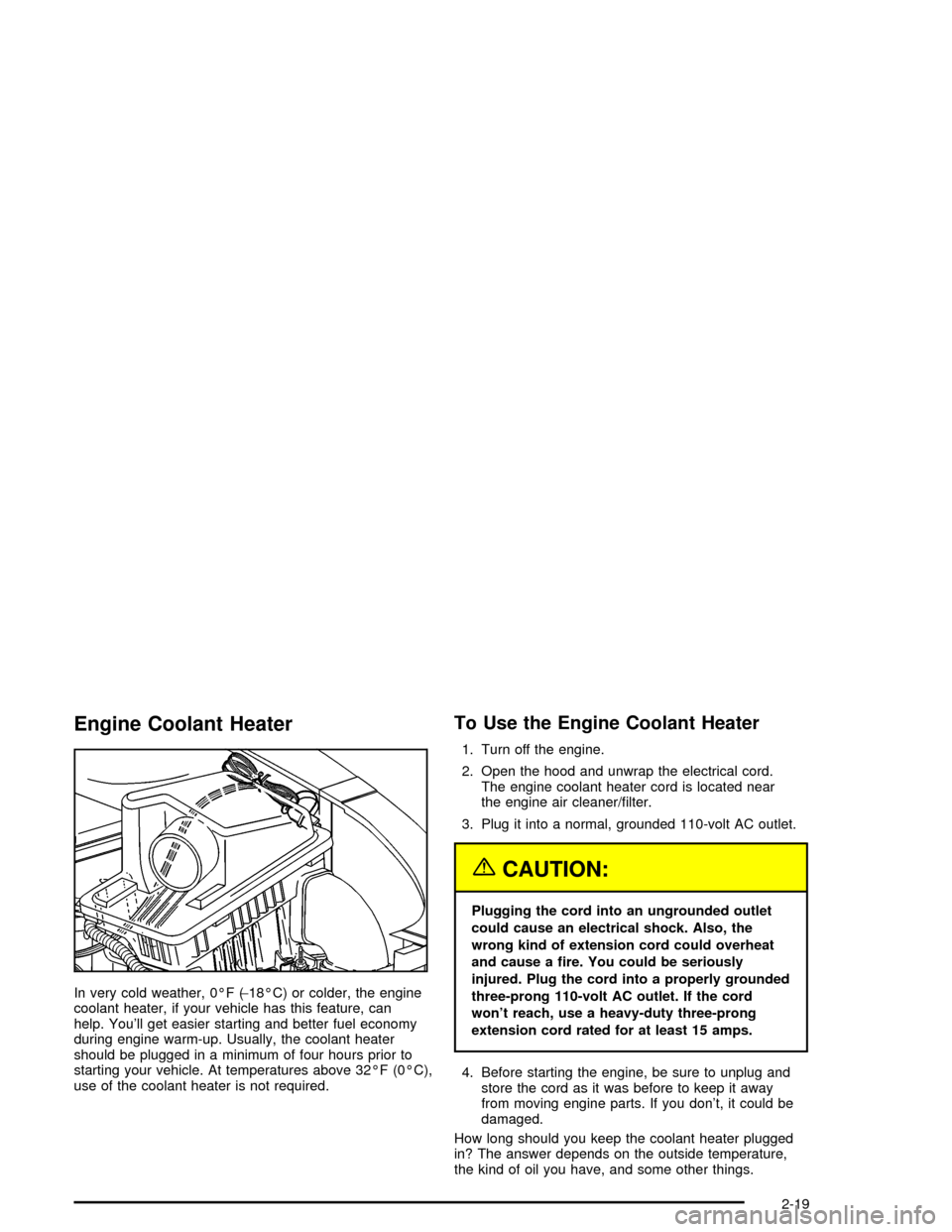
Engine Coolant Heater
In very cold weather, 0ÉF (-18ÉC) or colder, the engine
coolant heater, if your vehicle has this feature, can
help. You'll get easier starting and better fuel economy
during engine warm-up. Usually, the coolant heater
should be plugged in a minimum of four hours prior to
starting your vehicle. At temperatures above 32ÉF (0ÉC),
use of the coolant heater is not required.
To Use the Engine Coolant Heater
1. Turn off the engine.
2. Open the hood and unwrap the electrical cord.
The engine coolant heater cord is located near
the engine air cleaner/®lter.
3. Plug it into a normal, grounded 110-volt AC outlet.
{CAUTION:
Plugging the cord into an ungrounded outlet
could cause an electrical shock. Also, the
wrong kind of extension cord could overheat
and cause a ®re. You could be seriously
injured. Plug the cord into a properly grounded
three-prong 110-volt AC outlet. If the cord
won't reach, use a heavy-duty three-prong
extension cord rated for at least 15 amps.
4. Before starting the engine, be sure to unplug and
store the cord as it was before to keep it away
from moving engine parts. If you don't, it could be
damaged.
How long should you keep the coolant heater plugged
in? The answer depends on the outside temperature,
the kind of oil you have, and some other things.
2-19
Page 82 of 326
Instead of trying to list everything here, we ask that you
contact your dealer in the area where you'll be parking
your vehicle. The dealer can give you the best advice for
that particular area.
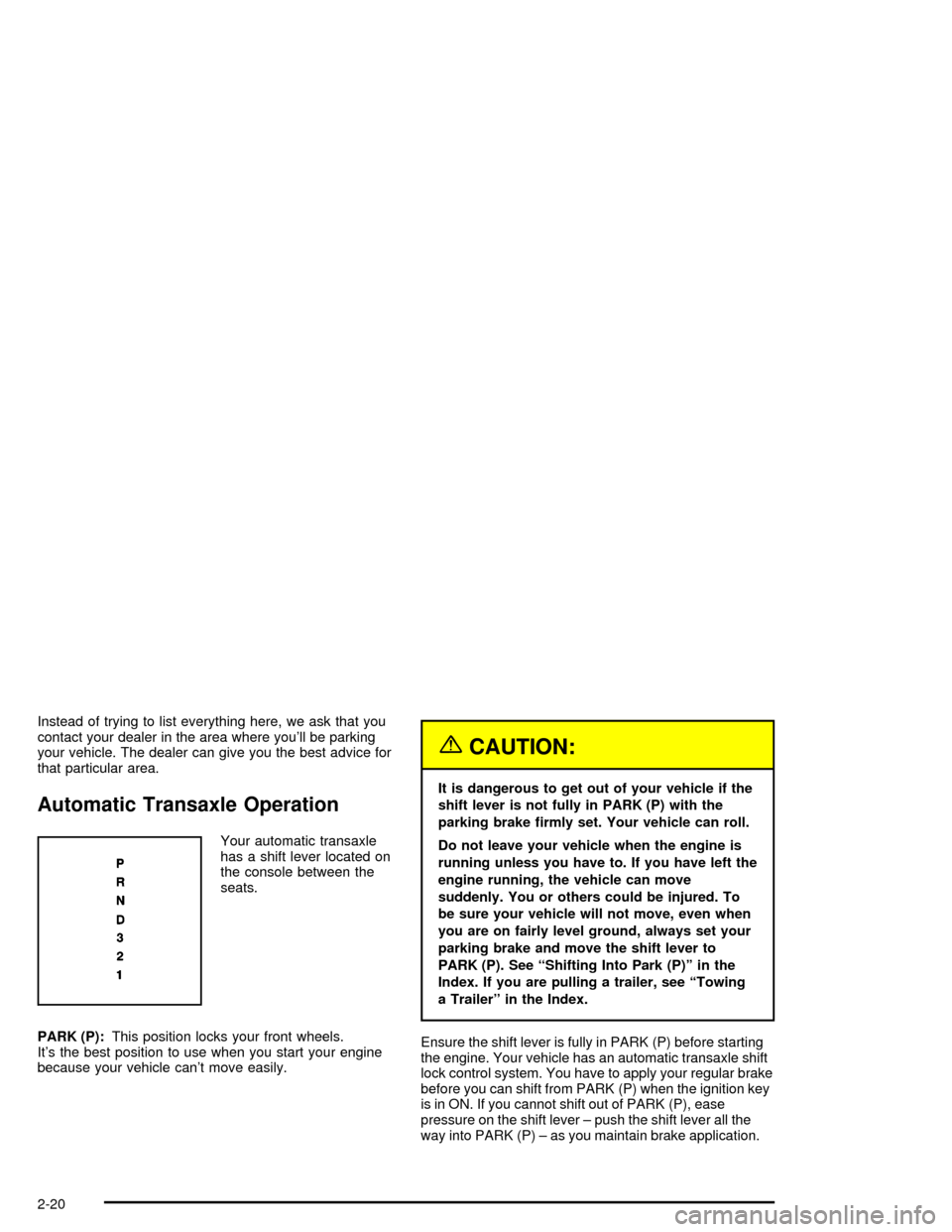
Automatic Transaxle Operation
Your automatic transaxle
has a shift lever located on
the console between the
seats.
PARK (P):This position locks your front wheels.
It's the best position to use when you start your engine
because your vehicle can't move easily.
{CAUTION:
It is dangerous to get out of your vehicle if the
shift lever is not fully in PARK (P) with the
parking brake ®rmly set. Your vehicle can roll.
Do not leave your vehicle when the engine is
running unless you have to. If you have left the
engine running, the vehicle can move
suddenly. You or others could be injured. To
be sure your vehicle will not move, even when
you are on fairly level ground, always set your
parking brake and move the shift lever to
PARK (P). See ªShifting Into Park (P)º in the
Index. If you are pulling a trailer, see ªTowing
a Trailerº in the Index.
Ensure the shift lever is fully in PARK (P) before starting
the engine. Your vehicle has an automatic transaxle shift
lock control system. You have to apply your regular brake
before you can shift from PARK (P) when the ignition key
is in ON. If you cannot shift out of PARK (P), ease
pressure on the shift lever ± push the shift lever all the
way into PARK (P) ± as you maintain brake application.
2-20
Page 83 of 326

Then move the shift lever into the gear you wish. (Press
the shift lever button before moving the shift lever.) See
Shifting Out of Park (P) on page 2-25later in this section.
REVERSE (R):Use this gear to back up.
Notice:Shifting to REVERSE (R) while your vehicle
is moving forward could damage your transaxle. Shift
to REVERSE (R) only after your vehicle is stopped.
To rock your vehicle back and forth to get out of snow, ice
or sand without damaging your transaxle, see
If You Are
Stuck: In Sand, Mud, Ice or Snow on page 4-27.
NEUTRAL (N):In this position, your engine doesn't
connect with the wheels. To restart when you're already
moving, use NEUTRAL (N) only. Also, use
NEUTRAL (N) when your vehicle is being towed.
{CAUTION:
Shifting into a drive gear while your engine is
ªracingº (running at high speed) is dangerous.
Unless your foot is ®rmly on the brake pedal,
your vehicle could move very rapidly. You
could lose control and hit people or objects.
Do not shift into a drive gear while your engine
is racing.
Notice:Damage to your transaxle caused by
shifting into a drive gear with the engine running
at high speed isn't covered by your warranty.
AUTOMATIC OVERDRIVE (D):This position is for
normal driving. If you need more power for passing,
and you're:
·Going less than 35 mph (56 km/h), push your
accelerator pedal about halfway down.
·Going about 35 mph (56 km/h) or more, push the
accelerator all the way down.
You'll shift down to the next gear and have more power.
Notice:If your vehicle seems to start up rather
slowly, or if it seems not to shift gears as you go
faster, something may be wrong with a transaxle
system sensor. If you drive very far that way, your
vehicle can be damaged. So, if this happens,
have your vehicle serviced right away. Until then,
you can use SECOND (2) when you are driving
less than 35 mph (55 km/h) and AUTOMATIC
OVERDRIVE (D) for higher speeds.
2-21
Page 84 of 326

THIRD (3):This position is also used for normal driving.
However, it offers more power and lower fuel economy
than AUTOMATIC OVERDRIVE (D). Here are some
times you might choose THIRD (3) instead of
AUTOMATIC OVERDRIVE (D):
·When driving on hilly, winding roads.
·When towing a trailer, so there is less shifting
between gears.
·When going down a steep hill.
SECOND (2):This position gives you more power but
lower fuel economy than THIRD (3). You can use
SECOND (2) on hills. It can help control your speed as
you go down steep mountain roads, but then you
would also want to use your brakes off and on.
Notice:Don't drive in SECOND (2) for more than
25 miles (40 km), or at speeds over 55 mph (90 km/h),
or you can damage your transaxle. Use THIRD (3) or
AUTOMATIC OVERDRIVE (D) as much as possible.
Don't shift into SECOND (2) unless you are going
slower than 65 mph (105 km/h) or you can damage
your engine.
FIRST (1):This position gives you even more power
but lower fuel economy than SECOND (2). You can use
it on very steep hills, or in deep snow or mud. If the
shift lever is put in FIRST (1), the transaxle won't shift
into ®rst gear until the vehicle is going slow enough.
Notice:If your front wheels won't turn, don't try to
drive. This might happen if you were stuck in
very deep sand or mud or were up against a solid
object. You could damage your transaxle. Also,
if you stop when going uphill, don't hold your
vehicle there with only the accelerator pedal. This
could overheat and damage the transaxle. Use your
brakes to hold your vehicle in position on a hill.
Second-Gear Start
Your vehicle is equipped with a second-gear start
feature. Place the shift lever in SECOND (2) gear to
provide more traction when you are starting on ice
or other slippery surfaces. The transaxle will be in
SECOND (2) gear when the vehicle begins to move.
After starting in SECOND (2) gear place the shift lever in
THIRD (3) or AUTOMATIC OVERDRIVE (D).
This feature is only for improved traction when the road
surface is slippery and is not intended for continuous
use or when the vehicle is stuck in sand, mud, ice, snow
or gravel.
2-22