climate control CHEVROLET MALIBU 2004 5.G User Guide
[x] Cancel search | Manufacturer: CHEVROLET, Model Year: 2004, Model line: MALIBU, Model: CHEVROLET MALIBU 2004 5.GPages: 426, PDF Size: 3.98 MB
Page 137 of 426
Certain electrical accessories may not be compatible
with the accessory power outlet and could result
in blown vehicle or adapter fuses. If you experience
a problem see your dealer for additional information
on accessory power outlets.
Notice:Adding any electrical equipment to your
vehicle may damage it or keep other components
from working as they should. The repairs would
not be covered by your warranty. Check with your
dealer before adding electrical equipment.
When adding electrical equipment, be sure to follow
the proper installation instructions included with
the equipment.
Notice:Improper use of the power outlet can
cause damage not covered by your warranty.
Do not hang any type of accessory or accessory
bracket from the plug because the power outlets
are designed for accessory power plugs only.Climate Controls
Climate Control System
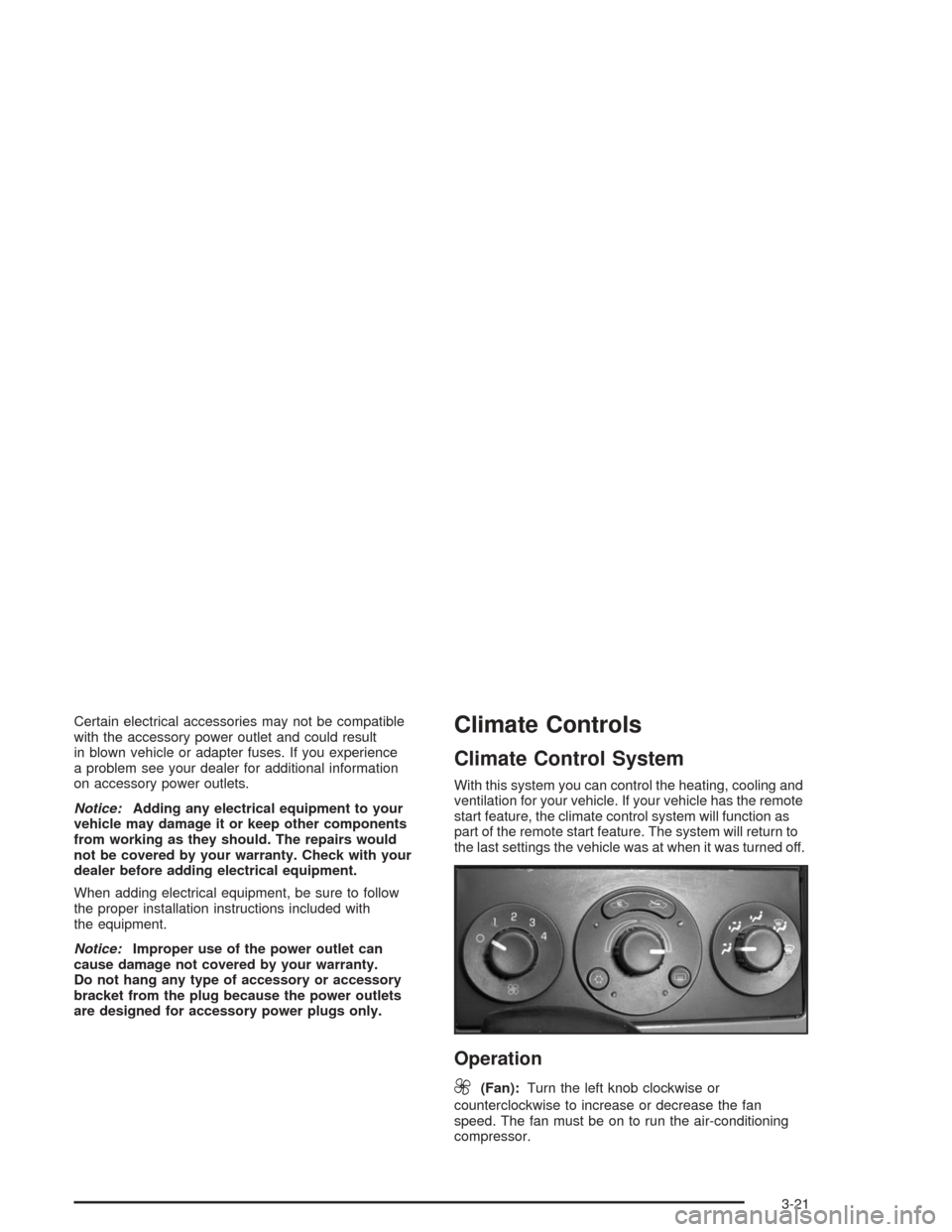
With this system you can control the heating, cooling and
ventilation for your vehicle. If your vehicle has the remote
start feature, the climate control system will function as
part of the remote start feature. The system will return to
the last settings the vehicle was at when it was turned off.
Operation
9
(Fan):Turn the left knob clockwise or
counterclockwise to increase or decrease the fan
speed. The fan must be on to run the air-conditioning
compressor.
3-21
Page 140 of 426
Defogging and Defrosting
Fog on the inside of windows is a result of high humidity
(moisture) condensing on the cool window glass.
This can be minimized if the climate control system is
used properly. There are two modes to choose from
to clear fog or frost from your windshield. Use the defog
mode to clear the windows of fog or moisture and
warm the passengers. Use the defrost mode to remove
fog or frost from the windshield more quickly.
Turn the right knob to select the defog or defrost mode.
-(Defog):This mode splits the air between the
windshield and the oor outlets with a small amount
directed to the side windows. When you select this
mode, the system turns off recirculation automatically
and runs the air-conditioning compressor unless
the outside temperature is at or below freezing.
The recirculation mode cannot be selected while in
the defog mode. Do not drive the vehicle until all the
windows are clear.
1(Defrost):This mode directs most of the air to the
windshield with some air directed to the oor vents.
In this mode, the system will automatically force outside
air into your vehicle and run the air-conditioning
compressor. The air conditioning indicator light will blink
three times if you try to turn off the compressor while
in this mode. Recirculation cannot be selected while in
the defrost mode.
To help clear the windshield quickly, do the following:
1. Select the defrost mode.
2. Select the outside air mode.
3. Select the highest temperature.
4. Select the highest fan speed.
3-24
Page 141 of 426
Rear Window Defogger
The rear window defogger uses a warming grid to
remove fog or frost from the rear window.
to let you know that the rear window defogger is
activated. Be sure to clear as much snow from the
rear window as possible.
If driving below 50 mph (80 kph), the rear window
defogger will turn off about 15 minutes after the button
is pressed. If turned on again, the defogger will only
run for about seven minutes before turning off. The
defogger can also be turned off by pressing the button
again or by turning off the engine.
If your vehicle’s speed is maintained above
50 mph (80 km/h), the rear window defogger will
remain on once the button is pressed.
Notice:Don’t use anything sharp on the inside of
the rear window. If you do, you could cut or damage
the warming grid, and the repairs wouldn’t be
covered by your warranty. Do not attach a temporary
vehicle license, tape, a decal or anything similar
to the defogger grid.
Automatic Climate Control System
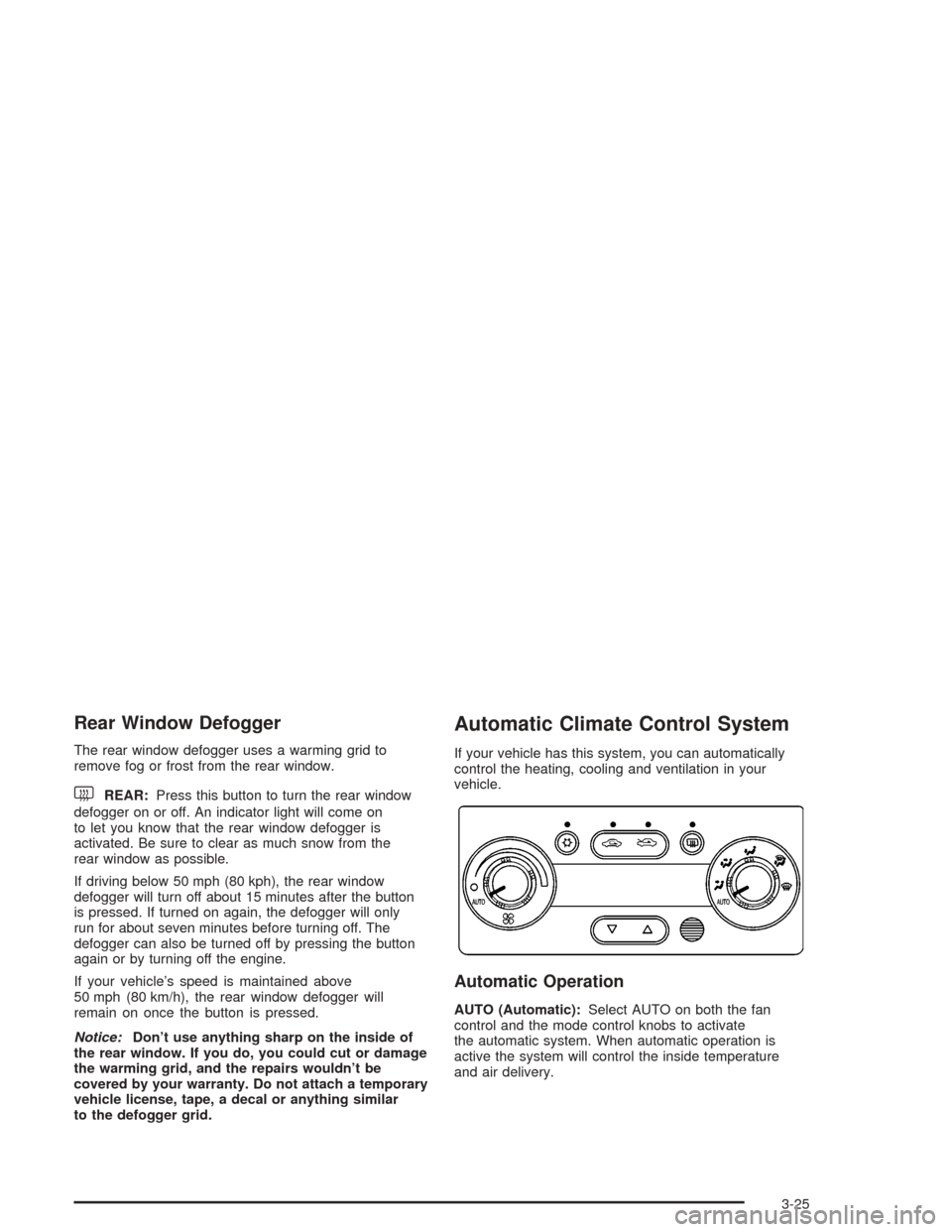
If your vehicle has this system, you can automatically
control the heating, cooling and ventilation in your
vehicle.
Automatic Operation
AUTO (Automatic):Select AUTO on both the fan
control and the mode control knobs to activate
the automatic system. When automatic operation is
active the system will control the inside temperature
and air delivery.
3-25
Page 142 of 426
Use the steps below to place the entire system in
automatic mode:
1. Place the fan knob and the mode knob to the
AUTO position.
The display will now show the current set
temperature. When auto is selected, the air
conditioning operation and air inlet will be
automatically controlled. The air conditioning
compressor will run when the outside temperature
is over about 40°F (4°C). The air inlet will normally
be set to outside air. If it’s hot outside, the air
inlet may automatically switch to recirculate inside
air to help quickly cool down your vehicle.
2. Set the temperature.
To nd your comfort setting, start with an initial
temperature setting and allow about 20 minutes for
the system to regulate. Press the up or down arrow
temperature buttons to adjust the temperature
setting as necessary. If you choose the temperature
setting of 60°F (15°C) the system will remain at
the maximum cooling setting. If you choose the
temperature setting of 90°F (32°C) the system will
remain at the maximum heat setting. Choosing either
maximum setting will not cause the vehicle to heat
or cool any faster.Be careful not to cover the sensor located on the
top of the instrument panel near the windshield.
This sensor regulates air temperature based on sun
load, and also turns on your headlamps.
Also be careful not to cover the sensor grille on
the lower right side of the climate control faceplate.
This senses the inside vehicle temperature
needed for proper regulation.
To avoid blowing cold air at start-up in cold weather,
the system will delay turning on the fan until
warm air is available. The length of delay depends
on the engine coolant temperature. Turning the
fan knob will override this delay and change the
fan to a selected speed.
If your vehicle has the remote start feature, the climate
control display will initially show “AS” in place of the
temperature to indicate the remote start has been
activated. The system will automatically regulate the
temperature.
3-26
Page 143 of 426
Manual Operation
You may manually adjust the air delivery mode or
fan speed.
9(Off):Select this position on the fan knob to turn off
the entire climate control system. Outside air will still
enter the vehicle, and will be directed to the oor.
This direction can be changed by changing the mode
position. The temperature can also be adjusted
using either the up or down arrow temperature buttons.
9(Fan):The knob with the fan symbol allows you
to manually adjust the fan speed.
H(Vent):This mode directs air to the instrument
panel outlets.
)(Bi-Level):This mode directs half of the air to the
instrument panel outlets, and the remaining air to
the oor outlets.
6(Floor):This mode directs most of the air to the
oor outlets with some air directed to the side window
outlets.
The right knob can also be used to select defog or
defrost modes. Information on defogging and defrosting
can be found later in this section.
:(Outside Air):Press the right side of the button
to turn the outside air mode on. When this mode is
on, outside air will circulate throughout your vehicle.
When the button is pressed, an indicator light above the
button will come on to let you know that it is activated.
The outside air mode can be used with all modes,
but it cannot be used with the recirculation mode.
Pressing this button will cancel the recirculation mode.
?(Recirculation):Press the left side of the
button to turn the recirculation mode on. This is helpful
when you are trying to limit odors from entering your
vehicle and for maximum air conditioning performance in
hot weather. When the button is pressed, an indicator
light above the button will come on to let you know that it
is activated. The recirculation indicator light will blink
three times if you try to use recirculation in a mode that
it can not be used in. Only use this mode when it is
needed for comfort, since window fogging will rapidly
occur if the air conditioning compressor is not engaged.
Pressing this button cancels the auto recirculation
feature. Each time the vehicle is started, the system
will revert to the auto recirculation function.
If you select recirculation while in defrost, defog or
oor, the light on the button will ash three times and
go out to let you know this is not allowed. This is
to prevent fogging.
3-27
Page 246 of 426
The Enhanced Traction System operates in all transaxle
shift lever positions. But the system can upshift the
transaxle only as high as the shift lever position you’ve
chosen, so you should use the lower gears only
when necessary.
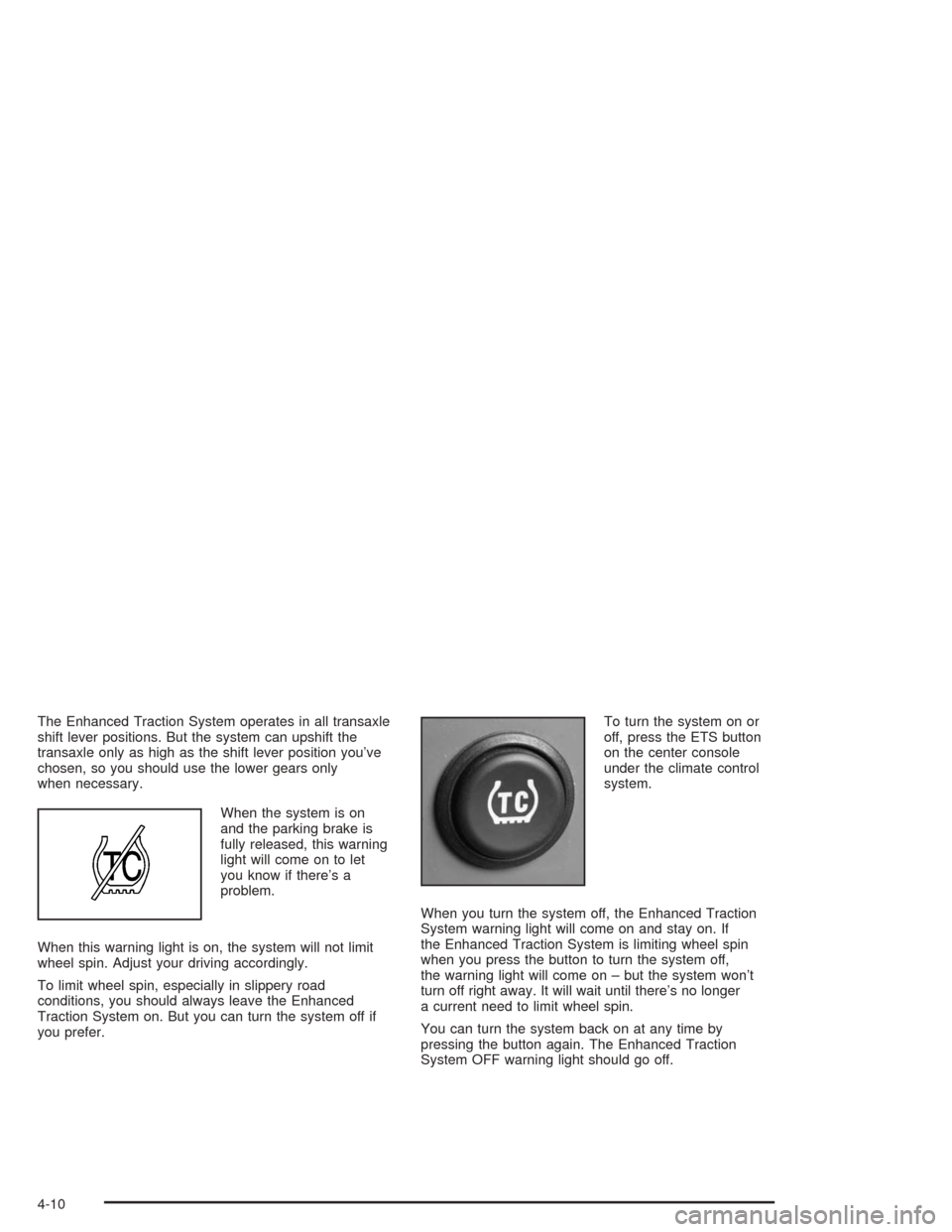
When the system is on
and the parking brake is
fully released, this warning
light will come on to let
you know if there’s a
problem.
When this warning light is on, the system will not limit
wheel spin. Adjust your driving accordingly.
To limit wheel spin, especially in slippery road
conditions, you should always leave the Enhanced
Traction System on. But you can turn the system off if
you prefer.To turn the system on or
off, press the ETS button
on the center console
under the climate control
system.
When you turn the system off, the Enhanced Traction
System warning light will come on and stay on. If
the Enhanced Traction System is limiting wheel spin
when you press the button to turn the system off,
the warning light will come on – but the system won’t
turn off right away. It will wait until there’s no longer
a current need to limit wheel spin.
You can turn the system back on at any time by
pressing the button again. The Enhanced Traction
System OFF warning light should go off.
4-10
Page 343 of 426
Uniform Tire Quality Grading
Quality grades can be found where applicable on the
tire sidewall between tread shoulder and maximum
section width. For example:
Treadwear 200 Traction AA Temperature A
The following information relates to the system
developed by the United States National Highway
Traffic Safety Administration, which grades tires by
treadwear, traction and temperature performance.
(This applies only to vehicles sold in the United States.)
The grades are molded on the sidewalls of most
passenger car tires. The Uniform Tire Quality Grading
system does not apply to deep tread, winter-type
snow tires, space-saver or temporary use spare tires,
tires with nominal rim diameters of 10 to 12 inches
(25 to 30 cm), or to some limited-production tires.
While the tires available on General Motors passenger
cars and light trucks may vary with respect to these
grades, they must also conform to federal safety
requirements and additional General Motors Tire
Performance Criteria (TPC) standards.
Treadwear
The treadwear grade is a comparative rating based on
the wear rate of the tire when tested under controlled
conditions on a specied government test course.
For example, a tire graded 150 would wear one and
a half (1.5) times as well on the government course as
a tire graded 100. The relative performance of tires
depends upon the actual conditions of their use,
however, and may depart signicantly from the norm
due to variations in driving habits, service practices and
differences in road characteristics and climate.
Traction – AA, A, B, C
The traction grades, from highest to lowest, are AA, A,
B, and C. Those grades represent the tire’s ability
to stop on wet pavement as measured under controlled
conditions on specied government test surfaces of
asphalt and concrete. A tire marked C may have poor
traction performance. Warning: The traction grade
assigned to this tire is based on straight-ahead braking
traction tests, and does not include acceleration,
cornering, hydroplaning, or peak traction characteristics.
5-61
Page 371 of 426

Instrument Panel Fuse Block
Fuses Usage
POWER
MIRRORSPower Mirrors
EPS Electric Power SteeringFuses Usage
RUN/CRANKCruise Control, Electronic
Range Select
HVAC BLOWER
HIGH (Relay)Climate Control System
5-89
Page 372 of 426
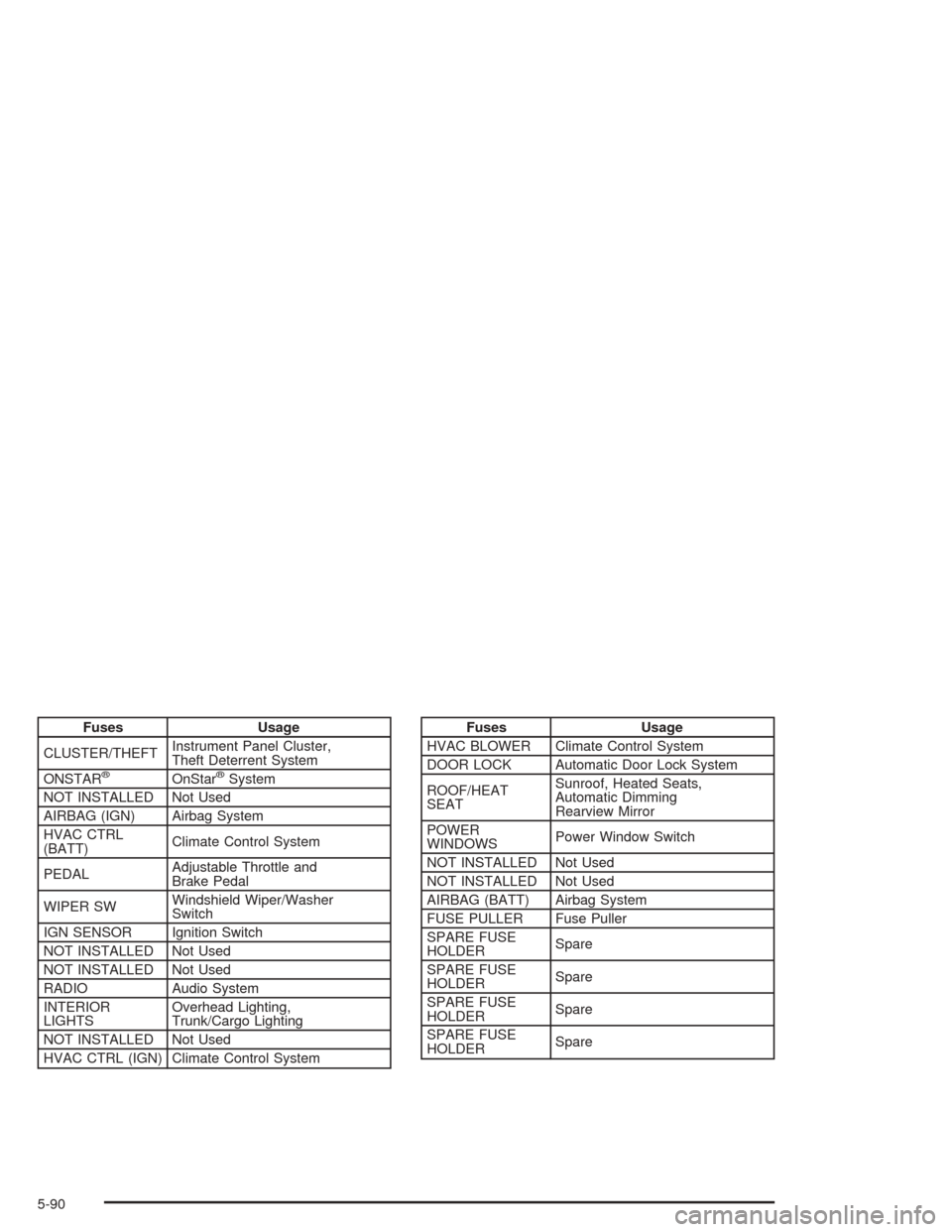
Fuses Usage
CLUSTER/THEFTInstrument Panel Cluster,
Theft Deterrent System
ONSTAR
®OnStar®System
NOT INSTALLED Not Used
AIRBAG (IGN) Airbag System
HVAC CTRL
(BATT)Climate Control System
PEDALAdjustable Throttle and
Brake Pedal
WIPER SWWindshield Wiper/Washer
Switch
IGN SENSOR Ignition Switch
NOT INSTALLED Not Used
NOT INSTALLED Not Used
RADIO Audio System
INTERIOR
LIGHTSOverhead Lighting,
Trunk/Cargo Lighting
NOT INSTALLED Not Used
HVAC CTRL (IGN) Climate Control System
Fuses Usage
HVAC BLOWER Climate Control System
DOOR LOCK Automatic Door Lock System
ROOF/HEAT
SEATSunroof, Heated Seats,
Automatic Dimming
Rearview Mirror
POWER
WINDOWSPower Window Switch
NOT INSTALLED Not Used
NOT INSTALLED Not Used
AIRBAG (BATT) Airbag System
FUSE PULLER Fuse Puller
SPARE FUSE
HOLDERSpare
SPARE FUSE
HOLDERSpare
SPARE FUSE
HOLDERSpare
SPARE FUSE
HOLDERSpare
5-90
Page 412 of 426
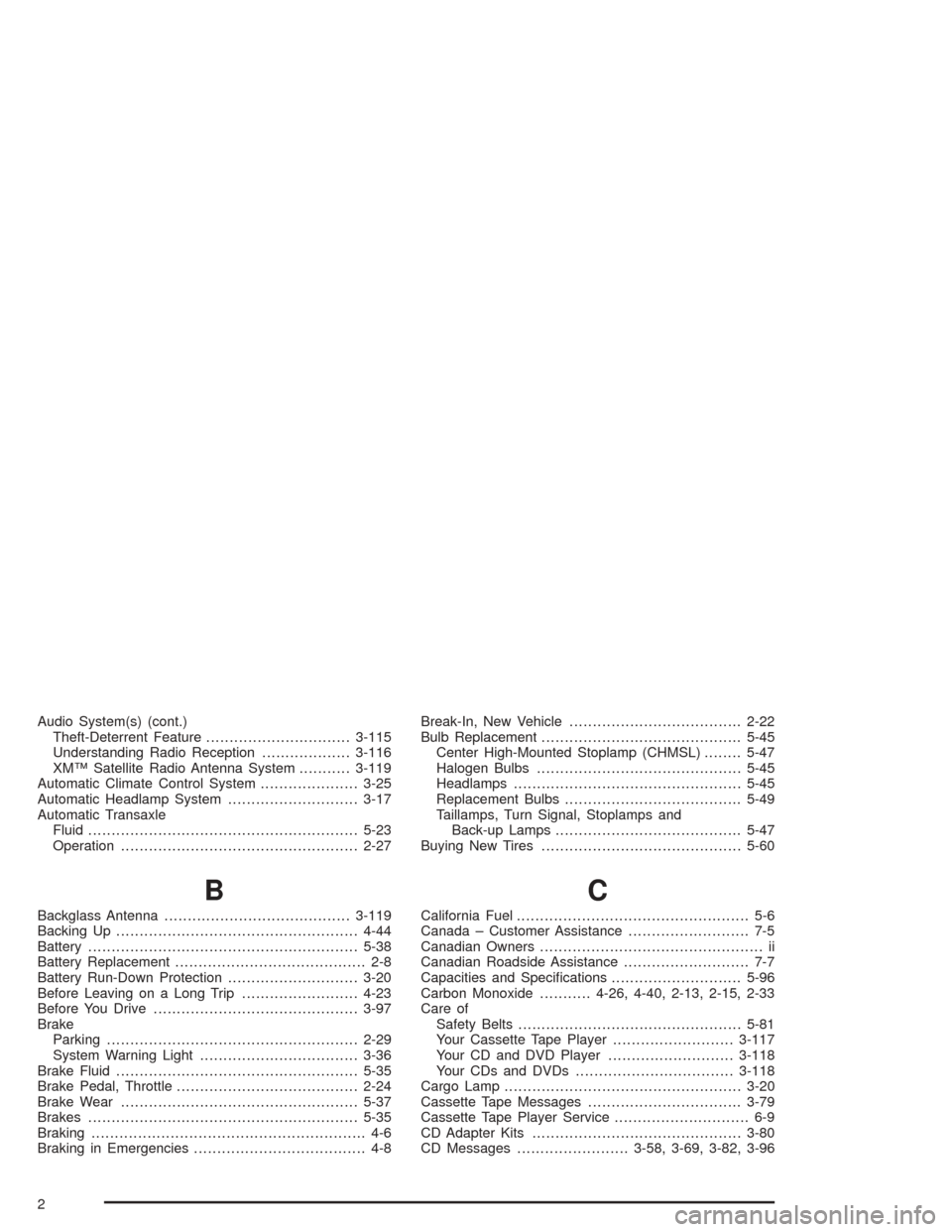
Audio System(s) (cont.)
Theft-Deterrent Feature...............................3-115
Understanding Radio Reception...................3-116
XM™ Satellite Radio Antenna System...........3-119
Automatic Climate Control System.....................3-25
Automatic Headlamp System............................3-17
Automatic Transaxle
Fluid..........................................................5-23
Operation...................................................2-27
B
Backglass Antenna........................................3-119
Backing Up....................................................4-44
Battery..........................................................5-38
Battery Replacement......................................... 2-8
Battery Run-Down Protection............................3-20
Before Leaving on a Long Trip.........................4-23
Before You Drive............................................3-97
Brake
Parking......................................................2-29
System Warning Light..................................3-36
Brake Fluid....................................................5-35
Brake Pedal, Throttle.......................................2-24
Brake Wear...................................................5-37
Brakes..........................................................5-35
Braking........................................................... 4-6
Braking in Emergencies..................................... 4-8Break-In, New Vehicle.....................................2-22
Bulb Replacement...........................................5-45
Center High-Mounted Stoplamp (CHMSL)........5-47
Halogen Bulbs............................................5-45
Headlamps.................................................5-45
Replacement Bulbs......................................5-49
Taillamps, Turn Signal, Stoplamps and
Back-up Lamps........................................5-47
Buying New Tires...........................................5-60
C
California Fuel.................................................. 5-6
Canada – Customer Assistance.......................... 7-5
Canadian Owners................................................ ii
Canadian Roadside Assistance........................... 7-7
Capacities and Specications............................5-96
Carbon Monoxide...........4-26, 4-40, 2-13, 2-15, 2-33
Care of
Safety Belts................................................5-81
Your Cassette Tape Player..........................3-117
Your CD and DVD Player...........................3-118
Your CDs and DVDs..................................3-118
Cargo Lamp...................................................3-20
Cassette Tape Messages.................................3-79
Cassette Tape Player Service............................. 6-9
CD Adapter Kits.............................................3-80
CD Messages........................3-58, 3-69, 3-82, 3-96
2