door lock CHEVROLET MALIBU 2005 5.G User Guide
[x] Cancel search | Manufacturer: CHEVROLET, Model Year: 2005, Model line: MALIBU, Model: CHEVROLET MALIBU 2005 5.GPages: 434, PDF Size: 2.61 MB
Page 96 of 434
Trunk (Sedan)
To unlock the trunk from the outside, use the key or the
remote keyless entry transmitter. When closing the
trunk, close from the center to ensure it fully latches.
{CAUTION:
It can be dangerous to drive with the trunk lid
open because carbon monoxide (CO) gas can
come into your vehicle. You cannot see or
smell CO. It can cause unconsciousness and
even death. If you must drive with the trunk lid
open or if electrical wiring or other cable
connections must pass through the seal
between the body and the trunk lid:
Make sure all other windows are shut.
Turn the fan on your heating or cooling
system to its highest speed and select the
control setting that will force outside air
into your vehicle. See Climate Control
System.
If you have air outlets on or under the
instrument panel, open them all the way.
SeeEngine Exhaust on page 2-32.
Remote Trunk/Liftgate Release
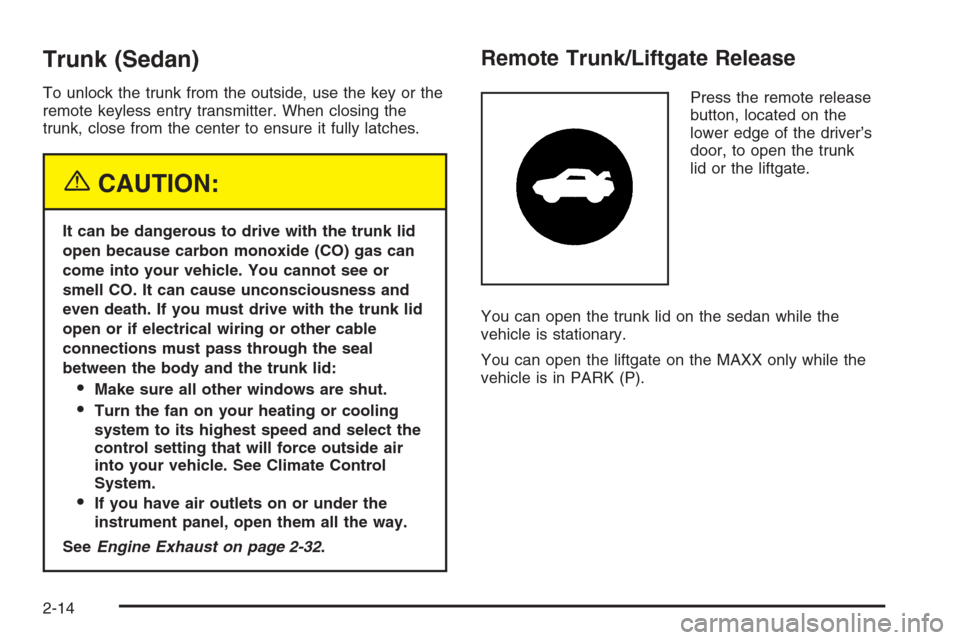
Press the remote release
button, located on the
lower edge of the driver’s
door, to open the trunk
lid or the liftgate.
You can open the trunk lid on the sedan while the
vehicle is stationary.
You can open the liftgate on the MAXX only while the
vehicle is in PARK (P).
2-14
Page 97 of 434
Emergency Trunk Release Handle
Notice:Do not use the emergency trunk release
handle as a tie-down or anchor point when securing
items in the trunk as it could damage the handle.
The emergency trunk release handle is only
intended to aid a person trapped in a latched trunk,
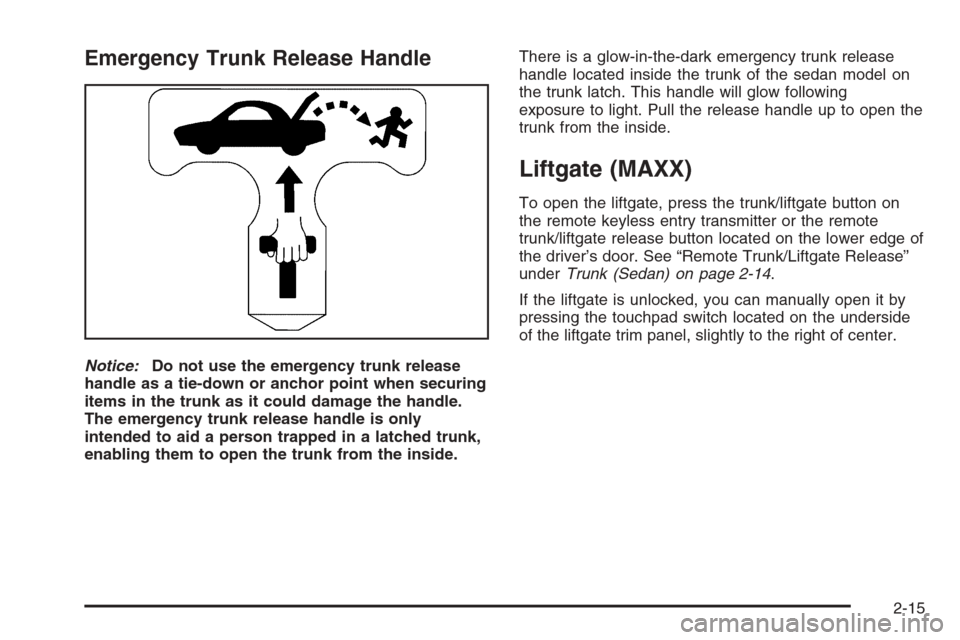
enabling them to open the trunk from the inside.There is a glow-in-the-dark emergency trunk release
handle located inside the trunk of the sedan model on
the trunk latch. This handle will glow following
exposure to light. Pull the release handle up to open the
trunk from the inside.
Liftgate (MAXX)
To open the liftgate, press the trunk/liftgate button on
the remote keyless entry transmitter or the remote
trunk/liftgate release button located on the lower edge of
the driver’s door. See “Remote Trunk/Liftgate Release”
underTrunk (Sedan) on page 2-14.
If the liftgate is unlocked, you can manually open it by
pressing the touchpad switch located on the underside
of the liftgate trim panel, slightly to the right of center.
2-15
Page 99 of 434
Power Windows
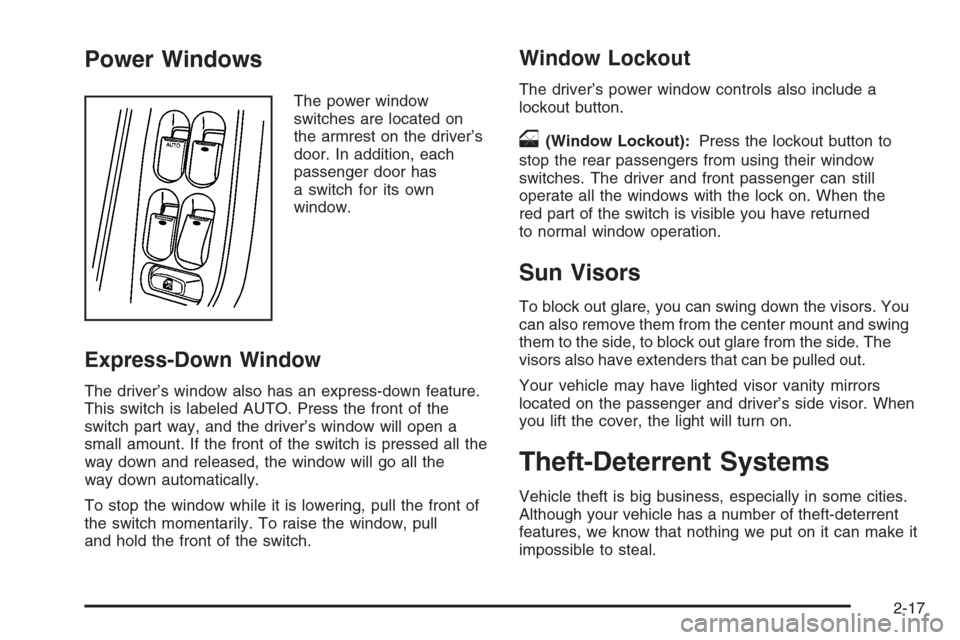
The power window
switches are located on
the armrest on the driver’s
door. In addition, each
passenger door has
a switch for its own
window.
Express-Down Window
The driver’s window also has an express-down feature.
This switch is labeled AUTO. Press the front of the
switch part way, and the driver’s window will open a
small amount. If the front of the switch is pressed all the
way down and released, the window will go all the
way down automatically.
To stop the window while it is lowering, pull the front of
the switch momentarily. To raise the window, pull
and hold the front of the switch.
Window Lockout
The driver’s power window controls also include a
lockout button.
o(Window Lockout):Press the lockout button to
stop the rear passengers from using their window
switches. The driver and front passenger can still
operate all the windows with the lock on. When the
red part of the switch is visible you have returned
to normal window operation.
Sun Visors
To block out glare, you can swing down the visors. You
can also remove them from the center mount and swing
them to the side, to block out glare from the side. The
visors also have extenders that can be pulled out.
Your vehicle may have lighted visor vanity mirrors
located on the passenger and driver’s side visor. When
you lift the cover, the light will turn on.
Theft-Deterrent Systems
Vehicle theft is big business, especially in some cities.
Although your vehicle has a number of theft-deterrent
features, we know that nothing we put on it can make it
impossible to steal.
2-17
Page 100 of 434
Content Theft-Deterrent
Your vehicle may have a
content theft-deterrent
alarm system.
Arming the System
With the ignition off, you can arm the system by doing
any one of the following:
Press the remote keyless entry transmitter lock
button.
Press the power door lock switch while the driver’s
door is open.
Turn the driver’s door key lock cylinder clockwise.
The system will arm either:
Thirty seconds after all the doors and the liftgate
(MAXX) are closed or,
Sixty seconds with any door openIf you press the lock button on the remote keyless entry
transmitter a second time while all the doors and
liftgate are closed, the system will arm immediately. The
system will still arm in sixty seconds if a door or
liftgate is open. When the opened door or liftgate is
closed, it will also become armed.
The security light, located on the instrument panel
cluster, will turn on to indicate that arming has been
initiated. Once the system is armed, the security light will
ash once every three seconds.
If the security light is ashing twice per second, this
means that a door or the liftgate is open.
If you do not want to arm the system, you may lock the
car with the lock levers on the doors.
Disarming the System
You can disarm the system by doing any one of the
following:
Press the remote keyless entry transmitter unlock
button.
Turn the ignition on.
Turn the driver’s door key lock cylinder
counterclockwise.
Once the system is disarmed, the security light will stop
ashing.
2-18
Page 101 of 434
How the System Alarm is Activated
If the system is armed, it can be activated by either:
Opening the driver’s door or liftgate (MAXX model).
This will cause a ten second pre-alarm chirp
followed by a thirty second full alarm of horn and
lights.
Opening any other door. This will immediately
cause a full alarm of horn and lights for
thirty seconds.
When an alarm event has nished, the system will
re-arm itself automatically.
How to Turn Off the System Alarm
To turn off the system alarm, do one of the following:
Press the lock button on the remote keyless
entry transmitter. The system will then re-arm itself.
Press the unlock button on the remote keyless entry
transmitter. This will also disarm the system.
Insert the key in the driver’s door key lock cylinder
and turn it counterclockwise. This will also disarm
the system.
Insert the key in the ignition and turn it on. This will
also disarm the system.
How to Detect a Tamper Condition
If you hear three chirps when you press the unlock or
lock buttons on the remote keyless entry transmitter,
it means that the content theft security system
alarm was triggered previously.
PASS-Key®III+
The PASS-Key®III+ system operates on a radio
frequency subject to Federal Communications
Commission (FCC) Rules and with Industry Canada.
This device complies with Part 15 of the FCC Rules.
Operation is subject to the following two conditions:
1. This device may not cause harmful interference.
2. This device must accept any interference received,
including interference that may cause undesired
operation.
This device complies with RSS-210 of Industry Canada.
Operation is subject to the following two conditions:
1. This device may not cause interference.
2. This device must accept any interference received,
including interference that may cause undesired
operation of the device.
Changes or modications to this system by other than
an authorized service facility could void authorization to
use this equipment.
PASS-Key
®III+ uses a radio frequency transponder in
the key that matches a decoder in your vehicle.
2-19
Page 104 of 434
Ignition Positions
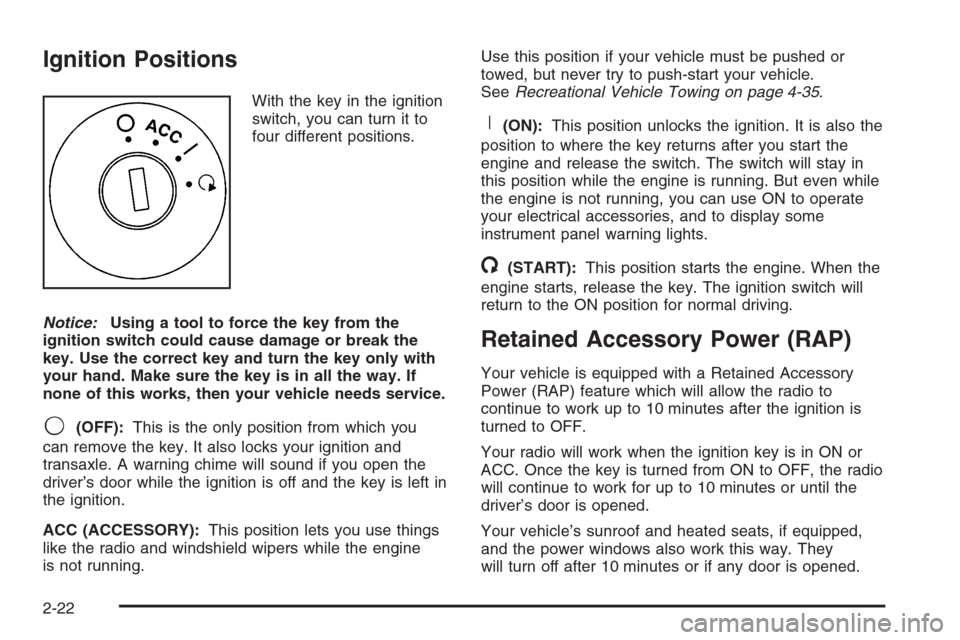
With the key in the ignition
switch, you can turn it to
four different positions.
Notice:Using a tool to force the key from the
ignition switch could cause damage or break the
key. Use the correct key and turn the key only with
your hand. Make sure the key is in all the way. If
none of this works, then your vehicle needs service.
9(OFF):This is the only position from which you
can remove the key. It also locks your ignition and
transaxle. A warning chime will sound if you open the
driver’s door while the ignition is off and the key is left in
the ignition.
ACC (ACCESSORY):This position lets you use things
like the radio and windshield wipers while the engine
is not running.Use this position if your vehicle must be pushed or
towed, but never try to push-start your vehicle.
SeeRecreational Vehicle Towing on page 4-35.
R(ON):This position unlocks the ignition. It is also the
position to where the key returns after you start the
engine and release the switch. The switch will stay in
this position while the engine is running. But even while
the engine is not running, you can use ON to operate
your electrical accessories, and to display some
instrument panel warning lights.
/(START):This position starts the engine. When the
engine starts, release the key. The ignition switch will
return to the ON position for normal driving.
Retained Accessory Power (RAP)
Your vehicle is equipped with a Retained Accessory
Power (RAP) feature which will allow the radio to
continue to work up to 10 minutes after the ignition is
turned to OFF.
Your radio will work when the ignition key is in ON or
ACC. Once the key is turned from ON to OFF, the radio
will continue to work for up to 10 minutes or until the
driver’s door is opened.
Your vehicle’s sunroof and heated seats, if equipped,
and the power windows also work this way. They
will turn off after 10 minutes or if any door is opened.
2-22
Page 121 of 434
Safe and Sound Plan
Advanced Automatic Collision Notication
Automatic Notication of Airbag Deployment
Emergency Services
Roadside Assistance
Stolen Vehicle Tracking
AccidentAssist
Remote Door Unlock/Vehicle Alert
Remote Diagnostics
Online Concierge
Directions and Connections Plan
All Safe and Sound Plan Services
Driving Directions
RideAssist
Information and Convenience Services
OnStar®Personal Calling
As an OnStar®subscriber, the Personal Calling
capability is an available hands-free wireless phone that
is integrated into the vehicle. Calls can be placed
nationwide using simple voice commands with no
additional contracts and no additional roaming charges.
To nd out more about OnStar
®Personal Calling,
refer to the OnStar®user’s guide in the vehicle’s glove
box or visit www.onstar.com or www.onstarcanada.com;
or speak with an OnStar
®advisor by pressing the
OnStar®button or by calling 1-888-4-ONSTAR
(1-888-466-7827).
OnStar®Virtual Advisor
Virtual Advisor is a feature of OnStar®Personal Calling
that uses minutes to access up-to-date weather and
traffic reports for your area, news and sports updates,
stock quotes, entertainment and more. Customize
your information prole at www.myonstar.com. See the
OnStar
®user’s guide for more information.
2-39
Page 122 of 434
HomeLink®Wireless Control
System
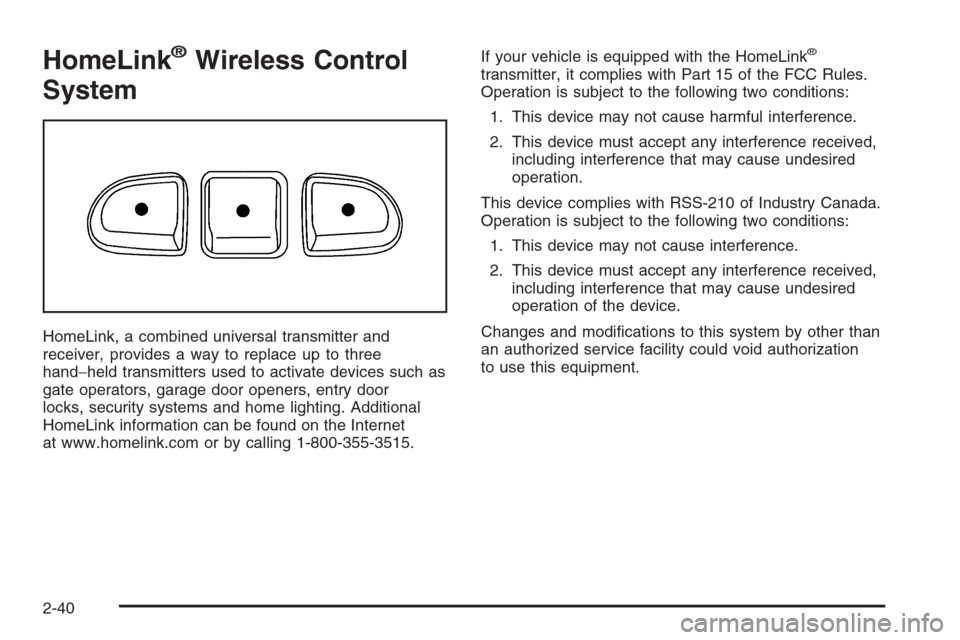
HomeLink, a combined universal transmitter and
receiver, provides a way to replace up to three
hand−held transmitters used to activate devices such as
gate operators, garage door openers, entry door
locks, security systems and home lighting. Additional
HomeLink information can be found on the Internet
at www.homelink.com or by calling 1-800-355-3515.If your vehicle is equipped with the HomeLink
®
transmitter, it complies with Part 15 of the FCC Rules.
Operation is subject to the following two conditions:
1. This device may not cause harmful interference.
2. This device must accept any interference received,
including interference that may cause undesired
operation.
This device complies with RSS-210 of Industry Canada.
Operation is subject to the following two conditions:
1. This device may not cause interference.
2. This device must accept any interference received,
including interference that may cause undesired
operation of the device.
Changes and modications to this system by other than
an authorized service facility could void authorization
to use this equipment.
2-40
Page 149 of 434
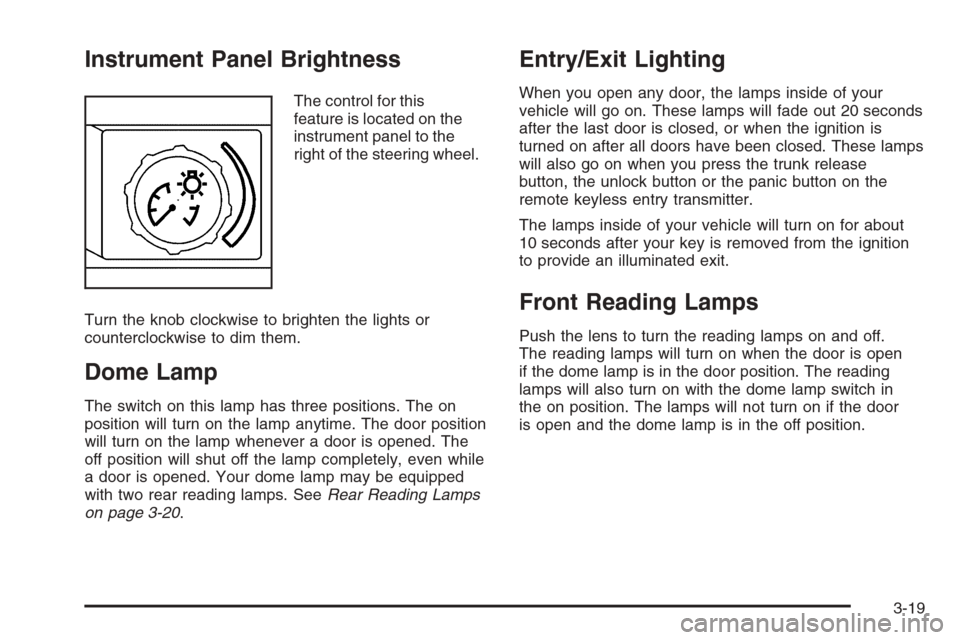
Instrument Panel Brightness
The control for this
feature is located on the
instrument panel to the
right of the steering wheel.
Turn the knob clockwise to brighten the lights or
counterclockwise to dim them.
Dome Lamp
The switch on this lamp has three positions. The on
position will turn on the lamp anytime. The door position
will turn on the lamp whenever a door is opened. The
off position will shut off the lamp completely, even while
a door is opened. Your dome lamp may be equipped
with two rear reading lamps. SeeRear Reading Lamps
on page 3-20.
Entry/Exit Lighting
When you open any door, the lamps inside of your
vehicle will go on. These lamps will fade out 20 seconds
after the last door is closed, or when the ignition is
turned on after all doors have been closed. These lamps
will also go on when you press the trunk release
button, the unlock button or the panic button on the
remote keyless entry transmitter.
The lamps inside of your vehicle will turn on for about
10 seconds after your key is removed from the ignition
to provide an illuminated exit.
Front Reading Lamps
Push the lens to turn the reading lamps on and off.
The reading lamps will turn on when the door is open
if the dome lamp is in the door position. The reading
lamps will also turn on with the dome lamp switch in
the on position. The lamps will not turn on if the door
is open and the dome lamp is in the off position.
3-19
Page 150 of 434
Rear Reading Lamps
The vehicle’s dome lamp may have two reading lamps.
The reading lamps turn on and off by pushing on
the lens.
Trunk Lamp
The trunk lamp comes on when you open your trunk.
Cargo Lamp
If your vehicle is the MAXX model, it has a cargo lamp.
The cargo lamp comes on when the liftgate is opened.
If you want to leave the liftgate open you can turn off
the cargo lamp by pushing on the lens.
Battery Run-Down Protection
Your vehicle has a battery run-down protection feature
designed to protect your vehicle’s battery.
When any interior lamp (trunk, reading, or visor vanity)
is left on while the ignition is turned off, the battery
run-down protection system will automatically shut the
lamp(s) off after 20 minutes. This will avoid draining
the battery.
To reactivate the interior lamps, do one of the following:
Turn on the ignition.
Turn the exterior lamp control off and then on.
Open a door.
Press any remote keyless entry transmitter button
(if equipped).
Press the remote trunk release button.
Press the power door lock switch.
The battery run-down feature will also be activated
when any door on the vehicle is left open and the
ignition is in OFF.
3-20