buttons CHEVROLET MALIBU 2007 6.G User Guide
[x] Cancel search | Manufacturer: CHEVROLET, Model Year: 2007, Model line: MALIBU, Model: CHEVROLET MALIBU 2007 6.GPages: 510, PDF Size: 2.8 MB
Page 153 of 510
Reprogramming a Single Universal
Home Remote Button
To program a device to Universal Home Remote
using a Universal Home Remote button
previously trained, follow these steps:
1. Press and hold the desired Universal Home
Remote button. Do not release the button.
2. The indicator light will begin to ash after
20 seconds. While still holding the Universal
Home Remote button, proceed with Step 2
under “Programming Universal Home Remote”
shown earlier in this section.
For help or information on the Universal Home
Remote System, call the customer assistance
phone number underCustomer Assistance Offices
on page 479.
Universal Home Remote System
Operation (With Three Round LED)
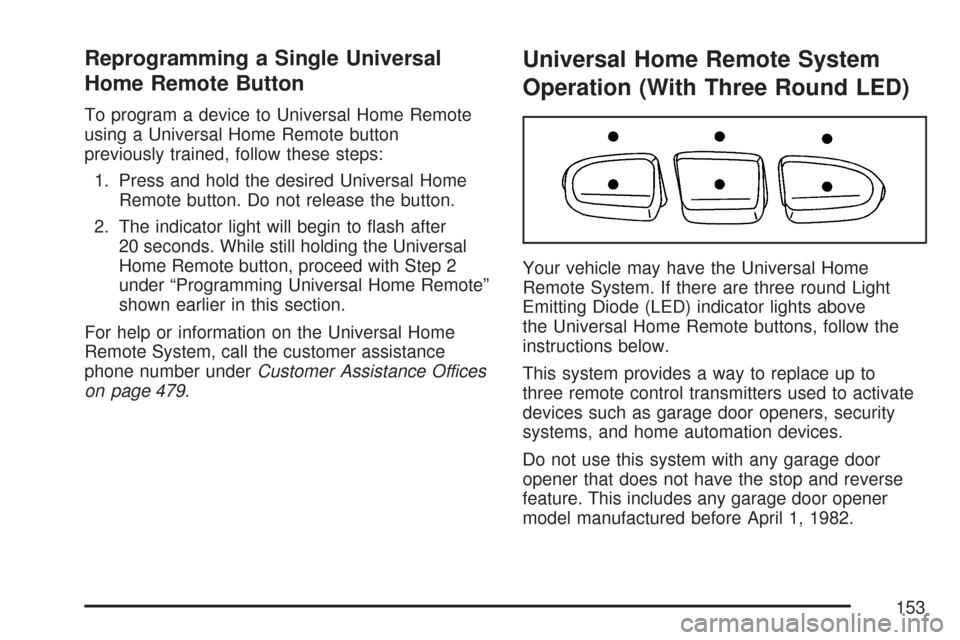
Your vehicle may have the Universal Home
Remote System. If there are three round Light
Emitting Diode (LED) indicator lights above
the Universal Home Remote buttons, follow the
instructions below.
This system provides a way to replace up to
three remote control transmitters used to activate
devices such as garage door openers, security
systems, and home automation devices.
Do not use this system with any garage door
opener that does not have the stop and reverse
feature. This includes any garage door opener
model manufactured before April 1, 1982.
153
Page 154 of 510
Read the instructions completely before attempting
to program the transmitter. Because of the steps
involved, it may be helpful to have another
person available to assist you in programming
the transmitter.
Be sure to keep the original remote control
transmitter for use in other vehicles, as well as,
for future programming. You only need the
original remote control transmitter for Fixed Code
programming. It is also recommended that
upon the sale or lease termination of the vehicle,
the programmed buttons should be erased for
security purposes. See “Erasing Universal
Home Remote Buttons” later in this section.
When programming a garage door, it is advised
to park outside of the garage. Be sure that
people and objects are clear of the garage door
or security device you are programming.Programming Universal Home
Remote — Rolling Code
Most garage door openers sold after 1996 are
Rolling Code units.
Programming a garage door opener involves
time-sensitive actions, so read the entire procedure
before you begin. If you do not follow these
actions, the device will time out and you will have
to repeat the procedure.
154
Page 155 of 510
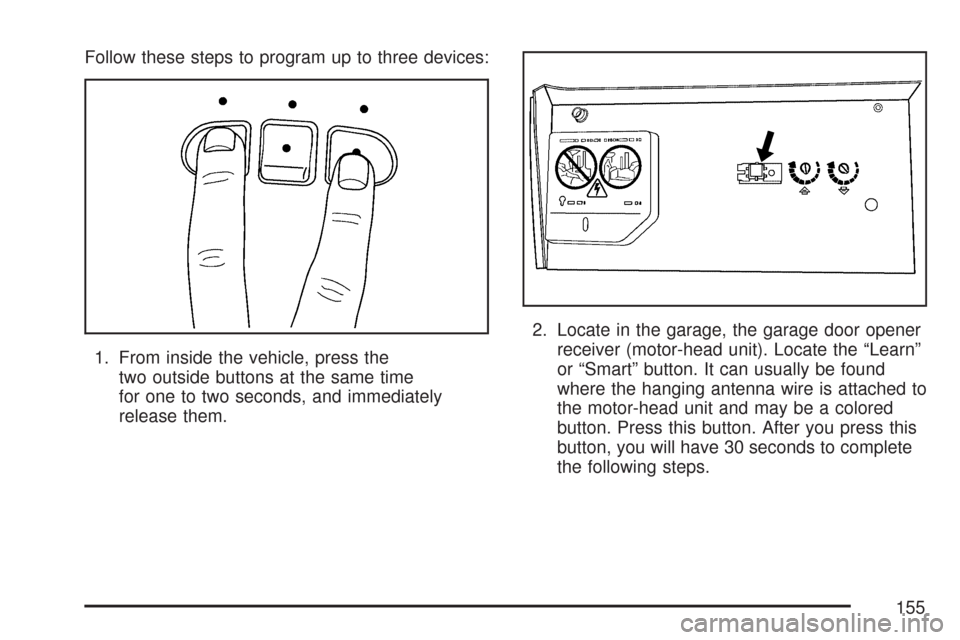
Follow these steps to program up to three devices:
1. From inside the vehicle, press the
two outside buttons at the same time
for one to two seconds, and immediately
release them.2. Locate in the garage, the garage door opener
receiver (motor-head unit). Locate the “Learn”
or “Smart” button. It can usually be found
where the hanging antenna wire is attached to
the motor-head unit and may be a colored
button. Press this button. After you press this
button, you will have 30 seconds to complete
the following steps.
155
Page 158 of 510
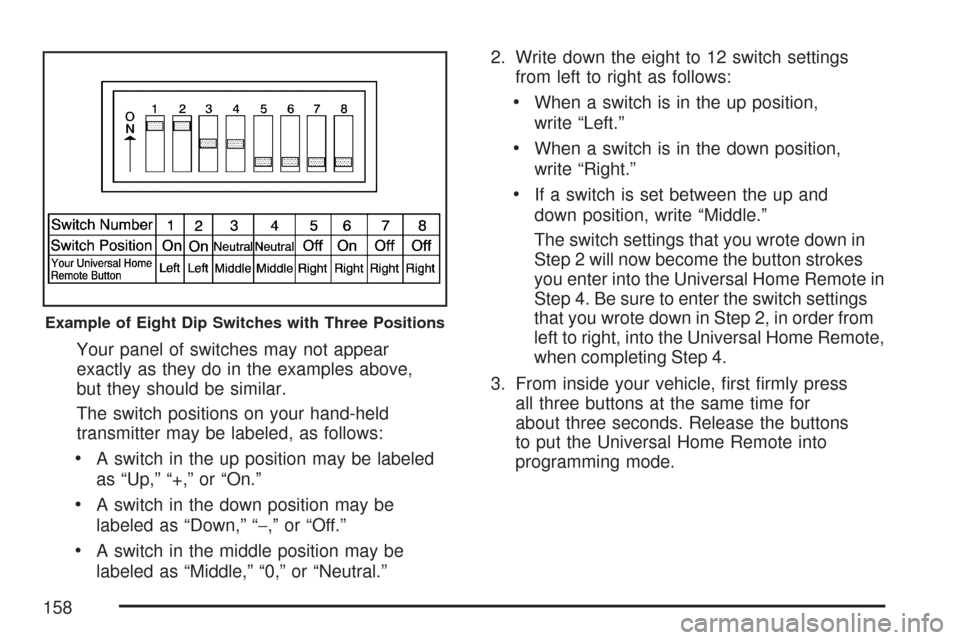
Your panel of switches may not appear
exactly as they do in the examples above,
but they should be similar.
The switch positions on your hand-held
transmitter may be labeled, as follows:
A switch in the up position may be labeled
as “Up,” “+,” or “On.”
A switch in the down position may be
labeled as “Down,” “−,” or “Off.”
A switch in the middle position may be
labeled as “Middle,” “0,” or “Neutral.”2. Write down the eight to 12 switch settings
from left to right as follows:
When a switch is in the up position,
write “Left.”
When a switch is in the down position,
write “Right.”
If a switch is set between the up and
down position, write “Middle.”
The switch settings that you wrote down in
Step 2 will now become the button strokes
you enter into the Universal Home Remote in
Step 4. Be sure to enter the switch settings
that you wrote down in Step 2, in order from
left to right, into the Universal Home Remote,
when completing Step 4.
3. From inside your vehicle, rst rmly press
all three buttons at the same time for
about three seconds. Release the buttons
to put the Universal Home Remote into
programming mode.
Example of Eight Dip Switches with Three Positions
158
Page 159 of 510
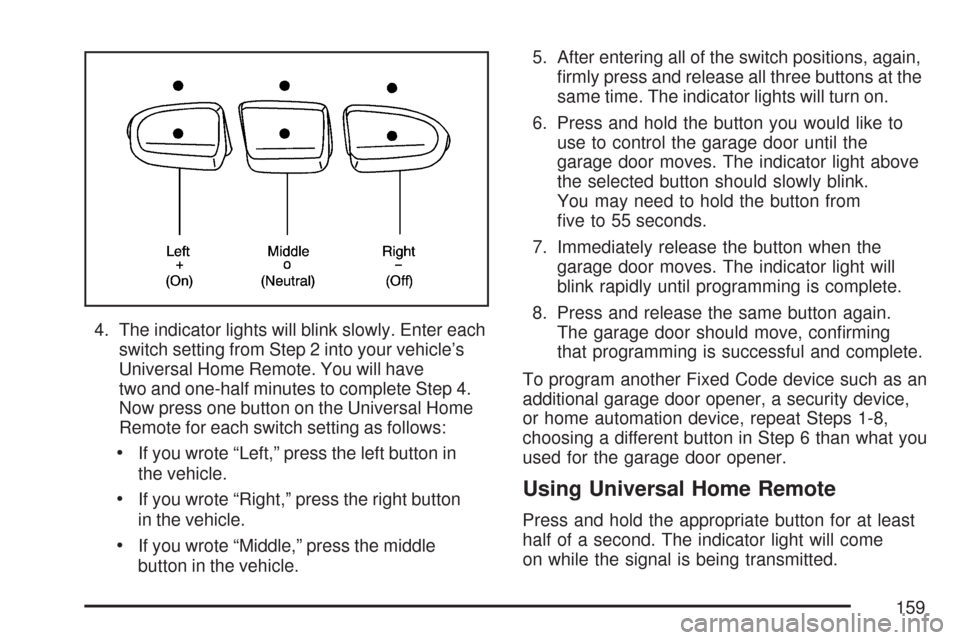
4. The indicator lights will blink slowly. Enter each
switch setting from Step 2 into your vehicle’s
Universal Home Remote. You will have
two and one-half minutes to complete Step 4.
Now press one button on the Universal Home
Remote for each switch setting as follows:
If you wrote “Left,” press the left button in
the vehicle.
If you wrote “Right,” press the right button
in the vehicle.
If you wrote “Middle,” press the middle
button in the vehicle.5. After entering all of the switch positions, again,
rmly press and release all three buttons at the
same time. The indicator lights will turn on.
6. Press and hold the button you would like to
use to control the garage door until the
garage door moves. The indicator light above
the selected button should slowly blink.
You may need to hold the button from
ve to 55 seconds.
7. Immediately release the button when the
garage door moves. The indicator light will
blink rapidly until programming is complete.
8. Press and release the same button again.
The garage door should move, conrming
that programming is successful and complete.
To program another Fixed Code device such as an
additional garage door opener, a security device,
or home automation device, repeat Steps 1-8,
choosing a different button in Step 6 than what you
used for the garage door opener.
Using Universal Home Remote
Press and hold the appropriate button for at least
half of a second. The indicator light will come
on while the signal is being transmitted.
159
Page 160 of 510
Reprogramming Universal Home
Remote Buttons
You can reprogram any of the three buttons
by repeating the instructions.
Erasing Universal Home Remote
Buttons
You should erase the programmed buttons
when you sell or terminate your lease.
To erase either Rolling Code or Fixed Code
on the Universal Home Remote device,
do the following:
1. Press and hold the two outside buttons at
the same time for approximately 20 seconds,
until the indicator lights, located directly
above the buttons, begin to blink rapidly.
2. Once the indicator lights begin to blink,
release both buttons. The codes from all
buttons will be erased.
For help or information on the Universal Home
Remote System, call the customer assistance
phone number underCustomer Assistance Offices
on page 479.
Storage Areas
Glove Box
To open, pull the handle down and pull the glove
box door down until it stops and is fully open.
Cupholder(s)
There is a cupholder next to the shift lever and
another, if equipped, at the rear of the shift lever.
If your vehicle has rear seat cupholders, pull
down the door on the back of the center console
to access them.
Center Console Storage Area
There is a storage compartment in the center
console area. To open the lower compartment,
pull up on the release at the front edge of
the armrest. Your vehicle may have an accessory
power outlet inside of the storage area. See
Accessory Power Outlet(s) on page 186for
more information.
160
Page 169 of 510
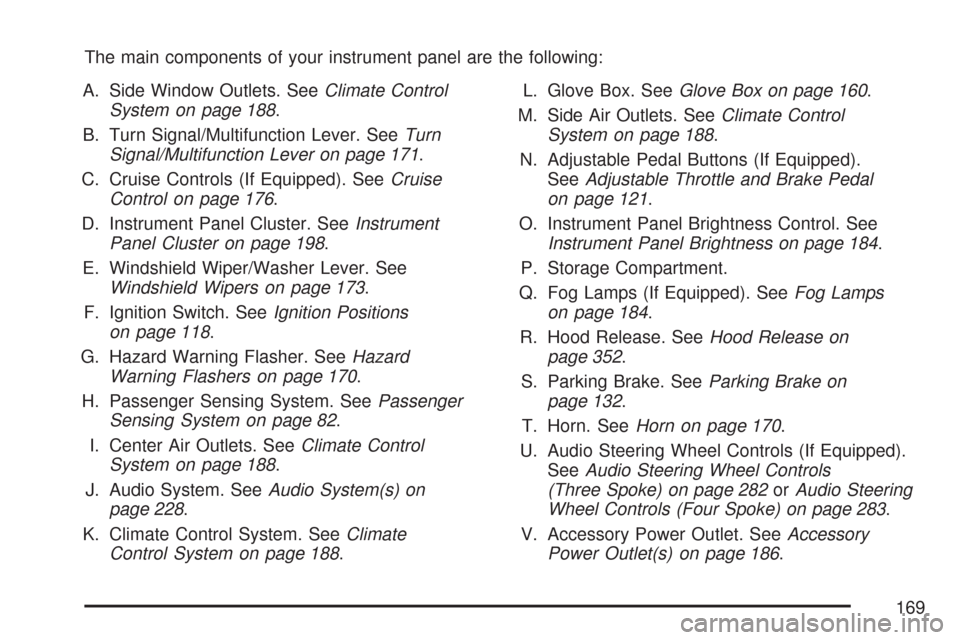
The main components of your instrument panel are the following:
A. Side Window Outlets. SeeClimate Control
System on page 188.
B. Turn Signal/Multifunction Lever. SeeTurn
Signal/Multifunction Lever on page 171.
C. Cruise Controls (If Equipped). SeeCruise
Control on page 176.
D. Instrument Panel Cluster. SeeInstrument
Panel Cluster on page 198.
E. Windshield Wiper/Washer Lever. See
Windshield Wipers on page 173.
F. Ignition Switch. SeeIgnition Positions
on page 118.
G. Hazard Warning Flasher. SeeHazard
Warning Flashers on page 170.
H. Passenger Sensing System. SeePassenger
Sensing System on page 82.
I. Center Air Outlets. SeeClimate Control
System on page 188.
J. Audio System. SeeAudio System(s) on
page 228.
K. Climate Control System. SeeClimate
Control System on page 188.L. Glove Box. SeeGlove Box on page 160.
M. Side Air Outlets. SeeClimate Control
System on page 188.
N. Adjustable Pedal Buttons (If Equipped).
SeeAdjustable Throttle and Brake Pedal
on page 121.
O. Instrument Panel Brightness Control. See
Instrument Panel Brightness on page 184.
P. Storage Compartment.
Q. Fog Lamps (If Equipped). SeeFog Lamps
on page 184.
R. Hood Release. SeeHood Release on
page 352.
S. Parking Brake. SeeParking Brake on
page 132.
T. Horn. SeeHorn on page 170.
U. Audio Steering Wheel Controls (If Equipped).
SeeAudio Steering Wheel Controls
(Three Spoke) on page 282orAudio Steering
Wheel Controls (Four Spoke) on page 283.
V. Accessory Power Outlet. SeeAccessory
Power Outlet(s) on page 186.
169
Page 176 of 510
Cruise Control
With cruise control, you can maintain a speed
of about 25 mph (40 km/h) or more without
keeping your foot on the accelerator. This can
really help on long trips. Cruise control does not
work at speeds below about 25 mph (40 km/h).
{CAUTION:
Cruise control can be dangerous where
you cannot drive safely at a steady speed.
So, do not use your cruise control on
winding roads or in heavy traffic.
Cruise control can be dangerous on
slippery roads. On such roads, fast
changes in tire traction can cause
excessive wheel slip, and you could
lose control. Do not use cruise control
on slippery roads.
Setting Cruise Control
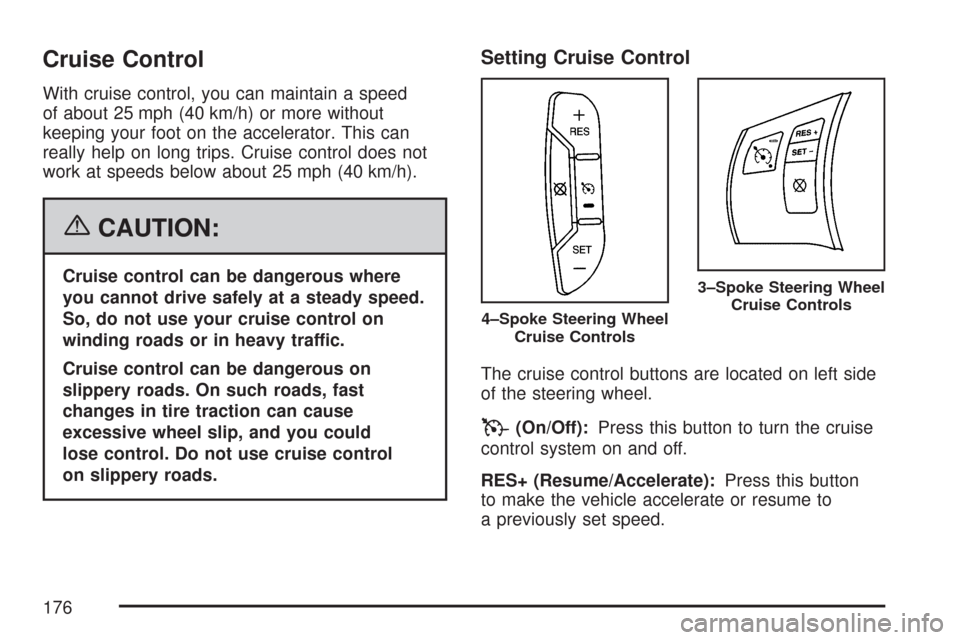
The cruise control buttons are located on left side
of the steering wheel.
T(On/Off):Press this button to turn the cruise
control system on and off.
RES+ (Resume/Accelerate):Press this button
to make the vehicle accelerate or resume to
a previously set speed.
4–Spoke Steering Wheel
Cruise Controls
3–Spoke Steering Wheel
Cruise Controls
176
Page 192 of 510
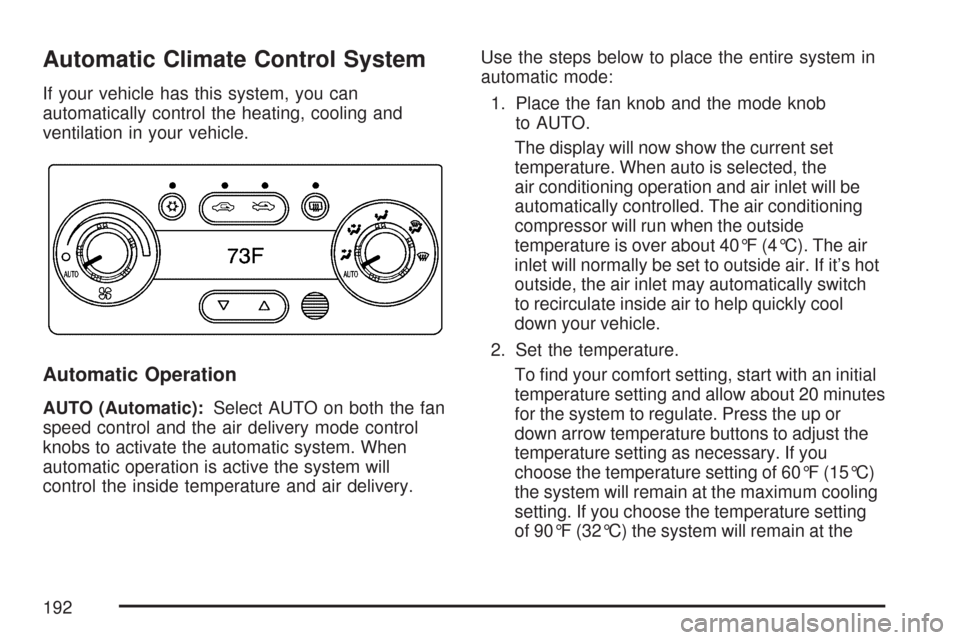
Automatic Climate Control System
If your vehicle has this system, you can
automatically control the heating, cooling and
ventilation in your vehicle.
Automatic Operation
AUTO (Automatic):Select AUTO on both the fan
speed control and the air delivery mode control
knobs to activate the automatic system. When
automatic operation is active the system will
control the inside temperature and air delivery.Use the steps below to place the entire system in
automatic mode:
1. Place the fan knob and the mode knob
to AUTO.
The display will now show the current set
temperature. When auto is selected, the
air conditioning operation and air inlet will be
automatically controlled. The air conditioning
compressor will run when the outside
temperature is over about 40°F (4°C). The air
inlet will normally be set to outside air. If it’s hot
outside, the air inlet may automatically switch
to recirculate inside air to help quickly cool
down your vehicle.
2. Set the temperature.
To nd your comfort setting, start with an initial
temperature setting and allow about 20 minutes
for the system to regulate. Press the up or
down arrow temperature buttons to adjust the
temperature setting as necessary. If you
choose the temperature setting of 60°F (15°C)
the system will remain at the maximum cooling
setting. If you choose the temperature setting
of 90°F (32°C) the system will remain at the
192
Page 194 of 510
Manual Operation
You may manually adjust the air delivery mode
or fan speed.
9(Off):Select this position on the fan knob
to turn off the entire climate control system.
Outside air will still enter the vehicle, and will be
directed to the oor. This direction can be changed
by changing the mode position. The temperature
can also be adjusted using either the up or
down arrow temperature buttons.
9(Fan):The knob with the fan symbol allows
you to manually adjust the fan speed.
H(Vent):This mode directs air to the instrument
panel outlets.
)(Bi-Level):This mode directs half of the air to
the instrument panel outlets, and the remaining
air to the oor outlets.
6(Floor):This mode directs most of the air to
the oor outlets with some air directed to the
side window outlets and windshield.
:(Outside Air):Press the right side of this
button to turn the outside air mode on. When this
mode is selected, air from outside the vehiclewill circulate throughout your vehicle. When the
button is pressed, an indicator light will come on to
let you know that it is activated. The outside air
mode can be used with all modes, except with the
recirculation mode. Pressing this button will
cancel the recirculation mode.
?(Recirculation):Press the left side of the
button to turn the recirculation mode on. When
recirculation mode is selected, the air inside the
vehicle will be recirculated through the climate
control system and the vehicle, not from outside
your vehicle. This mode is helpful when you are
trying to limit odors from entering your vehicle and
for maximum air conditioning performance in hot
weather. When the button is pressed, an indicator
light above the button will come on to let you know
that it is activated. The recirculation indicator light
will blink three times if you try to use recirculation in
a mode that it can not be used in. Only use this
mode when it is needed for comfort, since window
fogging will rapidly occur if the air conditioning
compressor is not engaged.
Pressing this button cancels the auto recirculation
feature. Each time the vehicle is started, the system
will revert to the auto recirculation function.
194