remote control CHEVROLET MALIBU 2007 6.G User Guide
[x] Cancel search | Manufacturer: CHEVROLET, Model Year: 2007, Model line: MALIBU, Model: CHEVROLET MALIBU 2007 6.GPages: 510, PDF Size: 2.8 MB
Page 186 of 510
Cargo Lamp
If your vehicle is the MAXX model, it has a cargo
lamp. The cargo lamp comes on when the liftgate is
opened. If you want to leave the liftgate open you
can turn off the cargo lamp by pushing on the lens.
Battery Run-Down Protection
Your vehicle has a battery run-down protection
feature designed to protect your vehicle’s battery.
When any interior lamp (trunk, reading, or visor
vanity) is left on while the ignition is turned off,
the battery run-down protection system will
automatically shut the lamp(s) off after 20 minutes.
This will avoid draining the battery.
To reactivate the interior lamps, do one of the
following:
Turn on the ignition.
Turn the exterior lamp control off and then on.
Open a door.
Press any remote keyless entry transmitter
button (if equipped).
Press the remote trunk release button.
Press the power door lock switch.The battery run-down feature will also be activated
when any door on the vehicle is left open and
the ignition is in OFF.
Accessory Power Outlet(s)
With accessory power outlets you can plug in
auxiliary electrical equipment such as a cellular
telephone.
For vehicles with Traction Control system, the
accessory power outlets are located on the front
of the center console storage area and also
inside the console storage compartment. The
compartment has notches that allow power cords
to be routed outside of the console while the
lid is closed. On vehicles without Traction Control,
both outlets are located on the front of the
center console storage area. There is also an
outlet in the rear cargo area of the MAXX.
Notice:Leaving electrical equipment on
for extended periods will drain the battery.
Always turn off electrical equipment when
not in use and do not plug in equipment
that exceeds the maximum amperage rating.
186
Page 188 of 510
Climate Controls
Climate Control System
With this system you can control the heating,
cooling and ventilation for your vehicle. If your
vehicle has the remote start feature, the climate
control system will function as part of the remote
start feature. SeeRemote Keyless Entry (RKE)
System Operation on page 97.
Operation
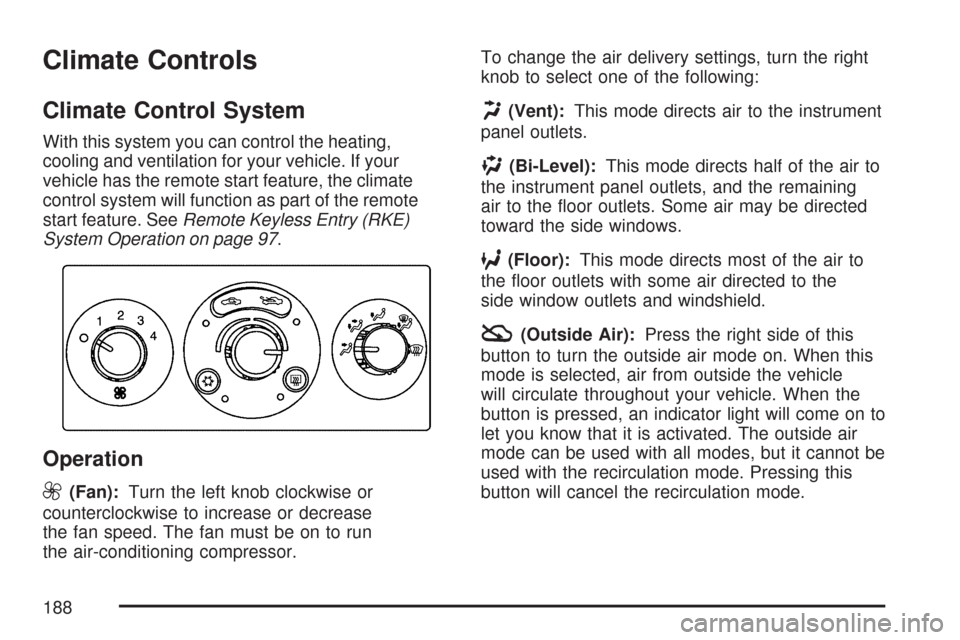
9
(Fan):Turn the left knob clockwise or
counterclockwise to increase or decrease
the fan speed. The fan must be on to run
the air-conditioning compressor.To change the air delivery settings, turn the right
knob to select one of the following:
H(Vent):This mode directs air to the instrument
panel outlets.
)(Bi-Level):This mode directs half of the air to
the instrument panel outlets, and the remaining
air to the oor outlets. Some air may be directed
toward the side windows.
6(Floor):This mode directs most of the air to
the oor outlets with some air directed to the
side window outlets and windshield.
:(Outside Air):Press the right side of this
button to turn the outside air mode on. When this
mode is selected, air from outside the vehicle
will circulate throughout your vehicle. When the
button is pressed, an indicator light will come on to
let you know that it is activated. The outside air
mode can be used with all modes, but it cannot be
used with the recirculation mode. Pressing this
button will cancel the recirculation mode.
188
Page 193 of 510
maximum heat setting. Choosing either
maximum setting will not cause the vehicle
to heat or cool any faster.
Be careful not to cover the sensor located
on the top of the instrument panel near
the windshield. This sensor regulates air
temperature based on sun load, and also
turns on your headlamps.
Also be careful not to cover the sensor grille
on the lower right side of the climate
control faceplate. This senses the inside
vehicle temperature needed for proper
regulation.
To avoid blowing cold air at start-up in
cold weather, the system will delay turning
on the fan until warm air is available.
The length of delay depends on the engine
coolant temperature. Turning the fan knob
will override this delay and change the fan
to a selected speed.
If your vehicle has the remote start feature,
the climate control display will initially
show “AS” in place of the temperature to
indicate the remote start has been activated.The system will automatically regulate the
temperature according to the following:
If inside air temperature is below 72°F (22°C),
the system will automatically adjust to the
following settings: highest fan speed, defrost
mode, recirculation, and the full heat position.
If inside air temperature is above 79°F (26°C)
the system will automatically adjust to the
following settings: highest fan speed, panel
mode, recirculation, and full cold position.
If inside air temperature is between 72°F (22°C)
and 79°F (26°C), the system will adjust
automatically to the following settings: medium
fan speed, panel mode, recirculation, and the
full cold position.
The climate control will change back to manual
operation by turning on the vehicle with the key.
SeeRemote Keyless Entry (RKE) System
Operation on page 97.
The heater works best if you keep the
windows closed while using it.
193
Page 196 of 510
Defogging and Defrosting
You can use either defog or front defrost to clear
fog or frost from your windshield. Use the defog
mode to clear the windows of fog or moisture.
Use the front defrost button to defrost the front
windshield.
-(Defog):Use this setting to clear the windows
of fog or moisture. Turn the mode knob to this
position to select this setting. This setting
will deliver air to the oor and windshield outlets.
0(Defrost):Turn the mode knob to this
position to defrost the windshield. The system
will automatically control the fan speed if you
select defrost from AUTO mode. If the outside
temperature is 40°F (4°C) or warmer, your
air conditioning compressor will automatically run
to help dehumidify the air and dry the windshield.
The air conditioning indicator light will blink
three times if you try to turn off the compressor
while in this mode.
Rear Window Defogger
The rear window defogger uses a warming grid to
remove fog from the rear window.
<(Rear):Press this button to turn the rear
window defogger on or off. An indicator light above
the button will come on to let you know that the
rear window defogger is activated.
If driving below 50 mph (80 km/h), the rear window
defogger will turn off about 15 minutes after the
button is pressed. If you need additional warming
time, press the button again.
If your vehicle’s speed is maintained above
50 mph (80 km/h), the rear window defogger will
remain on once the button is pressed.
If your vehicle has heated mirrors this button will
also activate that feature.
If your vehicle has the remote start feature, the
rear defogger and heated mirrors will automatically
be turned on if it is cold outside. The indicator
light will not be on. When the vehicle transitions
out of remote start mode the rear defogger
and heated mirrors will turn off.
196
Page 261 of 510
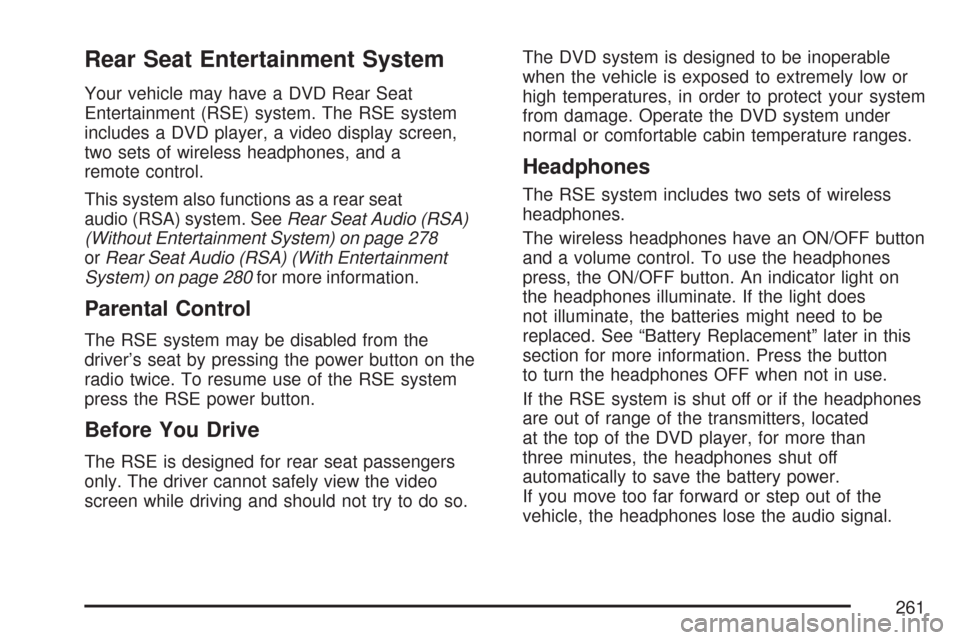
Rear Seat Entertainment System
Your vehicle may have a DVD Rear Seat
Entertainment (RSE) system. The RSE system
includes a DVD player, a video display screen,
two sets of wireless headphones, and a
remote control.
This system also functions as a rear seat
audio (RSA) system. SeeRear Seat Audio (RSA)
(Without Entertainment System) on page 278
orRear Seat Audio (RSA) (With Entertainment
System) on page 280for more information.
Parental Control
The RSE system may be disabled from the
driver’s seat by pressing the power button on the
radio twice. To resume use of the RSE system
press the RSE power button.
Before You Drive
The RSE is designed for rear seat passengers
only. The driver cannot safely view the video
screen while driving and should not try to do so.The DVD system is designed to be inoperable
when the vehicle is exposed to extremely low or
high temperatures, in order to protect your system
from damage. Operate the DVD system under
normal or comfortable cabin temperature ranges.
Headphones
The RSE system includes two sets of wireless
headphones.
The wireless headphones have an ON/OFF button
and a volume control. To use the headphones
press, the ON/OFF button. An indicator light on
the headphones illuminate. If the light does
not illuminate, the batteries might need to be
replaced. See “Battery Replacement” later in this
section for more information. Press the button
to turn the headphones OFF when not in use.
If the RSE system is shut off or if the headphones
are out of range of the transmitters, located
at the top of the DVD player, for more than
three minutes, the headphones shut off
automatically to save the battery power.
If you move too far forward or step out of the
vehicle, the headphones lose the audio signal.
261
Page 262 of 510
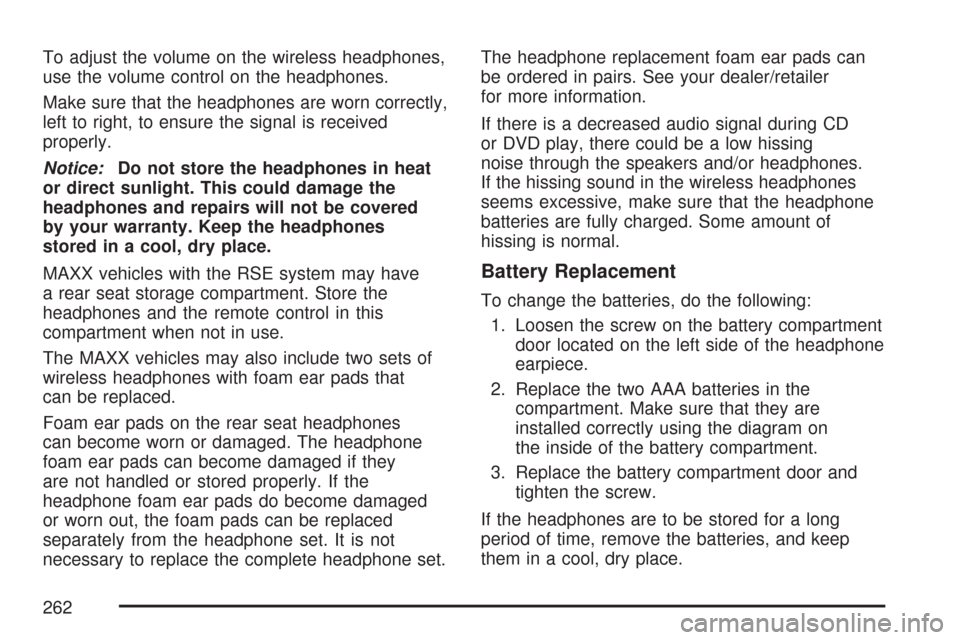
To adjust the volume on the wireless headphones,
use the volume control on the headphones.
Make sure that the headphones are worn correctly,
left to right, to ensure the signal is received
properly.
Notice:Do not store the headphones in heat
or direct sunlight. This could damage the
headphones and repairs will not be covered
by your warranty. Keep the headphones
stored in a cool, dry place.
MAXX vehicles with the RSE system may have
a rear seat storage compartment. Store the
headphones and the remote control in this
compartment when not in use.
The MAXX vehicles may also include two sets of
wireless headphones with foam ear pads that
can be replaced.
Foam ear pads on the rear seat headphones
can become worn or damaged. The headphone
foam ear pads can become damaged if they
are not handled or stored properly. If the
headphone foam ear pads do become damaged
or worn out, the foam pads can be replaced
separately from the headphone set. It is not
necessary to replace the complete headphone set.The headphone replacement foam ear pads can
be ordered in pairs. See your dealer/retailer
for more information.
If there is a decreased audio signal during CD
or DVD play, there could be a low hissing
noise through the speakers and/or headphones.
If the hissing sound in the wireless headphones
seems excessive, make sure that the headphone
batteries are fully charged. Some amount of
hissing is normal.
Battery Replacement
To change the batteries, do the following:
1. Loosen the screw on the battery compartment
door located on the left side of the headphone
earpiece.
2. Replace the two AAA batteries in the
compartment. Make sure that they are
installed correctly using the diagram on
the inside of the battery compartment.
3. Replace the battery compartment door and
tighten the screw.
If the headphones are to be stored for a long
period of time, remove the batteries, and keep
them in a cool, dry place.
262
Page 263 of 510
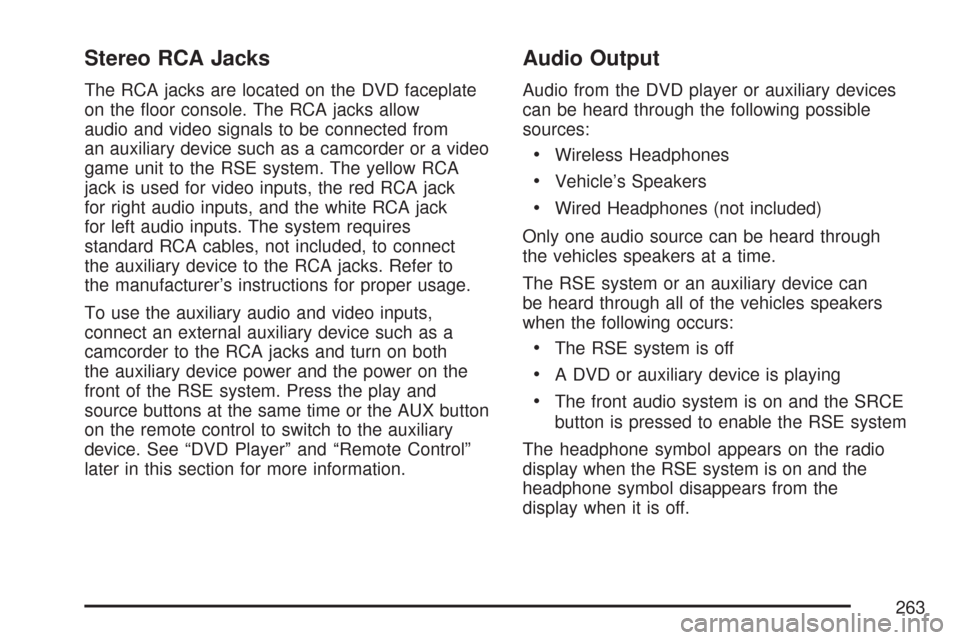
Stereo RCA Jacks
The RCA jacks are located on the DVD faceplate
on the oor console. The RCA jacks allow
audio and video signals to be connected from
an auxiliary device such as a camcorder or a video
game unit to the RSE system. The yellow RCA
jack is used for video inputs, the red RCA jack
for right audio inputs, and the white RCA jack
for left audio inputs. The system requires
standard RCA cables, not included, to connect
the auxiliary device to the RCA jacks. Refer to
the manufacturer’s instructions for proper usage.
To use the auxiliary audio and video inputs,
connect an external auxiliary device such as a
camcorder to the RCA jacks and turn on both
the auxiliary device power and the power on the
front of the RSE system. Press the play and
source buttons at the same time or the AUX button
on the remote control to switch to the auxiliary
device. See “DVD Player” and “Remote Control”
later in this section for more information.
Audio Output
Audio from the DVD player or auxiliary devices
can be heard through the following possible
sources:
Wireless Headphones
Vehicle’s Speakers
Wired Headphones (not included)
Only one audio source can be heard through
the vehicles speakers at a time.
The RSE system or an auxiliary device can
be heard through all of the vehicles speakers
when the following occurs:
The RSE system is off
A DVD or auxiliary device is playing
The front audio system is on and the SRCE
button is pressed to enable the RSE system
The headphone symbol appears on the radio
display when the RSE system is on and the
headphone symbol disappears from the
display when it is off.
263
Page 264 of 510
To turn the vehicles rear speakers on and off,
press the power button on the RSE system or
on the remote control. When the rear speakers
are off, the audio from the RSE system can
be heard through both the wireless headphones
and the vehicles front speakers at the same time.
The RSE system can be heard through the
wired headphones, not included, on the RSE
system when the following occurs:
The RSE system is on
A DVD or auxiliary device is playing
The volume on the radio can vary when
switching between a radio station, CD, DVD,
or auxiliary device.
If there is a decreased audio signal during CD
or DVD play, there can be a low hissing noise
through the speakers and/or headphones.
If the hissing sound in the wireless headphones
seems excessive, make sure that the headphone
batteries are fully charged. Some amount of
hissing is normal.
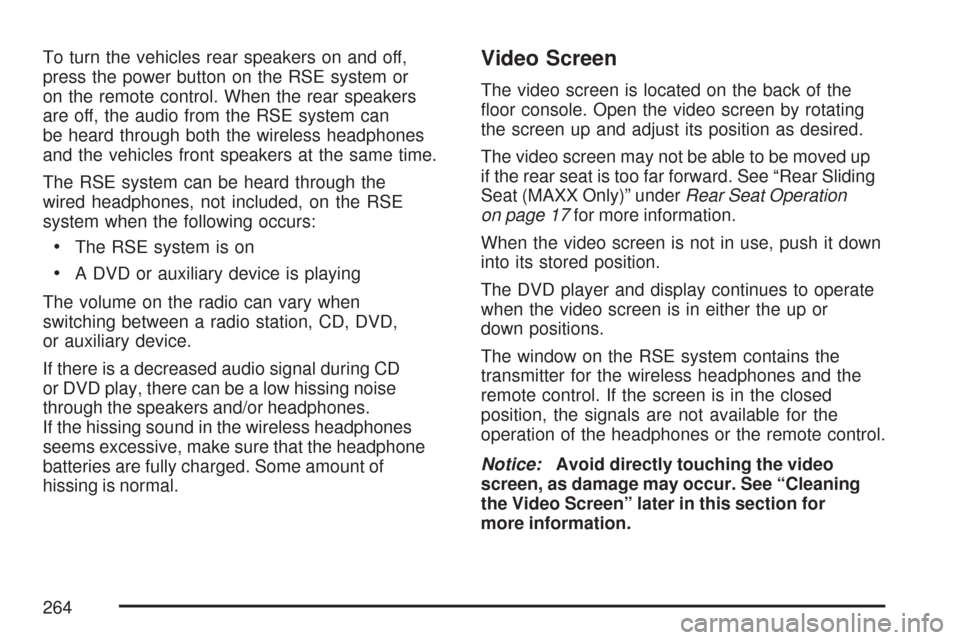
Video Screen
The video screen is located on the back of the
oor console. Open the video screen by rotating
the screen up and adjust its position as desired.
The video screen may not be able to be moved up
if the rear seat is too far forward. See “Rear Sliding
Seat (MAXX Only)” underRear Seat Operation
on page 17for more information.
When the video screen is not in use, push it down
into its stored position.
The DVD player and display continues to operate
when the video screen is in either the up or
down positions.
The window on the RSE system contains the
transmitter for the wireless headphones and the
remote control. If the screen is in the closed
position, the signals are not available for the
operation of the headphones or the remote control.
Notice:Avoid directly touching the video
screen, as damage may occur. See “Cleaning
the Video Screen” later in this section for
more information.
264
Page 265 of 510
DVD Player
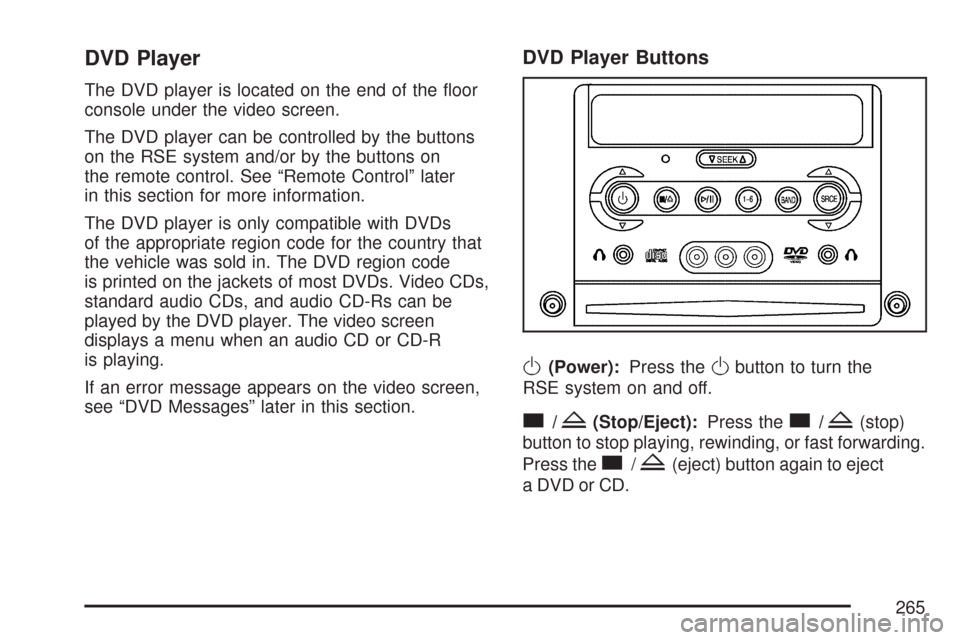
The DVD player is located on the end of the oor
console under the video screen.
The DVD player can be controlled by the buttons
on the RSE system and/or by the buttons on
the remote control. See “Remote Control” later
in this section for more information.
The DVD player is only compatible with DVDs
of the appropriate region code for the country that
the vehicle was sold in. The DVD region code
is printed on the jackets of most DVDs. Video CDs,
standard audio CDs, and audio CD-Rs can be
played by the DVD player. The video screen
displays a menu when an audio CD or CD-R
is playing.
If an error message appears on the video screen,
see “DVD Messages” later in this section.
DVD Player Buttons
O(Power):Press theObutton to turn the
RSE system on and off.
c/Z(Stop/Eject):Press thec/Z(stop)
button to stop playing, rewinding, or fast forwarding.
Press the
c/Z(eject) button again to eject
a DVD or CD.
265
Page 266 of 510
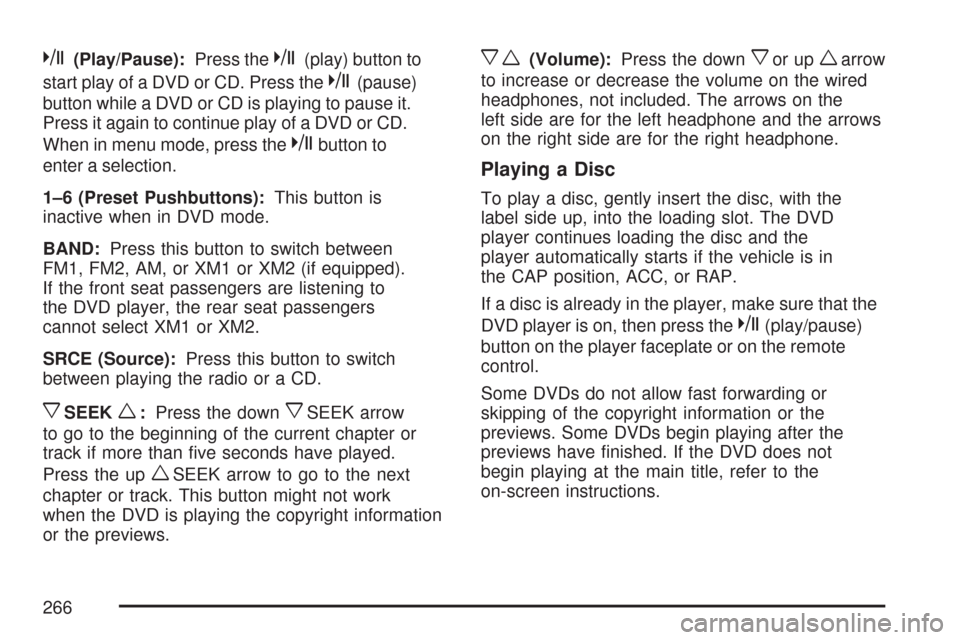
k(Play/Pause):Press thek(play) button to
start play of a DVD or CD. Press the
k(pause)
button while a DVD or CD is playing to pause it.
Press it again to continue play of a DVD or CD.
When in menu mode, press the
kbutton to
enter a selection.
1–6 (Preset Pushbuttons):This button is
inactive when in DVD mode.
BAND:Press this button to switch between
FM1, FM2, AM, or XM1 or XM2 (if equipped).
If the front seat passengers are listening to
the DVD player, the rear seat passengers
cannot select XM1 or XM2.
SRCE (Source):Press this button to switch
between playing the radio or a CD.
xSEEKw:Press the downxSEEK arrow
to go to the beginning of the current chapter or
track if more than ve seconds have played.
Press the up
wSEEK arrow to go to the next
chapter or track. This button might not work
when the DVD is playing the copyright information
or the previews.
xw(Volume):Press the downxor upwarrow
to increase or decrease the volume on the wired
headphones, not included. The arrows on the
left side are for the left headphone and the arrows
on the right side are for the right headphone.
Playing a Disc
To play a disc, gently insert the disc, with the
label side up, into the loading slot. The DVD
player continues loading the disc and the
player automatically starts if the vehicle is in
the CAP position, ACC, or RAP.
If a disc is already in the player, make sure that the
DVD player is on, then press the
k(play/pause)
button on the player faceplate or on the remote
control.
Some DVDs do not allow fast forwarding or
skipping of the copyright information or the
previews. Some DVDs begin playing after the
previews have nished. If the DVD does not
begin playing at the main title, refer to the
on-screen instructions.
266