engine CHEVROLET MALIBU 2007 6.G Service Manual
[x] Cancel search | Manufacturer: CHEVROLET, Model Year: 2007, Model line: MALIBU, Model: CHEVROLET MALIBU 2007 6.GPages: 510, PDF Size: 2.8 MB
Page 214 of 510
Did you just drive through a deep puddle of water?
If so, your electrical system may be wet. The
condition will usually be corrected when the
electrical system dries out. A few driving trips
should turn the light off.
Have you recently changed brands of fuel?
If so, be sure to fuel your vehicle with quality fuel.
SeeGasoline Octane on page 346. Poor fuel
quality will cause your engine not to run as
efficiently as designed. You may notice this as
stalling after start-up, stalling when you put
the vehicle into gear, misring, hesitation on
acceleration, or stumbling on acceleration.
(These conditions may go away once the engine
is warmed up.) This will be detected by the
system and cause the light to turn on.
If you experience one or more of these conditions,
change the fuel brand you use. It will require
at least one full tank of the proper fuel to turn
the light off.
If none of the above steps have made the light
turn off, your dealer can check the vehicle.
Your dealer has the proper test equipment and
diagnostic tools to x any mechanical or electrical
problems that may have developed.Emissions Inspection and
Maintenance Programs
Some state/provincial and local governments have
or may begin programs to inspect the emission
control equipment on your vehicle. Failure to pass
this inspection could prevent you from getting a
vehicle registration.
Here are some things you need to know to help
your vehicle pass an inspection:
Your vehicle will not pass this inspection if the
check engine light is on or not working properly.
Your vehicle will not pass this inspection if
the OBD (on-board diagnostic) system determines
that critical emission control systems have not
been completely diagnosed by the system.
The vehicle would be considered not ready for
inspection. This can happen if you have recently
replaced your battery or if your battery has
run down. The diagnostic system is designed
to evaluate critical emission control systems
during normal driving. This may take several
days of routine driving. If you have done this and
your vehicle still does not pass the inspection
for lack of OBD system readiness, your dealer
can prepare the vehicle for inspection.
214
Page 215 of 510
Oil Pressure Light
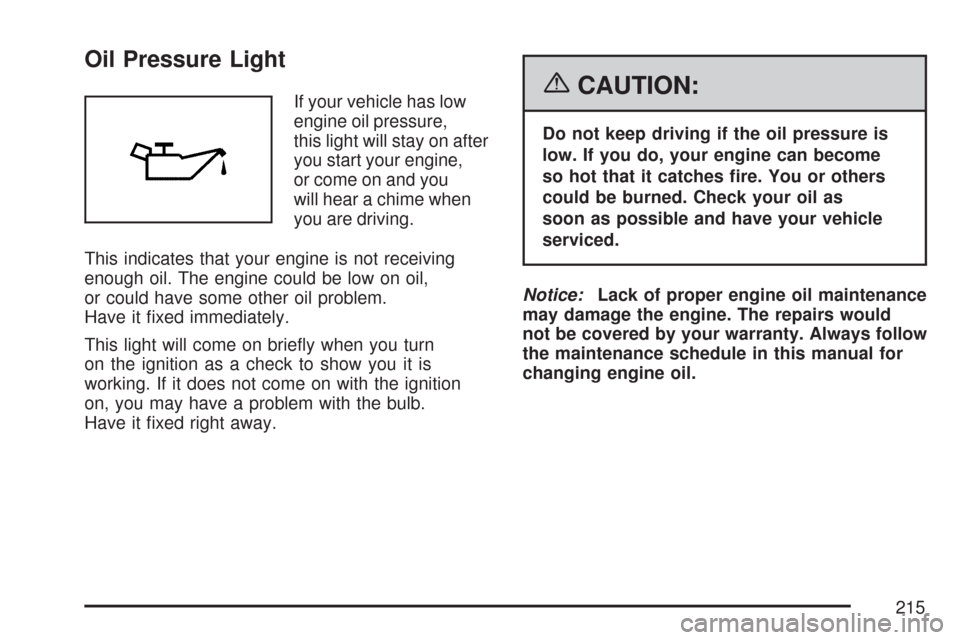
If your vehicle has low
engine oil pressure,
this light will stay on after
you start your engine,
or come on and you
will hear a chime when
you are driving.
This indicates that your engine is not receiving
enough oil. The engine could be low on oil,
or could have some other oil problem.
Have it xed immediately.
This light will come on briey when you turn
on the ignition as a check to show you it is
working. If it does not come on with the ignition
on, you may have a problem with the bulb.
Have it xed right away.{CAUTION:
Do not keep driving if the oil pressure is
low. If you do, your engine can become
so hot that it catches re. You or others
could be burned. Check your oil as
soon as possible and have your vehicle
serviced.
Notice:Lack of proper engine oil maintenance
may damage the engine. The repairs would
not be covered by your warranty. Always follow
the maintenance schedule in this manual for
changing engine oil.
215
Page 219 of 510
Information Mode
INFO/4(Information):Press this button to scroll
through the vehicle information mode displays
in the following order:
TRIP A
TRIP B
FUEL RANGE (Fuel Range Until Empty)
ECON (Average Fuel Economy)
AV SPEED (Average Vehicle Speed)
OIL LIFE (Engine Oil Life System)
TRIP A or TRIP B:Press the information
button until TRIP A or TRIP B is displayed.
This shows the current distance traveled since
the last reset for each trip odometer in either
miles (mi) or kilometers (km). Both odometers
can be used at the same time. Each trip odometer
can be reset to zero separately by pressing and
holding the enter button for a few seconds
while the desired trip odometer is displayed.FUEL RANGE:Press the information button
until FUEL RANGE is displayed. This shows
the remaining distance you can drive without
refueling. It is based on fuel economy and
the fuel remaining in the tank.
When the fuel level is low, FUEL RANGE LOW
displays.
The fuel economy data used to determine fuel
range is an average of recent driving conditions.
As your driving conditions change, this data is
gradually updated. Fuel range cannot be reset.
ECON (Economy):Press the information
button until ECON is displayed. Average fuel
economy is how many miles per gallon (mpg) or
liters per 100 kilometers (L/100 km) your vehicle
is getting based on current and past driving
conditions.
Press and hold the enter button while ECON is
displayed to reset the average fuel economy.
Average fuel economy will then be calculated
starting from that point. If the average fuel
economy is not reset, it will be continually
updated each time you drive.
219
Page 220 of 510
AV (Average) SPEED:Press the information
button until AV SPEED is displayed. This shows
the vehicle’s average speed in miles per hour (mph)
or kilometers per hour (km/h).
Press and hold the enter button while AV SPEED
is displayed to reset the average vehicle speed.
OIL LIFE:Press the information button until
OIL LIFE is displayed. The engine oil life system
shows an estimate of the oil’s remaining useful life.
It shows 100% when the system is reset after
an oil change. It will alert you to change the oil on
a schedule consistent with your driving conditions.
Always reset the engine oil life system after
an oil change. SeeEngine Oil Life System
on page 362.
In addition to the engine oil life system monitoring
the oil life, additional maintenance is recommended
in the Maintenance Schedule in this manual.
SeeScheduled Maintenance on page 460and
Engine Oil on page 359.Personalization
MENU:Press this button while the ignition is ON
to scroll through each of the personalization options
in the following order. To avoid excessive drain on
the battery, it is recommended that the headlamps
are turned off. If the vehicle is moving faster than
2 mph (3 km/h), the personalization menu options
are not available, except for the UNITS option.
All of the personalization options may not be
available on your vehicle. Only the options
available display on the DIC.
Oil Life Reset
Units Selection (English/Metric)
Remote Start Capability
Horn Chirp During Remote Keyless
Entry Locking
Horn Chirp During Remote Keyless
Entry Unlocking
220
Page 222 of 510
DIC Warnings and Messages
These messages appear if there is a problem
detected in one of your vehicle’s systems.
A message will clear when that condition is no
longer present on the vehicle. To acknowledge a
message and clear it from the display, press
any of the three DIC buttons. If the condition is
still present, the warning message will come back
on the next time the vehicle is turned off and
back on. With most messages, a warning chime
sounds when the message displays. Your
vehicle may have other warning messages.
AUTO (Automatic) LIGHTS OFF:This message
displays if the automatic headlamp system is
disabled with the headlamp switch.
AUTO (Automatic) LIGHTS ON:This message
displays if the automatic headlamp system is
enabled with the headlamp switch.BRAKE FLUID:This message displays to
inform the driver that the brake uid level is low
while the ignition is in ON. The brake system
warning light on the instrument panel cluster
also comes on. SeeBrake System Warning Light
on page 206for more information. Have the
brake system serviced by your dealer/retailer
as soon as possible.
CHANGE OIL SOON:This message displays
when the life of the engine oil has expired and it
should be changed.
When you acknowledge the CHANGE OIL SOON
message by clearing it from the display, you still
must reset the engine oil life system separately.
SeeEngine Oil Life System on page 362,Engine
Oil on page 359, andScheduled Maintenance
on page 460for more information.
222
Page 223 of 510
CHECK GAS CAP:This message displays if the
fuel cap has not been fully tightened. Recheck
the fuel cap to make sure that it is on properly.
A few driving trips with the cap properly installed
should turn the message off.
DOOR AJAR:This message displays if one or
more of the vehicle’s doors are not closed properly.
Make sure that the door is closed completely.
ENGINE DISABLED:This message displays
if the starting of the engine is disabled. Have
your vehicle serviced immediately by your
dealer/retailer.
ENG (Engine) PWR (Power) REDUCED:This
message displays to inform you that the vehicle
has reduced engine power to avoid damaging
the engine. Reduced engine power can affect the
vehicle’s ability to accelerate. If this message
is on, but there is no reduction in performance,
proceed to your destination. The performance
may be reduced the next time the vehicle is driven.The vehicle may be driven at a reduced speed
while this message is on, but acceleration
and speed may be reduced. Anytime this message
stays on, the vehicle should be taken to your
dealer/retailer for service as soon as possible.
GATE AJAR:If your vehicle has a liftgate,
this message displays when the liftgate is not
closed completely. Make sure that the liftgate
is closed completely. SeeLiftgate (MAXX)
on page 110for more information.
ICE POSSIBLE:This message displays when the
outside air temperature is cold enough to create
icy road conditions. Adjust your driving accordingly.
KEY FOB BATT (Battery) LOW:This message
displays if the Remote Keyless Entry (RKE)
transmitter battery is low. Replace the battery
in the transmitter. See “Battery Replacement”
underRemote Keyless Entry (RKE) System
Operation on page 97.
223
Page 225 of 510
DIC Vehicle Personalization
The following personalization options may appear
on your vehicle’s audio display by pressing the
MENU button:
OIL LIFE RESET:When this option is displayed,
you can reset the engine oil life system.
To reset the system, seeEngine Oil Life
System on page 362.
UNITS:When UNITS appears on the display,
press the enter button to move between METRIC
or ENGLISH. When you have made your choice,
press the MENU button to record your selection.
The initial setting from the factory is English for
the United States and metric for Canada.
If you choose English, all information will be
displayed in English units.
If you choose metric, all information will be
displayed in metric units.The unit measurement will also change the trip
odometer, temperature, and average fuel
economy displays.
REMOTE START:If your vehicle has this
feature, the remote start option can be enabled
or disabled. When REMOTE START appears
on the display, press the enter button to move
between OFF and ON. When you have made
your choice, press the MENU button to record
your selection. The initial setting from the
factory is ON.
LOCK HORN:If your vehicle has Remote
Keyless Entry (RKE), this option which allows
the vehicle’s horn to chirp every time the
lock button on the RKE transmitter is pressed,
can be enabled or disabled. When LOCK HORN
appears on the display, press the enter button
to move between ON and OFF. When you have
made your choice, press the MENU button to
record your selection. The initial setting from
the factory is OFF.
225
Page 229 of 510
Then, when driving conditions permit, you
can tune to your favorite radio stations using
the presets and steering wheel controls if
the vehicle has them.
Notice:Before adding any sound equipment
to your vehicle, such as an audio system,
CD player, CB radio, mobile telephone,
or two-way radio, make sure that it can be
added by checking with your dealer/retailer.
Also, check federal rules covering mobile
radio and telephone units. If sound equipment
can be added, it is very important to do it
properly. Added sound equipment can interfere
with the operation of your vehicle’s engine,
radio, or other systems, and even damage
them. Your vehicle’s systems can interfere
with the operation of sound equipment that
has been added.
Your vehicle has a feature called Retained
Accessory Power (RAP). With RAP, the audio
system can be played even after the ignition is
turned off. SeeRetained Accessory Power (RAP)
on page 119for more information.Setting the Time for Radios without
Radio Data Systems (RDS)
To set the hour, press the clock button.
The clock symbol displays and the hour ashes.
Turn the ADJ (adjust) knob to increase or to
decrease the hours. To set the minutes, press
the clock button again. The minutes ash.
Turn the ADJ knob to increase or to decrease
the minutes. The time can be set with the
ignition on or off.
229
Page 238 of 510
AUTOu(Automatic Volume):With automatic
volume, the audio system adjusts automatically to
make up for road and wind noise as you drive.
Set the volume at the desired level. Press
the AUTO
ubutton to select LOW, MEDIUM,
or HIGH. AUTO VOL LOW (automatic volume
low), AUTO VOL MEDIUM (automatic volume
medium), or AUTO VOL HIGH (automatic volume
high) displays. Each higher setting allows for
more volume compensation at faster vehicle
speeds. Then as you drive, automatic volume
increases the volume, as necessary, to overcome
noise at any speed. The volume level should
always sound the same to you as you drive.
AUTO VOL NONE (automatic volume none)
displays if the radio cannot determine the vehicle
speed or if the engine is not running. To turn
automatic volume off, press the AUTO
ubutton
until AUTO VOL OFF (automatic volume off)
displays.
Finding a Station
BAND:Press this button to switch between
FM1, FM2, AM, or XM1 or XM2 (if equipped).
The selection displays.ADJ (Adjust):Turn this knob to select radio
stations.
xSEEKw:Press the downxor upwSEEK
arrow to go to the previous or to the next
station and stay there.
To scan stations, press and hold either the
down
xor upwSEEK arrow for two seconds
until a beep sounds. The radio goes to a station,
plays for a few seconds, then goes to the next
station. Press either the down
xor upwSEEK
arrow again to stop scanning.
To scan preset stations, press and hold either
the down
xor upwSEEK arrow for more than
four seconds until two beeps sound. The radio
goes to the rst preset station stored on the
pushbuttons, plays for a few seconds, then
goes to the next preset station. Press either the
down
xor upwSEEK arrow again to stop
scanning presets.
The radio only seeks and scans stations with a
strong signal that are in the selected band.
238
Page 248 of 510
AUTOu(Automatic Volume):With automatic
volume, the audio system adjusts automatically to
make up for road and wind noise as you drive.
Set the volume at the desired level. Press
the AUTO
ubutton to select LOW, MEDIUM,
or HIGH. AUTO VOL LOW (automatic volume
low), AUTO VOL MEDIUM (automatic volume
medium), or AUTO VOL HIGH (automatic volume
high) displays. Each higher setting allows for
more volume compensation at faster vehicle
speeds. Then as you drive, automatic volume
increases the volume, as necessary, to overcome
noise at any speed. The volume level should
always sound the same to you as you drive.
AUTO VOL NONE (automatic volume none)
displays if the radio cannot determine the vehicle
speed or if the engine is not running. To turn
automatic volume off, press the AUTO
ubutton
until AUTO VOL OFF (automatic volume off)
displays.
Finding a Station
BAND:Press this button to switch between
FM1, FM2, AM, or XM1 or XM2 (if equipped).
The selection displays.ADJ (Adjust):Turn this knob to select radio
stations.
xSEEKw:Press the downxor upwSEEK
arrow to go to the previous or to the next
station and stay there.
To scan stations, press and hold either the
down
xor upwSEEK arrow for two seconds
until a beep sounds. The radio goes to a station,
plays for a few seconds, then goes to the
next station. Press either the down
xor
up
wSEEK arrow again to stop scanning.
To scan preset stations, press and hold either
the down
xor upwSEEK arrow for more than
four seconds until two beeps sound. The radio
goes to the rst preset station stored on the
pushbuttons, plays for a few seconds, then goes
to the next preset station. Press either the
down
xor upwSEEK arrow again to stop
scanning presets.
The radio only seeks and scans stations with a
strong signal that are in the selected band.
248