cruise control CHEVROLET MALIBU 2008 6.G Owners Manual
[x] Cancel search | Manufacturer: CHEVROLET, Model Year: 2008, Model line: MALIBU, Model: CHEVROLET MALIBU 2008 6.GPages: 412, PDF Size: 2.22 MB
Page 133 of 412
Instrument Panel Overview...............................3-4
Hazard Warning Flashers................................3-6
Other Warning Devices...................................3-6
Horn .............................................................3-6
Tilt and Telescopic Steering Wheel...................3-7
Turn Signal/Multifunction Lever.........................3-7
Turn and Lane-Change Signals........................3-8
Headlamp High/Low-Beam Changer..................3-8
Flash-to-Pass.................................................3-8
Windshield Wipers..........................................3-9
Windshield Washer.......................................3-10
Cruise Control..............................................3-10
Headlamps..................................................3-13
Headlamps on Reminder................................3-14
Headlamps Off in Park..................................3-14
Delayed Headlamps......................................3-14
Daytime Running Lamps (DRL).......................3-14
Automatic Headlamp System..........................3-15
Fog Lamps ..................................................3-16
Instrument Panel Brightness...........................3-16
Dome Lamp .................................................3-17
Entry/Exit Lighting.........................................3-17
Parade Dimming...........................................3-17
Front Reading Lamps....................................3-17
Overhead Console Reading Lamps.................3-17
Rear Reading Lamps....................................3-18
Trunk Lamp.................................................3-18Battery Run-Down Protection..........................3-18
Accessory Power Outlet(s).............................3-19
Power Outlet 115 Volt Alternating Current........3-20
Climate Controls............................................3-21
Climate Control System.................................3-21
Automatic Climate Control System...................3-24
Outlet Adjustment.........................................3-29
Warning Lights, Gages, and Indicators...........
.3-30
Instrument Panel Cluster................................3-31
Speedometer and Odometer...........................3-32
Trip Odometer..............................................3-32
Tachometer.................................................3-32
Safety Belt Reminders...................................3-33
Airbag Readiness Light..................................3-34
Passenger Airbag Status Indicator...................3-35
Charging System Light..................................3-37
Brake System Warning Light..........................3-37
Antilock Brake System (ABS) Warning Light.....3-38
Electronic Stability Control (ESC)/Traction
Control System (TCS) Indicator/
Warning Light............................................3-39
Engine Coolant Temperature Warning Light......3-40
Engine Coolant Temperature Gage..................3-40
Tire Pressure Light.......................................3-41
Malfunction Indicator Lamp.............................3-41
Oil Pressure Light.........................................3-44
Section 3 Instrument Panel
3-1
Page 134 of 412
Security Light...............................................3-44
Cruise Control Light......................................3-44
Highbeam On Light.......................................3-45
Fuel Gage...................................................3-45
Driver Information Center (DIC).......................3-46
DIC Operation and Displays...........................3-46
DIC Warnings and Messages.........................3-48
DIC Vehicle Personalization............................3-53Audio System(s).............................................3-59
Setting the Clock..........................................3-60
Radio(s)......................................................3-62
Using an MP3..............................................3-73
XM Radio Messages.....................................3-78
Theft-Deterrent Feature..................................3-79
Audio Steering Wheel Controls.......................3-79
Radio Reception...........................................3-80
Backglass Antenna.......................................3-81
XM™ Satellite Radio Antenna System.............3-81
Section 3 Instrument Panel
3-2
Page 137 of 412
The main components of the instrument panel are the following:
A. Air Outlets. SeeOutlet Adjustment on page 3-29.
B. Turn Signal/Multifunction Lever. SeeTurn
Signal/Multifunction Lever on page 3-7.
C. Instrument Panel Cluster. SeeInstrument Panel
Cluster on page 3-31.
D. Windshield Wiper and Washer Lever. See
Windshield Wipers on page 3-9andWindshield
Washer on page 3-10.
E. Instrument Panel Storage. SeeInstrument Panel
Storage on page 2-52.
F. Audio System. SeeAudio System(s) on page 3-59.
G. Adjustable Pedal Buttons (If Equipped). See
Adjustable Throttle and Brake Pedal on page 2-26.
Instrument Panel Brightness Control. SeeInstrument
Panel Brightness on page 3-16. Fog Lamps Button.
SeeFog Lamps on page 3-16.
H. Driver Storage Compartment. SeeDriver Storage
Compartment on page 2-53.
I. Hood Release. SeeHood Release on page 5-12.
J. Cruise Controls. SeeCruise Control on page 3-10.
Driver Information Center (DIC) Buttons. See
Driver Information Center (DIC) on page 3-46.
K. Tilt Lever. SeeTilt and Telescopic Steering Wheel
on page 3-7.L. Horn. SeeHorn on page 3-6.
M. Audio Steering Wheel Controls (If Equipped).
SeeAudio Steering Wheel Controls on page 3-79.
N. Ignition Switch. SeeIgnition Positions on page 2-22.
O. Climate Control System or Automatic Climate
Control System. SeeClimate Control System on
page 3-21orAutomatic Climate Control System on
page 3-24.
P. Hazard Warning Flashers Button. SeeHazard
Warning Flashers on page 3-6.
Q. Shift Lever. SeeAutomatic Transmission Operation
(Four Speed Transmission) on page 2-28or
Automatic Transmission Operation (Six Speed
Transmission) on page 2-30.
R. Front Storage Area. SeeFront Storage Area on
page 2-52. Accessory Power Outlet. SeeAccessory
Power Outlet(s) on page 3-19.
S. Passenger Airbag Status Indicator. SeePassenger
Airbag Status Indicator on page 3-35.
T. Traction Control Button. SeeTraction Control
System (TCS) on page 4-6.
U. Glove Box. SeeGlove Box on page 2-52.
3-5
Page 142 of 412
Heavy snow or ice can overload the wiper motor.
A circuit breaker stops the motor until it cools. Clear
away snow or ice to prevent an overload. If the motor
gets stuck, turn the wipers off, clear away the snow
or ice, and then turn the wipers back on.
As an added safety feature, if the wipers are on for
more than 15 seconds, the vehicle’s headlamps turn on
automatically. They turn off 15 seconds after the
wipers are turned off.
Windshield Washer
To wash the windshield, press the button at the end of
the lever until the washers begin.
{CAUTION:
In freezing weather, do not use your washer
until the windshield is warmed. Otherwise the
washer uid can form ice on the windshield,
blocking your vision.
When the button is released, the washers stop, but the
wipers continue to wipe about three times or resume
the previous speed.
Cruise Control
Cruise control lets you maintain a speed of about
25 mph (40 km/h) or more without keeping your foot on
the accelerator. This can really help on long trips.
Cruise control does not work at speeds below 25 mph
(40 km/h).
{CAUTION:
Cruise control can be dangerous where you
cannot drive safely at a steady speed. So, do
not use your cruise control on winding roads
or in heavy traffic.
Cruise control can be dangerous on slippery
roads. On such roads, fast changes in tire
traction can cause excessive wheel slip, and
you could lose control. Do not use cruise
control on slippery roads.
3-10
Page 143 of 412
Setting Cruise Control
{CAUTION:
If you leave your cruise control on when you
are not using cruise, you might hit a button
and go into cruise when you do not want to.
You could be startled and even lose control.
Keep the cruise control switch off until you
want to use cruise control.
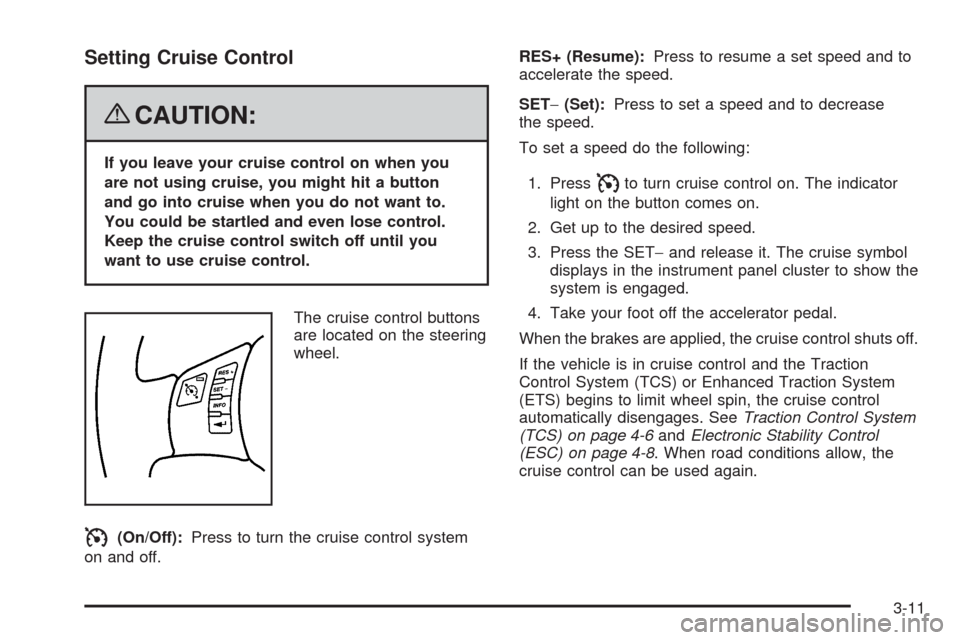
The cruise control buttons
are located on the steering
wheel.
I(On/Off):Press to turn the cruise control system
on and off.RES+ (Resume):Press to resume a set speed and to
accelerate the speed.
SET−(Set):Press to set a speed and to decrease
the speed.
To set a speed do the following:
1. Press
Ito turn cruise control on. The indicator
light on the button comes on.
2. Get up to the desired speed.
3. Press the SET−and release it. The cruise symbol
displays in the instrument panel cluster to show the
system is engaged.
4. Take your foot off the accelerator pedal.
When the brakes are applied, the cruise control shuts off.
If the vehicle is in cruise control and the Traction
Control System (TCS) or Enhanced Traction System
(ETS) begins to limit wheel spin, the cruise control
automatically disengages. SeeTraction Control System
(TCS) on page 4-6andElectronic Stability Control
(ESC) on page 4-8. When road conditions allow, the
cruise control can be used again.
3-11
Page 144 of 412
Resuming a Set Speed
Suppose the cruise control is set at a desired speed
and then the brakes are applied. This disengages
the cruise control. The cruise symbol in the instrument
panel cluster also goes out indicating cruise is no
longer engaged. To return to the previously set speed,
you do not need to repeat the set process again.
Once at a speed of about 25 mph (40 km/h) or more,
you can briey press the RES+.
This takes the vehicle back up to the previously chosen
speed and stays there.
Increasing Speed While Using Cruise
Control
There are two ways to go to a higher speed.
If the cruise control system is already engaged,
press the RES+. Hold it there until the desired
speed is reached and then release the button.
To increase the vehicle speed in very small
amounts, briey press the RES+ and then release
it. Each time this is done, the vehicle goes about
1 mph (1.6 km/h) faster.
Reducing Speed While Using Cruise
Control
If the cruise control system is already engaged:
Push and hold the SET−until the desired lower
speed is reached, then release it.
To slow down in very small amounts, briey push
the SET−. Each time this is done, the vehicle
goes about 1 mph (1.6 km/h) slower.
Passing Another Vehicle While Using
Cruise Control
Use the accelerator pedal to increase the vehicle’s
speed. When you take your foot off the pedal, the vehicle
slows down to the previously set cruise control speed.
Using Cruise Control on Hills
How well your cruise control works on hills depends
upon the vehicle’s speed, load, and the steepness of the
hills. When going up steep hills, you might have to
step on the accelerator pedal to maintain the vehicle’s
speed. When going downhill, you might have to brake or
shift to a lower gear to keep the vehicle at a lower
speed. Of course, applying the brakes ends cruise
control. Many drivers nd this to be too much trouble
and do not use cruise control on steep hills.
3-12
Page 145 of 412
Ending Cruise Control
There are two ways to disengage the cruise control:
Step lightly on the brake pedal to disengage
the cruise control.
Press the on/off button, to turn off the cruise
control.
Erasing Speed Memory
The cruise control set speed memory is erased when
the cruise control or the ignition are turned off.
Headlamps
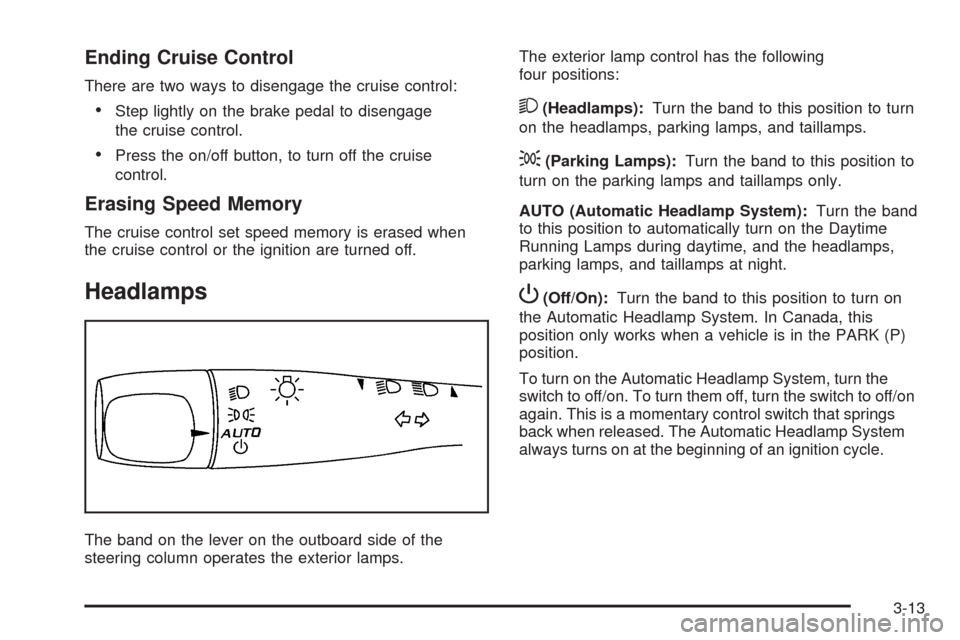
The band on the lever on the outboard side of the
steering column operates the exterior lamps.The exterior lamp control has the following
four positions:
2(Headlamps):Turn the band to this position to turn
on the headlamps, parking lamps, and taillamps.
;(Parking Lamps):Turn the band to this position to
turn on the parking lamps and taillamps only.
AUTO (Automatic Headlamp System):Turn the band
to this position to automatically turn on the Daytime
Running Lamps during daytime, and the headlamps,
parking lamps, and taillamps at night.
P(Off/On):Turn the band to this position to turn on
the Automatic Headlamp System. In Canada, this
position only works when a vehicle is in the PARK (P)
position.
To turn on the Automatic Headlamp System, turn the
switch to off/on. To turn them off, turn the switch to off/on
again. This is a momentary control switch that springs
back when released. The Automatic Headlamp System
always turns on at the beginning of an ignition cycle.
3-13
Page 176 of 412
Oil Pressure Light
{CAUTION:
Do not keep driving if the oil pressure is low. If
you do, your engine can become so hot that it
catches re. You or others could be burned.
Check your oil as soon as possible and have
your vehicle serviced.
Notice:Lack of proper engine oil maintenance may
damage the engine. The repairs would not be covered
by the vehicle warranty. Always follow the
maintenance schedule in this manual for changing
engine oil.
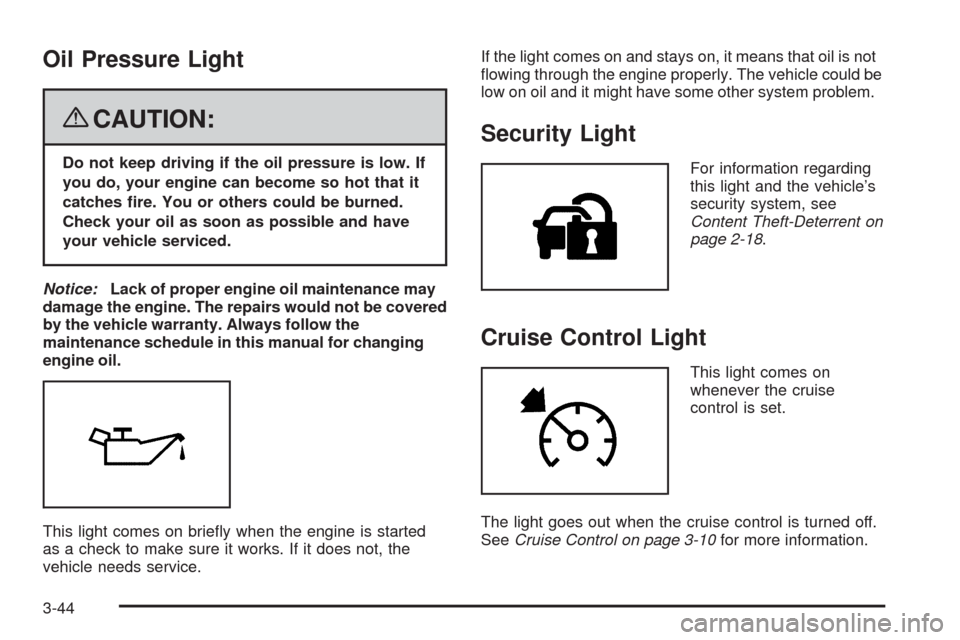
This light comes on briey when the engine is started
as a check to make sure it works. If it does not, the
vehicle needs service.If the light comes on and stays on, it means that oil is not
owing through the engine properly. The vehicle could be
low on oil and it might have some other system problem.
Security Light
For information regarding
this light and the vehicle’s
security system, see
Content Theft-Deterrent on
page 2-18.
Cruise Control Light
This light comes on
whenever the cruise
control is set.
The light goes out when the cruise control is turned off.
SeeCruise Control on page 3-10for more information.
3-44
Page 181 of 412
BRAKE FLUID
This message displays, while the ignition is on, when
the brake uid level is low. The brake system warning
light on the instrument panel cluster also comes on.
SeeBrake System Warning Light on page 3-37for more
information. Have the brake system serviced by your
dealer/retailer as soon as possible.
CHANGE OIL SOON
This message displays when the life of the engine oil
has expired and it should be changed.
When this message is acknowledged and cleared from
the display, the engine oil life system must still be
reset separately. SeeEngine Oil Life System on
page 5-22,Engine Oil on page 5-19, andScheduled
Maintenance on page 6-4for more information.
CHECK GAS CAP
This message displays if the fuel cap has not been fully
tightened. Recheck the fuel cap to make sure that it
is on properly. A few driving trips with the cap properly
installed should turn the message off.
CHECK TIRE PRESS (Pressure)
This message displays when the pressure in one or
more of the vehicle’s tires needs to be checked. If a tire
pressure message appears on the DIC, stop as soon
as you can. Have the tire pressures checked and set to
those shown on the Tire Loading Information label.
SeeTires on page 5-52,Loading the Vehicle on
page 4-21, andInflation - Tire Pressure on page 5-60.
The DIC also shows the tire pressure values. See
DIC Operation and Displays on page 3-46. If the tire
pressure is low, the low tire pressure warning light
comes on. SeeTire Pressure Light on page 3-41.
CRUISE ENGAGED
This message displays when the cruise control system
is active. SeeCruise Control on page 3-10for more
information.
DOOR AJAR
This message displays if one or more of the vehicle’s
doors are not closed properly. Make sure that the
door(s) are closed completely.
3-49
Page 220 of 412
Traction Control System (TCS)
Your vehicle may have a Traction Control System (TCS)
that limits wheel spin. This is especially useful in slippery
road conditions. The system operates only if it senses
that the front wheels are spinning too much or are
beginning to lose traction. When this happens, the
system works the front brakes and reduces engine
power by closing the throttle and managing engine
spark to limit wheel spin.
This light will ash when
your traction control system
is limiting wheel spin.
You may feel or hear the system working, but this is
normal.
If your vehicle is in cruise control when TCS begins to
limit wheel spin, the cruise control will automatically
disengage. When road conditions allow you to safely
use it again, you may re-engage the cruise control.
SeeCruise Control on page 3-10.When this light is on solid
and either the SERVICE
TRACTION or TRACTION
OFF message is displayed,
the system will not limit
wheel spin.
Adjust your driving accordingly. SeeDIC Warnings and
Messages on page 3-48for more information.
The Traction Control System is automatically enabled
whenever you start your vehicle. To limit wheel
spin, especially in slippery road conditions, you should
always leave the system enabled. You can turn TCS
off if you ever need to.
It is recommended to leave the system on for normal
driving conditions, but it may be necessary to turn
the system off if your vehicle is stuck in sand, mud,
ice or snow, and you want to “rock” your vehicle
to attempt to free it. It may also be necessary to turn off
the system when driving in extreme off-road conditions
where high wheel spin is required. SeeIf Your Vehicle is
Stuck in Sand, Mud, Ice, or Snow on page 4-20.
4-6