warning CHEVROLET MALIBU 2011 7.G Repair Manual
[x] Cancel search | Manufacturer: CHEVROLET, Model Year: 2011, Model line: MALIBU, Model: CHEVROLET MALIBU 2011 7.GPages: 382, PDF Size: 5.81 MB
Page 134 of 382
Black plate (24,1)Chevrolet Malibu Owner Manual - 2011
5-24 Instruments and Controls
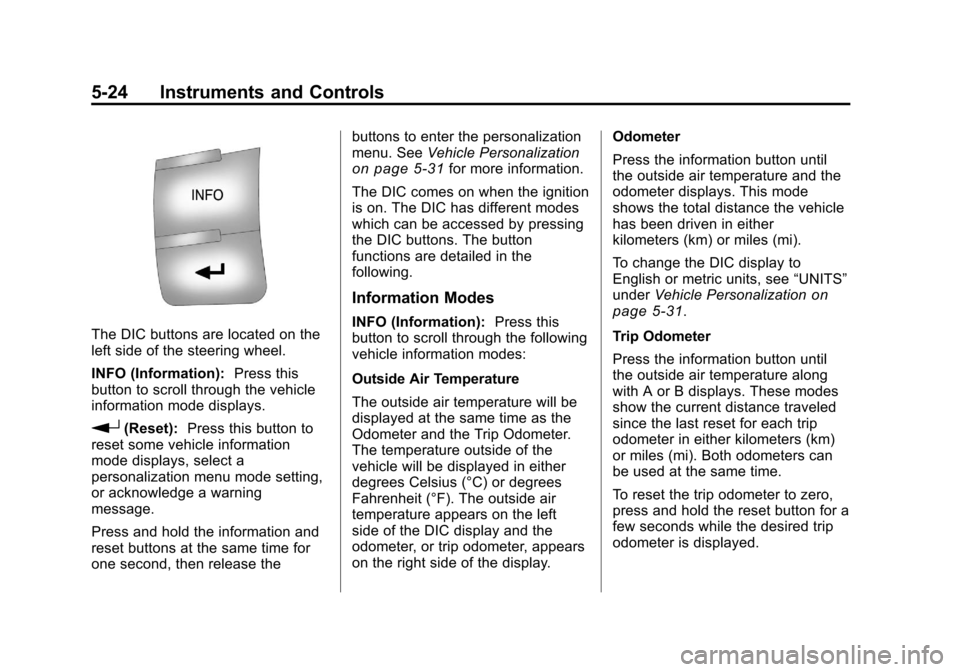
The DIC buttons are located on the
left side of the steering wheel.
INFO (Information):Press this
button to scroll through the vehicle
information mode displays.
r(Reset): Press this button to
reset some vehicle information
mode displays, select a
personalization menu mode setting,
or acknowledge a warning
message.
Press and hold the information and
reset buttons at the same time for
one second, then release the buttons to enter the personalization
menu. See
Vehicle Personalization
on page 5‑31for more information.
The DIC comes on when the ignition
is on. The DIC has different modes
which can be accessed by pressing
the DIC buttons. The button
functions are detailed in the
following.
Information Modes
INFO (Information): Press this
button to scroll through the following
vehicle information modes:
Outside Air Temperature
The outside air temperature will be
displayed at the same time as the
Odometer and the Trip Odometer.
The temperature outside of the
vehicle will be displayed in either
degrees Celsius (°C) or degrees
Fahrenheit (°F). The outside air
temperature appears on the left
side of the DIC display and the
odometer, or trip odometer, appears
on the right side of the display. Odometer
Press the information button until
the outside air temperature and the
odometer displays. This mode
shows the total distance the vehicle
has been driven in either
kilometers (km) or miles (mi).
To change the DIC display to
English or metric units, see
“UNITS”
under Vehicle Personalization
on
page 5‑31.
Trip Odometer
Press the information button until
the outside air temperature along
with A or B displays. These modes
show the current distance traveled
since the last reset for each trip
odometer in either kilometers (km)
or miles (mi). Both odometers can
be used at the same time.
To reset the trip odometer to zero,
press and hold the reset button for a
few seconds while the desired trip
odometer is displayed.
Page 136 of 382
Black plate (26,1)Chevrolet Malibu Owner Manual - 2011
5-26 Instruments and Controls
In addition to the engine oil life
system monitoring the oil life,
additional maintenance is
recommended in the Maintenance
Schedule in this manual. See
Engine Oil
on page 10‑9and
Scheduled Maintenanceon
page 11‑2.
Always reset the engine oil life
system after an oil change. See
“How to Reset the Engine Oil Life
System” underEngine Oil Life
System on page 10‑12.
Tire Pressure
On vehicles with the Tire Pressure
Monitor System (TPMS), the
pressure for each tire can be
viewed in the DIC. The tire pressure
is shown in either kilopascals (kPa)
or pounds per square inch (psi). Press the information button until
LF ## PSI (kPa) ## RF displays for
the front tires. Press the information
button again until
LR ## PSI (kPa) ## RR displays for
the rear tires.
If a low tire pressure condition is
detected by the system while
driving, a message advising you to
add air will appear in the display.
See
Tire Pressure
on page 10‑45andTire Messageson page 5‑30for more information.
Vehicle Messages
The following messages appear if
there is a problem detected in one
of your vehicle's systems.
A message clears when the
vehicle's condition is no longer
present. To acknowledge a
message and clear it from the
display, press and hold any of the
DIC buttons. If the condition is still
present, the warning message
comes back on the next time the
vehicle is turned off and back on.
With most messages, a warning
chime sounds when the message
displays. Your vehicle may have
other warning messages.
Page 137 of 382
Black plate (27,1)Chevrolet Malibu Owner Manual - 2011
Instruments and Controls 5-27
Brake System Messages
BRAKE FLUID
This message displays, while the
ignition is on, when the brake fluid
level is low. The brake system
warning light on the instrument
panel cluster also comes on. See
Brake System Warning Light
on
page 5‑18for more information.
Have the brake system serviced by
your dealer as soon as possible.
PUSH PARK PEDAL
This message displays if the parking
brake is left engaged. See Parking
Brake
on page 9‑29for more
information.
Cruise Control Messages
CRUISE ENGAGED
This message displays when the
cruise control system is active. See
Cruise Control
on page 9‑34for
more information.
Door Ajar Messages
DOOR AJAR
This message displays if one or
more of the vehicle's doors are not
closed properly. Make sure that the
door(s) are closed completely.
TRUNK AJAR
This message displays when the
trunk is not closed completely.
Make sure that the trunk is closed
completely. See Trunk
on
page 2‑10for more information.
Engine Oil Messages
CHANGE OIL SOON
This message displays when the life
of the engine oil has expired and it
should be changed.
When this message is
acknowledged and cleared
from the display, the engine
oil life system must still be reset separately. See
Engine Oil Life
System
on page 10‑12, Engine Oilon page 10‑9, and Scheduled
Maintenanceon page 11‑2for
more information.
Engine Power Messages
ENG (Engine) PWR
(Power) REDUCED
This message displays when the
vehicle's engine power is reduced.
Reduced engine power can affect
the vehicle's ability to accelerate.
If this message is on, but there is no
reduction in performance, proceed
to your destination. The
performance may be reduced the
next time the vehicle is driven. The
vehicle may be driven at a reduced
speed while this message is on, but
acceleration and speed may be
reduced. Anytime this message
stays on, the vehicle should be
taken to your dealer for service as
soon as possible.
Page 138 of 382
Black plate (28,1)Chevrolet Malibu Owner Manual - 2011
5-28 Instruments and Controls
Fuel System Messages
CHECK GAS CAP
This message displays if the fuel
cap has not been fully tightened.
Recheck the fuel cap to make sure
that it is on properly. A few driving
trips with the cap properly installed
should turn the message off.
LOW FUEL
This message displays when your
vehicle is low on fuel. Refill the fuel
tank as soon as possible. SeeFuel
Gauge
on page 5‑11, Fuelon
page 9‑37, and Filling the Tankon
page 9‑41for more information.
Key and Lock Messages
KEY FOB BATT (Battery) LOW
This message displays if the
Remote Keyless Entry (RKE)
transmitter battery is low. Replace
the battery in the transmitter. See
“Battery Replacement” under
Remote Keyless Entry (RKE)
System Operation on page 2‑3.
Lamp Messages
AUTO (Automatic)
LIGHTS OFF
This message displays if the
automatic headlamp system is
disabled with the headlamp switch.
See Automatic Headlamp System
on page 6‑3for more information.
AUTO (Automatic) LIGHTS ON
This message displays if the
automatic headlamp system is
enabled with the headlamp switch.
SeeAutomatic Headlamp System
on page 6‑3for more information.
Ride Control System
Messages
ESC (Electronic Stability
Control) ACTIVE
If your vehicle has Electronic
Stability Control (ESC), this
message displays and the ESC/TCS
light on the instrument panel cluster
flashes when ESC is assisting you with directional control of the
vehicle. You may feel or hear the
system working and see this
message displayed in the DIC.
Slippery road conditions may exist
when this message is displayed, so
adjust your driving accordingly. This
message may stay on for a few
seconds after ESC stops assisting
you with directional control of the
vehicle. This is normal when the
system is operating. See
Electronic
Stability Control (ESC)
on
page 9‑32and Electronic Stability
Control (ESC)/Traction Control
System (TCS) Indicator/Warning
Light
on page 5‑20for more
information.
ESC (Electronic Stability
Control) OFF
If your vehicle has Electronic
Stability Control (ESC), this
message displays and the ESC/TCS
light on the instrument panel cluster
comes on solid when ESC is turned
off. Adjust your driving accordingly.
Page 139 of 382
Black plate (29,1)Chevrolet Malibu Owner Manual - 2011
Instruments and Controls 5-29
SeeElectronic Stability Control
(ESC)on page 9‑32and Electronic
Stability Control (ESC)/Traction
Control System (TCS) Indicator/
Warning Light
on page 5‑20for
more information.
LOW TRACTION
If your vehicle has the Traction
Control System (TCS), this
message displays and the ESC/TCS
light on the instrument panel cluster
flashes when the system is actively
limiting wheel spin. Slippery road
conditions may exist if this message
is displayed, so adjust your driving
accordingly. This message stays on
for a few seconds after the system
stops limiting wheel spin. See
Traction Control System (TCS)
on
page 9‑30and Electronic Stability
Control (ESC)/Traction Control
System (TCS) Indicator/Warning
Light
on page 5‑20for more
information.
SERVICE ESC (ELECTRONIC
STABILITY CONTROL)
If your vehicle has Electronic
Stability Control (ESC), this
message displays and a chime
sounds if there has been a problem
detected with ESC. The ESC/TCS
light also appears on the instrument
panel cluster. This light stays on
solid as long as the detected
problem remains present. When this
message displays, the system is not
working. Adjust your driving
accordingly. See Electronic Stability
Control (ESC)
on page 9‑32and
Electronic Stability Control (ESC)/
Traction Control System (TCS)
Indicator/Warning Light
on
page 5‑20for more information.
If this message turns on while you
are driving, pull off the road as soon
as possible and stop carefully. Try
resetting the system by turning the
ignition off and then back on. If this message still stays on or turns back
on again while you are driving, your
vehicle needs service. Have the
ESC inspected by your dealer as
soon as possible.
SERVICE TRACTION
If your vehicle has the Traction
Control System (TCS), this
message displays and a chime
sounds when the system is not
functioning properly. The ESC/TCS
light also appears on the instrument
panel cluster. This light stays on
solid as long as the detected
problem remains present. When this
message displays, the system is not
working. Adjust your driving
accordingly. See
Traction Control
System (TCS)
on page 9‑30and
Electronic Stability Control (ESC)/
Traction Control System (TCS)
Indicator/Warning Light
on
page 5‑20for more information.
Have the system serviced by your
dealer as soon as possible.
Page 140 of 382
Black plate (30,1)Chevrolet Malibu Owner Manual - 2011
5-30 Instruments and Controls
TRACTION OFF
If your vehicle has the Traction
Control System (TCS), this
message displays and the ESC/TCS
light on the instrument panel cluster
comes on solid when the system is
turned off. Adjust your driving
accordingly. SeeTraction Control
System (TCS)
on page 9‑30and
Electronic Stability Control (ESC)/
Traction Control System (TCS)
Indicator/Warning Light
on
page 5‑20for more information.
Airbag System Messages
SERVICE AIR BAG
This message displays when there
is a problem with the airbag system.
Have your vehicle serviced by your
dealer immediately.
Service Vehicle Messages
ENGINE DISABLED
This message displays if the starting
of the engine is disabled. Have your
vehicle serviced by your dealer
immediately.
POWER STEERING
On some vehicles, this message
displays if a problem has been
detected with the electric power
steering. Have your vehicle serviced
by your dealer immediately.
Tire Messages
SVC (Service) TIRE MONITOR
On vehicles with the Tire Pressure
Monitor System (TPMS), this
message displays if a part on the
TPMS is not working properly. The
tire pressure light also flashes and
then remains on during the same
ignition cycle. See Tire Pressure
Light
on page 5‑21. Several conditions may cause this
message to appear. See
Tire
Pressure Monitor Operation
on
page 10‑48for more information.
If the warning comes on and stays
on, there may be a problem with the
TPMS. See your dealer.
TIRE LOW ADD AIR
On vehicles with the Tire Pressure
Monitor System (TPMS), this
message displays when the
pressure in one or more of the
vehicle's tires is low on air. The low
tire pressure warning light also
comes on. See Tire Pressure Light
on page 5‑21. If this message
appears on the DIC, stop as soon
as you can. Have the tire pressures
checked and set to those shown on
the Tire Loading Information label.
See Tires
on page 10‑38,Vehicle
Load Limitson page 9‑12, and Tire
Pressureon page 10‑45. The DIC
also shows the tire pressure values.
See Driver Information Center (DIC)
on page 5‑23.
Page 147 of 382
Black plate (1,1)Chevrolet Malibu Owner Manual - 2011
Lighting 6-1
Lighting
Exterior Lighting
Exterior Lamp Controls . . . . . . . . 6-1
Exterior Lamps OffReminder . . . . . . . . . . . . . . . . . . . . 6-2
Headlamp High/Low-Beam Changer . . . . . . . . . . . . . . . . . . . . . 6-2
Flash-to-Pass . . . . . . . . . . . . . . . . . 6-3
Daytime Running Lamps (DRL) . . . . . . . . . . . . . . . . 6-3
Automatic Headlamp System . . . . . . . . . . . . . . . . . . . . . . 6-3
Delayed Headlamps . . . . . . . . . . 6-4
Hazard Warning Flashers . . . . . 6-4
Turn and Lane-Change Signals . . . . . . . . . . . . . . . . . . . . . . 6-4
Fog Lamps . . . . . . . . . . . . . . . . . . . . 6-5
Interior Lighting
Instrument Panel Illumination Control . . . . . . . . . . . . . . . . . . . . . . 6-5
Dome Lamps . . . . . . . . . . . . . . . . . 6-5
Reading Lamps . . . . . . . . . . . . . . . 6-5
Lighting Features
Entry/Exit Lighting . . . . . . . . . . . . . 6-6
Parade Dimming . . . . . . . . . . . . . . 6-6
Battery Load Management . . . . 6-6
Battery Power Protection . . . . . . 6-7
Exterior Lighting
Exterior Lamp Controls
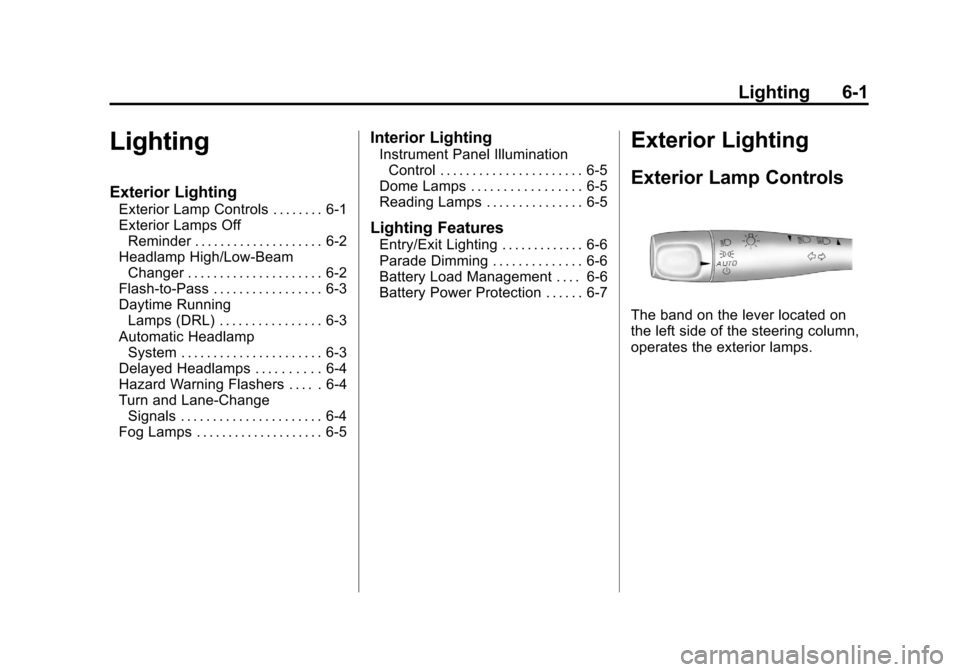
The band on the lever located on
the left side of the steering column,
operates the exterior lamps.
Page 148 of 382
Black plate (2,1)Chevrolet Malibu Owner Manual - 2011
6-2 Lighting
The exterior lamp control has the
following four positions:
2(Headlamps):Turns on the
headlamps, parking lamps, and
taillamps.
;(Parking Lamps): Turns on the
parking lamps and taillamps only.
AUTO (Automatic Headlamp
System): Automatically turns on
the Daytime Running Lamps during
daytime, and the headlamps,
parking lamps, and taillamps at
night.
P(Off/On): Turn the band to this
position to turn on the Automatic
Headlamp System. In Canada, this
position only works when a vehicle
is in the P (Park) position.
To turn on the Automatic Headlamp
System, turn the switch to off/on.
To turn them off, turn the switch to
off/on again. This is a momentary
control switch that springs back
when released. The Automatic
Headlamp System always turns on
at the beginning of an ignition cycle.
Exterior Lamps Off
Reminder
If the drivers door is opened and the
ignition is turned off while leaving
the lamps on, a warning chime will
sound.
Headlamp High/
Low-Beam Changer
To change the headlamps from low
beam to high beam, push the turn
signal/multifunction lever away
from you.
This instrument panel cluster light
3comes on if the high beam
lamps are turned on while the
ignition is in ON/RUN.
To change the headlamps from high
beam to low beam, pull the turn
signal lever toward you.
Page 150 of 382
Black plate (4,1)Chevrolet Malibu Owner Manual - 2011
6-4 Lighting
If the vehicle is started in a dark
garage, the automatic headlamp
system comes on immediately.
Once the vehicle leaves the garage,
it takes about one minute for the
automatic headlamp system to
change to DRL if it is light outside.
During that delay, the instrument
panel cluster may not be as bright
as usual. Make sure the instrument
panel brightness control is in the full
bright position. SeeInstrument
Panel Illumination Control
on
page 6‑5.
To idle the vehicle with the
automatic headlamp system off, turn
the ignition on and set the exterior
light switch to the off/on position.
For vehicles first sold in Canada,
the transmission must stay in
P (Park) for this function.
The regular headlamps should be
used when needed.
Delayed Headlamps
The delayed headlamps feature
keeps the headlamps on for
20 seconds after the key is turned to
LOCK/OFF, then the headlamps
automatically turn off.
To override the 20 second delayed
headlamp feature while it is active
turn the turn signal/multifunction
lever up one position and then back
to AUTO.
Hazard Warning Flashers
|
(Hazard Warning Flasher):
Press this button located on the
instrument panel, to make the front
and rear turn signal lamps flash on
and off. This warns others that you
are having trouble.
Press
|again to turn the
flashers off.
Turn and Lane-Change
Signals
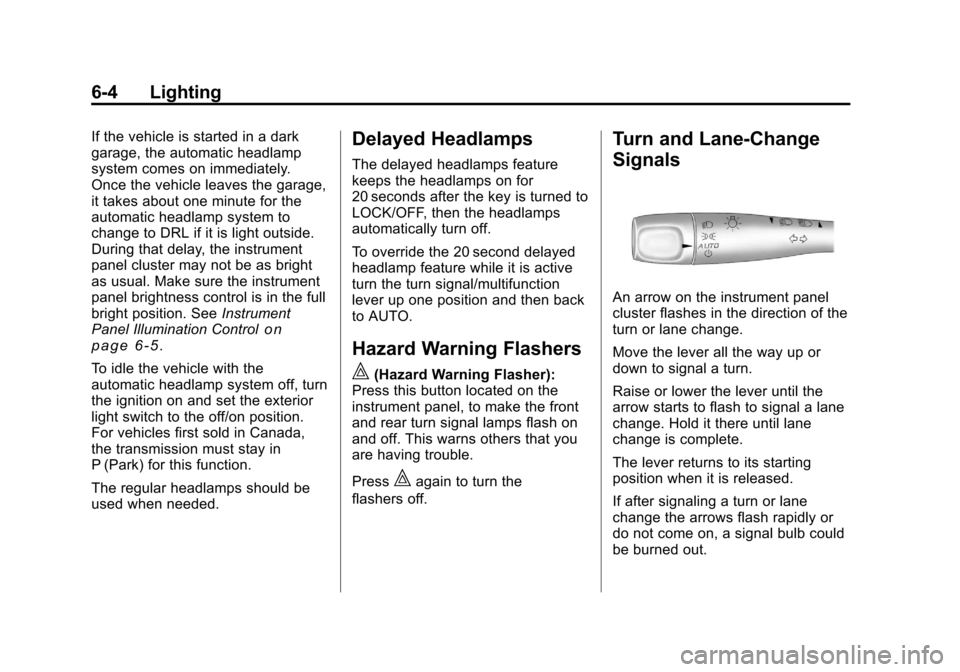
An arrow on the instrument panel
cluster flashes in the direction of the
turn or lane change.
Move the lever all the way up or
down to signal a turn.
Raise or lower the lever until the
arrow starts to flash to signal a lane
change. Hold it there until lane
change is complete.
The lever returns to its starting
position when it is released.
If after signaling a turn or lane
change the arrows flash rapidly or
do not come on, a signal bulb could
be burned out.
Page 155 of 382
Black plate (1,1)Chevrolet Malibu Owner Manual - 2011
Infotainment System 7-1
Infotainment
System
Introduction
Introduction . . . . . . . . . . . . . . . . . . . 7-1
Theft-Deterrent Feature . . . . . . . 7-2
Operation . . . . . . . . . . . . . . . . . . . . . 7-2
Radio
AM-FM Radio . . . . . . . . . . . . . . . . . 7-6
Satellite Radio . . . . . . . . . . . . . . . . 7-8
Radio Reception . . . . . . . . . . . . . 7-12
Backglass Antenna . . . . . . . . . . 7-13
Satellite Radio Antenna . . . . . . 7-13
Audio Players
CD Player . . . . . . . . . . . . . . . . . . . 7-14
Auxiliary Devices . . . . . . . . . . . . 7-18
Phone
Bluetooth . . . . . . . . . . . . . . . . . . . . 7-23
Introduction
Determine which radio the vehicle
has and read the following pages to
become familiar with its features.
{WARNING
Taking your eyes off the road for
extended periods could cause a
crash resulting in injury or death
to you or others. Do not give
extended attention to
entertainment tasks while driving.
This system provides access to
many audio and non audio listings.
To minimize taking your eyes off the
road while driving, do the following
while the vehicle is parked:
.Become familiar with the
operation and controls of the
audio system.
.Set up the tone, speaker
adjustments, and preset radio
stations. For more information, see
Defensive
Driving on page 9‑2.
Notice: Contact your dealer
before adding any equipment.
Adding audio or communication
equipment could interfere with
the operation of the vehicle's
engine, radio, or other systems,
and could damage them. Follow
federal rules covering mobile
radio and telephone equipment.
Notice: The chime signals related
to safety belts, parking brake, and
other functions of your vehicle
operate through the radio/
entertainment system. If that
equipment is replaced or
additional equipment is added to
your vehicle, the chimes may not
work. Make sure that replacement
or additional equipment is
compatible with your vehicle
before installing it. See
Accessories and Modificationson
page 10‑3.