ignition CHEVROLET MALIBU 2012 7.G Owner's Manual
[x] Cancel search | Manufacturer: CHEVROLET, Model Year: 2012, Model line: MALIBU, Model: CHEVROLET MALIBU 2012 7.GPages: 398, PDF Size: 6.06 MB
Page 111 of 398
Black plate (5,1)Chevrolet Malibu Owner Manual - 2012
Instruments and Controls 5-5
Compass
Compass Operation
PressOon the rearview mirror to
turn the compass display on or off.
When the ignition and the compass
feature are on, the compass
displays the current compass
direction after a few seconds.
Compass Calibration
If after a few seconds the display
does not show a compass direction,
(N for North for example), there
may be a strong magnetic field
interfering with the compass.
Interference can be caused
by a magnetic antenna mount,
note pad holder, or similar object. If the letter C appears in the
compass window, the compass
may need to be reset or calibrated.
The mirror can be calibrated by
driving the vehicle very slowly, in
circles, until the display reads a
direction.
Compass Variance
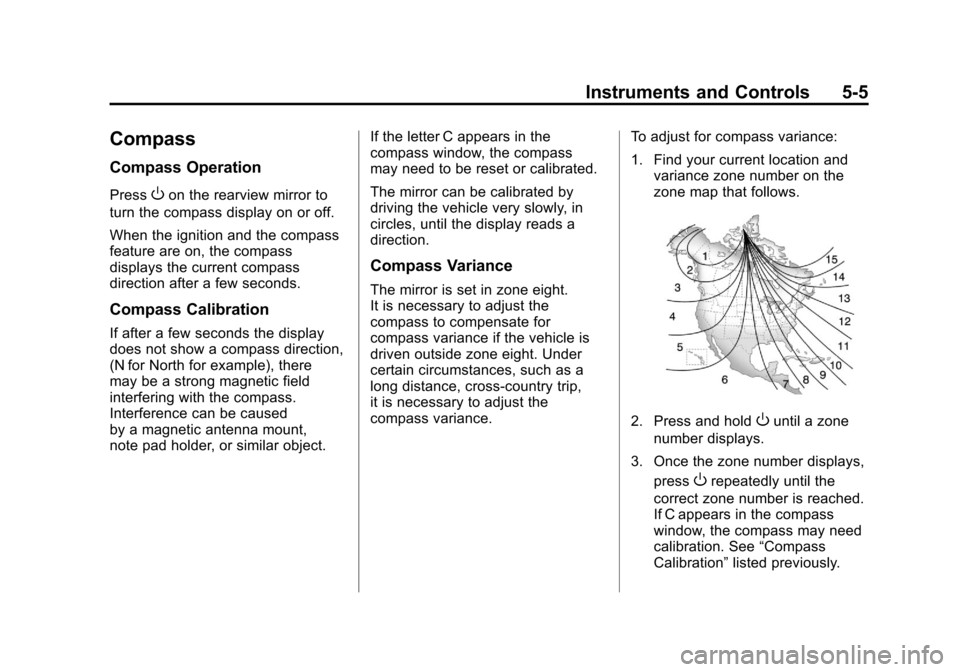
The mirror is set in zone eight.
It is necessary to adjust the
compass to compensate for
compass variance if the vehicle is
driven outside zone eight. Under
certain circumstances, such as a
long distance, cross-country trip,
it is necessary to adjust the
compass variance.
To adjust for compass variance:
1. Find your current location and
variance zone number on the
zone map that follows.
2. Press and holdOuntil a zone
number displays.
3. Once the zone number displays, press
Orepeatedly until the
correct zone number is reached.
If C appears in the compass
window, the compass may need
calibration. See “Compass
Calibration” listed previously.
Page 112 of 398
Black plate (6,1)Chevrolet Malibu Owner Manual - 2012
5-6 Instruments and Controls
Clock
Without Date Display
AM/FM Base Radio with a
Single CD Player
To set the time:
1. Turn the ignition key toACC/ACCESSORY or ON/RUN.
Press the
Oknob to turn the
radio on.
2. Press the
Hbutton until the hour
begins flashing on the display.
Press the
Hbutton a second
time and the minute begins
flashing on the display.
3. While either the hour or the minute numbers are flashing,
turn the
fknob to increase or
decrease the time.
4. Press the
Hbutton again until
the clock display stops flashing
to set the currently displayed
time; otherwise, the flashing
stops after five seconds and
the current time displayed is
automatically set. To change the time default setting
from 12 hour to 24 hour, press
the
Hbutton until 12H or 24H is
displayed. Once 12H or 24H is
displayed, turn the
fknob to the
desired option to select the setting.
Press the
Hbutton again to apply
the setting, or let the screen
time out.
With Date Display
Radio with CD (MP3) and
USB Port, and Radio with
Single CD (MP3) Player
To set the time and date:
1. Turn the ignition key to ACC/ACCESSORY or ON/RUN.
Press the
Oknob to turn the
radio on.
2. Press the
Hbutton and the HR,
MIN, MM, DD, YYYY (hour,
minute, month, day, and year)
displays. 3. Press the softkey located below
any one of the tabs that you
want to change.
4. To increase the time or date do one of the following:
.Press the softkey located
below the selected tab.
.Press the¨SEEK, or
\FWD button.
.Turn thefknob clockwise.
5. To decrease the time or date do one of the following:
.Press the©SEEK or
sREV button.
.Turn thefknob
counterclockwise.
Page 114 of 398
Black plate (8,1)Chevrolet Malibu Owner Manual - 2012
5-8 Instruments and Controls
Power Outlet 110 Volt
Alternating Current
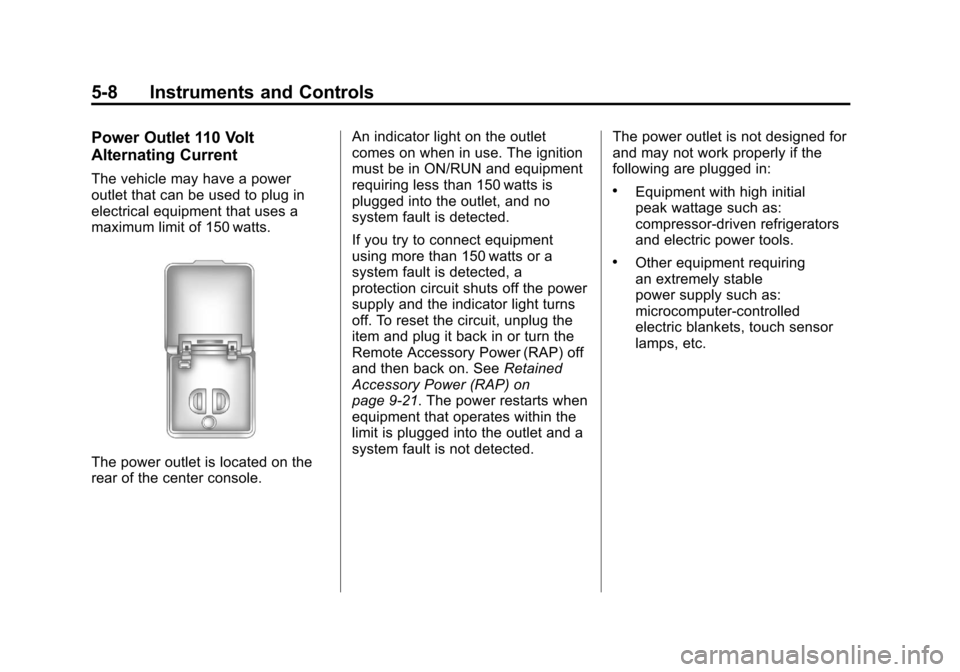
The vehicle may have a power
outlet that can be used to plug in
electrical equipment that uses a
maximum limit of 150 watts.
The power outlet is located on the
rear of the center console.An indicator light on the outlet
comes on when in use. The ignition
must be in ON/RUN and equipment
requiring less than 150 watts is
plugged into the outlet, and no
system fault is detected.
If you try to connect equipment
using more than 150 watts or a
system fault is detected, a
protection circuit shuts off the power
supply and the indicator light turns
off. To reset the circuit, unplug the
item and plug it back in or turn the
Remote Accessory Power (RAP) off
and then back on. See
Retained
Accessory Power (RAP) on
page 9‑21. The power restarts when
equipment that operates within the
limit is plugged into the outlet and a
system fault is not detected. The power outlet is not designed for
and may not work properly if the
following are plugged in:
.Equipment with high initial
peak wattage such as:
compressor-driven refrigerators
and electric power tools.
.Other equipment requiring
an extremely stable
power supply such as:
microcomputer-controlled
electric blankets, touch sensor
lamps, etc.
Page 118 of 398
Black plate (12,1)Chevrolet Malibu Owner Manual - 2012
5-12 Instruments and Controls
Fuel Gauge
Metric
English
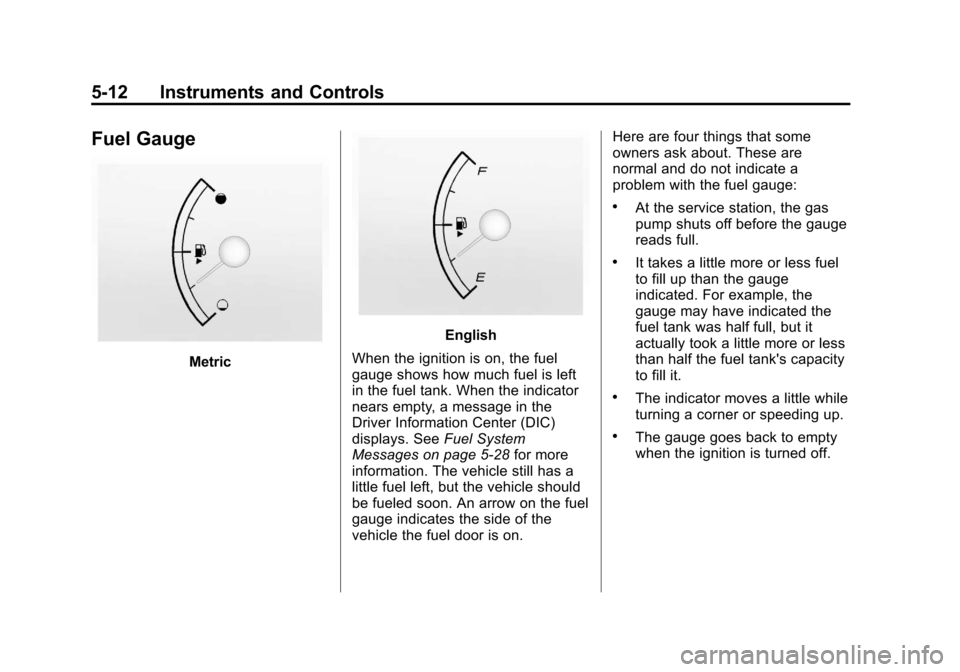
When the ignition is on, the fuel
gauge shows how much fuel is left
in the fuel tank. When the indicator
nears empty, a message in the
Driver Information Center (DIC)
displays. See Fuel System
Messages on page 5‑28 for more
information. The vehicle still has a
little fuel left, but the vehicle should
be fueled soon. An arrow on the fuel
gauge indicates the side of the
vehicle the fuel door is on. Here are four things that some
owners ask about. These are
normal and do not indicate a
problem with the fuel gauge:
.At the service station, the gas
pump shuts off before the gauge
reads full.
.It takes a little more or less fuel
to fill up than the gauge
indicated. For example, the
gauge may have indicated the
fuel tank was half full, but it
actually took a little more or less
than half the fuel tank's capacity
to fill it.
.The indicator moves a little while
turning a corner or speeding up.
.The gauge goes back to empty
when the ignition is turned off.
Page 122 of 398
Black plate (16,1)Chevrolet Malibu Owner Manual - 2012
5-16 Instruments and Controls
Charging System Light
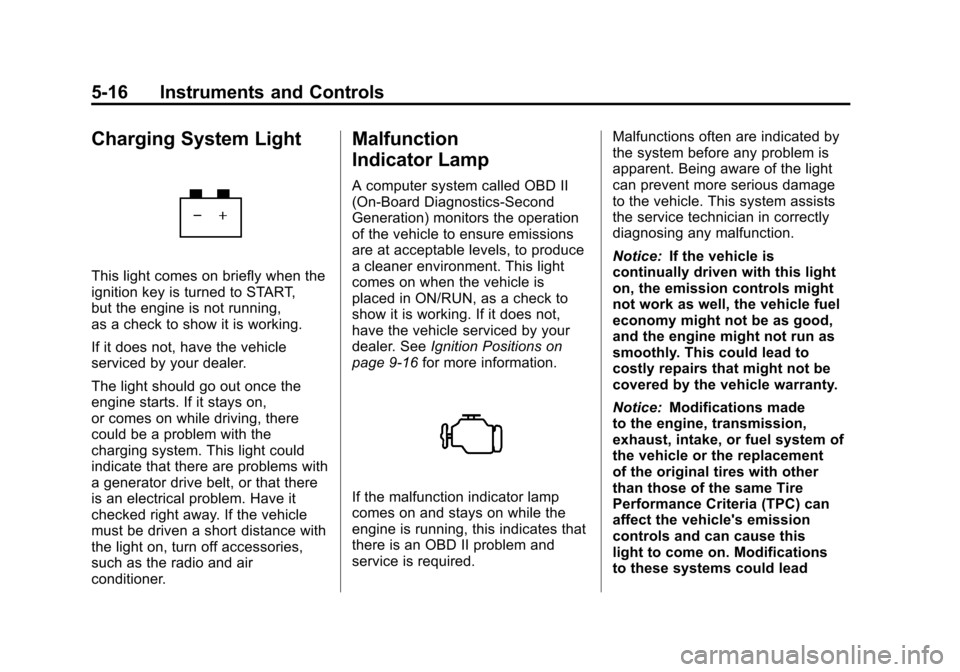
This light comes on briefly when the
ignition key is turned to START,
but the engine is not running,
as a check to show it is working.
If it does not, have the vehicle
serviced by your dealer.
The light should go out once the
engine starts. If it stays on,
or comes on while driving, there
could be a problem with the
charging system. This light could
indicate that there are problems with
a generator drive belt, or that there
is an electrical problem. Have it
checked right away. If the vehicle
must be driven a short distance with
the light on, turn off accessories,
such as the radio and air
conditioner.
Malfunction
Indicator Lamp
A computer system called OBD II
(On-Board Diagnostics-Second
Generation) monitors the operation
of the vehicle to ensure emissions
are at acceptable levels, to produce
a cleaner environment. This light
comes on when the vehicle is
placed in ON/RUN, as a check to
show it is working. If it does not,
have the vehicle serviced by your
dealer. SeeIgnition Positions on
page 9‑16 for more information.
If the malfunction indicator lamp
comes on and stays on while the
engine is running, this indicates that
there is an OBD II problem and
service is required. Malfunctions often are indicated by
the system before any problem is
apparent. Being aware of the light
can prevent more serious damage
to the vehicle. This system assists
the service technician in correctly
diagnosing any malfunction.
Notice:
If the vehicle is
continually driven with this light
on, the emission controls might
not work as well, the vehicle fuel
economy might not be as good,
and the engine might not run as
smoothly. This could lead to
costly repairs that might not be
covered by the vehicle warranty.
Notice: Modifications made
to the engine, transmission,
exhaust, intake, or fuel system of
the vehicle or the replacement
of the original tires with other
than those of the same Tire
Performance Criteria (TPC) can
affect the vehicle's emission
controls and can cause this
light to come on. Modifications
to these systems could lead
Page 124 of 398
Black plate (18,1)Chevrolet Malibu Owner Manual - 2012
5-18 Instruments and Controls
Emissions Inspection and
Maintenance Programs
Some local governments may have
programs to inspect the on-vehicle
emission control equipment.
For the inspection, the emission
system test equipment is connected
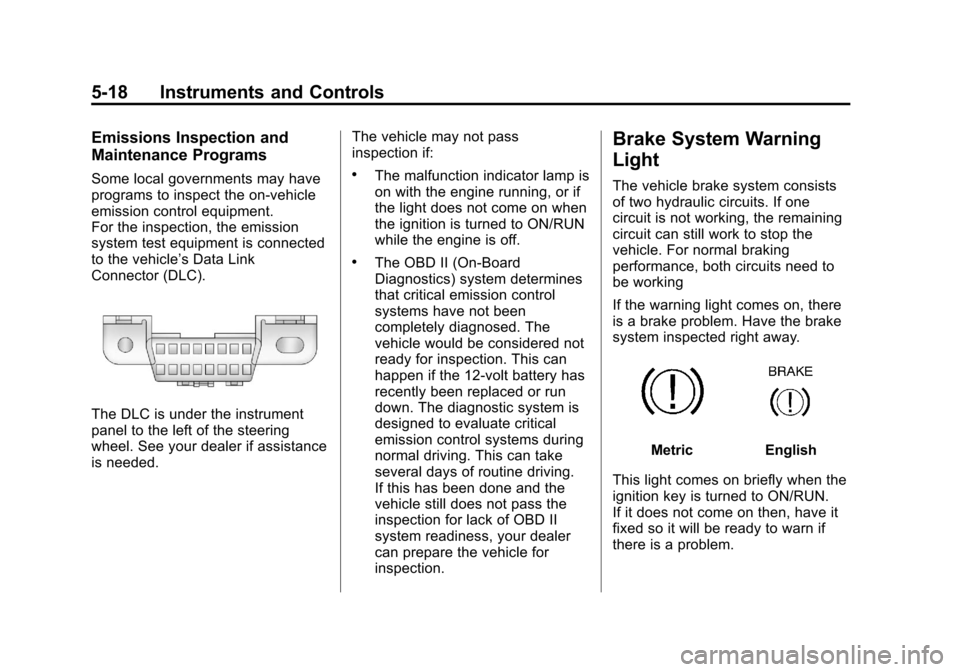
to the vehicle’s Data Link
Connector (DLC).
The DLC is under the instrument
panel to the left of the steering
wheel. See your dealer if assistance
is needed.The vehicle may not pass
inspection if:
.The malfunction indicator lamp is
on with the engine running, or if
the light does not come on when
the ignition is turned to ON/RUN
while the engine is off.
.The OBD II (On-Board
Diagnostics) system determines
that critical emission control
systems have not been
completely diagnosed. The
vehicle would be considered not
ready for inspection. This can
happen if the 12-volt battery has
recently been replaced or run
down. The diagnostic system is
designed to evaluate critical
emission control systems during
normal driving. This can take
several days of routine driving.
If this has been done and the
vehicle still does not pass the
inspection for lack of OBD II
system readiness, your dealer
can prepare the vehicle for
inspection.
Brake System Warning
Light
The vehicle brake system consists
of two hydraulic circuits. If one
circuit is not working, the remaining
circuit can still work to stop the
vehicle. For normal braking
performance, both circuits need to
be working
If the warning light comes on, there
is a brake problem. Have the brake
system inspected right away.
MetricEnglish
This light comes on briefly when the
ignition key is turned to ON/RUN.
If it does not come on then, have it
fixed so it will be ready to warn if
there is a problem.
Page 125 of 398
Black plate (19,1)Chevrolet Malibu Owner Manual - 2012
Instruments and Controls 5-19
When the ignition is on, the brake
system warning light also comes on
when the parking brake is set.
The light stays on if the parking
brake does not fully release . If it
stays on after the parking brake is
fully released, it means there is a
brake problem.
The Driver Information Center (DIC)
may display a BRAKE FLUID
message. SeeBrake System
Messages on page 5‑27 for more
information.
If the light comes on while driving,
pull off the road and carefully stop.
The brake pedal may be harder to
push or the pedal may go closer to
the floor. It may take longer to stop.
Try turning off and restarting the
vehicle one or two times, if the light
is still on, have the vehicle towed for
service. See Towing the Vehicle on
page 10‑87{WARNING
The brake system might not be
working properly if the brake
system warning light is on.
Driving with the brake system
warning light on can lead to a
crash. If the light is still on after
the vehicle has been pulled off
the road and carefully stopped,
have the vehicle towed for
service.
Antilock Brake System
(ABS) Warning Light
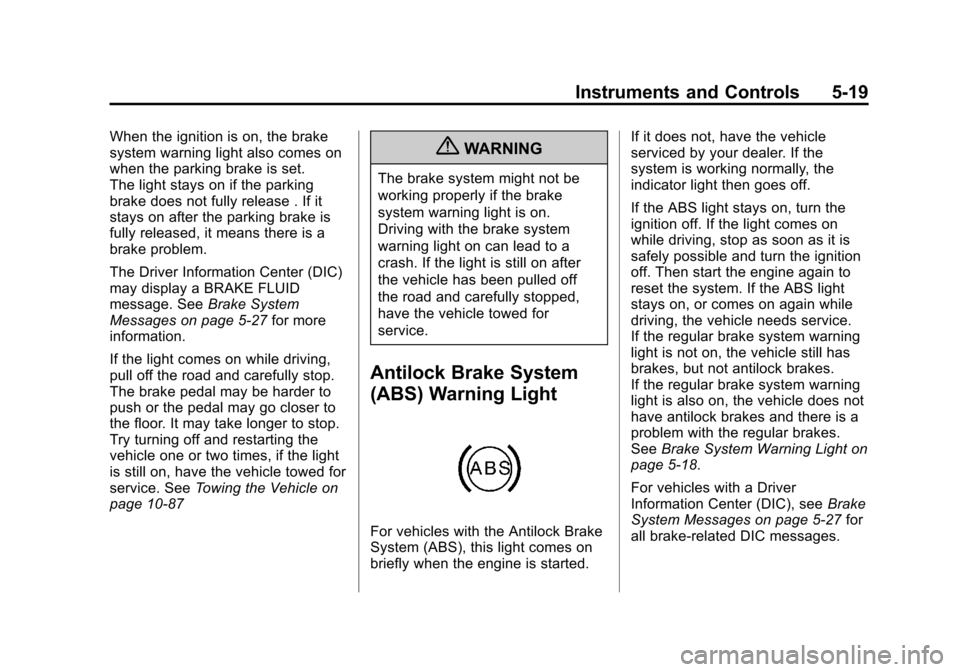
For vehicles with the Antilock Brake
System (ABS), this light comes on
briefly when the engine is started. If it does not, have the vehicle
serviced by your dealer. If the
system is working normally, the
indicator light then goes off.
If the ABS light stays on, turn the
ignition off. If the light comes on
while driving, stop as soon as it is
safely possible and turn the ignition
off. Then start the engine again to
reset the system. If the ABS light
stays on, or comes on again while
driving, the vehicle needs service.
If the regular brake system warning
light is not on, the vehicle still has
brakes, but not antilock brakes.
If the regular brake system warning
light is also on, the vehicle does not
have antilock brakes and there is a
problem with the regular brakes.
See
Brake System Warning Light on
page 5‑18.
For vehicles with a Driver
Information Center (DIC), see Brake
System Messages on page 5‑27 for
all brake-related DIC messages.
Page 128 of 398
Black plate (22,1)Chevrolet Malibu Owner Manual - 2012
5-22 Instruments and Controls
When the Light Is On Steady
This indicates that one or more of
the tires are significantly
underinflated.
A Driver Information Center (DIC)
tire pressure message may also
display. SeeVehicle Messages on
page 5‑26 for more information.
Stop as soon as possible, and
inflate the tires to the pressure value
shown on the Tire and Loading
Information label. See Tire Pressure
on page 10‑50 for more information.
When the Light Flashes First and
Then Is On Steady
If the light flashes for about a minute
and then stays on, there may be a
problem with the TPMS. If the
problem is not corrected, the light
will come on at every ignition
cycle. See Tire Pressure Monitor
Operation on page 10‑53 for more
information.Engine Oil Pressure Light
{WARNING
Do not keep driving if the oil
pressure is low. The engine can
become so hot that it catches fire.
Someone could be burned. Check
the oil as soon as possible and
have the vehicle serviced.
Notice: Lack of proper engine oil
maintenance can damage the
engine. The repairs would not be
covered by the vehicle warranty.
Always follow the maintenance
schedule for changing engine oil.
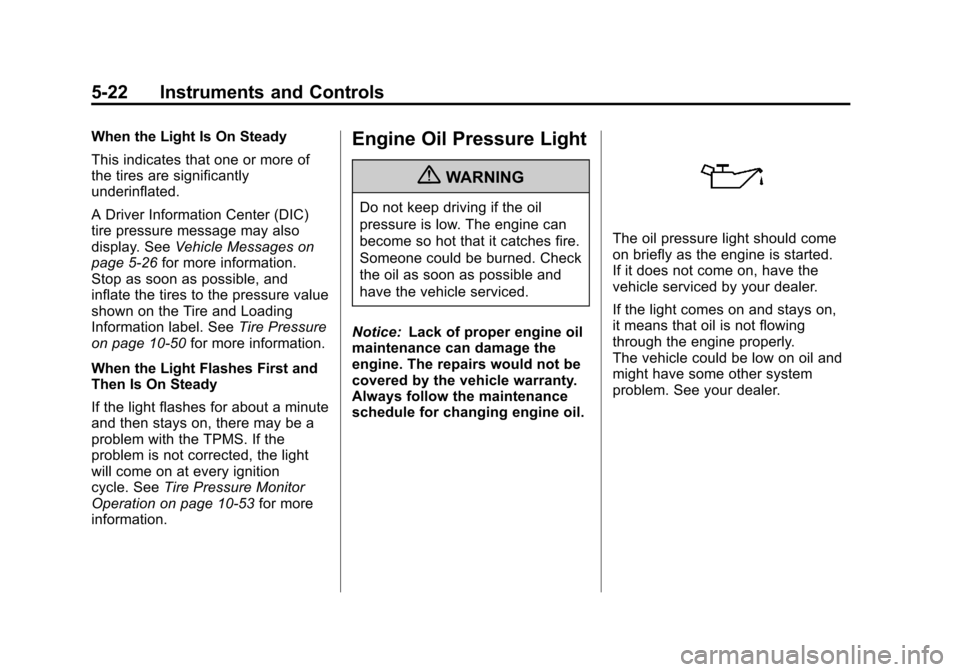
The oil pressure light should come
on briefly as the engine is started.
If it does not come on, have the
vehicle serviced by your dealer.
If the light comes on and stays on,
it means that oil is not flowing
through the engine properly.
The vehicle could be low on oil and
might have some other system
problem. See your dealer.
Page 129 of 398
Black plate (23,1)Chevrolet Malibu Owner Manual - 2012
Instruments and Controls 5-23
Security Light
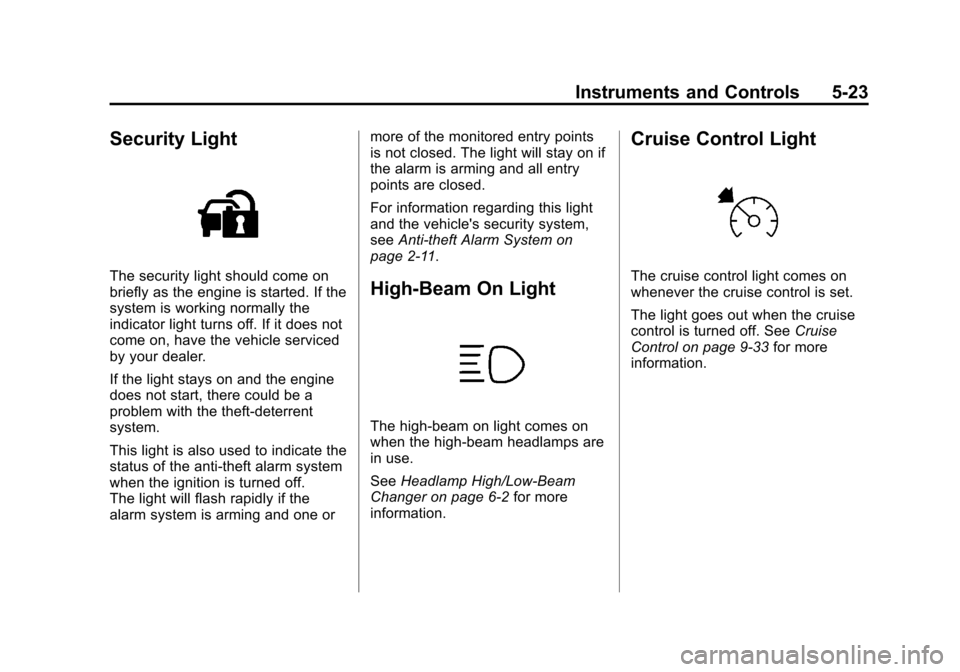
The security light should come on
briefly as the engine is started. If the
system is working normally the
indicator light turns off. If it does not
come on, have the vehicle serviced
by your dealer.
If the light stays on and the engine
does not start, there could be a
problem with the theft-deterrent
system.
This light is also used to indicate the
status of the anti-theft alarm system
when the ignition is turned off.
The light will flash rapidly if the
alarm system is arming and one ormore of the monitored entry points
is not closed. The light will stay on if
the alarm is arming and all entry
points are closed.
For information regarding this light
and the vehicle's security system,
see
Anti-theft Alarm System on
page 2‑11.High-Beam On Light
The high‐beam on light comes on
when the high-beam headlamps are
in use.
See Headlamp High/Low-Beam
Changer on page 6‑2 for more
information.
Cruise Control Light
The cruise control light comes on
whenever the cruise control is set.
The light goes out when the cruise
control is turned off. See Cruise
Control on page 9‑33 for more
information.
Page 130 of 398
Black plate (24,1)Chevrolet Malibu Owner Manual - 2012
5-24 Instruments and Controls
Information Displays
Driver Information
Center (DIC)
Your vehicle has a Driver
Information Center (DIC). The DIC
display gives you the status of many
of your vehicle's systems. The DIC
is also used to display driver
personalization menu modes and
warning/status messages. All
messages will appear in the DIC
display, located at the bottom of the
instrument panel cluster.
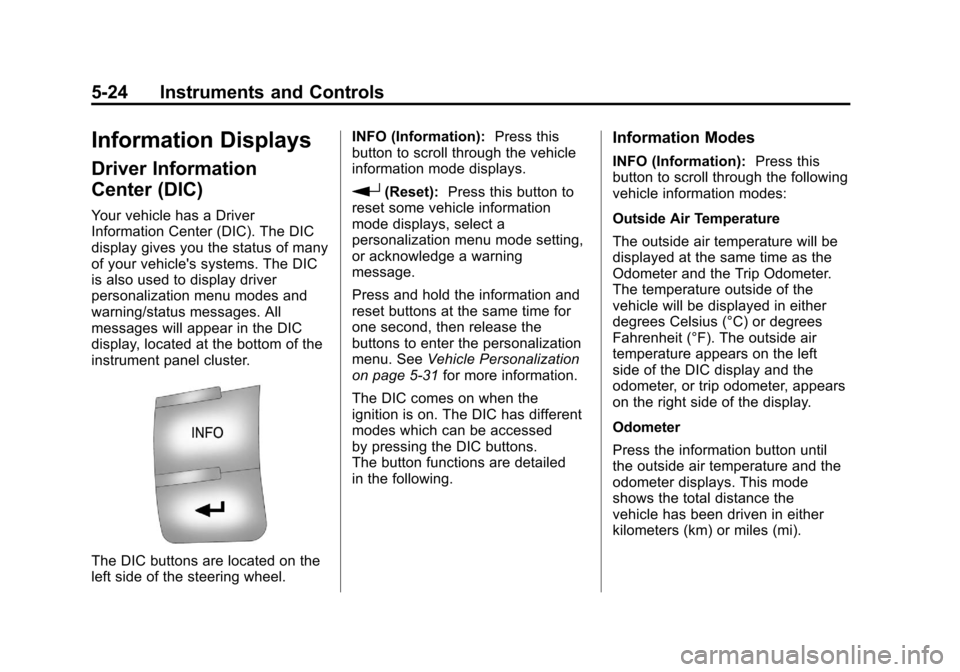
The DIC buttons are located on the
left side of the steering wheel.INFO (Information):
Press this
button to scroll through the vehicle
information mode displays.
r(Reset): Press this button to
reset some vehicle information
mode displays, select a
personalization menu mode setting,
or acknowledge a warning
message.
Press and hold the information and
reset buttons at the same time for
one second, then release the
buttons to enter the personalization
menu. See Vehicle Personalization
on page 5‑31 for more information.
The DIC comes on when the
ignition is on. The DIC has different
modes which can be accessed
by pressing the DIC buttons.
The button functions are detailed
in the following.
Information Modes
INFO (Information): Press this
button to scroll through the following
vehicle information modes:
Outside Air Temperature
The outside air temperature will be
displayed at the same time as the
Odometer and the Trip Odometer.
The temperature outside of the
vehicle will be displayed in either
degrees Celsius (°C) or degrees
Fahrenheit (°F). The outside air
temperature appears on the left
side of the DIC display and the
odometer, or trip odometer, appears
on the right side of the display.
Odometer
Press the information button until
the outside air temperature and the
odometer displays. This mode
shows the total distance the
vehicle has been driven in either
kilometers (km) or miles (mi).