display CHEVROLET MALIBU 2012 7.G Workshop Manual
[x] Cancel search | Manufacturer: CHEVROLET, Model Year: 2012, Model line: MALIBU, Model: CHEVROLET MALIBU 2012 7.GPages: 398, PDF Size: 6.06 MB
Page 172 of 398
Black plate (22,1)Chevrolet Malibu Owner Manual - 2012
7-22 Infotainment System
Order of Play
Tracks are played in the following
order:
.Play begins from the first track in
the first playlist and continues
sequentially through all tracks in
each playlist. When the last
track of the last playlist has
played, play continues from the
first track of the first playlist.
.Play begins from the first track in
the first folder and continues
sequentially through all tracks in
each folder. When the last track
of the last folder has played,
play continues from the first
track of the first folder.
When play enters a new folder, the
display does not automatically show
the new folder name unless the
folder mode has been chosen as
the default display. The new track
name displays.
Connecting a USB Storage
Device or iPod
The radio buttons, knobs and
softkeys are used to control a USB
storage device or an iPod when it is
connected to the USB port.
To connect a USB storage device,
connect the device to the USB port
located on the front of the radio.
To connect an iPod, connect one
end of the USB cable that came
with the iPod to the iPod’s dock
connector and connect the other
end to the USB port located on the
front of the radio. If the vehicle is on
and the USB connection works,
“OK to disconnect” and a GM logo
may appear on the iPod and iPod
appears on the radio's display.
The iPod charges while it is
connected to the USB port if the
ingition is in the ACC/ACCESSORY
or ON/RUN position. When the
ignition is turned OFF, the iPod automatically powers off and will not
charge or draw power from the
vehicle's battery.
Older iPod's that are not supported
can still be used by connecting it to
the 3.5 mm (1/8 in) auxiliary input
jack using a 3.5 mm (1/8 in) cable.
Using a USB Storage Device
or iPod
The buttons and knobs on the
radio and the softkeys below the
radio display are used to control a
USB storage device or an iPod.
Buttons and Knobs
The buttons and knobs on the radio
control the following features.
f(Tune):
Turn to select files.
©SEEK:Press to go to the start of
the track, if more than ten seconds
have played. Press and hold
©SEEK or press it multiple times
to continue moving backward
through tracks.
Page 173 of 398
Black plate (23,1)Chevrolet Malibu Owner Manual - 2012
Infotainment System 7-23
¨SEEK:Press to go to the next
track. Press and hold
¨SEEK or
press it multiple times to continue
moving forward through tracks.
sREV (Reverse): Press and hold
to reverse playback quickly. Sound
is heard at a reduced volume.
Release
sREV to resume playing.
\FWD (Fast Forward): Press
and hold to advance playback
quickly. Sound is heard at a reduced
volume. Release
\FWD to
resume playing.
4(Information): Press to display
additional information about the
selected track.
Softkeys
The five softkeys below the radio
display are used to control functions
that display as tabs.
To use the softkeys, press a softkey
below any tab that is displayed,
or if no tabs are displayed, press the
first or last softkey below the radio
display to display the tabs. The softkeys below the radio display
control the following features.
j(Pause):
Press the softkey
below
jto pause the track.
The tab appears raised when pause
is being used. Press the softkey
below
jagain to resume playback.
Back: Press the softkey below the
back tab to go back to the main
display screen on an iPod, or the
root directory on a USB storage
device.
c(Folder View): Press the
softkey below
cto view the
contents of the current folder on the
USB drive.
To browse and select files:
1. Press the softkey below
c.
2. Turn
fto scroll through the list
of folders. 3. Press
fto select the desired
folder. If there is more then one
folder, repeat Steps 1 and 2 until
the desired folder is reached.
4. Turn
fto scroll through the files
in the selected folder.
5. Press
fto select the desired file
to be played.
To skip through large lists, the five
softkeys can be used to navigate in
the following order:
.First softkey, first item in the list.
.Second softkey, 1% through the
list each time the softkey is
pressed.
.Third softkey, 5% through the list
each time the softkey is pressed.
.Fourth softkey, 10% through the
list each time the softkey is
pressed.
.Fifth softkey, end of the list.
Page 187 of 398
Black plate (5,1)Chevrolet Malibu Owner Manual - 2012
Climate Controls 8-5
Automatic Climate Control System
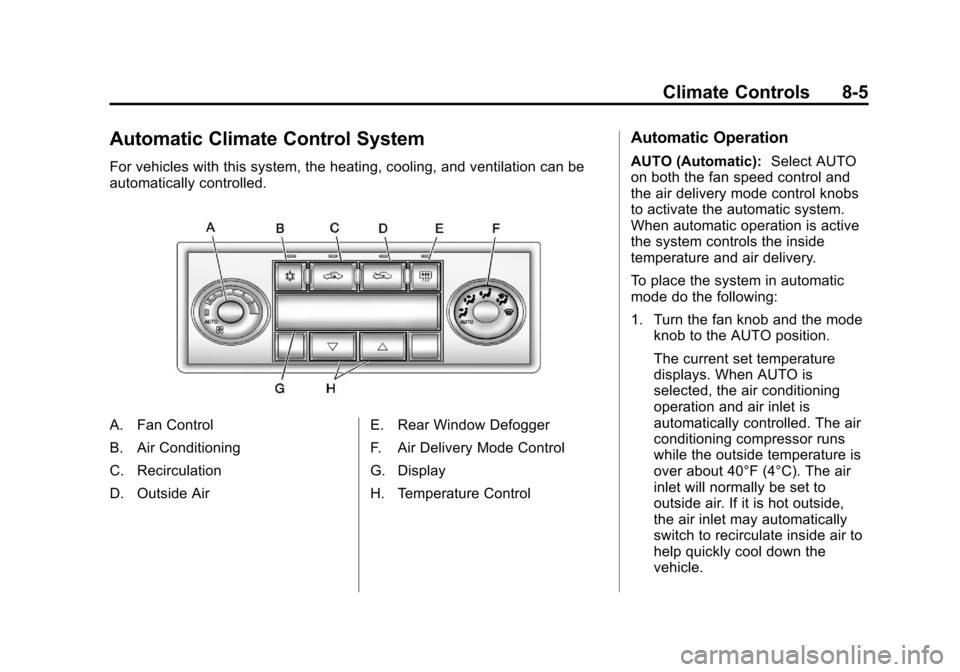
For vehicles with this system, the heating, cooling, and ventilation can be
automatically controlled.
A. Fan Control
B. Air Conditioning
C. Recirculation
D. Outside AirE. Rear Window Defogger
F. Air Delivery Mode Control
G. Display
H. Temperature Control
Automatic Operation
AUTO (Automatic):
Select AUTO
on both the fan speed control and
the air delivery mode control knobs
to activate the automatic system.
When automatic operation is active
the system controls the inside
temperature and air delivery.
To place the system in automatic
mode do the following:
1. Turn the fan knob and the mode knob to the AUTO position.
The current set temperature
displays. When AUTO is
selected, the air conditioning
operation and air inlet is
automatically controlled. The air
conditioning compressor runs
while the outside temperature is
over about 40°F (4°C). The air
inlet will normally be set to
outside air. If it is hot outside,
the air inlet may automatically
switch to recirculate inside air to
help quickly cool down the
vehicle.
Page 191 of 398
Black plate (9,1)Chevrolet Malibu Owner Manual - 2012
Climate Controls 8-9
Remote Start Climate Control
Operation
For vehicles with remote start, when
it is activated the climate control
system heats and cools the inside of
the vehicle using the previous
system settings before the vehicle
was turned off. The climate control
knobs will remain active during a
remote start. However, the climate
control buttons will be inactive until
the ignition is turned on by the key.
If the fan is off, the climate control
system will not operate during
remote start.
With the automatic climate control
system, the climate control displays
“RS”in place of the temperature
to indicate that remote start is
activated. For best performance,
turn both the fan and mode knobs to
AUTO. If the temperature is cold
enough and the mode knob is set to
AUTO, the system begins in defrost
to clear the windows. See Remote
Keyless Entry (RKE) System
Operation on page 2‑3.Air Vents
Use the lever located in the center
of each outlet by moving it either up
and down or side-to-side, to change
the direction and amount of airflow
in the vehicle.
Operation Tips
.Clear away any ice, snow,
or leaves from the air inlets at
the base of the windshield that
may block the flow of air into the
vehicle.
.Do not use non-GM approved
hood deflectors as they could
adversely affect the performance
of the system.
.Keep the path under the front
seats clear of objects to help
circulate the air inside of the
vehicle more effectively.
.When an objectionable odor
outside the vehicle is
encountered, use the
recirculation mode, with the
temperature knob at a
comfortable setting to prevent
the odor from entering the
vehicle through the ventilation
system. This can be helpful
when driving through a long
tunnel with poor ventilation.
However, extended usage of this
mode in cold or cool weather
can cause window fogging.
Page 210 of 398
Black plate (18,1)Chevrolet Malibu Owner Manual - 2012
9-18 Driving and Operating
ACC (ACC/ACCESSORY):This
position lets you use things like the
radio and windshield wipers while
the engine is not running.
R (ON/RUN): This position can be
used to operate the electrical
accessories and to display some
instrument panel warning lights.
The switch will stay in this position
while the engine is running.
This position can also be used for
service and diagnostics, and to
verify the proper operation of the
malfunction indicator lamp as may
be required for emission inspection
purposes. If you leave the key in the
ACC/ACCESSORY or ON/RUN
position with the engine off, the
battery could be drained. You may
not be able to start the vehicle if the
battery is allowed to drain for an
extended period of time.
/
(START): This position starts the
engine. When the engine starts,
release the key. The ignition switch
will return to the ON/RUN position
for driving.
A warning tone will sound when the
driver door is opened, the ignition is
in ACC/ACCESSORY or LOCK/OFF
and the key is in the ignition.Starting the Engine
Move the shift lever to P (Park) or
N (Neutral). The engine will not start
in any other position. To restart the
engine when the vehicle is already
moving, use N (Neutral) only.
Notice: Do not try to shift to
P (Park) if the vehicle is moving.
If you do, you could damage the
transmission. Shift to P (Park)
only when the vehicle is stopped.
Starting Procedure
1. With your foot off the accelerator
pedal, turn the ignition to START.
When the engine starts, let go
of the key. The idle speed will
slow down as the engine
warms. Do not race the engine
immediately after starting it.
Operate the engine and
transmission gently to allow the
oil to warm up and lubricate
all moving parts.
Page 219 of 398
Black plate (27,1)Chevrolet Malibu Owner Manual - 2012
Driving and Operating 9-27
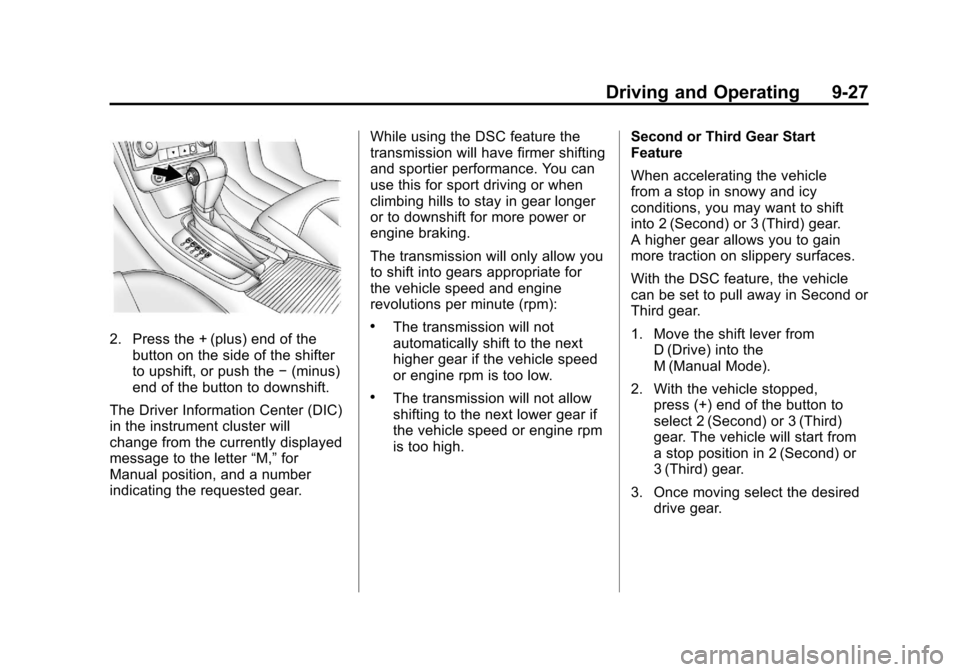
2. Press the + (plus) end of thebutton on the side of the shifter
to upshift, or push the −(minus)
end of the button to downshift.
The Driver Information Center (DIC)
in the instrument cluster will
change from the currently displayed
message to the letter “M,”for
Manual position, and a number
indicating the requested gear. While using the DSC feature the
transmission will have firmer shifting
and sportier performance. You can
use this for sport driving or when
climbing hills to stay in gear longer
or to downshift for more power or
engine braking.
The transmission will only allow you
to shift into gears appropriate for
the vehicle speed and engine
revolutions per minute (rpm):.The transmission will not
automatically shift to the next
higher gear if the vehicle speed
or engine rpm is too low.
.The transmission will not allow
shifting to the next lower gear if
the vehicle speed or engine rpm
is too high.
Second or Third Gear Start
Feature
When accelerating the vehicle
from a stop in snowy and icy
conditions, you may want to shift
into 2 (Second) or 3 (Third) gear.
A higher gear allows you to gain
more traction on slippery surfaces.
With the DSC feature, the vehicle
can be set to pull away in Second or
Third gear.
1. Move the shift lever from
D (Drive) into the
M (Manual Mode).
2. With the vehicle stopped, press (+) end of the button to
select 2 (Second) or 3 (Third)
gear. The vehicle will start from
a stop position in 2 (Second) or
3 (Third) gear.
3. Once moving select the desired drive gear.
Page 221 of 398
Black plate (29,1)Chevrolet Malibu Owner Manual - 2012
Driving and Operating 9-29
Parking Brake
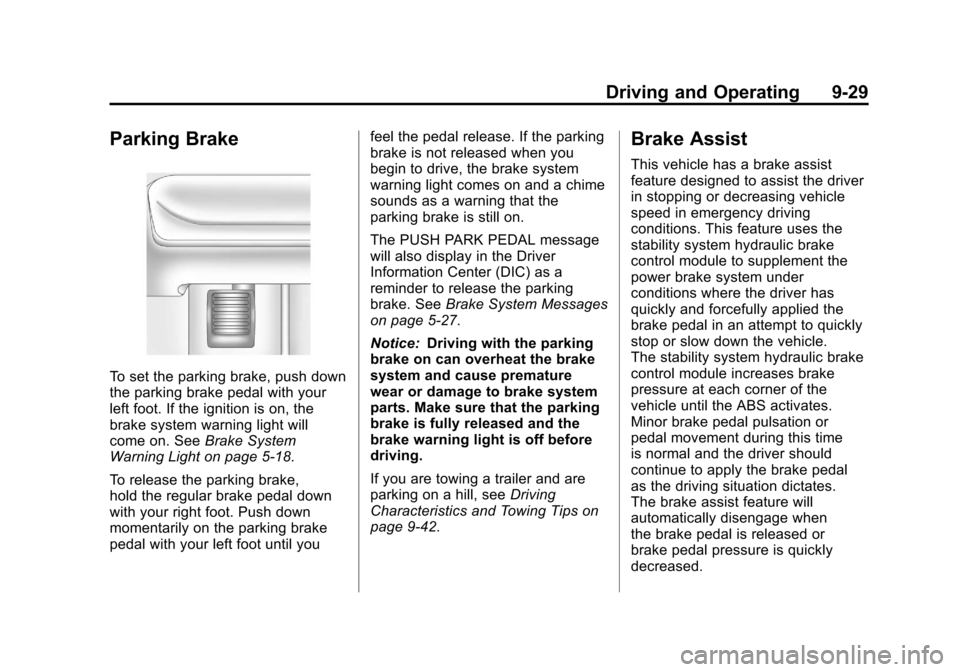
To set the parking brake, push down
the parking brake pedal with your
left foot. If the ignition is on, the
brake system warning light will
come on. SeeBrake System
Warning Light on page 5‑18.
To release the parking brake,
hold the regular brake pedal down
with your right foot. Push down
momentarily on the parking brake
pedal with your left foot until you feel the pedal release. If the parking
brake is not released when you
begin to drive, the brake system
warning light comes on and a chime
sounds as a warning that the
parking brake is still on.
The PUSH PARK PEDAL message
will also display in the Driver
Information Center (DIC) as a
reminder to release the parking
brake. See
Brake System Messages
on page 5‑27.
Notice: Driving with the parking
brake on can overheat the brake
system and cause premature
wear or damage to brake system
parts. Make sure that the parking
brake is fully released and the
brake warning light is off before
driving.
If you are towing a trailer and are
parking on a hill, see Driving
Characteristics and Towing Tips on
page 9‑42.
Brake Assist
This vehicle has a brake assist
feature designed to assist the driver
in stopping or decreasing vehicle
speed in emergency driving
conditions. This feature uses the
stability system hydraulic brake
control module to supplement the
power brake system under
conditions where the driver has
quickly and forcefully applied the
brake pedal in an attempt to quickly
stop or slow down the vehicle.
The stability system hydraulic brake
control module increases brake
pressure at each corner of the
vehicle until the ABS activates.
Minor brake pedal pulsation or
pedal movement during this time
is normal and the driver should
continue to apply the brake pedal
as the driving situation dictates.
The brake assist feature will
automatically disengage when
the brake pedal is released or
brake pedal pressure is quickly
decreased.
Page 222 of 398
Black plate (30,1)Chevrolet Malibu Owner Manual - 2012
9-30 Driving and Operating
Ride Control Systems
Traction Control
System (TCS)
The vehicle may have a Traction
Control System (TCS) that limits
wheel spin. This is especially
useful in slippery road conditions.
The system operates only if it
senses that the front wheels are
spinning too much or are beginning
to lose traction. When this happens,
the system works the front brakes
and reduces engine power by
closing the throttle and managing
engine spark to limit wheel spin.
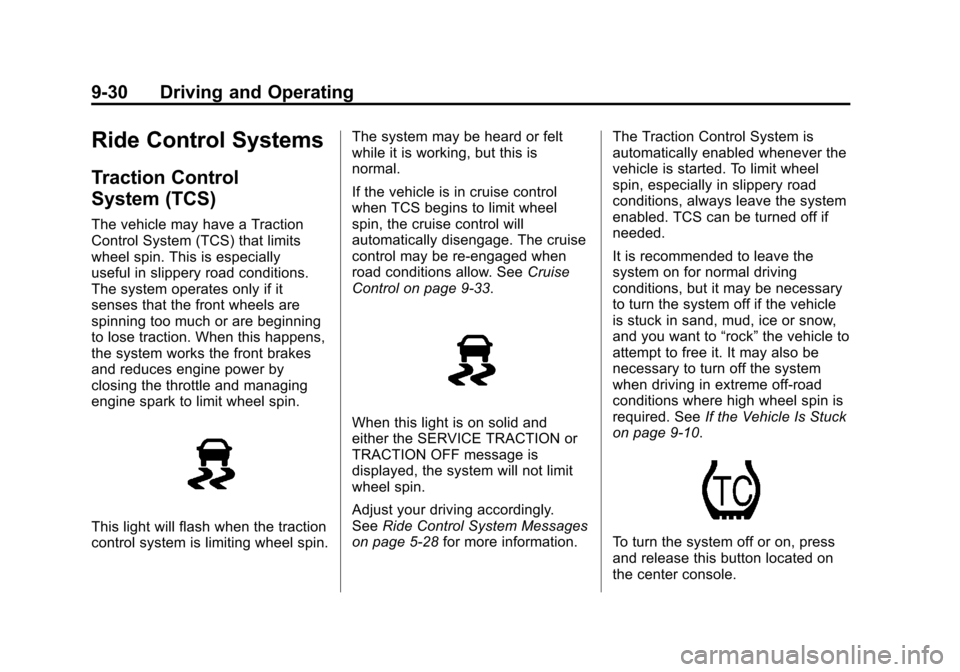
This light will flash when the traction
control system is limiting wheel spin.The system may be heard or felt
while it is working, but this is
normal.
If the vehicle is in cruise control
when TCS begins to limit wheel
spin, the cruise control will
automatically disengage. The cruise
control may be re-engaged when
road conditions allow. See
Cruise
Control on page 9‑33.
When this light is on solid and
either the SERVICE TRACTION or
TRACTION OFF message is
displayed, the system will not limit
wheel spin.
Adjust your driving accordingly.
See Ride Control System Messages
on page 5‑28 for more information. The Traction Control System is
automatically enabled whenever the
vehicle is started. To limit wheel
spin, especially in slippery road
conditions, always leave the system
enabled. TCS can be turned off if
needed.
It is recommended to leave the
system on for normal driving
conditions, but it may be necessary
to turn the system off if the vehicle
is stuck in sand, mud, ice or snow,
and you want to
“rock”the vehicle to
attempt to free it. It may also be
necessary to turn off the system
when driving in extreme off-road
conditions where high wheel spin is
required. See If the Vehicle Is Stuck
on page 9‑10.
To turn the system off or on, press
and release this button located on
the center console.
Page 223 of 398
Black plate (31,1)Chevrolet Malibu Owner Manual - 2012
Driving and Operating 9-31
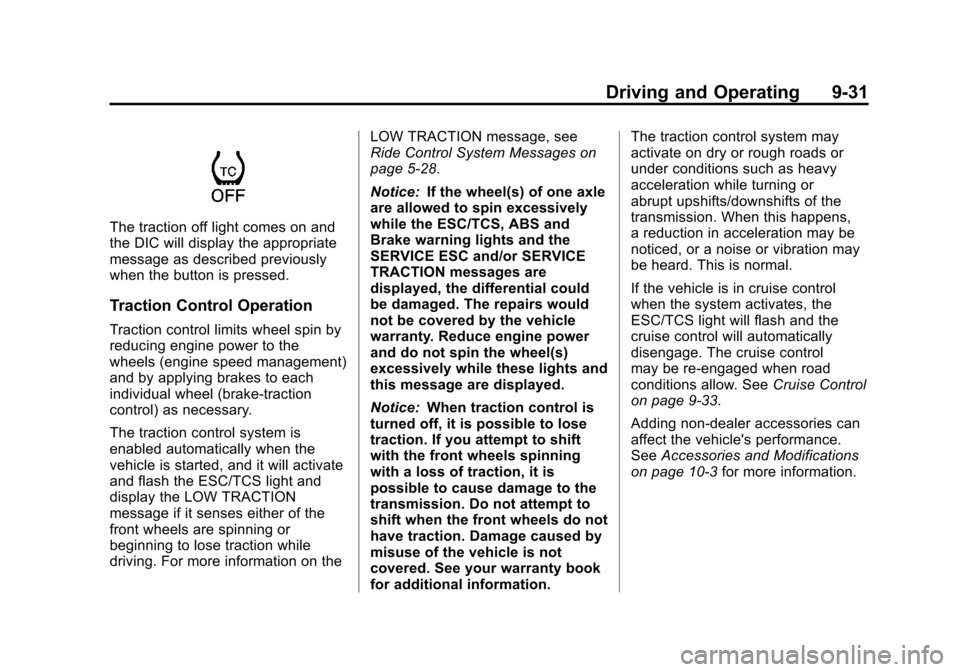
The traction off light comes on and
the DIC will display the appropriate
message as described previously
when the button is pressed.
Traction Control Operation
Traction control limits wheel spin by
reducing engine power to the
wheels (engine speed management)
and by applying brakes to each
individual wheel (brake-traction
control) as necessary.
The traction control system is
enabled automatically when the
vehicle is started, and it will activate
and flash the ESC/TCS light and
display the LOW TRACTION
message if it senses either of the
front wheels are spinning or
beginning to lose traction while
driving. For more information on theLOW TRACTION message, see
Ride Control System Messages on
page 5‑28.
Notice:
If the wheel(s) of one axle
are allowed to spin excessively
while the ESC/TCS, ABS and
Brake warning lights and the
SERVICE ESC and/or SERVICE
TRACTION messages are
displayed, the differential could
be damaged. The repairs would
not be covered by the vehicle
warranty. Reduce engine power
and do not spin the wheel(s)
excessively while these lights and
this message are displayed.
Notice: When traction control is
turned off, it is possible to lose
traction. If you attempt to shift
with the front wheels spinning
with a loss of traction, it is
possible to cause damage to the
transmission. Do not attempt to
shift when the front wheels do not
have traction. Damage caused by
misuse of the vehicle is not
covered. See your warranty book
for additional information. The traction control system may
activate on dry or rough roads or
under conditions such as heavy
acceleration while turning or
abrupt upshifts/downshifts of the
transmission. When this happens,
a reduction in acceleration may be
noticed, or a noise or vibration may
be heard. This is normal.
If the vehicle is in cruise control
when the system activates, the
ESC/TCS light will flash and the
cruise control will automatically
disengage. The cruise control
may be re-engaged when road
conditions allow. See
Cruise Control
on page 9‑33.
Adding non‐dealer accessories can
affect the vehicle's performance.
See Accessories and Modifications
on page 10‑3 for more information.
Page 224 of 398
Black plate (32,1)Chevrolet Malibu Owner Manual - 2012
9-32 Driving and Operating
Electronic Stability
Control (ESC)
The vehicle has an Electronic
Stability Control (ESC) system
which combines antilock brake,
traction and stability control systems
and helps the driver maintain
directional control of the vehicle in
most driving conditions.
When you first start the vehicle and
begin to drive away, the system
performs several diagnostic checks
to ensure there are no problems.
The system may be heard or felt
while it is working. This is normal
and does not mean there is a
problem with the vehicle. The
system should initialize before the
vehicle reaches 32 km/h (20 mph).
If the system fails to turn on or
activate, the ESC/TCS light will be
on solid, and the ESC OFF or
SERVICE ESC message will be
displayed.For more information, see
Ride
Control System Messages on
page 5‑28.
This light will flash on the instrument
panel cluster when the ESC system
is both on and activated.
The system may be heard or felt
while it is working; this is normal.
When the light is on solid and either
the SERVICE ESC or ESC OFF
message is displayed, the system
will not assist the driver in
maintaining directional control of the
vehicle. Adjust your driving
accordingly. See Ride Control
System Messages on page 5‑28.
The Electronic Stability Control
(ESC) system is automatically
enabled whenever the vehicle is
started. To assist the driver with vehicle directional control,
especially in slippery road
conditions, the system should
always be left on. But, ESC can be
turned off if needed.
If the vehicle is in cruise control
when the system begins to assist
the driver maintain directional
control of the vehicle, the ESC/TCS
light will flash and the cruise
control will automatically disengage.
The cruise control system may be
re-engaged when road conditions
allow. See
Cruise Control on
page 9‑33.
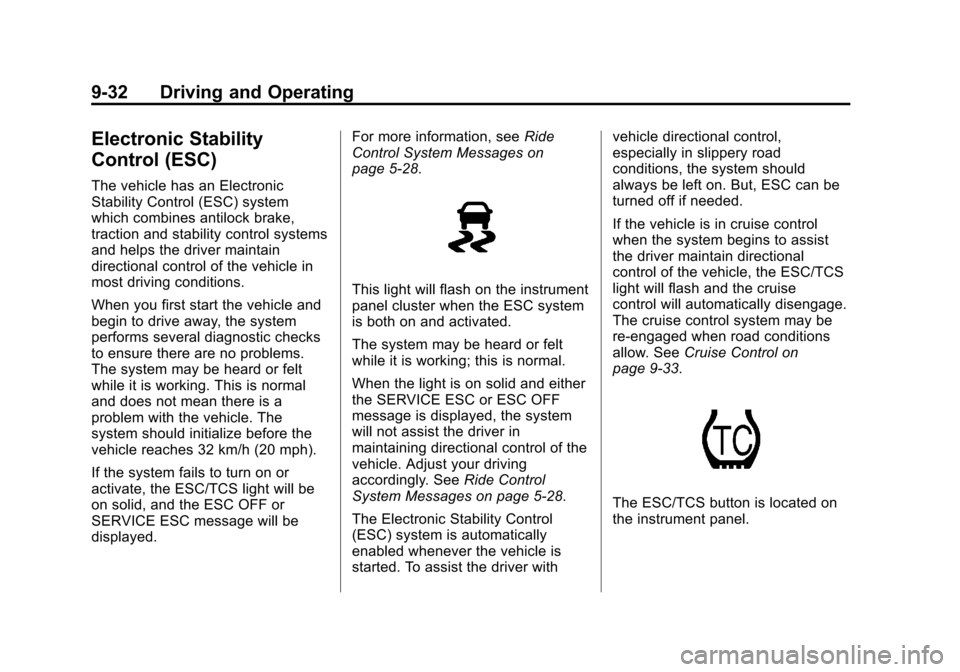
The ESC/TCS button is located on
the instrument panel.