ignition CHEVROLET MALIBU 2013 8.G Owners Manual
[x] Cancel search | Manufacturer: CHEVROLET, Model Year: 2013, Model line: MALIBU, Model: CHEVROLET MALIBU 2013 8.GPages: 436, PDF Size: 7.43 MB
Page 9 of 436

Black plate (3,1)Chevrolet Malibu Owner Manual - 2013 - CRC - 6/6/12
In Brief 1-3
1.Air Vents on page 8‑7.
2. Turn and Lane-Change Lever. See Turn and Lane-Change
Signals on page 6‑4.
Driver Information Center
Buttons. See Driver Information
Center (DIC) on page 5‑24.
3. Instrument Cluster on page 5‑8.
Driver Information Center (DIC)
on page 5‑24.
4. Windshield Wiper/Washer on
page 5‑3.
5. Storage Area. See Instrument
Panel Storage on page 4‑1.
6. Light Sensor. See Automatic
Headlamp System on page 6‑3.
7. Infotainment Display.
8. Infotainment on page 7‑1.
AM-FM Radio on page 7‑14.
9. CD Player on page 7‑22. 10.
Exterior Lamp Controls on
page 6‑1.
Fog Lamps on page 6‑4.
Instrument Panel Illumination
Control on page 6‑5.
11. Hood Release. See Hood on
page 10‑5.
12. Storage Compartment. See Instrument Panel Storage on
page 4‑1.
13. Data Link Connector (Out of View). See Malfunction
Indicator Lamp on page 5‑14.
14. Cruise Control on page 9‑34.
Lane Departure Warning
(LDW) on page 9‑43 (If
Equipped).
Forward Collision Alert (FCA)
System on page 9‑37 (If
Equipped).
15. Steering Wheel Adjustment on
page 5‑2. 16.
Horn on page 5‑3.
Driver Airbag. See Where Are
the Airbags? on page 3‑21.
17. Steering Wheel Controls on
page 5‑2.
18. Ignition Positions (Key Access)
on page 9‑14 orIgnition
Positions (Keyless Access) on
page 9‑16.
19. Heated Front Seats on
page 3‑8 (If Equipped).
20. Power Door Locks on
page 2‑9.
Hazard Warning Flashers on
page 6‑4.
Passenger Airbag Status
Indicator. See Passenger
Sensing System on page 3‑26.
21. Ultrasonic Parking Assist on
page 9‑39 (If Equipped).
Traction Control System (TCS)
on page 9‑32.
StabiliTrak
®System on
page 9‑33.
Page 10 of 436
Black plate (4,1)Chevrolet Malibu Owner Manual - 2013 - CRC - 6/6/12
1-4 In Brief
22. Shift Lever. SeeAutomatic
Transmission on page 9‑26.
23. Power Outlets on page 5‑5.
24. Electric Parking Brake. See Parking Brake on page 9‑29.
25. Climate Control Systems on
page 8‑1.
Dual Automatic Climate Control
System on page 8‑3.Initial Drive
Information
This section provides a brief
overview about some of the
important features that may or may
not be on your specific vehicle.
For more detailed information, refer
to each of the features which can be
found later in this owner manual.
Remote Keyless Entry
(RKE) System
The Remote Keyless Entry (RKE)
transmitter may work up to 20 m
(65 ft) away from the vehicle.
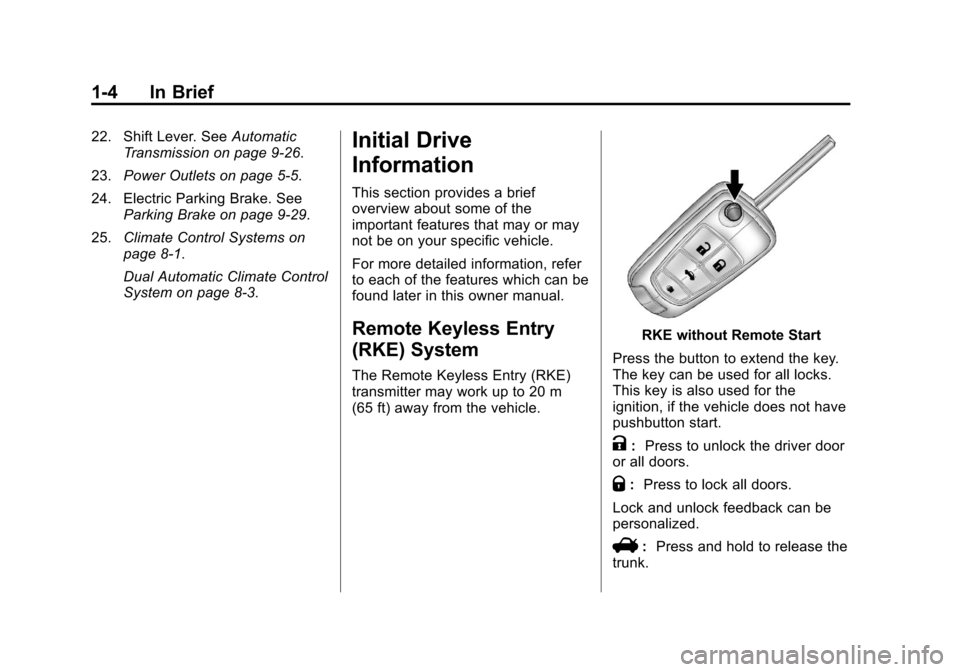
RKE without Remote Start
Press the button to extend the key.
The key can be used for all locks.
This key is also used for the
ignition, if the vehicle does not have
pushbutton start.
K: Press to unlock the driver door
or all doors.
Q: Press to lock all doors.
Lock and unlock feedback can be
personalized.
V: Press and hold to release the
trunk.
Page 12 of 436
Black plate (6,1)Chevrolet Malibu Owner Manual - 2013 - CRC - 6/6/12
1-6 In Brief
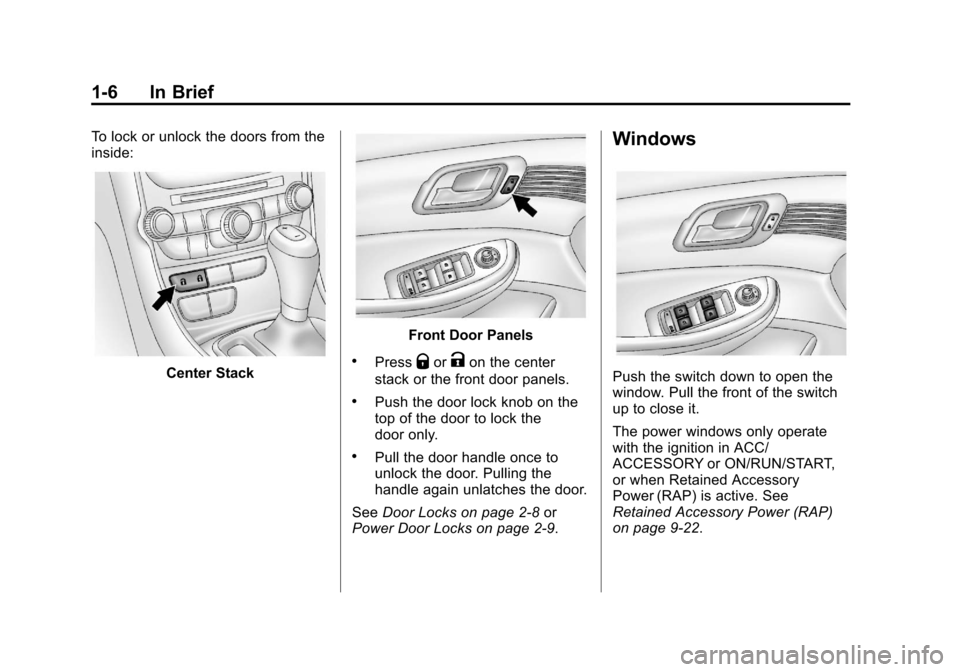
To lock or unlock the doors from the
inside:
Center Stack
Front Door Panels
.PressQorKon the center
stack or the front door panels.
.Push the door lock knob on the
top of the door to lock the
door only.
.Pull the door handle once to
unlock the door. Pulling the
handle again unlatches the door.
See Door Locks on page 2‑8 or
Power Door Locks on page 2‑9.
Windows
Push the switch down to open the
window. Pull the front of the switch
up to close it.
The power windows only operate
with the ignition in ACC/
ACCESSORY or ON/RUN/START,
or when Retained Accessory
Power (RAP) is active. See
Retained Accessory Power (RAP)
on page 9‑22.
Page 15 of 436
Black plate (9,1)Chevrolet Malibu Owner Manual - 2013 - CRC - 6/6/12
In Brief 1-9
To return the seatback to the upright
position:
1. Lift the lever fully withoutapplying pressure to the
seatback, and the seatback will
return to the upright position.
2. Push and pull on the seatback to make sure it is locked.
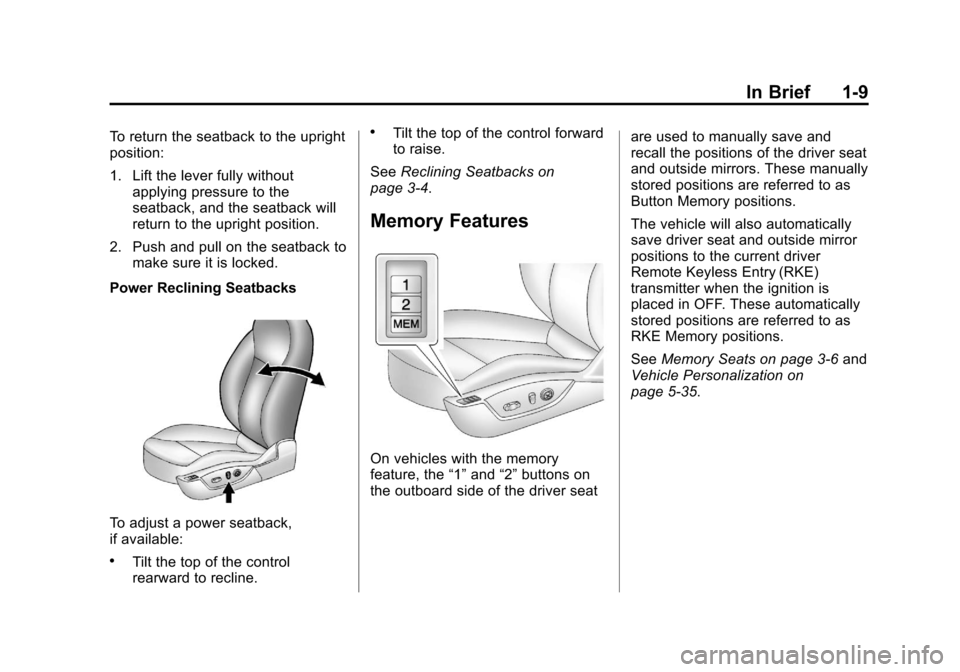
Power Reclining Seatbacks
To adjust a power seatback,
if available:
.Tilt the top of the control
rearward to recline.
.Tilt the top of the control forward
to raise.
See Reclining Seatbacks on
page 3‑4.
Memory Features
On vehicles with the memory
feature, the “1”and “2”buttons on
the outboard side of the driver seat are used to manually save and
recall the positions of the driver seat
and outside mirrors. These manually
stored positions are referred to as
Button Memory positions.
The vehicle will also automatically
save driver seat and outside mirror
positions to the current driver
Remote Keyless Entry (RKE)
transmitter when the ignition is
placed in OFF. These automatically
stored positions are referred to as
RKE Memory positions.
See
Memory Seats on page 3‑6 and
Vehicle Personalization on
page 5‑35.
Page 20 of 436
Black plate (14,1)Chevrolet Malibu Owner Manual - 2013 - CRC - 6/6/12
1-14 In Brief
Windshield Wiper/Washer
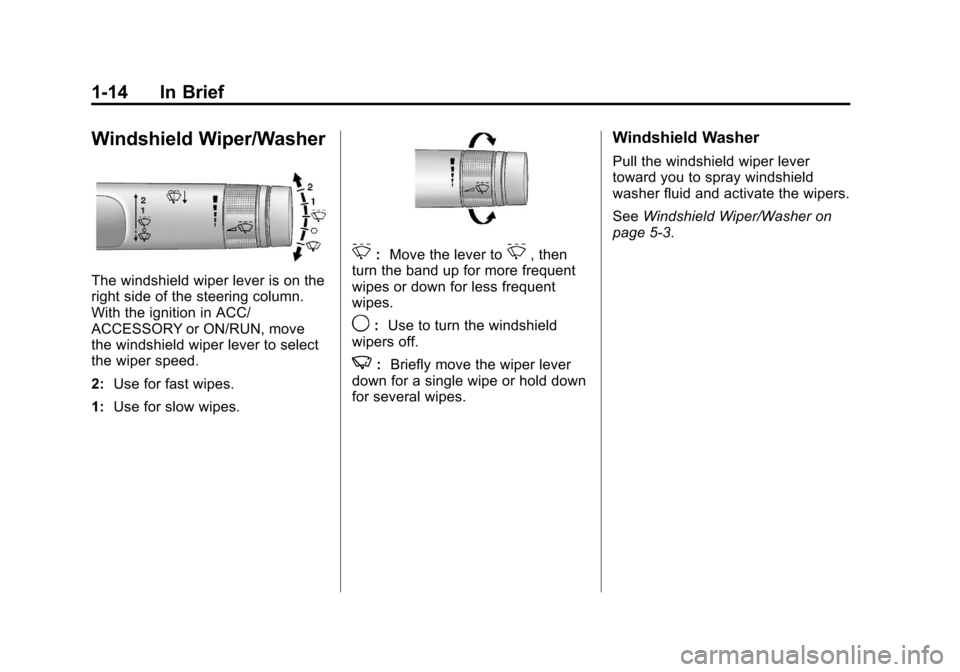
The windshield wiper lever is on the
right side of the steering column.
With the ignition in ACC/
ACCESSORY or ON/RUN, move
the windshield wiper lever to select
the wiper speed.
2:Use for fast wipes.
1: Use for slow wipes.
3:Move the lever to3, then
turn the band up for more frequent
wipes or down for less frequent
wipes.
9: Use to turn the windshield
wipers off.
3: Briefly move the wiper lever
down for a single wipe or hold down
for several wipes.
Windshield Washer
Pull the windshield wiper lever
toward you to spray windshield
washer fluid and activate the wipers.
See Windshield Wiper/Washer on
page 5‑3.
Page 27 of 436
Black plate (21,1)Chevrolet Malibu Owner Manual - 2013 - CRC - 6/6/12
In Brief 1-21
Universal Remote System
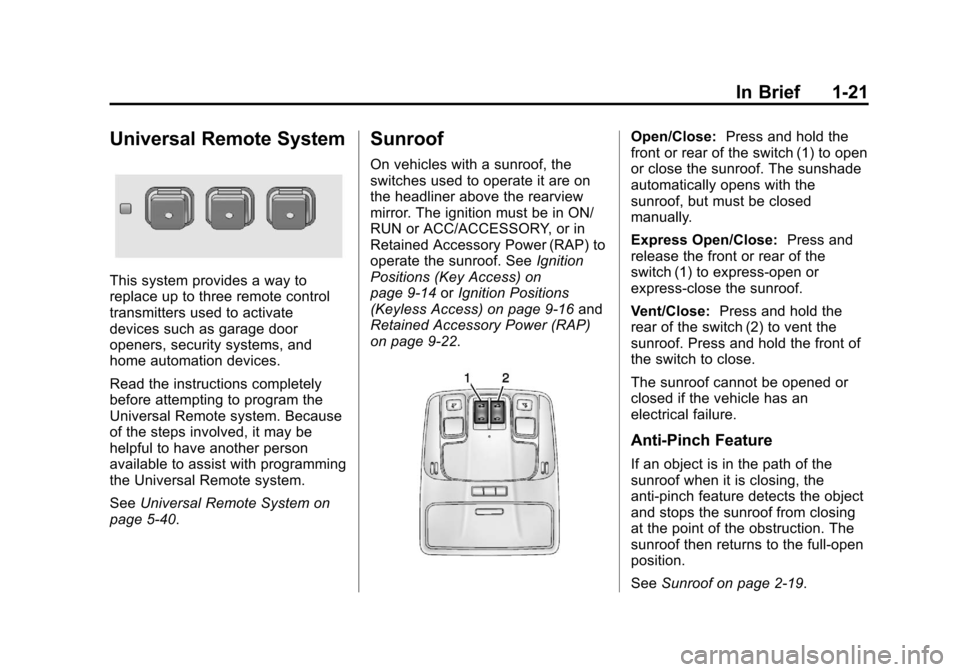
This system provides a way to
replace up to three remote control
transmitters used to activate
devices such as garage door
openers, security systems, and
home automation devices.
Read the instructions completely
before attempting to program the
Universal Remote system. Because
of the steps involved, it may be
helpful to have another person
available to assist with programming
the Universal Remote system.
SeeUniversal Remote System on
page 5‑40.
Sunroof
On vehicles with a sunroof, the
switches used to operate it are on
the headliner above the rearview
mirror. The ignition must be in ON/
RUN or ACC/ACCESSORY, or in
Retained Accessory Power (RAP) to
operate the sunroof. See Ignition
Positions (Key Access) on
page 9‑14 orIgnition Positions
(Keyless Access) on page 9‑16 and
Retained Accessory Power (RAP)
on page 9‑22.
Open/Close: Press and hold the
front or rear of the switch (1) to open
or close the sunroof. The sunshade
automatically opens with the
sunroof, but must be closed
manually.
Express Open/Close: Press and
release the front or rear of the
switch (1) to express-open or
express-close the sunroof.
Vent/Close: Press and hold the
rear of the switch (2) to vent the
sunroof. Press and hold the front of
the switch to close.
The sunroof cannot be opened or
closed if the vehicle has an
electrical failure.
Anti-Pinch Feature
If an object is in the path of the
sunroof when it is closing, the
anti-pinch feature detects the object
and stops the sunroof from closing
at the point of the obstruction. The
sunroof then returns to the full-open
position.
See Sunroof on page 2‑19.
Page 29 of 436
Black plate (23,1)Chevrolet Malibu Owner Manual - 2013 - CRC - 6/6/12
In Brief 1-23
In emergency situations, first
responders can cut the two clearly
labeled cut points in the engine
compartment to disable the high
voltage battery and air bag systems
- do not cut the high voltage cable.
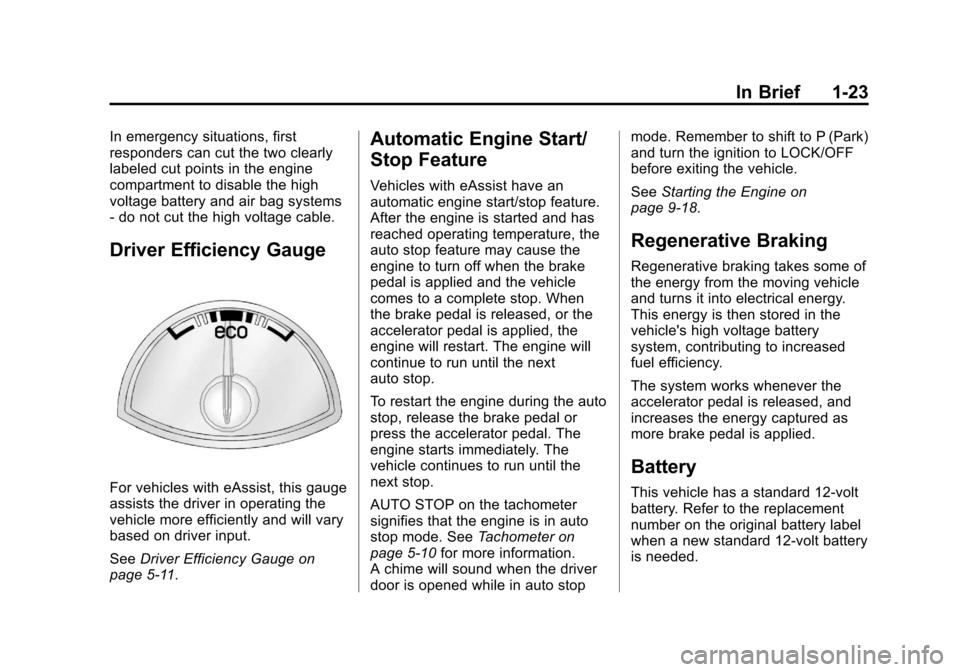
Driver Efficiency Gauge
For vehicles with eAssist, this gauge
assists the driver in operating the
vehicle more efficiently and will vary
based on driver input.
SeeDriver Efficiency Gauge on
page 5‑11.
Automatic Engine Start/
Stop Feature
Vehicles with eAssist have an
automatic engine start/stop feature.
After the engine is started and has
reached operating temperature, the
auto stop feature may cause the
engine to turn off when the brake
pedal is applied and the vehicle
comes to a complete stop. When
the brake pedal is released, or the
accelerator pedal is applied, the
engine will restart. The engine will
continue to run until the next
auto stop.
To restart the engine during the auto
stop, release the brake pedal or
press the accelerator pedal. The
engine starts immediately. The
vehicle continues to run until the
next stop.
AUTO STOP on the tachometer
signifies that the engine is in auto
stop mode. See Tachometer on
page 5‑10 for more information.
A chime will sound when the driver
door is opened while in auto stop mode. Remember to shift to P (Park)
and turn the ignition to LOCK/OFF
before exiting the vehicle.
See
Starting the Engine on
page 9‑18.
Regenerative Braking
Regenerative braking takes some of
the energy from the moving vehicle
and turns it into electrical energy.
This energy is then stored in the
vehicle's high voltage battery
system, contributing to increased
fuel efficiency.
The system works whenever the
accelerator pedal is released, and
increases the energy captured as
more brake pedal is applied.
Battery
This vehicle has a standard 12-volt
battery. Refer to the replacement
number on the original battery label
when a new standard 12-volt battery
is needed.
Page 31 of 436
Black plate (25,1)Chevrolet Malibu Owner Manual - 2013 - CRC - 6/6/12
In Brief 1-25
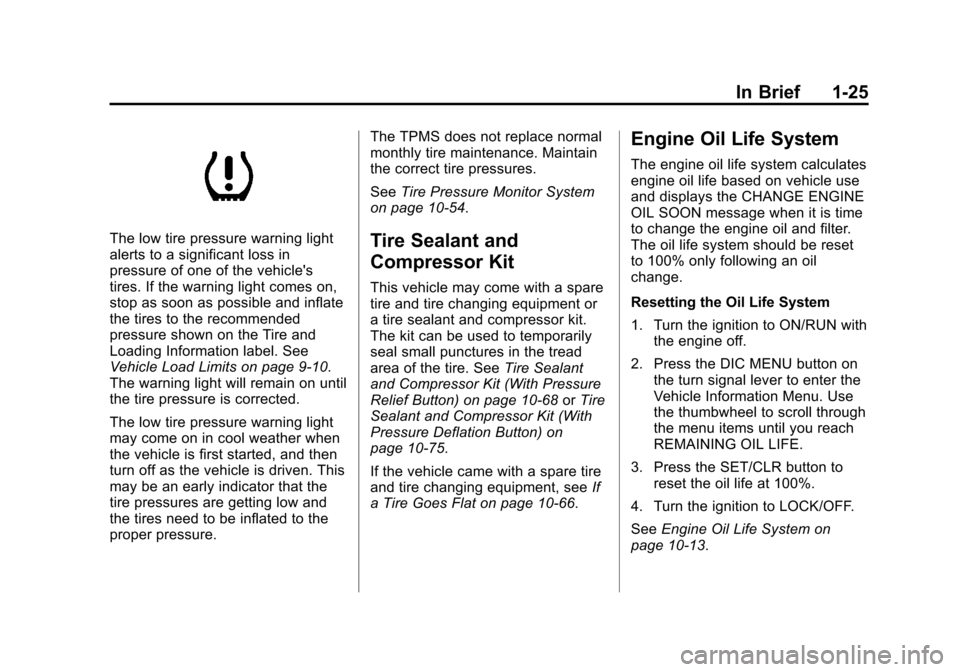
The low tire pressure warning light
alerts to a significant loss in
pressure of one of the vehicle's
tires. If the warning light comes on,
stop as soon as possible and inflate
the tires to the recommended
pressure shown on the Tire and
Loading Information label. See
Vehicle Load Limits on page 9‑10.
The warning light will remain on until
the tire pressure is corrected.
The low tire pressure warning light
may come on in cool weather when
the vehicle is first started, and then
turn off as the vehicle is driven. This
may be an early indicator that the
tire pressures are getting low and
the tires need to be inflated to the
proper pressure.The TPMS does not replace normal
monthly tire maintenance. Maintain
the correct tire pressures.
See
Tire Pressure Monitor System
on page 10‑54.Tire Sealant and
Compressor Kit
This vehicle may come with a spare
tire and tire changing equipment or
a tire sealant and compressor kit.
The kit can be used to temporarily
seal small punctures in the tread
area of the tire. See Tire Sealant
and Compressor Kit (With Pressure
Relief Button) on page 10‑68 orTire
Sealant and Compressor Kit (With
Pressure Deflation Button) on
page 10‑75.
If the vehicle came with a spare tire
and tire changing equipment, see If
a Tire Goes Flat on page 10‑66.
Engine Oil Life System
The engine oil life system calculates
engine oil life based on vehicle use
and displays the CHANGE ENGINE
OIL SOON message when it is time
to change the engine oil and filter.
The oil life system should be reset
to 100% only following an oil
change.
Resetting the Oil Life System
1. Turn the ignition to ON/RUN with the engine off.
2. Press the DIC MENU button on the turn signal lever to enter the
Vehicle Information Menu. Use
the thumbwheel to scroll through
the menu items until you reach
REMAINING OIL LIFE.
3. Press the SET/CLR button to reset the oil life at 100%.
4. Turn the ignition to LOCK/OFF.
See Engine Oil Life System on
page 10‑13.
Page 34 of 436
Black plate (2,1)Chevrolet Malibu Owner Manual - 2013 - CRC - 6/6/12
2-2 Keys, Doors, and Windows
Keys and Locks
Keys
{WARNING
Leaving children in a vehicle with
an ignition key or Remote
Keyless Entry (RKE) transmitter is
dangerous and children or others
could be seriously injured or
killed. They could operate the
power window or other controls or
make the vehicle move. The
windows will function with the key
in the ignition or with the RKE
transmitter in the vehicle, and
children or others could be caught
in the path of a closing window.
Do not leave children in a vehicle
with the ignition key or an RKE
transmitter.
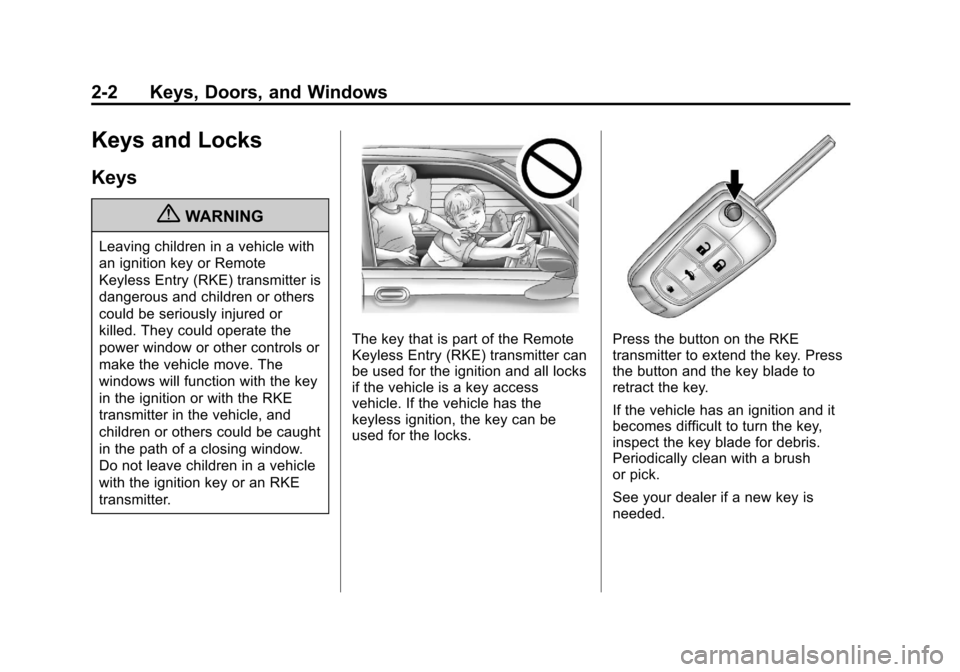
The key that is part of the Remote
Keyless Entry (RKE) transmitter can
be used for the ignition and all locks
if the vehicle is a key access
vehicle. If the vehicle has the
keyless ignition, the key can be
used for the locks.Press the button on the RKE
transmitter to extend the key. Press
the button and the key blade to
retract the key.
If the vehicle has an ignition and it
becomes difficult to turn the key,
inspect the key blade for debris.
Periodically clean with a brush
or pick.
See your dealer if a new key is
needed.
Page 36 of 436
Black plate (4,1)Chevrolet Malibu Owner Manual - 2013 - CRC - 6/6/12
2-4 Keys, Doors, and Windows
The turn signal indicators may flash
and/or the horn may sound to
indicate unlocking. See“Unlock
Feedback” underVehicle
Personalization on page 5‑35.
Pressing
Kwill disarm the
theft-deterrent system. See Vehicle
Alarm System on page 2‑13.
Memory seat positions may be
recalled when unlocking the vehicle.
See Memory Seats on page 3‑6 and
“Memory Remote Recall” under
Vehicle Personalization on
page 5‑35.
V (Remote Trunk Release):
Press and hold to open the trunk.
7(Vehicle Locator/Panic
Alarm): Press and release one
time to initiate vehicle locator. The
exterior lamps flash and the horn
chirps three times. Press and hold
7for at least
three seconds to sound the panic
alarm. The horn sounds and the
turn signals flash for about
30 seconds until
7is pressed again
or the vehicle is started.
/(Remote Vehicle Start): For
vehicles with this feature, press
Q
and release and then press and
hold
/within two seconds to start
the engine from outside the vehicle
using the RKE transmitter. See
Remote Vehicle Start on page 2‑7.
The buttons on the keys are
disabled when there is a key is in
the ignition, if equipped.
Keyless Access Operation
Some vehicles have the keyless
access system that lets you lock
and unlock the doors and access
the trunk without removing the RKE
transmitter from your pocket, purse, briefcase, etc. The RKE transmitter
must be within 1 m (3 ft) of the door
being unlocked. If the vehicle has
this feature, there will be a button on
the outside front door handles.
The keyless access can be
programmed to unlock all doors on
the first unlock/lock button press
from the driver door. See
Vehicle
Personalization on page 5‑35.
Keyless Unlocking/Locking from
the Driver Door
When the doors are locked and the
RKE transmitter is within 1 m (3 ft)
of the driver door handle, pressing
the lock/unlock button on the driver
door handle will unlock the driver
door. If the lock/unlock button is
pressed again within five seconds,
all passenger doors will unlock. Pull
the door handle to unlatch the door.