Iat CHEVROLET MALIBU 2019 Owner's Manual
[x] Cancel search | Manufacturer: CHEVROLET, Model Year: 2019, Model line: MALIBU, Model: CHEVROLET MALIBU 2019Pages: 382, PDF Size: 37.7 MB
Page 2 of 382
Chevrolet Malibu Owner Manual (GMNA-Localizing-U.S./Canada/Mexico-
12461813) - 2019 - crc - 12/11/18
2 Introduction
Introduction
The names, logos, emblems,
slogans, vehicle model names, and
vehicle body designs appearing in
this manual including, but not limited
to, GM, the GM logo, CHEVROLET,
the CHEVROLET Emblem,
MALIBU, and the MALIBU Emblem
are trademarks and/or service
marks of General Motors LLC, its
subsidiaries, affiliates, or licensors.
For vehicles first sold in Canada,
substitute the name“General
Motors of Canada Company”for
Chevrolet Motor Division wherever it
appears in this manual.This manual describes features that
may or may not be on the vehicle
because of optional equipment that
was not purchased on the vehicle,
model variants, country
specifications, features/applications
that may not be available in your
region, or changes subsequent to
the printing of this owner’s manual.
Refer to the purchase
documentation relating to your
specific vehicle to confirm the
features.
Keep this manual in the vehicle for
quick reference.
Canadian Vehicle Owners
A French language manual can be
obtained from your dealer, at
www.helminc.com, or from:
Propriétaires Canadiens
On peut obtenir un exemplaire de
ce guide en français auprès du
concessionnaire ou à l'adresse
suivante:
Helm, Incorporated
Attention: Customer Service
47911 Halyard Drive
Plymouth, MI 48170
USA
Using this Manual
To quickly locate information about
the vehicle, use the Index in the
back of the manual. It is an
alphabetical list of what is in the
manual and the page number where
it can be found.
Litho in U.S.A.
Part No. 84074155 B Second Printing©2018 General Motors LLC. All Rights Reserved.
Page 8 of 382
Chevrolet Malibu Owner Manual (GMNA-Localizing-U.S./Canada/Mexico-
12461813) - 2019 - crc - 12/11/18
8 In Brief
Initial Drive
Information
This section provides a brief
overview about some of the
important features that may or may
not be on your specific vehicle.
For more detailed information, refer
to each of the features which can be
found later in this owner’s manual.
Stop/Start System
If equipped, the Stop/Start system
will shut off the engine to help
conserve fuel. It has components
designed for the increased number
of starts.
When the brakes are applied and
the vehicle is at a complete stop,
the engine may turn off. When
stopped, the tachometer displays
AUTO STOP. SeeTachometer
(Non-Hybrid)0119. When the brake
pedal is released or the accelerator
pedal is pressed, the engine will
restart. SeeStop/Start System
0179.
Remote Keyless Entry
(RKE) System
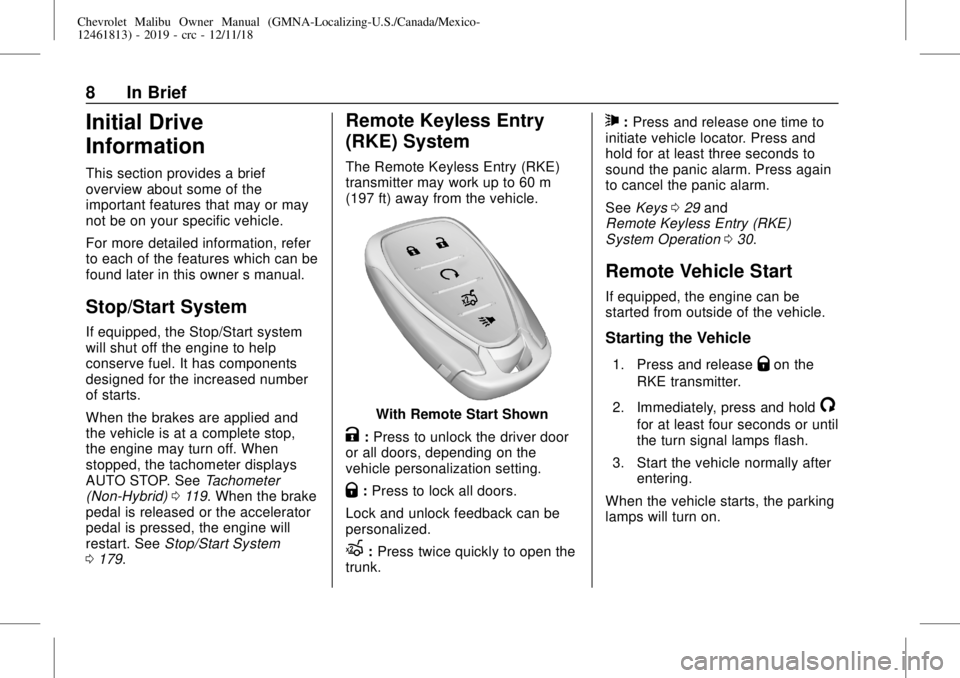
The Remote Keyless Entry (RKE)
transmitter may work up to 60 m
(197 ft) away from the vehicle.
With Remote Start Shown
K:Press to unlock the driver door
or all doors, depending on the
vehicle personalization setting.
Q:Press to lock all doors.
Lock and unlock feedback can be
personalized.
X:Press twice quickly to open the
trunk.
7:Press and release one time to
initiate vehicle locator. Press and
hold for at least three seconds to
sound the panic alarm. Press again
to cancel the panic alarm.
SeeKeys029and
Remote Keyless Entry (RKE)
System Operation030.
Remote Vehicle Start
If equipped, the engine can be
started from outside of the vehicle.
Starting the Vehicle
1. Press and releaseQon the
RKE transmitter.
2. Immediately, press and hold
/
for at least four seconds or until
the turn signal lamps flash.
3. Start the vehicle normally after
entering.
When the vehicle starts, the parking
lamps will turn on.
Page 12 of 382
Chevrolet Malibu Owner Manual (GMNA-Localizing-U.S./Canada/Mexico-
12461813) - 2019 - crc - 12/11/18
12 In Brief
Then immediately press and hold 1,
2, or
B(Exit) until two beeps
sound. To manually recall these
positions, press and hold 1, 2, or
B
until the saved position is reached.
When Seat Entry Memory is
enabled in vehicle personalization,
positions previously saved to
memory buttons 1 and 2 are
recalled when the ignition is
changed from off to on or ACC/
ACCESSORY.
When Seat Exit Memory is enabled
in vehicle personalization, the
feature automatically recalls the
previously saved exit position when
exiting the vehicle.
Memory adjustments may not be
available upon delivery or after
service until steps in“Saving
Memory Positions”section are
performed. SeeMemory Seats059.
Second Row Seats
The rear seatbacks can be folded
down to increase cargo space.
SeeRear Seats063.
Heated and Ventilated
Seats
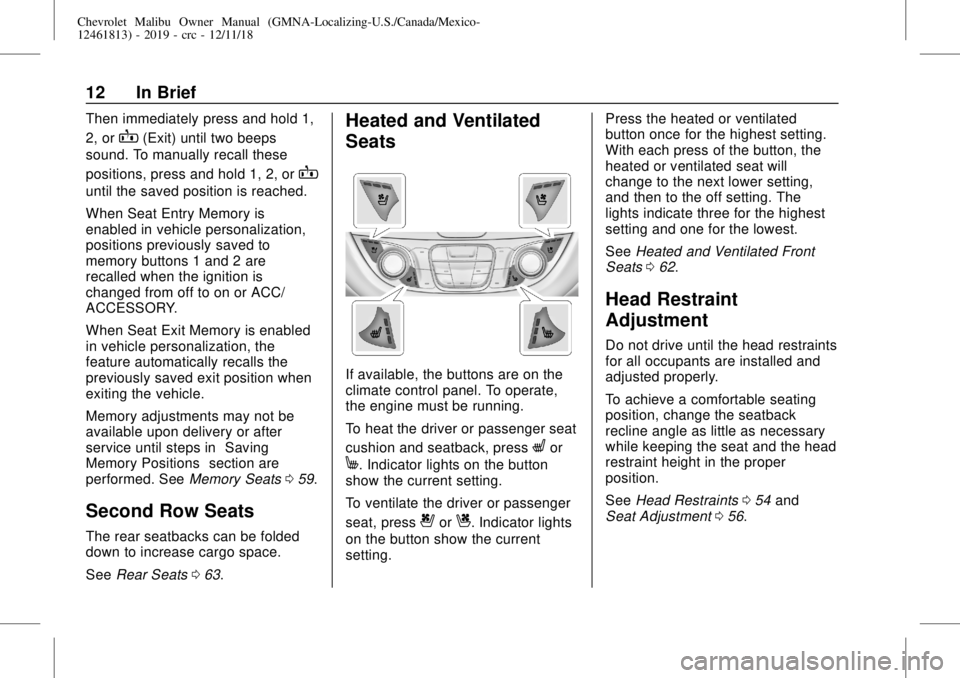
If available, the buttons are on the
climate control panel. To operate,
the engine must be running.
To heat the driver or passenger seat
cushion and seatback, press
Lor
M. Indicator lights on the button
show the current setting.
To ventilate the driver or passenger
seat, press
{orC. Indicator lights
on the button show the current
setting.Press the heated or ventilated
button once for the highest setting.
With each press of the button, the
heated or ventilated seat will
change to the next lower setting,
and then to the off setting. The
lights indicate three for the highest
setting and one for the lowest.
SeeHeated and Ventilated Front
Seats062.
Head Restraint
Adjustment
Do not drive until the head restraints
for all occupants are installed and
adjusted properly.
To achieve a comfortable seating
position, change the seatback
recline angle as little as necessary
while keeping the seat and the head
restraint height in the proper
position.
SeeHead Restraints054and
Seat Adjustment056.
Page 28 of 382
Chevrolet Malibu Owner Manual (GMNA-Localizing-U.S./Canada/Mexico-
12461813) - 2019 - crc - 12/11/18
28 In Brief
Driving for Better Fuel
Economy
Driving habits can affect fuel
mileage. Here are some driving tips
to get the best fuel economy
possible:
.
Set the climate controls to the
desired temperature after the
engine is started, or turn them
off when not required.
.
Avoid fast starts and accelerate
smoothly.
.
Brake gradually and avoid
abrupt stops.
.
Avoid idling the engine for long
periods of time.
.
When road and weather
conditions are appropriate, use
cruise control.
.
Always follow posted speed
limits or drive more slowly when
conditions require.
.
Keep vehicle tires properly
inflated.
.
Combine several trips into a
single trip..
Replace the vehicle's tires with
the same TPC Spec number
molded into the tire's sidewall
near the size.
.
Follow recommended scheduled
maintenance.
Roadside Assistance
Program
U.S.: 1-800-243-8872
TTY Users (U.S. Only):
1-888-889-2438
Canada: 1-800-268-6800
New Chevrolet owners are
automatically enrolled in the
Roadside Assistance Program.
SeeRoadside Assistance Program
0350.
Page 31 of 382
Chevrolet Malibu Owner Manual (GMNA-Localizing-U.S./Canada/Mexico-
12461813) - 2019 - crc - 12/11/18
Keys, Doors, and Windows 31
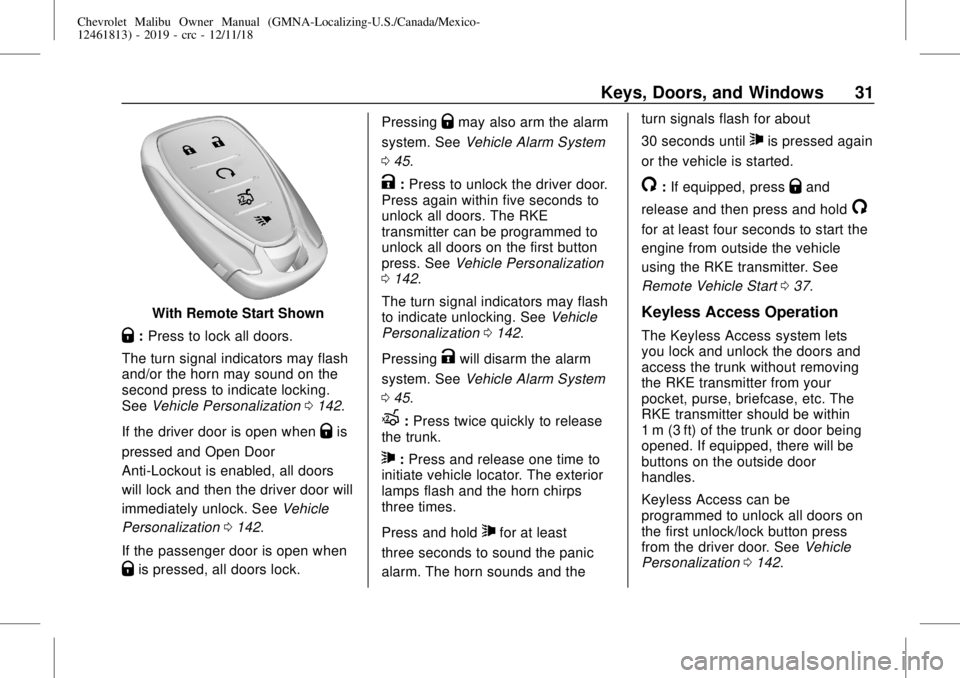
With Remote Start Shown
Q:Press to lock all doors.
The turn signal indicators may flash
and/or the horn may sound on the
second press to indicate locking.
SeeVehicle Personalization0142.
If the driver door is open when
Qis
pressed and Open Door
Anti-Lockout is enabled, all doors
will lock and then the driver door will
immediately unlock. SeeVehicle
Personalization0142.
If the passenger door is open when
Qis pressed, all doors lock.Pressing
Qmay also arm the alarm
system. SeeVehicle Alarm System
045.
K:Press to unlock the driver door.
Press again within five seconds to
unlock all doors. The RKE
transmitter can be programmed to
unlock all doors on the first button
press. SeeVehicle Personalization
0142.
The turn signal indicators may flash
to indicate unlocking. SeeVehicle
Personalization0142.
Pressing
Kwill disarm the alarm
system. SeeVehicle Alarm System
045.
X:Press twice quickly to release
the trunk.
7:Press and release one time to
initiate vehicle locator. The exterior
lamps flash and the horn chirps
three times.
Press and hold
7for at least
three seconds to sound the panic
alarm. The horn sounds and theturn signals flash for about
30 seconds until
7is pressed again
or the vehicle is started.
/:If equipped, pressQand
release and then press and hold
/
for at least four seconds to start the
engine from outside the vehicle
using the RKE transmitter. See
Remote Vehicle Start037.
Keyless Access Operation
The Keyless Access system lets
you lock and unlock the doors and
access the trunk without removing
the RKE transmitter from your
pocket, purse, briefcase, etc. The
RKE transmitter should be within
1 m (3 ft) of the trunk or door being
opened. If equipped, there will be
buttons on the outside door
handles.
Keyless Access can be
programmed to unlock all doors on
the first unlock/lock button press
from the driver door. SeeVehicle
Personalization0142.
Page 38 of 382
Chevrolet Malibu Owner Manual (GMNA-Localizing-U.S./Canada/Mexico-
12461813) - 2019 - crc - 12/11/18
38 Keys, Doors, and Windows
2. Immediately after completing
Step 1, press and hold
/for at
least four seconds or until the
turn signal lamps flash. The
turn signal lamps flashing
confirms the request to remote
start the vehicle has been
received.
When the engine starts, the parking
lamps will turn on and remain on as
long as the engine is running. The
doors will be locked and the climate
control system may come on.
The engine will continue to run for
15 minutes. After 30 seconds,
repeat the steps if a 15-minute
extension is desired. Remote start
can be extended only once.
Start the vehicle before driving.
Extending Engine Run Time
The engine run time can be
extended by another 15 minutes,
if during the first 15 minutes
Steps 1 and 2 are repeated while
the engine is still running. An
extension can be requested
30 seconds after starting. When theremote start is extended, the
second 15-minute period is added
on to the first 15 minutes for a total
of 30 minutes.
The remote start can only be
extended once.
A maximum of two remote starts,
or a single start with an extension,
is allowed between ignition cycles.
The vehicle's ignition must be
turned on and then back off before
the remote start procedure can be
used again.
Canceling a Remote Start
To cancel a remote start, do one of
the following:
.
Aim the RKE transmitter at the
vehicle and press and hold
/
until the parking lamps turn off.
.
Turn on the hazard warning
flashers.
.
Turn the vehicle on and then off.Conditions in Which Remote Start
Will Not Work
The remote vehicle start feature will
not operate if:
.
A transmitter is in the vehicle.
.
The hood is not closed.
.
The hazard warning flashers
are on.
.
The malfunction indicator lamp
is on.
.
The engine coolant temperature
is too high.
.
The oil pressure is low.
.
Two remote vehicle starts, or a
single remote start with an
extension, have already
been used.
.
The vehicle is not in P (Park).
Page 41 of 382
Chevrolet Malibu Owner Manual (GMNA-Localizing-U.S./Canada/Mexico-
12461813) - 2019 - crc - 12/11/18
Keys, Doors, and Windows 41
5. Check that the cap is secure.
Free-Turning Locks
The door key lock cylinder turns
freely when either the wrong key is
used, or the correct key is not fully
inserted. The free-turning door lock
feature prevents the lock from being
forced open. To reset the lock, turn
it to the vertical position with the
correct key fully inserted. Remove
the key and insert it again. If this
does not reset the lock, turn the key
halfway around in the cylinder and
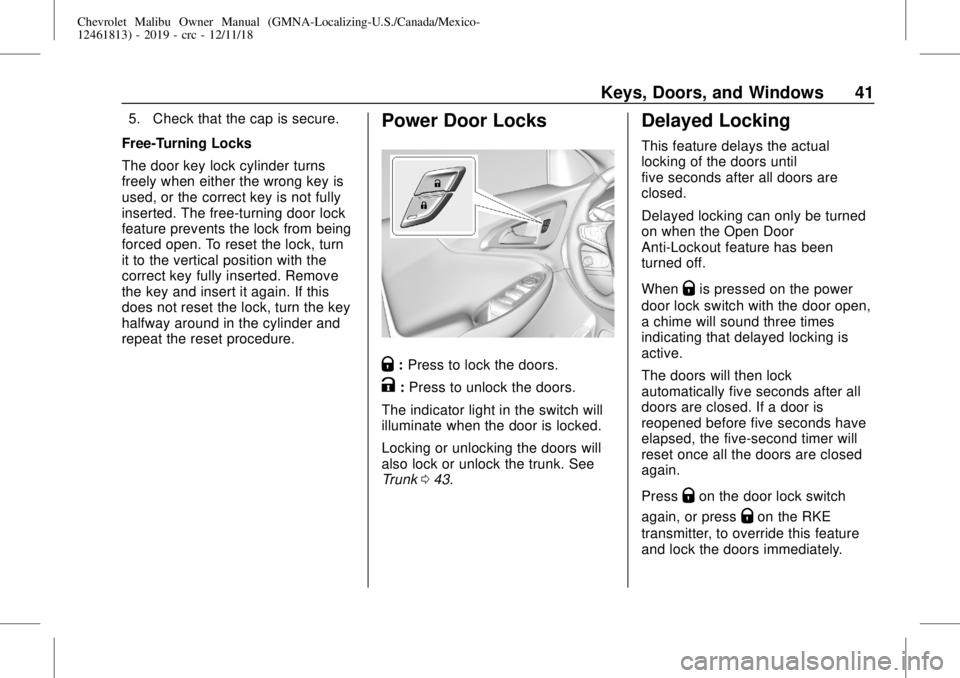
repeat the reset procedure.Power Door Locks
Q:Press to lock the doors.
K:Press to unlock the doors.
The indicator light in the switch will
illuminate when the door is locked.
Locking or unlocking the doors will
also lock or unlock the trunk. See
Trunk043.
Delayed Locking
This feature delays the actual
locking of the doors until
five seconds after all doors are
closed.
Delayed locking can only be turned
on when the Open Door
Anti-Lockout feature has been
turned off.
When
Qis pressed on the power
door lock switch with the door open,
a chime will sound three times
indicating that delayed locking is
active.
The doors will then lock
automatically five seconds after all
doors are closed. If a door is
reopened before five seconds have
elapsed, the five-second timer will
reset once all the doors are closed
again.
Press
Qon the door lock switch
again, or press
Qon the RKE
transmitter, to override this feature
and lock the doors immediately.
Page 46 of 382
Chevrolet Malibu Owner Manual (GMNA-Localizing-U.S./Canada/Mexico-
12461813) - 2019 - crc - 12/11/18
46 Keys, Doors, and Windows
bypass the 30-second delay
and immediately arm the alarm
system.
The vehicle alarm system will not
arm if the doors are locked with
the key.
If the driver door is opened without
first unlocking with the RKE
transmitter, the horn will chirp and
the lights will flash to indicate
pre-alarm. If the vehicle is not
started, or the door is not unlocked
by pressing
Kon the RKE
transmitter during the 10-second
pre-alarm, the alarm will be
activated.
If a door, the hood, or the trunk is
opened without first disarming the
system, the turn signals will flash
and the horn will sound for about
30 seconds. The alarm system will
then re-arm to monitor for the next
unauthorized event.
Disarming the Alarm System
Do one of the following to disarm
the alarm system or turn off the
alarm if it has been activated:.
Press
Kon the RKE transmitter.
.
Unlock the vehicle using the
Keyless Access system,
if equipped.
.
Start the vehicle.
To avoid setting off the alarm by
accident:
.
Lock the vehicle after all
occupants have left the vehicle
and all doors are closed.
.
Always unlock a door with the
RKE transmitter or use the
Keyless Access system,
if equipped.
Unlocking the driver door with the
key will not disarm the system or
turn off the alarm.
How to Detect a Tamper
Condition
IfKis pressed on the RKE
transmitter and the horn chirps and
the lights flash three times, an alarm
occurred previously while the alarm
system was armed.If the alarm has been activated, a
message will appear on the Driver
Information Center (DIC).
Immobilizer
SeeRadio Frequency Statement
0356.
Immobilizer Operation
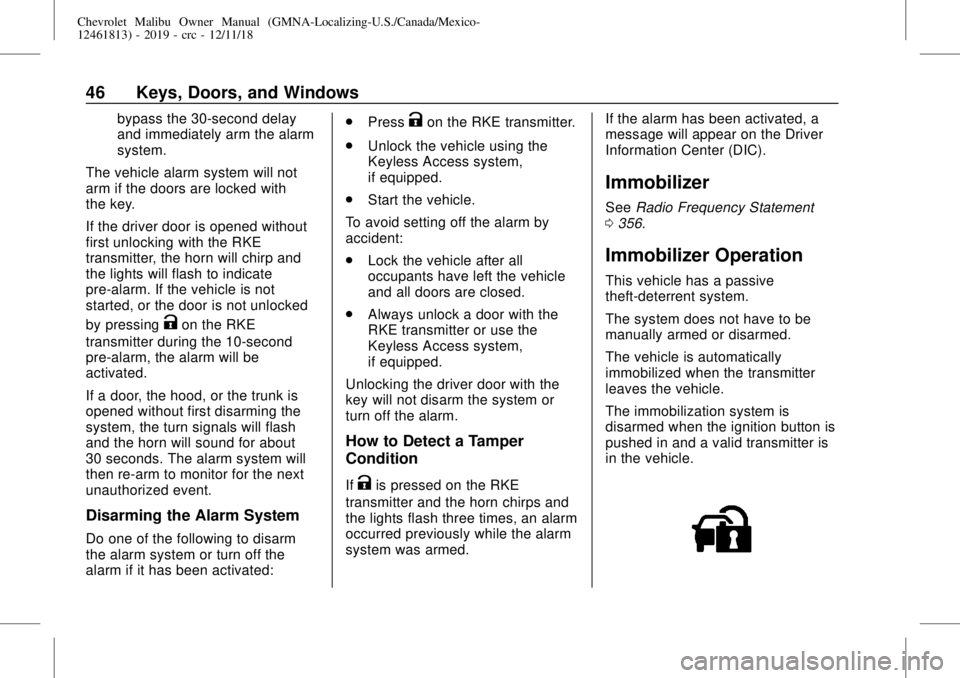
This vehicle has a passive
theft-deterrent system.
The system does not have to be
manually armed or disarmed.
The vehicle is automatically
immobilized when the transmitter
leaves the vehicle.
The immobilization system is
disarmed when the ignition button is
pushed in and a valid transmitter is
in the vehicle.
Page 59 of 382
Chevrolet Malibu Owner Manual (GMNA-Localizing-U.S./Canada/Mexico-
12461813) - 2019 - crc - 12/11/18
Seats and Restraints 59
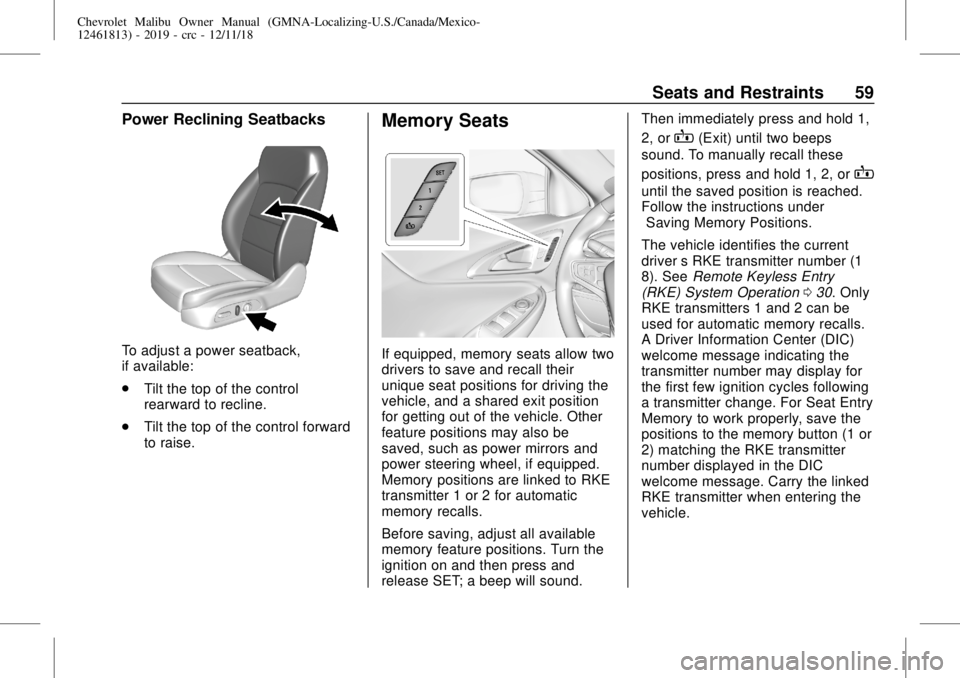
Power Reclining Seatbacks
To adjust a power seatback,
if available:
.
Tilt the top of the control
rearward to recline.
.
Tilt the top of the control forward
to raise.
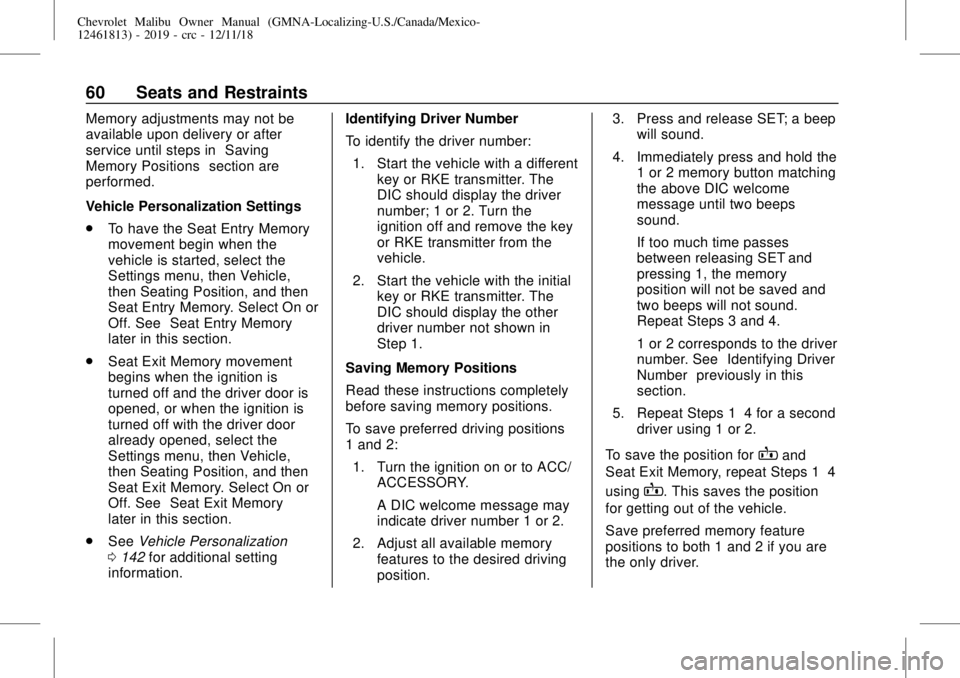
Memory Seats
If equipped, memory seats allow two
drivers to save and recall their
unique seat positions for driving the
vehicle, and a shared exit position
for getting out of the vehicle. Other
feature positions may also be
saved, such as power mirrors and
power steering wheel, if equipped.
Memory positions are linked to RKE
transmitter 1 or 2 for automatic
memory recalls.
Before saving, adjust all available
memory feature positions. Turn the
ignition on and then press and
release SET; a beep will sound.Then immediately press and hold 1,
2, or
B(Exit) until two beeps
sound. To manually recall these
positions, press and hold 1, 2, or
B
until the saved position is reached.
Follow the instructions under
“Saving Memory Positions.”
The vehicle identifies the current
driver’s RKE transmitter number (1–
8). SeeRemote Keyless Entry
(RKE) System Operation030. Only
RKE transmitters 1 and 2 can be
used for automatic memory recalls.
A Driver Information Center (DIC)
welcome message indicating the
transmitter number may display for
the first few ignition cycles following
a transmitter change. For Seat Entry
Memory to work properly, save the
positions to the memory button (1 or
2) matching the RKE transmitter
number displayed in the DIC
welcome message. Carry the linked
RKE transmitter when entering the
vehicle.
Page 60 of 382
Chevrolet Malibu Owner Manual (GMNA-Localizing-U.S./Canada/Mexico-
12461813) - 2019 - crc - 12/11/18
60 Seats and Restraints
Memory adjustments may not be
available upon delivery or after
service until steps in“Saving
Memory Positions”section are
performed.
Vehicle Personalization Settings
.
To have the Seat Entry Memory
movement begin when the
vehicle is started, select the
Settings menu, then Vehicle,
then Seating Position, and then
Seat Entry Memory. Select On or
Off. See“Seat Entry Memory”
later in this section.
.
Seat Exit Memory movement
begins when the ignition is
turned off and the driver door is
opened, or when the ignition is
turned off with the driver door
already opened, select the
Settings menu, then Vehicle,
then Seating Position, and then
Seat Exit Memory. Select On or
Off. See“Seat Exit Memory”
later in this section.
.
SeeVehicle Personalization
0142for additional setting
information.Identifying Driver Number
To identify the driver number:
1. Start the vehicle with a different
key or RKE transmitter. The
DIC should display the driver
number; 1 or 2. Turn the
ignition off and remove the key
or RKE transmitter from the
vehicle.
2. Start the vehicle with the initial
key or RKE transmitter. The
DIC should display the other
driver number not shown in
Step 1.
Saving Memory Positions
Read these instructions completely
before saving memory positions.
To save preferred driving positions
1 and 2:
1. Turn the ignition on or to ACC/
ACCESSORY.
A DIC welcome message may
indicate driver number 1 or 2.
2. Adjust all available memory
features to the desired driving
position.3. Press and release SET; a beep
will sound.
4. Immediately press and hold the
1 or 2 memory button matching
the above DIC welcome
message until two beeps
sound.
If too much time passes
between releasing SET and
pressing 1, the memory
position will not be saved and
two beeps will not sound.
Repeat Steps 3 and 4.
1 or 2 corresponds to the driver
number. See“Identifying Driver
Number”previously in this
section.
5. Repeat Steps 1–4 for a second
driver using 1 or 2.
To save the position for
Band
Seat Exit Memory, repeat Steps 1–4
using
B. This saves the position
for getting out of the vehicle.
Save preferred memory feature
positions to both 1 and 2 if you are
the only driver.