engine oil CHEVROLET MALIBU 2019 Owner's Manual
[x] Cancel search | Manufacturer: CHEVROLET, Model Year: 2019, Model line: MALIBU, Model: CHEVROLET MALIBU 2019Pages: 382, PDF Size: 37.7 MB
Page 3 of 382
Chevrolet Malibu Owner Manual (GMNA-Localizing-U.S./Canada/Mexico-
12461813) - 2019 - crc - 12/11/18
Introduction 3
Danger, Warning, and
Caution
Warning messages found on vehicle
labels and in this manual describe
hazards and what to do to avoid or
reduce them.
{Danger
Danger indicates a hazard with a
high level of risk which will result
in serious injury or death.
{Warning
Warning indicates a hazard that
could result in injury or death.
Caution
Caution indicates a hazard that
could result in property or vehicle
damage.
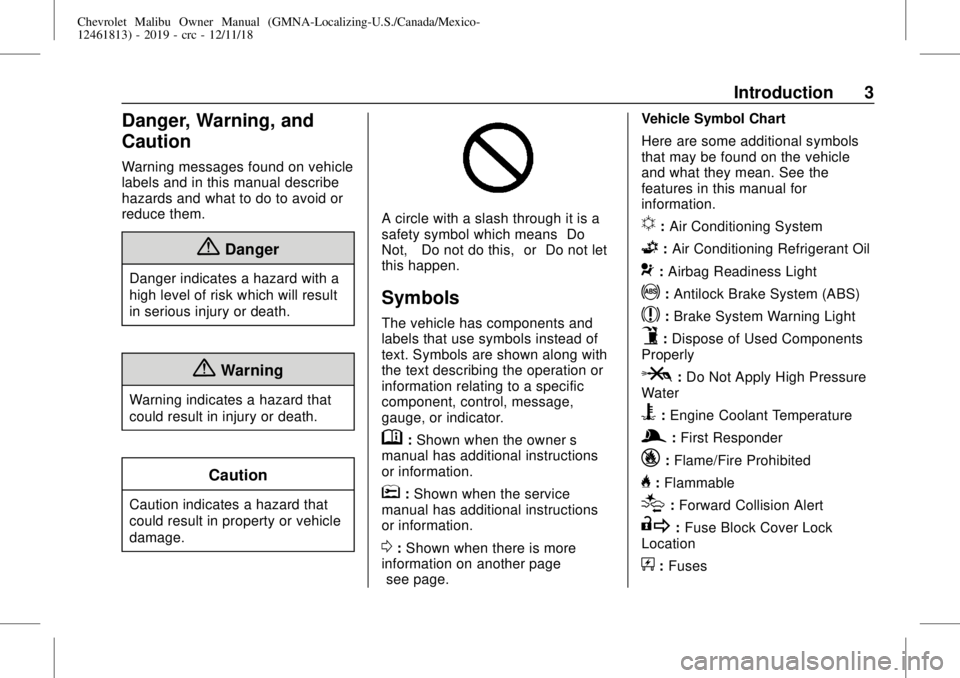
A circle with a slash through it is a
safety symbol which means“Do
Not,” “Do not do this,”or“Do not let
this happen.”
Symbols
The vehicle has components and
labels that use symbols instead of
text. Symbols are shown along with
the text describing the operation or
information relating to a specific
component, control, message,
gauge, or indicator.
M:Shown when the owner’s
manual has additional instructions
or information.
*:Shown when the service
manual has additional instructions
or information.
0:Shown when there is more
information on another page—
“see page.”Vehicle Symbol Chart
Here are some additional symbols
that may be found on the vehicle
and what they mean. See the
features in this manual for
information.
u:Air Conditioning System
G:Air Conditioning Refrigerant Oil
9:Airbag Readiness Light
!:Antilock Brake System (ABS)
$:Brake System Warning Light
9:Dispose of Used Components
Properly
P:Do Not Apply High Pressure
Water
B:Engine Coolant Temperature
g:First Responder
_:Flame/Fire Prohibited
H:Flammable
[:Forward Collision Alert
R:Fuse Block Cover Lock
Location
+:Fuses
Page 5 of 382
Chevrolet Malibu Owner Manual (GMNA-Localizing-U.S./Canada/Mexico-
12461813) - 2019 - crc - 12/11/18
In Brief 5
In Brief
Instrument Panel
Instrument Panel Overview . . . . . . 6
Initial Drive Information
Initial Drive Information . . . . . . . . . . 8
Stop/Start System . . . . . . . . . . . . . . . 8
Remote Keyless Entry (RKE)
System . . . . . . . . . . . . . . . . . . . . . . . . 8
Remote Vehicle Start . . . . . . . . . . . 8
Door Locks . . . . . . . . . . . . . . . . . . . . . 9
Trunk Release . . . . . . . . . . . . . . . . . . 9
Windows . . . . . . . . . . . . . . . . . . . . . . . . 9
Seat Adjustment . . . . . . . . . . . . . . . 10
Memory Features . . . . . . . . . . . . . . 11
Second Row Seats . . . . . . . . . . . . 12
Heated and Ventilated Seats . . . 12
Head Restraint Adjustment . . . . 12
Seat Belts . . . . . . . . . . . . . . . . . . . . . 13
Passenger Sensing System . . . 13
Mirror Adjustment . . . . . . . . . . . . . . 13
Steering Wheel Adjustment . . . . 14
Interior Lighting . . . . . . . . . . . . . . . . 14
Exterior Lighting . . . . . . . . . . . . . . . 15
Windshield Wiper/Washer . . . . . . 16
Climate Controls . . . . . . . . . . . . . . . 16
Transmission . . . . . . . . . . . . . . . . . . 18
Vehicle Features
Infotainment System . . . . . . . . . . . 19
Steering Wheel Controls . . . . . . . 19
Cruise Control . . . . . . . . . . . . . . . . . 19
Driver Information
Center (DIC) . . . . . . . . . . . . . . . . . 20
Forward Collision Alert (FCA)
System . . . . . . . . . . . . . . . . . . . . . . . 20
Forward Automatic
Braking (FAB) . . . . . . . . . . . . . . . . 20
Front Pedestrian Braking (FPB)
System . . . . . . . . . . . . . . . . . . . . . . . 21
Lane Keep Assist (LKA) . . . . . . . 21
Lane Change Alert (LCA) . . . . . . 21
Rear Vision Camera (RVC) . . . . 21
Rear Cross Traffic Alert (RCTA)
System . . . . . . . . . . . . . . . . . . . . . . . 21
Park Assist . . . . . . . . . . . . . . . . . . . . 22
Automatic Parking
Assist (APA) . . . . . . . . . . . . . . . . . . 22
Power Outlets . . . . . . . . . . . . . . . . . 22
Sunroof . . . . . . . . . . . . . . . . . . . . . . . . 22
Hybrid Features
Hybrid Features . . . . . . . . . . . . . . . 23
High Voltage Safety
Information . . . . . . . . . . . . . . . . . . . 24
Regenerative Braking
(Hybrid Only) . . . . . . . . . . . . . . . . . 24
Battery . . . . . . . . . . . . . . . . . . . . . . . . . 25Service . . . . . . . . . . . . . . . . . . . . . . . . 25
Performance and Maintenance
Traction Control/Electronic
Stability Control . . . . . . . . . . . . . . 25
Tire Pressure Monitor . . . . . . . . . . 26
Fuel (1.5L and 1.8L
Engines) . . . . . . . . . . . . . . . . . . . . . 26
Fuel (2.0L Engine) . . . . . . . . . . . . . 27
E85 or FlexFuel . . . . . . . . . . . . . . . . 27
Engine Oil Life System . . . . . . . . 27
Driving for Better Fuel
Economy . . . . . . . . . . . . . . . . . . . . . 28
Roadside Assistance
Program . . . . . . . . . . . . . . . . . . . . . . 28
Page 27 of 382
Chevrolet Malibu Owner Manual (GMNA-Localizing-U.S./Canada/Mexico-
12461813) - 2019 - crc - 12/11/18
In Brief 27
Fuel (2.0L Engine)
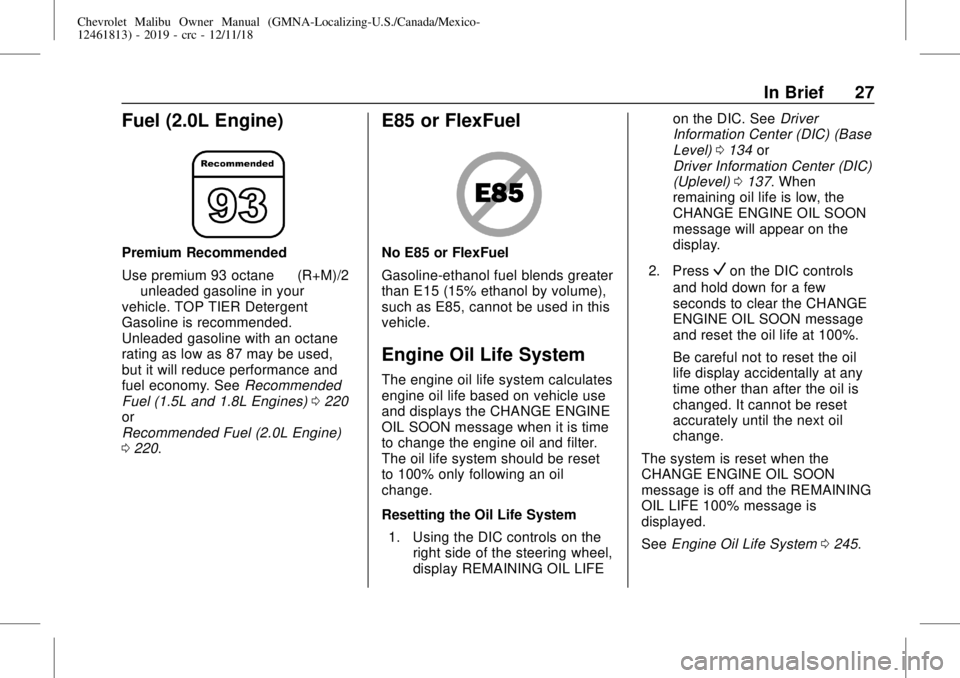
Premium Recommended
Use premium 93 octane—(R+M)/2
—unleaded gasoline in your
vehicle. TOP TIER Detergent
Gasoline is recommended.
Unleaded gasoline with an octane
rating as low as 87 may be used,
but it will reduce performance and
fuel economy. SeeRecommended
Fuel (1.5L and 1.8L Engines)0220
or
Recommended Fuel (2.0L Engine)
0220.
E85 or FlexFuel
No E85 or FlexFuel
Gasoline-ethanol fuel blends greater
than E15 (15% ethanol by volume),
such as E85, cannot be used in this
vehicle.
Engine Oil Life System
The engine oil life system calculates
engine oil life based on vehicle use
and displays the CHANGE ENGINE
OIL SOON message when it is time
to change the engine oil and filter.
The oil life system should be reset
to 100% only following an oil
change.
Resetting the Oil Life System
1. Using the DIC controls on the
right side of the steering wheel,
display REMAINING OIL LIFEon the DIC. SeeDriver
Information Center (DIC) (Base
Level)0134or
Driver Information Center (DIC)
(Uplevel)0137. When
remaining oil life is low, the
CHANGE ENGINE OIL SOON
message will appear on the
display.
2. Press
Von the DIC controls
and hold down for a few
seconds to clear the CHANGE
ENGINE OIL SOON message
and reset the oil life at 100%.
Be careful not to reset the oil
life display accidentally at any
time other than after the oil is
changed. It cannot be reset
accurately until the next oil
change.
The system is reset when the
CHANGE ENGINE OIL SOON
message is off and the REMAINING
OIL LIFE 100% message is
displayed.
SeeEngine Oil Life System0245.
Page 38 of 382
Chevrolet Malibu Owner Manual (GMNA-Localizing-U.S./Canada/Mexico-
12461813) - 2019 - crc - 12/11/18
38 Keys, Doors, and Windows
2. Immediately after completing
Step 1, press and hold
/for at
least four seconds or until the
turn signal lamps flash. The
turn signal lamps flashing
confirms the request to remote
start the vehicle has been
received.
When the engine starts, the parking
lamps will turn on and remain on as
long as the engine is running. The
doors will be locked and the climate
control system may come on.
The engine will continue to run for
15 minutes. After 30 seconds,
repeat the steps if a 15-minute
extension is desired. Remote start
can be extended only once.
Start the vehicle before driving.
Extending Engine Run Time
The engine run time can be
extended by another 15 minutes,
if during the first 15 minutes
Steps 1 and 2 are repeated while
the engine is still running. An
extension can be requested
30 seconds after starting. When theremote start is extended, the
second 15-minute period is added
on to the first 15 minutes for a total
of 30 minutes.
The remote start can only be
extended once.
A maximum of two remote starts,
or a single start with an extension,
is allowed between ignition cycles.
The vehicle's ignition must be
turned on and then back off before
the remote start procedure can be
used again.
Canceling a Remote Start
To cancel a remote start, do one of
the following:
.
Aim the RKE transmitter at the
vehicle and press and hold
/
until the parking lamps turn off.
.
Turn on the hazard warning
flashers.
.
Turn the vehicle on and then off.Conditions in Which Remote Start
Will Not Work
The remote vehicle start feature will
not operate if:
.
A transmitter is in the vehicle.
.
The hood is not closed.
.
The hazard warning flashers
are on.
.
The malfunction indicator lamp
is on.
.
The engine coolant temperature
is too high.
.
The oil pressure is low.
.
Two remote vehicle starts, or a
single remote start with an
extension, have already
been used.
.
The vehicle is not in P (Park).
Page 107 of 382
Chevrolet Malibu Owner Manual (GMNA-Localizing-U.S./Canada/Mexico-
12461813) - 2019 - crc - 12/11/18
Instruments and Controls 107
Instruments and
Controls
Controls
Steering Wheel Adjustment . . . 108
Steering Wheel Controls . . . . . . 108
Heated Steering Wheel . . . . . . . 108
Horn . . . . . . . . . . . . . . . . . . . . . . . . . . 108
Pedestrian Safety Signal
(Hybrid Only) . . . . . . . . . . . . . . . . 108
Windshield Wiper/Washer . . . . 109
Compass . . . . . . . . . . . . . . . . . . . . . 110
Clock . . . . . . . . . . . . . . . . . . . . . . . . . 110
Power Outlets . . . . . . . . . . . . . . . . 110
Wireless Charging . . . . . . . . . . . . 112
Warning Lights, Gauges, and
Indicators
Warning Lights, Gauges, and
Indicators . . . . . . . . . . . . . . . . . . . 114
Instrument Cluster (Base
Level) . . . . . . . . . . . . . . . . . . . . . . . 115
Instrument Cluster
(Uplevel) . . . . . . . . . . . . . . . . . . . . 116
Speedometer . . . . . . . . . . . . . . . . . 119
Odometer . . . . . . . . . . . . . . . . . . . . . 119
Trip Odometer . . . . . . . . . . . . . . . . 119
Tachometer (Non-Hybrid) . . . . . 119Fuel Gauge . . . . . . . . . . . . . . . . . . . 120
Power Indicator Gauge . . . . . . . 121
Engine Coolant Temperature
Gauge . . . . . . . . . . . . . . . . . . . . . . 121
Seat Belt Reminders . . . . . . . . . 122
Airbag Readiness Light . . . . . . . 123
Passenger Airbag Status
Indicator . . . . . . . . . . . . . . . . . . . . 123
Charging System Light . . . . . . . 124
Malfunction Indicator Lamp
(Check Engine Light) . . . . . . . . 124
Brake System Warning
Light . . . . . . . . . . . . . . . . . . . . . . . . 126
Electric Parking Brake
Light . . . . . . . . . . . . . . . . . . . . . . . . 127
Service Electric Parking Brake
Light . . . . . . . . . . . . . . . . . . . . . . . . 127
Antilock Brake System (ABS)
Warning Light . . . . . . . . . . . . . . . 127
Lane Keep Assist (LKA)
Light . . . . . . . . . . . . . . . . . . . . . . . . 128
Vehicle Ahead Indicator . . . . . . 128
Pedestrian Ahead Indicator . . . 128
Traction Off Light . . . . . . . . . . . . . 129
StabiliTrak OFF Light . . . . . . . . . 129
Traction Control System (TCS)/
StabiliTrak Light . . . . . . . . . . . . . 129
Engine Coolant Temperature
Warning Light
(Uplevel Only) . . . . . . . . . . . . . . . 130Tire Pressure Light . . . . . . . . . . . 130
Engine Oil Pressure Light . . . . 131
Low Fuel Warning Light (Base
Level) . . . . . . . . . . . . . . . . . . . . . . . 131
Low Fuel Warning Light
(Uplevel) . . . . . . . . . . . . . . . . . . . . 131
Security Light . . . . . . . . . . . . . . . . . 132
Vehicle Ready Light
(Hybrid) . . . . . . . . . . . . . . . . . . . . . 132
High-Beam On Light . . . . . . . . . . 132
Lamps On Reminder . . . . . . . . . 132
Cruise Control Light . . . . . . . . . . 133
Door Ajar Light (Uplevel) . . . . . 133
Information Displays
Power Flows (Hybrid) . . . . . . . . . 133
Energy Information
(Hybrid) . . . . . . . . . . . . . . . . . . . . . 134
Driver Information Center (DIC)
(Base Level) . . . . . . . . . . . . . . . . 134
Driver Information Center (DIC)
(Uplevel) . . . . . . . . . . . . . . . . . . . . 137
Vehicle Messages
Vehicle Messages . . . . . . . . . . . . 141
Engine Power Messages . . . . . 141
Vehicle Speed Messages . . . . . 141
Vehicle Personalization
Vehicle Personalization . . . . . . . 142
Page 119 of 382
Chevrolet Malibu Owner Manual (GMNA-Localizing-U.S./Canada/Mexico-
12461813) - 2019 - crc - 12/11/18
Instruments and Controls 119
Units :Presspwhile Units is
displayed to enter the Units menu.
Choose U.S. or metric units by
pressing
Vwhile the desired item is
highlighted.
Display Themes :Press
pwhile
Display Themes is displayed to
enter the menu. Choose Sport or
Touring by pressing
Vwhile the
desired item is highlighted.
Pocket Gauges :Press
pwhile
Pocket Gauges is displayed to enter
the menu and select gauges that
can be displayed on the left or right
of the display area. If equipped,
choose oil temperature, battery
voltage, fuel range, or fuel economy.
Info Pages :Press
pwhile Info
Pages is displayed to enter the Info
Pages menu and select the items tobe displayed in the Info app. See
Driver Information Center (DIC)
(Base Level)0134or
Driver Information Center (DIC)
(Uplevel)0137.
Speed Warning :The Speed
Warning display allows the driver to
set a speed that they do not want to
exceed. To set the Speed Warning,
press
pwhen Speed Warning is
displayed. Press
worxto adjust
the value. Press
Vto set the speed.
Once the speed is set, this feature
can be turned off by pressing
V
while viewing this page. If the
selected speed limit is exceeded, a
pop-up warning is displayed with a
chime.
Speedometer
The speedometer shows the
vehicle's speed in either kilometers
per hour (km/h) or miles per
hour (mph).
Odometer
The odometer shows how far the
vehicle has been driven, in either
kilometers or miles.
Trip Odometer
The trip odometer shows how far
the vehicle has been driven since
the trip odometer was last reset.
The trip odometer is accessed and
reset through the Driver Information
Center (DIC). SeeDriver
Information Center (DIC) (Base
Level)0134or
Driver Information Center (DIC)
(Uplevel)0137.
Tachometer (Non-Hybrid)
The tachometer displays the engine
speed in revolutions per
minute (rpm).
For vehicles with the Stop/Start
system, when the ignition is on, the
tachometer indicates the vehicle
status. When pointing to AUTO
STOP, the engine is off but the
vehicle is on and can move. The
Page 131 of 382
Chevrolet Malibu Owner Manual (GMNA-Localizing-U.S./Canada/Mexico-
12461813) - 2019 - crc - 12/11/18
Instruments and Controls 131
Engine Oil Pressure Light
Caution
Lack of proper engine oil
maintenance can damage the
engine. Driving with the engine oil
low can also damage the engine.
The repairs would not be covered
by the vehicle warranty. Check
the oil level as soon as possible.
Add oil if required, but if the oil
level is within the operating range
and the oil pressure is still low,
have the vehicle serviced. Always
follow the maintenance schedule
for changing engine oil.
This light should come on briefly as
the engine is started. If it does not
come on, have the vehicle serviced
by your dealer.If the light comes on and stays on, it
means that oil is not flowing through
the engine properly. The vehicle
could be low on oil and might have
some other system problem. See
your dealer.
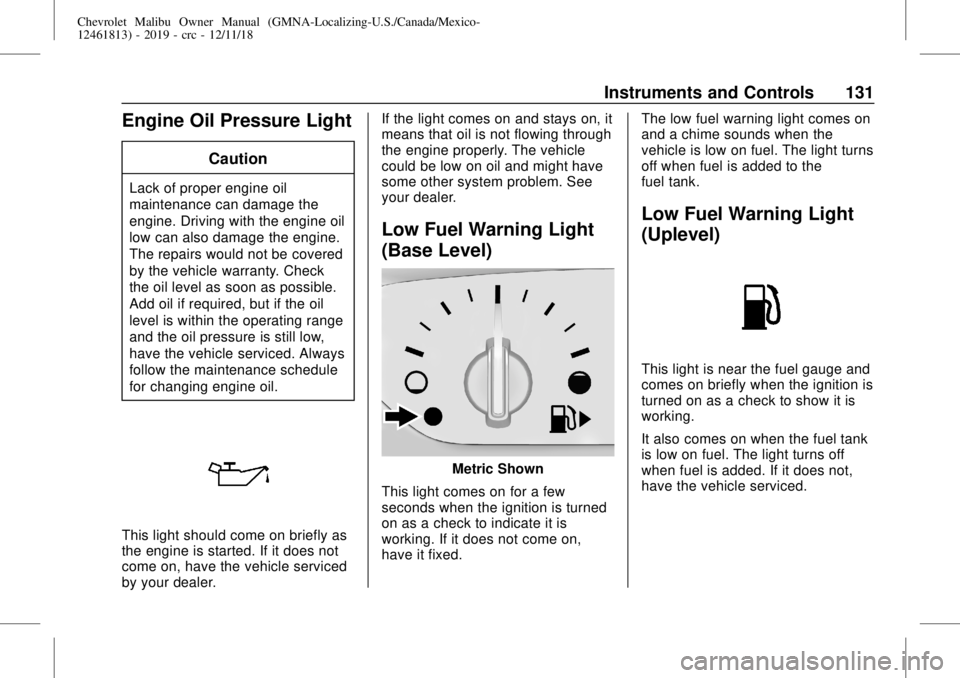
Low Fuel Warning Light
(Base Level)
Metric Shown
This light comes on for a few
seconds when the ignition is turned
on as a check to indicate it is
working. If it does not come on,
have it fixed.The low fuel warning light comes on
and a chime sounds when the
vehicle is low on fuel. The light turns
off when fuel is added to the
fuel tank.
Low Fuel Warning Light
(Uplevel)
This light is near the fuel gauge and
comes on briefly when the ignition is
turned on as a check to show it is
working.
It also comes on when the fuel tank
is low on fuel. The light turns off
when fuel is added. If it does not,
have the vehicle serviced.
Page 135 of 382
Chevrolet Malibu Owner Manual (GMNA-Localizing-U.S./Canada/Mexico-
12461813) - 2019 - crc - 12/11/18
Instruments and Controls 135
This number is based on the
number of L/100 km (mpg) recorded
since the last time this menu item
was reset. This number reflects only
the approximate average fuel
economy that the vehicle has right
now, and will change as driving
conditions change. Reset the
average consumption by pressing
V
when it is displayed.
Fuel Range :Displays the
approximate distance the vehicle
can be driven without refueling. The
fuel range estimate is based on an
average of the vehicle's fuel
economy over recent driving history
and the amount of fuel remaining in
the fuel tank. Fuel range cannot be
reset.
Average Vehicle Speed :Displays
the average vehicle speed of the
vehicle in kilometers per hour (km/h)
or miles per hour (mph). This
average is based on the various
vehicle speeds recorded since the
last reset. Reset the average speed
by pressing
Vwhen it is displayed.Timer :To start the timer, press
V
while Timer is displayed. The
display will show the amount of time
that has passed since the timer was
last reset, not including time the
ignition is off. Time will continue to
be counted as long as the ignition is
on, even if another display is being
shown on the DIC. The timer will
record up to 99 hours, 59 minutes,
and 59 seconds (99:59:59) after
which the display will return to zero.
To stop the timer, press
Vbriefly
while Timer is displayed. To reset
the timer to zero, press and hold
V.
Vehicle Information Menu
(VEHICLE) Items
Useworxto scroll through the
menu items. Not all items are
available on every vehicle. The
following is a list of all possible
menu items:Remaining Oil Life :Displays an
estimate of the oil's remaining useful
life. If REMAINING OIL LIFE 99% is
displayed, that means 99% of the
current oil life remains.
When the remaining oil life is low,
the CHANGE ENGINE OIL SOON
message will appear on the display.
The oil should be changed as soon
as possible. SeeEngine Oil0242.
In addition to the engine oil life
system monitoring the oil life,
additional maintenance is
recommended. SeeMaintenance
Schedule0329.
The Oil Life display must be reset
after each oil change. Do not reset
the Oil Life display accidentally at
any time other than when the oil has
just been changed. It cannot be
reset accurately until the next oil
change. To reset the engine oil life
system, seeEngine Oil Life System
0245.
Oil Pressure :Oil pressure is
displayed in either kilopascal (kPa)
or in pounds per square inch (psi).
Page 136 of 382
Chevrolet Malibu Owner Manual (GMNA-Localizing-U.S./Canada/Mexico-
12461813) - 2019 - crc - 12/11/18
136 Instruments and Controls
Oil pressure can vary with engine
speed, outside temperature, and oil
viscosity. On some models, the oil
pump will vary engine oil pressure
according to engine needs. Oil
pressure may change quickly as the
engine speed or load varies. This is
normal. If the oil pressure warning
light or Driver Information Center
(DIC) message indicates oil
pressure outside the normal
operating range, check the vehicle's
oil as soon as possible.
Air Filter Life :Shows an estimate
of the engine air filter’s remaining
useful life and the state of the
system. Engine Air Filter Life 95%
means 95% of the current air filter
life remains. Messages will display
based on the engine air filter life and
the state of the system. When the
REPLACE AT NEXT OIL CHANGE
message displays, the engine air
filter should be replaced at the time
of the next oil change. When the
REPLACE NOW message displays,
the engine air filter should be
replaced as soon as possible.The Air Filter Life display must be
reset after the engine air filter
replacement. To reset, seeEngine
Air Filter Life System0246.
Tire Pressure :Displays a vehicle
with the approximate pressures of
all four tires. Tire pressure is
displayed in either kilopascal (kPa)
or in pounds per square inch (psi).
SeeTire Pressure Monitor System
0285and
Tire Pressure Monitor Operation
0286.
Battery Voltage :Displays the
current battery voltage, if equipped.
Battery voltage changes are normal
while driving. SeeCharging System
Light0124. If there is a problem
with the battery charging system,
the DIC will display a message.
Coolant Temperature :Shows the
engine coolant temperature in either
degrees Celsius (°C) or degrees
Fahrenheit (°F).
Speed Warning :This display is
used to set the vehicle speed at
which the speed warning chime
sounds and the alert is displayed.The speed can be set by pressing
Vwhile the speed warning display
is showing.
Units :Move
worxto change
between Metric or US when the Unit
display is active. Press
Vto confirm
the setting. This will change the
displays on the DIC to the type of
measurements you select.
ECO Drive Assist Menu (ECO)
Items
Useworxto scroll through the
menu items. Not all items are
available on every vehicle.
Best Average Fuel Economy :The
bottom displays the best average
fuel economy (AFE) that is achieved
for a selected distance. The top
displays a running average of fuel
economy for the most recently
traveled selected distance. The
center bar graph displays the
instantaneous fuel economy.
Quickly press
Vto change the
settings for the distance options.
Page 138 of 382
Chevrolet Malibu Owner Manual (GMNA-Localizing-U.S./Canada/Mexico-
12461813) - 2019 - crc - 12/11/18
138 Instruments and Controls
particular vehicle. Some items may
not be turned on by default but can
be turned on through the Settings
app. See“DIC Info Page Options”
earlier in this section.
Speed :Shows the vehicle speed in
either kilometers per hour (km/h) or
miles per hour (mph).
Trip A or Trip B :Shows the
current distance traveled, in either
kilometers (km) or miles (mi), since
the trip odometer was last reset.
This also shows the approximate
average liters per 100 kilometers (L/
100 km) or miles per gallon (mpg).
This number is calculated based on
the number of L/100 km (mpg)
recorded since the last time this
menu item was reset. This number
reflects only the approximate
average fuel economy that the
vehicle has right now, and will
change as driving conditions
change.Press and holdVwhile this display
is active to reset the trip odometer
and the average fuel economy. Trip
A and Trip B can also be reset by
pressing
pand choosing reset.
Fuel Range :Shows the
approximate distance the vehicle
can be driven without refueling.
LOW will be displayed when the
vehicle is low on fuel. The fuel
range estimate is based on an
average of the vehicle's fuel
economy over recent driving history
and the amount of fuel remaining in
the fuel tank.
Instantaneous Fuel Economy :
Displays the current fuel economy in
liters per 100 kilometers (L/100 km)
or miles per gallon (mpg). This
number reflects only the
approximate fuel economy that the
vehicle has right now and changes
frequently as driving conditions
change. This display cannot be
reset.Oil Life :Shows an estimate of the
oil's remaining useful life.
If REMAINING OIL LIFE 99% is
displayed, that means 99% of the
current oil life remains.
When the remaining oil life is low,
the CHANGE ENGINE OIL SOON
message will appear on the display.
The oil should be changed as soon
as possible. SeeEngine Oil0242.
In addition to the engine oil life
system monitoring the oil life,
additional maintenance is
recommended in the Maintenance
Schedule. SeeMaintenance
Schedule0329.
The Oil Life display must be reset
after each oil change. It will not
reset itself. Do not to reset the Oil
Life display at any time other than
when the oil has just been changed.
It cannot be reset accurately until
the next oil change. To reset the
engine oil life system, press and
hold
Vfor several seconds while
the Oil Life display is active. See
Engine Oil Life System0245.