remote control CHEVROLET MALIBU 2020 User Guide
[x] Cancel search | Manufacturer: CHEVROLET, Model Year: 2020, Model line: MALIBU, Model: CHEVROLET MALIBU 2020Pages: 358, PDF Size: 3.27 MB
Page 124 of 358
Chevrolet Malibu Owner Manual (GMNA-Localizing-U.S./Canada/Mexico-
13555849) - 2020 - CRC - 8/16/19
Instruments and Controls 123
Exit Lighting
This setting specifies how long the
headlamps stay on after the vehicle
is turned off and exited.
Touch Off, 30 Seconds, 60 Seconds,
or 120 Seconds.
Power Door Locks
Touch and the following may
display:
.Open Door Anti Lock Out
. Auto Door Unlock
. Delayed Door Lock
Open Door Anti Lock Out
This setting prevents the driver door
from locking when the door is open.
If this setting is on, the Delayed
Door Lock menu will not be
available.
Touch Off or On.
Auto Door Unlock
This allows selection of which of the
doors will automatically unlock when
the vehicle is shifted into P (Park).
Touch Off, All Doors, or Driver Door. Delayed Door Lock
When on, this feature will delay the
locking of the doors. To override the
delay, press the power door lock
switch on the door.
Touch Off or On.
Remote Lock, Unlock, Start
Touch and the following may
display:
.
Remote Unlock Light Feedback
. Remote Lock Feedback
. Remote Door Unlock
. Remote Start Auto Cool Seats
. Remote Start Auto Heat Seats
. Passive Door Unlock
. Passive Door Lock
. Remote Left in Vehicle Alert
Remote Unlock Light Feedback
This setting flashes the exterior
lamps when the vehicle is unlocked
with the RKE transmitter.
Touch Off or Flash Lights. Remote Lock Feedback
This setting specifies how the
vehicle responds when the vehicle
is locked with the RKE transmitter.
Touch Off, Lights and Horn, Lights
Only, or Horn Only.
Remote Door Unlock
This setting specifies whether all
doors, or just the driver door, unlock
when pressing
Kon the RKE
transmitter.
Touch All Doors or Driver Door.
Remote Start Auto Cool Seats
If equipped and turned on, this
feature will turn the ventilated seats
on when using remote start on
warm days.
Touch Off, On-Driver and
Passenger, or On-Driver.
Remote Start Auto Heat Seats
This setting automatically turns on
the heated seats when using the
remote start function on cold days.
Page 125 of 358
Chevrolet Malibu Owner Manual (GMNA-Localizing-U.S./Canada/Mexico-
13555849) - 2020 - CRC - 8/16/19
124 Instruments and Controls
SeeHeated and Ventilated Front
Seats 041 and
Remote Vehicle Start 016.
Touch Off, On-Driver and
Passenger, or On-Driver.
Passive Door Unlock
This setting specifies which doors
unlock when using the button on the
driver door handle to unlock the
vehicle.
Touch All Doors or Driver Door Only.
Passive Door Lock
This setting specifies if the vehicle
will automatically lock, or lock and
provide an alert after all the doors
are closed, and you walk away from
the vehicle with the RKE transmitter.
See Remote Keyless Entry (RKE)
System Operation 08.
Touch Off, On with Horn
Chirp, or On.
Remote Left in Vehicle Alert
This feature sounds an alert when
the RKE transmitter is left in the
vehicle. This menu also enables
Remote No Longer in Vehicle Alert. Touch Off or On.
Seating Position
Touch and the following may
display:
.
Seat Entry Memory
. Seat Exit Memory
Seat Entry Memory
This feature automatically recalls
the previously stored 1 or 2 button
positions when the ignition is
changed from off to on or ACC/
ACCESSORY. See Memory Seats
0 38.
Touch Off or On.
Seat Exit Memory
This feature automatically recalls
the previously stored exit button
positions when the ignition is
changed from on or ACC/
ACCESSORY to off if the driver
door is open or opened. See
Memory Seats 038.
Touch Off or On.
Teen Driver
See “Teen Driver” under“Settings”
in the infotainment manual.
Valet Mode
This will lock the infotainment
system and steering wheel controls.
It may also limit access to vehicle
storage locations, if equipped.
To enable valet mode:
1. Enter a four-digit code on the keypad.
2. Touch Enter to go to the confirmation screen.
3. Re-enter the four-digit code.
Touch Lock or Unlock to lock or
unlock the system. Touch Back to
go back to the previous menu.
Page 132 of 358
Chevrolet Malibu Owner Manual (GMNA-Localizing-U.S./Canada/Mexico-
13555849) - 2020 - CRC - 8/16/19
Lighting 131
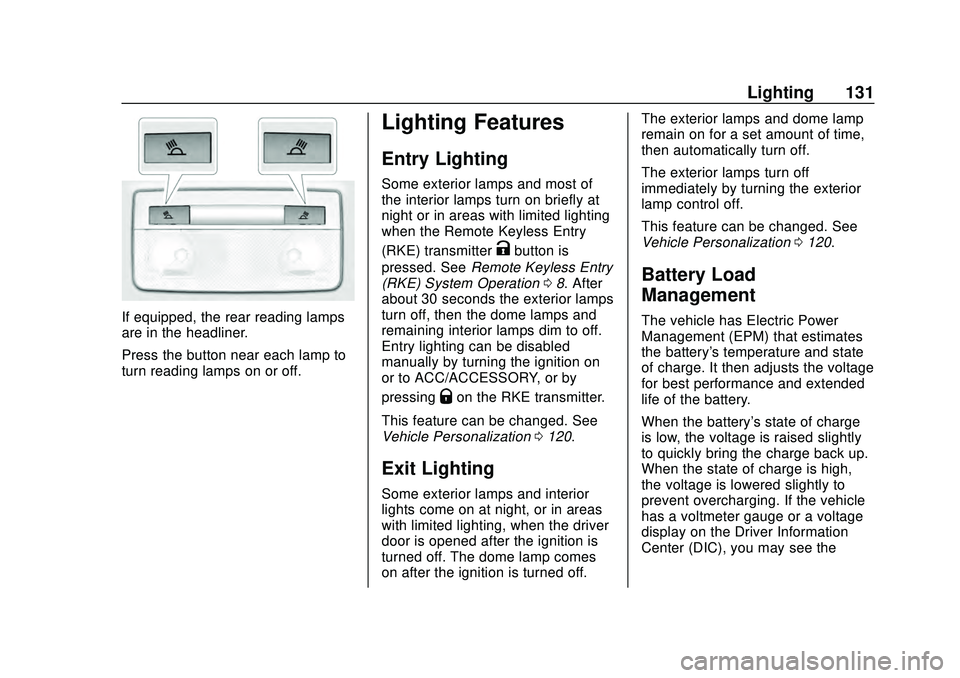
If equipped, the rear reading lamps
are in the headliner.
Press the button near each lamp to
turn reading lamps on or off.
Lighting Features
Entry Lighting
Some exterior lamps and most of
the interior lamps turn on briefly at
night or in areas with limited lighting
when the Remote Keyless Entry
(RKE) transmitter
Kbutton is
pressed. See Remote Keyless Entry
(RKE) System Operation 08. After
about 30 seconds the exterior lamps
turn off, then the dome lamps and
remaining interior lamps dim to off.
Entry lighting can be disabled
manually by turning the ignition on
or to ACC/ACCESSORY, or by
pressing
Qon the RKE transmitter.
This feature can be changed. See
Vehicle Personalization 0120.
Exit Lighting
Some exterior lamps and interior
lights come on at night, or in areas
with limited lighting, when the driver
door is opened after the ignition is
turned off. The dome lamp comes
on after the ignition is turned off. The exterior lamps and dome lamp
remain on for a set amount of time,
then automatically turn off.
The exterior lamps turn off
immediately by turning the exterior
lamp control off.
This feature can be changed. See
Vehicle Personalization
0120.
Battery Load
Management
The vehicle has Electric Power
Management (EPM) that estimates
the battery's temperature and state
of charge. It then adjusts the voltage
for best performance and extended
life of the battery.
When the battery's state of charge
is low, the voltage is raised slightly
to quickly bring the charge back up.
When the state of charge is high,
the voltage is lowered slightly to
prevent overcharging. If the vehicle
has a voltmeter gauge or a voltage
display on the Driver Information
Center (DIC), you may see the
Page 137 of 358
Chevrolet Malibu Owner Manual (GMNA-Localizing-U.S./Canada/Mexico-
13555849) - 2020 - CRC - 8/16/19
136 Climate Controls
Caution
Do not try to clear frost or other
material from the inside of the
front windshield and rear window
with a razor blade or anything
else that is sharp. This may
damage the rear window
defogger grid and affect the
radio's ability to pick up stations
clearly. The repairs would not be
covered by the vehicle warranty.
Driver and Passenger Heated
Seats : If equipped, press
LorM
to heat the driver or passenger seat.
SeeHeated and Ventilated Front
Seats 041.
Remote Start Climate Control
Operation : If equipped with remote
start, the climate control system
may run when the vehicle is started
remotely. The system will determine
the best mode and temperature
setting for operation. Once the
vehicle is started with the Engine
Start/Stop button, the climate control system will begin to operate at the
last customer selected operating
mode and temperature. If equipped
with heated or ventilated seats, they
may come on during a remote start.
See
Remote Vehicle Start 016 and
Heated and Ventilated Front Seats
0 41.
Page 141 of 358
Chevrolet Malibu Owner Manual (GMNA-Localizing-U.S./Canada/Mexico-
13555849) - 2020 - CRC - 8/16/19
140 Climate Controls
system does not detect possible
window fogging, it returns to normal
operation.
To turn Auto Defog off or on, see
“Climate and Air Quality”under
Vehicle Personalization 0120.
Rear Window Defogger
K:Press to turn the rear window
defogger on or off. An indicator light
on the button comes on to show that
the rear window defogger is on. The
rear window defogger only works
when the ignition is on. The
defogger turns off when the ignition
is turned off or to ACC/
ACCESSORY.
The upper lines on the rear window
are antenna grids and are not
intended to defrost the glass.
The rear window defogger can be
set to automatic operation. See
“Climate and Air Quality” under
Vehicle Personalization 0120.
When Auto Rear Defog is selected,
the rear window defogger turns on
automatically when the interior
temperature is cold and the outside temperature is about 7 °C (45 °F)
and below. The auto rear defogger
turns off automatically.
If equipped with heated outside
mirrors, they turn on when the rear
window defogger button is on and
help to clear fog or frost from the
surface of the mirror. See
Heated
Mirrors 027.
Caution
Do not try to clear frost or other
material from the inside of the
front windshield and rear window
with a razor blade or anything
else that is sharp. This may
damage the rear window
defogger grid and affect the
radio's ability to pick up stations
clearly. The repairs would not be
covered by the vehicle warranty.
Driver and Passenger Heated and
Ventilated Seats : If equipped,
press
LorMto heat the driver or
passenger seat. If equipped, press
{orCto
ventilate the driver or passenger
seat. See Heated and Ventilated
Front Seats 041.
Remote Start Climate Control
Operation : If equipped with remote
start, the climate control system
may run when the vehicle is started
remotely. The system will determine
the best mode and temperature
setting for operation. Once the
vehicle is started with the Engine
Start/Stop button, the climate control
system will begin to operate at the
last customer selected operating
mode and temperature. If equipped
with heated or ventilated seats, they
may come on during a remote start.
See Remote Vehicle Start 016 and
Heated and Ventilated Front Seats
0 41.
Sensor
The solar sensor, on top of the
instrument panel near the
windshield, monitors the solar heat.
Page 180 of 358
Chevrolet Malibu Owner Manual (GMNA-Localizing-U.S./Canada/Mexico-
13555849) - 2020 - CRC - 8/16/19
Driving and Operating 179
Warning (Continued)
system may not brake for a
vehicle it has never detected
moving. This can occur in
stop-and-go traffic or when a
vehicle suddenly appears due to
a vehicle ahead changing lanes.
Your vehicle may not stop and
could cause a crash. Use caution
when using ACC. Your complete
attention is always required while
driving and you should be ready
to take action and apply the
brakes.
ACC Automatically Disengages
ACC may automatically disengage
and the driver will need to manually
apply the brakes to slow the
vehicle if:
. The sensors are blocked.
. The Traction Control System
(TCS) or StabiliTrak/ESC system
has activated or been disabled.
. There is a fault in the system. .
The radar falsely reports
blockage when driving in a
desert or remote area with no
other vehicles or roadside
objects. A DIC message may
display to indicate that ACC is
temporarily unavailable.
The ACC indicator will turn white
when ACC is no longer active.
Notification to Resume ACC
ACC will maintain a following gap
behind a detected vehicle and slow
your vehicle to a stop behind that
vehicle.
If the stopped vehicle ahead has
driven away and ACC has not
resumed, the vehicle ahead
indicator will flash as a reminder to
check traffic before proceeding. In
addition, three beeps will sound.
See “Adaptive Cruise Go Notifier” in
“Collision/Detection Systems” under
Vehicle Personalization 0120.
When the vehicle ahead drives
away, press +RES or the
accelerator pedal to resume ACC.
If stopped for more than
two minutes or if the driver door is opened and the driver seat belt is
unbuckled, the ACC automatically
applies the Electric Parking Brake
(EPB) to hold the vehicle. The EPB
status light will turn on. See
Electric
Parking Brake 0168. To release the
EPB, press the accelerator pedal.
A DIC warning message may
display indicating to shift to P (Park)
before exiting the vehicle. See
Vehicle Messages 0119.
{Warning
If ACC has stopped the vehicle,
and if ACC is disengaged, turned
off, or canceled, the vehicle will
no longer be held at a stop. The
vehicle can move. When ACC is
holding the vehicle at a stop,
always be prepared to manually
apply the brakes.
Page 352 of 358
Chevrolet Malibu Owner Manual (GMNA-Localizing-U.S./Canada/Mexico-
13555849) - 2020 - CRC - 8/16/19
Index 351
I
Ignition Positions . . . . . . . . . . . . . . . 155
Immobilizer . . . . . . . . . . . . . . . . . . . . . . 25
IndicatorPedestrian Ahead . . . . . . . . . . . . 108
Vehicle Ahead . . . . . . . . . . . . . . . . 108
Infants and Young Children, Restraints . . . . . . . . . . . . . . . . . . . . . . 67
Information Publication Ordering . . . . . . . . . . 329
Infotainment . . . . . . . . . . . . . . . . . . . . 133
Infotainment System . . . . . . . . . . . . 334
Instrument Cluster . . . . . . . . . . . 96, 97
Instrument Panel Overview . . . . . . . 5
Interior Rearview Mirrors . . . . . . . . . 28
Introduction . . . . . . . . . . . . . . . . . . . . . . . 2
J
Jump Starting - North America . . . . . . . . . . . . . . . . . . . . . . . 286
K
Keyless Entry
Remote (RKE) System . . . . . . . . . . 8
Keys . . . . . . . . . . . . . . . . . . . . . . . . . . . . . . 7
L
Labeling, Tire Sidewall . . . . . . . . . . 252 Lamps
Courtesy . . . . . . . . . . . . . . . . . . . . . . 130
Daytime Running (DRL) . . . . . . 127
Dome . . . . . . . . . . . . . . . . . . . . . . . . . 130
Exterior Controls . . . . . . . . . . . . . . 125
Exterior Lamps OffReminder . . . . . . . . . . . . . . . . . . . 127
Exterior Lighting Battery Saver . . . . . . . . . . . . . . . . . . . . . . . 132
License Plate . . . . . . . . . . . . . . . . . 240
Malfunction Indicator (Check Engine) . . . . . . . . . . . . . 104
On Reminder . . . . . . . . . . . . . . . . . .112
Reading . . . . . . . . . . . . . . . . . . . . . . 130
Lane Change Alert (LCA) . . . . . . . 194
Lane Keep Assist (LKA) . . . . . . . . 196
Lane Keep Assist Light . . . . . . . . . 108
Lap-Shoulder Belt . . . . . . . . . . . . . . . 49
LATCH System Replacing Parts after aCrash . . . . . . . . . . . . . . . . . . . . . . . . . 79
LATCH, Lower Anchors and Tethers for Children . . . . . . . . . . . . 72
LED Lighting . . . . . . . . . . . . . . . . . . . . 238
Lighting Entry . . . . . . . . . . . . . . . . . . . . . . . . . 131
Exit . . . . . . . . . . . . . . . . . . . . . . . . . . . 131
Illumination Control . . . . . . . . . . . 129 Lighting (cont'd)
LED . . . . . . . . . . . . . . . . . . . . . . . . . . 238
Lights Airbag Readiness . . . . . . . . . . . . . 102
Antilock Brake System
(ABS) Warning . . . . . . . . . . . . . . 107
Brake System Warning . . . . . . . 106
Charging System . . . . . . . . . . . . . 104
Check Engine (Malfunction Indicator) . . . . . . . . . . . . . . . . . . . . 104
Cruise Control . . . . . . . . . . . . . . . . .112
Door Ajar . . . . . . . . . . . . . . . . . . . . . .113
Electric Parking Brake . . . . . . . . 106
Engine Coolant Temperature Warning . . . . . . . .110
Engine Oil Pressure . . . . . . . . . . .110
Flash-to-Pass . . . . . . . . . . . . . . . . . 127
High-Beam On . . . . . . . . . . . . . . . . .112
High/Low Beam Changer . . . . . 127
Lane Keep Assist . . . . . . . . . . . . . 108
Low Fuel Warning . . . . . . . . . . . . . 111
Seat Belt Reminders . . . . . . . . . . 102
Security . . . . . . . . . . . . . . . . . . . . . . . 111
Service Electric Parking Brake . . . . . . . . . . . . . . . . . . . . . . . 107
StabiliTrak OFF . . . . . . . . . . . . . . . 109
Tire Pressure . . . . . . . . . . . . . . . . . .110
Page 355 of 358
Chevrolet Malibu Owner Manual (GMNA-Localizing-U.S./Canada/Mexico-
13555849) - 2020 - CRC - 8/16/19
354 Index
RoofSunroof . . . . . . . . . . . . . . . . . . . . . . . . . 30
Rotation, Tires . . . . . . . . . . . . . . . . . . 265
Routing, Engine Drive Belt . . . . . . 318
Running the Vehicle While Parked . . . . . . . . . . . . . . . . . . . . . . . . 163
S
Safety Defects ReportingCanadian Government . . . . . . . . 331
General Motors . . . . . . . . . . . . . . . 331
U.S. Government . . . . . . . . . . . . . 330
Safety Locks . . . . . . . . . . . . . . . . . . . . . 21
Safety System Check . . . . . . . . . . . . 52
Scheduling Appointments . . . . . . . 325
Sealant Kit, Tire . . . . . . . . . . . . . . . . 273
Seat Belts . . . . . . . . . . . . . . . . . . . . . . . 45 Care . . . . . . . . . . . . . . . . . . . . . . . . . . . . 52
Extender . . . . . . . . . . . . . . . . . . . . . . . . 52
How to Wear Seat BeltsProperly . . . . . . . . . . . . . . . . . . . . . . . 47
Lap-Shoulder Belt . . . . . . . . . . . . . . 49
Reminders . . . . . . . . . . . . . . . . . . . . 102
Replacing after a Crash . . . . . . . . 53
Use During Pregnancy . . . . . . . . . . 51
Seats
Adjustment, Front . . . . . . . . . . . . . . . 35
Head Restraints . . . . . . . . . . . . . . . . 33 Seats (cont'd)
Heated and Ventilated Front . . . . 41
Heated, Rear . . . . . . . . . . . . . . . . . . . 45
Lumbar Adjustment, Front . . . . . . 36
Memory . . . . . . . . . . . . . . . . . . . . . . . . . 38
Power Adjustment, Front . . . . . . . 36
Rear . . . . . . . . . . . . . . . . . . . . . . . . . . . . 42
Reclining Seatbacks . . . . . . . . . . . . 36
Securing Child Restraints . . . . 80, 82
Security
Light . . . . . . . . . . . . . . . . . . . . . . . . . . . 111
OnStar . . . . . . . . . . . . . . . . . . . . . . . 337
Vehicle . . . . . . . . . . . . . . . . . . . . . . . . . 24
Vehicle Alarm . . . . . . . . . . . . . . . . . . . 24
Service . . . . . . . . . . . . . . . . . . . . . . . . . 142 Accessories andModifications . . . . . . . . . . . . . . . . 213
Climate Control System . . . . . . . 134
Doing Your Own Work . . . . . . . . 214
Maintenance Records . . . . . . . . 315
Maintenance, General
Information . . . . . . . . . . . . . . . . . . 302
Parts Identification . . . . . . . . . . . . 316
Scheduling Appointments . . . . . 325
Service Electric Parking Brake Light . . . . . . . . . . . . . . . . . . . . 107
Services Special Application . . . . . . . . . . . 309 Servicing the Airbag . . . . . . . . . . . . . 64
Shift Lock Control Function
Check, Automatic
Transmission . . . . . . . . . . . . . . . . . . 234
Shifting Into Park . . . . . . . . . . . . . . . . . . . . . . 160
Out of Park . . . . . . . . . . . . . . . . . . . 161
Side Blind Zone Alert (SBZA) . . . 193
Signals, Turn and Lane-Change . . . . . . . . . . . . . . . . . 129
Spare Tire
Compact . . . . . . . . . . . . . . . . . . . . . . 285
Special Application Services . . . . 309
Specifications and Capacities . . . . . . . . . . . . . . . . . . . . . 317
Speedometer . . . . . . . . . . . . . . . . . . . . 99
StabiliTrak
OFF Light . . . . . . . . . . . . . . . . . . . . . 109
Start Assist, Hill . . . . . . . . . . . . . . . . . 169
Start Vehicle, Remote . . . . . . . . . . . 16
Starter Switch Check . . . . . . . . . . . 234
Starting the Engine . . . . . . . . . . . . . 157
Steering . . . . . . . . . . . . . . . . . . . . . . . . 146 Heated Wheel . . . . . . . . . . . . . . . . . . 89
Wheel Adjustment . . . . . . . . . . . . . . 89
Wheel Controls . . . . . . . . . . . . . . . . . 89
Stop/Start System . . . . . . . . . . . . . . 158
Page 357 of 358
Chevrolet Malibu Owner Manual (GMNA-Localizing-U.S./Canada/Mexico-
13555849) - 2020 - CRC - 8/16/19
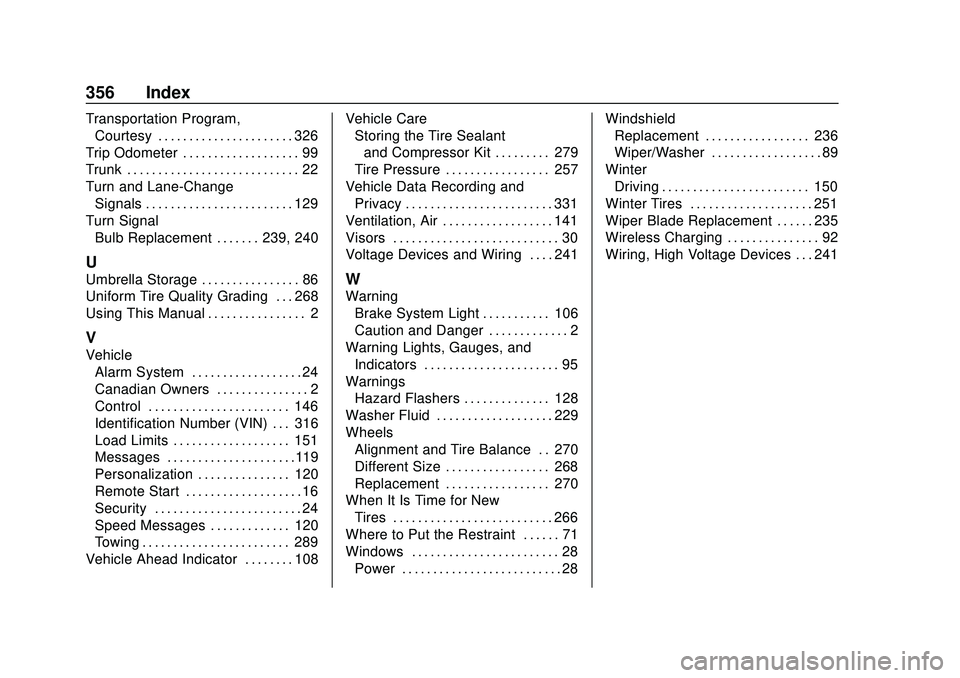
356 Index
Transportation Program,Courtesy . . . . . . . . . . . . . . . . . . . . . . 326
Trip Odometer . . . . . . . . . . . . . . . . . . . 99
Trunk . . . . . . . . . . . . . . . . . . . . . . . . . . . . 22
Turn and Lane-Change Signals . . . . . . . . . . . . . . . . . . . . . . . . 129
Turn Signal
Bulb Replacement . . . . . . . 239, 240
U
Umbrella Storage . . . . . . . . . . . . . . . . 86
Uniform Tire Quality Grading . . . 268
Using This Manual . . . . . . . . . . . . . . . . 2
V
VehicleAlarm System . . . . . . . . . . . . . . . . . . 24
Canadian Owners . . . . . . . . . . . . . . . 2
Control . . . . . . . . . . . . . . . . . . . . . . . 146
Identification Number (VIN) . . . 316
Load Limits . . . . . . . . . . . . . . . . . . . 151
Messages . . . . . . . . . . . . . . . . . . . . .119
Personalization . . . . . . . . . . . . . . . 120
Remote Start . . . . . . . . . . . . . . . . . . . 16
Security . . . . . . . . . . . . . . . . . . . . . . . . 24
Speed Messages . . . . . . . . . . . . . 120
Towing . . . . . . . . . . . . . . . . . . . . . . . . 289
Vehicle Ahead Indicator . . . . . . . . 108 Vehicle Care
Storing the Tire Sealant
and Compressor Kit . . . . . . . . . 279
Tire Pressure . . . . . . . . . . . . . . . . . 257
Vehicle Data Recording and Privacy . . . . . . . . . . . . . . . . . . . . . . . . 331
Ventilation, Air . . . . . . . . . . . . . . . . . . 141
Visors . . . . . . . . . . . . . . . . . . . . . . . . . . . 30
Voltage Devices and Wiring . . . . 241
W
Warning
Brake System Light . . . . . . . . . . . 106
Caution and Danger . . . . . . . . . . . . . 2
Warning Lights, Gauges, and Indicators . . . . . . . . . . . . . . . . . . . . . . 95
Warnings
Hazard Flashers . . . . . . . . . . . . . . 128
Washer Fluid . . . . . . . . . . . . . . . . . . . 229
Wheels Alignment and Tire Balance . . 270
Different Size . . . . . . . . . . . . . . . . . 268
Replacement . . . . . . . . . . . . . . . . . 270
When It Is Time for New Tires . . . . . . . . . . . . . . . . . . . . . . . . . . 266
Where to Put the Restraint . . . . . . 71
Windows . . . . . . . . . . . . . . . . . . . . . . . . 28
Power . . . . . . . . . . . . . . . . . . . . . . . . . . 28 Windshield
Replacement . . . . . . . . . . . . . . . . . 236
Wiper/Washer . . . . . . . . . . . . . . . . . . 89
Winter Driving . . . . . . . . . . . . . . . . . . . . . . . . 150
Winter Tires . . . . . . . . . . . . . . . . . . . . 251
Wiper Blade Replacement . . . . . . 235
Wireless Charging . . . . . . . . . . . . . . . 92
Wiring, High Voltage Devices . . . 241