park assist CHEVROLET MALIBU 2020 Owner's Manual
[x] Cancel search | Manufacturer: CHEVROLET, Model Year: 2020, Model line: MALIBU, Model: CHEVROLET MALIBU 2020Pages: 358, PDF Size: 3.27 MB
Page 5 of 358
Chevrolet Malibu Owner Manual (GMNA-Localizing-U.S./Canada/Mexico-
13555849) - 2020 - CRC - 8/16/19
4 Introduction
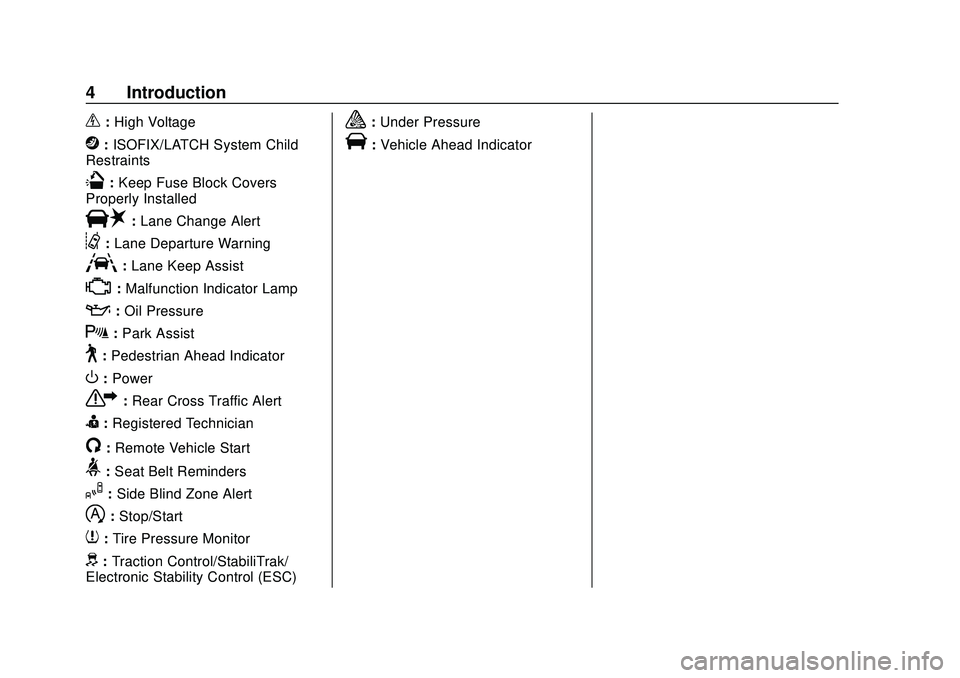
_:High Voltage
j: ISOFIX/LATCH System Child
Restraints
Q: Keep Fuse Block Covers
Properly Installed
|: Lane Change Alert
@:Lane Departure Warning
A:Lane Keep Assist
*:Malfunction Indicator Lamp
::Oil Pressure
X:Park Assist
~:Pedestrian Ahead Indicator
O:Power
7: Rear Cross Traffic Alert
I:Registered Technician
/:Remote Vehicle Start
>: Seat Belt Reminders
I:Side Blind Zone Alert
h:Stop/Start
7: Tire Pressure Monitor
d:Traction Control/StabiliTrak/
Electronic Stability Control (ESC)
a: Under Pressure
V:Vehicle Ahead Indicator
Page 7 of 358
Chevrolet Malibu Owner Manual (GMNA-Localizing-U.S./Canada/Mexico-
13555849) - 2020 - CRC - 8/16/19
6 Introduction
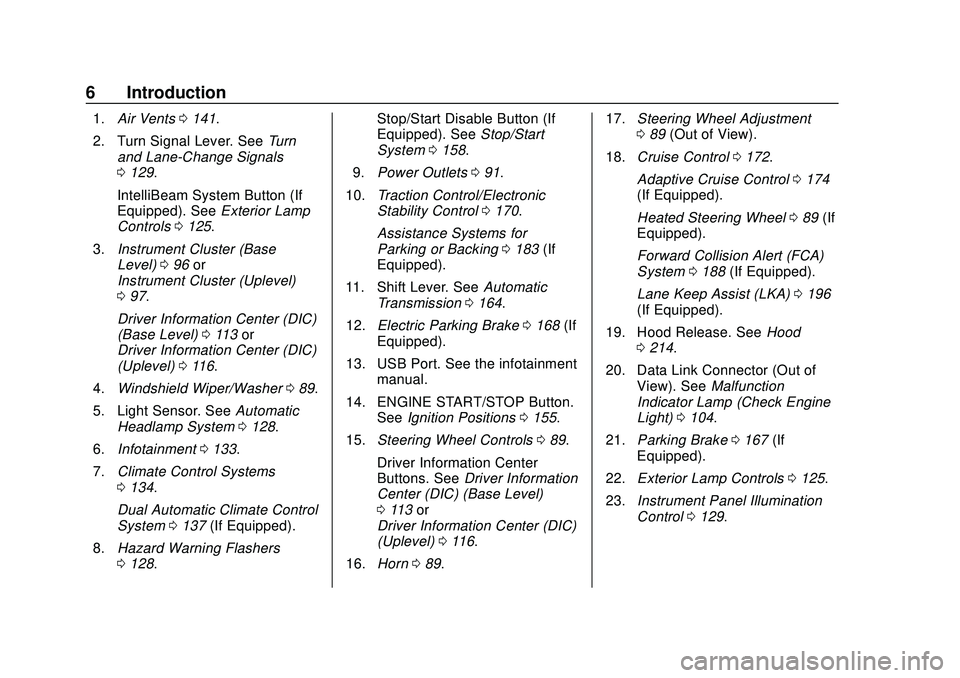
1.Air Vents 0141.
2. Turn Signal Lever. See Turn
and Lane-Change Signals
0 129.
IntelliBeam System Button (If
Equipped). See Exterior Lamp
Controls 0125.
3. Instrument Cluster (Base
Level) 096 or
Instrument Cluster (Uplevel)
0 97.
Driver Information Center (DIC)
(Base Level) 0113 or
Driver Information Center (DIC)
(Uplevel) 0116.
4. Windshield Wiper/Washer 089.
5. Light Sensor. See Automatic
Headlamp System 0128.
6. Infotainment 0133.
7. Climate Control Systems
0134.
Dual Automatic Climate Control
System 0137 (If Equipped).
8. Hazard Warning Flashers
0128. Stop/Start Disable Button (If
Equipped). See
Stop/Start
System 0158.
9. Power Outlets 091.
10. Traction Control/Electronic
Stability Control 0170.
Assistance Systems for
Parking or Backing 0183 (If
Equipped).
11. Shift Lever. See Automatic
Transmission 0164.
12. Electric Parking Brake 0168 (If
Equipped).
13. USB Port. See the infotainment manual.
14. ENGINE START/STOP Button. SeeIgnition Positions 0155.
15. Steering Wheel Controls 089.
Driver Information Center
Buttons. See Driver Information
Center (DIC) (Base Level)
0 113 or
Driver Information Center (DIC)
(Uplevel) 0116.
16. Horn 089. 17.
Steering Wheel Adjustment
089 (Out of View).
18. Cruise Control 0172.
Adaptive Cruise Control 0174
(If Equipped).
Heated Steering Wheel 089 (If
Equipped).
Forward Collision Alert (FCA)
System 0188 (If Equipped).
Lane Keep Assist (LKA) 0196
(If Equipped).
19. Hood Release. See Hood
0 214.
20. Data Link Connector (Out of View). See Malfunction
Indicator Lamp (Check Engine
Light) 0104.
21. Parking Brake 0167 (If
Equipped).
22. Exterior Lamp Controls 0125.
23. Instrument Panel Illumination
Control 0129.
Page 89 of 358
Chevrolet Malibu Owner Manual (GMNA-Localizing-U.S./Canada/Mexico-
13555849) - 2020 - CRC - 8/16/19
88 Instruments and Controls
Instruments and
Controls
Controls
Steering Wheel Adjustment . . . . 89
Steering Wheel Controls . . . . . . . 89
Heated Steering Wheel . . . . . . . . 89
Horn . . . . . . . . . . . . . . . . . . . . . . . . . . . 89
Windshield Wiper/Washer . . . . . . 89
Compass . . . . . . . . . . . . . . . . . . . . . . 91
Clock . . . . . . . . . . . . . . . . . . . . . . . . . . 91
Power Outlets . . . . . . . . . . . . . . . . . 91
Wireless Charging . . . . . . . . . . . . . 92
Warning Lights, Gauges, and
Indicators
Warning Lights, Gauges, andIndicators . . . . . . . . . . . . . . . . . . . . 95
Instrument Cluster (Base Level) . . . . . . . . . . . . . . . . . . . . . . . . 96
Instrument Cluster (Uplevel) . . . 97
Speedometer . . . . . . . . . . . . . . . . . . 99
Odometer . . . . . . . . . . . . . . . . . . . . . . 99
Trip Odometer . . . . . . . . . . . . . . . . . 99
Tachometer . . . . . . . . . . . . . . . . . . . . 99
Fuel Gauge . . . . . . . . . . . . . . . . . . . 100
Engine Coolant Temperature
Gauge . . . . . . . . . . . . . . . . . . . . . . 101 Seat Belt Reminders . . . . . . . . . 102
Airbag Readiness Light . . . . . . . 102
Passenger Airbag Status
Indicator . . . . . . . . . . . . . . . . . . . . 103
Charging System Light . . . . . . . 104
Malfunction Indicator Lamp
(Check Engine Light) . . . . . . . . 104
Brake System Warning Light . . . . . . . . . . . . . . . . . . . . . . . . 106
Electric Parking Brake Light . . . . . . . . . . . . . . . . . . . . . . . . 106
Service Electric Parking Brake Light . . . . . . . . . . . . . . . . . . . . . . . . 107
Antilock Brake System (ABS) Warning Light . . . . . . . . . . . . . . . 107
Lane Keep Assist (LKA) Light . . . . . . . . . . . . . . . . . . . . . . . . 108
Vehicle Ahead Indicator . . . . . . 108
Pedestrian Ahead Indicator . . . 108
Traction Off Light . . . . . . . . . . . . . 108
StabiliTrak OFF Light . . . . . . . . . 109
Traction Control System (TCS)/ StabiliTrak Light . . . . . . . . . . . . . 109
Engine Coolant Temperature Warning Light
(Uplevel Only) . . . . . . . . . . . . . . . 110
Tire Pressure Light . . . . . . . . . . . 110
Engine Oil Pressure Light . . . . . 110
Low Fuel Warning Light (Base Level) . . . . . . . . . . . . . . . . . . . . . . . 111 Low Fuel Warning Light
(Uplevel) . . . . . . . . . . . . . . . . . . . . 111
Security Light . . . . . . . . . . . . . . . . . 111
High-Beam On Light . . . . . . . . . . 112
Lamps On Reminder . . . . . . . . . . 112
Cruise Control Light . . . . . . . . . . 112
Door Ajar Light (Uplevel) . . . . . 113
Information Displays
Driver Information Center (DIC) (Base Level) . . . . . . . . . . . . . . . . 113
Driver Information Center (DIC) (Uplevel) . . . . . . . . . . . . . . . . . . . . 116
Vehicle Messages
Vehicle Messages . . . . . . . . . . . . 119
Engine Power Messages . . . . . 120
Vehicle Speed Messages . . . . . 120
Vehicle Personalization
Vehicle Personalization . . . . . . . 120
Page 107 of 358
Chevrolet Malibu Owner Manual (GMNA-Localizing-U.S./Canada/Mexico-
13555849) - 2020 - CRC - 8/16/19
106 Instruments and Controls
vehicle operation. SeeAdd-On
Electrical Equipment 0210. See
your dealer if assistance is needed.
The vehicle may not pass
inspection if:
. The light is on when the engine
is running.
. The light does not come on
when the ignition is in
Service Mode.
. Critical emission control systems
have not been completely
diagnosed. If this happens, the
vehicle would not be ready for
inspection and might require
several days of routine driving
before the system is ready for
inspection. This can happen if
the 12-volt battery has recently
been replaced or run down, or if
the vehicle has been recently
serviced.
See your dealer if the vehicle will
not pass or cannot be made ready
for the test.Brake System Warning
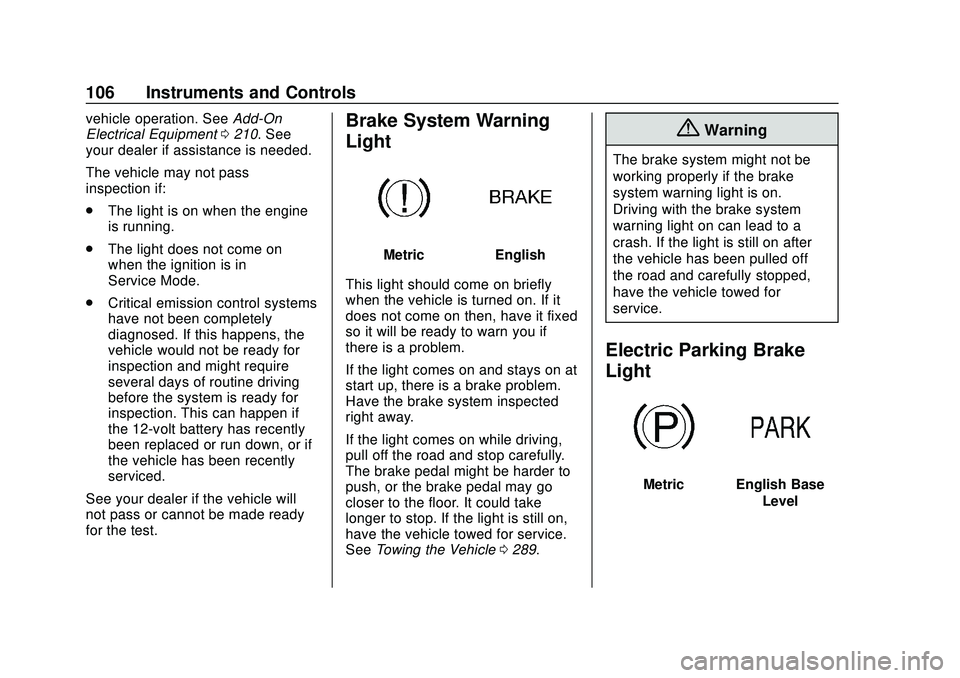
Light
MetricEnglish
This light should come on briefly
when the vehicle is turned on. If it
does not come on then, have it fixed
so it will be ready to warn you if
there is a problem.
If the light comes on and stays on at
start up, there is a brake problem.
Have the brake system inspected
right away.
If the light comes on while driving,
pull off the road and stop carefully.
The brake pedal might be harder to
push, or the brake pedal may go
closer to the floor. It could take
longer to stop. If the light is still on,
have the vehicle towed for service.
See Towing the Vehicle 0289.
{Warning
The brake system might not be
working properly if the brake
system warning light is on.
Driving with the brake system
warning light on can lead to a
crash. If the light is still on after
the vehicle has been pulled off
the road and carefully stopped,
have the vehicle towed for
service.
Electric Parking Brake
Light
MetricEnglish Base
Level
Page 122 of 358
Chevrolet Malibu Owner Manual (GMNA-Localizing-U.S./Canada/Mexico-
13555849) - 2020 - CRC - 8/16/19
Instruments and Controls 121
The menu may contain the
following:
Rear Seat Reminder
This allows for a chime and a
message when the rear door has
been opened before or during
operation of the vehicle.
Touch Off or On.
Climate and Air Quality
Touch and the following may
display:
.Auto Fan Speed
. Auto Heated Seats
. Auto Defog
. Auto Rear Defog
Auto Fan Speed
This feature will set the auto fan
speed.
Touch Low, Medium, or High.
Auto Heated Seats
When enabled, this feature will
automatically activate the heated
seats at the level required by the interior temperature. The auto
heated seats can be turned off by
using the heated seat buttons on
the center stack. See
Heated and
Ventilated Front Seats 041.
Touch Off or On.
Auto Defog
When turned on and high humidity
is detected, the climate control
system may adjust to outside air
supply and turn on the air
conditioner or the heater. The fan
speed may slightly increase to help
prevent fogging. When high
humidity is no longer detected, the
system will return to its prior
operation.
Touch Off or On.
Auto Rear Defog
When on, this feature turns on the
rear defogger at vehicle start when
the interior temperature is cold and
fog is likely. The auto rear defog
function can be disabled by
pressing
K. When off, the feature
can be turned on by pressing
K. See
“Rear Window Defogger” under
Dual Automatic Climate Control
System 0137.
Touch Off or On.
Collision/Detection Systems
Touch and the following may
display:
. Forward Collision System
. Front Pedestrian Detection
. Rear Cross Traffic Alert
. Adaptive Cruise Go Notifier
. Lane Change Alert
. Rear Camera Park Assist
Symbols
Forward Collision System
This setting controls the vehicle
response when detecting a vehicle
ahead of you. The Off setting
disables all FCA and AEB functions.
With the Alert and Brake setting,
both FCA and AEB are available.
The Alert setting disables AEB. See
Automatic Emergency Braking
(AEB) 0190.
Page 123 of 358
Chevrolet Malibu Owner Manual (GMNA-Localizing-U.S./Canada/Mexico-
13555849) - 2020 - CRC - 8/16/19
122 Instruments and Controls
Touch Off, Alert, or Alert and Brake.
Front Pedestrian Detection
This feature may help avoid or
reduce the harm caused by
front-end crashes with nearby
pedestrians.
SeeFront Pedestrian Braking (FPB)
System 0191.
Touch Off, Alert, or Alert and Brake.
Rear Cross Traffic Alert
This allows the Rear Cross Traffic
Alert feature to be turned on or off.
See “Rear Cross Traffic Alert” in
Assistance Systems for Parking or
Backing 0183.
Touch Off or On.
Adaptive Cruise Go Notifier
This feature will give a reminder that
Adaptive Cruise Control provides
when it has brought the vehicle to a
complete stop behind another
stopping vehicle, and then that
vehicle drives on. See Adaptive
Cruise Control 0174.
Touch Off or On. Lane Change Alert
This allows the Lane Change Alert
feature to be turned on or off. See
Lane Change Alert (LCA)
0194.
When Lane Change Alert is
disabled, Side Blind Zone Alert is
also disabled.
Touch Off or On.
Rear Camera Park Assist Symbols
This setting enables the Rear
Camera Park Assist Symbols. See
Assistance Systems for Parking or
Backing 0183.
Touch Off or On.
Comfort and Convenience
Touch and the following may
display:
. Chime Volume
. Reverse Tilt Mirror
Chime Volume
This allows the selection of the
chime volume level.
Touch + or −to adjust the volume. Reverse Tilt Mirror
When on, driver, passenger, or both
driver and passenger outside
mirrors will tilt downward when the
vehicle is shifted to R (Reverse) to
improve visibility of the ground near
the rear wheels. They will return to
their previous driving position when
the vehicle is shifted out of
R (Reverse) or the engine is turned
off. See
Reverse Tilt Mirrors 027.
Touch Off, On - Driver and
Passenger, On - Driver, or On -
Passenger.
Lighting
Touch and the following may
display:
. Vehicle Locator Lights
. Exit Lighting
Vehicle Locator Lights
This setting flashes the vehicle’ s
headlamps when
Kis pressed on
the Remote Keyless Entry (RKE)
transmitter.
Touch Off or On.
Page 144 of 358
Chevrolet Malibu Owner Manual (GMNA-Localizing-U.S./Canada/Mexico-
13555849) - 2020 - CRC - 8/16/19
Driving and Operating 143
Driving and
Operating
Driving Information
Driving for Better FuelEconomy . . . . . . . . . . . . . . . . . . . . 144
Distracted Driving . . . . . . . . . . . . 144
Defensive Driving . . . . . . . . . . . . . 145
Drunk Driving . . . . . . . . . . . . . . . . . 145
Control of a Vehicle . . . . . . . . . . . 146
Braking . . . . . . . . . . . . . . . . . . . . . . . 146
Steering . . . . . . . . . . . . . . . . . . . . . . 146
Off-Road Recovery . . . . . . . . . . . 147
Loss of Control . . . . . . . . . . . . . . . 148
Driving on Wet Roads . . . . . . . . 148
Hill and Mountain Roads . . . . . 149
Winter Driving . . . . . . . . . . . . . . . . 150
If the Vehicle Is Stuck . . . . . . . . 151
Vehicle Load Limits . . . . . . . . . . . 151
Starting and Operating
New Vehicle Break-In . . . . . . . . . 155
Ignition Positions . . . . . . . . . . . . . 155
Starting the Engine . . . . . . . . . . . 157
Stop/Start System . . . . . . . . . . . . 158
Engine Heater . . . . . . . . . . . . . . . . 159
Retained Accessory Power (RAP) . . . . . . . . . . . . . . . . 160 Shifting Into Park . . . . . . . . . . . . . 160
Shifting out of Park . . . . . . . . . . . 161
Parking over Things
That Burn . . . . . . . . . . . . . . . . . . . 162
Active Fuel Management . . . . . 162
Extended Parking . . . . . . . . . . . . 162
Engine Exhaust
Engine Exhaust . . . . . . . . . . . . . . 163
Running the Vehicle While
Parked . . . . . . . . . . . . . . . . . . . . . . 163
Automatic Transmission
Automatic Transmission . . . . . . 164
Manual Mode . . . . . . . . . . . . . . . . . 165
Brakes
Antilock BrakeSystem (ABS) . . . . . . . . . . . . . . . 166
Parking Brake . . . . . . . . . . . . . . . . 167
Electric Parking Brake . . . . . . . . 168
Brake Assist . . . . . . . . . . . . . . . . . . 169
Hill Start Assist (HSA) . . . . . . . . 169
Ride Control Systems
Traction Control/Electronic Stability Control . . . . . . . . . . . . . 170
Cruise Control
Cruise Control . . . . . . . . . . . . . . . . 172
Adaptive Cruise Control . . . . . . 174
Driver Assistance Systems
Driver Assistance Systems . . . 182
Assistance Systems forParking or Backing . . . . . . . . . . 183
Assistance Systems for Driving . . . . . . . . . . . . . . . . . . . . . . 188
Forward Collision Alert (FCA) System . . . . . . . . . . . . . . . . . . . . . . 188
Automatic Emergency Braking (AEB) . . . . . . . . . . . . . . . 190
Front Pedestrian Braking (FPB) System . . . . . . . . . . . . . . . 191
Side Blind Zone Alert (SBZA) . . . . . . . . . . . . . . . . 193
Lane Change Alert (LCA) . . . . . 194
Lane Keep Assist (LKA) . . . . . . 196
Fuel
Top Tier Fuel . . . . . . . . . . . . . . . . . 198
Recommended Fuel (1.5L Engine) . . . . . . . . . . . . . . . . . . . . . 198
Recommended Fuel (2.0L Engine) . . . . . . . . . . . . . . . . . . . . . 199
Prohibited Fuels . . . . . . . . . . . . . . 199
Fuels in Foreign Countries . . . 199
Fuel Additives . . . . . . . . . . . . . . . . 200
Filling the Tank . . . . . . . . . . . . . . . 200
Filling a Portable Fuel Container . . . . . . . . . . . . . . . . . . . 202
Page 147 of 358
Chevrolet Malibu Owner Manual (GMNA-Localizing-U.S./Canada/Mexico-
13555849) - 2020 - CRC - 8/16/19
146 Driving and Operating
Control of a Vehicle
Braking, steering, and accelerating
are important factors in helping to
control a vehicle while driving.
Braking
Braking action involves perception
time and reaction time. Deciding to
push the brake pedal is perception
time. Actually doing it is
reaction time.
Average driver reaction time is
about three-quarters of a second. In
that time, a vehicle moving at
100 km/h (60 mph) travels 20 m
(66 ft), which could be a lot of
distance in an emergency.
Helpful braking tips to keep in mind
include:
.Keep enough distance between
you and the vehicle in front
of you.
. Avoid needless heavy braking.
. Keep pace with traffic. If the engine ever stops while the
vehicle is being driven, brake
normally but do not pump the
brakes. Doing so could make the
pedal harder to push down. If the
engine stops, there will be some
power brake assist but it will be
used when the brake is applied.
Once the power assist is used up, it
can take longer to stop and the
brake pedal will be harder to push.
Steering
Caution
To avoid damage to the steering
system, do not drive over curbs,
parking barriers, or similar objects
at speeds greater than 3 km/h
(1 mph). Use care when driving
over other objects such as lane
dividers and speed bumps.
Damage caused by misuse of the
vehicle is not covered by the
vehicle warranty.
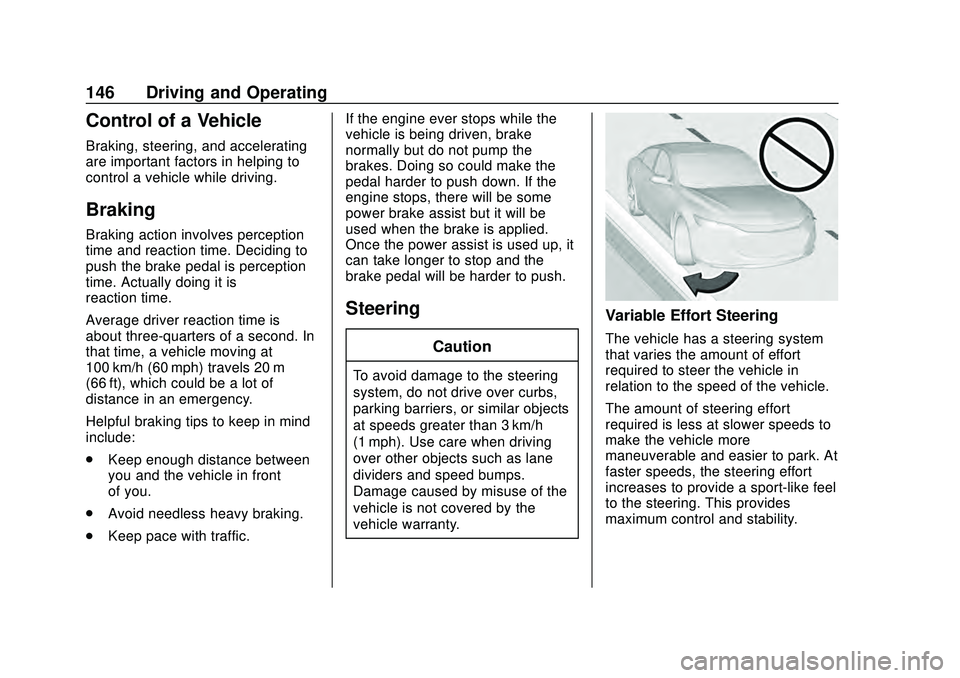
Variable Effort Steering
The vehicle has a steering system
that varies the amount of effort
required to steer the vehicle in
relation to the speed of the vehicle.
The amount of steering effort
required is less at slower speeds to
make the vehicle more
maneuverable and easier to park. At
faster speeds, the steering effort
increases to provide a sport-like feel
to the steering. This provides
maximum control and stability.
Page 157 of 358
Chevrolet Malibu Owner Manual (GMNA-Localizing-U.S./Canada/Mexico-
13555849) - 2020 - CRC - 8/16/19
156 Driving and Operating
The RKE transmitter must be in the
vehicle for the system to operate.
If the pushbutton start is not
working, the vehicle may be near a
strong radio antenna signal causing
interference to the Keyless Access
system. SeeRemote Keyless Entry
(RKE) System Operation 08.
To shift out of P (Park), the ignition
must be on or in Service Mode, and
the brake pedal must be applied.
Stopping the Engine/LOCK/
OFF (No Indicator Lights) : When
the vehicle is stopped, press
ENGINE START/STOP once to turn
the engine off.
If the vehicle is in P (Park), the
ignition will turn off, and Retained
Accessory Power (RAP) will remain
active. See Retained Accessory
Power (RAP) 0160.
If the vehicle is not in P (Park), the
ignition will return to ACC/
ACCESSORY and display the
message SHIFT TO PARK in the
Driver Information Center (DIC).
When the vehicle is shifted into
P (Park), the ignition will turn off. Do not turn the engine off when the
vehicle is moving. This will cause a
loss of power assist in the brake
and steering systems and disable
the airbags.
If the vehicle must be shut off in an
emergency:
1. Brake using a firm and steady pressure. Do not pump the
brakes repeatedly. This may
deplete power assist, requiring
increased brake pedal force.
2. Shift the vehicle to N (Neutral). This can be done while the
vehicle is moving. After shifting
to N (Neutral), firmly apply the
brakes and steer the vehicle to
a safe location.
3. Come to a complete stop, shift to P (Park), and turn the
ignition off. The shift lever must
be in P (Park) to turn the
ignition off.
4. Set the parking brake. See Electric Parking Brake 0168.{Warning
Turning off the vehicle while
moving may cause loss of power
assist in the brake and steering
systems and disable the airbags.
While driving, only shut the
vehicle off in an emergency.
If the vehicle cannot be pulled over
and must be shut off while driving,
press and hold ENGINE START/
STOP for longer than two seconds,
or press twice in five seconds.
ACC/ACCESSORY (Amber
Indicator Light) : This mode allows
you to use some electrical
accessories when the engine is off.
With the ignition off, pressing the
button one time without the brake
pedal applied will place the ignition
system in ACC/ACCESSORY.
The ignition will switch from ACC/
ACCESSORY to off after
five minutes to prevent battery
run down.
Page 170 of 358
Chevrolet Malibu Owner Manual (GMNA-Localizing-U.S./Canada/Mexico-
13555849) - 2020 - CRC - 8/16/19
Driving and Operating 169
1. Turn the ignition on or to ACC/ACCESSORY.
2. Apply and hold the brake pedal.
3. Press the EPB switch momentarily.
The EPB is released when the
Y,
f, or PARK light is off.
If the
8light is on, release the EPB
by pressing and holding the EPB
switch. Continue to hold the switch
until the
Y,f, or PARK light is off.
If either light stays on after release
is attempted, see your dealer.
Caution
Driving with the parking brake on
can overheat the brake system
and cause premature wear or
damage to brake system parts.
Make sure that the parking brake
is fully released and the brake
warning light is off before driving.
Automatic EPB Release
The EPB will automatically release if
the vehicle is running, placed into
gear, and an attempt is made to
drive away. Avoid rapid acceleration
when the EPB is applied, to
preserve parking brake lining life.
Brake Assist
Brake Assist detects rapid brake
pedal applications due to
emergency braking situations and
provides additional braking to
activate the Antilock Brake System
(ABS) if the brake pedal is not
pushed hard enough to activate
ABS normally. Minor noise, brake
pedal pulsation, and/or pedal
movement during this time may
occur. Continue to apply the brake
pedal as the driving situation
dictates. Brake Assist disengages
when the brake pedal is released.
Hill Start Assist (HSA)
{Warning
Do not rely on the HSA feature.
HSA does not replace the need to
pay attention and drive safely.
You may not hear or feel alerts or
warnings provided by this system.
Failure to use proper care when
driving may result in injury, death,
or vehicle damage. See
Defensive Driving 0145.
When the vehicle is stopped on a
grade, Hill Start Assist (HSA)
prevents the vehicle from rolling in
an unintended direction during the
transition from brake pedal release
to accelerator pedal apply. The
brakes release when the accelerator
pedal is applied. If the accelerator
pedal is not applied within a few
minutes, the Electric Parking Brake
will apply. The brakes may also
release under other conditions. Do
not rely on HSA to hold the vehicle.