remote control CHEVROLET MALIBU 2022 User Guide
[x] Cancel search | Manufacturer: CHEVROLET, Model Year: 2022, Model line: MALIBU, Model: CHEVROLET MALIBU 2022Pages: 351, PDF Size: 9.4 MB
Page 109 of 351
Chevrolet Malibu Owner Manual (GMNA-Localizing-U.S./Canada-
14584249) - 2021 - CRC - 11/9/20
108 Lighting
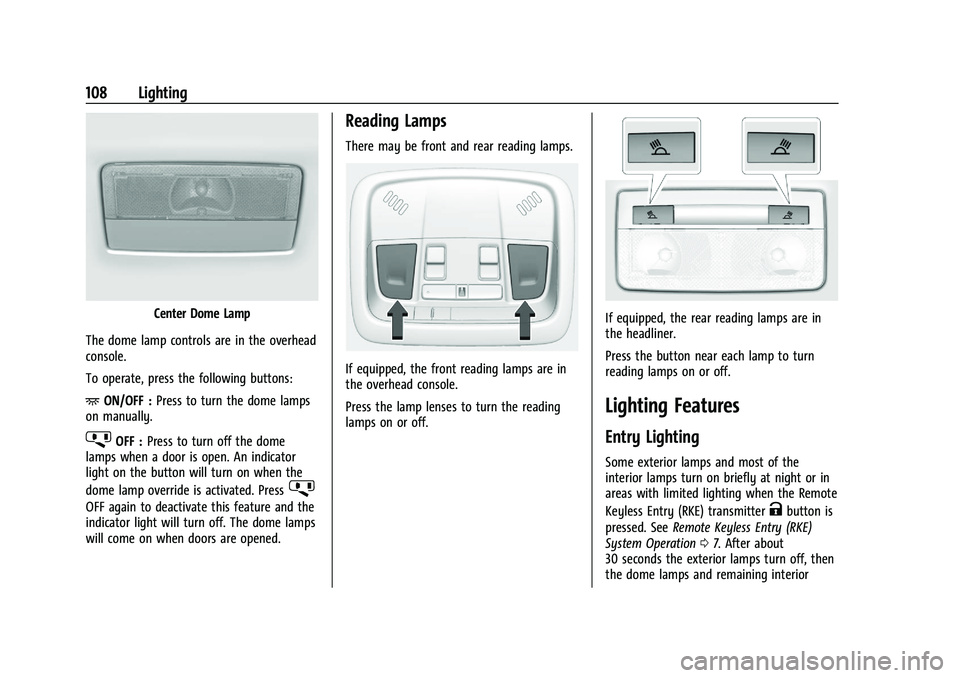
Center Dome Lamp
The dome lamp controls are in the overhead
console.
To operate, press the following buttons:
+ ON/OFF : Press to turn the dome lamps
on manually.
jOFF : Press to turn off the dome
lamps when a door is open. An indicator
light on the button will turn on when the
dome lamp override is activated. Press
j
OFF again to deactivate this feature and the
indicator light will turn off. The dome lamps
will come on when doors are opened.
Reading Lamps
There may be front and rear reading lamps.
If equipped, the front reading lamps are in
the overhead console.
Press the lamp lenses to turn the reading
lamps on or off.
If equipped, the rear reading lamps are in
the headliner.
Press the button near each lamp to turn
reading lamps on or off.
Lighting Features
Entry Lighting
Some exterior lamps and most of the
interior lamps turn on briefly at night or in
areas with limited lighting when the Remote
Keyless Entry (RKE) transmitter
Kbutton is
pressed. See Remote Keyless Entry (RKE)
System Operation 07. After about
30 seconds the exterior lamps turn off, then
the dome lamps and remaining interior
Page 166 of 351
Chevrolet Malibu Owner Manual (GMNA-Localizing-U.S./Canada-
14584249) - 2021 - CRC - 11/9/20
Climate Controls 165
0:Clears the windows of fog or moisture.
Air is directed to the windshield.
{: Air is directed to the instrument
panel outlets.
z: Air is directed to the floor outlets.
0MAX : Air is directed to the windshield
and the fan runs at a higher speed. This
mode overrides the previous mode selected
and clears fog or frost from the windshield
more quickly. When the button is pressed
again, the system returns to the previous
mode setting and fan speed. The current
mode setting and fan speed appear in the
display screen.
For best results, clear all snow and ice from
the windshield before defrosting.
A/C : Press to turn the air conditioning
system on or off. This status appears in the
display screen. If the fan control is turned
off or the outside temperature falls below
freezing, the air conditioner will not run.
@: Press to turn on recirculation. An
indicator light comes on and the status
appears in the display screen. Air is
recirculated to quickly cool the inside of the
vehicle or to reduce the entry of outside air
and odors. Ionizer :
If equipped, this feature helps to
clean the air inside the vehicle and remove
contaminants such as pollen, odors, and
dust. If the climate control system is on and
the ionizer is enabled, the ionizer status
indicator will be lit on the climate control
display. To turn the ionizer on or off, see
“Climate and Air Quality” underVehicle
Personalization 0100.
Rear Window Defogger
K:Press to turn the rear window defogger
on or off. An indicator light on the button
comes on to show that the rear window
defogger is on. The defogger turns off when
the ignition is turned to off or to ACC/
ACCESSORY.
The upper lines on the rear window are
antenna grids and are not intended to
defrost the glass.
The rear window defogger can be set to
automatic operation. See “Climate and Air
Quality” underVehicle Personalization 0100.
When Auto Rear Defog is selected, the rear
window defogger turns on automatically
when the interior temperature is cold and
the outside temperature is about 7 °C (44 °F)
and below. The auto rear defogger turns off
automatically. If the vehicle is equipped with heated
outside mirrors, they turn on when the rear
window defogger button is on and help to
clear fog or frost from the surface of the
mirror. See
Heated Mirrors 022.
Caution
Do not try to clear frost or other material
from the inside of the front windshield
and rear window with a razor blade or
anything else that is sharp. This may
damage the rear window defogger grid
and affect the radio's ability to pick up
stations clearly. The repairs would not be
covered by the vehicle warranty.
Remote Start Climate Control Operation :
If equipped with remote start, the climate
control system may run when the vehicle is
started remotely. The system will determine
the best mode and temperature setting for
operation. Once the vehicle is started with
the Engine Start/Stop button, the climate
control system will begin to operate at the
last customer selected operating mode and
temperature. If equipped with heated or
ventilated seats, they may come on
during a remote start. See Remote Vehicle
Start 013 and
Heated and Ventilated Front Seats 034.
Page 170 of 351
Chevrolet Malibu Owner Manual (GMNA-Localizing-U.S./Canada-
14584249) - 2021 - CRC - 11/9/20
Climate Controls 169
If equipped with heated outside mirrors,
they turn on when the rear window
defogger button is on and help to clear fog
or frost from the surface of the mirror. See
Heated Mirrors022.
Caution
Do not try to clear frost or other material
from the inside of the front windshield
and rear window with a razor blade or
anything else that is sharp. This may
damage the rear window defogger grid
and affect the radio's ability to pick up
stations clearly. The repairs would not be
covered by the vehicle warranty.
Driver and Passenger Heated and Ventilated
Seats : If equipped, press
LorMto heat
the driver or passenger seat.
If equipped, press
{orCto ventilate the
driver or passenger seat. See Heated and
Ventilated Front Seats 034.
Remote Start Climate Control Operation :
If equipped with remote start, the climate
control system may run when the vehicle is
started remotely. The system will determine
the best mode and temperature setting for
operation. Once the vehicle is started with the Engine Start/Stop button, the climate
control system will begin to operate at the
last customer selected operating mode and
temperature. If equipped with heated or
ventilated seats, they may come on during a
remote start. See
Remote Vehicle Start 013
and
Heated and Ventilated Front Seats 034.
Sensor
The solar sensor, on top of the instrument
panel near the windshield, monitors the
solar heat.
The climate control system uses the sensor
information to adjust the temperature, fan
speed, recirculation, and air delivery mode
for best comfort.
Do not cover the sensor; otherwise the
automatic climate control system may not
work properly.
Air Vents
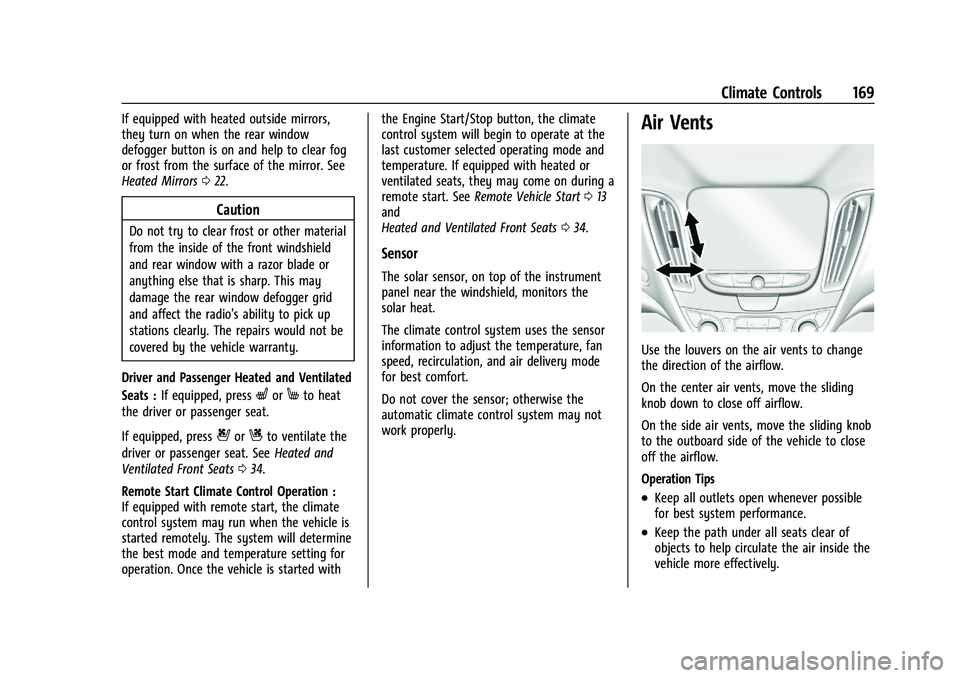
Use the louvers on the air vents to change
the direction of the airflow.
On the center air vents, move the sliding
knob down to close off airflow.
On the side air vents, move the sliding knob
to the outboard side of the vehicle to close
off the airflow.
Operation Tips
.Keep all outlets open whenever possible
for best system performance.
.Keep the path under all seats clear of
objects to help circulate the air inside the
vehicle more effectively.
Page 185 of 351
Chevrolet Malibu Owner Manual (GMNA-Localizing-U.S./Canada-
14584249) - 2021 - CRC - 11/9/20
184 Driving and Operating
Starting Procedure1. With the Keyless Access system, the RKE transmitter must be in the vehicle. Press
ENGINE START/STOP with the brake pedal
applied. When the engine begins
cranking, let go of the button.
The idle speed will go down as the
engine gets warm. Do not race the
engine immediately after starting it.
If the RKE transmitter is not in the
vehicle, if there is interference, or if the
RKE transmitter battery is low, the Driver
Information Center (DIC) will display a
message. See Driver Information Center
(DIC) (Base Level) 094 or
Driver Information Center (DIC) (Uplevel)
0 96 and
Remote Keyless Entry (RKE) System
Operation 07.
Caution
Cranking the engine for long periods of
time, by trying to start the engine
immediately after cranking has ended,
can overheat and damage the cranking
motor, and drain the battery. Wait at
least 15 seconds between each try, to let
the cranking motor cool down. 2. If the engine does not start after five to
10 seconds, especially in very cold
weather (below −18 °C or 0 °F), it could
be flooded with too much gasoline. Try
pushing the accelerator pedal all the way
to the floor and holding it there as you
hold ENGINE START/STOP, for up to a
maximum of 15 seconds. Wait at least
15 seconds between each try, to allow
the cranking motor to cool down. When
the engine starts, let go of the button
and the accelerator. If the vehicle starts
briefly but then stops again, do the
same thing. This clears the extra gasoline
from the engine. Do not race the engine
immediately after starting it. Operate
the engine and transmission gently until
the oil warms up and lubricates all
moving parts.
Stop/Start System
If equipped, the Stop/Start system will shut
off the engine to help conserve fuel. It has
components designed for the increased
number of starts.
{Warning
The automatic engine Stop/Start feature
causes the engine to shut off while the
vehicle is still on. Do not exit the vehicle
before shifting to P (Park). The vehicle
may restart and move unexpectedly.
Always shift to P (Park), and then turn
the ignition off before exiting the vehicle.
Auto Engine Stop/Start
When the brakes are applied and the vehicle
is at a complete stop, the engine may turn
off. When stopped, the tachometer displays
AUTO STOP. See Tachometer083. When the
brake pedal is released or the accelerator
pedal is pressed, the engine will restart.
To maintain vehicle performance, other
conditions may cause the engine to
automatically restart before the brake pedal
is released.
Auto Stops may not occur and/or auto
restarts may occur because:
.The climate control settings require the
engine to be running to cool or heat the
vehicle interior.
.The vehicle battery charge is low.
Page 202 of 351
Chevrolet Malibu Owner Manual (GMNA-Localizing-U.S./Canada-
14584249) - 2021 - CRC - 11/9/20
Driving and Operating 201
come on. The automatic braking may feel or
sound different than if the brakes were
applied manually. This is normal.
Stationary or Very Slow-Moving Objects
{Warning
ACC may not detect and react to stopped
or slow-moving vehicles ahead of you. For
example, the system may not brake for a
vehicle it has never detected moving. This
can occur in stop-and-go traffic or when a
vehicle suddenly appears due to a vehicle
ahead changing lanes. Your vehicle may
not stop and could cause a crash. Use
caution when using ACC. Your complete
attention is always required while driving
and you should be ready to take action
and apply the brakes.
Irregular Objects Affecting ACC
ACC may have difficulty detecting the
following objects:
.Vehicles with cargo extending from the
back end.
.Non-standard shaped vehicles, such as
vehicle transport, vehicles with a side car
fitted, or horse carriages.
.Objects that are close to the front of your
vehicle.
ACC Automatically Disengages
ACC may automatically disengage and the
driver will need to manually apply the
brakes to slow the vehicle if:
.The sensors are blocked.
.The Traction Control System (TCS) or
StabiliTrak/ESC has activated or been
disabled.
.There is a fault in the system.
.The radar falsely reports blockage when
driving in a desert or remote area with
no other vehicles or roadside objects.
A DIC message may display to indicate
that ACC is temporarily unavailable.
The ACC indicator will turn white when ACC
is no longer active. In some cases, when ACC
is temporarily unavailable, regular cruise
control may be used. See “Switching
Between ACC and Regular Cruise Control” in
this section. Always consider driving
conditions before using either cruise control
system. Notification to Resume ACC
ACC will maintain a following gap behind a
detected vehicle and slow your vehicle to a
stop behind that vehicle.
If the stopped vehicle ahead has driven
away and ACC has not resumed, the vehicle
ahead indicator will flash as a reminder to
check traffic before proceeding. In addition,
three beeps will sound. See
“Adaptive Cruise
Go Notifier” in“Collision/Detection Systems”
under Vehicle Personalization 0100.
When the vehicle ahead drives away, press
+RES or the accelerator pedal to resume
ACC. If stopped for more than two minutes
or if the driver door is opened and the
driver seat belt is unbuckled, the ACC
automatically applies the Electric Parking
Brake (EPB) to hold the vehicle. The EPB
status light will turn on. See Electric Parking
Brake 0192. To release the EPB, press the
accelerator pedal.
A DIC warning message may display
indicating to shift to P (Park) before exiting
the vehicle. See Vehicle Messages 099.
Page 230 of 351
Chevrolet Malibu Owner Manual (GMNA-Localizing-U.S./Canada-
14584249) - 2021 - CRC - 11/9/20
Vehicle Care 229
Accessories and Modifications
Adding non-dealer accessories or making
modifications to the vehicle can affect
vehicle performance and safety, including
such things as airbags, braking, stability,
ride and handling, emissions systems,
aerodynamics, durability, and electronic
systems like antilock brakes, traction control,
and stability control. These accessories or
modifications could even cause malfunction
or damage not covered by the vehicle
warranty.
Damage to suspension components caused
by modifying vehicle height outside of
factory settings will not be covered by the
vehicle warranty.
Damage to vehicle components resulting
from modifications or the installation or use
of non-GM certified parts, including control
module or software modifications, is not
covered under the terms of the vehicle
warranty and may affect remaining
warranty coverage for affected parts.
GM Accessories are designed to complement
and function with other systems on the
vehicle. See your dealer to accessorize the
vehicle using genuine GM Accessories
installed by a dealer technician.Also, see
Adding Equipment to the
Airbag-Equipped Vehicle 053.
Vehicle Checks
Doing Your Own Service Work
{Warning
It can be dangerous to work on your
vehicle if you do not have the proper
knowledge, service manual, tools,
or parts. Always follow owner’s manual
procedures and consult the service
manual for your vehicle before doing any
service work.
If doing some of your own service work, use
the proper service manual. It tells you much
more about how to service the vehicle than
this manual can. To order the proper service
manual, see Publication Ordering
Information 0327.
This vehicle has an airbag system. Before
attempting to do your own service work,
see Servicing the Airbag-Equipped Vehicle
0 53. If equipped with remote vehicle start, open
the hood before performing any service
work to prevent remote starting the vehicle
accidentally. See
Remote Vehicle Start 013.
Keep a record with all parts receipts and list
the mileage and the date of any service
work performed. See Maintenance Records
0 315.Caution
Even small amounts of contamination can
cause damage to vehicle systems. Do not
allow contaminants to contact the fluids,
reservoir caps, or dipsticks.
Hood
{Warning
For vehicles with auto engine stop/start,
turn the vehicle off before opening the
hood. If the vehicle is on, the engine will
start when the hood is opened. You or
others could be injured.
Page 334 of 351
Chevrolet Malibu Owner Manual (GMNA-Localizing-U.S./Canada-
14584249) - 2021 - CRC - 11/9/20
OnStar 333
Reactivation for Subsequent Owners
PressQand follow the prompts to speak to
an Advisor as soon as possible. The Advisor
will update vehicle records and explain
OnStar or connected service options.
How OnStar Service Works
Automatic Crash Response, Emergency
Services, Crisis Assist, Stolen Vehicle
Assistance, Remote Services, and Roadside
Assistance are available on most vehicles.
Not all OnStar services are available
everywhere or on all vehicles. For more
information, a full description of OnStar
services, system limitations, and OnStar User
Terms, Privacy Statement, and Software
Terms:
.Call 1-888-4ONSTAR (1-888-466-7827).
.See www.onstar.com (U.S.).
.See www.onstar.ca (Canada).
.Call TTY 1-877-248-2080.
.PressQto speak with an Advisor.
OnStar or connected services cannot work
unless the vehicle is in a place where OnStar
has an agreement with a wireless service
provider for service in that area. The
wireless service provider must also have
coverage, network capacity, reception, and technology compatible with OnStar or
connected services. Service involving location
information about the vehicle cannot work
unless GPS signals are available,
unobstructed, and compatible with the
OnStar hardware. OnStar or connected
services may not work if the OnStar
equipment is not properly installed or it has
not been properly maintained. If equipment
or software is added, connected,
or modified, OnStar or connected services
may not work. Other problems beyond the
control of OnStar
—such as hills, tall
buildings, tunnels, weather, electrical system
design and architecture of the vehicle,
damage to the vehicle in a crash, or wireless
phone network congestion or jamming —
may prevent service.
See Radio Frequency Statement 0328.
Services for People with Disabilities
Advisors provide services to help with
physical disabilities and medical conditions.
Press
Qto help:
.Locate a gas station with an attendant to
pump gas.
.Find a hotel, restaurant, etc., that meets
accessibility needs.
.Provide directions to the closest hospital
or pharmacy in urgent situations.
TTY Users
OnStar has the ability to communicate to
deaf, hard-of-hearing, or speech-impaired
customers while in the vehicle. The available
dealer-installed TTY system can provide
in-vehicle access to all OnStar services,
except Virtual Advisor and OnStar
Turn-by-Turn Navigation.
If equipped, TTY mode can be turned on or
off by touching Settings, then Apps, and
then Phone. When TTY mode is on, phone
calls can be made or received with OnStar
using the infotainment display.
OnStar Personal Identification
Number (PIN)
A PIN is needed to access some OnStar
services. The PIN will need to be changed
the first time when speaking with an
Advisor. To change the OnStar PIN, contact
an OnStar Advisor by pressing
Qor calling
1-888-4ONSTAR.
Warranty
OnStar equipment may be warranted as part
of the vehicle warranty.
Page 338 of 351
Chevrolet Malibu Owner Manual (GMNA-Localizing-U.S./Canada-
14584249) - 2021 - CRC - 11/9/20
Connected Services 337
PressQ, then ask the Advisor to download
directions to the vehicle’s navigation system,
if equipped. After the call ends, the
navigation screen will provide prompts to
begin driving directions. Routes that are sent
to the navigation screen can only be
canceled through the navigation system.
See www.onstar.com (U.S.) or www.onstar.ca
(Canada).
Connections
The following services help with staying
connected.
For coverage maps, see www.onstar.com
(U.S.) or www.onstar.ca (Canada).
Ensuring Security
.Change the default passwords for the
Wi-Fi hotspot and myChevrolet mobile
application. Make these passwords
different from each other and use a
combination of letters and numbers to
increase the security.
.Change the default name of the SSID
(Service Set Identifier). This is your
network’s name that is visible to other
wireless devices. Choose a unique name
and avoid family names or vehicle
descriptions. Wi-Fi Hotspot (If Equipped)
The vehicle may have a built-in Wi-Fi
hotspot that provides access to the Internet
and web content at 4G LTE speed. Up to
seven mobile devices can be connected.
A data plan is required. Use the in-vehicle
controls only when it is safe to do so.
1. To retrieve Wi-Fi hotspot information, press
=to open the OnStar app on the
infotainment display, then select Wi-Fi
Hotspot. On some vehicles, touch Wi-Fi
or Wi-Fi Settings on the screen.
2. The Wi-Fi settings will display the Wi-Fi hotspot name (SSID), password, and on
some vehicles, the connection type (no
Internet connection, 3G, 4G, 4G LTE), and
signal quality (poor, good, excellent). The
LTE icon shows connection to Wi-Fi. It is
possible that the icon may not illuminate
even though the vehicle has an active
connection.
3. To change the SSID or password, press
Qor call 1-888-4ONSTAR to connect
with an Advisor. On some vehicles, the
SSID and password can be changed in
the Wi-Fi Hotspot menu. After initial set-up, your vehicle’s Wi-Fi
hotspot will connect automatically to your
mobile devices. Manage data usage by
turning Wi-Fi on or off on your mobile
device, using the myChevrolet mobile app,
or by contacting an OnStar Advisor. On
some vehicles, Wi-Fi can also be managed
from the Wi-Fi Hotspot menu.
MyChevrolet Mobile App (If Available)
Download the myChevrolet mobile app to
compatible Apple and Android smartphones.
Chevrolet users can access the following
services from a smartphone:
.Remotely start/stop the vehicle,
if factory-equipped.
.Lock/unlock doors, if equipped with
automatic locks.
.Activate the horn and lamps.
.Check the vehicle’s fuel level, oil life,
or tire pressure, if factory-equipped with
the Tire Pressure Monitor System.
.Send destinations to the vehicle.
.Locate the vehicle on a map (U.S.
market only).
.Turn the vehicle's Wi-Fi hotspot on/off,
manage settings, and monitor data
consumption, if equipped.
.Locate a dealer and schedule service.
Page 345 of 351
Chevrolet Malibu Owner Manual (GMNA-Localizing-U.S./Canada-
14584249) - 2021 - CRC - 11/9/20
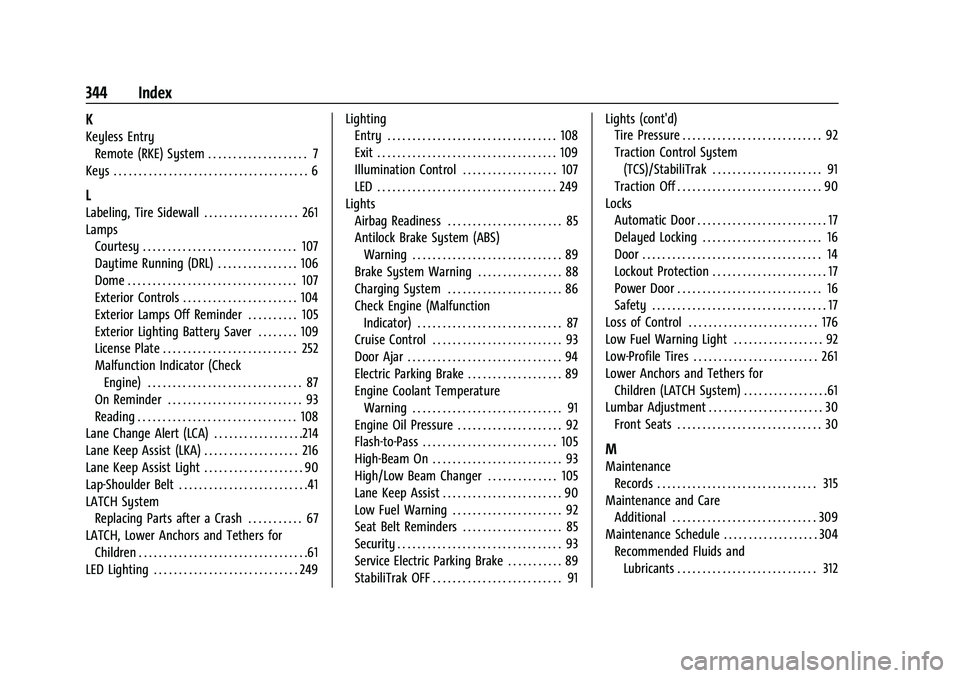
344 Index
K
Keyless EntryRemote (RKE) System . . . . . . . . . . . . . . . . . . . . 7
Keys . . . . . . . . . . . . . . . . . . . . . . . . . . . . . . . . . . . . . . . 6
L
Labeling, Tire Sidewall . . . . . . . . . . . . . . . . . . . 261
Lamps Courtesy . . . . . . . . . . . . . . . . . . . . . . . . . . . . . . . 107
Daytime Running (DRL) . . . . . . . . . . . . . . . . 106
Dome . . . . . . . . . . . . . . . . . . . . . . . . . . . . . . . . . . 107
Exterior Controls . . . . . . . . . . . . . . . . . . . . . . . 104
Exterior Lamps Off Reminder . . . . . . . . . . 105
Exterior Lighting Battery Saver . . . . . . . . 109
License Plate . . . . . . . . . . . . . . . . . . . . . . . . . . . 252
Malfunction Indicator (CheckEngine) . . . . . . . . . . . . . . . . . . . . . . . . . . . . . . . 87
On Reminder . . . . . . . . . . . . . . . . . . . . . . . . . . . 93
Reading . . . . . . . . . . . . . . . . . . . . . . . . . . . . . . . . 108
Lane Change Alert (LCA) . . . . . . . . . . . . . . . . . .214
Lane Keep Assist (LKA) . . . . . . . . . . . . . . . . . . . 216
Lane Keep Assist Light . . . . . . . . . . . . . . . . . . . . 90
Lap-Shoulder Belt . . . . . . . . . . . . . . . . . . . . . . . . . .41
LATCH System
Replacing Parts after a Crash . . . . . . . . . . . 67
LATCH, Lower Anchors and Tethers for Children . . . . . . . . . . . . . . . . . . . . . . . . . . . . . . . . . .61
LED Lighting . . . . . . . . . . . . . . . . . . . . . . . . . . . . . 249 Lighting
Entry . . . . . . . . . . . . . . . . . . . . . . . . . . . . . . . . . . 108
Exit . . . . . . . . . . . . . . . . . . . . . . . . . . . . . . . . . . . . 109
Illumination Control . . . . . . . . . . . . . . . . . . . 107
LED . . . . . . . . . . . . . . . . . . . . . . . . . . . . . . . . . . . . 249
Lights Airbag Readiness . . . . . . . . . . . . . . . . . . . . . . . 85
Antilock Brake System (ABS)
Warning . . . . . . . . . . . . . . . . . . . . . . . . . . . . . . 89
Brake System Warning . . . . . . . . . . . . . . . . . 88
Charging System . . . . . . . . . . . . . . . . . . . . . . . 86
Check Engine (Malfunction Indicator) . . . . . . . . . . . . . . . . . . . . . . . . . . . . . 87
Cruise Control . . . . . . . . . . . . . . . . . . . . . . . . . . 93
Door Ajar . . . . . . . . . . . . . . . . . . . . . . . . . . . . . . . 94
Electric Parking Brake . . . . . . . . . . . . . . . . . . . 89
Engine Coolant Temperature Warning . . . . . . . . . . . . . . . . . . . . . . . . . . . . . . 91
Engine Oil Pressure . . . . . . . . . . . . . . . . . . . . . 92
Flash-to-Pass . . . . . . . . . . . . . . . . . . . . . . . . . . . 105
High-Beam On . . . . . . . . . . . . . . . . . . . . . . . . . . 93
High/Low Beam Changer . . . . . . . . . . . . . . 105
Lane Keep Assist . . . . . . . . . . . . . . . . . . . . . . . . 90
Low Fuel Warning . . . . . . . . . . . . . . . . . . . . . . 92
Seat Belt Reminders . . . . . . . . . . . . . . . . . . . . 85
Security . . . . . . . . . . . . . . . . . . . . . . . . . . . . . . . . . 93
Service Electric Parking Brake . . . . . . . . . . . 89
StabiliTrak OFF . . . . . . . . . . . . . . . . . . . . . . . . . . 91 Lights (cont'd)
Tire Pressure . . . . . . . . . . . . . . . . . . . . . . . . . . . . 92
Traction Control System
(TCS)/StabiliTrak . . . . . . . . . . . . . . . . . . . . . . 91
Traction Off . . . . . . . . . . . . . . . . . . . . . . . . . . . . . 90
Locks Automatic Door . . . . . . . . . . . . . . . . . . . . . . . . . . 17
Delayed Locking . . . . . . . . . . . . . . . . . . . . . . . . 16
Door . . . . . . . . . . . . . . . . . . . . . . . . . . . . . . . . . . . . 14
Lockout Protection . . . . . . . . . . . . . . . . . . . . . . . 17
Power Door . . . . . . . . . . . . . . . . . . . . . . . . . . . . . 16
Safety . . . . . . . . . . . . . . . . . . . . . . . . . . . . . . . . . . . 17
Loss of Control . . . . . . . . . . . . . . . . . . . . . . . . . . 176
Low Fuel Warning Light . . . . . . . . . . . . . . . . . . 92
Low-Profile Tires . . . . . . . . . . . . . . . . . . . . . . . . . 261
Lower Anchors and Tethers for Children (LATCH System) . . . . . . . . . . . . . . . . .61
Lumbar Adjustment . . . . . . . . . . . . . . . . . . . . . . . 30 Front Seats . . . . . . . . . . . . . . . . . . . . . . . . . . . . . 30
M
MaintenanceRecords . . . . . . . . . . . . . . . . . . . . . . . . . . . . . . . . 315
Maintenance and Care Additional . . . . . . . . . . . . . . . . . . . . . . . . . . . . . 309
Maintenance Schedule . . . . . . . . . . . . . . . . . . . 304
Recommended Fluids andLubricants . . . . . . . . . . . . . . . . . . . . . . . . . . . . 312
Page 348 of 351
Chevrolet Malibu Owner Manual (GMNA-Localizing-U.S./Canada-
14584249) - 2021 - CRC - 11/9/20
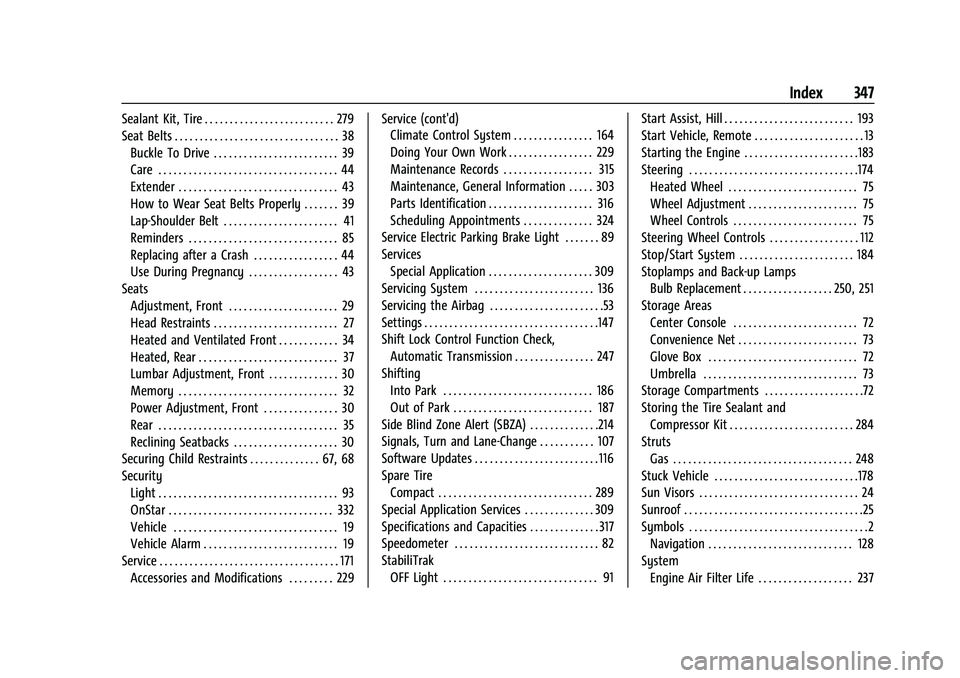
Index 347
Sealant Kit, Tire . . . . . . . . . . . . . . . . . . . . . . . . . . 279
Seat Belts . . . . . . . . . . . . . . . . . . . . . . . . . . . . . . . . . 38Buckle To Drive . . . . . . . . . . . . . . . . . . . . . . . . . 39
Care . . . . . . . . . . . . . . . . . . . . . . . . . . . . . . . . . . . . 44
Extender . . . . . . . . . . . . . . . . . . . . . . . . . . . . . . . . 43
How to Wear Seat Belts Properly . . . . . . . 39
Lap-Shoulder Belt . . . . . . . . . . . . . . . . . . . . . . . 41
Reminders . . . . . . . . . . . . . . . . . . . . . . . . . . . . . . 85
Replacing after a Crash . . . . . . . . . . . . . . . . . 44
Use During Pregnancy . . . . . . . . . . . . . . . . . . 43
Seats
Adjustment, Front . . . . . . . . . . . . . . . . . . . . . . 29
Head Restraints . . . . . . . . . . . . . . . . . . . . . . . . . 27
Heated and Ventilated Front . . . . . . . . . . . . 34
Heated, Rear . . . . . . . . . . . . . . . . . . . . . . . . . . . . 37
Lumbar Adjustment, Front . . . . . . . . . . . . . . 30
Memory . . . . . . . . . . . . . . . . . . . . . . . . . . . . . . . . 32
Power Adjustment, Front . . . . . . . . . . . . . . . 30
Rear . . . . . . . . . . . . . . . . . . . . . . . . . . . . . . . . . . . . 35
Reclining Seatbacks . . . . . . . . . . . . . . . . . . . . . 30
Securing Child Restraints . . . . . . . . . . . . . . 67, 68
Security
Light . . . . . . . . . . . . . . . . . . . . . . . . . . . . . . . . . . . . 93
OnStar . . . . . . . . . . . . . . . . . . . . . . . . . . . . . . . . . 332
Vehicle . . . . . . . . . . . . . . . . . . . . . . . . . . . . . . . . . 19
Vehicle Alarm . . . . . . . . . . . . . . . . . . . . . . . . . . . 19
Service . . . . . . . . . . . . . . . . . . . . . . . . . . . . . . . . . . . . 171 Accessories and Modifications . . . . . . . . . 229 Service (cont'd)
Climate Control System . . . . . . . . . . . . . . . . 164
Doing Your Own Work . . . . . . . . . . . . . . . . . 229
Maintenance Records . . . . . . . . . . . . . . . . . . 315
Maintenance, General Information . . . . . 303
Parts Identification . . . . . . . . . . . . . . . . . . . . . 316
Scheduling Appointments . . . . . . . . . . . . . . 324
Service Electric Parking Brake Light . . . . . . . 89
Services Special Application . . . . . . . . . . . . . . . . . . . . . 309
Servicing System . . . . . . . . . . . . . . . . . . . . . . . . 136
Servicing the Airbag . . . . . . . . . . . . . . . . . . . . . . .53
Settings . . . . . . . . . . . . . . . . . . . . . . . . . . . . . . . . . . .147
Shift Lock Control Function Check, Automatic Transmission . . . . . . . . . . . . . . . . 247
Shifting
Into Park . . . . . . . . . . . . . . . . . . . . . . . . . . . . . . 186
Out of Park . . . . . . . . . . . . . . . . . . . . . . . . . . . . 187
Side Blind Zone Alert (SBZA) . . . . . . . . . . . . . .214
Signals, Turn and Lane-Change . . . . . . . . . . . 107
Software Updates . . . . . . . . . . . . . . . . . . . . . . . . . 116
Spare Tire Compact . . . . . . . . . . . . . . . . . . . . . . . . . . . . . . . 289
Special Application Services . . . . . . . . . . . . . . 309
Specifications and Capacities . . . . . . . . . . . . . . 317
Speedometer . . . . . . . . . . . . . . . . . . . . . . . . . . . . . 82
StabiliTrak OFF Light . . . . . . . . . . . . . . . . . . . . . . . . . . . . . . . 91 Start Assist, Hill . . . . . . . . . . . . . . . . . . . . . . . . . . 193
Start Vehicle, Remote . . . . . . . . . . . . . . . . . . . . . . 13
Starting the Engine . . . . . . . . . . . . . . . . . . . . . . .183
Steering . . . . . . . . . . . . . . . . . . . . . . . . . . . . . . . . . .174
Heated Wheel . . . . . . . . . . . . . . . . . . . . . . . . . . 75
Wheel Adjustment . . . . . . . . . . . . . . . . . . . . . . 75
Wheel Controls . . . . . . . . . . . . . . . . . . . . . . . . . 75
Steering Wheel Controls . . . . . . . . . . . . . . . . . . 112
Stop/Start System . . . . . . . . . . . . . . . . . . . . . . . 184
Stoplamps and Back-up Lamps Bulb Replacement . . . . . . . . . . . . . . . . . . 250, 251
Storage Areas Center Console . . . . . . . . . . . . . . . . . . . . . . . . . 72
Convenience Net . . . . . . . . . . . . . . . . . . . . . . . . 73
Glove Box . . . . . . . . . . . . . . . . . . . . . . . . . . . . . . 72
Umbrella . . . . . . . . . . . . . . . . . . . . . . . . . . . . . . . 73
Storage Compartments . . . . . . . . . . . . . . . . . . . .72
Storing the Tire Sealant and Compressor Kit . . . . . . . . . . . . . . . . . . . . . . . . . 284
Struts Gas . . . . . . . . . . . . . . . . . . . . . . . . . . . . . . . . . . . . 248
Stuck Vehicle . . . . . . . . . . . . . . . . . . . . . . . . . . . . .178
Sun Visors . . . . . . . . . . . . . . . . . . . . . . . . . . . . . . . . 24
Sunroof . . . . . . . . . . . . . . . . . . . . . . . . . . . . . . . . . . . .25
Symbols . . . . . . . . . . . . . . . . . . . . . . . . . . . . . . . . . . . .2 Navigation . . . . . . . . . . . . . . . . . . . . . . . . . . . . . 128
System Engine Air Filter Life . . . . . . . . . . . . . . . . . . . 237