climate settings CHEVROLET MALIBU 2023 User Guide
[x] Cancel search | Manufacturer: CHEVROLET, Model Year: 2023, Model line: MALIBU, Model: CHEVROLET MALIBU 2023Pages: 332, PDF Size: 6.2 MB
Page 163 of 332
Chevrolet Malibu Owner Manual (GMNA-Localizing-U.S./Canada-
16273584) - 2023 - CRC - 9/28/22
162 Climate Controls
The rear window defogger can be set to
automatic operation. To turn Auto Defog off
or on, select Settings > Climate and Air
Quality > Auto Rear Defog > Select ON or
OFF. When Auto Rear Defog is selected, the
rear window defogger turns on
automatically when the interior temperature
is cold and the outside temperature is about
7 °C (45 °F) and below. The auto rear
defogger turns off automatically.
If equipped with heated outside mirrors,
they turn on when the rear window
defogger button is on and help to clear fog
or frost from the surface of the mirror. See
Heated Mirrors022.
Caution
Do not try to clear frost or other material
from the inside of the front windshield
and rear window with a razor blade or
anything else that is sharp. This may
damage the rear window defogger grid
and affect the radio's ability to pick up
stations clearly. The repairs would not be
covered by the vehicle warranty. Driver and Passenger Heated and Ventilated
Seats :
If equipped, press
LorMto heat
the driver or passenger seat.
If equipped, press
{orCto ventilate the
driver or passenger seat. See Heated and
Ventilated Front Seats 034.
Remote Start Climate Control Operation :
If equipped with remote start, the climate
control system may run when the vehicle is
started remotely. The system will determine
the best mode and temperature setting for
operation. Once the vehicle is started with
the Engine Start/Stop button, the climate
control system will begin to operate at the
last customer selected operating mode and
temperature. If equipped with heated or
ventilated seats, they may come on during a
remote start. See Remote Vehicle Start 013
and
Heated and Ventilated Front Seats 034.
Sensor
The solar sensor, on top of the instrument
panel near the windshield, monitors the
solar heat. The climate control system uses the sensor
information to adjust the temperature, fan
speed, recirculation, and air delivery mode
for best comfort.
Do not cover the sensor; otherwise the
automatic climate control system may not
work properly.
Afterblow Feature
If equipped, under certain conditions, the
fan may stay on or may turn on and off
several times after you turn off and lock the
vehicle. This is normal.
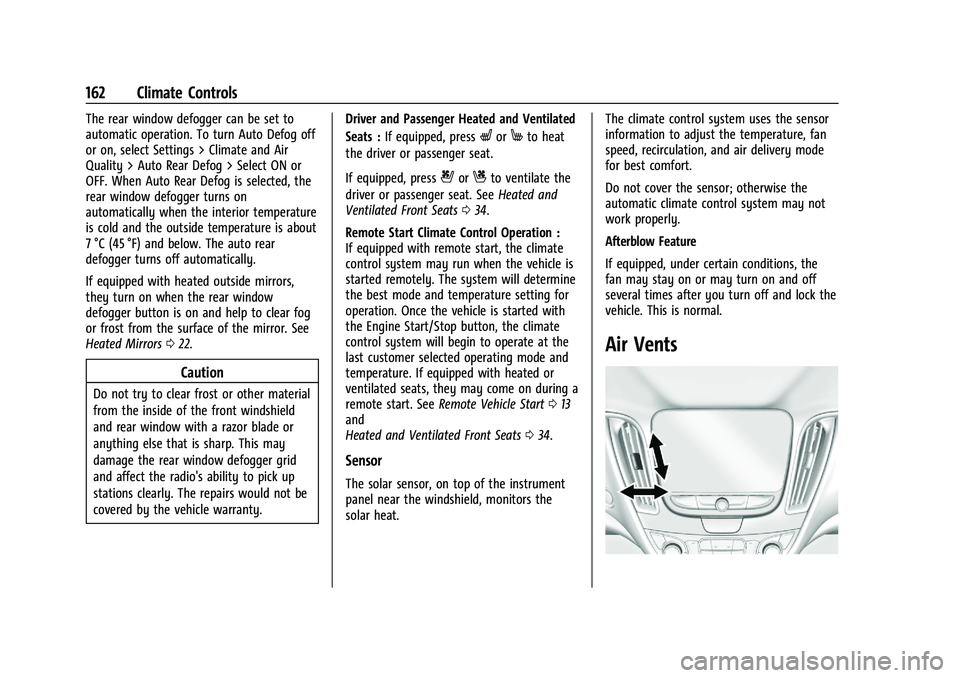
Air Vents
Page 167 of 332
Chevrolet Malibu Owner Manual (GMNA-Localizing-U.S./Canada-
16273584) - 2023 - CRC - 9/28/22
166 Driving and Operating
Driving Information
Driving for Better Fuel Economy
Driving habits can affect fuel mileage. Here
are some driving tips to get the best fuel
economy possible:
.Set the climate controls to the desired
temperature after the engine is started,
or turn them off when not required.
.Avoid fast starts and accelerate smoothly.
.Brake gradually and avoid abrupt stops.
.Avoid idling the engine for long periods
of time.
.When road and weather conditions are
appropriate, use cruise control.
.Always follow posted speed limits or
drive more slowly when conditions
require.
.Keep vehicle tires properly inflated.
.Combine several trips into a single trip.
.Replace the vehicle's tires with the same
TPC Spec number molded into the tire's
sidewall near the size.
.Follow recommended scheduled
maintenance.
Distracted Driving
Distraction comes in many forms and can
take your focus from the task of driving.
Exercise good judgment and do not let other
activities divert your attention away from
the road. Many local governments have
enacted laws regarding driver distraction.
Become familiar with the local laws in
your area.
To avoid distracted driving, keep your eyes
on the road, keep your hands on the
steering wheel, and focus your attention on
driving.
.Do not use a phone in demanding driving
situations. Use a hands-free method to
place or receive necessary phone calls.
.Watch the road. Do not read, take notes,
or look up information on phones or
other electronic devices.
.Designate a front seat passenger to
handle potential distractions.
.Become familiar with vehicle features
before driving, such as programming
favorite radio stations and adjusting
climate control and seat settings. Program
all trip information into any navigation
device prior to driving.
.Wait until the vehicle is parked to
retrieve items that have fallen to the
floor.
.Stop or park the vehicle to tend to
children.
.Keep pets in an appropriate carrier or
restraint.
.Avoid stressful conversations while
driving, whether with a passenger or on a
cell phone.
{Warning
Taking your eyes off the road too long or
too often could cause a crash resulting in
injury or death. Focus your attention on
driving.
Refer to the infotainment section for more
information on using that system and the
navigation system, if equipped, including
pairing and using a cell phone.
Defensive Driving
Defensive driving means “always expect the
unexpected.” The first step in driving
defensively is to wear the seat belt. See
Seat Belts 037.
Page 179 of 332
Chevrolet Malibu Owner Manual (GMNA-Localizing-U.S./Canada-
16273584) - 2023 - CRC - 9/28/22
178 Driving and Operating
{Warning
The automatic engine Stop/Start feature
causes the engine to shut off while the
vehicle is still on. Do not exit the vehicle
before shifting to P (Park). The vehicle
may restart and move unexpectedly.
Always shift to P (Park), and then turn
the ignition off before exiting the vehicle.
Auto Engine Stop/Start
When the brakes are applied and the vehicle
is at a complete stop, the engine may turn
off. When stopped, the tachometer displays
AUTO STOP. See Tachometer083. When the
brake pedal is released or the accelerator
pedal is pressed, the engine will restart.
To maintain vehicle performance, other
conditions may cause the engine to
automatically restart before the brake pedal
is released.
Auto Stops may not occur and/or auto
restarts may occur because:
.The climate control settings require the
engine to be running to cool or heat the
vehicle interior.
.The vehicle battery needs to charge.
.The vehicle battery has recently been
disconnected.
.Minimum vehicle speed has not been
reached since the last Auto Stop.
.The accelerator pedal is pressed.
.The engine or transmission is not at the
required operating temperature.
.The outside temperature is not in the
required operating range.
.The vehicle transmission is shifted out of
D (Drive) to any gear other than P (Park).
.Certain driver modes have been selected.
.The vehicle is on a steep hill or grade.
.The driver door has been opened or driver
seat belt has been unbuckled.
.The hood has been opened.
.The Auto Stop has reached the maximum
allowed time. Auto Stop Disable Switch
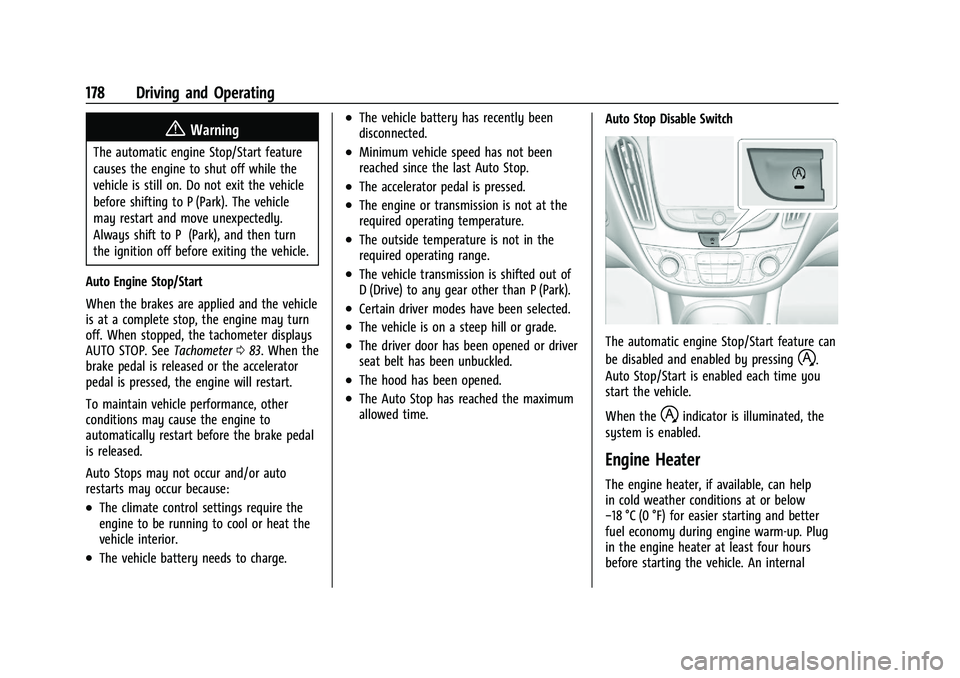
The automatic engine Stop/Start feature can
be disabled and enabled by pressing
h.
Auto Stop/Start is enabled each time you
start the vehicle.
When the
hindicator is illuminated, the
system is enabled.
Engine Heater
The engine heater, if available, can help
in cold weather conditions at or below
−18 °C (0 °F) for easier starting and better
fuel economy during engine warm-up. Plug
in the engine heater at least four hours
before starting the vehicle. An internal
Page 329 of 332
Chevrolet Malibu Owner Manual (GMNA-Localizing-U.S./Canada-
16273584) - 2023 - CRC - 9/28/22
328 Index
Reporting Safety DefectsCanadian Government . . . . . . . . . . . . . . . . . 309
General Motors . . . . . . . . . . . . . . . . . . . . . . . . 309
U.S. Government . . . . . . . . . . . . . . . . . . . . . . . 308
Restraints Where to Put . . . . . . . . . . . . . . . . . . . . . . . . . . . 59
Retained Accessory Power (RAP) . . . . . . . . . 179
Reverse Tilt Mirrors . . . . . . . . . . . . . . . . . . . . . . . .22
Roads
Driving, Wet . . . . . . . . . . . . . . . . . . . . . . . . . . . 169
Roadside Assistance Program . . . . . . . . . . . . 303
Roof
Sunroof . . . . . . . . . . . . . . . . . . . . . . . . . . . . . . . . . 25
Rotation, Tires . . . . . . . . . . . . . . . . . . . . . . . . . . . 263
Routing, Engine Drive Belt . . . . . . . . . . . . . . . 299
Running the Vehicle While Parked . . . . . . . . 181
S
Safety Locks . . . . . . . . . . . . . . . . . . . . . . . . . . . . . . . . . . . . 17
Safety Defects Reporting
Canadian Government . . . . . . . . . . . . . . . . . 309
General Motors . . . . . . . . . . . . . . . . . . . . . . . . 309
U.S. Government . . . . . . . . . . . . . . . . . . . . . . . 308
Safety System Check . . . . . . . . . . . . . . . . . . . . . 44
Satellite Radio . . . . . . . . . . . . . . . . . . . . . . . . . . . . 117
Scheduling Appointments . . . . . . . . . . . . . . . . 305
Seat Belts . . . . . . . . . . . . . . . . . . . . . . . . . . . . . . . . . .37 Seat Belts (cont'd)
Buckle To Drive . . . . . . . . . . . . . . . . . . . . . . . . . 38
Care . . . . . . . . . . . . . . . . . . . . . . . . . . . . . . . . . . . . 44
Extender . . . . . . . . . . . . . . . . . . . . . . . . . . . . . . . . 43
How to Wear Seat Belts Properly . . . . . . . 39
Lap-Shoulder Belt . . . . . . . . . . . . . . . . . . . . . . . 41
Reminders . . . . . . . . . . . . . . . . . . . . . . . . . . . . . . 85
Replacing after a Crash . . . . . . . . . . . . . . . . . 44
Use During Pregnancy . . . . . . . . . . . . . . . . . . 43
Seats Adjustment, Front . . . . . . . . . . . . . . . . . . . . . . 29
Head Restraints . . . . . . . . . . . . . . . . . . . . . . . . . 27
Heated and Ventilated, Front . . . . . . . . . . . 34
Lumbar Adjustment, Front . . . . . . . . . . . . . . 32
Memory . . . . . . . . . . . . . . . . . . . . . . . . . . . . . . . . 32
Power Adjustment, Front . . . . . . . . . . . . . . . 30
Rear . . . . . . . . . . . . . . . . . . . . . . . . . . . . . . . . . . . . 35
Reclining Seatbacks . . . . . . . . . . . . . . . . . . . . . 30
Securing Child Restraints . . . . . . . . . . . . . . 67, 69
Security Light . . . . . . . . . . . . . . . . . . . . . . . . . . . . . . . . . . . . 94
OnStar . . . . . . . . . . . . . . . . . . . . . . . . . . . . . . . . . 313
Vehicle . . . . . . . . . . . . . . . . . . . . . . . . . . . . . . . . . 19
Vehicle Alarm . . . . . . . . . . . . . . . . . . . . . . . . . . . 20
Service . . . . . . . . . . . . . . . . . . . . . . . . . . . . . . . . . . . 164 Accessories and Modifications . . . . . . . . . 221
Climate Control System . . . . . . . . . . . . . . . . . 157
Doing Your Own Work . . . . . . . . . . . . . . . . . 222 Service (cont'd)
Electric Parking Brake Light . . . . . . . . . . . . . 90
Maintenance Records . . . . . . . . . . . . . . . . . . 296
Maintenance, General Information . . . . . 289
Parts Identification . . . . . . . . . . . . . . . . . . . . . 297
Scheduling Appointments . . . . . . . . . . . . . . 305
Services
Special Application . . . . . . . . . . . . . . . . . . . . . 293
Servicing System . . . . . . . . . . . . . . . . . . . . . . . . . 132
Servicing the Airbag . . . . . . . . . . . . . . . . . . . . . . .53
Settings . . . . . . . . . . . . . . . . . . . . . . . . . . . . . . . . . . 144
Shift Lock Control Function Check, Automatic Transmission . . . . . . . . . . . . . . . . 236
Shifting Into Park . . . . . . . . . . . . . . . . . . . . . . . . . . . . . . 179
Out of Park . . . . . . . . . . . . . . . . . . . . . . . . . . . . 180
Side Blind Zone Alert (SBZA) . . . . . . . . . . . . . 207
Signals, Turn and Lane-Change . . . . . . . . . . . 105
Software Updates . . . . . . . . . . . . . . . . . . . . . . . . . 115
Spare Tire Compact . . . . . . . . . . . . . . . . . . . . . . . . . . . . . . . 275
Special Application Services . . . . . . . . . . . . . . 293
Specifications and Capacities . . . . . . . . . . . . . 298
Speedometer . . . . . . . . . . . . . . . . . . . . . . . . . . . . . 82
StabiliTrak OFF Light . . . . . . . . . . . . . . . . . . . . . . . . . . . . . . . 92
Start Assist, Hill . . . . . . . . . . . . . . . . . . . . . . . . . . 186
Start Vehicle, Remote . . . . . . . . . . . . . . . . . . . . . . 13