warning light CHEVROLET MALIBU 2023 Owners Manual
[x] Cancel search | Manufacturer: CHEVROLET, Model Year: 2023, Model line: MALIBU, Model: CHEVROLET MALIBU 2023Pages: 332, PDF Size: 6.2 MB
Page 2 of 332
Chevrolet Malibu Owner Manual (GMNA-Localizing-U.S./Canada-
16273584) - 2023 - CRC - 9/28/22
Contents
Introduction . . . . . . . . . . . . . . . . . . . . . . . . . . . . . . 1
Keys, Doors, and Windows . . . . . . . . . . . . . . . 6
Seats and Restraints . . . . . . . . . . . . . . . . . . . . . 27
Storage . . . . . . . . . . . . . . . . . . . . . . . . . . . . . . . . . . 72
Instruments and Controls . . . . . . . . . . . . . . . . 74
Lighting . . . . . . . . . . . . . . . . . . . . . . . . . . . . . . . . 102
Infotainment System . . . . . . . . . . . . . . . . . . . 109
Climate Controls . . . . . . . . . . . . . . . . . . . . . . . . 157
Driving and Operating . . . . . . . . . . . . . . . . . . 165
Vehicle Care . . . . . . . . . . . . . . . . . . . . . . . . . . . . 220
Service and Maintenance . . . . . . . . . . . . . . . 289
Technical Data . . . . . . . . . . . . . . . . . . . . . . . . . 297
Customer Information . . . . . . . . . . . . . . . . . 300
Reporting Safety Defects . . . . . . . . . . . . . . . 308
OnStar . . . . . . . . . . . . . . . . . . . . . . . . . . . . . . . . . . 312
Connected Services . . . . . . . . . . . . . . . . . . . . . 317
Index . . . . . . . . . . . . . . . . . . . . . . . . . . 320
Introduction
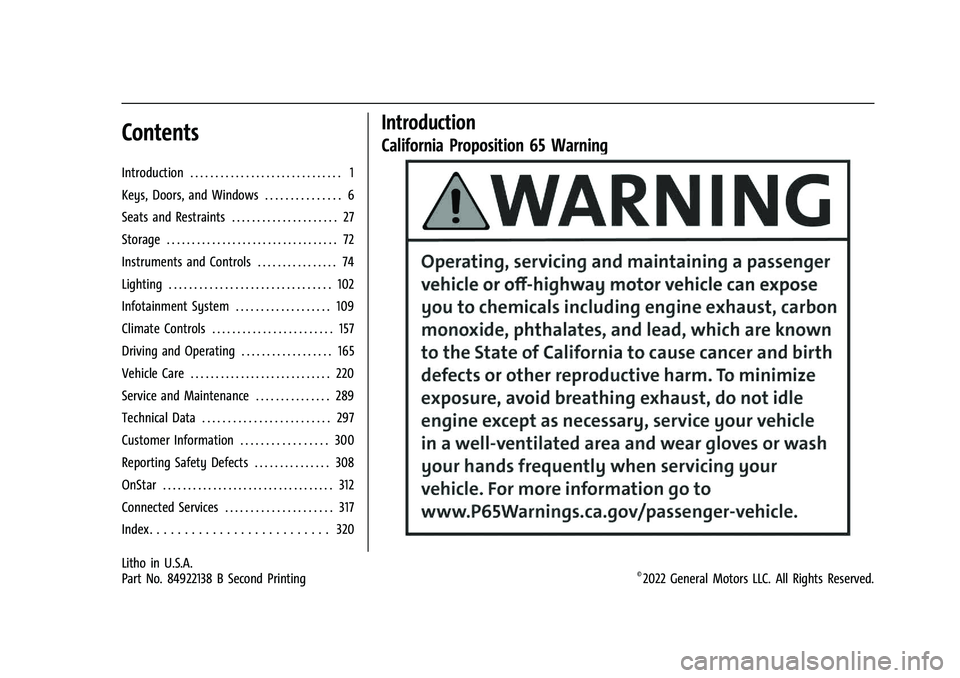
California Proposition 65 Warning
Litho in U.S.A.
Part No. 84922138 B Second Printing©2022 General Motors LLC. All Rights Reserved.
Page 4 of 332
Chevrolet Malibu Owner Manual (GMNA-Localizing-U.S./Canada-
16273584) - 2023 - CRC - 9/28/22
Introduction 3
A circle with a slash through it is a safety
symbol which means“Do not,” “Do not do
this,” or“Do not let this happen.”
Symbols
The vehicle has components and labels that
use symbols instead of text. Symbols are
shown along with the text describing the
operation or information relating to a
specific component, control, message, gauge,
or indicator.
M:Shown when the owner’s manual has
additional instructions or information.
*: Shown when the service manual has
additional instructions or information.
0: Shown when there is more information
on another page — “see page.”
Vehicle Symbol Chart
Here are some additional symbols that may
be found on the vehicle and what they
mean. See the features in this manual for
information.
u: Air Conditioning System
G:Air Conditioning Refrigerant Oil
9:Airbag Readiness Light
!:Antilock Brake System (ABS)
$:Brake System Warning Light
9:Dispose of Used Components Properly
P:Do Not Apply High Pressure Water
B:Engine Coolant Temperature
_:Flame/Fire Prohibited
H: Flammable
[:Forward Collision Alert
R:Fuse Block Cover Lock Location
+:Fuses
j:ISOFIX/LATCH System Child Restraints
Q:Keep Fuse Block Covers Properly
Installed
|: Lane Change Alert
@:Lane Departure Warning
A:Lane Keep Assist
*: Malfunction Indicator Lamp
::Oil Pressure
X:Park Assist
~:Pedestrian Ahead Indicator
O:Power
7:Rear Cross Traffic Alert
I:Registered Technician
/:Remote Vehicle Start
h:Risk of Electrical Fire
>:Seat Belt Reminders
I:Side Blind Zone Alert
h:Stop/Start
7:Tire Pressure Monitor
d:Traction Control/StabiliTrak/Electronic
Stability Control (ESC)
a: Under Pressure
k: Vehicle Ahead Indicator
Page 6 of 332
Chevrolet Malibu Owner Manual (GMNA-Localizing-U.S./Canada-
16273584) - 2023 - CRC - 9/28/22
Introduction 5
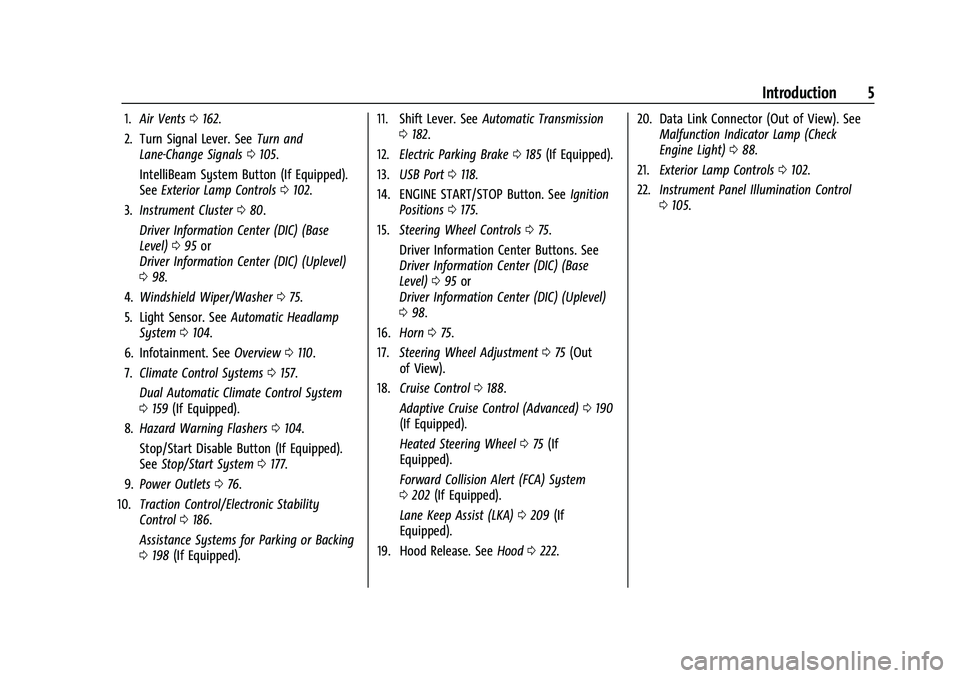
1.Air Vents 0162.
2. Turn Signal Lever. See Turn and
Lane-Change Signals 0105.
IntelliBeam System Button (If Equipped).
See Exterior Lamp Controls 0102.
3. Instrument Cluster 080.
Driver Information Center (DIC) (Base
Level) 095 or
Driver Information Center (DIC) (Uplevel)
0 98.
4. Windshield Wiper/Washer 075.
5. Light Sensor. See Automatic Headlamp
System 0104.
6. Infotainment. See Overview0110.
7. Climate Control Systems 0157.
Dual Automatic Climate Control System
0 159 (If Equipped).
8. Hazard Warning Flashers 0104.
Stop/Start Disable Button (If Equipped).
See Stop/Start System 0177.
9. Power Outlets 076.
10. Traction Control/Electronic Stability
Control 0186.
Assistance Systems for Parking or Backing
0 198 (If Equipped). 11. Shift Lever. See
Automatic Transmission
0 182.
12. Electric Parking Brake 0185 (If Equipped).
13. USB Port 0118.
14. ENGINE START/STOP Button. See Ignition
Positions 0175.
15. Steering Wheel Controls 075.
Driver Information Center Buttons. See
Driver Information Center (DIC) (Base
Level) 095 or
Driver Information Center (DIC) (Uplevel)
0 98.
16. Horn 075.
17. Steering Wheel Adjustment 075 (Out
of View).
18. Cruise Control 0188.
Adaptive Cruise Control (Advanced) 0190
(If Equipped).
Heated Steering Wheel 075 (If
Equipped).
Forward Collision Alert (FCA) System
0 202 (If Equipped).
Lane Keep Assist (LKA) 0209 (If
Equipped).
19. Hood Release. See Hood0222. 20. Data Link Connector (Out of View). See
Malfunction Indicator Lamp (Check
Engine Light) 088.
21. Exterior Lamp Controls 0102.
22. Instrument Panel Illumination Control
0105.
Page 22 of 332
Chevrolet Malibu Owner Manual (GMNA-Localizing-U.S./Canada-
16273584) - 2023 - CRC - 9/28/22
Keys, Doors, and Windows 21
How to Detect a Tamper Condition
IfKis pressed on the RKE transmitter and
the horn chirps and the lights flash three
times, an alarm occurred previously while
the alarm system was armed.
If the alarm has been activated, a message
will appear on the Driver Information
Center (DIC).
Immobilizer
See Radio Frequency Statement 0308.
Immobilizer Operation
This vehicle has a passive theft-deterrent
system.
The system does not have to be manually
armed or disarmed.
The vehicle is automatically immobilized
when the remote key leaves the vehicle.
The immobilization system is disarmed
when the ignition button is pushed in and a
valid remote key is in the vehicle.
The security light on the instrument cluster
comes on when there is a problem with
arming or disarming the theft-deterrent
system.
The system has one or more remote keys
matched to an immobilizer control unit in
the vehicle. Only a correctly matched
remote key will start the vehicle. If the
remote key is ever damaged, you may not
be able to start your vehicle.
When trying to start the vehicle, the
security light comes on briefly when the
ignition is turned on.
If the vehicle does not start and the security
light stays on, there is a problem with the
system. Turn the vehicle off and try again.
If the remote key appears to be undamaged,
try another remote key, or place the remote
key in the remote key pocket. See “Starting
the Vehicle with a Low Remote Key” under
Remote Key Operation 07. If the vehicle does not start with the other
remote key or when the remote key is in
the remote key pocket, the vehicle needs
service. See your dealer who can service the
theft-deterrent system and have a new
remote key programmed to the vehicle.
Do not leave the key or device that disarms
or deactivates the theft-deterrent system in
the vehicle.
Exterior Mirrors
Convex Mirrors
{Warning
A convex mirror can make things, like
other vehicles, look farther away than
they really are. If you cut too sharply
into the right lane, you could hit a
vehicle on the right. Check the inside
mirror or glance over your shoulder
before changing lanes.
The passenger side mirror is convex shaped.
A convex mirror surface is curved so more
can be seen from the driver seat.
Page 25 of 332
Chevrolet Malibu Owner Manual (GMNA-Localizing-U.S./Canada-
16273584) - 2023 - CRC - 9/28/22
24 Keys, Doors, and Windows
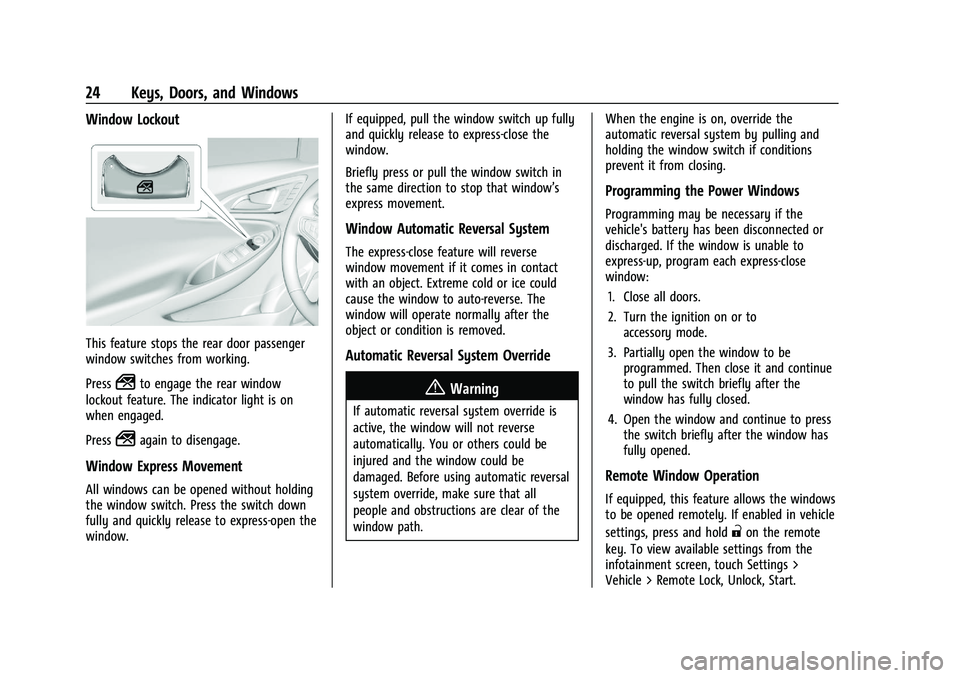
Window Lockout
This feature stops the rear door passenger
window switches from working.
Press
2to engage the rear window
lockout feature. The indicator light is on
when engaged.
Press
2again to disengage.
Window Express Movement
All windows can be opened without holding
the window switch. Press the switch down
fully and quickly release to express-open the
window. If equipped, pull the window switch up fully
and quickly release to express-close the
window.
Briefly press or pull the window switch in
the same direction to stop that window’s
express movement.
Window Automatic Reversal System
The express-close feature will reverse
window movement if it comes in contact
with an object. Extreme cold or ice could
cause the window to auto-reverse. The
window will operate normally after the
object or condition is removed.
Automatic Reversal System Override
{Warning
If automatic reversal system override is
active, the window will not reverse
automatically. You or others could be
injured and the window could be
damaged. Before using automatic reversal
system override, make sure that all
people and obstructions are clear of the
window path.
When the engine is on, override the
automatic reversal system by pulling and
holding the window switch if conditions
prevent it from closing.
Programming the Power Windows
Programming may be necessary if the
vehicle's battery has been disconnected or
discharged. If the window is unable to
express-up, program each express-close
window:
1. Close all doors.
2. Turn the ignition on or to accessory mode.
3. Partially open the window to be programmed. Then close it and continue
to pull the switch briefly after the
window has fully closed.
4. Open the window and continue to press the switch briefly after the window has
fully opened.
Remote Window Operation
If equipped, this feature allows the windows
to be opened remotely. If enabled in vehicle
settings, press and hold
"on the remote
key. To view available settings from the
infotainment screen, touch Settings >
Vehicle > Remote Lock, Unlock, Start.
Page 42 of 332
Chevrolet Malibu Owner Manual (GMNA-Localizing-U.S./Canada-
16273584) - 2023 - CRC - 9/28/22
Seats and Restraints 41
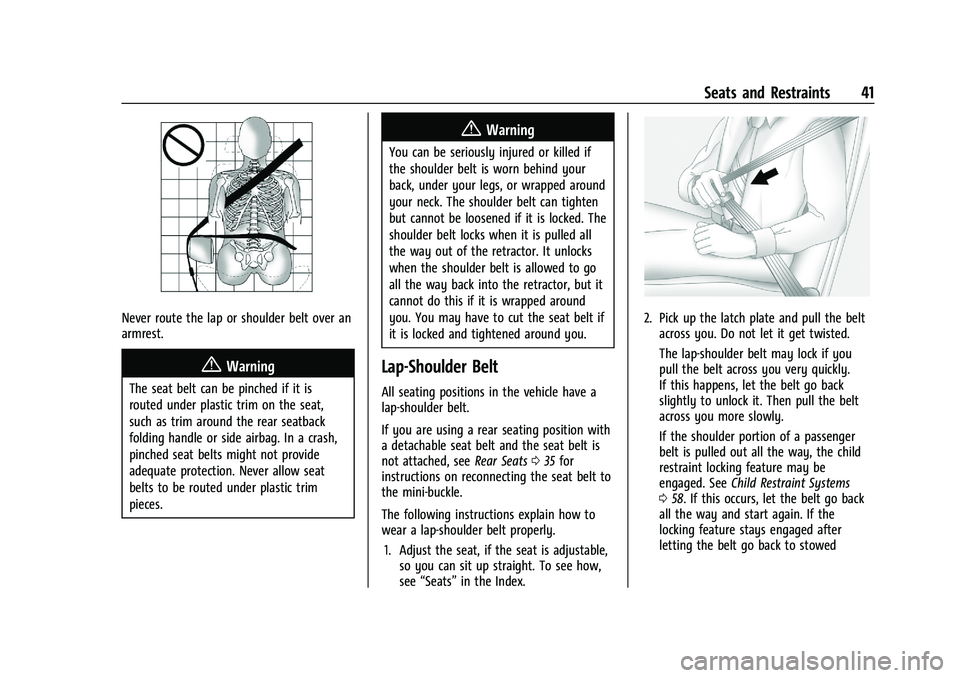
Never route the lap or shoulder belt over an
armrest.
{Warning
The seat belt can be pinched if it is
routed under plastic trim on the seat,
such as trim around the rear seatback
folding handle or side airbag. In a crash,
pinched seat belts might not provide
adequate protection. Never allow seat
belts to be routed under plastic trim
pieces.
{Warning
You can be seriously injured or killed if
the shoulder belt is worn behind your
back, under your legs, or wrapped around
your neck. The shoulder belt can tighten
but cannot be loosened if it is locked. The
shoulder belt locks when it is pulled all
the way out of the retractor. It unlocks
when the shoulder belt is allowed to go
all the way back into the retractor, but it
cannot do this if it is wrapped around
you. You may have to cut the seat belt if
it is locked and tightened around you.
Lap-Shoulder Belt
All seating positions in the vehicle have a
lap-shoulder belt.
If you are using a rear seating position with
a detachable seat belt and the seat belt is
not attached, seeRear Seats035 for
instructions on reconnecting the seat belt to
the mini-buckle.
The following instructions explain how to
wear a lap-shoulder belt properly.
1. Adjust the seat, if the seat is adjustable, so you can sit up straight. To see how,
see “Seats” in the Index.
2. Pick up the latch plate and pull the belt
across you. Do not let it get twisted.
The lap-shoulder belt may lock if you
pull the belt across you very quickly.
If this happens, let the belt go back
slightly to unlock it. Then pull the belt
across you more slowly.
If the shoulder portion of a passenger
belt is pulled out all the way, the child
restraint locking feature may be
engaged. See Child Restraint Systems
0 58. If this occurs, let the belt go back
all the way and start again. If the
locking feature stays engaged after
letting the belt go back to stowed
Page 45 of 332
Chevrolet Malibu Owner Manual (GMNA-Localizing-U.S./Canada-
16273584) - 2023 - CRC - 9/28/22
44 Seats and Restraints
Safety System Check
Periodically check the seat belt reminder,
seat belts, buckles, latch plates, retractors,
shoulder belt height adjusters (if equipped),
and seat belt anchorages to make sure they
are all in working order. Look for any other
loose or damaged seat belt system parts
that might keep a seat belt system from
performing properly. See your dealer to
have it repaired. Torn, frayed, or twisted
seat belts may not protect you in a crash.
Torn or frayed seat belts can rip apart under
impact forces. If a belt is torn or frayed,
have it replaced immediately. If a belt is
twisted, it may be possible to untwist by
reversing the latch plate on the webbing.
If the twist cannot be corrected, ask your
dealer to fix it.
Make sure the seat belt reminder light is
working. SeeSeat Belt Reminders 085.
Keep seat belts clean and dry. See Seat Belt
Care 044.
Seat Belt Care
Keep belts clean and dry.
Seat belts should be properly cared for and
maintained. Seat belt hardware should be kept dry and
free of dust or debris. As necessary, exterior
hard surfaces and seat belt webbing may be
lightly cleaned with mild soap and water.
Ensure there is not excessive dust or debris
in the mechanism. If dust or debris exists in
the system please see the dealer. Parts may
need to be replaced to ensure proper
functionality of the system.
{Warning
Do not bleach or dye seat belt webbing.
It may severely weaken the webbing. In
a crash, they might not be able to
provide adequate protection. Clean and
rinse seat belt webbing only with mild
soap and lukewarm water. Allow the
webbing to dry.
Replacing Seat Belt System Parts
after a Crash
{Warning
A crash can damage the seat belt system
in the vehicle. A damaged seat belt
system may not properly protect the
person using it, resulting in serious injury
(Continued)
Warning (Continued)
or even death in a crash. To help make
sure the seat belt systems are working
properly after a crash, have them
inspected and any necessary
replacements made as soon as possible.
After a minor crash, replacement of seat
belts may not be necessary. But the seat
belt assemblies that were used during any
crash may have been stressed or damaged.
See your dealer to have the seat belt
assemblies inspected or replaced.
New parts and repairs may be necessary
even if the seat belt system was not being
used at the time of the crash.
Have the seat belt pretensioners checked if
the vehicle has been in a crash, or if the
airbag readiness light stays on after you
start the vehicle or while you are driving.
See Airbag Readiness Light 086.
Airbag System
The vehicle has the following airbags:
.A frontal airbag for the driver
.A frontal airbag for the front outboard
passenger
Page 47 of 332
Chevrolet Malibu Owner Manual (GMNA-Localizing-U.S./Canada-
16273584) - 2023 - CRC - 9/28/22
46 Seats and Restraints
Warning (Continued)
most effective when you are sitting well
back and upright in the seat with both
feet on the floor.
Occupants should not lean on or sleep
against the door or side windows in
seating positions with seat-mounted side
impact airbags and/or roof-rail airbags.
{Warning
Children who are up against, or very
close to, any airbag when it inflates can
be seriously injured or killed. Always
secure children properly in the vehicle. To
read how, seeOlder Children 054 or
Infants and Young Children 056.
There is an airbag readiness light on the
instrument cluster, which shows the airbag
symbol. The system checks the airbag
electrical system for malfunctions. The light
tells you if there is an electrical problem.
See Airbag Readiness Light 086.
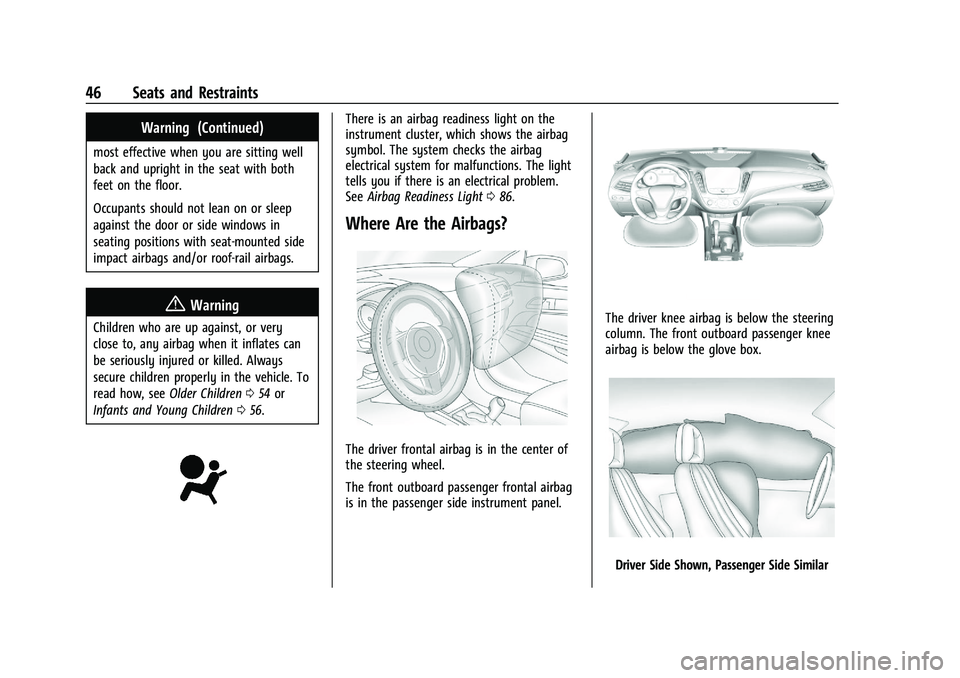
Where Are the Airbags?
The driver frontal airbag is in the center of
the steering wheel.
The front outboard passenger frontal airbag
is in the passenger side instrument panel.
The driver knee airbag is below the steering
column. The front outboard passenger knee
airbag is below the glove box.
Driver Side Shown, Passenger Side Similar
Page 51 of 332
Chevrolet Malibu Owner Manual (GMNA-Localizing-U.S./Canada-
16273584) - 2023 - CRC - 9/28/22
50 Seats and Restraints
Passenger Sensing System
The vehicle has a passenger sensing system
for the front outboard passenger position.
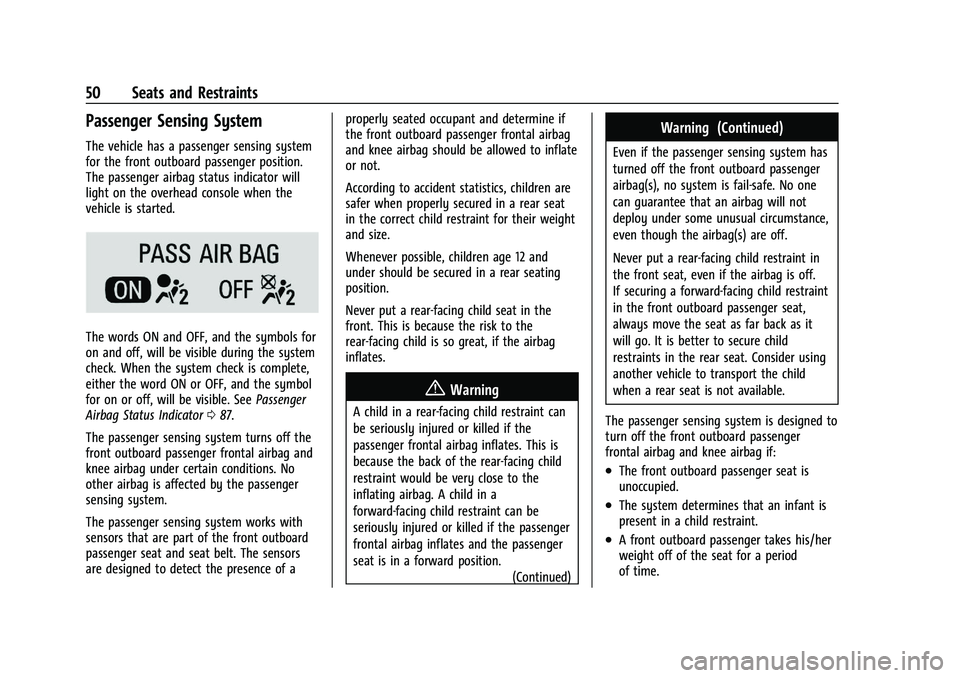
The passenger airbag status indicator will
light on the overhead console when the
vehicle is started.
The words ON and OFF, and the symbols for
on and off, will be visible during the system
check. When the system check is complete,
either the word ON or OFF, and the symbol
for on or off, will be visible. SeePassenger
Airbag Status Indicator 087.
The passenger sensing system turns off the
front outboard passenger frontal airbag and
knee airbag under certain conditions. No
other airbag is affected by the passenger
sensing system.
The passenger sensing system works with
sensors that are part of the front outboard
passenger seat and seat belt. The sensors
are designed to detect the presence of a properly seated occupant and determine if
the front outboard passenger frontal airbag
and knee airbag should be allowed to inflate
or not.
According to accident statistics, children are
safer when properly secured in a rear seat
in the correct child restraint for their weight
and size.
Whenever possible, children age 12 and
under should be secured in a rear seating
position.
Never put a rear-facing child seat in the
front. This is because the risk to the
rear-facing child is so great, if the airbag
inflates.
{Warning
A child in a rear-facing child restraint can
be seriously injured or killed if the
passenger frontal airbag inflates. This is
because the back of the rear-facing child
restraint would be very close to the
inflating airbag. A child in a
forward-facing child restraint can be
seriously injured or killed if the passenger
frontal airbag inflates and the passenger
seat is in a forward position.
(Continued)
Warning (Continued)
Even if the passenger sensing system has
turned off the front outboard passenger
airbag(s), no system is fail-safe. No one
can guarantee that an airbag will not
deploy under some unusual circumstance,
even though the airbag(s) are off.
Never put a rear-facing child restraint in
the front seat, even if the airbag is off.
If securing a forward-facing child restraint
in the front outboard passenger seat,
always move the seat as far back as it
will go. It is better to secure child
restraints in the rear seat. Consider using
another vehicle to transport the child
when a rear seat is not available.
The passenger sensing system is designed to
turn off the front outboard passenger
frontal airbag and knee airbag if:
.The front outboard passenger seat is
unoccupied.
.The system determines that an infant is
present in a child restraint.
.A front outboard passenger takes his/her
weight off of the seat for a period
of time.
Page 52 of 332
Chevrolet Malibu Owner Manual (GMNA-Localizing-U.S./Canada-
16273584) - 2023 - CRC - 9/28/22
Seats and Restraints 51
.There is a critical problem with the airbag
system or the passenger sensing system.
When the passenger sensing system has
turned off the front outboard passenger
frontal airbag and knee airbag, the OFF
indicator will light and stay lit as a reminder
that the airbags are off. See Passenger
Airbag Status Indicator 087.
The passenger sensing system is designed to
turn on the front outboard passenger frontal
airbag and knee airbag anytime the system
senses that a person of adult size is sitting
properly in the front outboard passenger
seat. When the passenger sensing system
has allowed the airbag(s) to be enabled, the
ON indicator will light and stay lit as a
reminder that the airbag(s) are active.
For some children, including children in child
restraints and for very small adults, the
passenger sensing system may or may not
turn off the front outboard passenger
frontal airbag and knee airbag, depending
upon the person's seating posture and body
build. Everyone in the vehicle who has
outgrown child restraints should wear a seat
belt properly —whether or not there is an
airbag for that person.{Warning
If the airbag readiness light ever comes
on and stays on, it means that
something may be wrong with the airbag
system. To help avoid injury to yourself
or others, have the vehicle serviced right
away. See Airbag Readiness Light 086
for more information, including important
safety information.
If the On Indicator Is Lit for a Child
Restraint
The passenger sensing system is designed to
turn off the front outboard passenger
frontal airbag and knee airbag if the system
determines that an infant is present in a
child restraint. If a child restraint has been
installed and the ON indicator is lit:
1. Turn the vehicle off.
2. Remove the child restraint from the vehicle.
3. Remove any additional items from the seat such as blankets, cushions, seat
covers, seat heaters, or seat massagers. 4. Reinstall the child restraint following the
directions provided by the child restraint
manufacturer and refer to Securing Child
Restraints (With the Seat Belt in the Rear
Seat) 067 or
Securing Child Restraints (With the Seat
Belt in the Front Seat) 069.
Make sure the seat belt retractor is
locked by pulling the shoulder belt all
the way out of the retractor when
installing the child restraint, even if the
child restraint is equipped with a seat
belt lock-off. When the retractor lock is
set, the belt can be tightened but not
pulled out of the retractor.
5. If, after reinstalling the child restraint and restarting the vehicle, the ON
indicator is still lit, turn the vehicle off.
Then slightly recline the vehicle seatback
and adjust the seat cushion,
if adjustable, to make sure that the
vehicle seatback is not pushing the child
restraint into the seat cushion.
Also make sure the child restraint is not
trapped under the vehicle head restraint.
If this happens, adjust the head restraint.
See Head Restraints 027.
6. Restart the vehicle.