brake CHEVROLET MONTE CARLO 2003 6.G User Guide
[x] Cancel search | Manufacturer: CHEVROLET, Model Year: 2003, Model line: MONTE CARLO, Model: CHEVROLET MONTE CARLO 2003 6.GPages: 394, PDF Size: 2.73 MB
Page 115 of 394

Instrument Panel Overview...............................3-4
Hazard Warning Flashers................................3-6
Other Warning Devices...................................3-6
Horn.............................................................3-7
Tilt Wheel.....................................................3-7
Turn Signal/Multifunction Lever.........................3-7
Exterior Lamps.............................................3-15
Interior Lamps..............................................3-17
Accessory Power Outlets...............................3-20
Auxiliary Power Connection (Power Drop).........3-21
Ashtrays and Cigarette Lighter........................3-21
Climate Controls............................................3-22
Dual Climate Control System..........................3-22
Passenger Compartment Air Filter...................3-28
Warning Lights, Gages and Indicators.............3-30
Instrument Panel Cluster................................3-31
Speedometer and Odometer...........................3-33
Tachometer.................................................3-33
Safety Belt Reminder Light.............................3-34
Air Bag Readiness Light................................3-34
Voltmeter Gage............................................3-35
Brake System Warning Light..........................3-36
Anti-Lock Brake System Warning Light.............3-37Traction Control System (TCS)
Warning Light...........................................3-37
Engine Coolant Temperature Gage..................3-38
Malfunction Indicator Lamp.............................3-38
Oil Pressure Indicator Light............................3-42
Cruise Control Light......................................3-43
Fuel Gage...................................................3-43
Message Center.............................................3-44
Service Traction System Warning Message......3-44
Traction Active Message................................3-45
Battery Warning Message..............................3-45
Hot Coolant Temperature Warning Message.....3-46
Low Oil Pressure Message............................3-46
Low Engine Oil Level Message.......................3-47
Change Engine Oil Message..........................3-47
Low Tire Message........................................3-48
Door Ajar Warning Message...........................3-48
Trunk Ajar Warning Message.........................3-49
Security Message.........................................3-49
Low Washer Fluid Warning Message...............3-50
Low Fuel Warning Message...........................3-50
Low Brake Fluid Warning Message.................3-51
Service Vehicle Soon Message.......................3-51
Highbeam Out Warning Message....................3-52
Section 3 Instrument Panel
3-1
Page 126 of 394

Cruise Control
If your vehicle is equipped with cruise control, you can
maintain a speed of about 25 mph (40 km/h) or
more without keeping your foot on the accelerator. This
can really help on long trips. Cruise control does not
work at speeds below about 25 mph (40 km/h).
When you apply your brakes, the cruise control
shuts off.{CAUTION:
·Cruise control can be dangerous where
you can't drive safely at a steady speed.
So, don't use your cruise control on
winding roads or in heavy traffic.
·Cruise control can be dangerous on
slippery roads. On such roads, fast
changes in tire traction can cause
needless wheel spinning, and you could
lose control. Don't use cruise control on
slippery roads.
If your vehicle is in cruise control when the traction
control system (optional) begins to limit wheel spin, the
cruise control will automatically disengage. See
Traction Control System (TCS) on page 4-8. When road
conditions allow you to safely use it again, you may
turn the cruise control back on.
3-12
Page 127 of 394
Setting Cruise Control
{CAUTION:
If you leave your cruise control on when you're
not using cruise, you might hit a button and go
into cruise when you don't want to. You could
be startled and even lose control. Keep the
cruise control switch off until you want to use
cruise control.
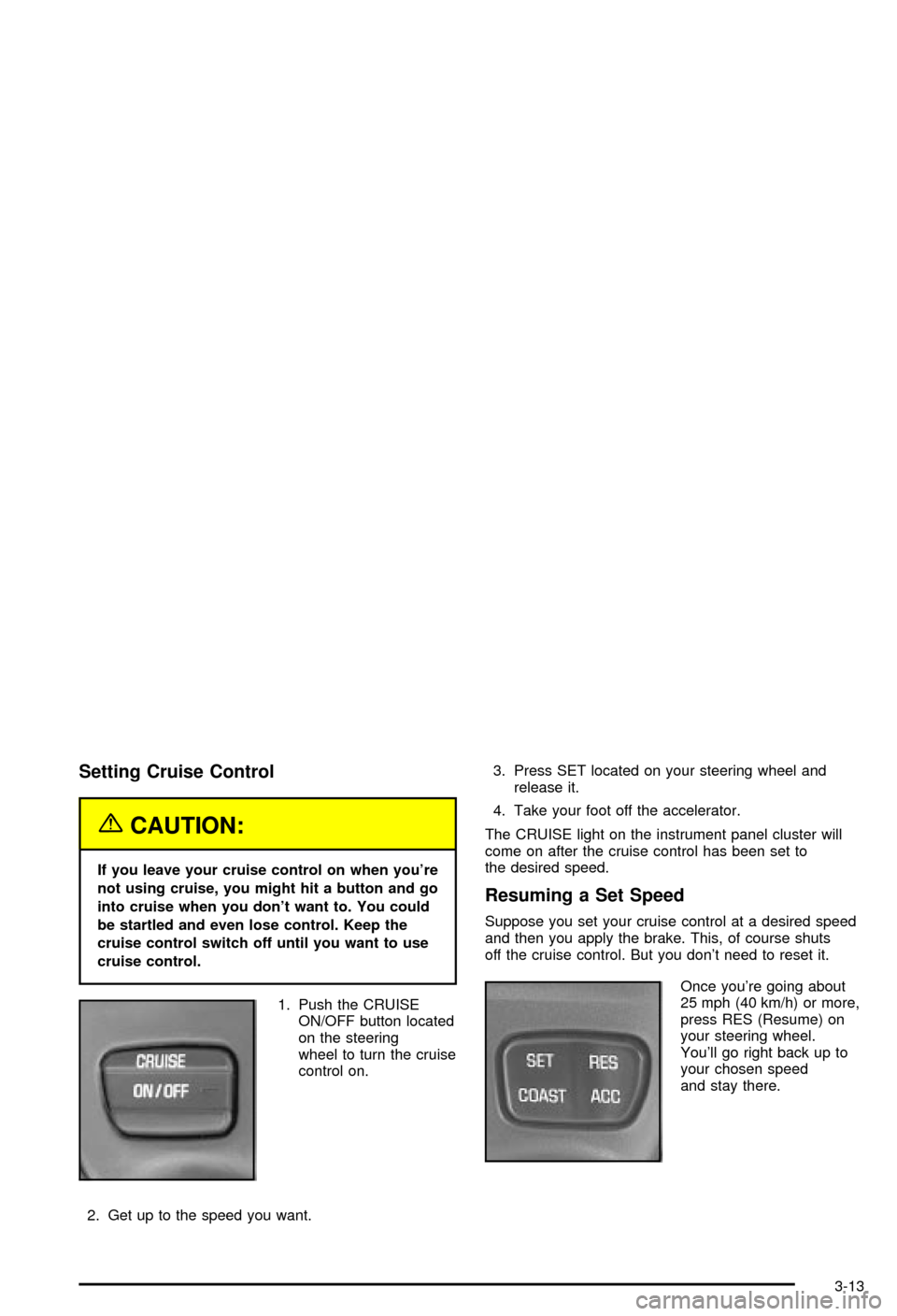
1. Push the CRUISE
ON/OFF button located
on the steering
wheel to turn the cruise
control on.
2. Get up to the speed you want.3. Press SET located on your steering wheel and
release it.
4. Take your foot off the accelerator.
The CRUISE light on the instrument panel cluster will
come on after the cruise control has been set to
the desired speed.
Resuming a Set Speed
Suppose you set your cruise control at a desired speed
and then you apply the brake. This, of course shuts
off the cruise control. But you don't need to reset it.
Once you're going about
25 mph (40 km/h) or more,
press RES (Resume) on
your steering wheel.
You'll go right back up to
your chosen speed
and stay there.
3-13
Page 128 of 394

Increasing Speed While Using Cruise
Control
There are two ways to go to a higher speed:
·Use the accelerator pedal to get to the higher
speed. Press SET on the steering wheel, then
release the button and the accelerator pedal.
You'll now cruise at the higher speed.
·Press ACC (Accelerate) on the steering wheel. Hold
it there until you get up to the speed you want and
then release the button. To increase your speed
in very small amounts, press ACC brie¯y and then
release it. Each time you do this, your vehicle
will go about 1 mph (1.6 km/h) faster.
The accelerate feature will only work after you set the
cruise control speed by pressing SET on the steering
wheel.
Reducing Speed While Using Cruise
Control
There are two ways to reduce your speed while using
cruise control:
·Press COAST on the steering wheel until you reach
the lower speed you want, then release it.
·To slow down in very small amounts, press COAST
on the steering wheel brie¯y. Each time you do this,
you'll go about 1 mph (1.6 km/h) slower.
Passing Another Vehicle While Using
Cruise Control
Use the accelerator pedal to increase your speed.
When you take your foot off the pedal, your vehicle
will slow down to the cruise speed you set earlier.
Using Cruise Control on Hills
How well your cruise control will work on hills depends
upon your speed, load and the steepness of the
hills. When going up steep hills, you may have to step
on the accelerator pedal to maintain your speed.
When going downhill, you may have to brake or shift to
a lower gear to keep your speed down. Of course,
applying the brake takes you out of cruise control. Many
drivers ®nd this to be too much trouble and don't use
cruise control on steep hills.
Ending Cruise Control
There are two ways to cancel the cruise control:
·Step lightly on the brake pedal.
·Press CRUISE ON/OFF on the steering wheel.
Erasing Speed Memory
When you turn off the cruise control or the ignition, your
cruise control set speed memory is erased.
3-14
Page 150 of 394

Brake System Warning Light
Your vehicle's hydraulic brake system is divided into two
parts. If one part isn't working, the other part can still
work and stop you. For good braking, though, you need
both parts working well.
If the warning light comes on, there is a brake problem.
The LOW BRAKE FLUID message in the message
center will also appear when there is a brake problem.
See
Low Brake Fluid Warning Message on page 3-51.
Have your brake system inspected right away.
This light should come on brie¯y when you turn the
ignition key to ON. If it doesn't come on then, have it
®xed so it will be ready to warn you if there's a problem.When the ignition is on, the brake system warning light
will also come on when you set your parking brake.
The light will stay on if your parking brake doesn't
release fully. If it stays on after your parking brake is
fully released, it means you have a brake problem.
If the light comes on while you are driving, pull off the
road and stop carefully. You may notice that the pedal is
harder to push. Or, the pedal may go closer to the
¯oor. It may take longer to stop. If the light is still on,
have the vehicle towed for service. SeeBrake System
Warning Light on page 3-36andTowing Your Vehicle on
page 4-29.
{CAUTION:
Your brake system may not be working
properly if the brake system warning light is
on. Driving with the brake system warning light
on can lead to an accident. If the light is still
on after you've pulled off the road and stopped
carefully, have the vehicle towed for service. United States
Canada
3-36
Page 151 of 394

Anti-Lock Brake System Warning
Light
If your vehicle has ABS,
the anti-lock brake system
warning light will come
on for a few seconds when
you turn the ignition key
to ON.
If the anti-lock brake system warning light stays on
longer than normal after you've started your engine, turn
the ignition off. Or, if the light comes on and stays on
when you're driving, stop as soon as possible and turn
the ignition off. Then start the engine again to reset
the system. If the light still stays on, or comes on again
while you're driving, the anti-lock brake system needs
service and you don't have anti-lock brakes.
The anti-lock brake system warning light will come on
brie¯y when you turn the ignition key to ON. This is
normal. If the light doesn't come on then, have it ®xed
so it will be ready to warn you if there is a problem.
Traction Control System (TCS)
Warning Light
If your vehicle has the
traction control system,
this warning light may
come on for the
following reasons:
·If you turn the system off by pressing the TRAC
OFF button located on the center console, a
chime will sound and the warning light will come on
and stay on. To turn the system back on, press
the button again. The warning light should go off.
See
Traction Control System (TCS) on page 4-8for
more information.
·If there's a brake system problem that is speci®cally
related to traction control, the traction control
system will turn off and the warning light will come
on. If your brakes begin to overheat, the traction
control system will turn off and the warning light will
come on until your brakes cool down.
If the traction control system warning light comes on
and stays on for an extended period of time when the
system is turned on, your vehicle needs service.
3-37
Page 165 of 394

Low Brake Fluid Warning Message
This message will be displayed when your vehicle has a
brake problem. The brake system warning light will
also be illuminated.
If this message appears, the brakes aren't working
properly. You should have your vehicle serviced
immediately. See
Brake System Warning Light on
page 3-36for more information.
Service Vehicle Soon Message
This message will come on if you have engine problems.
These problems may not be obvious and may not
affect vehicle performance or durability. Consult a
quali®ed dealership for necessary repairs to maintain
top vehicle performance. United States
CanadaUnited StatesCanada
3-51
Page 210 of 394

Your Driving, the Road, and
Your Vehicle
Defensive Driving
The best advice anyone can give about driving is: Drive
defensively.
Please start with a very important safety device in your
vehicle: Buckle up. See
Safety Belts: They Are for
Everyone on page 1-10.
Defensive driving really means ªbe ready for anything.º
On city streets, rural roads or freeways, it means
ªalways expect the unexpected.º
Assume that pedestrians or other drivers are going to
be careless and make mistakes. Anticipate what
they might do. Be ready for their mistakes.
Rear-end collisions are about the most preventable of
accidents. Yet they are common. Allow enough following
distance. It's the best defensive driving maneuver, in
both city and rural driving. You never know when
the vehicle in front of you is going to brake or turn
suddenly.
Defensive driving requires that a driver concentrate on
the driving task. Anything that distracts from the
driving task Ð such as concentrating on a cellular
telephone call, reading, or reaching for something onthe ¯oor Ð makes proper defensive driving more
difficult and can even cause a collision, with resulting
injury. Ask a passenger to help do things like this, or
pull off the road in a safe place to do them yourself.
These simple defensive driving techniques could save
your life.
Drunken Driving
Death and injury associated with drinking and driving is
a national tragedy. It's the number one contributor to
the highway death toll, claiming thousands of victims
every year.
Alcohol affects four things that anyone needs to drive a
vehicle:
·Judgment
·Muscular Coordination
·Vision
·Attentiveness.
Police records show that almost half of all motor
vehicle-related deaths involve alcohol. In most cases,
these deaths are the result of someone who was
drinking and driving. In recent years, more than
16,000 annual motor vehicle-related deaths have been
associated with the use of alcohol, with more than
300,000 people injured.
4-2
Page 213 of 394

Control of a Vehicle
You have three systems that make your vehicle go
where you want it to go. They are the brakes, the steering
and the accelerator. All three systems have to do their
work at the places where the tires meet the road.
Sometimes, as when you're driving on snow or ice, it's
easy to ask more of those control systems than the
tires and road can provide. That means you can lose
control of your vehicle. Also see
Traction Control System
(TCS) on page 4-8.
Braking
Braking action involvesperception timeandreaction time.
First, you have to decide to push on the brake pedal.
That'sperception time.Then you have to bring up your
foot and do it. That'sreaction time.
Averagereaction timeis about 3/4 of a second. But
that's only an average. It might be less with one driver
and as long as two or three seconds or more with
another. Age, physical condition, alertness, coordination
and eyesight all play a part. So do alcohol, drugs and
frustration. But even in 3/4 of a second, a vehicle moving
at 60 mph (100 km/h) travels 66 feet (20 m). That
could be a lot of distance in an emergency, so keeping
enough space between your vehicle and others is
important.
And, of course, actual stopping distances vary greatly
with the surface of the road (whether it's pavement
or gravel); the condition of the road (wet, dry, icy); tire
tread; the condition of your brakes; the weight of
the vehicle and the amount of brake force applied.
4-5
Page 214 of 394
Avoid needless heavy braking. Some people drive
in spurts Ð heavy acceleration followed by heavy
braking Ð rather than keeping pace with traffic. This is
a mistake. Your brakes may not have time to cool
between hard stops. Your brakes will wear out much
faster if you do a lot of heavy braking. If you keep pace
with the traffic and allow realistic following distances,
you will eliminate a lot of unnecessary braking.
That means better braking and longer brake life.
If your engine ever stops while you're driving, brake
normally but don't pump your brakes. If you do,
the pedal may get harder to push down. If your engine
stops, you will still have some power brake assist.
But you will use it when you brake. Once the power
assist is used up, it may take longer to stop and
the brake pedal will be harder to push.
Anti-lock Brake System (ABS)
Your vehicle may have anti-lock brakes. ABS is an
advanced electronic braking system that will help
prevent a braking skid.
If your vehicle has anti-lock
brakes, this warning light
on the instrument panel will
come on brie¯y when
you start your vehicle.When you start your engine, or when you begin to drive
away, your anti-lock brake system will check itself.
You may hear a momentary motor or clicking noise while
this test is going on, and you may even notice that
your brake pedal moves or pulses a little. This is normal.
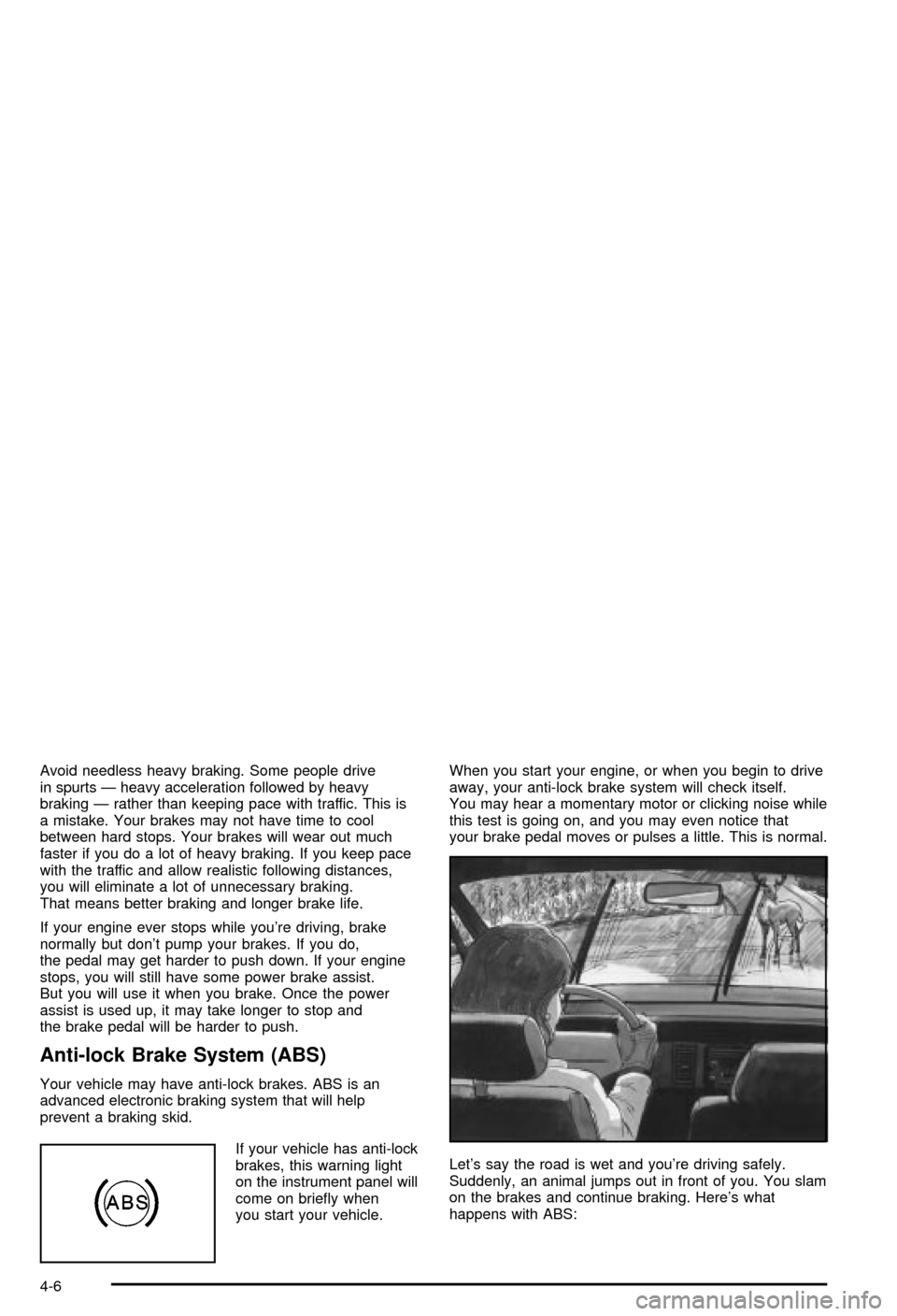
Let's say the road is wet and you're driving safely.
Suddenly, an animal jumps out in front of you. You slam
on the brakes and continue braking. Here's what
happens with ABS:
4-6