ECU CHEVROLET MONTE CARLO 2004 Owner's Manual
[x] Cancel search | Manufacturer: CHEVROLET, Model Year: 2004, Model line: MONTE CARLO, Model: CHEVROLET MONTE CARLO 2004Pages: 416, PDF Size: 4.56 MB
Page 98 of 416
Outside Convex Mirror
Your passenger’s side mirror is convex. A convex
mirror’s surface is curved so you can see more from the
driver’s seat.
{CAUTION:
A convex mirror can make things (like other
vehicles) look farther away than they really are.
If you cut too sharply into the right lane, you
could hit a vehicle on your right. Check your
inside mirror or glance over your shoulder
before changing lanes.
Outside Heated Mirrors
If your vehicle has this option, the surface of both
outside mirrors will heat when you activate the rear
window defogger. See “Rear Window Defogger” under
Dual Climate Control System on page 3-20.
OnStar®System
OnStar®uses global positioning system (GPS) satellite
technology, wireless communications, and call centers
to provide you with a wide range of safety, security,
information and convenience services.
A complete OnStar
®user’s guide and the terms and
conditions of the OnStar®Subscription Service
Agreement are included in your vehicle’s glove box
literature. For more information, visit www.onstar.com,
contact OnStar
®at 1-888-4-ONSTAR (1-888-466-7827),
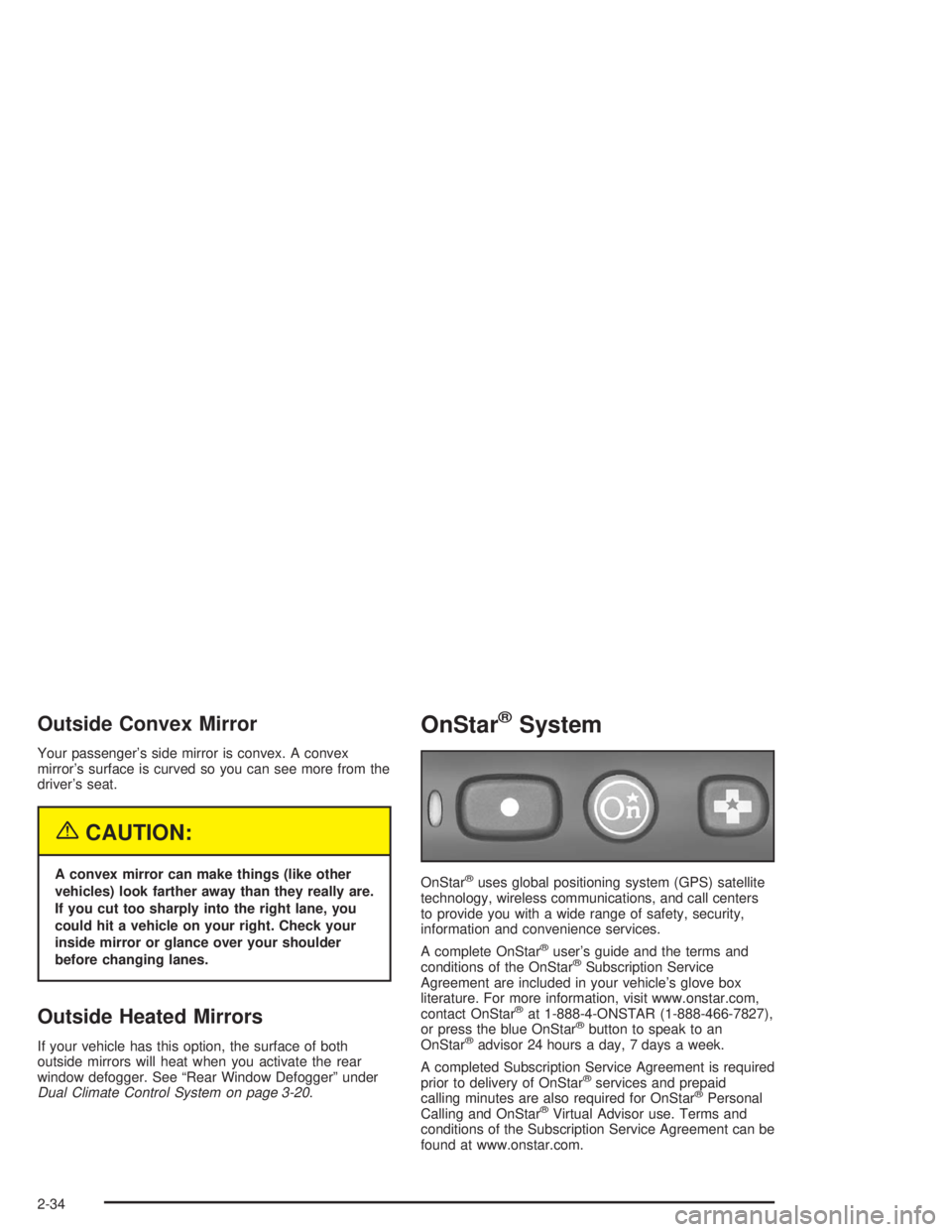
or press the blue OnStar®button to speak to an
OnStar®advisor 24 hours a day, 7 days a week.
A completed Subscription Service Agreement is required
prior to delivery of OnStar
®services and prepaid
calling minutes are also required for OnStar®Personal
Calling and OnStar®Virtual Advisor use. Terms and
conditions of the Subscription Service Agreement can be
found at www.onstar.com.
2-34
Page 100 of 416
HomeLink®Transmitter
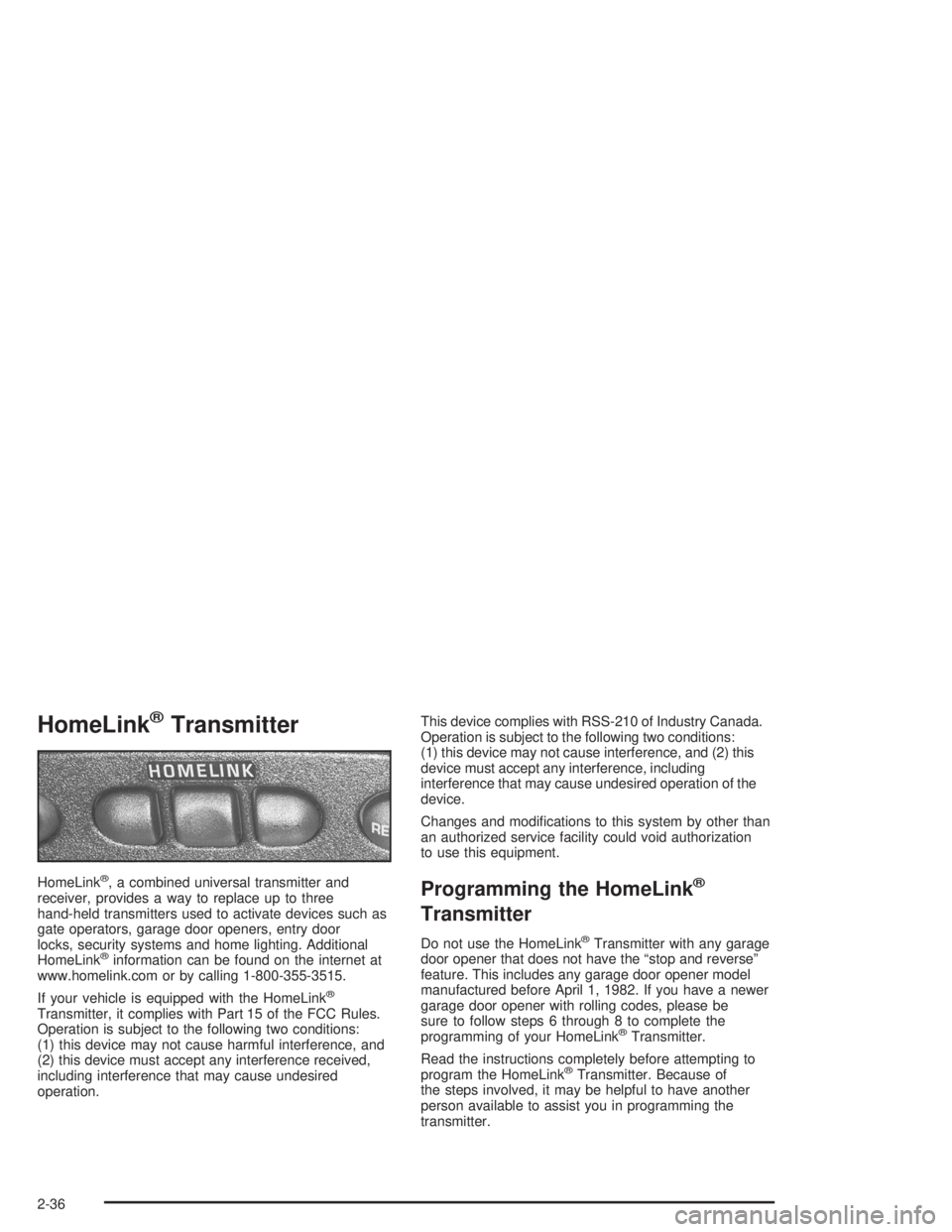
HomeLink®, a combined universal transmitter and
receiver, provides a way to replace up to three
hand-held transmitters used to activate devices such as
gate operators, garage door openers, entry door
locks, security systems and home lighting. Additional
HomeLink
®information can be found on the internet at
www.homelink.com or by calling 1-800-355-3515.
If your vehicle is equipped with the HomeLink
®
Transmitter, it complies with Part 15 of the FCC Rules.
Operation is subject to the following two conditions:
(1) this device may not cause harmful interference, and
(2) this device must accept any interference received,
including interference that may cause undesired
operation.This device complies with RSS-210 of Industry Canada.
Operation is subject to the following two conditions:
(1) this device may not cause interference, and (2) this
device must accept any interference, including
interference that may cause undesired operation of the
device.
Changes and modications to this system by other than
an authorized service facility could void authorization
to use this equipment.
Programming the HomeLink®
Transmitter
Do not use the HomeLink®Transmitter with any garage
door opener that does not have the “stop and reverse”
feature. This includes any garage door opener model
manufactured before April 1, 1982. If you have a newer
garage door opener with rolling codes, please be
sure to follow steps 6 through 8 to complete the
programming of your HomeLink
®Transmitter.
Read the instructions completely before attempting to
program the HomeLink
®Transmitter. Because of
the steps involved, it may be helpful to have another
person available to assist you in programming the
transmitter.
2-36
Page 101 of 416
Keep the original transmitter for use in other vehicles as
well as for future HomeLink®programming. It is also
recommended that upon the sale of the vehicle,
the programmed HomeLink
®buttons should be erased
for security purposes. Refer to “Erasing HomeLink®
Buttons” or, for assistance, contact HomeLink®on the
internet at: www.homelink.com or by calling
1-800-355-3515.
Be sure that people and objects are clear of the garage
door or gate operator you are programming. When
programming a garage door, it is advised to park outside
of the garage.
It is recommended that a new battery be installed in
your hand-held transmitter for quicker and more
accurate transmission of the radio frequency.
Your vehicle’s engine should be turned off while
programming the transmitter. Follow these steps to
program up to three channels:
1. Press and hold down the two outside buttons,
releasing only when the indicator light begins to
ash, after 20 seconds. Do not hold down the
buttons for longer than 30 seconds and do not
repeat this step to program a second and/or third
transmitter to the remaining two HomeLink
®buttons.
2. Position the end of your hand-held transmitter about
1 to 3 inches (3 to 8 cm) away from the HomeLink
®
buttons while keeping the indicator light in view.3. Simultaneously press and hold both the desired
button on HomeLink
®and the hand-held transmitter
button. Do not release the buttons until Step 4
has been completed.
Some entry gates and garage door openers may
require you to substitute Step 3 with the procedure
noted in “Gate Operator and Canadian
Programming” later in this section.
4. The indicator light will ash slowly at rst and then
rapidly after HomeLink
®successfully receives the
frequency signal from the hand-held transmitter.
Release both buttons.
5. Press and hold the newly-trained HomeLink
®button
and observe the indicator light.
If the indicator light stays on constantly, programming
is complete and your device should activate when the
HomeLink
®button is pressed and released.
To program the remaining two HomeLink®buttons,
begin with Step 2 under “Programming HomeLink®.”
Do not repeat Step 1 as this will erase all of the
programmed channels.
If the indicator light blinks rapidly for two seconds
and then turns to a constant light, continue with
Steps 6 through 8 following to complete the
programming of a rolling-code equipped device
(most commonly, a garage door opener).
2-37
Page 115 of 416
Instrument Panel Overview...............................3-3
Hazard Warning Flashers................................3-5
Other Warning Devices...................................3-5
Horn.............................................................3-6
Tilt Wheel.....................................................3-6
Turn Signal/Multifunction Lever.........................3-6
Cruise Control..............................................3-10
Exterior Lamps.............................................3-13
Interior Lamps..............................................3-15
Accessory Power Outlets...............................3-18
Ashtrays and Cigarette Lighter........................3-19
Climate Controls............................................3-20
Dual Climate Control System..........................3-20
Passenger Compartment Air Filter...................3-26
Warning Lights, Gages and Indicators.............3-27
Instrument Panel Cluster................................3-28
Speedometer and Odometer...........................3-31
Tachometer.................................................3-32
Safety Belt Reminder Light.............................3-32
Air Bag Readiness Light................................3-33
Voltmeter Gage............................................3-34
Brake System Warning Light..........................3-34
Anti-Lock Brake System Warning Light.............3-36Traction Control System (TCS) Warning Light . . .3-36
Engine Coolant Temperature Gage..................3-37
Malfunction Indicator Lamp.............................3-38
Oil Pressure Indicator Light............................3-40
Cruise Control Light......................................3-41
Fuel Gage...................................................3-42
Message Center.............................................3-43
Service Traction System Warning Message......3-43
Traction Active Message................................3-43
Battery Warning Message..............................3-44
Hot Coolant Temperature Warning Message.....3-44
Low Oil Pressure Message............................3-45
Low Engine Oil Level Message.......................3-45
Change Engine Oil Message..........................3-46
Low Tire Message........................................3-46
Door Ajar Warning Message...........................3-47
Trunk Ajar Warning Message.........................3-47
Security Message.........................................3-48
Low Washer Fluid Warning Message...............3-48
Low Fuel Warning Message...........................3-49
Low Brake Fluid Warning Message.................3-49
Service Vehicle Soon Message.......................3-50
Highbeam Out Warning Message....................3-50
Section 3 Instrument Panel
3-1
Page 136 of 416
Selecting the Fan Speed
9
(Fan):Turn the left knob clockwise or
counterclockwise to increase or decrease the fan speed.
Turn the knob to OFF to turn off the fan. The fan must be
turned on for the air conditioning compressor to operate.
If the airow seems low when the fan is at the highest
setting, the passenger compartment air lter, if equipped,
may need to be replaced. For more information, see
Passenger Compartment Air Filter on page 3-27and
Scheduled Maintenance on page 6-4.
Selecting Outside Air or Recirculation
The outside air mode is used to bring outside air into your
vehicle; also use this mode to remove excess moisture
from the inside of the windows. The recirculation mode is
used to recirculate the air inside of your vehicle; also use
this mode to help prevent outside odors and/or dust from
entering your vehicle or to help heat or cool the air inside
of your vehicle quickly.
:(Outside Air):Press this button to turn the
outside air mode on. When this button is pressed, an
indicator light in the button will come on to let you know
that it is activated. During daylight hours, you may
have to adjust the instrument panel brightness control to
the highest setting in order to see the indicator light.
SeeInterior Lamps on page 3-16for more information.
When this mode is on, outside air will circulate
throughout your vehicle.
?(Recirculation):Press this button to turn the
recirculation mode on. When this mode is on, inside air
and a small percentage of outside air will recirculate
throughout your vehicle. This selection will reduce
the entry of outside air and odors from entering your
vehicle, it may also help heat or cool your vehicle more
quickly. When this button is pressed, an indicator
light in the button will also come on to let you know that
it is activated. During daylight hours, you may have
to adjust the instrument panel brightness control to
the highest setting in order to see the indicator light.
SeeInterior Lamps on page 3-16for more information.
The recirculation mode can be used with vent and
bi-level modes, but it cannot be used with oor, defog,
defrost or outside air modes.
This system will default back to the outside air setting,
so you will have to re-select this setting every time
that you start the vehicle.
If the weather is cold and damp, the system may cause
the windows to fog while using the recirculation
mode. If the windows do start to fog, do the following:
1. Select the defog or defrost mode.
2. Select the temperature.
3. Select the highest fan speed.
4. Operate the system in the outside air mode, 4to
help prevent a recurrence.
3-22
Page 163 of 416
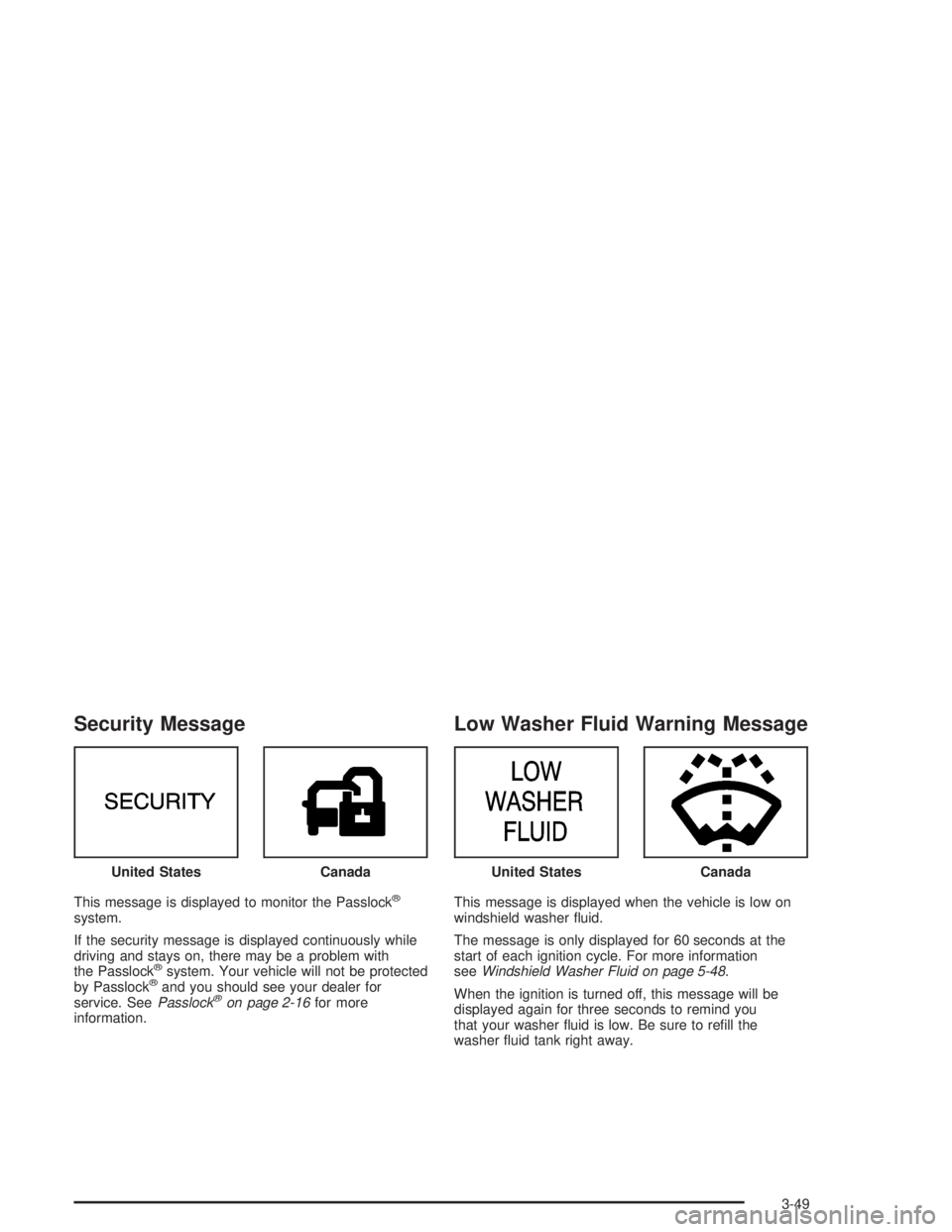
Security Message
This message is displayed to monitor the Passlock®
system.
If the security message is displayed continuously while
driving and stays on, there may be a problem with
the Passlock
®system. Your vehicle will not be protected
by Passlock®and you should see your dealer for
service. SeePasslock®on page 2-16for more
information.
Low Washer Fluid Warning Message
This message is displayed when the vehicle is low on
windshield washer uid.
The message is only displayed for 60 seconds at the
start of each ignition cycle. For more information
seeWindshield Washer Fluid on page 5-48.
When the ignition is turned off, this message will be
displayed again for three seconds to remind you
that your washer uid is low. Be sure to rell the
washer uid tank right away. United States
CanadaUnited StatesCanada
3-49
Page 177 of 416
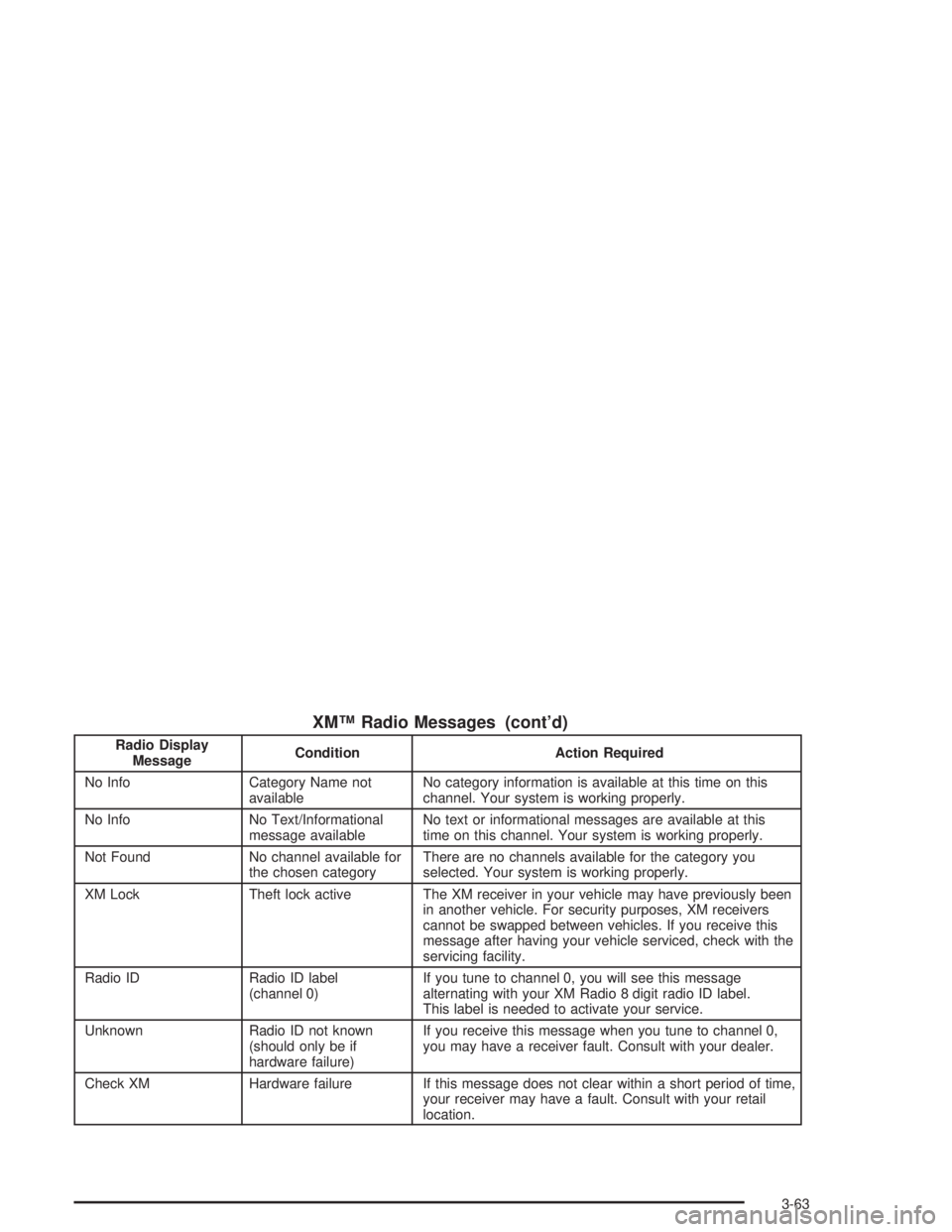
XM™ Radio Messages (cont’d)
Radio Display
MessageCondition Action Required
No Info Category Name not
availableNo category information is available at this time on this
channel. Your system is working properly.
No Info No Text/Informational
message availableNo text or informational messages are available at this
time on this channel. Your system is working properly.
Not Found No channel available for
the chosen categoryThere are no channels available for the category you
selected. Your system is working properly.
XM Lock Theft lock active The XM receiver in your vehicle may have previously been
in another vehicle. For security purposes, XM receivers
cannot be swapped between vehicles. If you receive this
message after having your vehicle serviced, check with the
servicing facility.
Radio ID Radio ID label
(channel 0)If you tune to channel 0, you will see this message
alternating with your XM Radio 8 digit radio ID label.
This label is needed to activate your service.
Unknown Radio ID not known
(should only be if
hardware failure)If you receive this message when you tune to channel 0,
you may have a receiver fault. Consult with your dealer.
Check XM Hardware failure If this message does not clear within a short period of time,
your receiver may have a fault. Consult with your retail
location.
3-63
Page 188 of 416
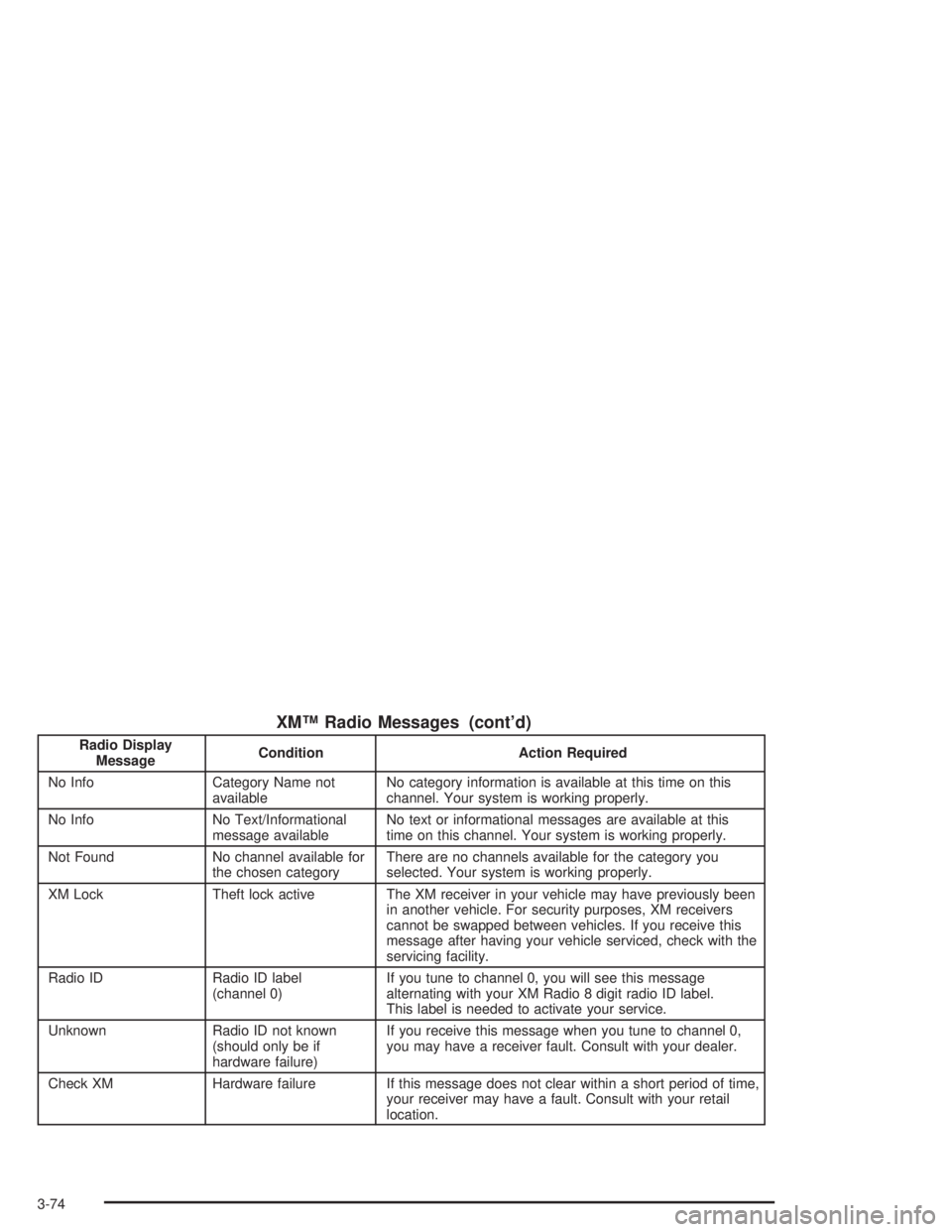
XM™ Radio Messages (cont’d)
Radio Display
MessageCondition Action Required
No Info Category Name not
availableNo category information is available at this time on this
channel. Your system is working properly.
No Info No Text/Informational
message availableNo text or informational messages are available at this
time on this channel. Your system is working properly.
Not Found No channel available for
the chosen categoryThere are no channels available for the category you
selected. Your system is working properly.
XM Lock Theft lock active The XM receiver in your vehicle may have previously been
in another vehicle. For security purposes, XM receivers
cannot be swapped between vehicles. If you receive this
message after having your vehicle serviced, check with the
servicing facility.
Radio ID Radio ID label
(channel 0)If you tune to channel 0, you will see this message
alternating with your XM Radio 8 digit radio ID label.
This label is needed to activate your service.
Unknown Radio ID not known
(should only be if
hardware failure)If you receive this message when you tune to channel 0,
you may have a receiver fault. Consult with your dealer.
Check XM Hardware failure If this message does not clear within a short period of time,
your receiver may have a fault. Consult with your retail
location.
3-74
Page 199 of 416
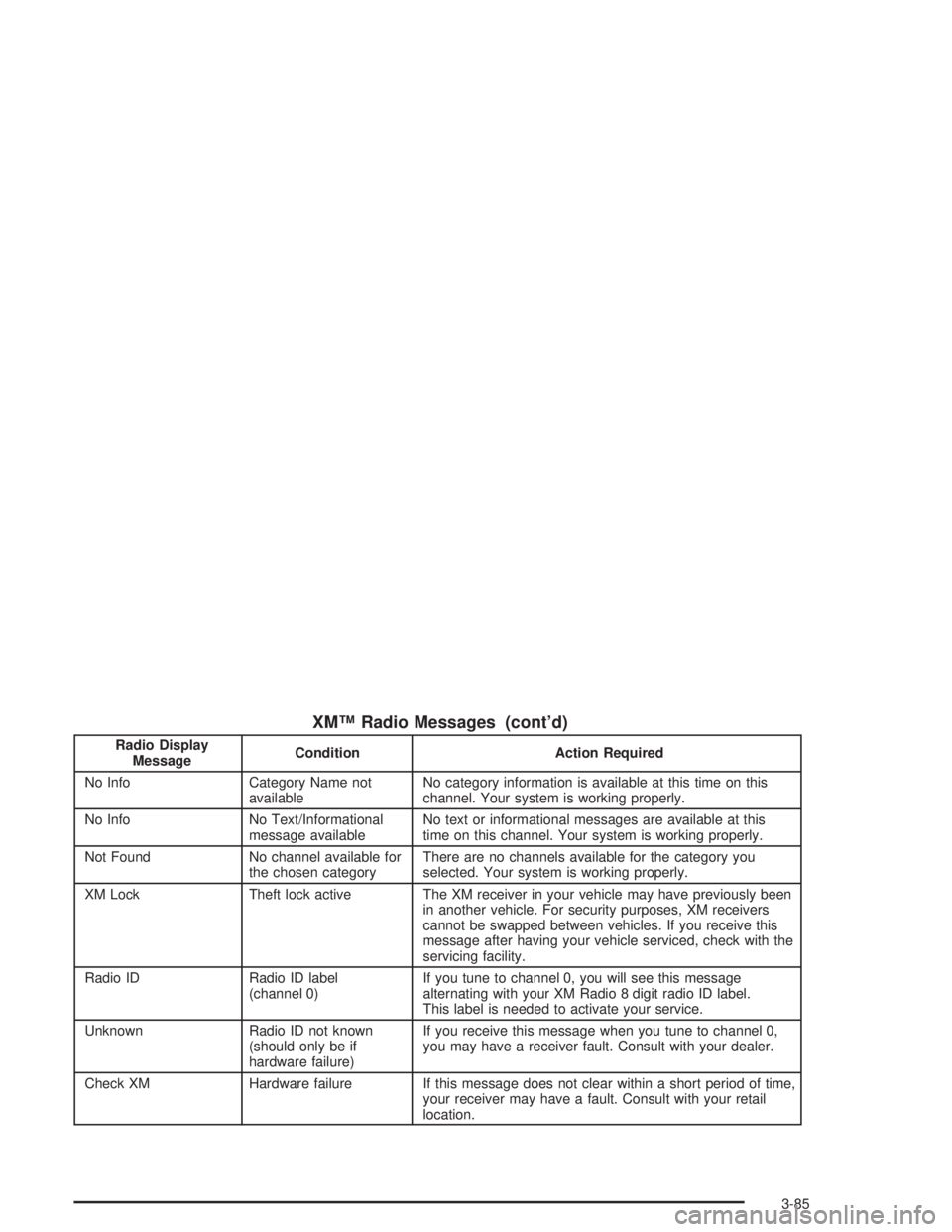
XM™ Radio Messages (cont’d)
Radio Display
MessageCondition Action Required
No Info Category Name not
availableNo category information is available at this time on this
channel. Your system is working properly.
No Info No Text/Informational
message availableNo text or informational messages are available at this
time on this channel. Your system is working properly.
Not Found No channel available for
the chosen categoryThere are no channels available for the category you
selected. Your system is working properly.
XM Lock Theft lock active The XM receiver in your vehicle may have previously been
in another vehicle. For security purposes, XM receivers
cannot be swapped between vehicles. If you receive this
message after having your vehicle serviced, check with the
servicing facility.
Radio ID Radio ID label
(channel 0)If you tune to channel 0, you will see this message
alternating with your XM Radio 8 digit radio ID label.
This label is needed to activate your service.
Unknown Radio ID not known
(should only be if
hardware failure)If you receive this message when you tune to channel 0,
you may have a receiver fault. Consult with your dealer.
Check XM Hardware failure If this message does not clear within a short period of time,
your receiver may have a fault. Consult with your retail
location.
3-85
Page 236 of 416
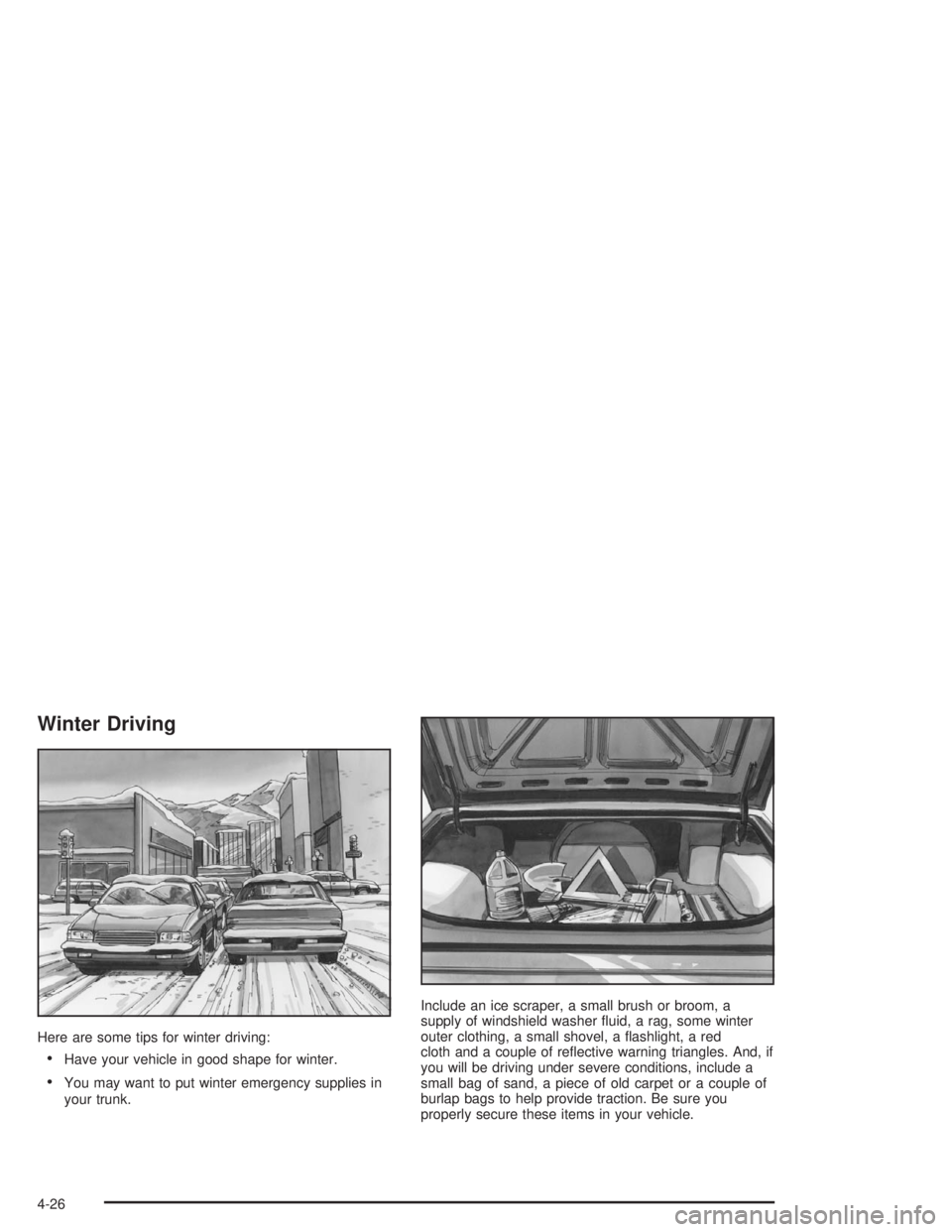
Winter Driving
Here are some tips for winter driving:
Have your vehicle in good shape for winter.
You may want to put winter emergency supplies in
your trunk.Include an ice scraper, a small brush or broom, a
supply of windshield washer uid, a rag, some winter
outer clothing, a small shovel, a ashlight, a red
cloth and a couple of reective warning triangles. And, if
you will be driving under severe conditions, include a
small bag of sand, a piece of old carpet or a couple of
burlap bags to help provide traction. Be sure you
properly secure these items in your vehicle.
4-26