ABS CHEVROLET MONTE CARLO 2004 Owners Manual
[x] Cancel search | Manufacturer: CHEVROLET, Model Year: 2004, Model line: MONTE CARLO, Model: CHEVROLET MONTE CARLO 2004Pages: 416, PDF Size: 4.56 MB
Page 143 of 416

Instrument Panel Cluster
Your instrument panel cluster is designed to let you know at a glance how your vehicle is running. You’ll know how fast
you’re going, about how much fuel is in your tank and many other things you need to drive safely and economically.
Uplevel 3400 V6 Engine Cluster: United States version with ABS and Traction Control shown, Canada similar
3-29
Page 144 of 416

Uplevel 3800 V6 Engine Cluster: United States version with ABS and Traction Control shown,
Canada similar
3-30
Page 145 of 416

Uplevel 3800 Supercharged V6 Engine Cluster: United States version with ABS and Traction Control shown,
Canada similar
3-31
Page 151 of 416

Anti-Lock Brake System Warning
Light
If your vehicle has ABS,
the anti-lock brake system
warning light will come
on for a few seconds when
you turn the ignition key
to ON.
If the anti-lock brake system warning light stays on
longer than normal after you’ve started your engine,
turn the ignition off. Or, if the light comes on and stays
on when you’re driving, stop as soon as possible
and turn the ignition off. Then start the engine again to
reset the system. If the light still stays on, or comes
on again while you’re driving, the anti-lock brake system
needs service and you don’t have anti-lock brakes.
The anti-lock brake system warning light will come on
briey when you turn the ignition key to ON. This is
normal. If the light doesn’t come on then, have it xed
so it will be ready to warn you if there is a problem.
Traction Control System (TCS)
Warning Light
If your vehicle has the
traction control system,
this warning light may
come on for the following
reasons:
If you turn the system off by pressing the TRAC OFF
button located on the center console, a chime will
sound and the warning light will come on and stay
on. To turn the system back on, press the button
again. The warning light should go off. SeeTraction
Control System (TCS) on page 4-10for more
information.
If there’s a brake system problem that is specically
related to traction control, the traction control system
will turn off and the warning light will come on. If your
brakes begin to overheat, the traction control system
will turn off and the warning light will come on until
your brakes cool down.
If the traction control system warning light comes on
and stays on for an extended period of time when the
system is turned on, your vehicle needs service.
3-37
Page 168 of 416

Manual Compass Calibration
If the compass appears erratic and the calibration
symbol does not appear, you must manually put the
compass into the calibration mode.
Turn the ignition on and cycle the DIC to the
Compass/Temperature mode. Press the RESET button
for at least 10 seconds until the calibration symbol
appears and all segments of the compass display are
illuminated. A chime will sound to conrm that the
calibration mode is active. Release the button and
complete two or three 360° turns in an area free from
large metal objects. The calibration symbol will turn
off and the compass reading will be displayed. A chime
will sound to verify that the calibration is complete.
Error Displays
An error of the speed sensor or fuel sender will
cause -E- to be displayed.
In the absence of vehicle communications,
adash--isdisplayed.
If one of these error messages appear, see your dealer.
Trip Computer
There are ve trip computer displays which may be
stepped through by pushing the MODE button.
The information will appear in the following order:
AVG ECON (Average Fuel Economy):This shows
the average fuel economy since the last reset.
INST ECON (Instantaneous Fuel Economy):
This shows fuel economy for the most recent second
of driving.
RANGE (Trip Range):This shows the estimated
distance that can be traveled with the remaining fuel.
The fuel economy used to calculate range is based
on the last few hours of driving. When in a low
fuel condition, LO is displayed.
FUEL USED (Trip Fuel Used):This shows the
accumulated fuel used since the last reset.
AVG SPEED (Average Speed):This shows the
average speed since the last reset.
Resetting the Trip Computer
Press and hold the RESET button for at least three
seconds. The reset is acknowledged with all segments
of the display lit briey and a chime. A reset can
only be done in AVG ECON, FUEL USED and AVG
SPEED displays. Each setting must be reset individually.
3-54
Page 217 of 416
Avoid needless heavy braking. Some people drive in
spurts — heavy acceleration followed by heavy
braking — rather than keeping pace with traffic. This is
a mistake. Your brakes may not have time to cool
between hard stops. Your brakes will wear out much
faster if you do a lot of heavy braking. If you keep pace
with the traffic and allow realistic following distances,
you will eliminate a lot of unnecessary braking.
That means better braking and longer brake life.
If your engine ever stops while you are driving, brake
normally but do not pump your brakes. If you do,
the pedal may get harder to push down. If your engine
stops, you will still have some power brake assist.
But you will use it when you brake. Once the power
assist is used up, it may take longer to stop and
the brake pedal will be harder to push.Anti-lock Brake System (ABS)
Your vehicle may have anti-lock brakes. ABS is an
advanced electronic braking system that will help
prevent a braking skid.
If your vehicle has anti-lock
brakes, this warning light
on the instrument panel will
come on briey when you
start your vehicle.
When you start your engine, or when you begin to drive
away, your anti-lock brake system will check itself.
You may hear a momentary motor or clicking noise while
this test is going on, and you may even notice that
your brake pedal moves or pulses a little. This is normal.
4-7
Page 218 of 416
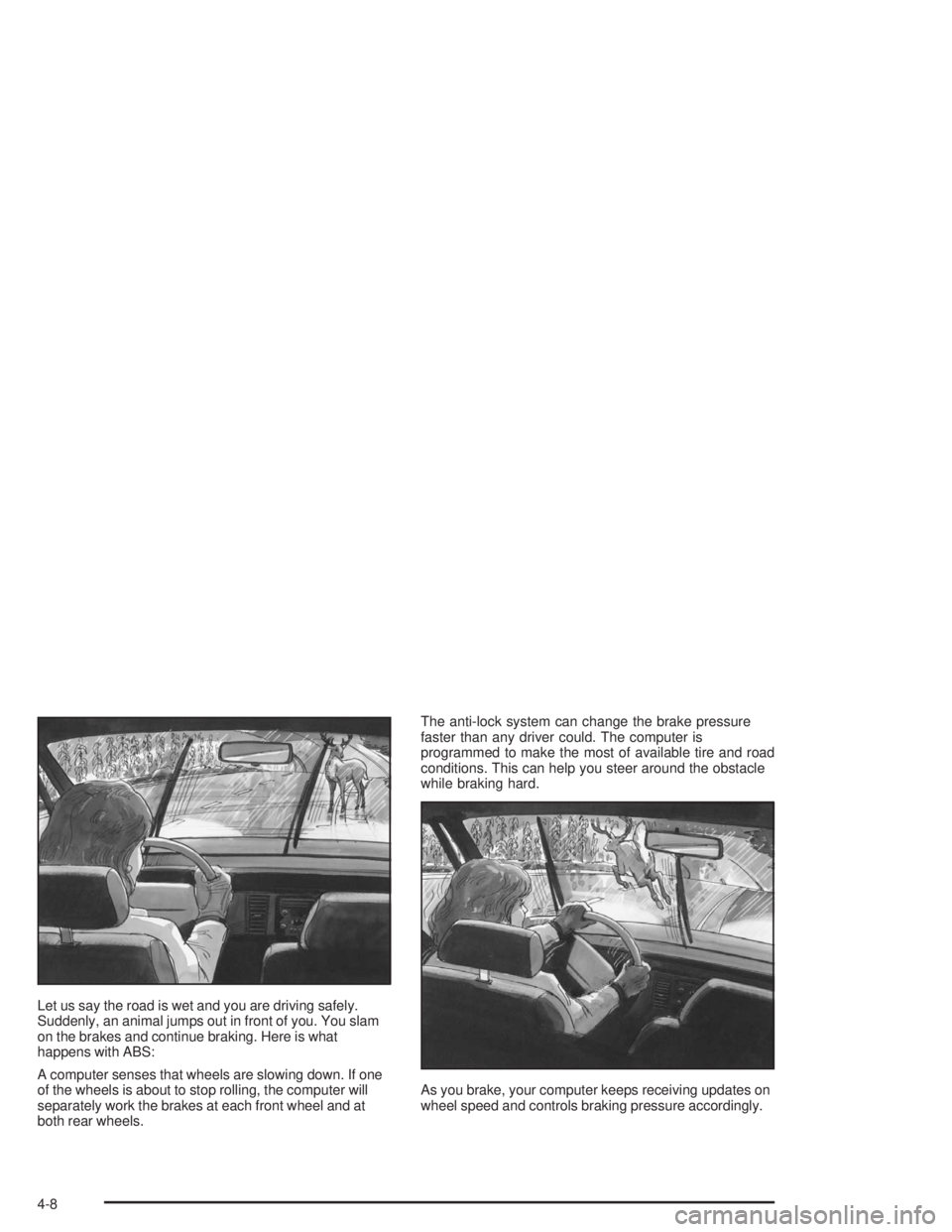
Let us say the road is wet and you are driving safely.
Suddenly, an animal jumps out in front of you. You slam
on the brakes and continue braking. Here is what
happens with ABS:
A computer senses that wheels are slowing down. If one
of the wheels is about to stop rolling, the computer will
separately work the brakes at each front wheel and at
both rear wheels.The anti-lock system can change the brake pressure
faster than any driver could. The computer is
programmed to make the most of available tire and road
conditions. This can help you steer around the obstacle
while braking hard.
As you brake, your computer keeps receiving updates on
wheel speed and controls braking pressure accordingly.
4-8
Page 254 of 416
Parking on Hills
{CAUTION:
You really should not park your vehicle, with a
trailer attached, on a hill. If something goes
wrong, your rig could start to move. People
can be injured, and both your vehicle and the
trailer can be damaged.
But if you ever have to park your rig on a hill, here’s
how to do it:
1. Apply your regular brakes, but don’t shift into
PARK (P) yet.
2. Have someone place chocks under the trailer
wheels.
3. When the wheel chocks are in place, release the
regular brakes until the chocks absorb the load.
4. Reapply the regular brakes. Then apply your
parking brake, and then shift to PARK (P).
5. Release the regular brakes.
When You Are Ready to Leave After
Parking on a Hill
1. Apply your regular brakes and hold the pedal down
while you:
start your engine,
shift into a gear, and
release the parking brake.
2. Let up on the brake pedal.
3. Drive slowly until the trailer is clear of the chocks.
4. Stop and have someone pick up and store the
chocks.
4-44
Page 282 of 416
Engine Air Cleaner/Filter
When to Inspect the Engine Air
Cleaner/Filter
Inspect the air cleaner/lter at every oil change
and replace at the rst oil change after
25,000 miles (40 000 km).
How to Inspect the Engine Air
Cleaner/Filter
To inspect the air cleaner/lter remove the lter from the
vehicle and lightly shake lter to release loose dust
and dirt. If the lter remains “caked” with dirt, a new lter
is required.
SeeEngine Compartment Overview on page 5-12for
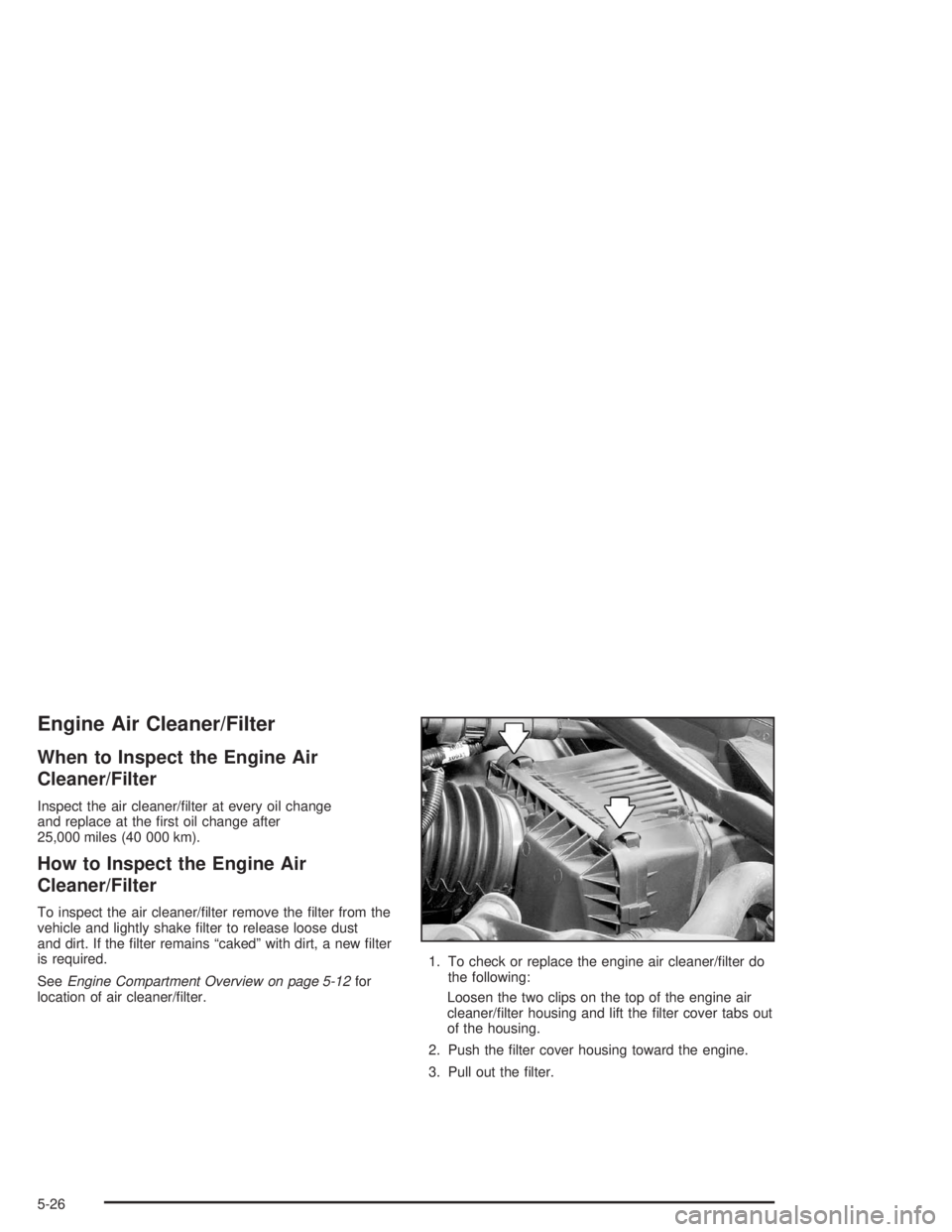
location of air cleaner/lter.1. To check or replace the engine air cleaner/lter do
the following:
Loosen the two clips on the top of the engine air
cleaner/lter housing and lift the lter cover tabs out
of the housing.
2. Push the lter cover housing toward the engine.
3. Pull out the lter.
5-26
Page 283 of 416
4. Check or install a new engine air cleaner/lter.
SeeNormal Maintenance Replacement Parts on
page 6-13.
5. To reinstall the cover, position the tabs through the
slots on the housing. A notch on the sides of the
lter cover will indicate the correct engagement.
Reinstall the two clips on the top of the housing
when you are nished.
Refer to the Maintenance Schedule to determine when
to replace the air lter.
SeeScheduled Maintenance on page 6-4.
{CAUTION:
Operating the engine with the air cleaner/lter
off can cause you or others to be burned.
The air cleaner not only cleans the air,
it helps to stop ame if the engine backres.
CAUTION: (Continued)
CAUTION: (Continued)
If it is not there and the engine backres, you
could be burned. Do not drive with it off, and
be careful working on the engine with the air
cleaner/lter off.
Notice:If the air cleaner/lter is off, a backre can
cause a damaging engine re. And, dirt can
easily get into your engine, which will damage it.
Always have the air cleaner/lter in place when you
are driving.
5-27