oil reset CHEVROLET MONTE CARLO 2004 Owners Manual
[x] Cancel search | Manufacturer: CHEVROLET, Model Year: 2004, Model line: MONTE CARLO, Model: CHEVROLET MONTE CARLO 2004Pages: 416, PDF Size: 4.56 MB
Page 106 of 416
Vehicle Personalization
Some of the convenience features can be reset or
customized to perform according to your preference. The
features you can program depend upon the options
that came with your vehicle. The following list shows
features that can be reset or customized along with
those options.
Settings (Available for All)
GM Oil Life System Reset (Available for All)
Low Tire Pressure Reset
Delayed Headlamp Illumination (Available for All)
Automatic Door Lock and Unlock (Available for All)
Remote Visual Verication (Available with
Remote Keyless Entry)
Remote Audible Verication (Available with
Remote Keyless Entry)
Content Theft Operation (Available with Content
Theft System)
Trunk Jamb (Available with Content Theft System)
Horn Chirp On Timer (Available with Remote
Keyless Entry)
Remote Keyless Entry Transmitter Programming
(Available with Remote Keyless Entry)
Return to Original Factory Settings
(Available for All)
Exit Vehicle Customization Mode
Programming Mode
To reset or customize the features, rst enter the
vehicle customization main menu. To enter the main
menu, do the following:
1. Turn the ignition to ACC or ON. The radio
must be off.
2. Press and hold the TUNE DISP knob on the radio
for at least ve seconds until SETTINGS is
displayed.
3. Press the SEEK PSCAN up or down arrows to
scroll through each available feature on your
main menu.
4. Press the 1 PREV or 2 NEXT buttons to scroll
through the lower menu. An asterisk (*) will
appear next to the item that is the current setting.
The following information shows how to reset or
customize features after entering the main menu.
2-42
Page 107 of 416
SETTINGS (Display Current Settings)
This displays all current settings.
OIL LIFE (GM Oil Life System Reset)
This feature allows you to reset the GM Oil Life System
Monitor after an oil change. SeeEngine Oil on
page 5-18. Be careful not to reset the OIL LIFE system
at any time other than when the oil has been changed.
To clear the CHANGE ENGINE OIL light from the
instrument panel cluster and reset the oil life system, do
the following:
1. Scroll, using the SEEK PSCAN up or down arrows,
until OIL LIFE appears on the display.
2. Press the 1 PREV or 2 NEXT button to enter the
submenu. RESET will then be displayed.
3. Press the TUNE DISP knob to reset. A chime will
be heard to verify the new setting and DONE will
be displayed for one second.
The CHANGE ENGINE OIL light is now reset. You can
either exit the programming mode by following the
instructions later in this section or program the next
feature available on your vehicle.
TIRE MON (Tire Ination Monitor Reset)
This feature allows you to reset the tire pressure
monitor after checking all tire pressures. SeeTires on
page 5-65. To clear the LOW TIRE PRESSURE
light from the instrument panel cluster and reset the low
tire pressure monitor, do the following:
1. Scroll, using the SEEK PSCAN up or down arrows,
until TIRE MON appears on the display.
2. Press the 1 PREV or 2 NEXT button to enter the
submenu. RESET will be displayed.
3. Press the TUNE DISP button to reset. A chime will
be heard to verify the new setting and DONE will
be displayed for one second.
The low tire pressure monitor is now reset. You can
either exit the programming mode by following the
instructions later in this section or program the next
feature available on your vehicle.
2-43
Page 161 of 416
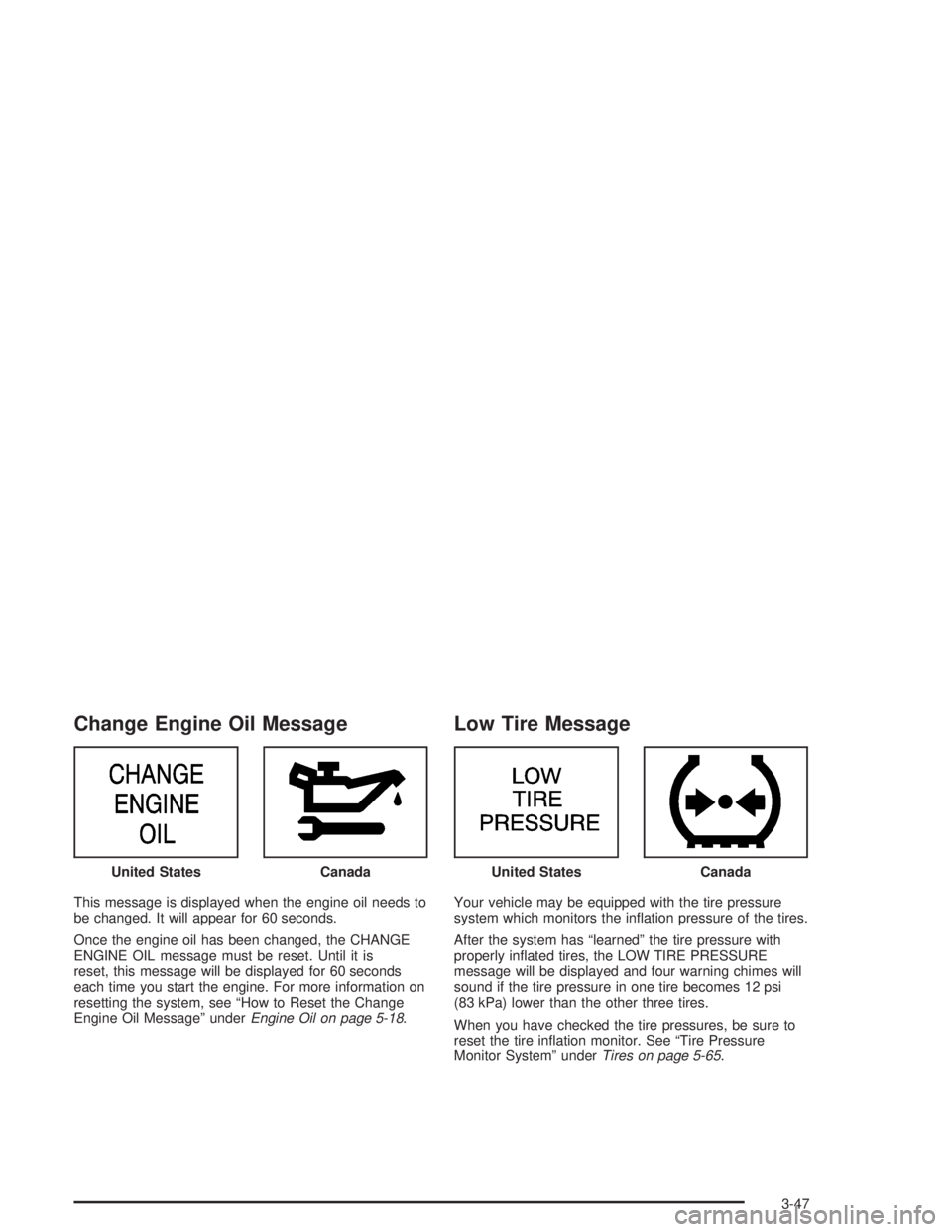
Change Engine Oil Message
This message is displayed when the engine oil needs to
be changed. It will appear for 60 seconds.
Once the engine oil has been changed, the CHANGE
ENGINE OIL message must be reset. Until it is
reset, this message will be displayed for 60 seconds
each time you start the engine. For more information on
resetting the system, see “How to Reset the Change
Engine Oil Message” underEngine Oil on page 5-18.
Low Tire Message
Your vehicle may be equipped with the tire pressure
system which monitors the ination pressure of the tires.
After the system has “learned” the tire pressure with
properly inated tires, the LOW TIRE PRESSURE
message will be displayed and four warning chimes will
sound if the tire pressure in one tire becomes 12 psi
(83 kPa) lower than the other three tires.
When you have checked the tire pressures, be sure to
reset the tire ination monitor. See “Tire Pressure
Monitor System” underTires on page 5-65. United States
CanadaUnited StatesCanada
3-47
Page 208 of 416
The broken tape detection feature of your cassette tape
player may identify the cleaning cassette as a
damaged tape, in error. To prevent the cleaning cassette
from being ejected, use the following steps:
1. Turn the ignition on.
2. Turn the radio off.
3. Press and hold the TAPE AUX or the TAPE CD
button for ve seconds. READY will appear on
the display and a cassette symbol will ash for
ve seconds.
4. Insert the scrubbing action cleaning cassette.
5. Eject the cleaning cassette after the manufacturer’s
recommended cleaning time.
After the cleaning cassette is ejected, the broken tape
detection feature will be active again.
You may also choose a non-scrubbing action, wet-type
cleaner which uses a cassette with a fabric belt to
clean the tape head. This type of cleaning cassette will
not eject on its own. A non-scrubbing action cleaner
may not clean as thoroughly as the scrubbing type
cleaner. The use of a non-scrubbing action, dry-type
cleaning cassette is not recommended.After you clean the player, press and hold the EJT
button for ve seconds to reset the CLEAN indicator.
The radio will display CLEANED to show the indicator
was reset.
Cassettes are subject to wear and the sound quality
may degrade over time. Always make sure the cassette
tape is in good condition before you have your tape
player serviced.
Care of Your CDs
Handle CDs carefully. Store them in their original cases
or other protective cases and away from direct
sunlight and dust. If the surface of a CD is soiled,
dampen a clean, soft cloth in a mild, neutral detergent
solution and clean it, wiping from the center to the edge.
Be sure never to touch the side without writing when
handling CDs. Pick up CDs by grasping the outer edges
or the edge of the hole and the outer edge.
3-94
Page 278 of 416
Engine Oil Additives
Do not add anything to your oil. The recommended oils
with the starburst symbol that meet GM Standard
GM6094M are all you will need for good performance
and engine protection.
When to Change Engine Oil
(GM Oil Life System)
Your vehicle has a computer system that lets you know
when to change the engine oil and lter. This is based on
engine revolutions and engine temperature, and not on
mileage. Based on driving conditions, the mileage at
which an oil change will be indicated can vary
considerably. For the oil life system to work properly,
you must reset the system every time the oil is changed.
When the system has calculated that oil life has been
diminished, it will indicate that an oil change is necessary.
A CHANGE ENGINE OIL message will come on.
Change your oil as soon as possible within the next two
times you stop for fuel. It is possible that, if you are driving
under the best conditions, the oil life system may not
indicate that an oil change is necessary for over a year.However, your engine oil and lter must be changed at
least once a year and at this time the system must be
reset. Your dealer has GM-trained service people who
will perform this work using genuine GM parts and reset
the system. It is also important to check your oil regularly
and keep it at the proper level.
If the system is ever reset accidentally, you must
change your oil at 3,000 miles (5 000 km) since your
last oil change. Remember to reset the oil life system
whenever the oil is changed.
How to Reset the CHANGE ENGINE OIL
Message
The GM Oil Life System calculates when to change your
engine oil and lter based on vehicle use. Anytime your
oil is changed, reset the system so it can calculate when
the next oil change is required. If a situation occurs where
you change your oil prior to a CHANGE ENGINE OIL
message being turned on, reset the system.
5-22
Page 279 of 416
After changing the engine oil, the system must be reset.
To reset the CHANGE ENGINE OIL message use
one of the following procedures:
Using the Radio
1. Turn the ignition to ACC or ON, with the radio off.
2. Press and hold the TUNE DISP knob on the
radio for at least ve seconds until SETTINGS
is displayed.
3. Press the SEEK PSCAN up or down arrow to scroll
through the main menu.
4. Scroll until OIL LIFE appears on the display.
5. Press the 1 PREV or 2 NEXT buttons to enter the
submenu. RESET will be displayed.
6. Press the TUNE DISP knob to reset. A chime will
be heard to verify the new setting and DONE will
be displayed for one second.
7. Once the indicator has been reset, scroll until
EXIT appears on the display.8. Press the TUNE DISP knob to exit programming.
A chime will be heard to verify the exit.
9. Turn the key to OFF.
If the CHANGE ENGINE OIL message comes back on
when you start your vehicle, the engine oil life system
has not reset. Repeat the procedure.
Using the Accelerator Pedal
1. Turn the ignition to ON, with the engine off.
2. Fully press and release the accelerator pedal slowly
three times within ve seconds. If the CHANGE
ENGINE OIL message ashes, the system is reset.
However, if it stays on, it did not reset. Repeat
the procedure.
3. Turn the key to OFF.
If the CHANGE ENGINE OIL message comes back on
when you start your vehicle, the engine oil life system
has not reset. Repeat the procedure.
5-23
Page 290 of 416
Radiator Pressure Cap
Notice:The radiator cap on your vehicle is a
pressure-type cap and must be tightly installed to
prevent coolant loss and possible engine damage
from overheating. Be sure the arrows on the cap
line up with the overow tube on the radiator
ller neck.
The radiator pressure cap is located in the front of the
engine compartment on the passenger’s side, near
the diagonal cross brace. SeeEngine Compartment
Overview on page 5-12for more information on location.
Engine Overheating
You will nd a coolant temperature gage and a warning
message about a hot engine on your instrument
panel cluster. SeeEngine Coolant Temperature Gage
on page 3-38andHot Coolant Temperature Warning
Message on page 3-45.
Overheated Engine Protection
Operating Mode
This emergency operating mode allows your vehicle to
be driven to a safe place in an emergency situation.
If an overheated engine condition exists, an overheat
protection mode which alternates ring groups of
cylinders helps prevent engine damage. In this mode,
you will notice a signicant loss in power and engine
performance. The low coolant light may come on
and the temperature gage will indicate an overheat
condition exists. Driving extended miles (km) and/or
towing a trailer in the overheat protection mode should
be avoided.
Notice:After driving in the overheated engine
protection operating mode, to avoid engine damage,
allow the engine to cool before attempting any repair.
The engine oil will be severely degraded. Repair the
cause of coolant loss, change the oil and reset the
oil life system. SeeEngine Oil on page 5-18.
5-34
Page 372 of 416

Scheduled Maintenance
When the CHANGE ENGINE OIL message comes on, it
means that service is required for your vehicle. Have your
vehicle serviced as soon as possible within the next 600
miles (1 000 km). It is possible that, if you are driving
under the best conditions, the engine oil life system may
not indicate that vehicle service is necessary for over a
year. However, your engine oil and lter must be changed
at least once a year and at this time the system must be
reset. Your GM Goodwrench dealer has GM-trained
service technicians who will perform this work using
genuine GM parts and reset the system.
If the engine oil life system is ever reset accidentally,
you must service your vehicle within 3,000 miles
(5 000 km) since your last service. Remember to reset
the oil life system whenever the oil is changed. See
Engine Oil on page 5-18for information on the Engine
Oil Life System and resetting the system.When the change engine oil message appears, certain
services, checks and inspections are required.
Required services are described in the following for
“MaintenanceI” and “MaintenanceII.” Generally,
it is recommended that your rst service be
MaintenanceI, your second service be MaintenanceII
and that you alternate MaintenanceIand MaintenanceII
thereafter. However, in some cases, MaintenanceII
may be required more often.
MaintenanceI— Use MaintenanceIif the change
engine oil message comes on within ten months since
vehicle was purchased or MaintenanceIIwas
performed.
MaintenanceII— Use MaintenanceIIif the previous
service performed was MaintenanceI. Always use
MaintenanceIIwhenever the message comes on ten
months or more since the last service or if the message
has not come on at all for one year.
6-4
Page 373 of 416
Service MaintenanceIMaintenanceII
Change engine oil and lter. Reset oil life system. SeeEngine Oil on
page 5-18.An Emission Control Service.••
Visually check for any leaks or damage.See footnote (k).••
Inspect engine air cleaner lter. If necessary, replace lter. SeeEngine Air
Cleaner/Filter on page 5-26.An Emission Control Service. See footnote †.••
Rotate tires and check ination pressures and wear. SeeTires on page 5-65.••
Inspect brake system.See footnote (a).••
Check engine coolant and windshield washer uid levels and add uid as
needed.••
Perform any needed additional services. See “Additional Required Services” in
this section.••
Inspect suspension and steering components.See footnote (b).•
Inspect engine cooling system.See footnote (c).•
Inspect wiper blades.See footnote (d).•
Inspect restraint system components.See footnote (e).•
Lubricate body components.See footnote (f).•
Check transaxle uid level and add uid as needed.•
Replace passenger compartment air lter (if equipped).See footnote (g).•
Inspect throttle system.See footnote (j).•
6-5
Page 410 of 416
N
New Vehicle Break-In......................................2-17
Normal Maintenance Replacement Parts............6-13
O
Odometer......................................................3-32
Off-Road Recovery..........................................4-14
Oil
Engine.......................................................5-18
Pressure Indicator Light................................3-41
Pressure Message.......................................3-46
Supercharger, Engine...................................5-24
OIL LIFE (GM Oil Life System Reset)................2-43
Older Children, Restraints................................1-29
Online Owner Center........................................ 7-4
OnStar
®Personal Calling.................................2-35
OnStar®Services............................................2-35
OnStar®System.............................................2-34
OnStar®Virtual Advisor....................................2-35
ORIG. SET (Return to the Original Settings).......2-49
Other Warning Devices...................................... 3-6
Outlet Adjustment............................................3-26
Outside
Convex Mirror.............................................2-34
Heated Mirrors............................................2-34
Power Mirrors.............................................2-33Overheated Engine Protection Operating Mode . . . 5-34
Overseas – Customer Assistance........................ 7-5
Owner Checks and Services.............................. 6-9
Owners, Canadian............................................... ii
Owner’s Information........................................7-14
P
Parade Dimming.............................................3-18
Park (P)
Shifting Out of............................................2-28
Parking
Brake........................................................2-25
Over Things That Burn.................................2-28
Parking on Hills..............................................4-44
Park(P)
Shifting Into................................................2-26
Passenger Compartment Air Filter.....................3-27
Passing.................................................4-14, 4-42
Passlock
®......................................................2-16
Plan Ahead When Possible................................ 7-8
Playing a Cassette Tape..........................3-64, 3-86
Playing a CD.........................................3-75, 3-89
Playing the Radio...........................3-57, 3-68, 3-79
Power
Accessory Outlets........................................3-19
Door Locks.................................................. 2-9
Electrical System.......................................5-103
10