clock CHEVROLET OPTRA 2004 1.G User Guide
[x] Cancel search | Manufacturer: CHEVROLET, Model Year: 2004, Model line: OPTRA, Model: CHEVROLET OPTRA 2004 1.GPages: 346, PDF Size: 2.38 MB
Page 229 of 346
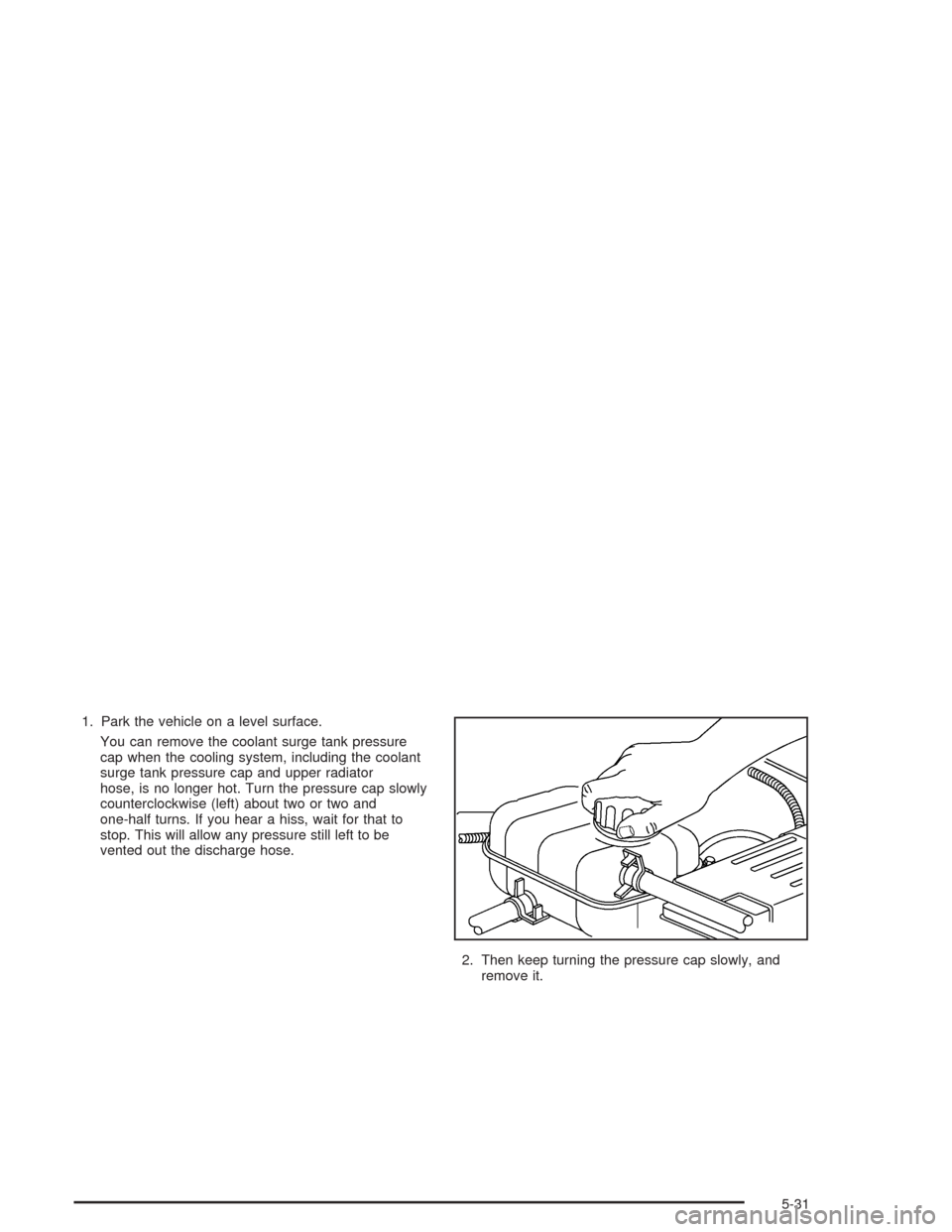
1. Park the vehicle on a level surface.
You can remove the coolant surge tank pressure
cap when the cooling system, including the coolant
surge tank pressure cap and upper radiator
hose, is no longer hot. Turn the pressure cap slowly
counterclockwise (left) about two or two and
one-half turns. If you hear a hiss, wait for that to
stop. This will allow any pressure still left to be
vented out the discharge hose.
2. Then keep turning the pressure cap slowly, and
remove it.
5-31
Page 243 of 346
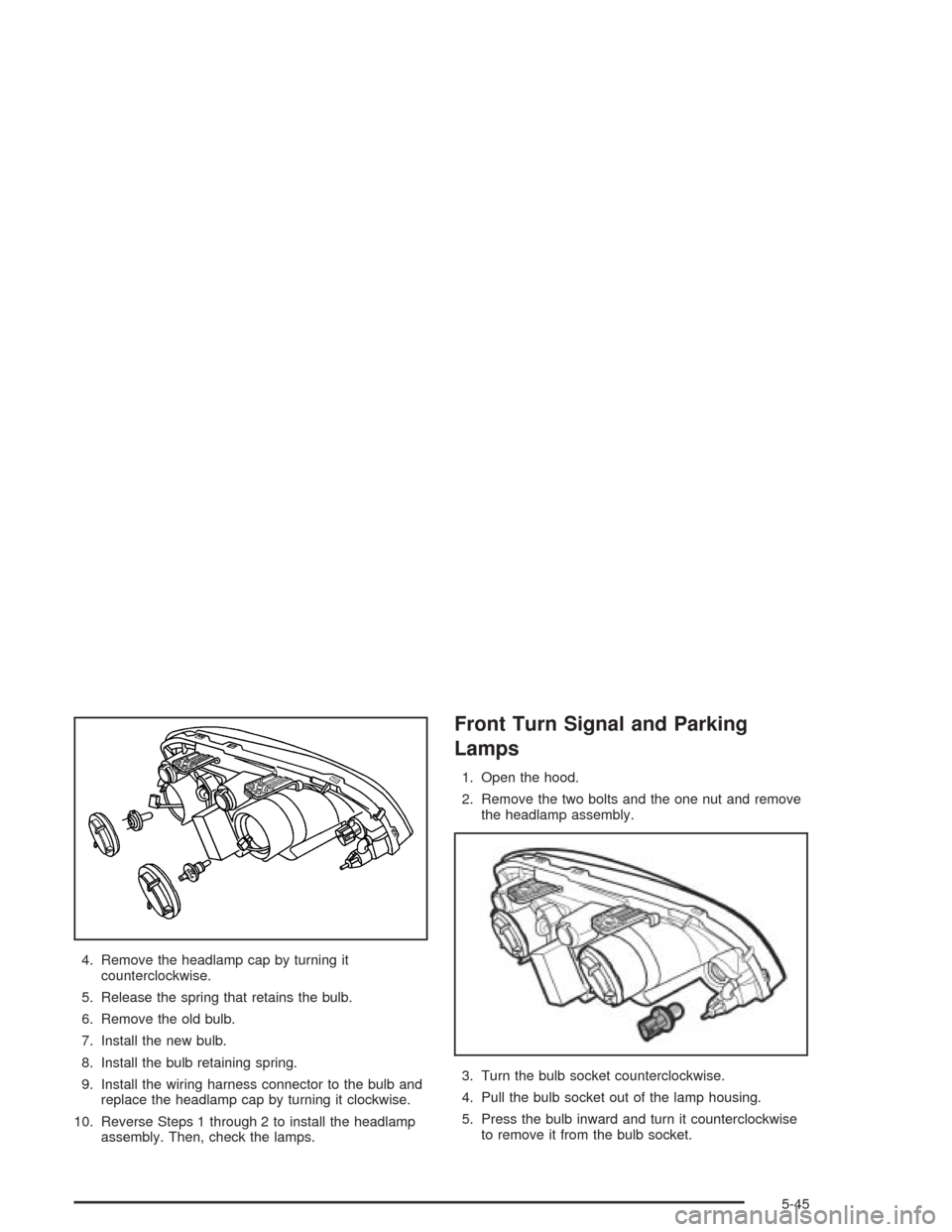
4. Remove the headlamp cap by turning it
counterclockwise.
5. Release the spring that retains the bulb.
6. Remove the old bulb.
7. Install the new bulb.
8. Install the bulb retaining spring.
9. Install the wiring harness connector to the bulb and
replace the headlamp cap by turning it clockwise.
10. Reverse Steps 1 through 2 to install the headlamp
assembly. Then, check the lamps.
Front Turn Signal and Parking
Lamps
1. Open the hood.
2. Remove the two bolts and the one nut and remove
the headlamp assembly.
3. Turn the bulb socket counterclockwise.
4. Pull the bulb socket out of the lamp housing.
5. Press the bulb inward and turn it counterclockwise
to remove it from the bulb socket.
5-45
Page 244 of 346
6. Install the new bulb into the holder by pressing it in
and turning it clockwise.
7. Install the socket into the lamp housing by turning it
clockwise.
8. Reverse Steps 1 through 2 to install the assembly.
Then, check the lamps.
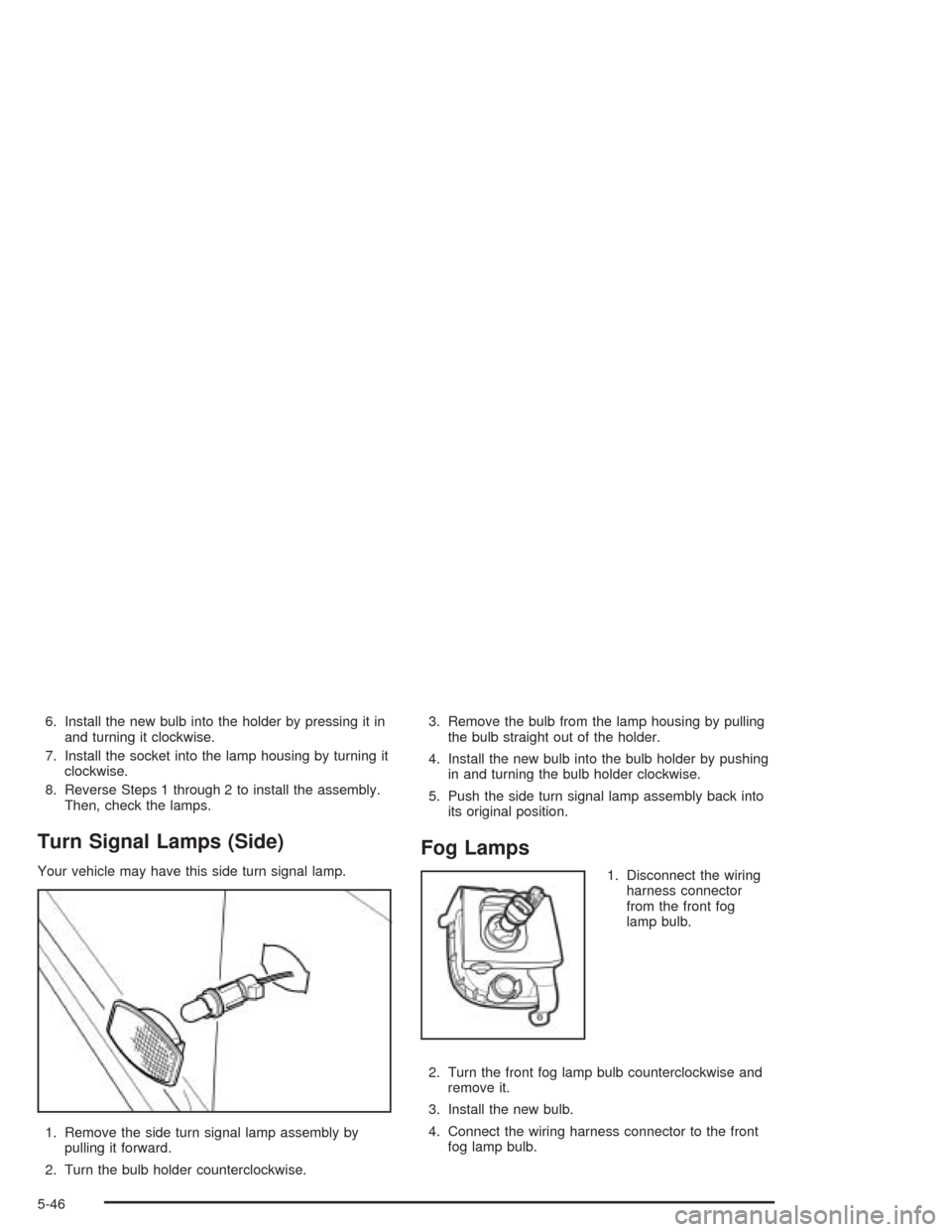
Turn Signal Lamps (Side)
Your vehicle may have this side turn signal lamp.
1. Remove the side turn signal lamp assembly by
pulling it forward.
2. Turn the bulb holder counterclockwise.3. Remove the bulb from the lamp housing by pulling
the bulb straight out of the holder.
4. Install the new bulb into the bulb holder by pushing
in and turning the bulb holder clockwise.
5. Push the side turn signal lamp assembly back into
its original position.
Fog Lamps
1. Disconnect the wiring
harness connector
from the front fog
lamp bulb.
2. Turn the front fog lamp bulb counterclockwise and
remove it.
3. Install the new bulb.
4. Connect the wiring harness connector to the front
fog lamp bulb.
5-46
Page 245 of 346
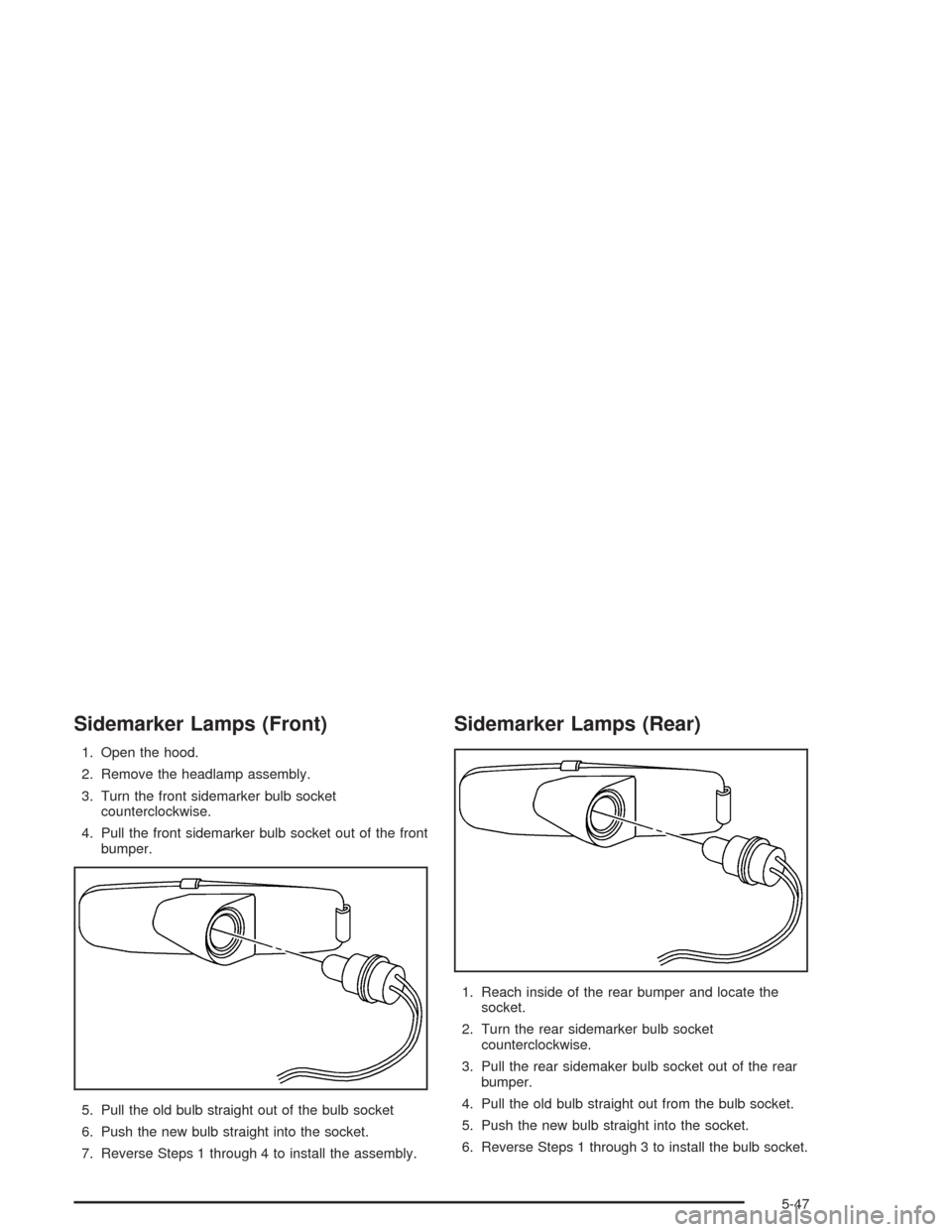
Sidemarker Lamps (Front)
1. Open the hood.
2. Remove the headlamp assembly.
3. Turn the front sidemarker bulb socket
counterclockwise.
4. Pull the front sidemarker bulb socket out of the front
bumper.
5. Pull the old bulb straight out of the bulb socket
6. Push the new bulb straight into the socket.
7. Reverse Steps 1 through 4 to install the assembly.
Sidemarker Lamps (Rear)
1. Reach inside of the rear bumper and locate the
socket.
2. Turn the rear sidemarker bulb socket
counterclockwise.
3. Pull the rear sidemaker bulb socket out of the rear
bumper.
4. Pull the old bulb straight out from the bulb socket.
5. Push the new bulb straight into the socket.
6. Reverse Steps 1 through 3 to install the bulb socket.
5-47
Page 247 of 346
3. Remove the bulb socket by turning it
counterclockwise.
4. Remove the bulb from the socket by pressing the
bulb and turning it counterclockwise.
5. Install the appropriate bulb into the socket.
6. Replace the bulb socket into the lamp housing.
Turn the bulb socket clockwise to secure.
7. Replace the trim cover.
8. Close the trunk or liftgate.Replacement Bulbs
Lamps Bulb Number
Back-Up 94535571
Center High-Mounted
Stoplamp/Sidemarker - Front
and Rear94535587
Headlamps - High-Beam 94535541
Headlamps - Low-Beam 94535546
Tail/Stoplamp 94535574
Turn Signal - Front and Parking
Lamp94535578
Turn Signal - Rear 94535572
For any bulb not listed here, contact your dealer.
5-49
Page 264 of 346
Removing the Spare Tire and Tools
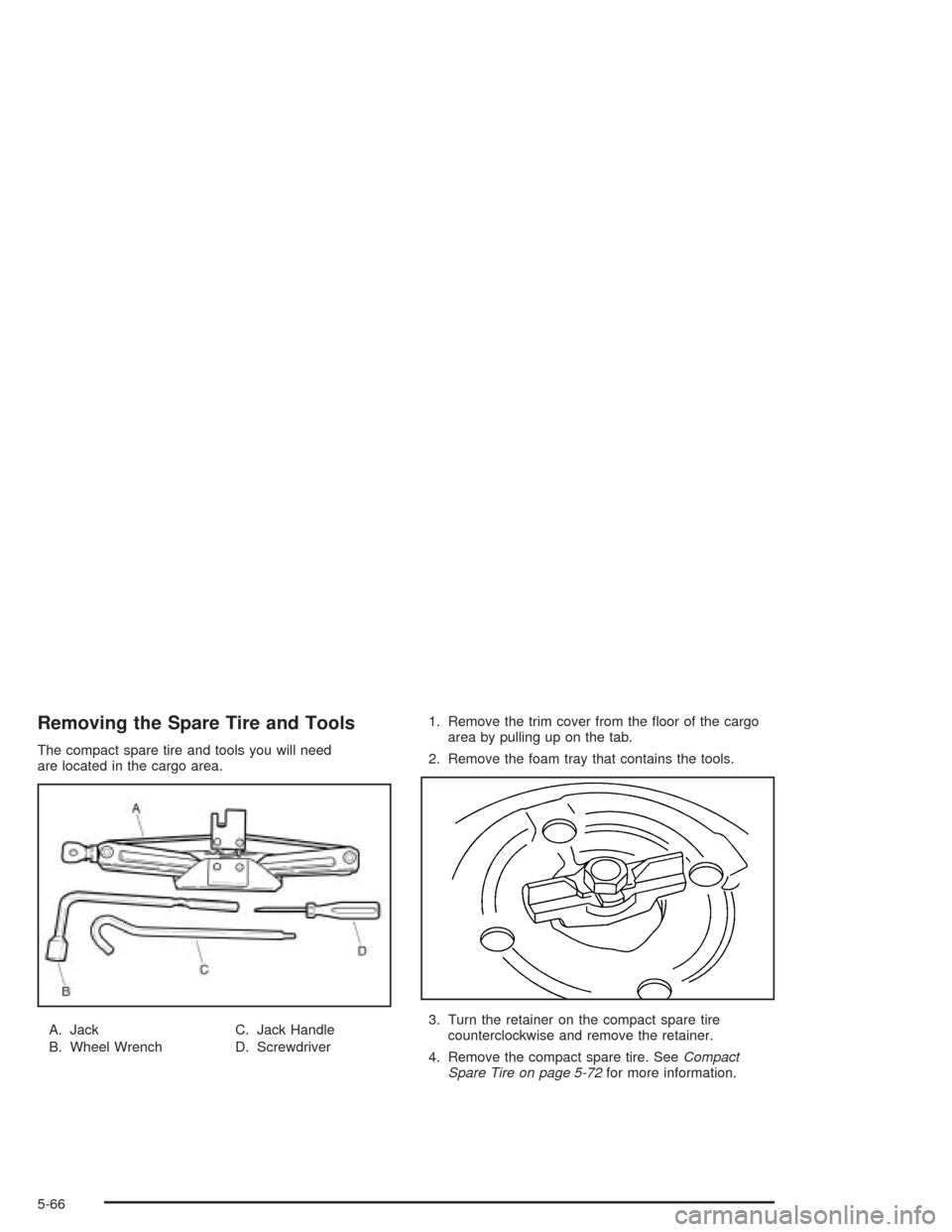
The compact spare tire and tools you will need
are located in the cargo area.
A. Jack
B. Wheel WrenchC. Jack Handle
D. Screwdriver1. Remove the trim cover from the floor of the cargo
area by pulling up on the tab.
2. Remove the foam tray that contains the tools.
3. Turn the retainer on the compact spare tire
counterclockwise and remove the retainer.
4. Remove the compact spare tire. SeeCompact
Spare Tire on page 5-72for more information.
5-66
Page 265 of 346
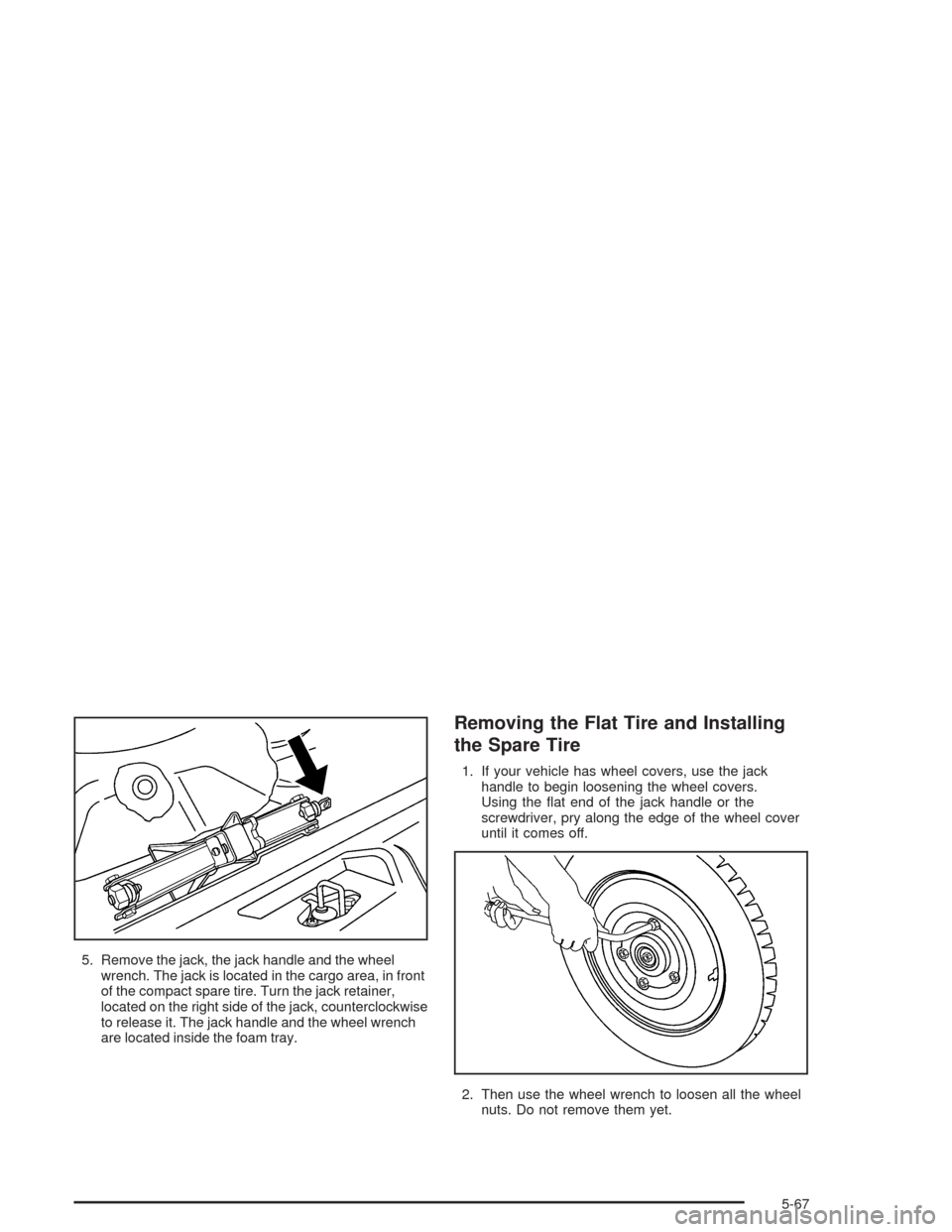
5. Remove the jack, the jack handle and the wheel
wrench. The jack is located in the cargo area, in front
of the compact spare tire. Turn the jack retainer,
located on the right side of the jack, counterclockwise
to release it. The jack handle and the wheel wrench
are located inside the foam tray.
Removing the Flat Tire and Installing
the Spare Tire
1. If your vehicle has wheel covers, use the jack
handle to begin loosening the wheel covers.
Using the flat end of the jack handle or the
screwdriver, pry along the edge of the wheel cover
until it comes off.
2. Then use the wheel wrench to loosen all the wheel
nuts. Do not remove them yet.
5-67
Page 267 of 346
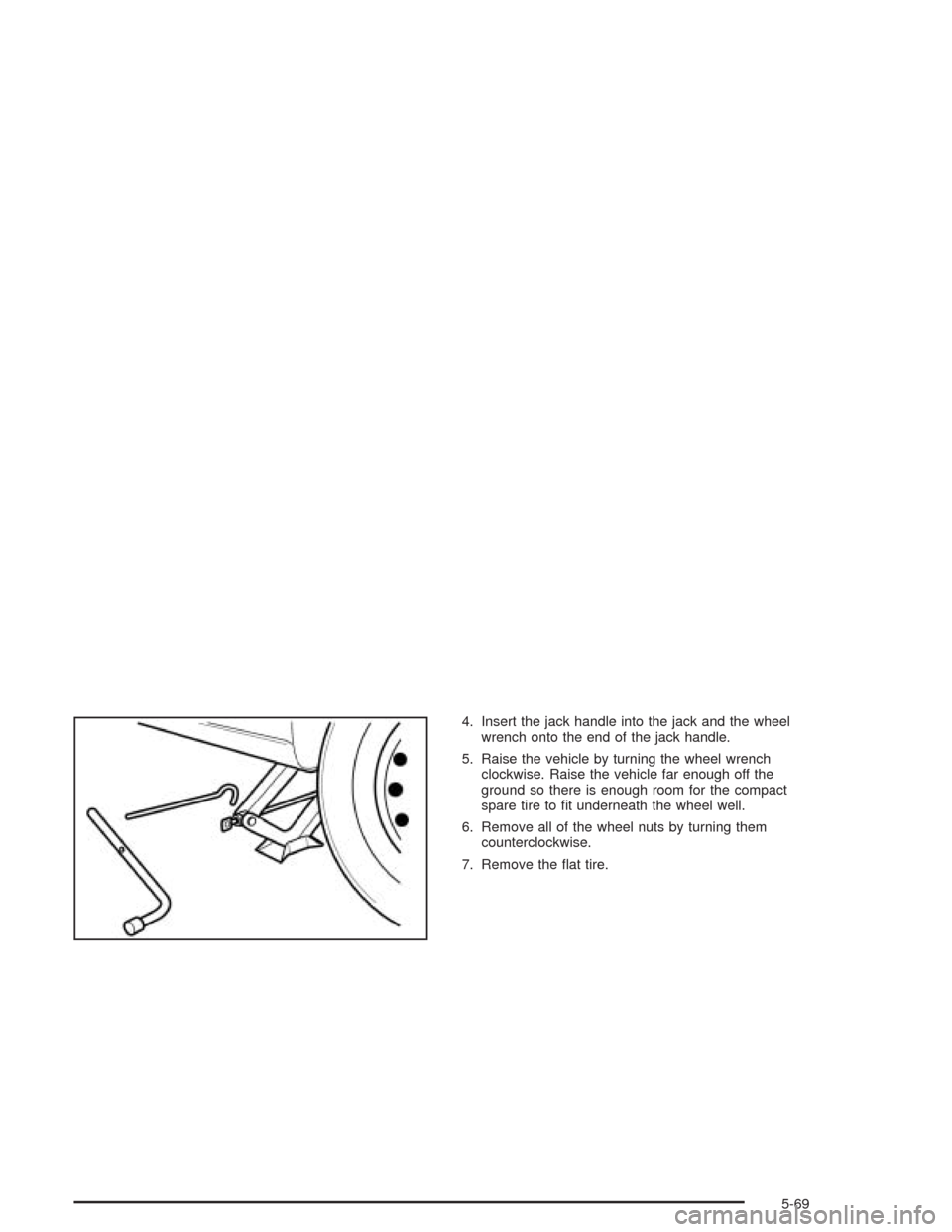
4. Insert the jack handle into the jack and the wheel
wrench onto the end of the jack handle.
5. Raise the vehicle by turning the wheel wrench
clockwise. Raise the vehicle far enough off the
ground so there is enough room for the compact
spare tire to fit underneath the wheel well.
6. Remove all of the wheel nuts by turning them
counterclockwise.
7. Remove the flat tire.
5-69
Page 268 of 346
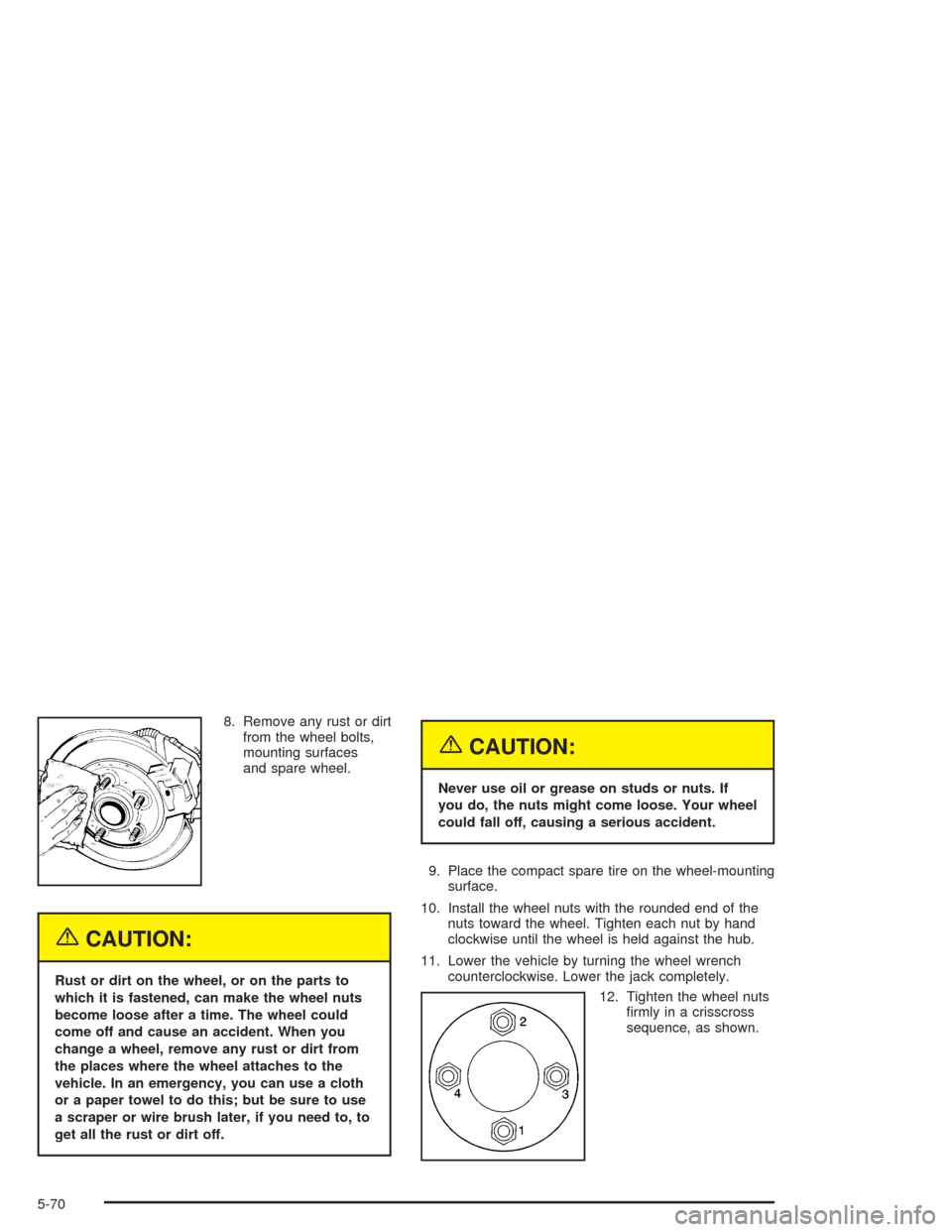
8. Remove any rust or dirt
from the wheel bolts,
mounting surfaces
and spare wheel.
{CAUTION:
Rust or dirt on the wheel, or on the parts to
which it is fastened, can make the wheel nuts
become loose after a time. The wheel could
come off and cause an accident. When you
change a wheel, remove any rust or dirt from
the places where the wheel attaches to the
vehicle. In an emergency, you can use a cloth
or a paper towel to do this; but be sure to use
a scraper or wire brush later, if you need to, to
get all the rust or dirt off.
{CAUTION:
Never use oil or grease on studs or nuts. If
you do, the nuts might come loose. Your wheel
could fall off, causing a serious accident.
9. Place the compact spare tire on the wheel-mounting
surface.
10. Install the wheel nuts with the rounded end of the
nuts toward the wheel. Tighten each nut by hand
clockwise until the wheel is held against the hub.
11. Lower the vehicle by turning the wheel wrench
counterclockwise. Lower the jack completely.
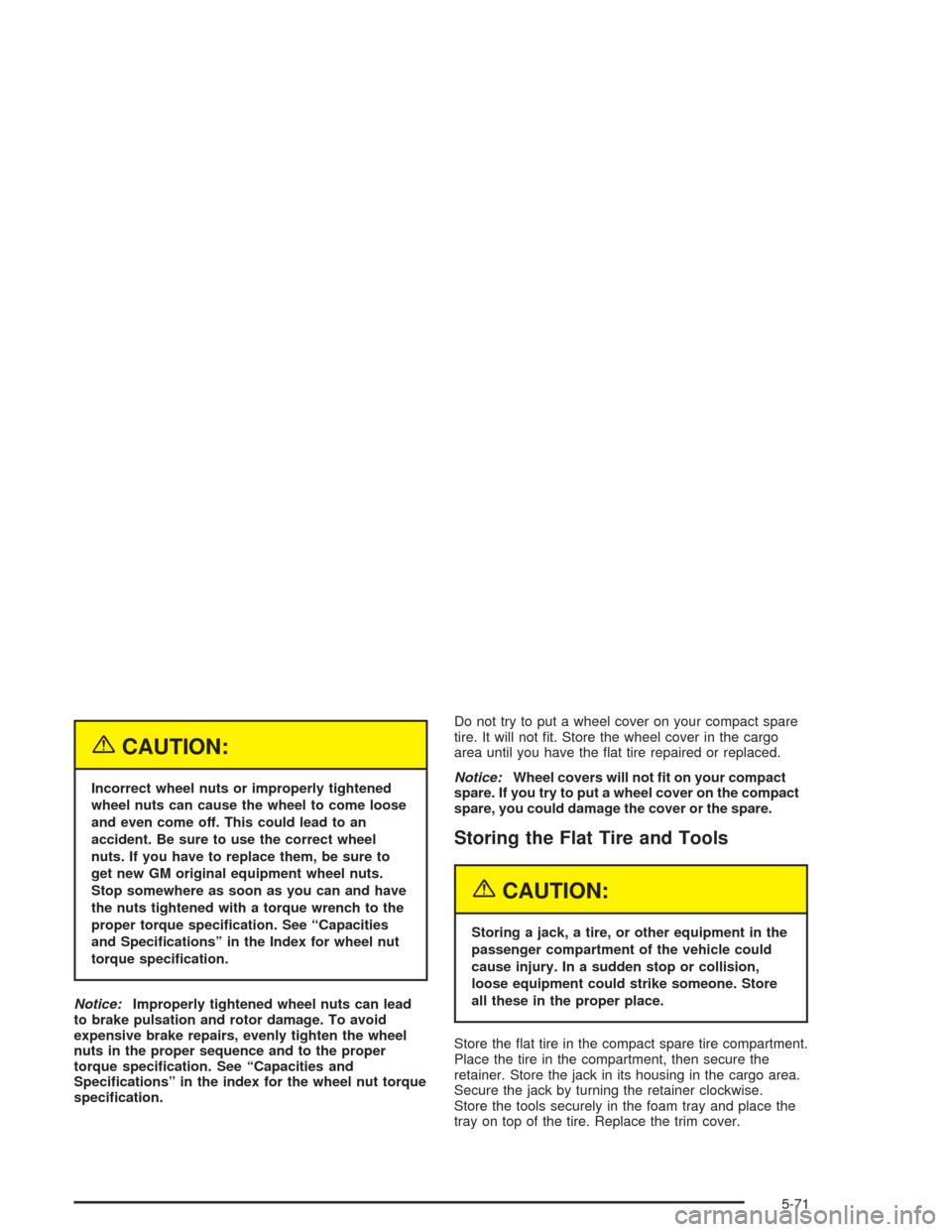
12. Tighten the wheel nuts
firmly in a crisscross
sequence, as shown.
5-70
Page 269 of 346
{CAUTION:
Incorrect wheel nuts or improperly tightened
wheel nuts can cause the wheel to come loose
and even come off. This could lead to an
accident. Be sure to use the correct wheel
nuts. If you have to replace them, be sure to
get new GM original equipment wheel nuts.
Stop somewhere as soon as you can and have
the nuts tightened with a torque wrench to the
proper torque specication. See “Capacities
and Specications” in the Index for wheel nut
torque specication.
Notice:Improperly tightened wheel nuts can lead
to brake pulsation and rotor damage. To avoid
expensive brake repairs, evenly tighten the wheel
nuts in the proper sequence and to the proper
torque specication. See “Capacities and
Specications” in the index for the wheel nut torque
specication.Do not try to put a wheel cover on your compact spare
tire. It will not fit. Store the wheel cover in the cargo
area until you have the flat tire repaired or replaced.
Notice:Wheel covers will not t on your compact
spare. If you try to put a wheel cover on the compact
spare, you could damage the cover or the spare.
Storing the Flat Tire and Tools
{CAUTION:
Storing a jack, a tire, or other equipment in the
passenger compartment of the vehicle could
cause injury. In a sudden stop or collision,
loose equipment could strike someone. Store
all these in the proper place.
Store the flat tire in the compact spare tire compartment.
Place the tire in the compartment, then secure the
retainer. Store the jack in its housing in the cargo area.
Secure the jack by turning the retainer clockwise.
Store the tools securely in the foam tray and place the
tray on top of the tire. Replace the trim cover.
5-71