Axle CHEVROLET OPTRA 5 2005 1.G User Guide
[x] Cancel search | Manufacturer: CHEVROLET, Model Year: 2005, Model line: OPTRA 5, Model: CHEVROLET OPTRA 5 2005 1.GPages: 336, PDF Size: 2.21 MB
Page 99 of 336
Torque Lock (Automatic Transaxle)
If you are parking on a hill and you do not shift your
transaxle into PARK (P) properly, the weight of the
vehicle may put too much force on the parking pawl in
the transaxle. You may find it difficult to pull the shift
lever out of PARK (P). This is called “torque lock.”
To prevent torque lock, set the parking brake and then
shift into PARK (P) properly before you leave the
driver’s seat. To find out how, seeShifting Into Park (P)
(Automatic Transaxle) on page 2-28.
When you are ready to drive, move the shift lever out of
PARK (P)beforeyou release the parking brake.
If torque lock does occur, you may need to have another
vehicle push yours a little uphill to take some of the
pressure from the parking pawl in the transaxle, so you
can pull the shift lever out of PARK (P).
Shifting Out of Park (P)
(Automatic Transaxle)
Your automatic transaxle vehicle has an automatic
transaxle shift lock control system which locks the shift
lever in PARK (P) when the ignition is in LOCK. You
have to fully apply your regular brakes before you can
shift from PARK (P) when the ignition is turned to
ON. SeeAutomatic Transaxle Operation on page 2-21.
If you cannot shift out of PARK (P) while holding the
brake pedal down, try this:
1. Set the parking brake.
2. Turn the ignition off and remove the key.
3. Pry off the cover over the shift-lock release slot
using a small, flat object, like a screwdriver. The
shift-lock release slot is located at the top of the
shift lever.
2-29
Page 100 of 336
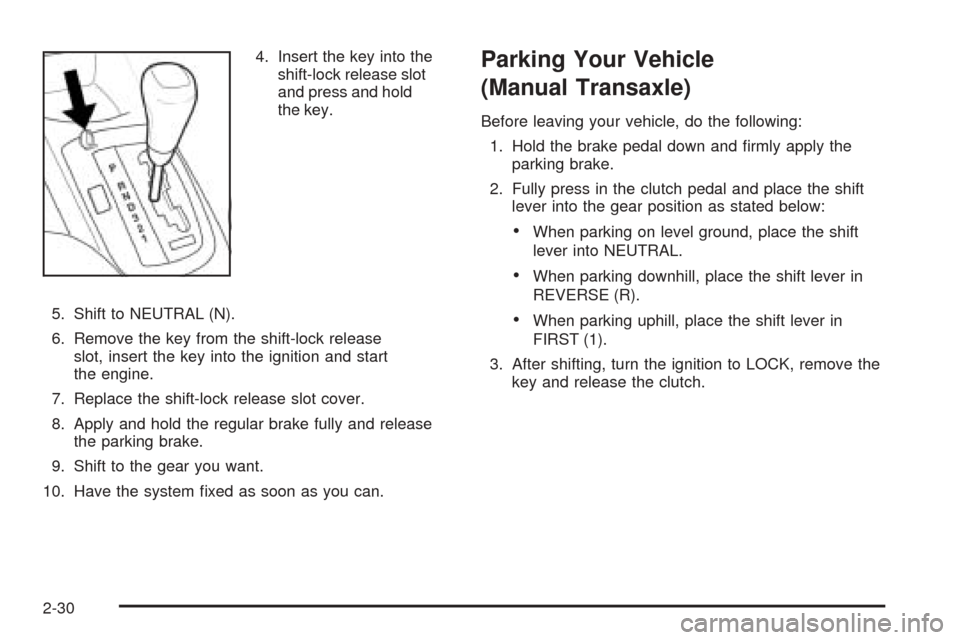
4. Insert the key into the
shift-lock release slot
and press and hold
the key.
5. Shift to NEUTRAL (N).
6. Remove the key from the shift-lock release
slot, insert the key into the ignition and start
the engine.
7. Replace the shift-lock release slot cover.
8. Apply and hold the regular brake fully and release
the parking brake.
9. Shift to the gear you want.
10. Have the system fixed as soon as you can.Parking Your Vehicle
(Manual Transaxle)
Before leaving your vehicle, do the following:
1. Hold the brake pedal down and firmly apply the
parking brake.
2. Fully press in the clutch pedal and place the shift
lever into the gear position as stated below:
•When parking on level ground, place the shift
lever into NEUTRAL.
•When parking downhill, place the shift lever in
REVERSE (R).
•When parking uphill, place the shift lever in
FIRST (1).
3. After shifting, turn the ignition to LOCK, remove the
key and release the clutch.
2-30
Page 102 of 336
Running Your Engine While You
Are Parked
It is better not to park with the engine running. But if
you ever have to, here are some things to know.
{CAUTION:
Idling the engine with the climate control
system off could allow dangerous exhaust into
your vehicle. See the earlier caution under
Engine Exhaust on page 2-31.
Also, idling in a closed-in place can let deadly
carbon monoxide (CO) into your vehicle even if
the climate control fan is at the highest setting.
One place this can happen is a garage.
Exhaust — with CO — can come in easily.
NEVER park in a garage with the engine
running.
Another closed-in place can be a blizzard. See
Winter Driving on page 4-23.
{CAUTION:
It can be dangerous to get out of your vehicle
if the shift lever is not fully in PARK (P) with
the parking brake rmly set. Your vehicle can
roll. Do not leave your vehicle when the engine
is running unless you have to. If you have left
the engine running, the vehicle can move
suddenly. You or others could be injured. To
be sure your vehicle will not move, even when
you are on fairly level ground, always set your
parking brake and move the shift lever to
PARK (P).
Follow the proper steps to be sure your vehicle will not
move. SeeShifting Into Park (P) (Automatic Transaxle)
on page 2-28.
If you are parking on a hill and if you are pulling a
trailer, also seeTowing a Trailer on page 4-35.
2-32
Page 120 of 336
Windshield Washer
To wash your windshield, pull the windshield
wiper/washer lever toward you with the ignition
turned to ON.
{CAUTION:
In freezing weather, do not use your washer
until the windshield is warmed. Otherwise the
washer uid can form ice on the windshield,
blocking your vision.
When you release the lever, the washers will stop, but
the wipers will continue to wipe for about two or
three cycles and will either stop or will resume at the
speed you were using before.
Rear Window Washer/Wiper
Your vehicle may have a rear window washer/wiper.
Operate the rear window washer/wiper system by
pushing the windshield wiper/washer lever away from
you. The wiper operates continuously when the lever is
in the first position. Washer fluid sprays onto the rear
window and the wiper operates continuously when
the lever is pushed to the second position.
Cruise Control
If your vehicle has cruise control, you can maintain a
speed of about 24 mph (39 km/h) or more without
keeping your foot on the accelerator. This can really
help on long trips. Cruise control does not work at
speeds below 24 mph (39 km/h).
When you apply your brakes, or the clutch pedal
if you have a manual transaxle, the cruise control
turns off.
{CAUTION:
Cruise control can be dangerous where you
cannot drive safely at a steady speed. So, do
not use your cruise control on winding roads
or in heavy traffic.
Cruise control can be dangerous on slippery
roads. On such roads, fast changes in tire
traction can cause needless wheel spinning,
and you could lose control. Do not use cruise
control on slippery roads.
3-12
Page 121 of 336
Setting Cruise Control
{CAUTION:
If you leave your cruise control on when you
are not using cruise, you might hit a button
and go into cruise when you do not want to.
You could be startled and even lose control.
Keep the cruise control switch off until you
want to use cruise control.The cruise control pad is located on the right side of the
steering wheel.
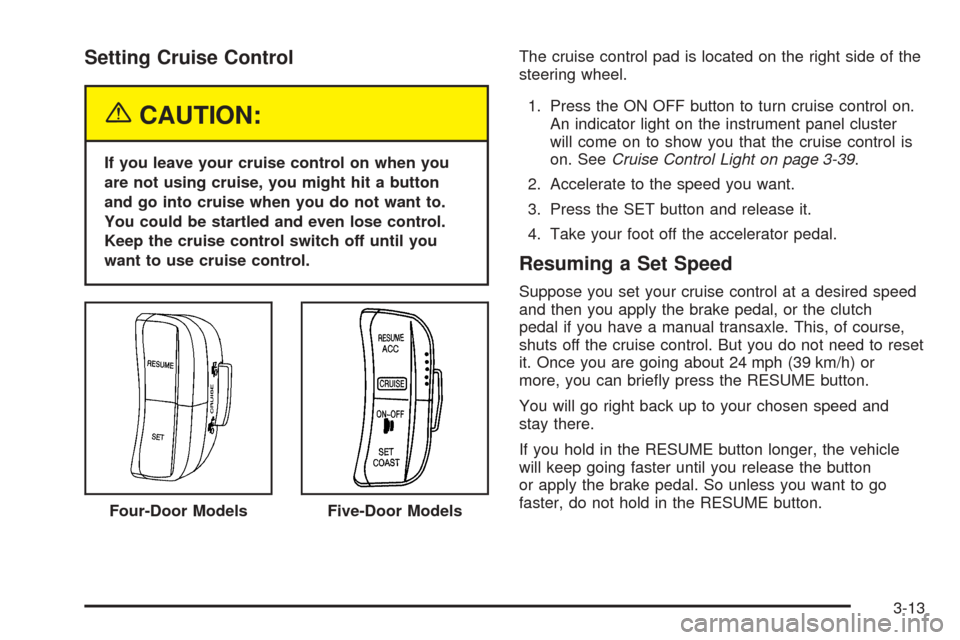
1. Press the ON OFF button to turn cruise control on.
An indicator light on the instrument panel cluster
will come on to show you that the cruise control is
on. SeeCruise Control Light on page 3-39.
2. Accelerate to the speed you want.
3. Press the SET button and release it.
4. Take your foot off the accelerator pedal.
Resuming a Set Speed
Suppose you set your cruise control at a desired speed
and then you apply the brake pedal, or the clutch
pedal if you have a manual transaxle. This, of course,
shuts off the cruise control. But you do not need to reset
it. Once you are going about 24 mph (39 km/h) or
more, you can briefly press the RESUME button.
You will go right back up to your chosen speed and
stay there.
If you hold in the RESUME button longer, the vehicle
will keep going faster until you release the button
or apply the brake pedal. So unless you want to go
faster, do not hold in the RESUME button.
Four-Door Models
Five-Door Models
3-13
Page 122 of 336
Increasing Speed While Using
Cruise Control
There are two ways to go to a higher speed.
•Use the accelerator pedal to get to a higher speed.
Press the SET button, then release the button and
the accelerator pedal. You will now cruise at the
higher speed.
•Press the RESUME button. Hold it there until you
get up to the speed you want, and then release
the button. To increase your speed in very
small amounts, briefly press the RESUME button
and then release it. Each time you do this, your
vehicle will go about 1 mph (1.6 km/h) faster.
The accelerate feature will only work after you turn on
the cruise control by pressing the SET button.
Reducing Speed While Using
Cruise Control
There are two ways to reduce your speed while using
cruise control:
•Press the SET button until you reach the lower
speed you want, then release it.
•To slow down in very small amounts, briefly press
the SET button. Each time you do this, you will go
about 1 mph (1.6 km/h) slower.
Passing Another Vehicle While Using
Cruise Control
Use the accelerator pedal to increase your speed.
When you take your foot off the pedal, your vehicle will
slow down to the cruise control speed you set earlier.
Using Cruise Control on Hills
How well your cruise control will work on hills depends
upon your speed, load and the steepness of the
hills. When going up steep hills, you may have to step
on the accelerator pedal to maintain your speed.
When going downhill, you may have to brake or shift to
a lower gear to keep your speed down. Of course,
applying the brake pedal takes you out of cruise control.
Many drivers find this to be too much trouble and do
not use cruise control on steep hills.
Ending Cruise Control
There are two ways to turn off the cruise control:
•Step lightly on the brake pedal, or press the clutch
pedal, if you have a manual transaxle.
•Press the ON OFF button on the cruise control pad.
Erasing Speed Memory
When you turn off the cruise control or the ignition, your
cruise control set speed memory is erased.
3-14
Page 143 of 336
Hold Mode Light
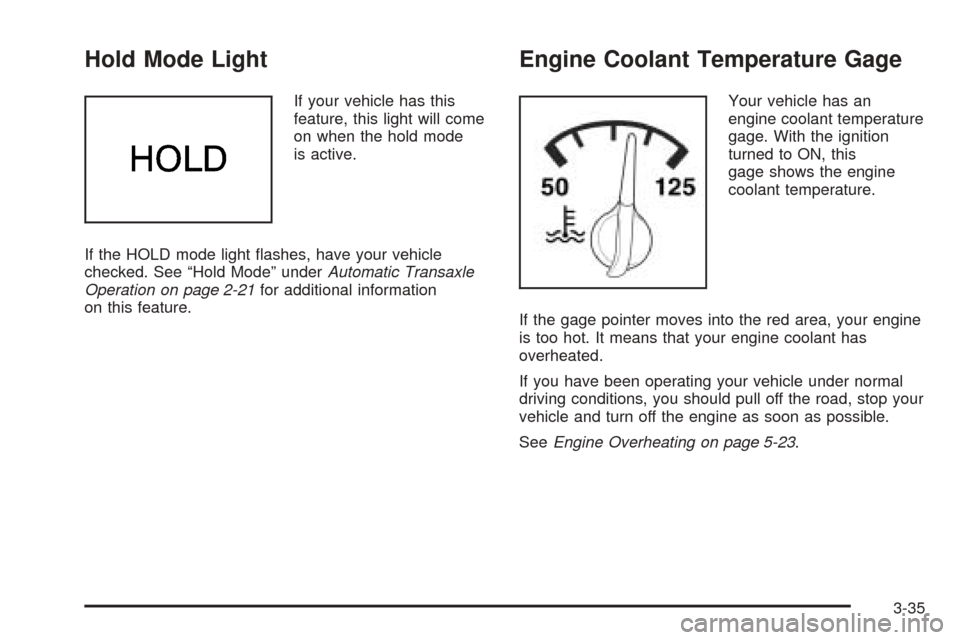
If your vehicle has this
feature, this light will come
on when the hold mode
is active.
If the HOLD mode light flashes, have your vehicle
checked. See “Hold Mode” underAutomatic Transaxle
Operation on page 2-21for additional information
on this feature.
Engine Coolant Temperature Gage
Your vehicle has an
engine coolant temperature
gage. With the ignition
turned to ON, this
gage shows the engine
coolant temperature.
If the gage pointer moves into the red area, your engine
is too hot. It means that your engine coolant has
overheated.
If you have been operating your vehicle under normal
driving conditions, you should pull off the road, stop your
vehicle and turn off the engine as soon as possible.
SeeEngine Overheating on page 5-23.
3-35
Page 144 of 336
Malfunction Indicator Lamp
Check Engine Light
Your vehicle is equipped
with a computer which
monitors operation of the
fuel, ignition, and emission
control systems.
This system is called OBD II (On-Board
Diagnostics-Second Generation) and is intended to
assure that emissions are at acceptable levels for the
life of the vehicle, helping to produce a cleaner
environment. The Check Engine light comes on to
indicate that there is a problem and service is required.
Malfunctions often will be indicated by the system
before any problem is apparent. This may prevent more
serious damage to your vehicle. This system is also
designed to assist your service technician in correctly
diagnosing any malfunction.
Notice:If you keep driving your vehicle with this
light on, after awhile, your emission controls
may not work as well, your fuel economy may not
be as good, and your engine may not run as
smoothly. This could lead to costly repairs that may
not be covered by your warranty.Notice:Modications made to the engine,
transaxle, exhaust, intake, or fuel system of your
vehicle or replacement tires that do not match your
vehicle’s original tires can affect your vehicle’s
emission controls and may cause this light to come
on. Modications to these systems could lead to
costly repairs not covered by your warranty.
This may also result in a failure to pass a required
Emission Inspection/Maintenance test.
When the ignition is on, this light should come on and
should go out after a few seconds as a check to
show you it is working. If the light does not come on,
have it repaired.
This light will also come on during a malfunction in one
of two ways:
•Light Flashing— A misfire condition has been
detected. A misfire increases vehicle emissions
and may damage the emission control system on
your vehicle. Diagnosis and service may be
required.
•Light On Steady— An emission control system
malfunction has been detected on your vehicle.
Diagnosis and service may be required.
3-36
Page 171 of 336
You may feel or hear the system working, but this is
normal. This light will also come on when the anti-lock
brake system is working.
If your vehicle is in cruise control when the traction
system begins to limit wheel spin, the cruise control will
automatically disengage. When road conditions allow
you to safely use it again, you may re-engage the cruise
control. SeeCruise Control on page 3-12.
The Traction Control System operates in all transaxle
shift lever positions. But the system can upshift the
transaxle only as high as the shift lever position
you have chosen, so you should use the lower gears
only when necessary.
Steering
Power Steering
If you lose power steering assist because the engine
stops or the system is not functioning, you can steer but
it will take much more effort.
Speed Sensitive Power Steering (SSPS)
If your vehicle has this optional steering system, the
steering system continuously adjusts the effort you feel
when steering at all vehicle speeds. It provides ease
when parking, yet a firm, solid feel at highway speeds.
Steering Tips
Driving on Curves
It is important to take curves at a reasonable speed.
A lot of the “driver lost control” accidents mentioned on
the news happen on curves.
Here is why:
Experienced driver or beginner, each of us is subject to
the same laws of physics when driving on curves.
The traction of the tires against the road surface makes
it possible for the vehicle to change its path when
you turn the front wheels. If there is no traction, inertia
will keep the vehicle going in the same direction. If
you have ever tried to steer a vehicle on wet ice, you
will understand this.
The traction you can get in a curve depends on the
condition of your tires and the road surface, the angle at
which the curve is banked, and your speed. While
you are in a curve, speed is the one factor you
can control.
Suppose you are steering through a sharp curve.
Then you suddenly apply the brakes. Both control
systems — steering and braking — have to do their work
where the tires meet the road. Unless you have
four-wheel anti-lock brakes, adding the hard braking
can demand too much of those places. You can
lose control.
4-9
Page 184 of 336
If you drive regularly in steep country, or if you are
planning to visit there, here are some tips that can make
your trips safer and more enjoyable.
•Keep your vehicle in good shape. Check all fluid
levels and also the brakes, tires, cooling system,
and transaxle. These parts can work hard on
mountain roads.
•Know how to go down hills. The most important
thing to know is this: let your engine do some of
the slowing down. Shift to a lower gear when you go
down a steep or long hill.
{CAUTION:
If you do not shift down, your brakes could get
so hot that they would not work well. You
would then have poor braking or even none
going down a hill. You could crash. Shift down
to let your engine assist your brakes on a
steep downhill slope.
{CAUTION:
Coasting downhill in NEUTRAL (N) or with the
ignition off is dangerous. Your brakes will have
to do all the work of slowing down. They could
get so hot that they would not work well. You
would then have poor braking or even none
going down a hill. You could crash. Always
have your engine running and your vehicle in
gear when you go downhill.
•Know how to go uphill. Drive in the highest
gear possible.
•Stay in your own lane when driving on two-lane
roads in hills or mountains. Do not swing wide
or cut across the center of the road. Drive at speeds
that let you stay in your own lane.
•As you go over the top of a hill, be alert. There
could be something in your lane, like a stalled car or
an accident.
•You may see highway signs on mountains that
warn of special problems. Examples are long
grades, passing or no-passing zones, a falling rocks
area, or winding roads. Be alert to these and take
appropriate action.
4-22