warning CHEVROLET OPTRA 5 2006 1.G User Guide
[x] Cancel search | Manufacturer: CHEVROLET, Model Year: 2006, Model line: OPTRA 5, Model: CHEVROLET OPTRA 5 2006 1.GPages: 370, PDF Size: 2.32 MB
Page 112 of 370
Fog Lamp Light............................................3-41
Cruise Control Light......................................3-41
Highbeam On Light.......................................3-41
Daytime Running Lamps (DRL) Indicator Light.....3-41
Door Ajar Light.............................................3-42
Trunk Ajar Light............................................3-42
Fuel Gage...................................................3-42
Low Fuel Warning Light.................................3-43Audio System(s).............................................3-44
Radio with CD (Single Display, Base Level)......3-45
Radio with CD (Single Display, MP3)...............3-49
Radio with CD (Double Display, MP3/WMA).....3-57
Radio with Six-Disc CD (Double Display,
MP3/WMA) ...............................................3-65
Audio Steering Wheel Controls.......................3-73
Radio Reception...........................................3-74
Care of Your CDs.........................................3-75
Care of the CD Player...................................3-75
Integrated Windshield Antenna........................3-75
Section 3 Instrument Panel
3-2
Page 115 of 370
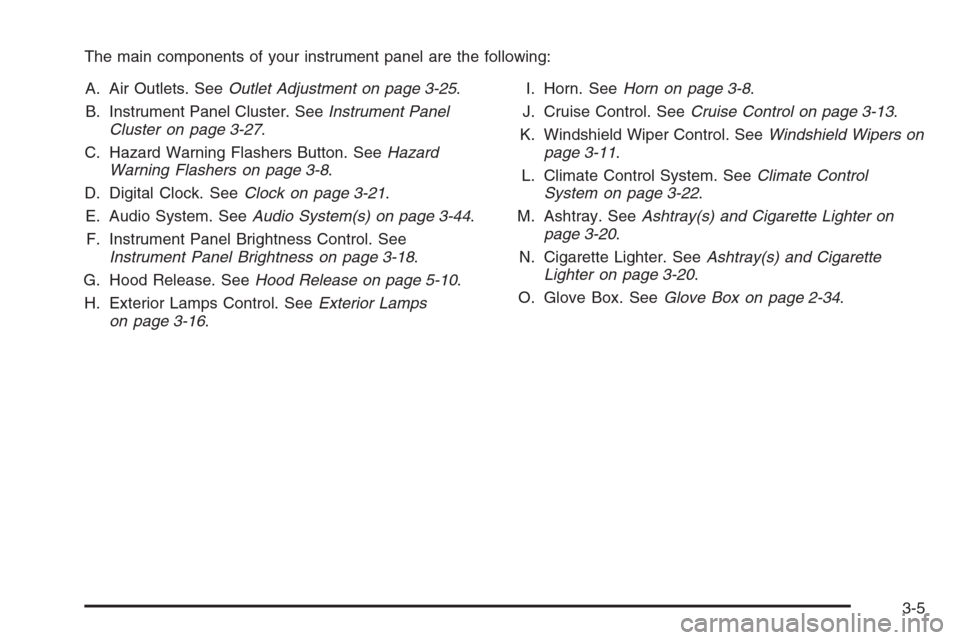
The main components of your instrument panel are the following:
A. Air Outlets. SeeOutlet Adjustment on page 3-25.
B. Instrument Panel Cluster. SeeInstrument Panel
Cluster on page 3-27.
C. Hazard Warning Flashers Button. SeeHazard
Warning Flashers on page 3-8.
D. Digital Clock. SeeClock on page 3-21.
E. Audio System. SeeAudio System(s) on page 3-44.
F. Instrument Panel Brightness Control. See
Instrument Panel Brightness on page 3-18.
G. Hood Release. SeeHood Release on page 5-10.
H. Exterior Lamps Control. SeeExterior Lamps
on page 3-16.I. Horn. SeeHorn on page 3-8.
J. Cruise Control. SeeCruise Control on page 3-13.
K. Windshield Wiper Control. SeeWindshield Wipers on
page 3-11.
L. Climate Control System. SeeClimate Control
System on page 3-22.
M. Ashtray. SeeAshtray(s) and Cigarette Lighter on
page 3-20.
N. Cigarette Lighter. SeeAshtray(s) and Cigarette
Lighter on page 3-20.
O. Glove Box. SeeGlove Box on page 2-34.
3-5
Page 117 of 370
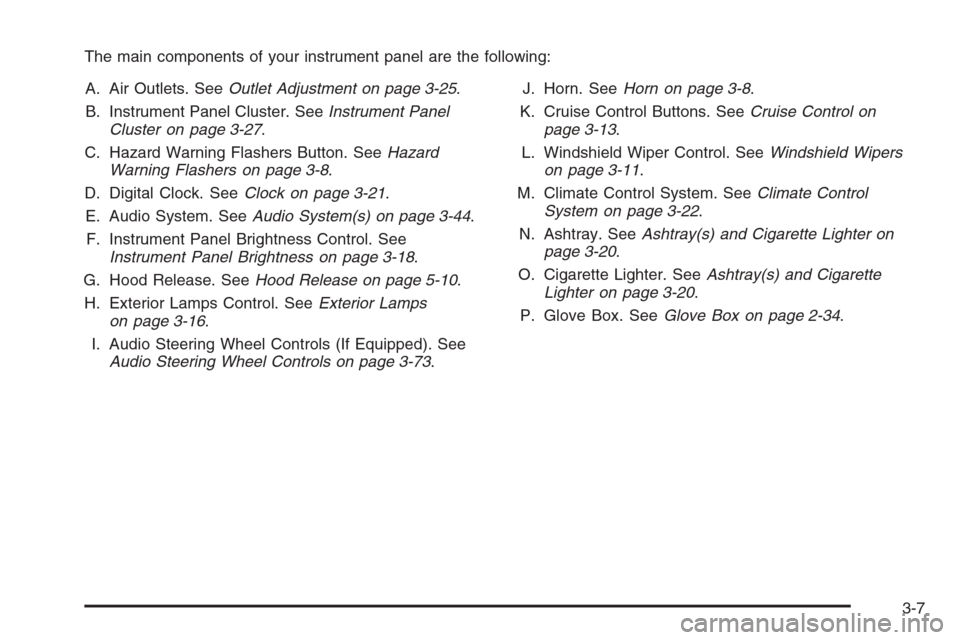
The main components of your instrument panel are the following:
A. Air Outlets. SeeOutlet Adjustment on page 3-25.
B. Instrument Panel Cluster. SeeInstrument Panel
Cluster on page 3-27.
C. Hazard Warning Flashers Button. SeeHazard
Warning Flashers on page 3-8.
D. Digital Clock. SeeClock on page 3-21.
E. Audio System. SeeAudio System(s) on page 3-44.
F. Instrument Panel Brightness Control. See
Instrument Panel Brightness on page 3-18.
G. Hood Release. SeeHood Release on page 5-10.
H. Exterior Lamps Control. SeeExterior Lamps
on page 3-16.
I. Audio Steering Wheel Controls (If Equipped). See
Audio Steering Wheel Controls on page 3-73.J. Horn. SeeHorn on page 3-8.
K. Cruise Control Buttons. SeeCruise Control on
page 3-13.
L. Windshield Wiper Control. SeeWindshield Wipers
on page 3-11.
M. Climate Control System. SeeClimate Control
System on page 3-22.
N. Ashtray. SeeAshtray(s) and Cigarette Lighter on
page 3-20.
O. Cigarette Lighter. SeeAshtray(s) and Cigarette
Lighter on page 3-20.
P. Glove Box. SeeGlove Box on page 2-34.
3-7
Page 118 of 370
Hazard Warning Flashers
Your hazard warning flashers let you warn others. They
also let police know you have a problem. Your front
and rear turn signal lamps will flash on and off.
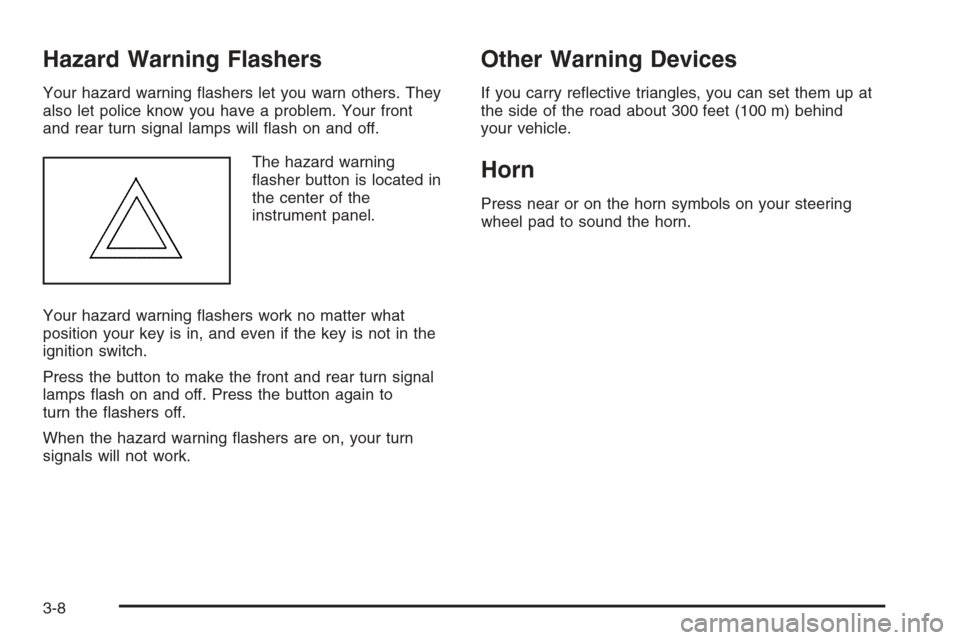
The hazard warning
flasher button is located in
the center of the
instrument panel.
Your hazard warning flashers work no matter what
position your key is in, and even if the key is not in the
ignition switch.
Press the button to make the front and rear turn signal
lamps flash on and off. Press the button again to
turn the flashers off.
When the hazard warning flashers are on, your turn
signals will not work.
Other Warning Devices
If you carry reflective triangles, you can set them up at
the side of the road about 300 feet (100 m) behind
your vehicle.
Horn
Press near or on the horn symbols on your steering
wheel pad to sound the horn.
3-8
Page 126 of 370
Exterior Lamps
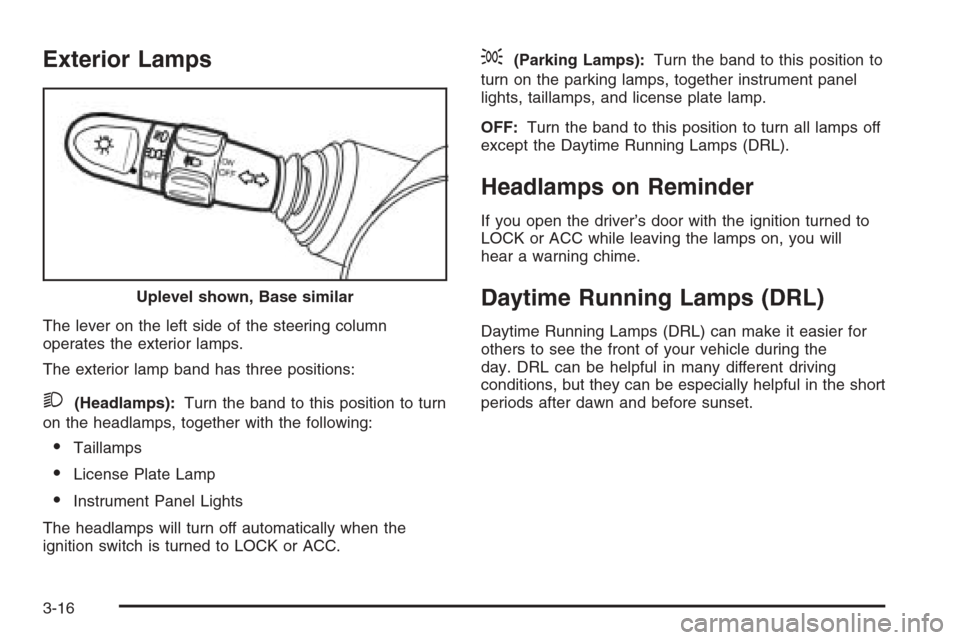
The lever on the left side of the steering column
operates the exterior lamps.
The exterior lamp band has three positions:
2(Headlamps):Turn the band to this position to turn
on the headlamps, together with the following:
•Taillamps
•License Plate Lamp
•Instrument Panel Lights
The headlamps will turn off automatically when the
ignition switch is turned to LOCK or ACC.
;(Parking Lamps):Turn the band to this position to
turn on the parking lamps, together instrument panel
lights, taillamps, and license plate lamp.
OFF:Turn the band to this position to turn all lamps off
except the Daytime Running Lamps (DRL).
Headlamps on Reminder
If you open the driver’s door with the ignition turned to
LOCK or ACC while leaving the lamps on, you will
hear a warning chime.
Daytime Running Lamps (DRL)
Daytime Running Lamps (DRL) can make it easier for
others to see the front of your vehicle during the
day. DRL can be helpful in many different driving
conditions, but they can be especially helpful in the short
periods after dawn and before sunset. Uplevel shown, Base similar
3-16
Page 137 of 370
Warning Lights, Gages, and
Indicators
This part describes the warning lights and gages that
may be on your vehicle. The pictures will help you
locate them.
Warning lights and gages can signal that something is
wrong before it becomes serious enough to cause
an expensive repair or replacement. Paying attention to
your warning lights and gages could also save you
or others from injury.
Warning lights come on when there may be or is a
problem with one of your vehicle’s functions. As you will
see in the details on the next few pages, some
warning lights come on briefly when you start the
engine just to let you know they’re working. If you are
familiar with this section, you should not be alarmed
when this happens.Gages can indicate when there may be or is a problem
with one of your vehicle’s functions. Often gages
and warning lights work together to let you know when
there’s a problem with your vehicle.
When one of the warning lights comes on and stays on
as you are driving, or when one of the gages shows
there may be a problem, check the section that tells you
what to do about it. Please follow this manual’s
advice. Waiting to do repairs can be costly — and even
dangerous. So please get to know your warning
lights and gages. They’re a big help.
Instrument Panel Cluster
Your instrument panel cluster is designed to let you
know at a glance how your vehicle is running. You will
know how fast you are going, how much fuel you
are using, and many other things you will need to drive
safely and economically.
3-27
Page 138 of 370
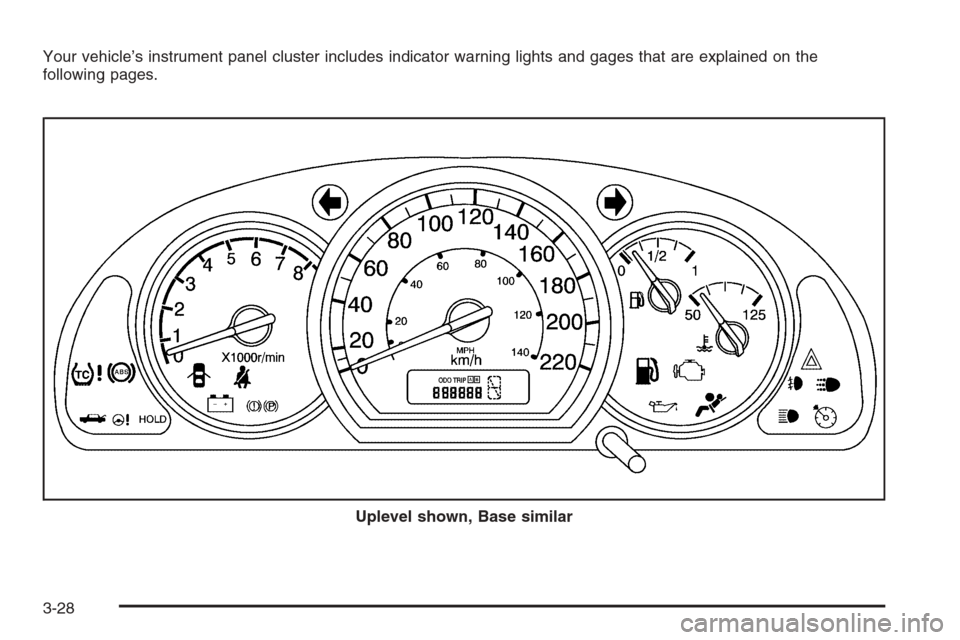
Your vehicle’s instrument panel cluster includes indicator warning lights and gages that are explained on the
following pages.
Uplevel shown, Base similar
3-28
Page 139 of 370
Speedometer and Odometer
Your speedometer lets you see your speed in both
miles per hour (mph) and kilometers per hour (km/h).
Your odometer shows how far your vehicle has
been driven in kilometers.
Trip Odometer
The trip odometer can record the number of kilometers
traveled for up to two trips.
You can cycle between the odometer and trip
odometers A and B by pressing the reset button located
in the lower right area of the speedometer. By pressing
the reset button, you can tell how many kilometers
have been recorded on either Trip A or Trip B since you
last set the trip odometer back to zero.
To reset each trip odometer to zero, press and hold the
reset button. The reset button resets only the trip
odometer that is displayed. Each trip odometer must be
reset individually.
Tachometer
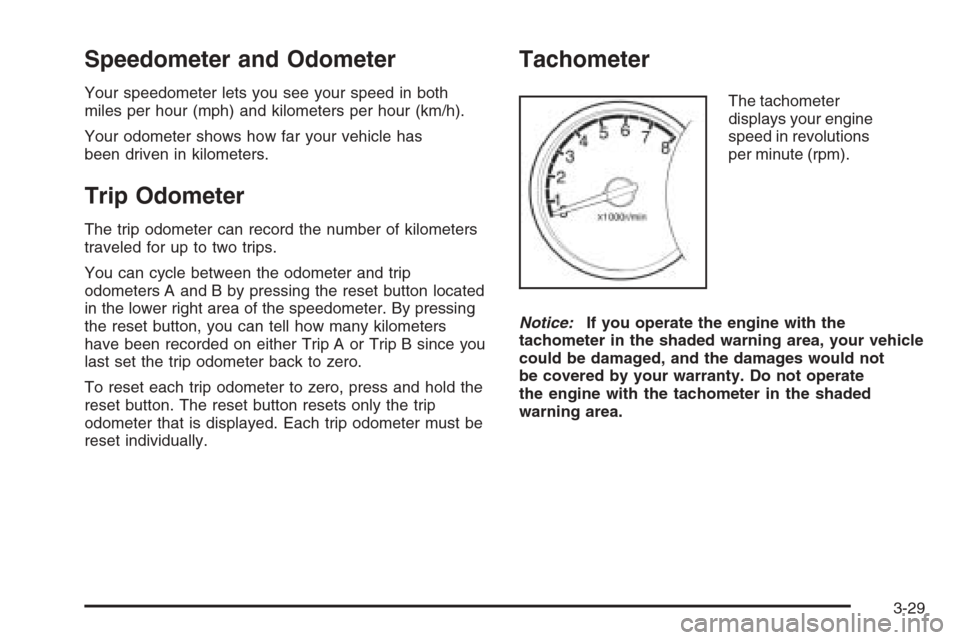
The tachometer
displays your engine
speed in revolutions
per minute (rpm).
Notice:If you operate the engine with the
tachometer in the shaded warning area, your vehicle
could be damaged, and the damages would not
be covered by your warranty. Do not operate
the engine with the tachometer in the shaded
warning area.
3-29
Page 144 of 370
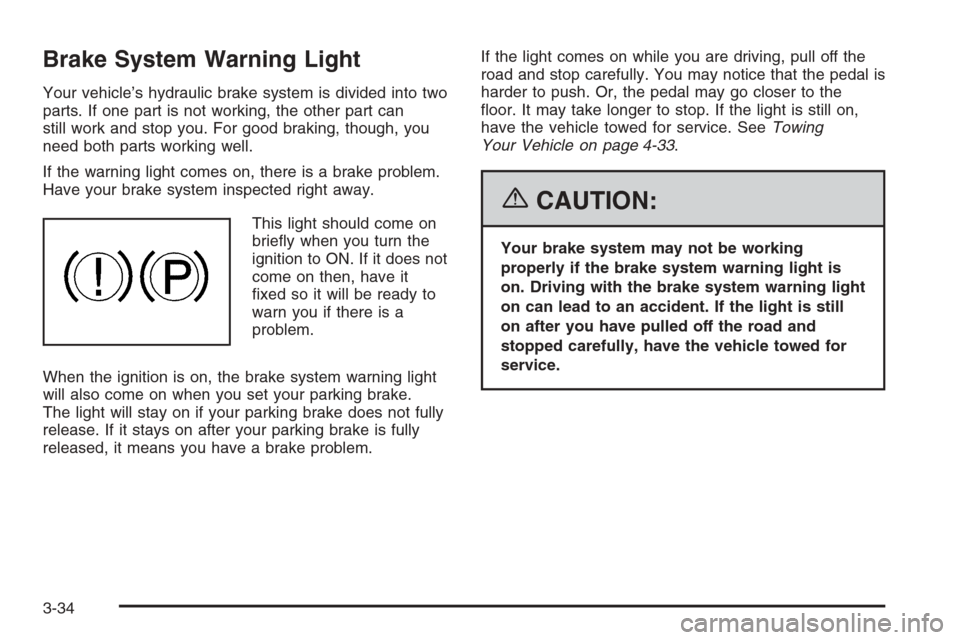
Brake System Warning Light
Your vehicle’s hydraulic brake system is divided into two
parts. If one part is not working, the other part can
still work and stop you. For good braking, though, you
need both parts working well.
If the warning light comes on, there is a brake problem.
Have your brake system inspected right away.
This light should come on
briefly when you turn the
ignition to ON. If it does not
come on then, have it
fixed so it will be ready to
warn you if there is a
problem.
When the ignition is on, the brake system warning light
will also come on when you set your parking brake.
The light will stay on if your parking brake does not fully
release. If it stays on after your parking brake is fully
released, it means you have a brake problem.If the light comes on while you are driving, pull off the
road and stop carefully. You may notice that the pedal is
harder to push. Or, the pedal may go closer to the
floor. It may take longer to stop. If the light is still on,
have the vehicle towed for service. SeeTowing
Your Vehicle on page 4-33.
{CAUTION:
Your brake system may not be working
properly if the brake system warning light is
on. Driving with the brake system warning light
on can lead to an accident. If the light is still
on after you have pulled off the road and
stopped carefully, have the vehicle towed for
service.
3-34
Page 145 of 370
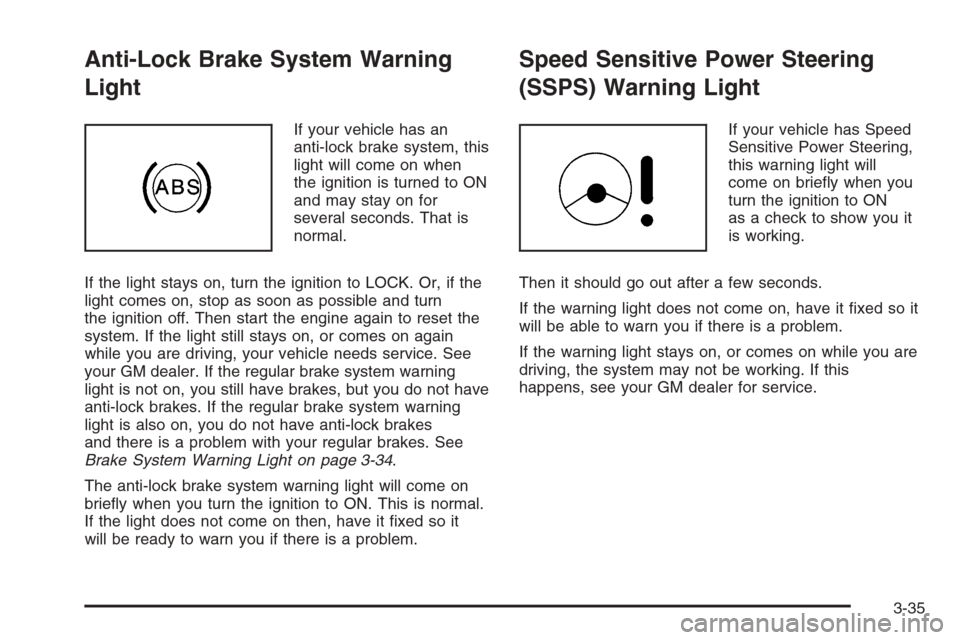
Anti-Lock Brake System Warning
Light
If your vehicle has an
anti-lock brake system, this
light will come on when
the ignition is turned to ON
and may stay on for
several seconds. That is
normal.
If the light stays on, turn the ignition to LOCK. Or, if the
light comes on, stop as soon as possible and turn
the ignition off. Then start the engine again to reset the
system. If the light still stays on, or comes on again
while you are driving, your vehicle needs service. See
your GM dealer. If the regular brake system warning
light is not on, you still have brakes, but you do not have
anti-lock brakes. If the regular brake system warning
light is also on, you do not have anti-lock brakes
and there is a problem with your regular brakes. See
Brake System Warning Light on page 3-34.
The anti-lock brake system warning light will come on
briefly when you turn the ignition to ON. This is normal.
If the light does not come on then, have it fixed so it
will be ready to warn you if there is a problem.
Speed Sensitive Power Steering
(SSPS) Warning Light
If your vehicle has Speed
Sensitive Power Steering,
this warning light will
come on briefly when you
turn the ignition to ON
as a check to show you it
is working.
Then it should go out after a few seconds.
If the warning light does not come on, have it fixed so it
will be able to warn you if there is a problem.
If the warning light stays on, or comes on while you are
driving, the system may not be working. If this
happens, see your GM dealer for service.
3-35