turn signal CHEVROLET OPTRA 5 2007 1.G Owners Manual
[x] Cancel search | Manufacturer: CHEVROLET, Model Year: 2007, Model line: OPTRA 5, Model: CHEVROLET OPTRA 5 2007 1.GPages: 422, PDF Size: 2.39 MB
Page 133 of 422
Instrument Panel Overview........................ 136
Hazard Warning Flashers.......................... 140
Other Warning Devices............................. 140
Horn.......................................................... 140
Tilt Wheel.................................................. 141
Turn Signal/Multifunction Lever.................. 141
Turn and Lane-Change Signals................. 142
Headlamp High/Low-Beam Changer.......... 142
Flash-to-Pass............................................ 143
Windshield Wipers..................................... 143
Windshield Washer.................................... 144
Rear Window Wiper/Washer
(Hatchback and Wagon Only)................ 145
Cruise Control........................................... 145
Exterior Lamps.......................................... 148
Headlamps on Reminder........................... 149
Daytime Running Lamps (DRL)................. 149
Fog Lamps................................................ 150
Instrument Panel Brightness...................... 150
Dome Lamp.............................................. 151
Map Lamps............................................... 151
Inadvertent Power Battery Saver............... 152Accessory Power Outlet(s)........................ 152
Ashtray(s) and Cigarette Lighter................ 153
Clock......................................................... 154
Climate Controls......................................... 155
Climate Control System............................. 155
Outlet Adjustment...................................... 159
Passenger Compartment Air Filter............. 159
Warning Lights, Gages, and Indicators........ 161
Instrument Panel Cluster........................... 161
Speedometer and Odometer...................... 163
Trip Odometer........................................... 163
Tachometer............................................... 163
Safety Belt Reminder Light........................ 164
Safety Belt Reminder Tone....................... 164
Airbag Readiness Light............................. 164
Passenger Airbag Status Indicator............. 165
Charging System Light.............................. 167
Brake System Warning Light..................... 168
Anti-Lock Brake System Warning Light........ 169
Speed Sensitive Power Steering (SSPS)
Warning Light......................................... 170
Section 3 Instrument Panel
133
Page 140 of 422
Hazard Warning Flashers
The hazard warning flashers let you warn the
police and others that you have a problem.
The front and rear turn signal lamps will flash
on and off.
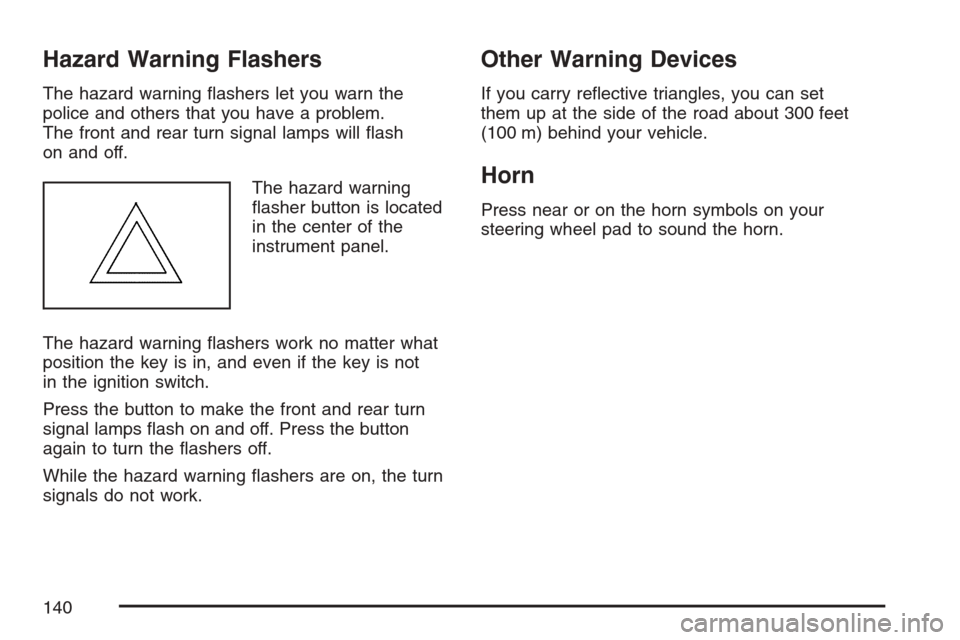
The hazard warning
flasher button is located
in the center of the
instrument panel.
The hazard warning flashers work no matter what
position the key is in, and even if the key is not
in the ignition switch.
Press the button to make the front and rear turn
signal lamps flash on and off. Press the button
again to turn the flashers off.
While the hazard warning flashers are on, the turn
signals do not work.
Other Warning Devices
If you carry reflective triangles, you can set
them up at the side of the road about 300 feet
(100 m) behind your vehicle.
Horn
Press near or on the horn symbols on your
steering wheel pad to sound the horn.
140
Page 141 of 422
Tilt Wheel
Your vehicle has a tilt wheel which lets you adjust
the steering wheel before you drive.
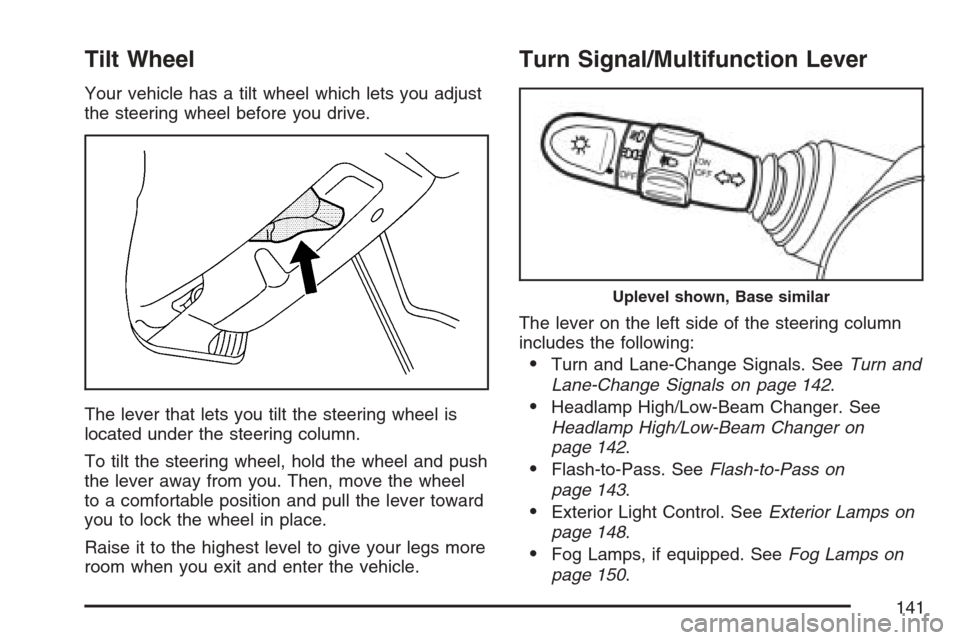
The lever that lets you tilt the steering wheel is
located under the steering column.
To tilt the steering wheel, hold the wheel and push
the lever away from you. Then, move the wheel
to a comfortable position and pull the lever toward
you to lock the wheel in place.
Raise it to the highest level to give your legs more
room when you exit and enter the vehicle.
Turn Signal/Multifunction Lever
The lever on the left side of the steering column
includes the following:
•Turn and Lane-Change Signals. SeeTurn and
Lane-Change Signals on page 142.
•Headlamp High/Low-Beam Changer. See
Headlamp High/Low-Beam Changer on
page 142.
•Flash-to-Pass. SeeFlash-to-Pass on
page 143.
•Exterior Light Control. SeeExterior Lamps on
page 148.
•Fog Lamps, if equipped. SeeFog Lamps on
page 150.
Uplevel shown, Base similar
141
Page 142 of 422
Turn and Lane-Change Signals
The turn signal has two upward (for right) and
two downward (for left) positions. These positions
let you signal a turn or a lane change.
To signal a turn, move the lever all the way up
or down.
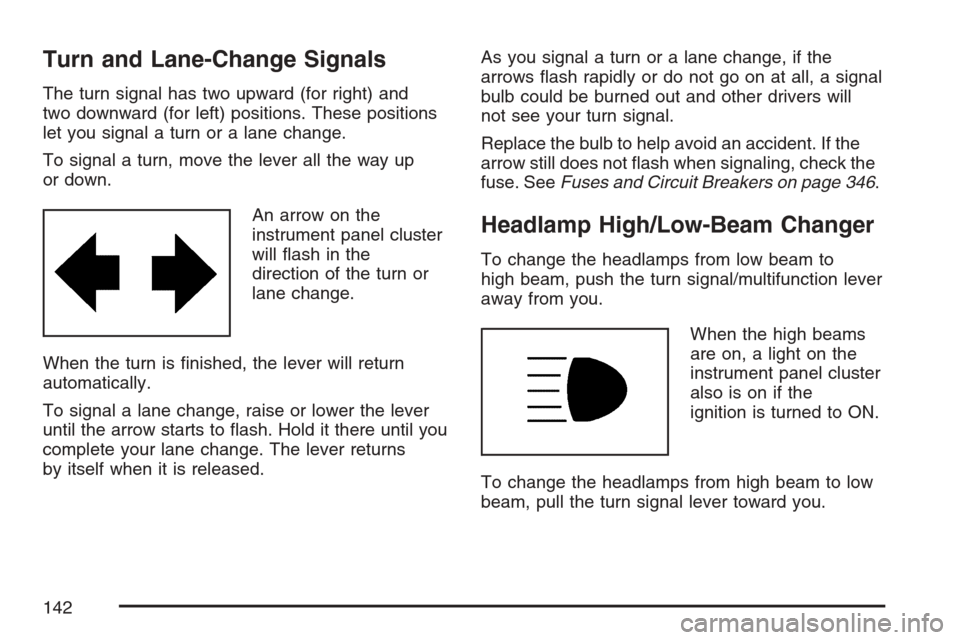
An arrow on the
instrument panel cluster
will flash in the
direction of the turn or
lane change.
When the turn is finished, the lever will return
automatically.
To signal a lane change, raise or lower the lever
until the arrow starts to flash. Hold it there until you
complete your lane change. The lever returns
by itself when it is released.As you signal a turn or a lane change, if the
arrows flash rapidly or do not go on at all, a signal
bulb could be burned out and other drivers will
not see your turn signal.
Replace the bulb to help avoid an accident. If the
arrow still does not flash when signaling, check the
fuse. SeeFuses and Circuit Breakers on page 346.
Headlamp High/Low-Beam Changer
To change the headlamps from low beam to
high beam, push the turn signal/multifunction lever
away from you.
When the high beams
are on, a light on the
instrument panel cluster
also is on if the
ignition is turned to ON.
To change the headlamps from high beam to low
beam, pull the turn signal lever toward you.
142
Page 143 of 422
Flash-to-Pass
This feature lets you use your high-beam
headlamps to signal a driver in front of you that
you want to pass.
To use it, pull the turn signal/multifunction lever
toward you until the high-beam headlamps
come on, then release the lever to turn them off.
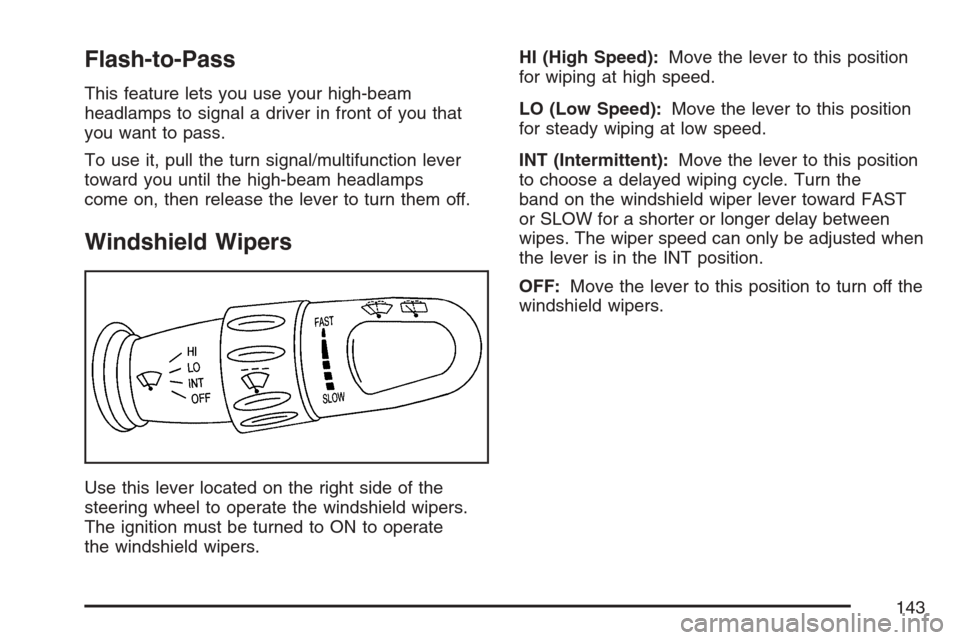
Windshield Wipers
Use this lever located on the right side of the
steering wheel to operate the windshield wipers.
The ignition must be turned to ON to operate
the windshield wipers.HI (High Speed):Move the lever to this position
for wiping at high speed.
LO (Low Speed):Move the lever to this position
for steady wiping at low speed.
INT (Intermittent):Move the lever to this position
to choose a delayed wiping cycle. Turn the
band on the windshield wiper lever toward FAST
or SLOW for a shorter or longer delay between
wipes. The wiper speed can only be adjusted when
the lever is in the INT position.
OFF:Move the lever to this position to turn off the
windshield wipers.
143
Page 150 of 422
Fog Lamps
If your vehicle has fog lamps, use them for better
visibility in foggy or misty conditions.
The band for the front fog lamps is located in the
middle of the turn signal/multifunction lever.
While using the fog lamps, the ignition must be on
as well as the parking lamps or low-beam
headlamps.
Turn the band to ON to turn the fog lamps on. An
indicator light will come on while the fog lamps
are on. SeeFog Lamp Light on page 176.
Turn the band to OFF to turn the fog lamps off.
The fog lamps will also turn off while the
high-beam headlamps are turned on. When the
high-beam headlamps are turned off, the fog lamps
will turn on again.
Instrument Panel Brightness
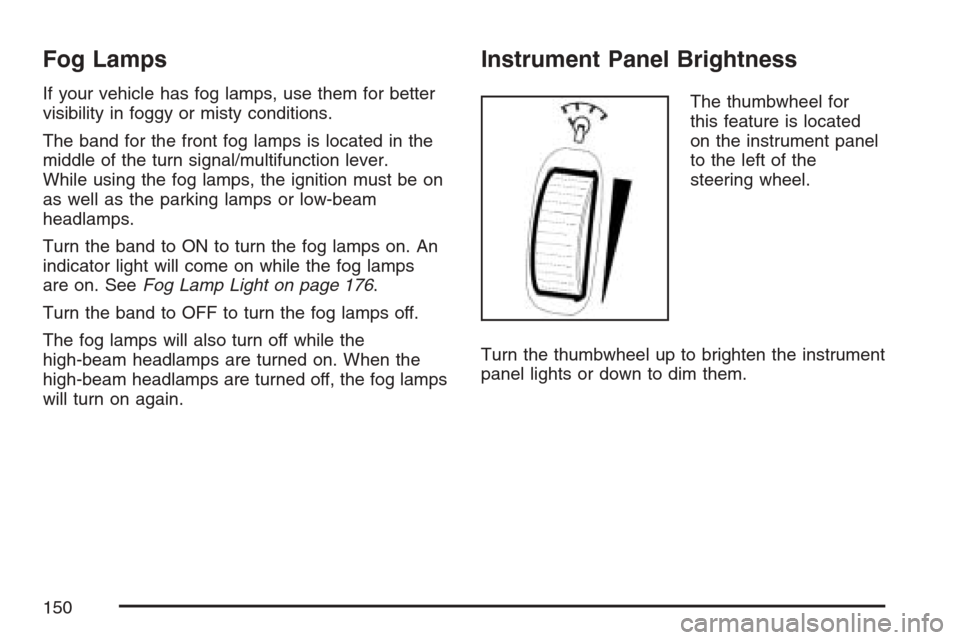
The thumbwheel for
this feature is located
on the instrument panel
to the left of the
steering wheel.
Turn the thumbwheel up to brighten the instrument
panel lights or down to dim them.
150
Page 180 of 422
Radio with CD (MP3/WMA)
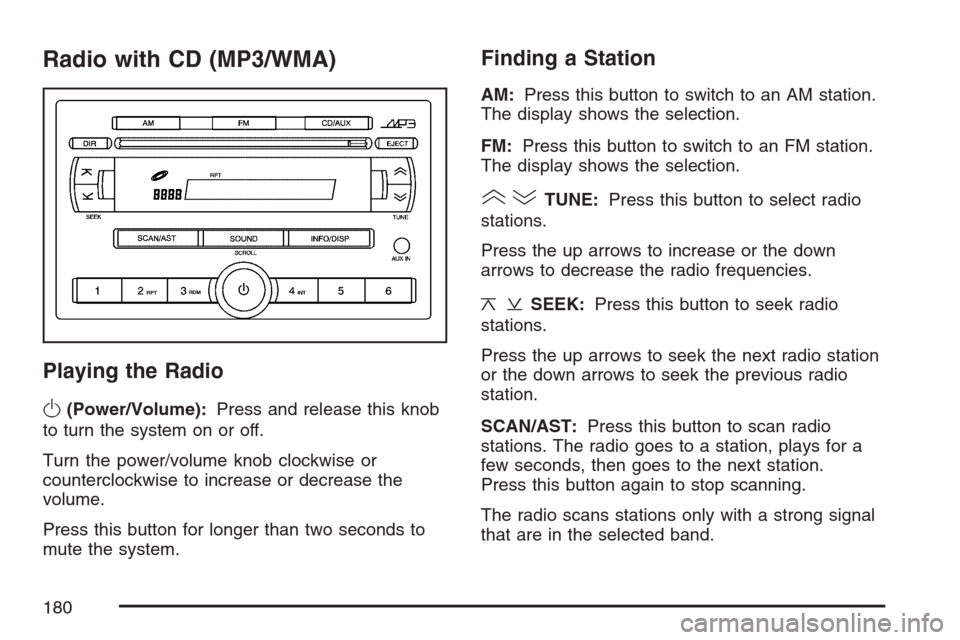
Playing the Radio
O
(Power/Volume):Press and release this knob
to turn the system on or off.
Turn the power/volume knob clockwise or
counterclockwise to increase or decrease the
volume.
Press this button for longer than two seconds to
mute the system.
Finding a Station
AM:Press this button to switch to an AM station.
The display shows the selection.
FM:Press this button to switch to an FM station.
The display shows the selection.
()TUNE:Press this button to select radio
stations.
Press the up arrows to increase or the down
arrows to decrease the radio frequencies.
¦¥SEEK:Press this button to seek radio
stations.
Press the up arrows to seek the next radio station
or the down arrows to seek the previous radio
station.
SCAN/AST:Press this button to scan radio
stations. The radio goes to a station, plays for a
few seconds, then goes to the next station.
Press this button again to stop scanning.
The radio scans stations only with a strong signal
that are in the selected band.
180
Page 202 of 422
Audio Steering Wheel Controls
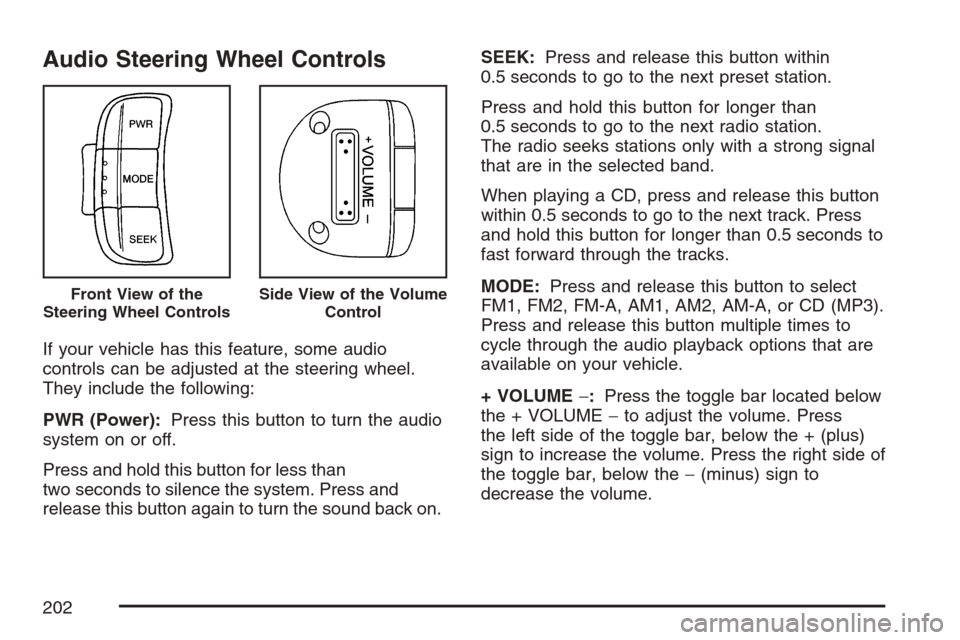
If your vehicle has this feature, some audio
controls can be adjusted at the steering wheel.
They include the following:
PWR (Power):Press this button to turn the audio
system on or off.
Press and hold this button for less than
two seconds to silence the system. Press and
release this button again to turn the sound back on.SEEK:Press and release this button within
0.5 seconds to go to the next preset station.
Press and hold this button for longer than
0.5 seconds to go to the next radio station.
The radio seeks stations only with a strong signal
that are in the selected band.
When playing a CD, press and release this button
within 0.5 seconds to go to the next track. Press
and hold this button for longer than 0.5 seconds to
fast forward through the tracks.
MODE:Press and release this button to select
FM1, FM2, FM-A, AM1, AM2, AM-A, or CD (MP3).
Press and release this button multiple times to
cycle through the audio playback options that are
available on your vehicle.
+ VOLUME−:Press the toggle bar located below
the + VOLUME−to adjust the volume. Press
the left side of the toggle bar, below the + (plus)
sign to increase the volume. Press the right side of
the toggle bar, below the−(minus) sign to
decrease the volume.
Front View of the
Steering Wheel ControlsSide View of the Volume
Control
202
Page 218 of 422
•When it looks like a chance to pass is coming
up, start to accelerate but stay in the right
lane and do not get too close. Time your move
so you will be increasing speed as the time
comes to move into the other lane. If the way
is clear to pass, you will have a running
start that more than makes up for the distance
you would lose by dropping back. And if
something happens to cause you to cancel
your pass, you need only slow down and drop
back again and wait for another opportunity.
•If other vehicles are lined up to pass a slow
vehicle, wait your turn. But take care that
someone is not trying to pass you as you pull
out to pass the slow vehicle. Remember to
glance over your shoulder and check the
blind spot.
•Check your vehicle’s mirrors, glance over your
shoulder, and start your left lane change
signal before moving out of the right lane to
pass. When you are far enough ahead of
the passed vehicle to see its front in
your vehicle’s inside mirror, activate the right
lane change signal and move back into
the right lane. Remember that your vehicle’s
passenger side outside mirror is convex.
The vehicle you just passed may seem to be
farther away from you than it really is.
•Try not to pass more than one vehicle at a
time on two-lane roads. Reconsider before
passing the next vehicle.
•Do not overtake a slowly moving vehicle too
rapidly. Even though the brake lamps are
not flashing, it may be slowing down or starting
to turn.
•If you are being passed, make it easy for the
following driver to get ahead of you. Perhaps
you can ease a little to the right.
218
Page 222 of 422
Driving in Rain and on Wet Roads
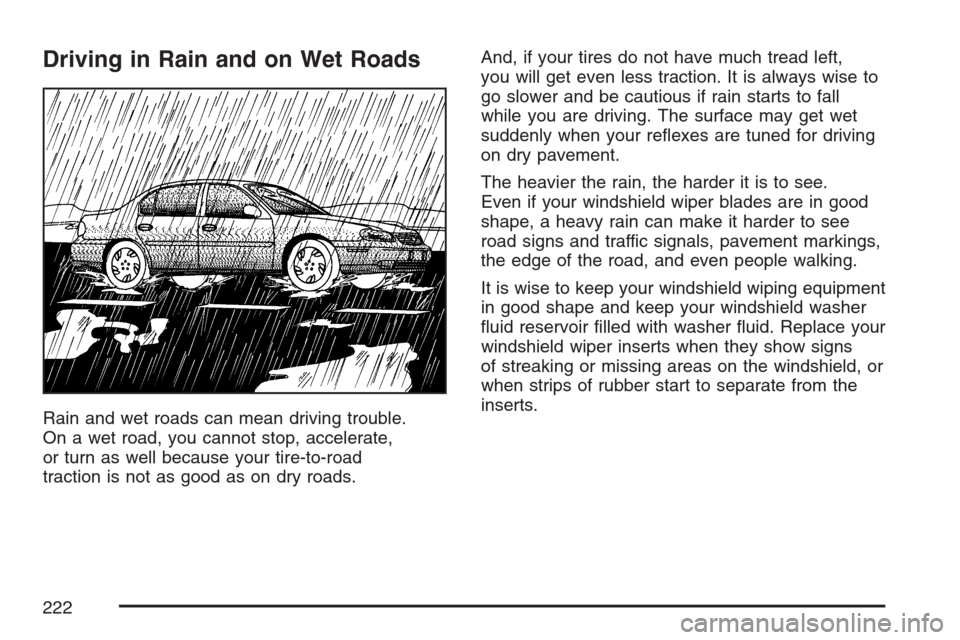
Rain and wet roads can mean driving trouble.
On a wet road, you cannot stop, accelerate,
or turn as well because your tire-to-road
traction is not as good as on dry roads.And, if your tires do not have much tread left,
you will get even less traction. It is always wise to
go slower and be cautious if rain starts to fall
while you are driving. The surface may get wet
suddenly when your reflexes are tuned for driving
on dry pavement.
The heavier the rain, the harder it is to see.
Even if your windshield wiper blades are in good
shape, a heavy rain can make it harder to see
road signs and traffic signals, pavement markings,
the edge of the road, and even people walking.
It is wise to keep your windshield wiping equipment
in good shape and keep your windshield washer
fluid reservoir filled with washer fluid. Replace your
windshield wiper inserts when they show signs
of streaking or missing areas on the windshield, or
when strips of rubber start to separate from the
inserts.
222