lights CHEVROLET ORLANDO 2012 1.G User Guide
[x] Cancel search | Manufacturer: CHEVROLET, Model Year: 2012, Model line: ORLANDO, Model: CHEVROLET ORLANDO 2012 1.GPages: 378, PDF Size: 6.68 MB
Page 139 of 378
Black plate (35,1)Chevrolet Orlando Owner Manual - 2012
Instruments and Controls 5-35
Press either the power lock button
or
Qon the RKE transmitter twice to
override the delayed locking feature
and immediately lock all of the
doors.
Press the MENU knob when
Delayed Door Lock is highlighted to
select On or Off. Press BACK to
return to the last menu.
Unlocked Door Anti Lock Out
When on, all doors will lock. The
driver door will then unlock if door
locking is requested while the driver
door is open and disable the
Delayed Door Lock feature.
If Off is selected, the Delayed Door
Lock feature may be enabled
through an additional menu
selection.
Press the MENU knob when
Unlocked Door Anti Lock Out is
highlighted to select On or Off.
Press BACK to return to the
last menu. Auto Door Lock
This allows selection of which of the
doors will automatically lock when
the vehicle is shifted into P (Park).
Press the MENU knob when Auto
Door Lock is highlighted. Turn the
knob to select On or Off. Press the
knob to confirm and go back to the
last menu.
Remote Locking, Unlocking,
Starting
Select Remote Locking, Unlocking,
Starting and the following will be
displayed (depending on the
system):
.Remote Lock Feedback
.Door Unlock or Remote Door
Unlock
.Remote Unlock Light Feedback
.Remote Start
Remote Lock Feedback
This allows selection of what type of
feedback is given when locking the
vehicle with the RKE transmitter.
Press the MENU knob when
Remote Lock Feedback is
highlighted. Turn the knob to select
Lights and Horn, Lights Only, Horn
Only, or Off. Press the knob to
confirm and go back to the
last menu.
Door Unlock or Remote Door
Unlock
This allows selection of which doors
will unlock when pressing
Kon the
RKE transmitter.
Press the MENU knob when Door
Unlock is highlighted. Turn the knob
to select All Doors or Driver Door
Only. When set to Driver Door Only,
the driver door will unlock the first
time
Kis pressed and all doors will
unlock when the button is pressed a
second time. When set to All Doors,
all of the doors will unlock at the first
Page 141 of 378
Black plate (1,1)Chevrolet Orlando Owner Manual - 2012
Lighting 6-1
Lighting
Exterior Lighting
Exterior Lamp Controls . . . . . . . . 6-1
Headlamp High/Low-BeamChanger . . . . . . . . . . . . . . . . . . . . . 6-2
Flash-to-Pass . . . . . . . . . . . . . . . . . 6-2
Daytime Running Lamps (DRL) . . . . . . . . . . . . . . . . 6-2
Automatic Headlamp System . . . . . . . . . . . . . . . . . . . . . . 6-3
Hazard Warning Flashers . . . . . 6-3
Turn and Lane-Change Signals . . . . . . . . . . . . . . . . . . . . . . 6-4
Front Fog Lamps . . . . . . . . . . . . . . 6-4
Interior Lighting
Instrument Panel Illumination Control . . . . . . . . . . . . . . . . . . . . . . 6-5
Courtesy Lamps . . . . . . . . . . . . . . 6-5
Dome Lamps . . . . . . . . . . . . . . . . . 6-5
Reading Lamps . . . . . . . . . . . . . . . 6-5
Lighting Features
Entry Lighting . . . . . . . . . . . . . . . . . 6-6
Exit Lighting . . . . . . . . . . . . . . . . . . . 6-6
Battery Power Protection . . . . . . 6-6
Exterior Lighting
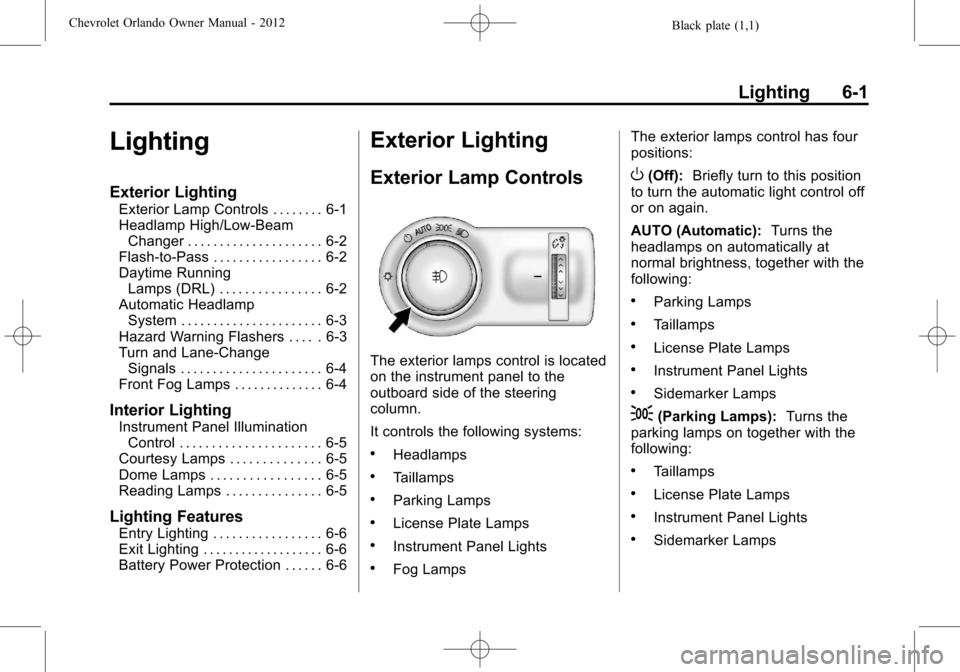
Exterior Lamp Controls
The exterior lamps control is located
on the instrument panel to the
outboard side of the steering
column.
It controls the following systems:
.Headlamps
.Taillamps
.Parking Lamps
.License Plate Lamps
.Instrument Panel Lights
.Fog Lamps The exterior lamps control has four
positions:
O(Off):
Briefly turn to this position
to turn the automatic light control off
or on again.
AUTO (Automatic): Turns the
headlamps on automatically at
normal brightness, together with the
following:
.Parking Lamps
.Taillamps
.License Plate Lamps
.Instrument Panel Lights
.Sidemarker Lamps
;(Parking Lamps): Turns the
parking lamps on together with the
following:
.Taillamps
.License Plate Lamps
.Instrument Panel Lights
.Sidemarker Lamps
Page 142 of 378
Black plate (2,1)Chevrolet Orlando Owner Manual - 2012
6-2 Lighting
5(Headlamps):Turns the
headlamps on together with the
lamps listed below. A warning chime
sounds if the driver door is opened
when the ignition switch is off and
the headlamps are on.
.Parking Lamps
.Taillamps
.License Plate Lamps
.Instrument Panel Lights
.Sidemarker Lamps
#(Front Fog Lamps): For
vehicles with fog lamps, press to
turn the lamps on or off.
See Front Fog Lamps on page 6‑4.
When the lights are on,
;will be
lit. See Lamps On Reminder on
page 5‑21.
Headlamp High/
Low-Beam Changer
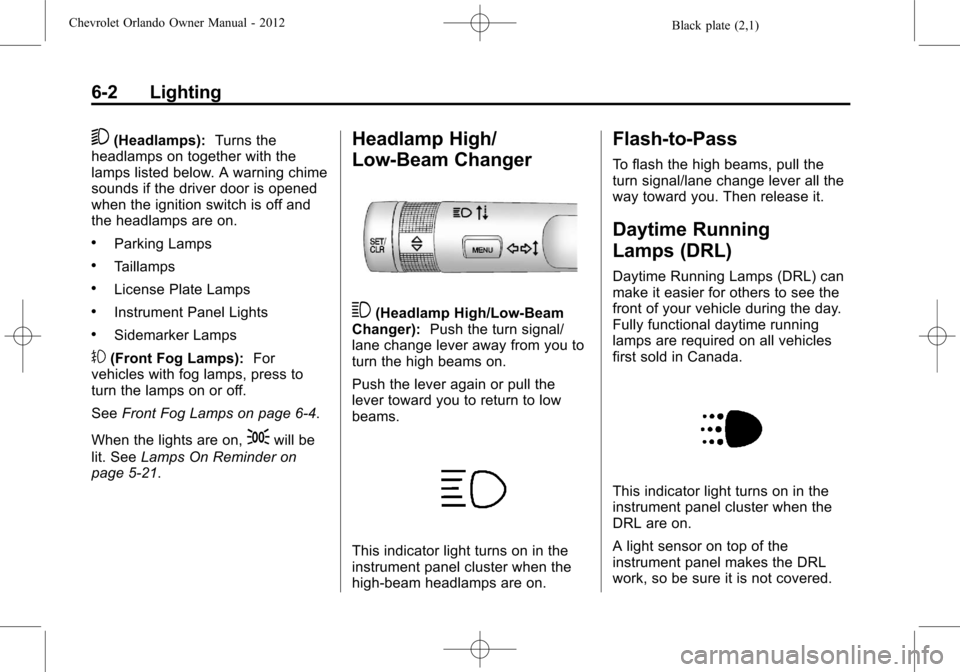
3(Headlamp High/Low‐Beam
Changer): Push the turn signal/
lane change lever away from you to
turn the high beams on.
Push the lever again or pull the
lever toward you to return to low
beams.
This indicator light turns on in the
instrument panel cluster when the
high‐beam headlamps are on.
Flash-to-Pass
To flash the high beams, pull the
turn signal/lane change lever all the
way toward you. Then release it.
Daytime Running
Lamps (DRL)
Daytime Running Lamps (DRL) can
make it easier for others to see the
front of your vehicle during the day.
Fully functional daytime running
lamps are required on all vehicles
first sold in Canada.
This indicator light turns on in the
instrument panel cluster when the
DRL are on.
A light sensor on top of the
instrument panel makes the DRL
work, so be sure it is not covered.
Page 146 of 378
Black plate (6,1)Chevrolet Orlando Owner Manual - 2012
6-6 Lighting
Lighting Features
Entry Lighting
The headlamps, parking lamps, and
taillamps turn on briefly, when the
Remote Keyless Entry (RKE)
Kis
pressed. After about 30 seconds the
exterior lamps turn off. Entry lighting
can be disabled manually by
changing the ignition out of the OFF
position, or by pressing the RKE
Q
button.
This feature can be changed. See
Vehicle Personalization on
page 5‑32.
Exit Lighting
The headlamps, taillamps, parking
lamps, back‐up lamps, and license
plate lamps come on at night, or in
areas with limited lighting, when the
driver door is opened. The dome
lamps also come on when a door is
opened after the ignition is changed
to the OFF position.
The exterior lights and dome lamps
remain on after the driver door is
open for a set amount of time, then
automatically turn off.
The exterior lights turn off
immediately by turning the
exterior lamps control off.
This feature can be changed.
See Vehicle Personalization on
page 5‑32.
Battery Power Protection
The battery saver feature is
designed to protect the vehicle's
battery.
If some interior lamps are left on
and the ignition is turned off, the
battery rundown protection system
automatically turns the lamp off after
some time.
Page 204 of 378
Black plate (16,1)Chevrolet Orlando Owner Manual - 2012
9-16 Driving and Operating
2. Shift the vehicle to neutral. Thiscan be done while the vehicle is
moving. After shifting to neutral,
firmly apply the brakes and steer
the vehicle to a safe location.
3. Come to a complete stop. Shift to P (Park) with an automatic
transmission, or Neutral with a
manual transmission. Turn the
ignition to LOCK/OFF.
4. Set the parking brake. See Parking Brake on page 9‑28.
{WARNING
Turning off the vehicle while
moving may cause loss of power
assist in the brake and steering
systems and disable the airbags.
While driving, only shut the
vehicle off in an emergency.
If the vehicle cannot be pulled over,
and must be shut off while driving,
turn the ignition to ACC/
ACCESSORY. The ignition switch can bind in the
LOCK/OFF position with the key
removed and wheels turned off
center. If this happens, move the
steering wheel from right to left
while turning the key to ACC/
ACCESSORY. If this does not work,
then the vehicle needs service.
B (ACC/ACCESSORY):
This
position provides power to some of
the electrical accessories. It unlocks
the steering wheel. To move the key
from ACC/ACCESSORY to LOCK/
OFF, the shift lever must be in
P (Park).
C (ON/RUN): The ignition switch
stays in this position when the
engine is running. This position can
be used to operate the electrical
accessories, as well as to display
some warning and indicator lights. This position can also be used for
service and diagnostics, and to
verify the proper operation of the
malfunction indicator lamp as may
be required for emission inspection
purposes.
The battery could be drained if the
key is left in the ACC/ACCESSORY
or ON/RUN position with the engine
off. The vehicle might not restart if
the battery is allowed to drain for an
extended period of time.
D (START):
This position starts the
engine. When the engine starts,
release the key. The ignition switch
will return to ON/RUN for normal
driving.
A warning tone sounds when the
driver door is opened and the key is
in the ignition.
Page 220 of 378
Black plate (32,1)Chevrolet Orlando Owner Manual - 2012
9-32 Driving and Operating
If the TCS/StabiliTrak light comes
on and stays on, reset the system:
1. Stop the vehicle.
2. Turn the engine off and wait15 seconds.
3. Start the engine.
If the TCS/StabiliTrak light still
comes on and stays on at a speed
above 20 km/h (13 mph), see your
dealer for service.
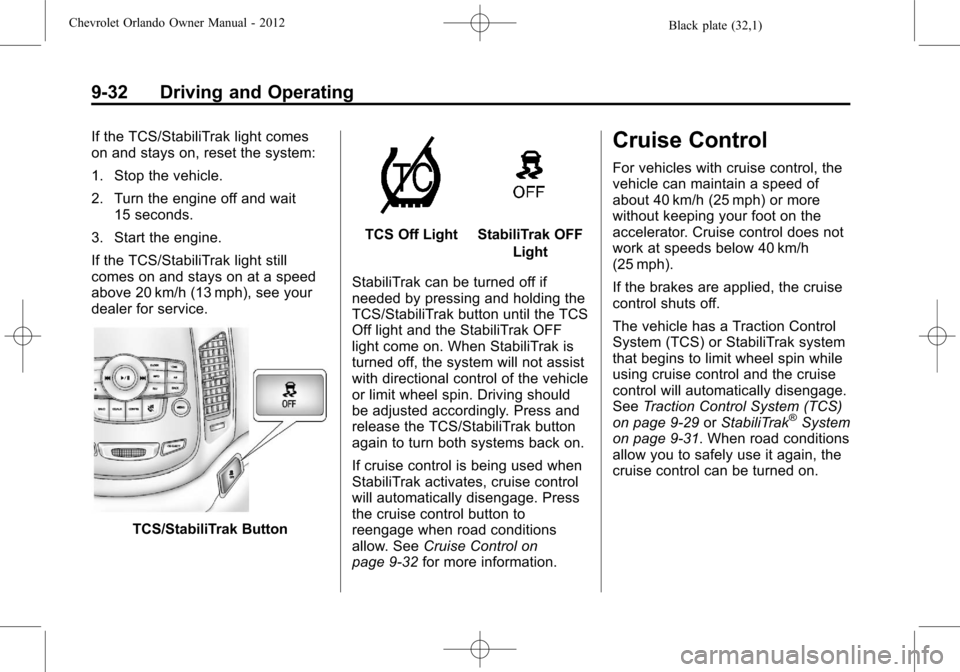
TCS/StabiliTrak Button
TCS Off LightStabiliTrak OFF Light
StabiliTrak can be turned off if
needed by pressing and holding the
TCS/StabiliTrak button until the TCS
Off light and the StabiliTrak OFF
light come on. When StabiliTrak is
turned off, the system will not assist
with directional control of the vehicle
or limit wheel spin. Driving should
be adjusted accordingly. Press and
release the TCS/StabiliTrak button
again to turn both systems back on.
If cruise control is being used when
StabiliTrak activates, cruise control
will automatically disengage. Press
the cruise control button to
reengage when road conditions
allow. See Cruise Control on
page 9‑32 for more information.
Cruise Control
For vehicles with cruise control, the
vehicle can maintain a speed of
about 40 km/h (25 mph) or more
without keeping your foot on the
accelerator. Cruise control does not
work at speeds below 40 km/h
(25 mph).
If the brakes are applied, the cruise
control shuts off.
The vehicle has a Traction Control
System (TCS) or StabiliTrak system
that begins to limit wheel spin while
using cruise control and the cruise
control will automatically disengage.
SeeTraction Control System (TCS)
on page 9‑29 orStabiliTrak
®System
on page 9‑31. When road conditions
allow you to safely use it again, the
cruise control can be turned on.
Page 308 of 378
Black plate (74,1)Chevrolet Orlando Owner Manual - 2012
10-74 Vehicle Care
The positive jump start connection
is under a trim cover. Open the
cover door to expose the terminal.
1. Check the other vehicle. It musthave a 12-volt battery with a
negative ground system.
Notice: Only use a vehicle that
has a 12-volt system with a
negative ground for jump
starting. If the other vehicle does
not have a 12-volt system with a
negative ground, both vehicles
can be damaged.
2. Position the two vehicles so that they are not touching.
3. Set the parking brake firmly and put the shift lever in P (Park)
with an automatic transmission,
or neutral with a manual
transmission. See Shifting Into
Park (Automatic Transmission)
on page 9‑19 with an automatic
transmission, or Parking on
page 9‑21 with a manual
transmission. Notice:
If any accessories are left
on or plugged in during the jump
starting procedure, they could be
damaged. The repairs would not
be covered by the vehicle
warranty. Whenever possible,
turn off or unplug all accessories
on either vehicle when jump
starting the vehicle.
4. Turn the ignition to LOCK/OFF.
Turn off all lights and
accessories in both vehicles,
except the hazard warning
flashers if needed.
{WARNING
An electric fan can start up even
when the engine is not running
and can injure you. Keep hands,
clothing and tools away from any
underhood electric fan.
{WARNING
Using a match near a battery can
cause battery gas to explode.
People have been hurt doing this,
and some have been blinded.
Use a flashlight if you need more
light.
Be sure the battery has enough
water. You do not need to add
water to the battery installed in
your new vehicle. But if a battery
has filler caps, be sure the right
amount of fluid is there. If it is low,
add water to take care of that
first. If you do not, explosive gas
could be present.
Battery fluid contains acid that
can burn you. Do not get it on
you. If you accidentally get it in
your eyes or on your skin, flush
the place with water and get
medical help immediately.
Page 330 of 378
Black plate (10,1)Chevrolet Orlando Owner Manual - 2012
11-10 Service and Maintenance
Battery
The battery supplies power to start
the engine and operate any
additional electrical accessories.
.To avoid break‐down or failure to
start the vehicle, maintain a
battery with full cranking power.
.Trained dealer technicians have
the diagnostic equipment to test
the battery and ensure that the
connections and cables are
corrosion‐free.
Belts
.Belts may need replacing if they
squeak or show signs of
cracking or splitting.
.Trained dealer technicians can
inspect the belts and
recommend replacement when
necessary. Brakes
Brakes stop the vehicle and are
crucial to safe driving.
.Signs of brake wear may include
chirping, grinding, or squealing
noises, or difficulty stopping.
.Trained dealer technicians have
access to tools and equipment
to inspect the brakes and
recommend quality parts
engineered for the vehicle.
Fluids
Proper fluid levels and approved
fluids protect the vehicle’s
systems and components. See
Recommended Fluids and
Lubricants on page 11‑13 for GM
approved fluids.
.Engine oil and windshield
washer fluid levels should be
checked at every fuel fill.
.Instrument cluster lights may
come on to indicate that fluids
may be low and need to be
filled. Hoses
Hoses transport fluids and should
be regularly inspected to ensure
that there are no cracks or leaks.
With a multi‐point inspection, your
dealer can inspect the hoses and
advise if replacement is needed.
Lamps
Properly working headlamps,
taillamps, and brake lamps are
important to see and be seen on
the road.
.Signs that the headlamps need
attention include dimming, failure
to light, cracking, or damage.
The brake lamps need to be
checked periodically to ensure
that they light when braking.
.With a multi‐point inspection,
your dealer can check the lamps
and note any concerns.
Page 371 of 378

Black plate (5,1)Chevrolet Orlando Owner Manual - 2012
INDEX i-5
Fuel (cont'd)Low Fuel Warning Light . . . . . . . 5-20
Recommended . . . . . . . . . . . . . . . 9-37
System Messages . . . . . . . . . . . . 5-29
Full-Size Spare Tire . . . . . . . . . . 10-72
Fuses Engine CompartmentFuse Block . . . . . . . . . . . . . . . . 10-32
Fuses and Circuit
Breakers . . . . . . . . . . . . . . . . . . 10-31
Instrument Panel Fuse Block . . . . . . . . . . . . . . . . . . . . . . 10-35
G
GasolineSpecifications . . . . . . . . . . . . . . . . . 9-37
Gauges Engine CoolantTemperature . . . . . . . . . . . . . . . . 5-11
Fuel . . . . . . . . . . . . . . . . . . . . . . . . . . 5-10
Odometer . . . . . . . . . . . . . . . . . . . . . 5-10
Speedometer . . . . . . . . . . . . . . . . . 5-10
Tachometer . . . . . . . . . . . . . . . . . . . 5-10
Warning Lights and Indicators . . . . . . . . . . . . . . . . . . . . 5-7 General Information
Service and Maintenance . . . . . 11-1
Towing . . . . . . . . . . . . . . . . . . . . . . . . 9-40
Vehicle Care . . . . . . . . . . . . . . . . . . 10-2
Glove Box . . . . . . . . . . . . . . . . . . . . . . 4-1
GM Mobility Reimbursement Program . . . . . . . . . . . . . . . . . . . . . . 13-5
H
Halogen Bulbs . . . . . . . . . . . . . . . . 10-25
Hazard Warning Flashers . . . . . . . 6-3
Head Restraints . . . . . . . . . . . . . . . . 3-2
Headlamps
Aiming . . . . . . . . . . . . . . . . . . . . . . 10-25
Automatic . . . . . . . . . . . . . . . . . . . . . . 6-3
Bulb Replacement . . . . . . . . . . 10-25
Daytime RunningLamps (DRL) . . . . . . . . . . . . . . . . . 6-2
Daytime Running Lamps (DRL) Indicator Light . . . . . . . . 5-21
Flash-to-Pass . . . . . . . . . . . . . . . . . . 6-2
Headlamps, Front Turn Signal, Sidemarker, and
Parking Lamps . . . . . . . . . . . . 10-26 Headlamps (cont'd)
High-Beam On Light . . . . . . . . . . 5-21
High/Low Beam Changer . . . . . . 6-2
Lamps On Reminder . . . . . . . . . 5-21
Heated Front Seats . . . . . . . . . . . . . 3-7
Heated Mirrors . . . . . . . . . . . . . . . . . 2-12
Heater Engine . . . . . . . . . . . . . . . . . . . . . . . . 9-18
Heating and Air
Conditioning . . . . . . . . . . . . . . . 8-1, 8-3
High-Beam On Light . . . . . . . . . . . 5-21
Highway Hypnosis . . . . . . . . . . . . . . 9-7
Hill and Mountain Roads . . . . . . . . 9-7
Hood . . . . . . . . . . . . . . . . . . . . . . . . . . 10-4
Horn . . . . . . . . . . . . . . . . . . . . . . . . . . . . 5-3
How to Wear Safety Belts Properly . . . . . . . . . . . . . . . . . . . . . . 3-17
Hydraulic Clutch . . . . . . . . . . . . . . 10-11
I
Ignition Positions . . . . . . . . . . . . . . 9-15
Ignition Transmission Lock
Check . . . . . . . . . . . . . . . . . . . . . . . 10-23
Immobilizer . . . . . . . . . . . . . . . . . . . . 2-10
Infants and Young Children, Restraints . . . . . . . . . . . . . . . . . . . . 3-35
Page 372 of 378

Black plate (6,1)Chevrolet Orlando Owner Manual - 2012
i-6 INDEX
Infotainment . . . . . . . . . . . . . . . . . . . . 7-1
Instrument Cluster . . . . . . . . . . . . . . 5-9
Instrument PanelStorage Area . . . . . . . . . . . . . . . . . . 4-1
Introduction . . . . . . . . . . . . . . . . . . . . . . . iii
J
Jump Starting . . . . . . . . . . . . . . . . . 10-73
K
Key and Lock Messages . . . . . . . 5-29
Keyless Entry Remote (RKE) System . . . . . . . . 2-3
Keys . . . . . . . . . . . . . . . . . . . . . . . . . . . . 2-2
L
Labeling, Tire Sidewall . . . . . . . . 10-39
Lamps Courtesy . . . . . . . . . . . . . . . . . . . . . . . 6-5
Daytime Running (DRL) . . . . . . . 6-2
Dome . . . . . . . . . . . . . . . . . . . . . . . . . . 6-5
Exterior Controls . . . . . . . . . . . . . . . 6-1
Front Fog . . . . . . . . . . . . . . . . . . . . . . 6-4
License Plate . . . . . . . . . . . . . . . 10-30
Malfunction Indicator . . . . . . . . . 5-13 Lamps (cont'd)
Messages . . . . . . . . . . . . . . . . . . . . 5-29
On Reminder . . . . . . . . . . . . . . . . . 5-21
Reading . . . . . . . . . . . . . . . . . . . . . . . 6-5
Lap-Shoulder Belt . . . . . . . . . . . . . 3-18
Lashing Eyes . . . . . . . . . . . . . . . . . . . 4-4
LATCH System Replacing Parts after aCrash . . . . . . . . . . . . . . . . . . . . . . . 3-46
LATCH, Lower Anchors and Tethers for Children . . . . . . . . . . 3-41
Liftgate Carbon Monoxide . . . . . . . . . . . . . . 2-8
Lighter, Cigarette . . . . . . . . . . . . . . . 5-7
Lighting
Entry . . . . . . . . . . . . . . . . . . . . . . . . . . 6-6
Exit . . . . . . . . . . . . . . . . . . . . . . . . . . . . 6-6
Illumination Control . . . . . . . . . . . . 6-5
Lights Airbag Readiness . . . . . . . . . . . . . 5-12
Antilock Brake System(ABS) Warning . . . . . . . . . . . . . . 5-16
Brake System Warning . . . . . . . 5-15
Charging System . . . . . . . . . . . . . 5-12
Cruise Control . . . . . . . . . . . . . . . . 5-22
Daytime Running
Lamps (DRL) . . . . . . . . . . . . . . . . 5-21 Lights (cont'd)
Door Ajar . . . . . . . . . . . . . . . . . . . . . 5-22
Engine Oil Pressure . . . . . . . . . . 5-19
Flash-to-Pass . . . . . . . . . . . . . . . . . . 6-2
Front Fog Lamp . . . . . . . . . . . . . . 5-21
High-Beam On . . . . . . . . . . . . . . . . 5-21
High/Low Beam Changer . . . . . . 6-2
Low Fuel Warning . . . . . . . . . . . . 5-20
Reduced Engine Power . . . . . . 5-20
Safety Belt Reminders . . . . . . . . 5-11
Security . . . . . . . . . . . . . . . . . . . . . . 5-20
Service Vehicle Soon . . . . . . . . . 5-15
StabiliTrak
®OFF . . . . . . . . . . . . . 5-18
Tire Pressure . . . . . . . . . . . . . . . . . 5-18
Traction Control System
(TCS)/StabiliTrak
®. . . . . . . . . . 5-18
Traction Off . . . . . . . . . . . . . . . . . . . 5-17
Up-Shift . . . . . . . . . . . . . . . . . . . . . . 5-17
Warning, Power Steering . . . . . 5-17
Locks Automatic Door . . . . . . . . . . . . . . . . 2-7
Door . . . . . . . . . . . . . . . . . . . . . . . . . . . 2-6
Power Door . . . . . . . . . . . . . . . . . . . . 2-7
Safety . . . . . . . . . . . . . . . . . . . . . . . . . 2-8
Loss of Control . . . . . . . . . . . . . . . . . 9-5