Lamp CHEVROLET ORLANDO 2012 1.G Owner's Manual
[x] Cancel search | Manufacturer: CHEVROLET, Model Year: 2012, Model line: ORLANDO, Model: CHEVROLET ORLANDO 2012 1.GPages: 378, PDF Size: 6.68 MB
Page 138 of 378
Black plate (34,1)Chevrolet Orlando Owner Manual - 2012
5-34 Instruments and Controls
Park Assist
This allows the Ultrasonic Parking
Assist feature, audible only, to be
turned on or off.
Press the MENU knob when Park
Assist is highlighted. Turn the knob
to select On or Off. Press the knob
to confirm and go back to the
last menu.
Languages
Select the Language menu and the
following will be displayed:
.English
.Francais
.Espanol
Turn the MENU knob to select the
language. Press BACK to return to
the last menu.
Lighting
Select the Lighting menu and the
following will be displayed:
.Exit Lighting
.Vehicle Locator Lights Exit Lighting
This allows the selection of how
long the exterior lamps stay on
when leaving the vehicle when it is
dark outside.
Press the MENU knob when Exit
Lighting is highlighted. Turn the
knob to select Off, 30 Seconds,
1 Minute, or 2 Minutes. Press the
BACK button to confirm and go
back to the last menu.
Vehicle Locator Lights
This allows the vehicle locator lights
to be turned on or off. When on, the
headlamps and back‐up lamps will
flash when
Kon the Remote
Keyless Entry (RKE) transmitter is
pressed.
Press the MENU knob when Vehicle
Locator Lights is highlighted to open
the menu. Turn the MENU knob to
highlight On or Off. Press MENU to
select On or Off. Press the BACK
button to confirm the selection and
move back to the last menu.
Power Door Locks
Select Power Door Locks and the
following will be displayed:
.Auto Door Unlock
.Delayed Door Lock
.Unlocked Door Anti Lock Out
.Auto Door Lock
Auto Door Unlock
This allows selection of which of the
doors will automatically unlock when
the vehicle is shifted into P (Park).
Press the MENU knob when Auto
Door Unlock is highlighted. Turn the
knob to select All Doors, Driver
Door, or Off. Press the knob to
confirm and go back to the
last menu.
Delayed Door Lock
When on, this feature will delay
the locking of the doors until
five seconds after the last door is
closed. You will hear three chimes
to signal delayed locking is in use.
Page 141 of 378
Black plate (1,1)Chevrolet Orlando Owner Manual - 2012
Lighting 6-1
Lighting
Exterior Lighting
Exterior Lamp Controls . . . . . . . . 6-1
Headlamp High/Low-BeamChanger . . . . . . . . . . . . . . . . . . . . . 6-2
Flash-to-Pass . . . . . . . . . . . . . . . . . 6-2
Daytime Running Lamps (DRL) . . . . . . . . . . . . . . . . 6-2
Automatic Headlamp System . . . . . . . . . . . . . . . . . . . . . . 6-3
Hazard Warning Flashers . . . . . 6-3
Turn and Lane-Change Signals . . . . . . . . . . . . . . . . . . . . . . 6-4
Front Fog Lamps . . . . . . . . . . . . . . 6-4
Interior Lighting
Instrument Panel Illumination Control . . . . . . . . . . . . . . . . . . . . . . 6-5
Courtesy Lamps . . . . . . . . . . . . . . 6-5
Dome Lamps . . . . . . . . . . . . . . . . . 6-5
Reading Lamps . . . . . . . . . . . . . . . 6-5
Lighting Features
Entry Lighting . . . . . . . . . . . . . . . . . 6-6
Exit Lighting . . . . . . . . . . . . . . . . . . . 6-6
Battery Power Protection . . . . . . 6-6
Exterior Lighting
Exterior Lamp Controls
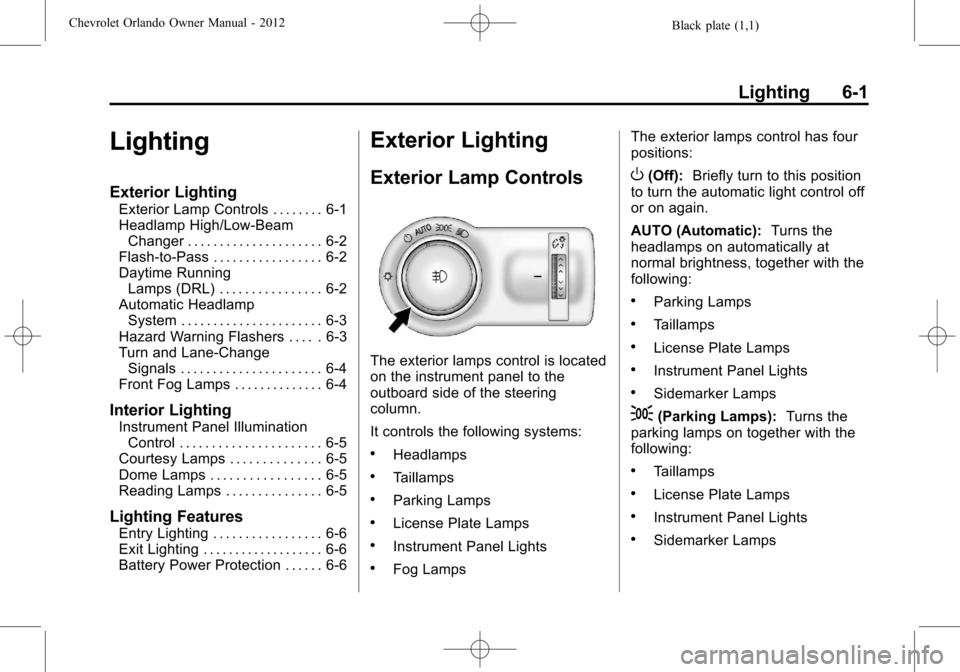
The exterior lamps control is located
on the instrument panel to the
outboard side of the steering
column.
It controls the following systems:
.Headlamps
.Taillamps
.Parking Lamps
.License Plate Lamps
.Instrument Panel Lights
.Fog Lamps The exterior lamps control has four
positions:
O(Off):
Briefly turn to this position
to turn the automatic light control off
or on again.
AUTO (Automatic): Turns the
headlamps on automatically at
normal brightness, together with the
following:
.Parking Lamps
.Taillamps
.License Plate Lamps
.Instrument Panel Lights
.Sidemarker Lamps
;(Parking Lamps): Turns the
parking lamps on together with the
following:
.Taillamps
.License Plate Lamps
.Instrument Panel Lights
.Sidemarker Lamps
Page 142 of 378
Black plate (2,1)Chevrolet Orlando Owner Manual - 2012
6-2 Lighting
5(Headlamps):Turns the
headlamps on together with the
lamps listed below. A warning chime
sounds if the driver door is opened
when the ignition switch is off and
the headlamps are on.
.Parking Lamps
.Taillamps
.License Plate Lamps
.Instrument Panel Lights
.Sidemarker Lamps
#(Front Fog Lamps): For
vehicles with fog lamps, press to
turn the lamps on or off.
See Front Fog Lamps on page 6‑4.
When the lights are on,
;will be
lit. See Lamps On Reminder on
page 5‑21.
Headlamp High/
Low-Beam Changer
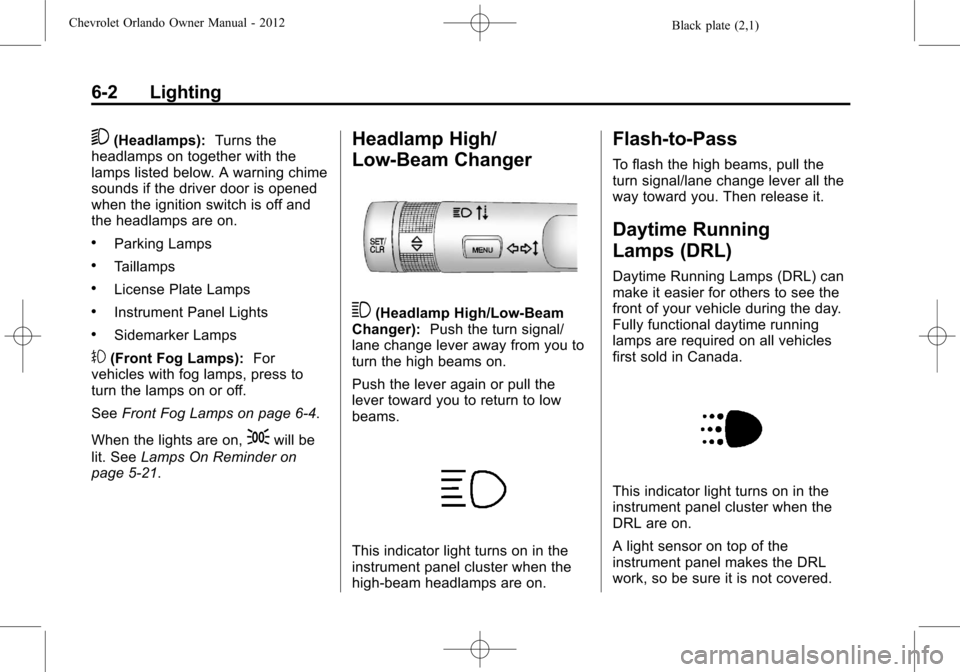
3(Headlamp High/Low‐Beam
Changer): Push the turn signal/
lane change lever away from you to
turn the high beams on.
Push the lever again or pull the
lever toward you to return to low
beams.
This indicator light turns on in the
instrument panel cluster when the
high‐beam headlamps are on.
Flash-to-Pass
To flash the high beams, pull the
turn signal/lane change lever all the
way toward you. Then release it.
Daytime Running
Lamps (DRL)
Daytime Running Lamps (DRL) can
make it easier for others to see the
front of your vehicle during the day.
Fully functional daytime running
lamps are required on all vehicles
first sold in Canada.
This indicator light turns on in the
instrument panel cluster when the
DRL are on.
A light sensor on top of the
instrument panel makes the DRL
work, so be sure it is not covered.
Page 143 of 378
Black plate (3,1)Chevrolet Orlando Owner Manual - 2012
Lighting 6-3
The DRL system makes the
low‐beam headlamps come on
at a reduced brightness when the
following conditions are met:
.The ignition is in the ON/
RUN mode.
.The exterior lamps control is
in AUTO.
.The engine is running.
When the DRL are on, only the
low‐beam headlamps, at a reduced
level of brightness, will be on. The
taillamps, sidemarker, instrument
panel, and other lamps will not
be on.
The headlamps automatically
change from DRL to the regular
headlamps depending on the
darkness of the surroundings. The
other lamps that come on with the
headlamps will also come on.
When it is bright enough outside,
the headlamps go off and the DRL
come on. To turn the DRL lamps off or on
again, turn the exterior lamps
control to the off position and then
release. For vehicles first sold in
Canada, the DRL lamps cannot be
turned off.
Automatic Headlamp
System
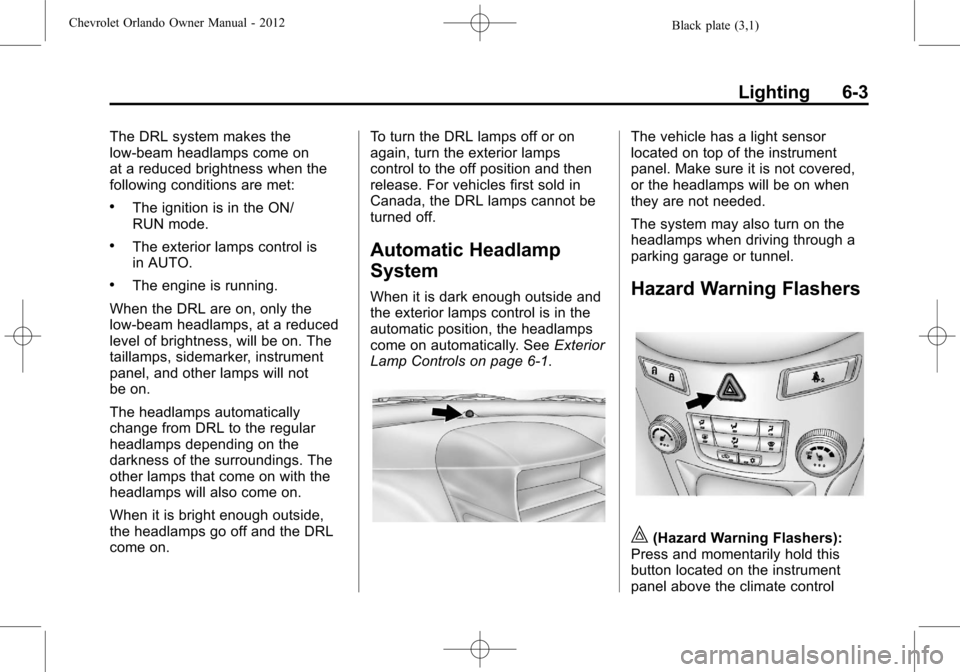
When it is dark enough outside and
the exterior lamps control is in the
automatic position, the headlamps
come on automatically. See
Exterior
Lamp Controls on page 6‑1.
The vehicle has a light sensor
located on top of the instrument
panel. Make sure it is not covered,
or the headlamps will be on when
they are not needed.
The system may also turn on the
headlamps when driving through a
parking garage or tunnel.
Hazard Warning Flashers
|(Hazard Warning Flashers):
Press and momentarily hold this
button located on the instrument
panel above the climate control
Page 144 of 378
Black plate (4,1)Chevrolet Orlando Owner Manual - 2012
6-4 Lighting
system, to make the front and rear
turn signal lamps flash on and off.
This warns others that you are
having trouble. Press and
momentarily hold again to turn the
flashers off.
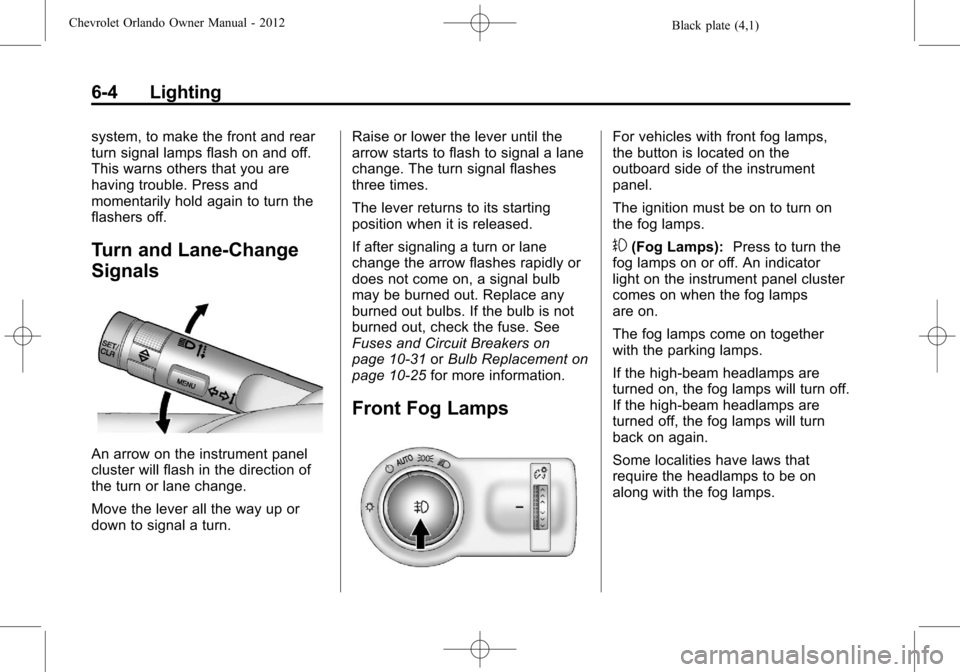
Turn and Lane-Change
Signals
An arrow on the instrument panel
cluster will flash in the direction of
the turn or lane change.
Move the lever all the way up or
down to signal a turn.Raise or lower the lever until the
arrow starts to flash to signal a lane
change. The turn signal flashes
three times.
The lever returns to its starting
position when it is released.
If after signaling a turn or lane
change the arrow flashes rapidly or
does not come on, a signal bulb
may be burned out. Replace any
burned out bulbs. If the bulb is not
burned out, check the fuse. See
Fuses and Circuit Breakers on
page 10‑31
orBulb Replacement on
page 10‑25 for more information.
Front Fog Lamps
For vehicles with front fog lamps,
the button is located on the
outboard side of the instrument
panel.
The ignition must be on to turn on
the fog lamps.
#(Fog Lamps): Press to turn the
fog lamps on or off. An indicator
light on the instrument panel cluster
comes on when the fog lamps
are on.
The fog lamps come on together
with the parking lamps.
If the high‐beam headlamps are
turned on, the fog lamps will turn off.
If the high‐beam headlamps are
turned off, the fog lamps will turn
back on again.
Some localities have laws that
require the headlamps to be on
along with the fog lamps.
Page 145 of 378
Black plate (5,1)Chevrolet Orlando Owner Manual - 2012
Lighting 6-5
Interior Lighting
Instrument Panel
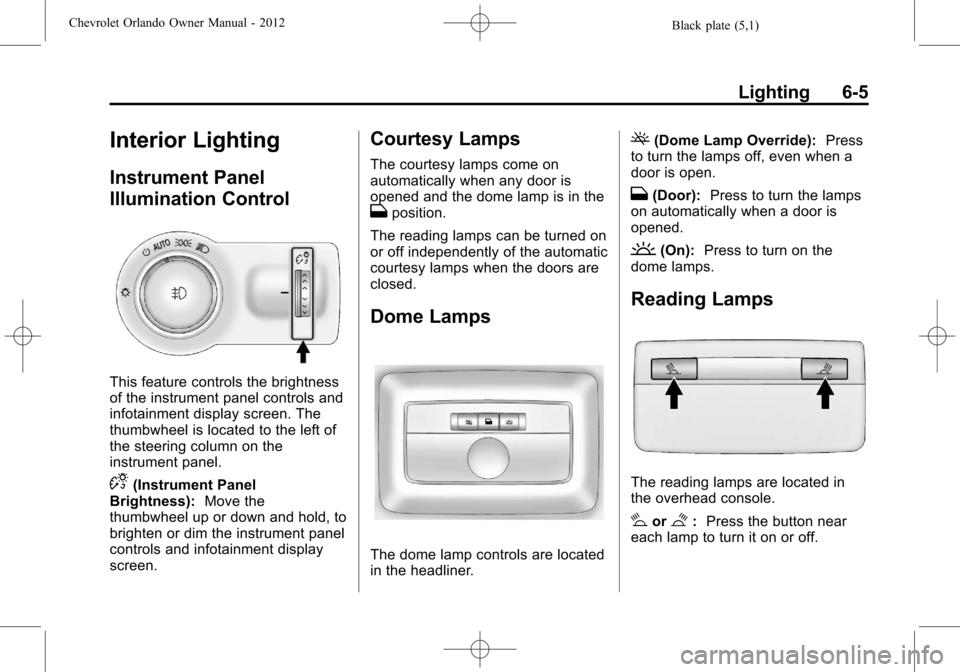
Illumination Control
This feature controls the brightness
of the instrument panel controls and
infotainment display screen. The
thumbwheel is located to the left of
the steering column on the
instrument panel.
D(Instrument Panel
Brightness): Move the
thumbwheel up or down and hold, to
brighten or dim the instrument panel
controls and infotainment display
screen.
Courtesy Lamps
The courtesy lamps come on
automatically when any door is
opened and the dome lamp is in the
Hposition.
The reading lamps can be turned on
or off independently of the automatic
courtesy lamps when the doors are
closed.
Dome Lamps
The dome lamp controls are located
in the headliner.
((Dome Lamp Override): Press
to turn the lamps off, even when a
door is open.
H(Door): Press to turn the lamps
on automatically when a door is
opened.
'(On): Press to turn on the
dome lamps.
Reading Lamps
The reading lamps are located in
the overhead console.
#or$: Press the button near
each lamp to turn it on or off.
Page 146 of 378
Black plate (6,1)Chevrolet Orlando Owner Manual - 2012
6-6 Lighting
Lighting Features
Entry Lighting
The headlamps, parking lamps, and
taillamps turn on briefly, when the
Remote Keyless Entry (RKE)
Kis
pressed. After about 30 seconds the
exterior lamps turn off. Entry lighting
can be disabled manually by
changing the ignition out of the OFF
position, or by pressing the RKE
Q
button.
This feature can be changed. See
Vehicle Personalization on
page 5‑32.
Exit Lighting
The headlamps, taillamps, parking
lamps, back‐up lamps, and license
plate lamps come on at night, or in
areas with limited lighting, when the
driver door is opened. The dome
lamps also come on when a door is
opened after the ignition is changed
to the OFF position.
The exterior lights and dome lamps
remain on after the driver door is
open for a set amount of time, then
automatically turn off.
The exterior lights turn off
immediately by turning the
exterior lamps control off.
This feature can be changed.
See Vehicle Personalization on
page 5‑32.
Battery Power Protection
The battery saver feature is
designed to protect the vehicle's
battery.
If some interior lamps are left on
and the ignition is turned off, the
battery rundown protection system
automatically turns the lamp off after
some time.
Page 197 of 378
Black plate (9,1)Chevrolet Orlando Owner Manual - 2012
Driving and Operating 9-9
WARNING (Continued)
If the vehicle is stuck in the snow:
.Clear away snow from around
the base of your vehicle,
especially any that is blocking
the exhaust pipe.
.Check again from time to
time to be sure snow does
not collect there.
.Open a window about 5 cm
(2 in) on the side of the
vehicle that is away from the
wind to bring in fresh air.
.Fully open the air outlets on
or under the instrument
panel.
.Adjust the climate control
system to a setting that
circulates the air inside the
vehicle and set the fan speed
to the highest setting.
See“Climate Control
Systems”in the Index.
(Continued)
WARNING (Continued)
For more information about
carbon monoxide, see Engine
Exhaust on page 9‑21.
Run the engine for short periods
only as needed to keep warm, but
be careful.
To save fuel, run the engine for only
short periods as needed to warm
the vehicle and then shut the engine
off and close the window most of
the way to save heat. Repeat this
until help arrives but only when you
feel really uncomfortable from the
cold. Moving about to keep warm
also helps.
If it takes some time for help to
arrive, now and then when you run
the engine, push the accelerator
pedal slightly so the engine runs
faster than the idle speed. This
keeps the battery charged to restart
the vehicle and to signal for help
with the headlamps. Do this as little
as possible to save fuel.
If the Vehicle Is Stuck
Slowly and cautiously spin the
wheels to free the vehicle when
stuck in sand, mud, ice, or snow.
If the vehicle has a traction system,
it can often help to free a stuck
vehicle. Refer to the vehicle's
traction system in the Index. If stuck
too severely for the traction system
to free the vehicle, turn the traction
system off and use the rocking
method.
{WARNING
If the vehicle's tires spin at high
speed, they can explode, and you
or others could be injured. The
vehicle can overheat, causing an
engine compartment fire or other
damage. Spin the wheels as little
as possible and avoid going
above 55 km/h (35 mph).
Page 204 of 378
Black plate (16,1)Chevrolet Orlando Owner Manual - 2012
9-16 Driving and Operating
2. Shift the vehicle to neutral. Thiscan be done while the vehicle is
moving. After shifting to neutral,
firmly apply the brakes and steer
the vehicle to a safe location.
3. Come to a complete stop. Shift to P (Park) with an automatic
transmission, or Neutral with a
manual transmission. Turn the
ignition to LOCK/OFF.
4. Set the parking brake. See Parking Brake on page 9‑28.
{WARNING
Turning off the vehicle while
moving may cause loss of power
assist in the brake and steering
systems and disable the airbags.
While driving, only shut the
vehicle off in an emergency.
If the vehicle cannot be pulled over,
and must be shut off while driving,
turn the ignition to ACC/
ACCESSORY. The ignition switch can bind in the
LOCK/OFF position with the key
removed and wheels turned off
center. If this happens, move the
steering wheel from right to left
while turning the key to ACC/
ACCESSORY. If this does not work,
then the vehicle needs service.
B (ACC/ACCESSORY):
This
position provides power to some of
the electrical accessories. It unlocks
the steering wheel. To move the key
from ACC/ACCESSORY to LOCK/
OFF, the shift lever must be in
P (Park).
C (ON/RUN): The ignition switch
stays in this position when the
engine is running. This position can
be used to operate the electrical
accessories, as well as to display
some warning and indicator lights. This position can also be used for
service and diagnostics, and to
verify the proper operation of the
malfunction indicator lamp as may
be required for emission inspection
purposes.
The battery could be drained if the
key is left in the ACC/ACCESSORY
or ON/RUN position with the engine
off. The vehicle might not restart if
the battery is allowed to drain for an
extended period of time.
D (START):
This position starts the
engine. When the engine starts,
release the key. The ignition switch
will return to ON/RUN for normal
driving.
A warning tone sounds when the
driver door is opened and the key is
in the ignition.
Page 226 of 378
Black plate (38,1)Chevrolet Orlando Owner Manual - 2012
9-38 Driving and Operating
For customers who do not use TOP
TIER Detergent Gasoline regularly,
one bottle of GM Fuel System
Treatment PLUS, added to the fuel
tank at every engine oil change,
can help clean deposits from fuel
injectors and intake valves. GM Fuel
System Treatment PLUS is the only
gasoline additive recommended by
General Motors. It is available at
your dealer.
Gasolines containing oxygenates,
such as ethers and ethanol, and
reformulated gasolines might be
available in your area. We
recommend that you use these
gasolines, if they comply with the
specifications described earlier.
However, E85 (85% ethanol) and
other fuels containing more than
15% ethanol must not be used in
vehicles that were not designed for
those fuels.Notice:
This vehicle was not
designed for fuel that contains
methanol. Do not use fuel
containing methanol. It can
corrode metal parts in the fuel
system and also damage plastic
and rubber parts. That damage
would not be covered under the
vehicle warranty.
Some gasolines that are
not reformulated for low
emissions can contain an
octane-enhancing additive called
methylcyclopentadienyl manganese
tricarbonyl (MMT); ask the attendant
where you buy gasoline whether the
fuel contains MMT. We recommend
against the use of such gasolines.
Fuels containing MMT can reduce
spark plug life and affect emission
control system performance. The
malfunction indicator lamp might
turn on. If this occurs, return to your
dealer for service.Filling the Tank
{WARNING
Fuel vapor burns violently and a
fuel fire can cause bad injuries.
To help avoid injuries to you and
others, read and follow all the
instructions on the fuel pump
island. Turn off the engine when
refueling. Do not smoke near fuel
or when refueling the vehicle. Do
not use cellular phones. Keep
sparks, flames, and smoking
materials away from fuel. Do not
leave the fuel pump unattended
when refueling the vehicle. This is
against the law in some places.
Do not re-enter the vehicle while
pumping fuel. Keep children away
from the fuel pump; never let
children pump fuel.